
Make your story pictures move with free AI animation.
Open any scene in your story, press Animate, pick Clippie Animate. The still becomes a 3- to 8-second clip that keeps the same look and characters.

The scene picture Clippie drew, and the clip Clippie Animate made from it.
How to animate a story picture.
- 1
Open a scene
In the AI Story editor, click the scene picture you want to move.
- 2
Press Animate
Pick Clippie Animate in the model list. It shows as free on Creator and Pro.
- 3
Pick a length
3 to 8 seconds. Five seconds fits most lines of narration.
- 4
Wait for the clip
It replaces the still in that scene. Retry it if the motion is not right.
More free animation. By look.
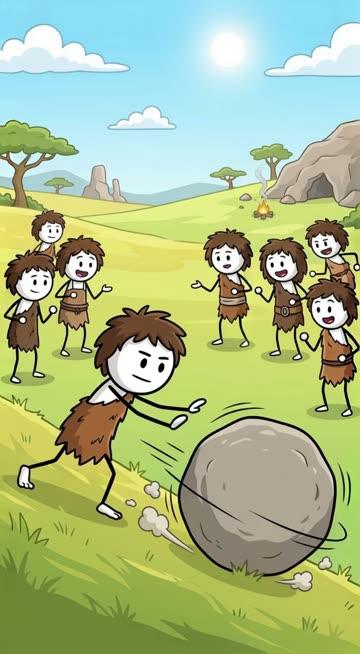 StickmanStickman animationStick figures that walk, push, wave and talk, in every stickman look.
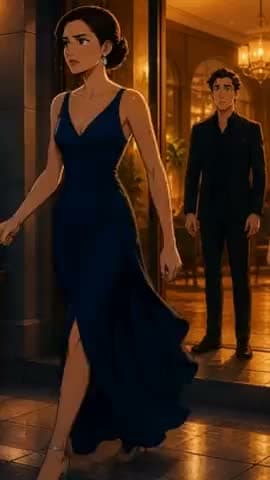 CartoonCartoon animationPolished, creepy, kids and 90s cartoon stories that move.
 3D3D animationPixar-style 3D, Lego, Claymation and blocky worlds, animated.
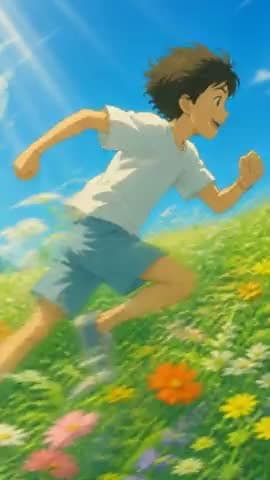 AnimeAnime animationGhibli-style and anime stories with drifting clouds and moving hair.
Image to video, for story scenes.
No credits on Creator and Pro
Animate as many story scenes as you like with Clippie Animate, inside a fair-use queue.
Starts from your picture
The clip begins on the scene picture, so the look and characters match the rest of the story.
Motion written for you
The model reads the scene and its line of script and decides what should move.
One scene or all of them
Animate a single moment, or every scene of the video in one go.
Every frame shape
Tall 9:16 for Shorts, wide 16:9 for YouTube, and square.
Email when done
Queue a whole story, close the tab and come back when the clips are in.
Frequently asked questions.
Can I animate my own photos or uploaded images?
Not with Clippie Animate. It animates the scene pictures Clippie draws for your AI Story videos. For your own images, use AI Studio's image-to-video models, which use credits.
Is Clippie Animate really free?
On the Creator and Pro plans, yes: animating AI Story scenes with Clippie Animate uses no credits, however many scenes you animate, within a fair-use queue. Plans start at $34.99 a month for Creator. On Lite, animation uses credits with the paid models, about 7 credits for a 5-second clip at the default settings. Exporting the finished video uses your plan's export minutes on every plan.
What does Clippie Animate make?
Silent 720p clips of 3 to 8 seconds at 24 frames a second, in 9:16, 16:9, 1:1, 4:3 and 3:4. The clip starts from your scene picture, so the look, the characters and the place stay the same, and the story's voiceover and music play over it.
Do I have to write a motion prompt?
No. Clippie Animate reads the scene and its line of the script and writes the motion direction for you, so there is no prompt box. If you want to say exactly what moves, animate that scene with one of the paid models instead, which take your own prompt.
How long does it take?
A clip usually renders in under a minute once it reaches a GPU. At busy times clips wait in a queue: Pro goes first for its first 600 clips in any 30 days and Creator for its first 250, and after that the queue is shared fairly. The editor shows the expected wait, and you can close the tab and get an email when the clips are done.
When should I use a paid model instead?
When you want sound in the clip, 1080p, your own motion prompt, or no wait. The paid models (Seedance) sit in the same animate dialog and use credits. Many creators animate the whole story with Clippie Animate and redo one or two key scenes with a paid model.

