
How to do the hotel lobby trend.
Add a photo of you and one of a friend. Clippie Recast swaps you both into the Quavo and Takeoff Hotel Lobby performance, with the same song, moves and stage.
- Creators1,000,000+ and counting
- TemplatesOver 400 clips
- Output720p or 1080p
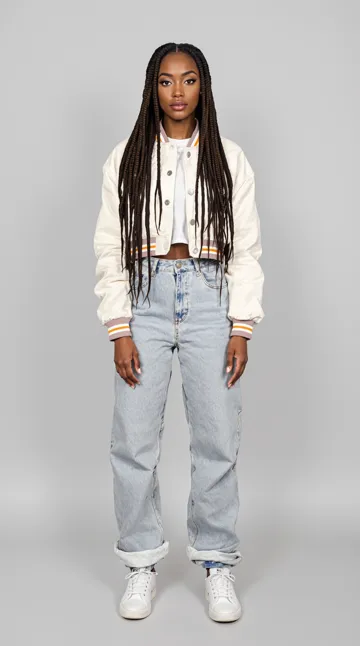
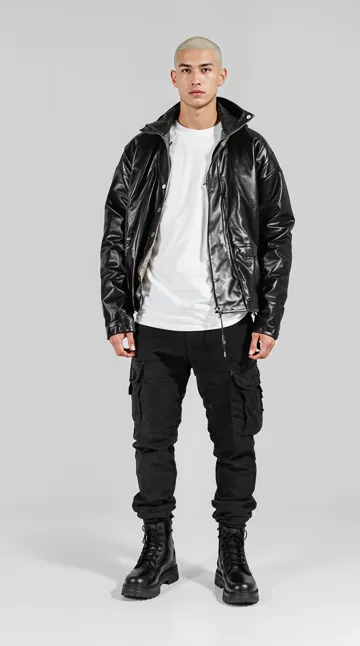
Two photos in, matched left to right. Same performance, new duo.
How to make the hotel lobby trend.
- 1
Open the hotel lobby template
Tap “Make my hotel lobby video”. AI Studio opens on the Motion tab with Clippie Recast and the Quavo and Takeoff clip loaded.
- 2
Add two photos
One of you and one of a friend. The first photo replaces the person on the left, the second the person on the right.
- 3
Pick 720p or 1080p
720p is cheaper for a first try. Use 1080p for the version you post.
- 4
Generate and post
Your video keeps the song and the timing, so it is ready to post as is, or to drop into a Clippie project for captions.
Why it works. And how to nail it.
The song stays
Recast keeps the original audio, so the bars and the moves still line up.
Two people, one go
Both performers are swapped in the same render, so you and your friend share the stage.
Use full-body photos
The clip shows head to toe, so photos that show your outfit and shoes come out best.
Dress for the stage
Bright fits pop against the orange backdrop. Your photo’s outfit is what Recast uses.
Solo works too
Add one photo and only the person on the left is swapped. Handy for a reaction or a duet with the original.
Add captions
Drop the result into a Clippie project to put the lyrics on screen with animated captions.
Frequently asked questions.
What is the hotel lobby trend?
A trend built on Quavo and Takeoff performing Hotel Lobby against an orange backdrop. People put themselves and a friend into the performance with AI, keeping the song and the moves.
How do I do the hotel lobby trend with AI?
Open the hotel lobby template in Clippie AI Studio, add a photo of you and a photo of a friend, and generate with Clippie Recast. It swaps you both in and keeps the song, moves and stage.
Can I do it on my own?
Yes. Add one photo and Recast replaces the person on the left. The other performer stays as they are.
Which photo goes where?
Photos are matched from left to right: the first photo replaces the person on the left of the frame, the second the person on the right.
Does it keep the Hotel Lobby song?
Yes. Recast keeps the original sound of the clip, so the audio and the timing are unchanged.
How much does Clippie Recast cost?
Recast is priced per second of video, and 1080p costs more than 720p. You see the price before you generate. Every paid plan includes AI Studio credits: 300 on Lite, 1,000 on Creator and 2,000 on Pro, and you can top up any time.
Is this affiliated with Quavo or Takeoff?
Clippie is not affiliated with or endorsed by the artists or creators in the original clip. Templates are for fan edits and personal posts: credit the original, and do not use someone’s likeness in ads or to mislead people.

