
How to make a Hey Chat video.
One photo is all it takes. Clippie Recast puts you into the viral “Hey Chat” clip, talking to ChatGPT on your phone, with the same voice, walk and setting.
- Creators1,000,000+ and counting
- TemplatesOver 400 clips
- Output720p or 1080p
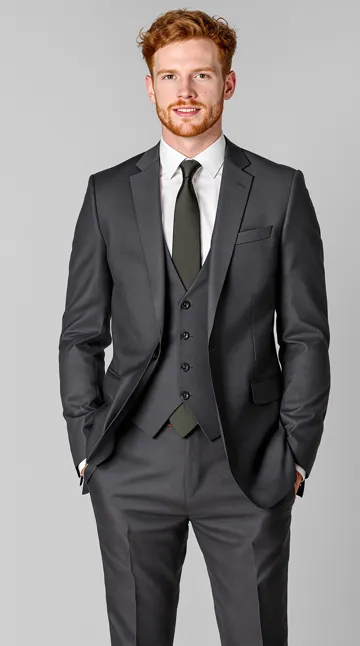
One photo in. Same call, same walk, new caller.
How to make a Hey Chat video.
- 1
Open the Hey Chat template
Tap “Make my Hey Chat video”. AI Studio opens on the Motion tab with Clippie Recast and the Hey Chat clip loaded.
- 2
Add one photo
A clear photo of you, or whoever you want on the call. Waist-up with the face visible works best.
- 3
Pick 720p or 1080p
720p for a quick try, 1080p for the one you post. The clip is vertical, ready for TikTok and Reels.
- 4
Generate and post
The original audio stays, so the punchline lands on time. Add captions in Clippie if you want the words on screen.
Why it works. And how to nail it.
The voice stays
Recast keeps the original audio, so the “Hey Chat” call plays exactly as in the trend.
Phone in hand
The walk, the gestures and the phone held up to talk all carry over to you.
Suit up
Recast dresses you in the outfit from your photo. A suit sells the joke, but anything goes.
Vertical and ready
The clip is 9:16, so it posts straight to TikTok, Reels and Shorts.
Make it yours
Upload your own Hey Chat style clip instead of the template, from 5 to 30 seconds.
Add captions
Drop the result into a Clippie project for animated captions that follow the call.
Frequently asked questions.
What is the Hey Chat trend?
A viral clip of a man in a suit walking through a parking lot and talking to ChatGPT on his phone, opening with “Hey Chat”. People recreate it by putting themselves into the clip.
How do I make a Hey Chat ChatGPT video?
Open the Hey Chat template in Clippie AI Studio, add one photo of yourself, and generate with Clippie Recast. You get the same clip with you on the call.
Do I need to record anything?
No. You only need one photo. The voice, the walk and the setting all come from the template.
Can I change what is said?
The template keeps its original audio. To say something different, record your own version of the clip and upload it to Recast with your photo.
How much does Clippie Recast cost?
Recast is priced per second of video, and 1080p costs more than 720p. You see the price before you generate. Every paid plan includes AI Studio credits: 300 on Lite, 1,000 on Creator and 2,000 on Pro, and you can top up any time.
Is this affiliated with ChatGPT or OpenAI?
No. ChatGPT is a trademark of OpenAI, and Clippie is not affiliated with or endorsed by OpenAI or the people in the original clip. The template is for fan edits and personal posts.

