
How to make stickman YouTube videos.
A faceless stickman channel without drawing or recording a thing. Pick a niche, and Clippie makes the 16:9 video: script, stickman scenes, animation, narrator and captions.
- Creators1,000,000+ and counting
- Views generatedOver 5 billion
- MonetizationCopyright safe
Three 16:9 stickman looks for YouTube, drawn and animated in Clippie.
How to make a stickman YouTube video. Four steps.
- 1
Pick your niche
Survival and “what if” stories, money and law explainers, psychology, history or dark facts. One niche and one look make a channel people subscribe to.
- 2
Open a 16:9 stickman template
Bare stickman for stories, Doodle explainer for explainers. Both are set to 16:9 for YouTube.
- 3
Generate the script and scenes
Let the AI writer draft up to 10 minutes from your topic, or paste your own. Clippie draws a stickman scene for every line.
- 4
Animate, narrate and export
Animate the scenes, pick a narrator from 125 voices, style the captions and export in 16:9. Then make a 9:16 Short from the same story to bring viewers in.
More stickman how-tos. And templates to start from.
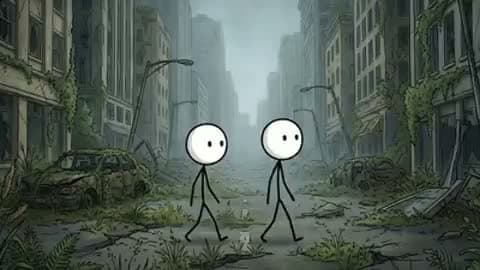 How-toHow to make long stickman videos10-minute and longer stickman videos without drawing 100 scenes.
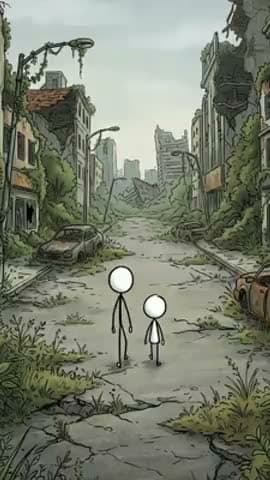 How-toHow to make viral stickman videosHooks, story formats and pacing that keep people watching.
- YouTubeBare stickman, 16:9Pure stick bodies in detailed, moody worlds. The look behind viral survival series.
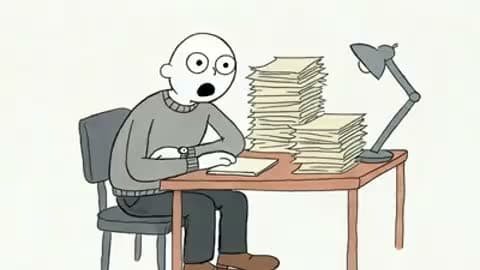 YouTubeDoodle explainer, 16:9Doodled stickmen on a clean background for money, law and psychology explainers.
A stickman channel, without the animation studio.
Proven stickman niches
Survival series, explainers, “what happens if” and history all have big stickman channels behind them.
Scripts up to 10 minutes
The AI writer switches to a long-form structure for anything over two minutes. Paste longer scripts of your own.
Animate every scene
One prompt animates every scene in parallel in the background. Free on any paid plan.
125 AI voices
A calm narrator for explainers, a tense one for survival stories. Regenerate any line until it lands.
Shorts from the same story
The Bare stickman look comes in 9:16 too, so every video can have Shorts that point back to it.
No copyrighted footage
Every scene, voice and caption is generated, so there is no stock or film footage to get claimed.
Frequently asked questions.
How do I start a stickman YouTube channel?
Pick one niche, such as survival stories, money explainers or history, and one stickman look, and keep both consistent. Make a 16:9 video in Clippie from a stickman template, then post Shorts from the same stories to bring in subscribers.
What software do stickman YouTubers use?
Many draw in animation apps and edit in a video editor, which takes days per video. With Clippie the script, stickman scenes, animation, voice and captions are made in one place in the browser, and you edit any of it before you export.
Can I monetize these videos on YouTube?
The images, voice and captions are generated for you, so there is no copyrighted footage to get flagged. YouTube still rewards original work, so write or edit your own script, check your facts and add your own angle.
How long should a stickman YouTube video be?
Explainers and stories usually run 6 to 12 minutes. The AI writer drafts up to 10, and you can paste a longer script. See the long stickman videos guide for longer videos.
Are the stickman scenes animated or still?
Both. Every scene starts as a drawn image. Use Animate on one scene, or animate every scene at once from a single prompt, and the stickmen move: walking, running, reacting. Scene animation is free on any paid plan.
How much does it cost to make a stickman video?
Bare stickman, Caveman stickman, Doodle explainer and Painted stickman scenes are drawn by AI image models and use AI credits per scene, and you see the total before you generate. Classic stickman is a Clippie style included in your plan. Animating scenes is free on any paid plan, and exporting uses your plan’s export minutes.

