
AI character video generator with characters that look and sound the same.
Give every character a name, a picture and a voice. Clippie keeps them the same in every scene, saves them to your library, and makes them talk on camera, each in their own voice with the lips in sync.
- Characters per storyUp to 8
- Scenes per talking storyUp to 40
- AI voices125 + thousands
Strawberry, Banana and Cherry from the Fruit videos template, each saying a line in their own voice, and a 3D animated film story. Tap a clip to hear it.
How to make a video with AI characters. Four steps.
- 1
Create the cast
Add up to 8 characters with a name and a “Looks like” line. Draw each one in your story’s look, upload a picture, or add one from your library.
- 2
Give them voices
Pick a voice for each character. For a narrated story one narrator reads it all; in Characters talk every character speaks their own lines.
- 3
Write the story
Type @ in the script to mention a character, or let the AI writer draft it from an idea. Every scene draws the characters in it from their pictures.
- 4
Animate and export
Animate the scenes, or make the characters talk on camera, then add captions and music and export in 9:16 or 16:9.
What you can make with AI characters. Pick a format.
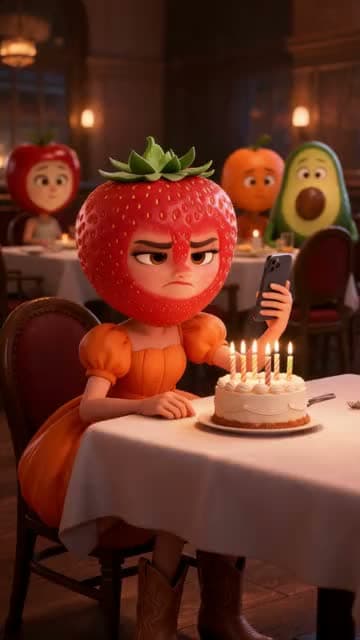 AI Fruit Video GeneratorMake viral AI fruit videos: fruit and vegetable characters with 3D fruit heads act out a drama, each saying their lines to camera in their own voice. Start from the Fruit videos template with a ready-made cast and story, or write your own.
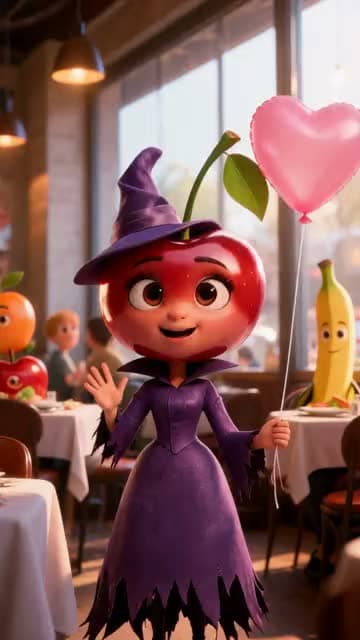 AI Talking Video GeneratorMake any character or picture talk: upload a picture, type what they say and pick a voice (or upload a recording), and get a 4 to 30 second talking video with the voice in sync with the lips, in 9:16, 16:9, 1:1, 3:4 or 4:3.
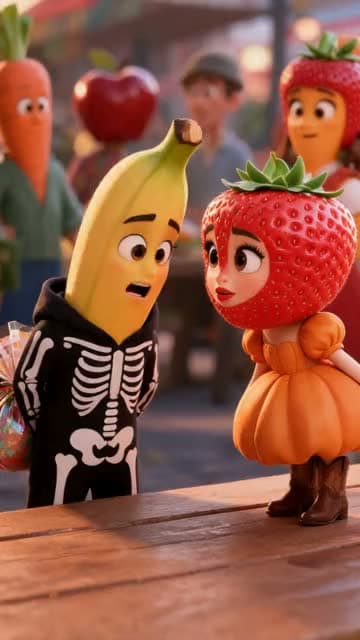 AI Dialogue Video GeneratorMake AI videos where two or more characters talk to each other, each in their own voice: write or paste the dialogue, give every character a picture and a voice, and Clippie turns each line into a lip-synced scene with captions.
 3D Talking Character GeneratorMake a 3D character speak: draw a 3D character in the Fruit people, 3D animated film, Kids cartoon or Claymation look (or upload one), give them a voice, and turn their lines into lip-synced talking clips, one at a time or as a whole story.
 3D Animation Video MakerMake 3D animated videos with AI: write or generate a script, pick one of ten 3D looks (3D animated film, Pixar 3D, Kids cartoon, Claymation, Fruit people and more), and Clippie draws, animates and narrates every scene, with the same characters throughout.
 AI ASMR Video GeneratorMake AI ASMR videos two ways: generate satisfying ASMR clips with sound (glass fruit cutting, crunchy textures, slow pours) on AI video models that make sound, or narrate whisper ASMR stories with soft AI voices and [whispers] tags.
Characters you can reuse. Not redraw every time.
Characters that stay the same
Give each character a name, a “Looks like” line and a picture. Every scene they are in uses that picture, so the same face turns up in scene 1 and scene 40.
A character library
Characters you make are saved to your library, ready for the next story. Start from Clippie’s Fruit, Animals and Stickman packs.
A voice for every character
Pick each character’s voice from 125 hand-picked voices or search thousands more. They keep it in every line.
Lips in sync with the voice
The character is animated saying the line, and Clippie lines the voice you picked up with the lips, so the character still sounds like themselves.
Voice acting tags
Write [whispers], [laughs], [sighs] or [nervous] in a line and the voice performs it. The Voice acting button adds tags for you without changing a word.
Keep someone off screen
A narrator, a ghost, a voice on the phone: switch on “Keep off screen” and they are never drawn, or show them as something else, like a soft glowing light.
Frequently asked questions.
What is an AI character video generator?
A tool that makes videos starring characters you define once and reuse: the same face, outfit and voice in every scene and every video. In Clippie you create a character with a name, a “Looks like” line, a picture and a voice, and AI Story draws them into every scene they appear in, narrates the story or has them speak their own lines on camera.
How do characters look the same in every scene?
Each character has a picture and a “Looks like” line. On looks marked with the standing-figure icon (including Fruit people, 3D animated film, Kids cartoon, Claymation and the stickman looks), every scene a character is in gets their picture as a reference. The other looks keep characters consistent from the “Looks like” line.
Can I reuse a character in another video?
Yes. Characters you use in a story are saved to your character library (up to 300), and any story can add them with “From library”. The library also has Clippie’s own Fruit, Animals and Stickman characters, each drawn and voiced, which you can copy and change.
Can the characters talk to each other?
Yes. Switch an AI Story to Characters talk: there is no narrator, each scene is one character saying one line in their own voice, and “Make them talk” turns every scene into a lip-synced talking clip. The AI writer can draft the dialogue for your cast, or you can paste a script.
Which voices can my characters use?
Any voice in the Clippie voice picker: 125 hand-picked voices plus a search of thousands more in the voice library. Audio tags in square brackets, like [whispers], [laughs] or [annoyed], change how a line is delivered.
Can I use a photo of a real person?
Only a photo you have the right to use, such as one of yourself, and you confirm that when you upload it. In AI Story a photo can be used as it is or redrawn in the story’s look. Pictures and lines that break the content rules are refused, and you are not charged.
Do I need a plan?
You can open AI Story and look around without an account. Drawing characters needs a Clippie subscription, talking clips and scene animation use AI credits, and exporting uses your plan’s export minutes. Plans are below.

