
Top 5 video maker for rankings that keep people watching to #1.
Upload your clips, drag them into order, type a label for each entry, and Clippie builds the countdown: the numbered list, the voiceover, the music, the bass hits and the captions. Export in 1080p for TikTok, Reels and YouTube Shorts.
- Items per video2 to 9
- Fonts127
- AI voices16,000+
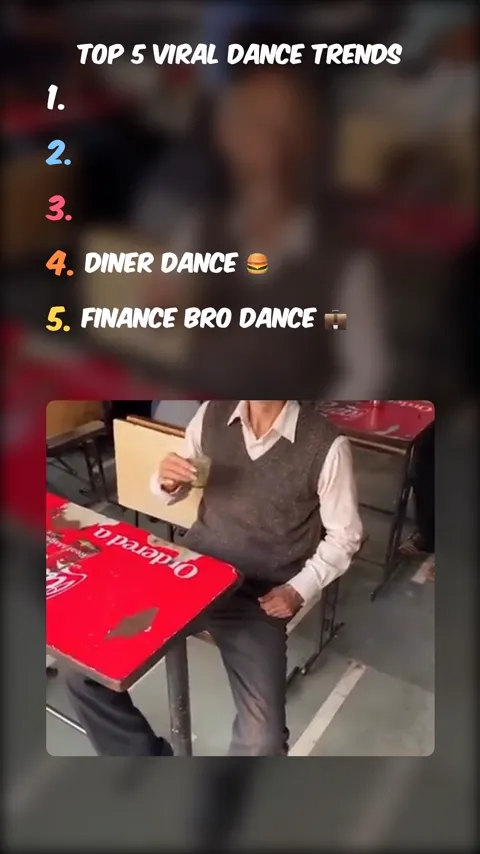
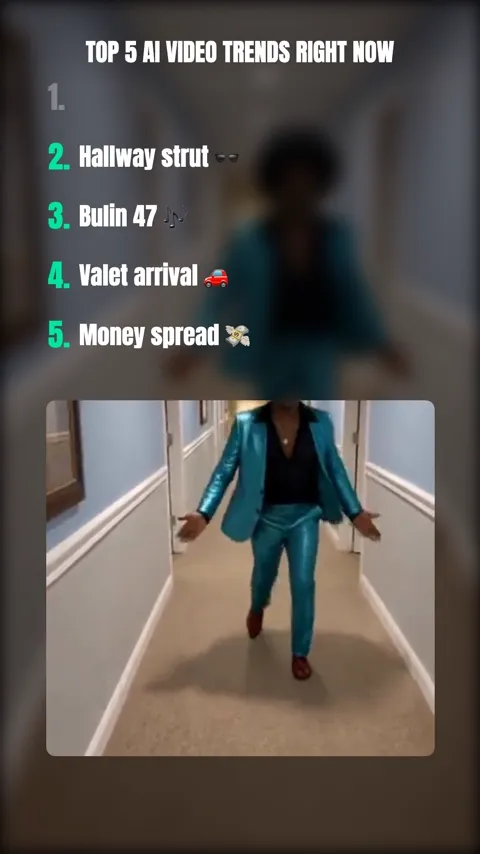
Three countdowns made in the Top 5 editor from the same kind of clips you would upload: different fonts, number colours, animations and list lengths.
How the Top 5 video maker works. Four steps.
- 1
Add your clips
Choose how many items the countdown has (2 to 9) and upload a clip for each one. Trim each clip to its best few seconds.
- 2
Rank and label them
Drag the clips into order, with your number 1 last. Type the title and a short label for every entry, and pick an entrance animation.
- 3
Add voice, music and captions
Generate an AI voiceover for the title and for each transition, pick a track, turn on the bass boost, and generate captions.
- 4
Export
Preview the countdown, then export a 1080x1920 MP4. Save the look as a template for the next one.
Guides and ideas. Learn the format, then make one.
 GuideHow to make top 5 videosThe full guide: topic, clips, order, labels, voiceover, music, captions and export.
 How-toHow to make ranking videosCountdowns, tier lists and “ranked” formats that get people arguing in the comments.
 How-toHow to make top 10 videosNarrated top 10 lists for YouTube, and the countdown Short that sends people to them.
 IdeasTop 5 video ideas100 ranked-list ideas by niche, from gaming and sports to true crime and money.
- AI storyNarrated top 10 for YouTubePaste a top 10 script and get a 16:9 video with an AI scene for every entry, a narrator and captions.
Everything a top 5 video needs. In one editor.
Top 2 to top 9
Pick how many items the countdown has. The list on screen, the numbers and the colours follow.
Your clips, in order
Upload MP4, MOV, AVI, MKV or WebM clips, trim each one, drag them into rank order, mute or replace any clip.
Title and transition voiceovers
An AI voice reads the title, and can announce every entry over a freeze frame before the clip plays. 16,000+ voices.
Fonts, colours and animations
127 fonts including Komika Axis, Anton and Bangers, a colour and stroke for every number, and ten entrance animations.
Music, bass boost and SFX
Background music from the library or your own file, a bass-drop transition between clips, and a sound effect on any entry.
Captions and blur
Word-timed captions generated from the voiceovers, and a blurred copy of each clip as the background.
Save it as a template
Keep the look, music, voice and labels. The next video only needs new clips.
1080p vertical export
1080x1920 at 30 fps, ready for TikTok, Reels and YouTube Shorts.
Frequently asked questions.
What is a top 5 video?
A top 5 video is a short countdown: a title like “Top 5 scariest places on Earth”, a numbered list on screen, and one clip for each entry, played from number 5 down to number 1. Each entry’s label appears as its clip plays, often with a bass hit or a voice announcing the number. The format is popular on TikTok, Reels and YouTube Shorts because every entry gives people a reason to keep watching to number 1.
How do I make a top 5 video?
Pick a topic with a clear best and worst, collect one clip per entry, upload them to a top 5 video maker, drag them into order from number 5 to number 1, type a title and a label for each entry, add a voiceover, music and captions, and export in 9:16. In Clippie the list, the numbers, the transitions and the captions are built for you, so the whole thing takes a few minutes.
Can I make a top 10 video with it?
The countdown editor goes up to 9 items, which is the most that fits on a phone screen with the clip. For a top 10, make a narrated 16:9 version in the AI story editor for YouTube, and a countdown Short of the top 5 or top 9 to send people to it. The top 10 guide covers both.
Where do I get clips for a top 5 video?
Use footage you own or have permission to use: your own recordings, screen recordings of your own gameplay, clips you generate with AI, or stock and Creative Commons footage that allows reuse. Re-uploading other creators’ videos is the fastest way to get a ranking video taken down or demonetized, even with credit.
Can I add music and sound effects?
Yes. Pick a track from Clippie’s music library or upload your own and set its volume, turn on the bass boost transition for a one-second bass drop between clips, and add a sound effect to the title or any entry. Each clip’s own audio can stay on or be muted.
How long should a top 5 video be?
Between 20 and 45 seconds for TikTok, Reels and Shorts: 4 to 7 seconds per clip, plus a second for each bass transition. Trim every clip to its best moment rather than letting it run. Top 10 videos for YouTube are a different format and usually run 5 to 12 minutes, narrated.
Can I reuse the same look for every video?
Yes. Save a finished Top 5 as a template and it keeps the fonts, colours, music, voice, title style and the label, animation and sound effect for every position. Start the next video from the template and only the clips change.
How much does it cost to make a top 5 video in Clippie?
You can open the Top 5 editor and see the format without an account. Uploading clips and exporting the finished video needs a Clippie plan: exports use the plan’s export minutes, the title and transition voiceovers use its AI voice minutes, and captions are free. Plans are listed below.

