
Add a voiceover to any video without recording a word.
Type what you want said, pick a voice that fits, and Clippie narrates it over your clip or gameplay with captions that follow every word.
- Creators1,000,000+ and counting
- VoicesThousands to choose from
- CaptionsTimed to every word
Made with Clippie. Tap a video to hear the voiceover.
Pick a voice. Hear it first.
Some of the most popular voices in the Clippie voice library. Search thousands more by language, accent and gender inside the editor.
How to add a voiceover to a video.
- 1
Write the script
Type or paste what you want said, or let the AI script writer draft it. About 1,000 characters makes a minute of narration.
- 2
Pick a voice
Play previews and choose from the voice library. Adjust stability and similarity until the read sounds right.
- 3
Add your video
Upload your own clip, or put the voiceover over Minecraft parkour and other gameplay from the Clippie library.
- 4
Caption and export
Captions are timed to the voice. Pick a caption style, add background music and export a 9:16 MP4.
Why add a voiceover? Because nobody watches in silence.
A voice gives footage a story to follow. These are the videos people narrate most with Clippie.
 StoriesNarrate a storyReddit posts and short stories read aloud over gameplay: the format that made faceless TikTok.
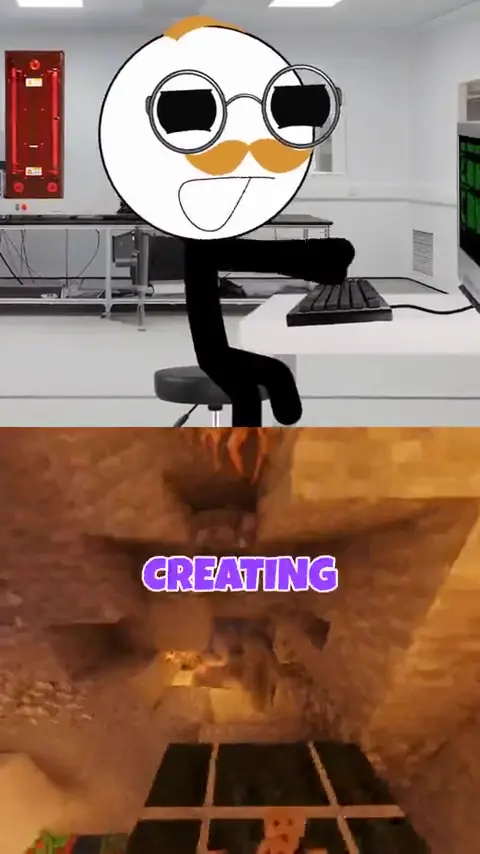 CommentaryTalk over gameplay or b-rollCommentary, facts or a rant over your own clips or library gameplay, with captions on top.
 ExplainersExplain anythingStickman explainers with a scene drawn and narrated for every line of the script.
 YouTubeRun a faceless channelHistory, true crime and documentary videos narrated by an AI voice, from Shorts to 10 minutes.
Everything a voiceover needs. In one editor.
A huge voice library
Search thousands of voices by language, accent, gender and popularity, and play any of them before you pick.
AI script writer
No script yet? Describe the video and get a draft you can edit line by line.
Your footage or ours
Narrate over a clip you upload, or over gameplay and background videos from the Clippie library.
Captions that follow the voice
Word-timed captions in the styles creators use, with size and position controls.
Background music
Add a track from the music library under the narration and set its volume.
Ready for Shorts
Export a vertical MP4 sized for TikTok, Reels and YouTube Shorts.
Frequently asked questions.
How do I add a voiceover to a video?
Open the Clippie voiceover editor, type or generate a script, pick a voice, then upload your video or choose gameplay from the library. Clippie generates the narration, times the captions to it, and you export the finished MP4.
Can I add a voiceover to my own video?
Yes. Upload your clip as the background and the AI voice is laid over it, with captions. You can also skip filming and use gameplay or background footage from the Clippie library.
Which voices can I use?
The editor has Clippie’s standard voices plus a voice library of thousands of community voices you can search by language, accent and gender. The voices on this page are some of the most popular ones in that library.
How do I narrate gameplay?
Write what you would say over the clip, pick an energetic voice like Alex or Hope, and upload your gameplay recording (or pick one from the library). The captions keep viewers watching with the sound off.
How long can a voiceover be?
Roughly 1,000 characters of script makes a minute of narration, and the editor shows the estimated length as you type. Voice generation uses the AI voice minutes included in your plan.
Is adding a voiceover free?
You can open the editor and try it without an account. Generating the voice and exporting the video use the AI voice and export minutes in a Clippie plan.
Can I use AI voiceovers on YouTube and TikTok?
Yes. Videos you make with Clippie are yours to post. For YouTube monetization, add your own angle in the script rather than reading copied text word for word.

