
Turn a tweet into a video, with a voice and gameplay.
Fill in the tweet card, add more for a thread and pick a voice for each one. Clippie reads them aloud over gameplay and exports a vertical video for TikTok, Reels and Shorts.
- Background clips417 background clips in 10 categories, most of them gameplay
- AI voicesA different one per tweet
- Export1080x1920 at 30 fps
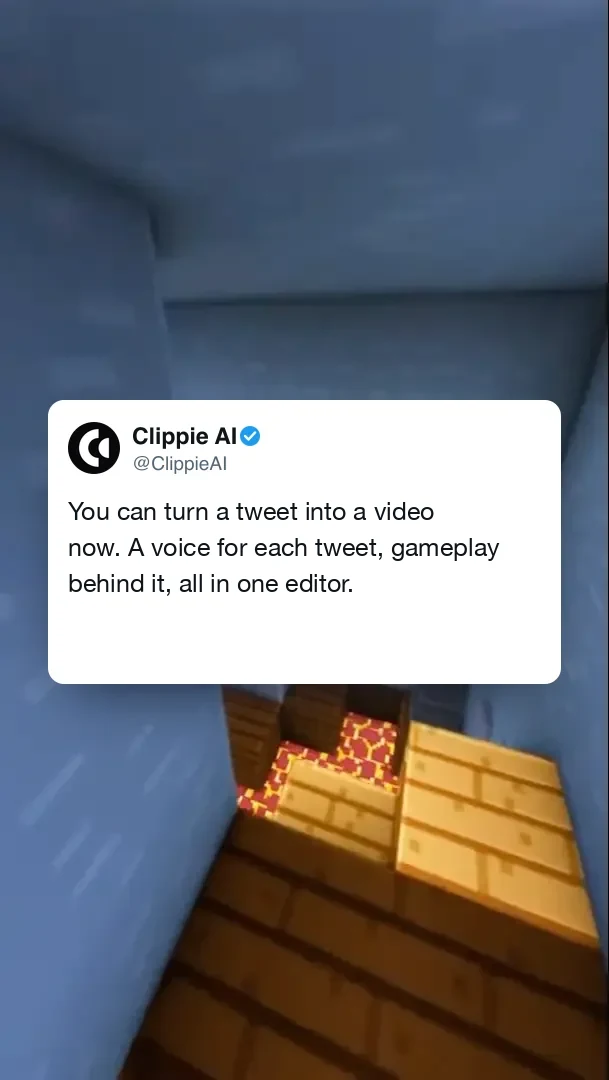
A tweet card in the Twitter video layout, with the likes and views row switched off.
Write it, voice it, set it over gameplay.
- 1
Fill in the tweet card
Add a display name, username, profile picture and text, plus an image if you want one. Add likes, quotes, replies and views if the post should show them.
- 2
Pick a voice, add more tweets
Choose a voice for this tweet, and add another for a thread. Each can have its own voice, so a reply can sound like a different person. Drag them to reorder.
- 3
Choose a background and export
Pick gameplay from the library or upload your own, flip it if you like and add music. Clippie generates the voiceover and exports a 1080x1920 video.
Getting this format right. What works, and what to avoid.
What makes a good tweet video
The card is on screen the whole time, so the writing does the work:
- Your own thread: Turn something you already posted into a video for another platform.
- A short argument: One opinion in one line, then replies that push back in other voices.
- A mini story: A thread that tells a story in five or six short tweets.
- A list: Tips or lessons, with one tweet for each.
Writing as yourself, not as someone else
The card shows whatever name and text you type, and you set the numbers yourself. That makes it easy to build something false, so do not put made-up words on a real person’s name or photo, even as a joke people might believe. It can break platform rules and the law. If you quote a real tweet, check that the words and the numbers are accurate, and ask permission where you can.
What the editor does. No more, no less.
A tweet card you control
Name, handle, picture, text and image, in light or dark mode.
Show or hide details
Toggle the verified badge, the header and the footer on each tweet.
A voice per tweet
Choose from 125 picked voices, with speed and pitch settings.
Threads
Add as many tweets as you need, and drag to change the order.
Gameplay library
Roblox, Minecraft, Subway Surfers, GTA and more, from a library of 417 clips.
1080x1920 export
A vertical video at 30 fps, with no Clippie watermark on a paid plan.
Frequently asked questions.
Can I paste a tweet link?
No. There is no link import today. You type or paste the text and fill in the card yourself, which also means you can use it for posts you have not published.
Does it add captions?
Not in this editor. The text is already on the card. If you want word-by-word captions on a finished video, you can run it through Clippie’s caption generator.
Is it for X or Twitter?
Both are the same post format here. The card looks like a Twitter or X post, and the video is meant for posting on TikTok, Reels and Shorts, or on X.
Can I use someone else’s tweet?
Quoting a real tweet accurately is different from inventing one, but it may still be their work. Ask permission if you can, and never make up words for a real person.
Can I make it 16:9?
No. This format exports in vertical 1080x1920 only. For 16:9, try an AI story video instead.
Do I need an account and a plan?
Yes. The editor needs a Clippie account and a paid plan, and there is no free version of the video formats. This page shows what the output looks like, and the pricing section lists what each plan includes.

