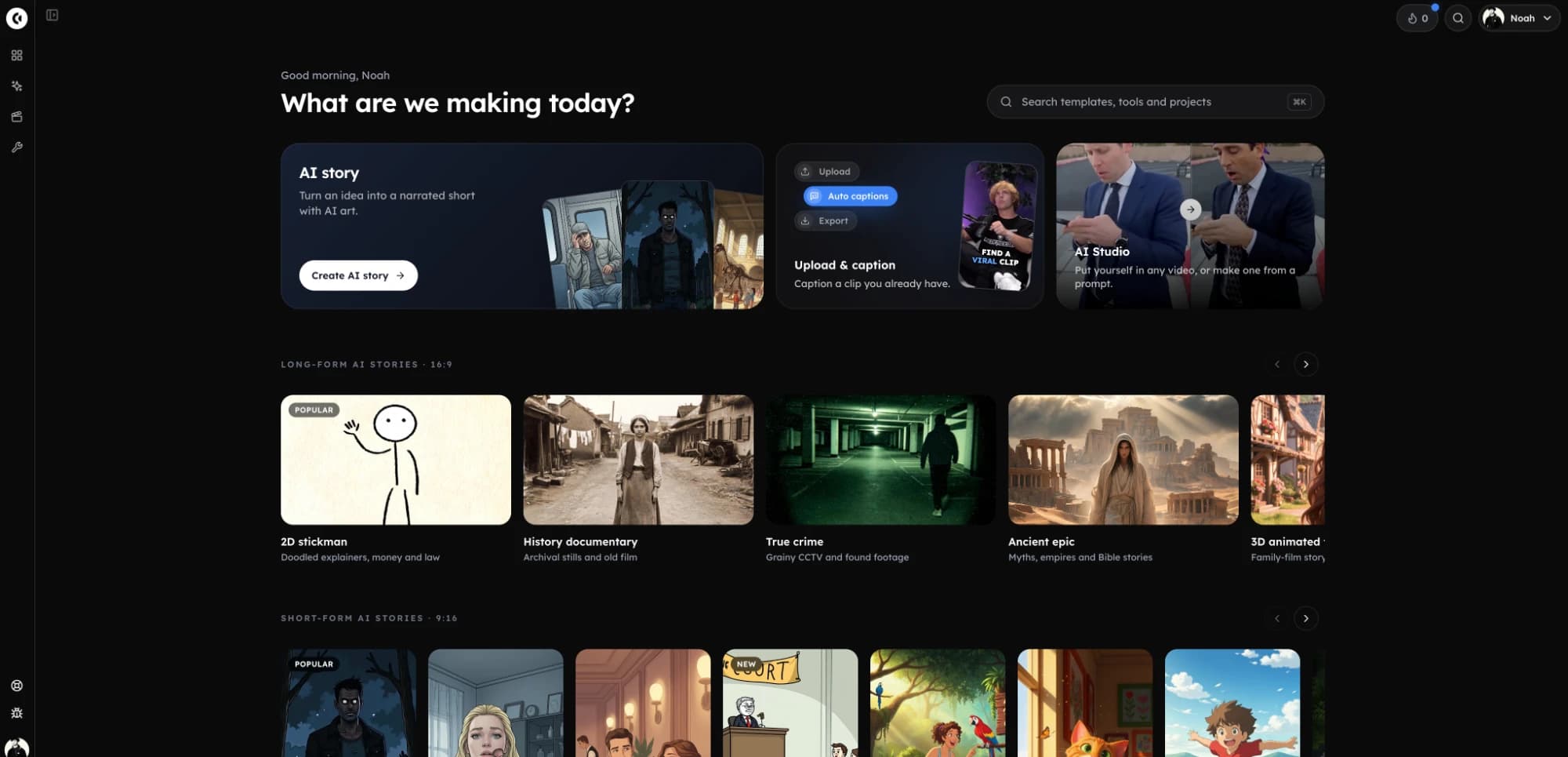
The best stickman video generators in 2026, compared.
A stickman video generator turns a script or an idea into a narrated stick-figure video, so you do not draw or pose anything. Seven tools, six with AI and one free app for animating by hand, compared on what a stickman channel needs: the styles, how long a video can run, what a minute costs, and whether the tool posts it. Each read from its own site on 21 November 2026.
- Tools compared7
- Facts checked21 November 2026
- Written byClippie (one of the 7)
Short answer
The best stickman video generator for narrated stories and explainers on YouTube, Shorts and TikTok is Clippie: seven stickman looks, scripts up to 10 minutes on every plan, an AI voice, word-by-word captions and YouTube scheduling, with 1 hour of narrated video on its first plan at $19.99 a month. The others are the better pick for some jobs:
- 1
Clippie: best for stickman stories and faceless channels. Seven stickman looks in 9:16 and 16:9, 1080p export, saved characters, publish or schedule to YouTube, REST API and MCP server. From $19.99 a month. This is our product.
- 2
Crreo: the lowest paid price here, $15 a month for about 30 minutes of video at 720p, and the only AI tool of the six with a free tier (400 one-time credits, 30-second videos, watermarked).
- 3
Atlabs: a Stickman Doodle style beside music videos, avatar ads and 1:1 output. From $19 a month, which its pricing card calls enough for 2 minutes of video.
- 4
Hooked: stickman shorts posted for you to TikTok, Instagram and YouTube. Pro is $29 a month for 1,000 credits.
- 5
StickReel: a tool that only makes stick-figure videos, with 24 characters and three motion levels. From $19 a month for 16 credits.
- 6
VideoScribe: hand-drawn whiteboard explainers you build scene by scene on a timeline. From £30 a month, with a 7-day free trial.
- 7
Pivot Animator: free stick-figure animation by hand on Windows, posing each frame yourself. No AI, no voice and no sound.
Clippie wrote this page. Every other tool’s facts come from its own pages, read on 21 November 2026. Prices are monthly billing, in US dollars unless shown in pounds.
Stickman video generators side by side.
What each tool lists on 21 November 2026. “Not listed” means its pages did not say, not that the tool cannot do it.
| Generator | Best for | Stickman styles | Longest video | Starting price a month | Video for that price | Posts for you | API or MCP |
|---|---|---|---|---|---|---|---|
| Clippie | Narrated stickman stories and explainers, short or long | Seven: Bare, Cinematic, Caveman, Whiteboard, Doodle explainer, Painted and Classic | AI writer to 10 minutes on every plan; pasted scripts to about 20 | $19.99 (Lite) | 60 narrated minutes, 1080p (3 hours of export, 1 hour of AI voice) | YouTube, publish or schedule | REST API and MCP server |
| Crreo | The lowest paid price, and a free tier to test | Three: Classic Whiteboard, Action & Combat, Colorful Stickman World | 10 minutes on Start, 15 on Grow and Pro, 30 on Ultra | $15 (Start); Free has 400 one-time credits | About 30 minutes, 720p | No; share by link | Not listed |
| Atlabs | Stickman doodles beside music videos and avatar ads | A Stickman Doodle style and a Stick Style workflow | 2 minutes on Lite, 5 on Pro, 10 on Plus, 15 on Max | $19 (Lite) | “Enough for 2 minutes of video”, 720p | Not listed | MCP server |
| Hooked | Stickman shorts posted to three platforms | One Stickman style preset | Not listed; scripts up to 2,000 words | $29 (Pro) | “≈ 29 min of AI-image video” or 47 seconds of Veo 3.1 | TikTok, Instagram and YouTube | MCP server; API plan differs between its pages |
| StickReel | Stick-figure videos only | 24 stick figure and cartoon characters; three motion levels | 10 minutes | $19 (Starter) | 16 credits: 8 minutes as Moving Images, or 80 seconds as Full Animation | Not listed | Not listed |
| VideoScribe | Whiteboard explainers built by hand | A hand-drawn whiteboard look; stick figures not listed | 5 minutes on Lite, 10 on Core, 20 on Max | £30 (Lite) | Counted by video length, not minutes a month | Not listed | Not listed |
| Pivot Animator | Free stick fights and loops, posed frame by frame | You draw your own figures | As long as you animate | Free | No limit; Windows only | No | No |
Read from each tool’s own site on 21 November 2026. Clippie’s row comes from the product and the plan data behind clippie.ai/pricing: a narrated video uses one voice minute and one export minute per minute. StickReel’s minutes are worked out from its own credit prices (a 30-second video is 1, 4 or 6 credits). Spotted something out of date? Email support@clippie.ai.
Stickman videos made in Clippie in three of its looks: Bare stickman, Caveman stickman and Doodle explainer.
How to choose a stickman video generator.
- 1
Decide: generated or animated by hand
An AI generator draws a scene for every line of a script and narrates it. A hand animation app lets you pose every limb. Stories and explainers suit the first; choreographed stick fights suit the second.
- 2
Match the style to the niche
Survival and “what if” stories use a bare figure in a detailed world; money and psychology explainers use doodles or a whiteboard. Check that the tool has the style your niche uses, in the frame shape you post.
- 3
Check the longest video on the plan you would buy
Stickman channels on YouTube post 8 to 30 minute videos. Several tools cap the cheapest plan at 2, 5 or 10 minutes, so read the limit for your plan, not the top one.
- 4
Work out the price of a minute
Plans count minutes, credits or videos. Divide the price by the minutes of finished video it covers, and note whether that is still pictures or full animation, and 720p or 1080p.
- 5
Run one script through two tools
Paste the same script into your two finalists and compare scene by scene, including whether the main figure still looks like itself at the end.
Each stickman generator in detail. What it lists, and where it stops.
Facts read from each company’s own pages on 21 November 2026.
What a stickman video generator is
A stickman video generator is software that makes a stick-figure video from text. You give it an idea or a script; it splits the script into scenes, draws each scene with the same simple figures, reads the script in an AI voice, adds captions and exports a video file. The best-known uses are faceless YouTube channels: survival stories, history and ancient-human explainers, money and psychology videos, and short “what if” stories for Shorts and TikTok.
The other way to make one is by hand, in an animation app where you move each joint frame by frame. That gives full control of motion and takes hours for a minute of video. This page covers six AI generators and one hand animation app, because people asking for the best stickman video generator usually mean one or the other.
Clippie: seven stickman looks, long-form on every plan
Clippie turns an idea or a script into a narrated stickman video with a drawn scene for every line, in one of seven stickman looks: Bare, Cinematic, Caveman, Whiteboard, Doodle explainer, Painted and Classic. They sit among 50 story looks, and every look comes in 9:16 and 16:9. You can save a character with a name, a picture and a voice, and the looks that take character pictures draw every scene from it.
The AI writer drafts from 30 seconds to 10 minutes on every plan, and you can paste a longer script. Voices: 125 picked, plus the ElevenLabs library. Captions: 103 languages, 17 styles. Scenes start as still pictures with a slow zoom; animating them with AI is optional. Every scene, line and voice can be changed after generating, and the finished video exports at 1080p with no Clippie watermark, or goes straight to YouTube.
- Plans: $19.99, $34.99 and $69.99 a month. Lite covers 3 hours of export and 1 hour of AI voice, so 60 narrated minutes a month; Creator 4 hours of voice and Pro 8 hours 20 minutes.
- Posting: Publish or schedule to YouTube, as a Short or a regular video, on every plan.
- Automation: A REST API and an MCP server for Claude, ChatGPT and Cursor.
- Where it stops: No free plan or free trial. It posts to YouTube only, has no 1:1 output, and is not a frame-by-frame animation tool.
Crreo: the lowest price, and a free tier
Crreo is a script-to-video generator with a stickman page that names three styles: Classic Whiteboard Stickman, Action & Combat Stickman and Colorful Stickman World. Its how-to says to choose the Custom style and describe the look in a prompt, and it recommends uploading a reference image to hold the look. It lists 300+ voices in 80+ languages on every plan.
- Plans: Start $15 (about 30 minutes a month), Grow $30 (about 60), Pro $60 (about 120) and Ultra $120 (about 240), billed monthly; annual billing is 20% less. Free has 400 one-time credits for 30-second, watermarked 720p videos.
- Length and quality: Videos up to 10 minutes on Start, 15 on Grow and Pro, and 30 on Ultra. Start and Grow export 720p; Pro and Ultra 1080p.
- Free trial: 7 days on Grow or Pro with a card on file and 25% of the plan’s monthly credits.
- Where it stops: It does not post to any platform (its help center says direct integration is coming soon), and its pages do not list an API or an MCP server. Saved reusable characters start on Grow.
Against Clippie: Crreo Start is cheaper at $15 for about 30 minutes at 720p; Clippie Lite is $19.99 for 60 narrated minutes at 1080p, with YouTube scheduling and an API. The full table is on the Crreo alternative page.
Atlabs: stickman doodles beside music videos and ads
Atlabs is a broader AI video studio. Its Stickman Doodle style is black stick figures on bold solid colour backgrounds with a few simple props, and its llms.txt lists a Stick Style animated workflow. It also makes beat-synced music videos from a song, UGC avatar videos and product ads, in 9:16, 16:9 and 1:1.
- Plans: Lite $19 (150 credits), Pro $39 (350), Plus $79 (750) and Max $249 (2,600), billed monthly. Its cards call those enough for 2, 3 to 4, 7 to 10 and 25 to 35 minutes of video.
- Length: Script to video runs up to 2 minutes on Lite, 5 on Pro, 10 on Plus and 15 on Max.
- Automation: An MCP server. Posting and a REST API are not listed.
- Where it stops: A 10-minute stickman video needs the $79 Plus plan, and Lite exports 720p.
Hooked: stickman shorts that post themselves
Hooked is a short-form video tool with a Stickman style preset: clean line characters on simple backgrounds, with narration and captions, in 9:16, 16:9 or 1:1. It says the stickman stays consistent from scene to scene, and Pro publishes to TikTok, Instagram and YouTube.
- Plans: Pro is $29 a month or $290 a year for 1,000 credits, which its pricing page puts at about 29 minutes of AI-image video, 3 minutes of avatar video or 47 seconds of Veo 3.1. Its homepage also sells one-time packs from $49 to $99 that run on your own AI keys.
- Automation: An MCP server; its pages differ on which plan includes the REST API.
- Where it stops: No longest video is listed, only a 2,000-word script limit, and its pages give different counts for voices and languages.
StickReel: stick figures only
StickReel makes only stick-figure videos: type a topic or paste a script and it produces the script, the scenes, a voiceover, burned-in subtitles and an MP4, in 9:16 or 16:9, up to 10 minutes. It lists 24 stick figure and cartoon characters.
- Plans: Starter $19 (16 credits), Creator $39 (40) and Pro $99 (120) a month.
- What a credit buys: A 30-second video is 1 credit as Moving Images, 4 as Mixed Motion and 6 as Full Animation; 60 seconds is double. So Starter covers 8 minutes of Moving Images or 80 seconds of Full Animation.
- Where it stops: Its homepage does not list posting, an API or an MCP server, and free trial credits are on request.
VideoScribe: whiteboard explainers by hand
VideoScribe is whiteboard animation software for the browser and desktop. You build scenes on a canvas and a timeline, and a hand draws them in. Its AI is limited to helpers that generate an image, a script or a voiceover; it does not turn a script into a finished video. Its pages do not mention stick figures, so it fits the whiteboard end of the niche.
- Plans: Lite £30, Core £45 and Max £60 a month, shown in pounds; annual billing works out lower. Videos up to 5, 10 and 20 minutes.
- Free trial: 7 days with no card, watermarked, 3 downloads and a 5-minute limit.
Pivot Animator: free, by hand
Pivot Animator is the classic free stick-figure animation program. You drag the joints of a figure and save a frame, again and again; version 5 adds in-betweening, easing and a virtual camera. It exports GIFs, video and image sequences. It runs on Windows only, has no AI, and its FAQ says it does not support sound, so the voice and captions come from another program.
It is the right pick for stick fights and loops where the motion is the point, and for anyone who wants to spend nothing. For a narrated 10-minute story it is days of work.
What a minute of stickman video costs
On each tool’s cheapest paid plan, by its own published figures:
- Clippie: $19.99 for 60 narrated minutes at 1080p: about $0.33 a minute.
- Crreo: $15 for about 30 minutes at 720p: about $0.50 a minute.
- Hooked: $29 for about 29 minutes of AI-image video: about $1 a minute.
- StickReel: $19 for 8 minutes as Moving Images: about $2.38 a minute.
- Atlabs: $19 for “2 minutes of video”: about $9.50 a minute.
These are not like for like: the tools draw and animate differently, and a minute with every scene fully animated costs more on all of them. In Clippie, scene pictures are included and AI animation is the optional extra. Use the numbers to shortlist, then compare a finished video from each.
How this page was checked
Every competitor fact on this page was read from the company’s own site on 21 November 2026, without signing in. Where a site did not state something, the page says Not listed or leaves it out. Where a company’s own pages disagreed (Crreo on refunds, Hooked on voices, languages and its API plan), the point is left out. Atlabs’ pricing cards and style pages were first read on 20 November 2026 and its prices and stickman page checked again on the date above. Clippie’s numbers come from the same plan data as its pricing page.
- Crreo: crreo.ai, /pricing, /styles/stickman-animation-ai-video, /legal/terms, /help-center, /llms.txt
- Atlabs: atlabs.ai, /pricing (Monthly tab), /styles/stickman-doodle, /script-to-video, /mcp, /llms.txt
- Hooked: hooked.so, /tools/stickman-video-generator, /pricing, /mcp, /terms, /llms.txt
- StickReel: stickreel.com (homepage, pricing and FAQ)
- VideoScribe: videoscribe.co, /pricing
- Pivot Animator: pivotanimator.net, its download page and FAQ
What to compare. For a stickman channel.
The styles
Bare figures, doodles, whiteboard or painted, and whether the one your niche uses is offered in 16:9 and 9:16.
One figure, every scene
Whether the tool draws your character from a saved picture, so it looks the same in scene 60 as in scene 1.
Longest video
The limit on the plan you would buy. Long stickman videos need 10 minutes or more.
Price of a minute
Plan price divided by finished minutes, at the resolution you will post.
Editing
Whether you can redraw one scene or change one line without generating the whole video again.
Posting and API
Whether it publishes or schedules for you, and whether you can make videos from code.
Frequently asked questions.
What is the best stickman video generator?
For narrated stickman stories and explainers, Clippie: seven stickman looks, scripts up to 10 minutes on every plan, 1080p export, YouTube scheduling and 60 narrated minutes a month from $19.99. Crreo is the cheapest paid option at $15 a month and has a free tier. Hooked posts stickman shorts to TikTok, Instagram and YouTube. Pivot Animator is the best free tool if you want to animate by hand.
What is the best free stickman video generator?
Pivot Animator is free with no limits, but you animate every frame yourself on Windows and it has no voice or sound. Among AI generators, Crreo lists a free tier with 400 one-time credits for 30-second, watermarked 720p videos, and VideoScribe has a 7-day free trial with a watermark. Clippie has no free plan.
Which stickman generator is best for long YouTube videos?
Check the longest video on the plan you would buy. Clippie’s writer drafts up to 10 minutes on every plan and accepts longer pasted scripts. Crreo lists 10 minutes on Start, 15 on Grow and Pro and 30 on Ultra ($120). StickReel lists 10 minutes. Atlabs lists 2 minutes on Lite and 10 on its $79 Plus plan. VideoScribe lists 5, 10 and 20 minutes by plan.
Which stickman generator is best for YouTube Shorts and TikTok?
Any of the AI tools here export vertical 9:16 video. Clippie has every stickman look in 9:16 with word-by-word captions and schedules Shorts to YouTube. Hooked publishes to TikTok, Instagram and YouTube from its Pro plan. With the others you download the file and upload it yourself.
Which is cheaper, Clippie or Crreo?
Crreo’s first paid plan is cheaper: Start is $15 a month for about 30 minutes of video at 720p, with videos up to 10 minutes. Clippie Lite is $19.99 a month for 60 narrated minutes at 1080p, which is a lower price per minute, and adds YouTube scheduling, an API and an MCP server.
Do stickman video generators keep the same character in every scene?
Most say so. Clippie saves a character with a picture and draws scenes from it on the looks that take one. Crreo says its stickman look stays consistent and recommends a reference image, with saved characters from its Grow plan. Hooked says the stickman stays consistent scene to scene, and StickReel lists consistent stick figure scenes. Test it with a long script before you commit.
Do these tools add the voice and captions?
The AI generators do. Clippie has 125 built-in voices, plus the ElevenLabs library, and captions in 103 languages, 17 styles. Crreo lists 300+ voices in 80+ languages, and StickReel burns in subtitles. Pivot Animator has no sound at all, and VideoScribe offers an AI voiceover helper.
Does Clippie post stickman videos for me?
To YouTube, yes, on every plan: connect your channel once, then publish a finished video or schedule it up to six months ahead, as a Short or a regular video. Clippie does not post to TikTok or Instagram, so for those you export the MP4 and upload it.
Can I monetize AI stickman videos on YouTube?
Stickman channels can join the YouTube Partner Program like any other once they reach its thresholds. YouTube’s policies exclude mass-produced or repetitive content, so write or edit your own scripts and give the channel its own angle whichever generator you use.
Who wrote this, and is it biased?
Clippie wrote it, and Clippie is one of the seven tools, so read it with that in mind. Every other tool’s facts come from its own pricing, product and help pages, read on 21 November 2026 without signing in. Where a page did not say, the table says Not listed, and where another tool is the better pick the page says so.