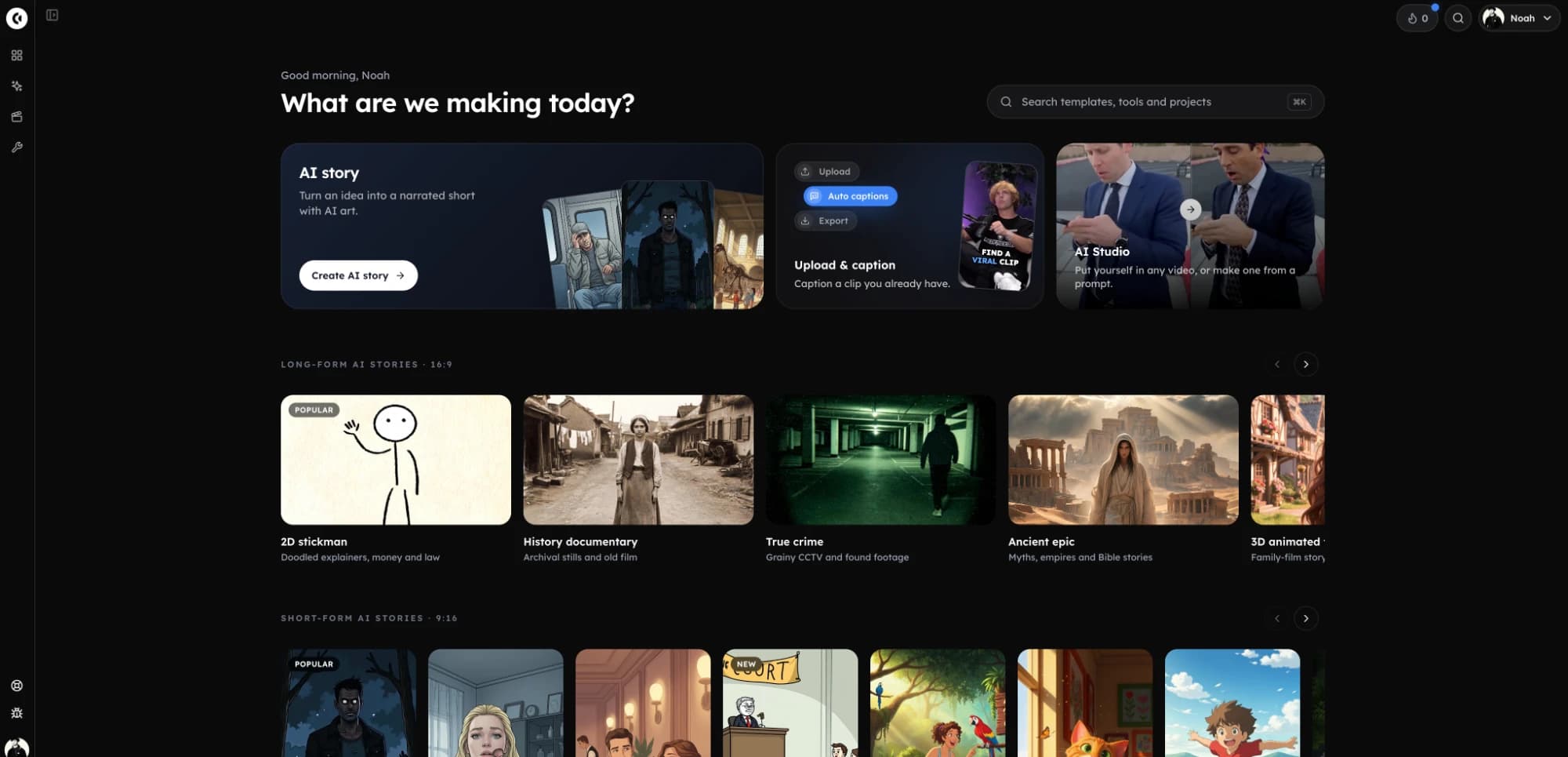
Consistent stickman characters the same stickman in every scene.
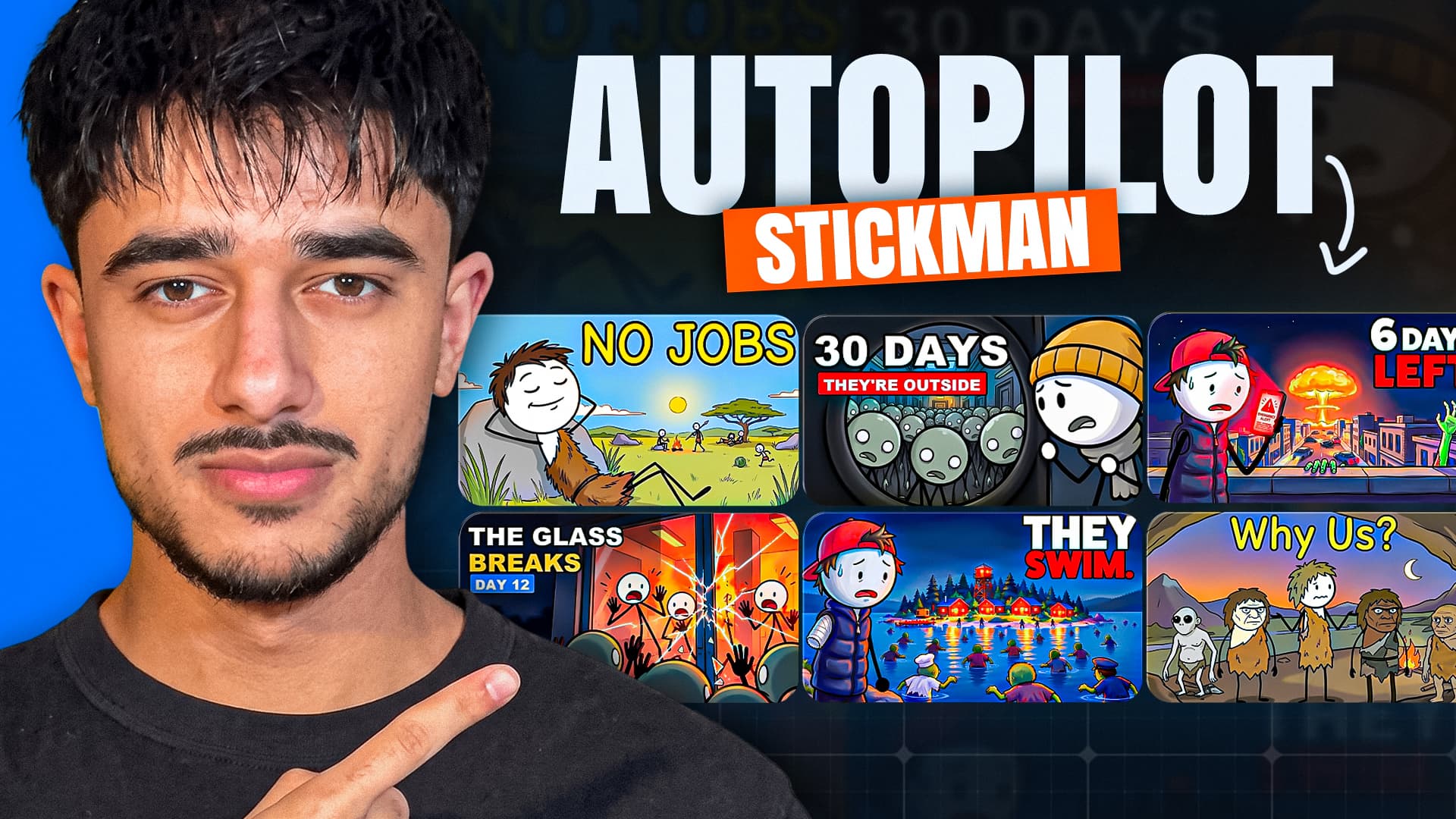
Stick figures look alike, which is exactly the problem: the hero loses his scarf, grows hair, or turns into one of the extras. Give your stickman one signature detail and a picture, and Clippie draws every scene of the video from it.
- Stickman looks that use pictures5 of 6
- Characters per storyUp to 8
- Ready-madeStick guy, Stick girl
Short answer
To make a character-consistent stickman video, give the stickman one or two details that never change, such as spiky hair, a red scarf or a blue backpack, and draw every scene from one picture of them. In Clippie, add the stickman as a character in AI Story and use Bare stickman, Caveman stickman, Whiteboard stickman, Doodle explainer and Painted stickman: those looks attach the character’s picture to every scene they are in. Classic stickman keeps the character from the written description only.
Checked against the product on 13 November 2026.
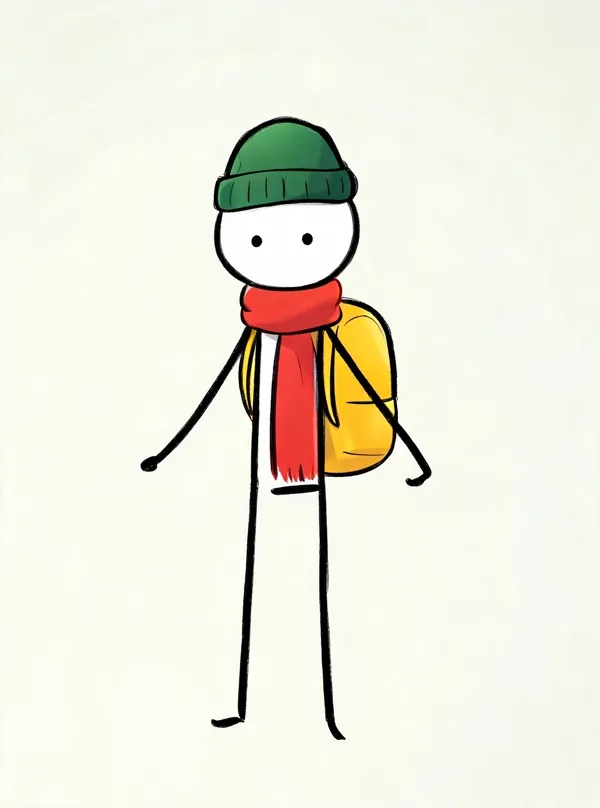
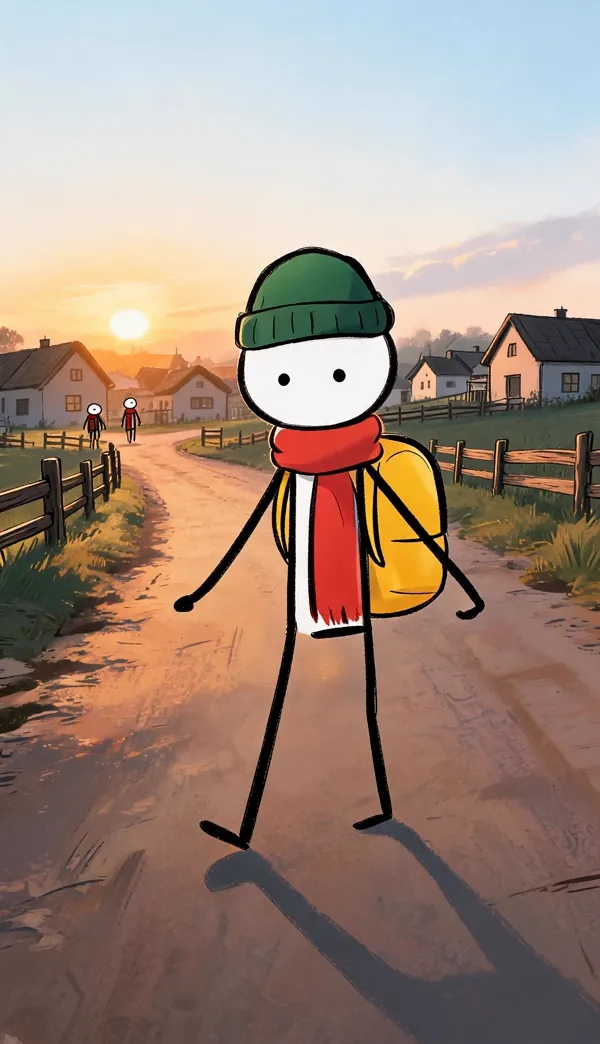
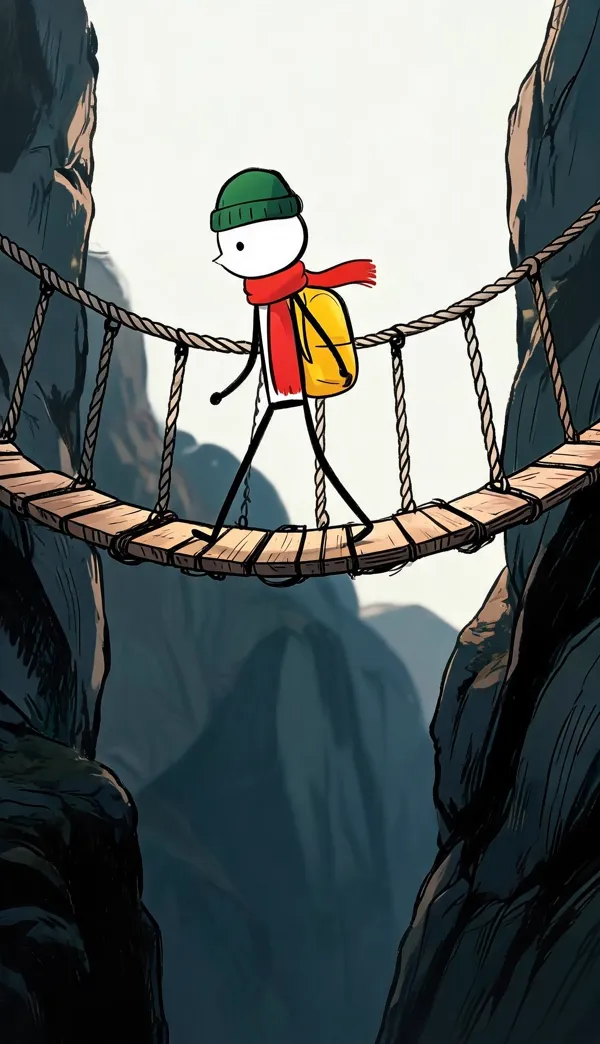

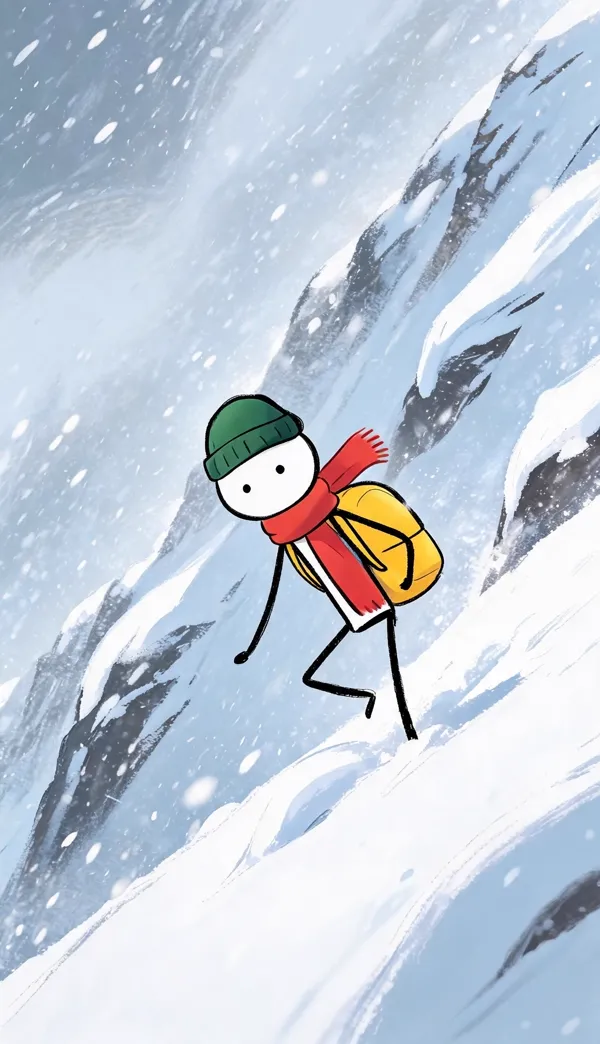

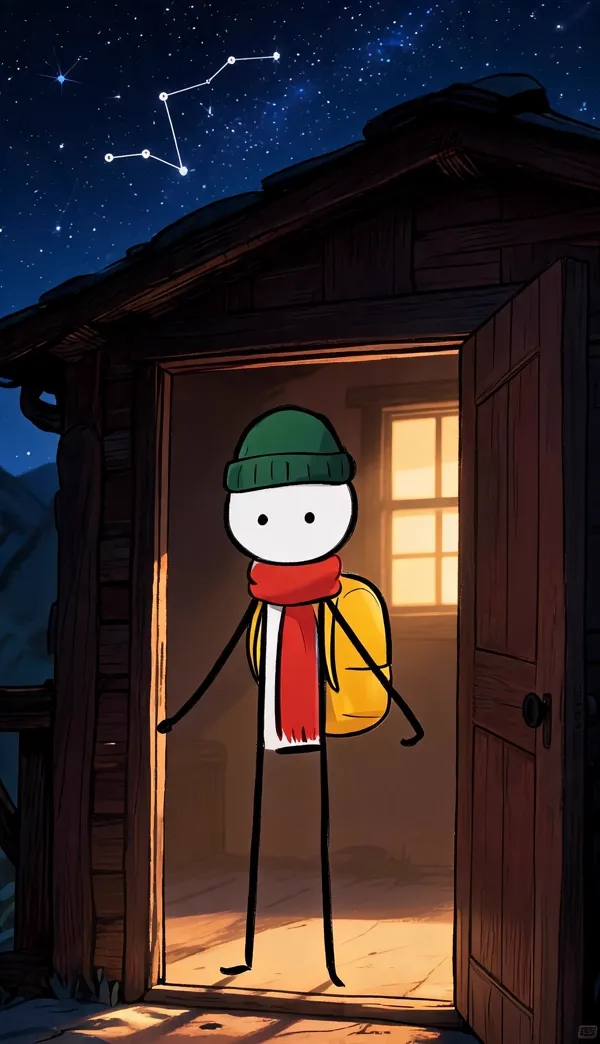
One picture of Sam, drawn from the line “a stickman wearing a long red scarf, a dark green beanie and a big yellow backpack”, then six scenes of one Painted stickman story drawn from it. First take, nothing retouched.
How to keep the same stickman. Five steps.
- 1
Open a stickman template
Pick Bare stickman, Caveman stickman, Whiteboard stickman or another look with the standing-figure mark, in 16:9 or 9:16.
- 2
Give the stickman a signature
Add a character and describe the one or two things that make them them: “spiky messy hair, red scarf”. Or start from Stick guy or Stick girl in the library.
- 3
Draw their picture
Draw the character in the look and regenerate until you like it. Skip this and Clippie draws it when the video is generated.
- 4
Write the script with their name
Use the name, or @mention them, in the lines they are in. Add the other figures (the tribe, the zombies) as a group with their own look.
- 5
Generate, check and animate
Every scene they are in is drawn from their picture. Compare the first few scenes, fix any that drifted, then animate.
Stickman looks and character pictures. Which ones hold a character.
Every stickman look draws a consistent style. 5 of them also draw each character from their own picture. Checked 13 November 2026.
| Stickman look | What it draws | Keeps a character from |
|---|---|---|
| Bare stickman | Pure stick bodies, viral survival stories | Their picture and “Looks like” line |
| Caveman stickman | Ancient humans and first inventions | Their picture and “Looks like” line |
| Whiteboard stickman | Clean white explainers with labels | Their picture and “Looks like” line |
| Doodle explainer | Doodled explainers, money and law | Their picture and “Looks like” line |
| Painted stickman | Warm, painterly stickman scenes | Their picture and “Looks like” line |
| Classic stickman | Meme-style explainers | The “Looks like” line only |
For a recurring hero with a recognisable design, choose a look that draws from their picture. A look that uses the description only suits one-off explainers where any stickman will do.
Designing a stickman people recognise. Why it is harder than it looks.
A stick figure has almost no features, so every one of them has to count.
Why stickman characters are hard to keep consistent
A realistic character has a face, a build and a wardrobe to recognise them by. A stickman has a circle and five lines. Without a deliberate difference, your hero is drawn exactly like every other figure in the scene, and the viewer loses track of who the story is about.
The opposite failure is common too. Ask an image model for a “stickman” six times and some come back with shoes, some with a shaded body, some with a face. That is the style drifting, not the character, and it is why a fixed look matters as much as a fixed description.
Give the stickman one signature detail
The stickman channels people remember all do the same thing: one unmistakable item. A beanie. A red scarf. A blue backpack. Spiky hair. Pick one, at most two, and make it something visible at any size and from any angle.
Write it as the character’s “Looks like” line and nothing else: “thin black stick figure, round white head, red scarf, small blue backpack”. Do not describe the plain parts at length. The look already draws those.
- Works well: hats, scarves, backpacks, hair shapes, a single coloured item, a clear height difference.
- Works badly: facial expressions, small logos, patterns, anything that is only visible from the front.
Stop the extras looking like the hero
If a survival story has zombies and the script only calls them “grey figures”, a stickman look draws them as white-headed stick figures, the same as your hero. Add them as a character too, as a group: “Zombies: grey skin, torn clothes, hollow eyes”, with the script’s words for them as aliases. Clippie suggests groups like this when it reads the script.
The same stickman in every episode
Day-counted survival series and recurring explainer hosts need the same stickman every week. A character you use is saved to your library with their picture. In the next episode, choose “From library” and stay in the same look.
Keep the name the same from episode to episode as well. It is what the script uses to place the character in a scene.
A stickman with an identity. Not a new one every scene.
One picture, every scene
Each character has a picture. On 21 looks, every scene the character is in is drawn with that picture as its reference, so the face, outfit and proportions come from one source.
Stick guy and Stick girl
Two ready-made stickman characters in the library, already drawn. Use them as they are, or copy one and change the hair, the name and the details.
Characters found in your script
Clippie reads the script and suggests the recurring characters and groups, with the other words the script uses for them, so “the grey figures” are still drawn as your zombies.
Fix one character, not the whole video
Add or change a character after the story is generated and redraw only the scenes they are in. Every other scene stays exactly as it was.
Start from your own drawing
Upload a drawing or a photo you have the right to use. Keep it as it is, or have it redrawn in the story’s look so it matches every scene.
A library for the next video
Characters you use are saved to your library, up to 300, with their picture and voice. Add one to a new story with “From library”.
Frequently asked questions.
How do I make character-consistent stickman videos?
Give the stickman a signature detail, draw one picture of them, and generate every scene from that picture. In Clippie, add the stickman as a character in AI Story and pick Bare stickman, Caveman stickman, Whiteboard stickman, Doodle explainer and Painted stickman. Those looks send the character’s picture to every scene they appear in.
Which stickman looks keep a character from their picture?
Bare stickman, Caveman stickman, Whiteboard stickman, Doodle explainer and Painted stickman. Classic stickman uses the written “Looks like” line only, so it suits videos where the stickman does not need a distinct design.
Can I upload my own stickman?
Yes. Upload your drawing as the character’s picture and use it as it is, or have it redrawn in the look you picked so it matches the scenes. Use only artwork you made or have the right to use.
Can I have two or more stickman characters?
Yes, up to 8 per story. Make them differ in one obvious way, such as height, hair or a coloured item, because two plain stick figures are impossible to tell apart.
Is the character identical in every single scene?
Close, not guaranteed. A reference picture steers the drawing far more than a text description does, and the main traits (head shape, hair, outfit, colours) normally hold from scene to scene. Small details such as a logo or the exact number of buttons can still vary, so look through the scenes before you animate. A scene that drifted can be redrawn on its own without touching the others.
Does the stickman stay the same when the scene is animated?
Each scene is animated from its own drawn picture, so the animation starts with the right character. Fast or complicated movement can still change details during a clip, so keep the motion simple and check the last frame.
Can I use the same character in another video?
Yes. A character you use in a story is saved to your character library with their picture and voice, up to 300 characters. Open a new story, choose “From library” and they are in the cast. Draw the new story in the same look and they match the earlier video.
How much does it cost?
Clippie is a paid product, with plans from $19.99 a month. Characters, character pictures and scene pictures are included on a plan. The voiceover uses your plan’s voice minutes and the export uses its export minutes. Animating scenes is optional and uses AI credits, with the total shown before you start.