How to Make Viral Stickman Videos with AI (Free Prompt Pack)
Stickman channels are pulling millions of views, and you can make one without animating a thing. Here’s our step-by-step workflow for turning one idea into a finished stickman video with Claude and Clippie, with every prompt included.
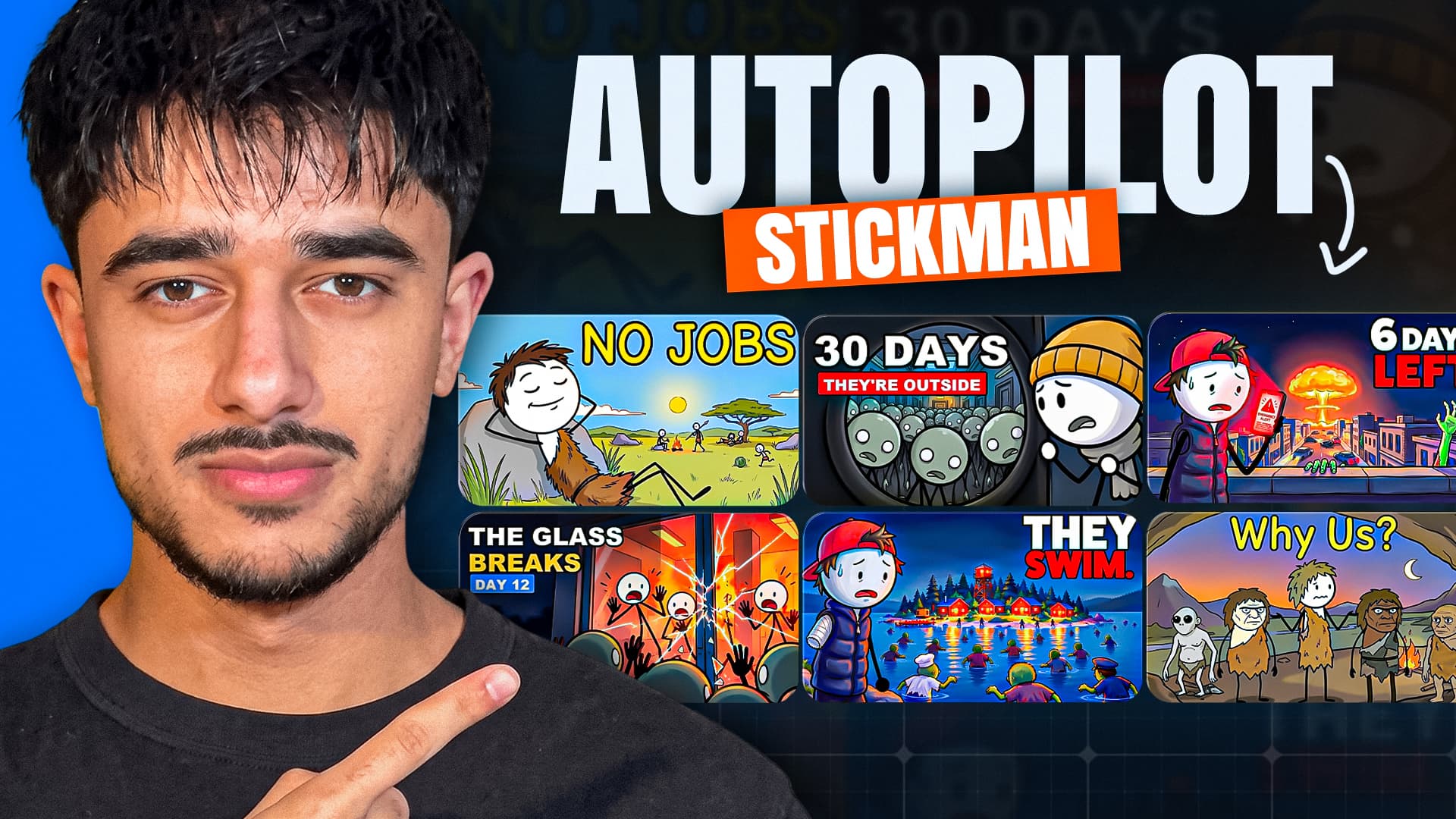
Stickman videos are one of the fastest-growing niches on YouTube right now. Ink Explainer passed 24 million views in about six months. Beanie Survives hit 6 million views in its first two weeks.
The style looks simple, and it is. That’s the opportunity. You don’t need to animate, film your face or learn 3D. You need a good story, a consistent look, and a way to turn a script into scenes without juggling five different tools.
This guide shows you the exact workflow we use: Claude writes the story, and Clippie makes every scene, the voice and the animation. Every prompt is included, so you can copy them straight into your own videos.
What you’ll need
A Clippie account
A Claude account (the free plan works)
About 30 minutes for your first video
Step 1: Connect Clippie to Claude
Once Clippie is connected, you can ask Claude in plain English to write your script, generate every scene and set up your animations. It all runs inside your Clippie account, from one chat.
In Claude, go to Customize → Connectors.
Click + Add, then Add custom connector.
Name it Clippieand paste in the connector URL: https://api.clippie.ai/mcp.
Click Continue, choose Sign in now, and log in with your Clippie account. Then click Add.
Test it by typing “Show me my Clippie account.” Claude should reply with your plan and credit balance.
On Claude’s free plan you can add one custom connector, so Clippie can be that one. Anything that spends credits gets a cost check first, and Claude waits for your yes before it runs.
Step 2: Find an idea that works
The biggest stickman story videos follow the same formula:
“You” are the main character. Telling it in second person puts the viewer inside the story.
One trapped location. A flat, a cabin, a stadium. Being stuck makes every sound and every door matter.
A ticking clock. Time stamps like “2:47 a.m.” or “Day 1” push the story forward and give the title its hook.
Real survival logic. Every decision has a practical reason the viewer could actually use.
Room for a series. End on a cliffhanger, and episode 2 writes itself.
Copy the format, not the video. Use your own setting, character and title. That’s what keeps a channel on the right side of YouTube’s rules.
Idea prompt:
Give me 10 video ideas for a faceless 2D stickman survival channel, told in second person ("you"). Each idea needs: one trapped location, a disaster or outbreak that traps you there, and a ticking clock. For each, give me a title (scenario plus a time frame or stakes, under 60 characters), a one-line hook for the first sentence of the video, and the cliffhanger that sets up episode 2. Avoid locations that big channels already use as a series.
Step 3: Write the script
Paste this prompt into Claude once. It works in stages, and you type next to move on. That stops Claude rushing straight to a weak script.
You're my scriptwriter for a faceless YouTube channel that makes 2D stickman survival stories, told in second person ("you"). The narration you write gets pasted straight into Clippie, which reads it out with an AI voice and turns every sentence into a drawn scene. So: 1. Every word in the final script will be spoken. No headings, scene numbers, brackets, stage directions or notes. Narration only. 2. Every sentence has to be something you can draw: where you are, what you see, what you do. Scenario: [YOUR SCENARIO] Length: [8] minutes of narration at 150 words per minute. Tone: tense and grounded, with a little dry humour. Every decision has a practical reason. Opening: [YOUR FIRST FEW MOMENTS]. The first sentence drops the viewer straight into the moment. Work in stages and wait for me to type "next" after each one: STAGE 1 - Survival rules: the location (6-8 places, one visual detail each), the threat's rules, who you are, and your resources. STAGE 2 - Beat outline: time-stamped beats, with something changing every 45-60 seconds, ending on a cliffhanger. STAGE 3 - Full script: second person, present tense, short sentences, one visual moment each, no gore. STAGE 4 - Script check: rewrite anything that can't be drawn, tighten slow stretches, then give me the clean script in one block. STAGE 5 - Packaging: 5 titles, 3 thumbnail ideas and a short YouTube description. Start with stage 1.
Stage 4 matters most. Clippie turns every sentence into a scene and reads every word out loud. So one line that can’t be drawn becomes a bad scene, and one stray note gets spoken by the voice.
Step 4: Pick your style
Most AI video tools give you a handful of preset styles, so you end up looking like everyone else using that tool. In Clippie, you can write your own style prompt, and every scene is drawn in exactly the style you describe.
Give your character one signature detail that no other channel uses: a yellow rain jacket, a red bandana, round glasses. Drawing that detail in every scene is how viewers recognise your character.
The viral painterly style:
Hand-drawn 2D cartoon illustration. Stickman characters: round white heads, minimal black dot eyes, thin black stick limbs. The main character is always the same stickman wearing [CHARACTER DETAIL]. Infected people are the same stickmen with pale grey-green heads, hollow black eyes and a hunched posture; cartoonish, never gory, no blood. Bold black ink outlines with a slight sketchy wobble. Richly detailed environments with painterly digital colour fills, soft gradients and subtle texture. Cinematic lighting: warm light sources against cool blue shadows, with red emergency light in moments of danger. Muted palette, tense atmosphere, clean composition. No text, no 3D, not realistic.
Don’t want to write your own? Clippie’s AI Story generator also has a Stickman section with four ready-made styles: Bare stickman, Doodle explainer, Painted stickman and Classic stickman.
Step 5: Make every scene in one message
With Clippie connected, paste your final script and your style prompt into Claude, then send:
Using my Clippie connector, turn the script above into a full set of scene images. 1. Split the script into one scene per sentence or story beat, and show me the list. 2. Write an image prompt for every scene using my style prompt, keeping the main character identical in every scene. 3. Generate scene 1 first with Nano Banana Pro at 16:9 to set the look. 4. Generate the rest using scene 1 as the reference image. 5. Never put text, letters or numbers in an image. 6. Check the cost with me before spending any credits. Then give me a table of each script line next to its image.
In our test, Claude generated all 20 scenes of a zombie cruise ship story in about five minutes, and they landed straight in our Clippie library.
Prefer to do it yourself? Open AI Story in Clippie, set it to 16:9, pick your style on the right, paste your script, choose a voice and click Generate.
Step 6: Animate with sound
Animations in Clippie are free right now. Whichever way you animate, follow one rule: the camera never moves. Only the people and things inside the scene move. A locked camera is what makes the finished video feel like one film rather than a pile of clips.
Ask Claude to write the animation prompts for you:
Write a Seedance 2.0 animation prompt for every scene above. Each one needs: - One clear main action that matches the line, plus subtle background motion. - This exact camera line: "Static locked-off shot, fixed framing, the camera does not move at all." - Keep the hand-drawn 2D style, colours and character exactly as in the image. - Sound: an eerie, realistic background for the location, plus one or two sounds from what happens in the scene. Add one subtle recurring sound across the video, like a smoke-alarm chirp or a distant knock. No voices, no music. - Avoid: camera movement, zooming, morphing, new characters, extra limbs, text, 3D.
Sound is what turns still images into something people can’t stop watching. Give every clip one sound tied to the action, like a floorboard creak on a step. Then let the tension build, so a knock that starts muffled and far away ends loud and right on your door.
Step 7: Upload the right way
Made for kids: No. It’s a cartoon, but your audience is adults. Marking it as made for kids turns off comments, end screens and personalised ads.
Altered content: No. YouTube only asks for this disclosure on realistic-looking content, and a stick figure doesn’t count.
Title: a scenario plus a time frame, like “Trapped on a Cruise Ship During an Outbreak (Day 1)”.
Thumbnail: your most dramatic scene plus 2 or 3 big words.
Schedule it for when your audience is online, and plan episode 2 from your cliffhanger.
Start your first stickman video
Stickman channels are still new and still growing fast, so there’s room to get in now. Connect Clippie to Claude, pick an idea, and you can have your first episode made today.
Try it in Clippie
Make a stickman video
Clippie writes the script, draws and animates every stickman scene and narrates it, in 16:9 or 9:16.
Make a stickman video