How to Create an AI Influencer in 2026 (Step-by-Step)
Build a virtual creator from persona to first post: a character bible, a consistent face, trend videos, AI labels, #ad rules, no-cost options and mistakes.
 Emmanuel Greyco Tulabut
On this page
If you searched for how to create an AI influencer, you want a virtual person with a recognizable face, a personality and a feed that grows, without filming yourself. That is achievable with today's image and motion models, but most attempts stall on an inconsistent face or a missing niche.
The timing matters. YouTube searches for AI influencer tutorials are climbing this autumn, and Instagram now asks accounts fronted by an AI person to label their profile. This guide walks through persona, face, video, posting and disclosure, step by step.
Executive summary: This guide is for creators and marketers who want to build a virtual influencer for Instagram, TikTok or YouTube in late 2026. It covers what an AI influencer is, a character bible template, how to keep one face consistent, four ways to turn it into video, platform formats, labeling and #ad rules, realistic monetization routes, honest no-cost options and the mistakes that sink new accounts.
Table of Contents
What Is an AI Influencer?
Step 1: Pick a Niche and Write a Character Bible
Step 2: Create a Consistent Face
Step 3: Turn Your AI Influencer Into Video
Step 4: Plan Formats for Instagram, TikTok and YouTube
Step 5: Label AI Content and Disclose Sponsorships
How AI Influencers Make Money
How to Create an AI Influencer for Free
AI Influencer Mistakes to Avoid
FAQs
What to Do Next
What Is an AI Influencer?
An AI influencer, or virtual influencer, is a fictional person or character made with AI that posts photos and videos like a human creator. It has a fixed face, a name, a personality and a niche. A human runs the account, writes the ideas and decides what gets posted.
Two broad types:
Realistic AI influencer: a photoreal human who doesn't exist. Hardest to keep consistent; platforms most want it labeled.
Stylized character: an anime, 3D or cartoon persona. Easier to keep on-model.
Why it matters: a virtual persona lets you run a face-led account without being on camera. The trade-off is trust: you must be open that it's AI, and the personality has to hold attention once the novelty fades.
Step 1: Pick a Niche and Write a Character Bible
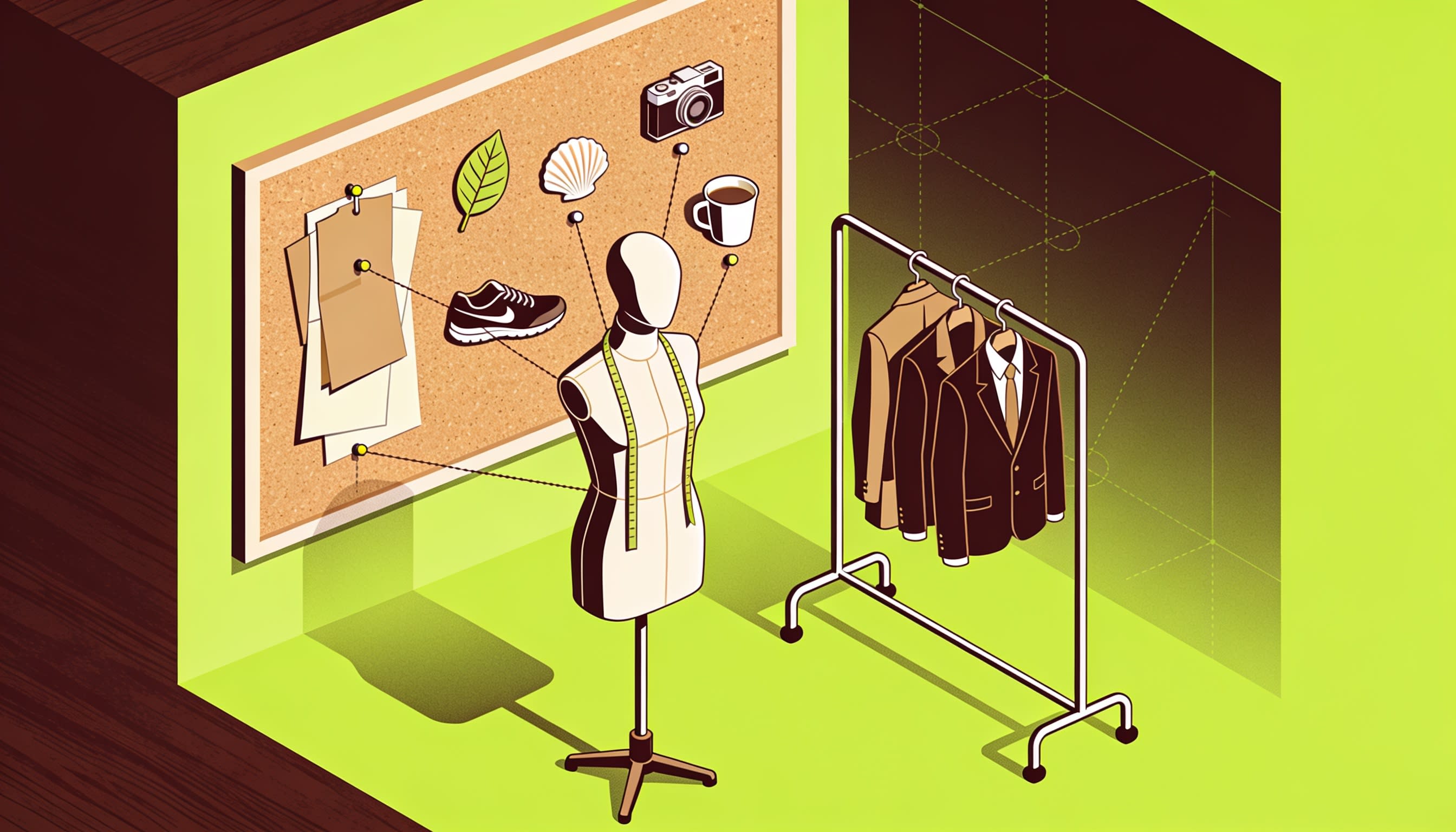
Start with the audience, not the face. Choose a niche your influencer can post about for months, then write a one-page character bible covering look, voice, personality and content pillars. Every image prompt, caption and script later pulls from this document, which is what makes the persona feel like one person.
Pick a niche with built-in content:
Fitness, fashion, travel, gaming, beauty and cooking all have repeatable post types.
Test: could this character post 30 times without repeating itself?
Your character bible should include:
Name and handle: check availability everywhere first.
Look: age (always an adult), face shape, eyes, hair, skin details, two or three signature outfits.
Voice: accent, pace, energy, and one AI voice you will always use.
Personality: three traits, one flaw, firm opinions.
Content pillars: three or four recurring themes, e.g. "outfit of the day" or "weekly product test".
Hard lines: topics they never touch.
Example: "Mira, 27, a Lisbon climbing coach. Calm, dry humor. Pillars: beginner tips, trend dances, gear unboxings, rest-day vlogs."
Step 2: Create a Consistent Face
A consistent face comes from a reference set, not a lucky prompt. Generate one strong hero portrait, build a small set of angles and outfits around it, keep only the images that clearly look like the same person, and attach that set every time you generate something new.
How to Build the Reference Set
Hero portrait: front-facing, neutral light, plain background.
Angles: three-quarter left and right, profile, full body.
Expressions: smiling, serious, laughing.
Outfits: the two or three signature looks.
Cull hard: keep 6–10 images that match. One off-model image teaches the wrong face.
Using Nano Banana 2.1
Google's Nano Banana 2.1 accepts up to 14 reference images, but its model card still lists imperfect character consistency as a limitation, so restate fixed traits in every prompt.
Prompt pattern: "Using the attached references of Mira, keep her face, freckles, shoulder-length auburn hair and grey eyes identical. She is chalking her hands at an indoor climbing wall, morning light, shot on a phone, vertical 9:16."
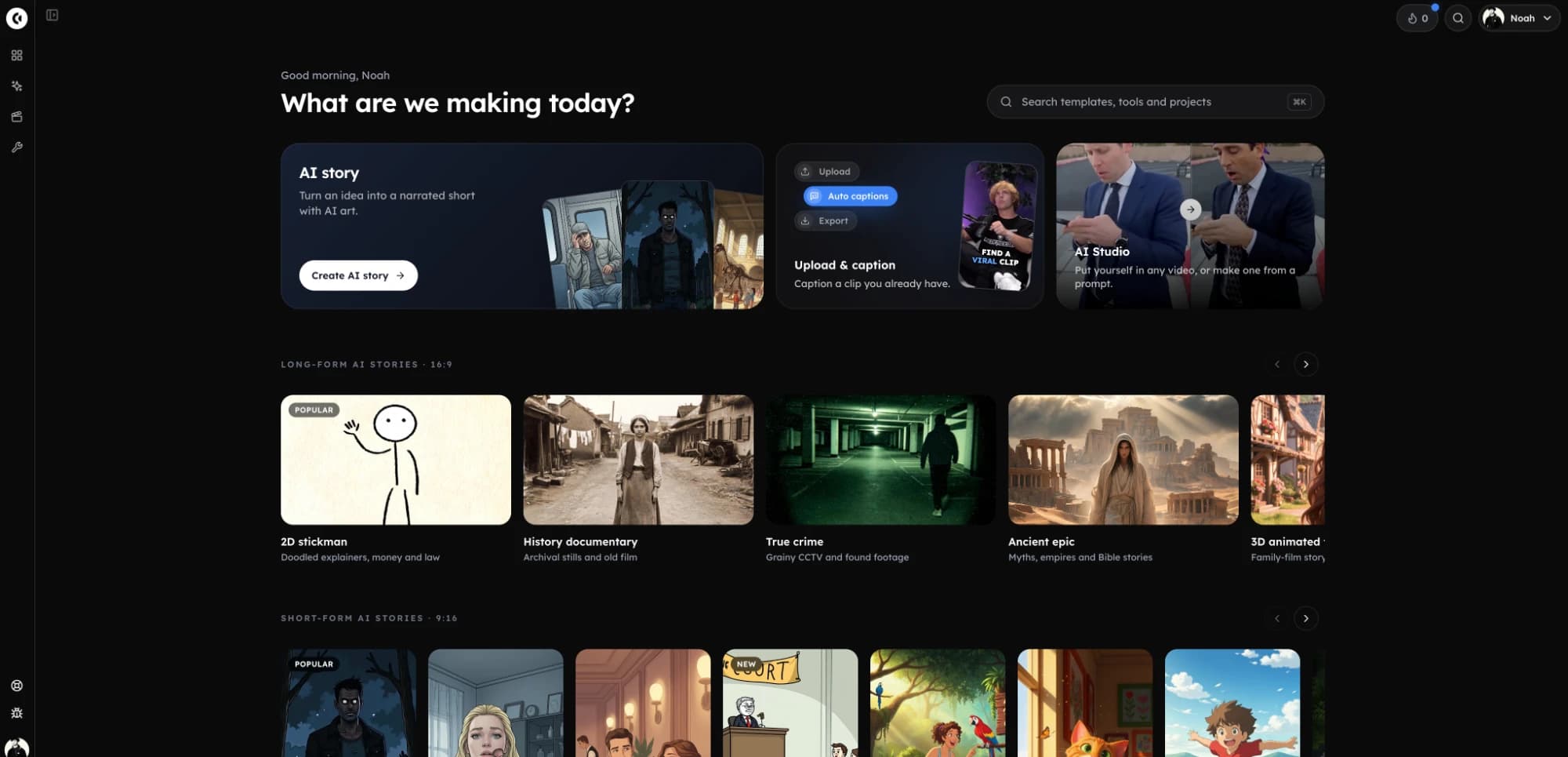
In Clippie, open AI Studio → Image, pick Nano Banana 2.1, attach your references and choose 1MP, 2MP or 4MP (5, 7 or 16 credits).
To turn references into short original scenes, this Veo 3.1 video tutorial shows the ingredients mode.
Step 3: Turn Your AI Influencer Into Video
Most AI influencer growth on TikTok and Reels comes from video, especially trend recreations. You can swap your character into a trending clip, move a group of characters through a dance, restyle a clip, or have the character talk to camera. Each method suits a different post type.
The methods below use the AI influencer generator in Clippie's AI Studio, which shows each generation's credit price before you run it.
Method #1: Recast Into a Trend Template
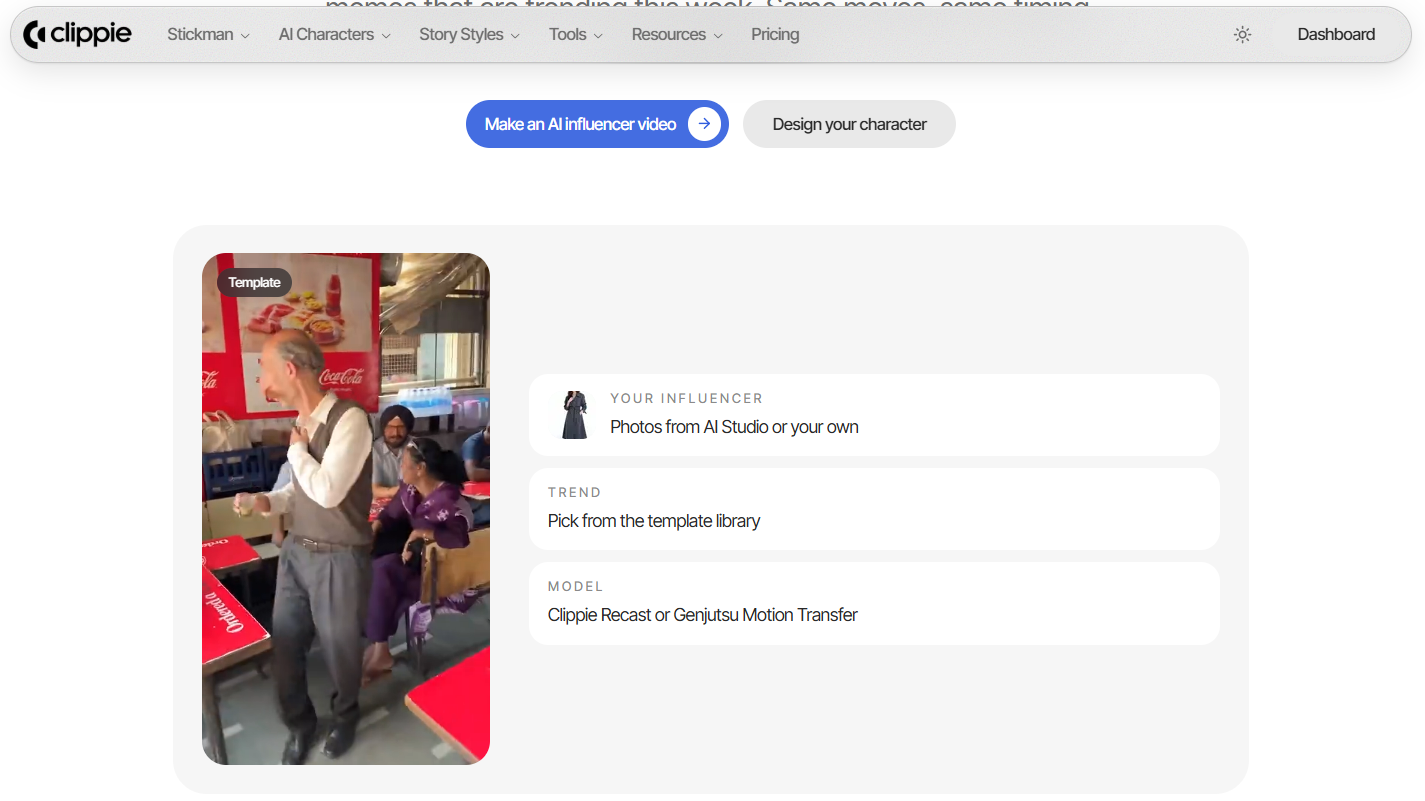
Pick a trend template (examples include Hallway Strut, Diner Dance and Valet Arrival) or upload your own 5–30 second clip. Add your photo in the "Your influencer" slot, choose a model and generate.
Clippie Recast keeps the original scene, movement and sound, with up to 4 people.
Cost: 720p is 207 credits for 5s and 413 for 10s; 1080p is 310 and 619.
Method #2: Motion Transfer for Group Clips
Genjutsu Motion Transfer replaces 1–8 people in a 4–30 second clip, one photo each, left to right, keeping camera and framing. Test at 480p (175 credits for 4s) before paying for 1080p.
Method #3: Restyle for a Stylized Persona
Genjutsu Restyle redraws a clip as anime, 3D, pixel art and other styles while keeping the motion. Add up to 5 character images so the restyled figure looks like your influencer.
Method #4: Talking and Voiceover Posts
Trends get reach; talking posts build connection. AI Studio's Talking tool lip-syncs a character picture to your text and an AI voice. In AI Story, @-mention a saved character so every scene stays on-model.
Finish every clip: add captions in a Clippie template (102+ languages; they don't use plan minutes).
Step 4: Plan Formats for Instagram, TikTok and YouTube
Post the same character everywhere, but shape each post for the platform. TikTok rewards trend recreations and quick hooks, Instagram mixes Reels with photo carousels and Stories, and YouTube Shorts favors talking or story-led clips. Pick a cadence you can sustain for three months.
TikTok:
Trend recreations with a first-second hook.
Reply-to-comment videos where the character answers followers.
Instagram:
Reels for reach, photo carousels, Stories for daily personality.
Turn on the AI-generated profile label before you post (see Step 5).
YouTube Shorts:
Talking-to-camera tips and story-led clips.
For longer realistic presenter videos, see our guide to AI talking head videos without filming.
Cadence: three to five posts a week from your content pillars is a sustainable start. Batch-produce stills and clips weekly so the face stays consistent.

Step 5: Label AI Content and Disclose Sponsorships
Label your influencer as AI on every platform and disclose every paid post. Instagram now has a profile-level label for accounts fronted by an AI person, TikTok and YouTube require labels on realistic AI content, and advertising rules on sponsorship disclosure apply to virtual influencers too.
Platform AI labels (checked November 2026):
Instagram: on August 31, 2026 Instagram renamed its "AI creator" label to "AI-generated profile". Reports say profiles featuring an AI person that skip it can become ineligible for recommendations. Posts also carry Meta's "AI info" label.
TikTok: its Community Guidelines on AI-generated content require disclosure of realistic AI content, via the AI-generated content setting or a clear caption, sticker or watermark. AI likenesses of anyone under 18 are banned.
YouTube: disclose realistic synthetic content with YouTube Studio's AI use setting. Its altered or synthetic content rules say disclosure doesn't affect monetization eligibility.
Sponsorship disclosure:
The FTC's 2023 Endorsement Guides define an endorser as anyone who is, or appears to be, an individual. Legal commentators read that as covering virtual influencers.
Use "#ad" or the "Paid partnership" tool clearly in every sponsored post. The UK's ASA applies its ad-labeling rules however an ad was made.
Avoid experience claims ("I've used this for a month"). A synthetic character hasn't.
This isn't legal advice; check the rules where you and your audience are.
How AI Influencers Make Money
AI influencers earn the same ways human creators do: brand deals, affiliate links, UGC-style content for brands, and platform creator programs. None are guaranteed, and earnings vary widely by niche and audience, so treat monetization as something you build after you have an engaged audience.
Common routes:
Brand deals: sponsored posts and placements. Some brands avoid AI talent, so be upfront in your media kit.
Affiliate links: niche product picks, disclosed as ads.
UGC-style content: product videos with your character for a brand's own ads. Check the ad platform's AI policies first.
Creator programs: TikTok's Creator Rewards Program and the YouTube Partner Program favor original content; YouTube excludes mass-produced, repetitive videos.

How to Create an AI Influencer for Free
You can test an AI influencer with no-cost tools, but not run one for long. Free tiers give enough credits to design a face and make a test clip, with limits, watermarks or premium models locked. Use them to validate the persona, then pay for the one tool you actually use.
Option #1: Gemini App (Images)
What you get: the Gemini app's no-cost tier generates and edits images with Nano Banana 2, within usage limits.
Best for: testing the face.
Where it falls short: images carry a visible watermark, and you still need a separate tool for trend videos.
Option #2: Higgsfield AI Influencer Studio
What you get: a guided character builder (age, body type, face details) plus motion presets or your own 3–30s clip. Higgsfield says sign-up credits cover a first influencer and video; third-party trackers put paid plans from around $15 a month.
Best for: the better choice if you want guided sliders instead of prompting.
Where it falls short: sign-up credits cover a test, not a channel. Compare more Higgsfield AI alternatives for realistic video.
Option #3: OpenArt
What you get: consistent-character tools. Trackers list a short trial rather than a permanent no-cost plan, with paid plans from about $14 a month.
Where it falls short: consistent characters are capped per plan, and the trial doesn't cover ongoing use.
Paid Pick: Clippie
Best for: trend swaps, group clips and captions in one place.
Pricing: every plan is paid; plans start at $19.99 a month, with discounts on longer billing (check the pricing page).
Where it falls short: no no-cost tier, it isn't a timeline editor, and it doesn't post for you.
AI Influencer Mistakes to Avoid
Most AI influencer accounts fail for the same six reasons: a face borrowed from a real person, an inconsistent look, no clear niche, hidden AI use, misleading sponsored claims, and monetizing copyrighted trend audio. Fix each one before your first post goes live.
Mistake #1: Basing the Face on a Real Person
Never build a character from a celebrity's, ex's or classmate's photo. Use your own face, an original character or someone who gave consent.
Mistake #2: Feeding Off-Model References
Mixing slightly different faces in the reference set guarantees drift. Cull to images that clearly match.
Mistake #3: Launching Without a Niche
A feed of pretty portraits gets likes, not followers. Content pillars give people a reason to return.
Mistake #4: Hiding That It's AI
Followers feel misled when they find out, and Instagram may limit reach for unlabeled AI-person profiles.
Mistake #5: Fake Experience in Sponsored Posts
"I've worn this for weeks" from a synthetic character is a misleading claim. Describe features, not personal results.
Mistake #6: Monetizing Copyrighted Trend Clips
Trend clips often carry licensed songs and performances. Keep them for personal posts.
FAQs
Can I create an AI influencer for free?
You can test one for free. The Gemini app's no-cost tier generates images with Nano Banana 2, and Higgsfield gives sign-up credits for a first influencer and video. Expect watermarks, usage limits and locked premium models. Regular video posting usually needs a paid plan on one tool.
What is the best AI influencer generator?
It depends on your workflow. Higgsfield's AI Influencer Studio suits creators who want guided sliders for face and body. Tools with Nano Banana 2.1 suit prompt-led creators using up to 14 references. For trend videos, choose a tool with motion transfer that keeps the original movement and sound.
Do I have to tell followers my influencer is AI?
Yes, in practice. Instagram asks profiles featuring an AI-generated person to use its AI-generated profile label, and TikTok and YouTube require labels on realistic AI content. Sponsored posts also need clear ad disclosure. Being open from day one protects reach and keeps followers from feeling misled later.
How do I keep my AI influencer's face consistent?
Build a reference set of 6–10 matching images: a front-facing hero portrait, angles, expressions and signature outfits. Attach the same set to every generation, restate fixed traits like hair, eye color and freckles in each prompt, and discard off-model results instead of reusing them as new references.
Can an AI influencer get brand deals?
Yes. Virtual influencers do sponsored posts, affiliate promotions and product content, but some brands avoid AI talent, so disclose it upfront. Treat sponsorships like any creator: label every paid post with #ad or the platform's paid partnership tool, and avoid personal-experience claims a synthetic character can't truthfully make.
Can I make an AI influencer that looks like me?
Yes, using your own photos is one of the safest options because consent isn't in question. Use clear, well-lit photos as references. If the result is photorealistic, still label it as AI-generated on each platform. Never use photos of friends, partners or public figures without explicit permission.
What to Do Next
Start with the persona, prove the face, then scale video.
Today: write the one-page character bible and choose three content pillars.
This week: generate a hero portrait and cull a 6–10 image reference set.
Next: make one trend recreation and one talking post, then compare.
Before posting: turn on AI labels and set up #ad disclosure for sponsored posts.
Learn the editor: this animated AI story video tutorial shows how to build story-led posts around a recurring character.
If you want character images, trend swaps and captions in one place, Clippie's AI Studio is a practical spot to make your influencer's first video.
Try it in Clippie
Make an AI influencer
Design a character once, then put them into the dances and memes that are trending this week.
Make an AI influencer