Hotel Lobby AI Trend: How to Make the Migos AI Video (2026)
Swap yourself and a friend onto Quavo and Takeoff's orange COLORS stage: which photos work, Recast steps, credit costs, captions and the rights rules.
 Emmanuel Greyco Tulabut
On this page
If you searched for the Hotel Lobby AI trend, you've seen the clips: two people on a bright orange stage, sharing one hanging microphone, rapping Quavo and Takeoff's "Hotel Lobby" with perfect timing. Those two people are usually friends, couples or cartoon characters swapped in with AI.
The trend took off on TikTok and X in September 2026 and is still searched heavily, often as "Migos AI". This guide explains where the clip comes from, what photos you need, and the exact steps to make your own version. It also covers posting tips, other tools, and the copyright and respect rules that apply.
Executive summary: This guide is for anyone who wants to make the Hotel Lobby AI video with their own face and a friend's. It explains the original 2022 COLORS performance, the photos that swap cleanly, a five-step Recast workflow with credit costs, captions and posting tips for TikTok, Shorts, Reels and X, three alternative tools with honest trade-offs, and the rights, consent and AI-label rules to follow.
Table of Contents
What Is the Hotel Lobby AI Trend?
Where the Original Hotel Lobby Video Comes From
What You Need to Make the Hotel Lobby AI Video
How to Do the Hotel Lobby Trend in Clippie Recast
Photo Tips for a Clean Hotel Lobby Swap
Captions and Posting Tips by Platform
Other Ways to Make the Hotel Lobby AI Video
Rights, Respect and AI Labels
FAQs
What to Do Next
What Is the Hotel Lobby AI Trend?
The Hotel Lobby AI trend uses AI to replace Quavo and Takeoff in their 2022 COLORS performance of "Hotel Lobby" with new people. The orange backdrop, hanging mic, song and movements stay the same; only the two performers change, usually to the creator and a friend.
What a typical version looks like:
Same stage: the flat orange COLORS set and one microphone hanging between the two performers.
New faces: best friends, couples, movie characters, even cats.
Original audio: the song plays exactly as recorded, so the swapped performers appear to rap the verses.
Why people call it "Migos AI": Quavo and Takeoff were two-thirds of the rap group Migos, so many searches use "Migos AI" or "Migos hotel lobby" instead of the song title.
Why it spread: the format is instantly recognizable, needs no editing skill, and works best with a second person, so every post invites a friend to make their own. That share loop is the same mechanic behind most AI formats that break out; our guide on what makes AI shorts go viral breaks it down.
Timeline: Know Your Meme traces the first big AI version to a September 16, 2026 TikTok that swapped in Harvey and Mike from Suits. Cat versions and celebrity pairings followed on X within days. On September 23, Quavo reposted the unedited performance, captioned "The Original".
Where the Original Hotel Lobby Video Comes From
The source clip is "Quavo & Takeoff - HOTEL LOBBY | A COLORS SHOW", published on the COLORS YouTube channel on June 17, 2022. The pair performed as Unc & Phew, and the 2:47 set had passed 138 million views by November 2026.
Key facts about the original:
The song: "Hotel Lobby (Unc & Phew)" was released as a single on May 20, 2022, produced by Murda Beatz, Keanu Beats and Fabio Aguilar. It later appeared on their joint album Only Built for Infinity Link (October 7, 2022).
The show: COLORS describes it as the first episode of a Black Music Month series made with Motown Records.
A note on Takeoff: Takeoff was shot and killed in Houston on November 1, 2022, a few months after this performance. For many fans the clip is a tribute, and Quavo has described its revival as bittersweet. Keep your version playful, never mocking.
What You Need to Make the Hotel Lobby AI Video
You need two clear photos, one per performer, ideally full-body, plus a tool that swaps people into the original clip. For a solo version, one photo is enough: it replaces only the left-hand performer and leaves the original right-hand performer in place.
Checklist:
Photo 1: you (or your character). It replaces the performer on the left.
Photo 2: your friend, with their permission. It replaces the performer on the right.
A paid Clippie plan with AI credits for AI Studio (Lite has 800 a month).
How to Do the Hotel Lobby Trend in Clippie Recast
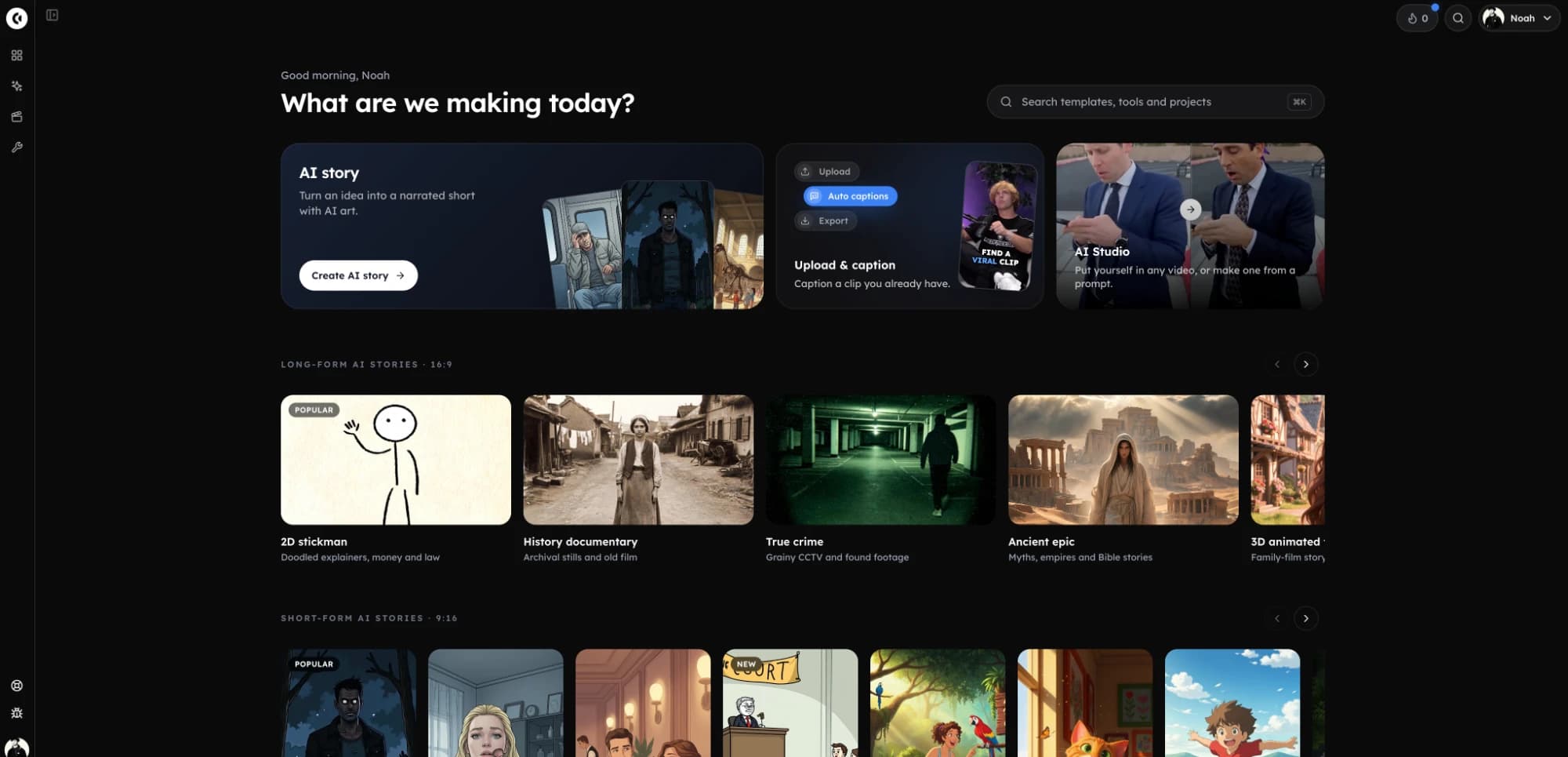
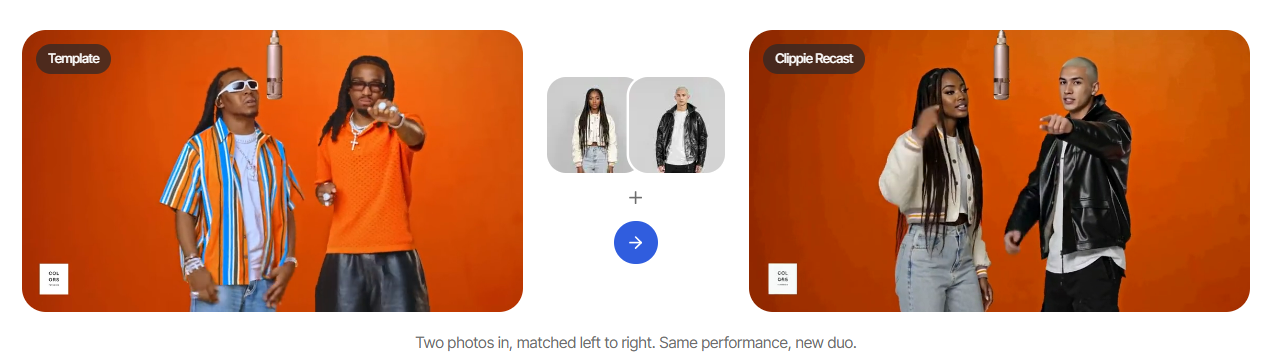
Clippie Recast swaps people into an existing clip from one photo each, keeping the original scene, movement and sound. The Hotel Lobby template loads the COLORS clip for you, so you add two photos, pick a resolution, check the credit price and generate.
Step 1: Open the Hotel Lobby Template
Go to the Hotel Lobby AI trend template and click Make my hotel lobby video. It opens AI Studio's Motion tab with Clippie Recast selected and the performance already loaded.
Step 2: Add Your Photos in the Right Order
Upload two photos. The first photo replaces the left performer, the second replaces the right. Swap the order if you want to stand on the other side. Upload just one photo for a solo version.
Step 3: Run a 720p Test First
Choose 720p for a cheaper test render and check faces, outfits and sides. Recast is priced per second of video, and the exact credit price appears before you generate. Reference costs from Clippie's pricing:
720p: 207 credits for 5 seconds, 413 for 10 seconds
1080p: 310 credits for 5 seconds, 619 for 10 seconds
Step 4: Generate the 1080p Version
Once the test looks right, switch to 1080p and generate the version you'll post. Both performers are swapped in one render, and the original song and timing are kept, so there's nothing to re-sync.
Budget tip: a 10-second 720p test plus a 10-second 1080p final is 1,032 credits, more than Lite's 800 monthly credits. Plan a top-up (top-ups never expire) or the Creator plan's 1,500.
Step 5: Add Captions and Export
Post the result as is, or move it into a Clippie project to add animated captions, available in 102+ languages without using plan minutes.
Where Recast falls short: every Clippie plan is paid (from $19.99 a month, with discounts on longer billing; check the pricing page), 1080p renders use credits quickly, and Clippie isn't a timeline editor for fine trimming.
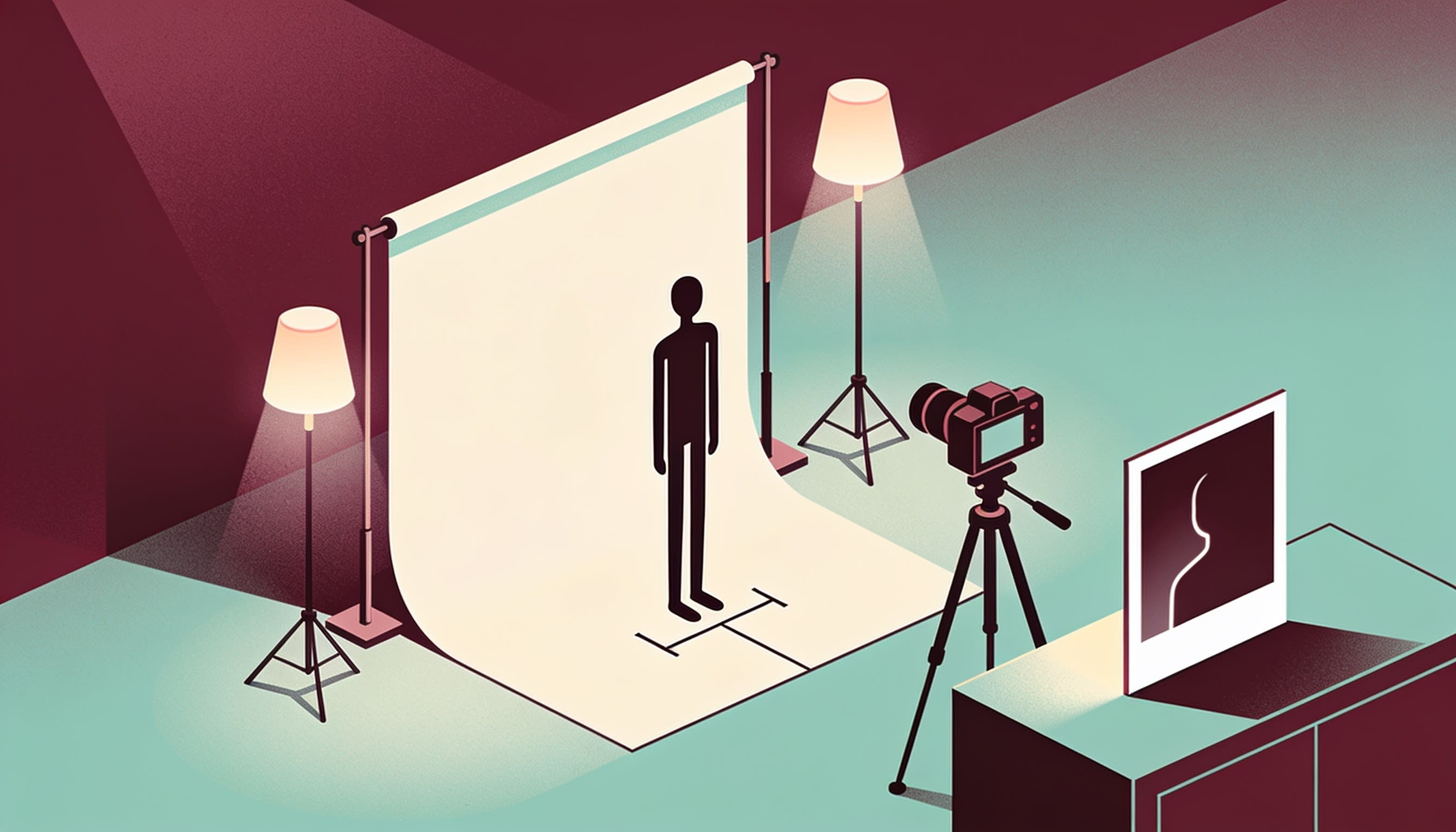
Photo Tips for a Clean Hotel Lobby Swap
Most bad swaps come from bad photos. Use bright, front-facing, full-body shots of one person each, with the face clearly visible. Recast dresses each performer in the clothes from their photo, so choose the outfit you want to wear on stage.
Lighting and framing:
Even daylight or soft indoor light. Harsh shadows confuse face matching.
Full body, head to shoes. The performers are shown full length, so cropped legs get guessed.
One person per photo. Crop out anyone else.
Face:
Look at the camera, or close to it.
No sunglasses, masks or hair over the eyes.
Outfits that pop on orange:
Strong contrast: white, black, royal blue, green or bold patterns.
Avoid orange, tan and rust tones, which blend into the backdrop.
Coordinate as a duo: matching tracksuits or opposite colors make a stronger thumbnail.
Captions and Posting Tips by Platform
Post to a personal account, credit COLORS and the artists, add a short caption that sets up the joke, and turn on AI labels for realistic swaps. The song is copyrighted, so expect each platform to treat the audio differently and don't post from a brand account.
Caption ideas that work:
Set up a relatable situation: "me and my sister when our parents ask who broke the remote".
Keep overlays short. Avoid full lyric captions: the lyrics are explicit and are part of the copyrighted song.
Credit line: "Original: Quavo and Takeoff, HOTEL LOBBY, A COLORS SHOW".
For hashtag research and caption formulas, see our guide to hashtags and captions for AI short videos.
TikTok:
Personal account only. TikTok's general sound library is licensed for non-commercial personal use; business accounts are limited to the Commercial Music Library.
Turn on the AI-generated content label. TikTok requires it for realistic AI content.
Hashtags: #hotellobby, #hotellobbytrend, #migosai plus one niche tag.
YouTube Shorts:
Expect a possible Content ID claim on the audio. The rights holder can monetize, block or restrict a claimed video.
Disclose AI use. In YouTube Studio's upload flow, set "AI use" to Yes under Attributes; realistic swaps of real people need it.
Instagram Reels:
Add Meta's AI label when you upload; Meta can also apply "AI info" automatically.
Put the credit line in the caption.
X:
Upload natively with a one-line caption and the credit line.
Other Ways to Make the Hotel Lobby AI Video
Template tools like Recast keep the original clip and change only the people. The alternatives are motion transfer tools, where you supply the reference clip, and prompt-based generators, which redraw the scene. Prompt tools give more control but drift on timing. Details were checked in November 2026.
Alternative #1: Higgsfield Genjutsu (Motion Transfer)
What it does: applies the movement from a 4–30 second source clip to new characters from your reference images, keeping the rest of the footage.
Pricing: Higgsfield lists a 15-second generation at 40 credits at 480p (about $2), 104 at 720p and 144 at 1080p.
Best for: cheap 480p tests if you already use Higgsfield.
Where it falls short: you source and upload the reference clip yourself, and credits need a Higgsfield plan.
Alternative #2: CapCut Hotel Lobby AI Video Generator
What it does: a prompt-led generator. You add two reference photos, label LEFT and RIGHT, describe the orange set and hanging mic, then finish captions and audio in CapCut.
Pricing: not stated on the feature page; check your CapCut plan.
Best for: creators who already edit in CapCut.
Where it falls short: it regenerates the scene, so timing, faces and sides can drift from the original.
Alternative #3: Kapwing (Kai With Seedance 2.5)
What it does: Kapwing's own October 2026 Hotel Lobby test used a character sheet per person, a motion reference and Seedance 2.5, then synced the original audio back in.
Pricing: check Kapwing's pricing page.
Best for: people who want a full editor around the generation.
Where it falls short: more manual steps than a one-click template.
Prompting it yourself: AI Studio's Seedance models take reference images, as in this Seedance 2.0 demo in Clippie AI Studio, but a prompted clip won't match the song's timing, so the template is the better fit here.
Rights, Respect and AI Labels
The song and the COLORS performance are copyrighted, so treat your version as a fan edit for personal posts: credit the original, expect possible claims, and never monetize it or use it in ads. Only use your own face or friends who agree, and label realistic AI content.
Copyright:
Personal, non-commercial posts only. Don't run it as an ad, sponsored post or brand content.
Credit COLORS, Quavo and Takeoff in every caption.
Consent and likeness:
Your own face, a character you made, or a friend who said yes. Ask before you post someone's face, even as a joke.
No public figures to mislead. Clippie's template page says it isn't affiliated with Quavo or Takeoff and asks users not to use anyone's likeness in ads or to mislead.
No minors without a parent's consent.
Respect for Takeoff: avoid edits that mock his death or pair the clip with tasteless jokes. Sharing the original performance alongside your version is a good way to honor it.
AI labels: YouTube requires disclosure when realistic content makes a real person appear to do something they didn't, and TikTok requires labels on realistic AI content. A swap of your friends looks real, so label it. This isn't legal advice.
FAQs
What is the Hotel Lobby AI trend?
It's a 2026 trend where people use AI to swap themselves and a friend into Quavo and Takeoff's 2022 COLORS performance of "Hotel Lobby". The orange stage, hanging microphone and original song stay the same, so the new performers appear to rap the track. It spread on TikTok and X in September 2026.
Why is it called the Migos AI trend?
Quavo and Takeoff were two of the three members of Migos, alongside Offset. Many viewers recognized the duo rather than the song title, so searches like "Migos AI" and "Migos hotel lobby AI" became common names for the trend. The song itself was released under their duo name, Unc & Phew.
Can I do the Hotel Lobby trend by myself?
Yes. With a single photo, Recast swaps only the left-hand performer and keeps the original right-hand performer, which works as a duet or reaction. You can also use two photos of yourself in different outfits for a "me vs me" version. Full-body photos with your face visible give the cleanest result.
Will my Hotel Lobby AI video get a copyright claim?
It might. The song and the COLORS performance are copyrighted, and YouTube's Content ID or other platform systems can claim, mute or restrict videos using them. Post it as a credited fan edit on a personal account, don't run it as an ad, and don't expect to earn from it.
Can I put celebrities or strangers in the Hotel Lobby video?
Avoid it. Using someone's face without permission can break platform rules on impersonation and synthetic media, and in some places the law. Stick to your own face, a character you created, or friends who've agreed. Never use anyone's likeness to mislead viewers or promote a product.
Is the Hotel Lobby AI trend still worth doing?
Searches peaked in September 2026 and have cooled since, but the clip is still widely recognized. A version with a strong caption or an unexpected pairing, like you and your grandad, can still land. Post soon, then reuse the same Recast workflow for whichever performance clip trends next.
What to Do Next
Make one clean version this week, then turn the skill into a repeatable format.
Today: take two bright, full-body photos with a friend in outfits that contrast with orange.
Test: run a 720p render, check sides and faces, then render the final at 1080p.
Post: personal account, credit line, AI label, one relatable caption.
Next: when the trend fades, build original series; this 30-second AI Story walkthrough shows the script-to-video flow.
If you want the swap, song and captions in one place, Clippie's Hotel Lobby template is a direct route to a finished video.
Try it in Clippie
Recast anyone into a video
Pick a clip, add a photo of each new person, and Recast swaps them in. Same scene, same moves, same camera.
Try Recast