
Reddit stories to YouTube, made and scheduled in one place.
Paste a Reddit post or your own story, and Clippie makes the video: the post card, an AI narrator, word-by-word captions and gameplay. Then send it to your YouTube channel now, or line up a week of stories on the calendar.
- Gameplay417 background clips
- Post asShorts or 16:9 videos
- ScheduleUp to 6 months ahead
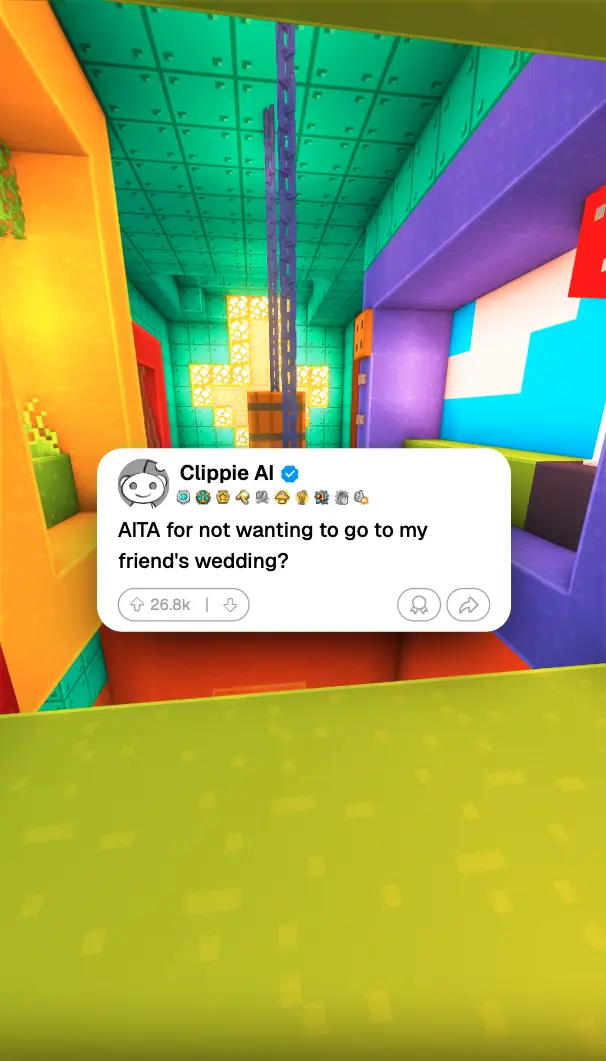
Reddit story videos made in Clippie. Tap the sound button to hear the narrator.
From Reddit post to scheduled Short.
- 1
Add the story
Paste a Reddit post link and the title, story and username fill in, or paste your own script and rewrite it in your words.
- 2
Pick the card, voice and gameplay
Choose a post card layout, a narrator and a gameplay clip from the library, then a caption style.
- 3
Export
Export in 9:16 for a Short, or 16:9 for a longer story on the main channel.
- 4
Post or schedule
Press Post on the ready toast, write the YouTube title and description, and publish now or pick a day and time.
Running a Reddit story channel on a schedule.
How to turn stories into a steady stream of Shorts, split long stories into parts, and keep the channel your own.
Why Reddit channels suit scheduling
Reddit story channels live on volume and rhythm: one or two stories a day, every day, in the same voice and the same look. That is easy to make in batches and hard to post by hand on a busy week. Make a handful of stories with a saved template in one sitting, then put them on the calendar one a day, and the channel keeps going while you work on the next batch.
In Clippie the editor and the scheduler are the same account, so a story you finish goes from the export toast to the composer with one click. No downloading, renaming and uploading files.
Long stories: part one today, part two tomorrow
Most Reddit Shorts run under a minute, about 150 words. A longer story works as a series, as long as every part ends on something. Scheduling makes the promise real: end part one with “part two tomorrow”, and schedule part two for the same time the next day, so the people who come back find it waiting.
- Same time, every part: viewers who liked part one learn when to look for part two.
- Number the titles: “Part 1”, “Part 2” at the end of the title, so the Shorts tab reads in order.
- A 16:9 version for the main channel: once all the parts are out, export the full story in 16:9 and post it as one long video.
Titles, descriptions and settings
Use the hook as the YouTube title, not the subreddit: “My sister sold my car while I was deployed” beats “r/AITA story”. The description can carry a line of context and a few hashtags. Post Public, and leave made for kids off: Reddit stories are written for adults, even with Minecraft parkour behind them.
Keep the channel your own
A Reddit post belongs to the person who wrote it, and YouTube’s monetization rules hold back channels whose videos are mass-produced or repeat the same thing with small changes. Scheduling makes it easy to post a lot, so the stories need to be worth it: rewrite each post in your own words, change names and details, add your own take at the end, and vary the stories rather than posting near-copies.
A Reddit channel in one app. Make it, post it, schedule it.
Reddit link import
Paste a post URL and the title and story fill in. Or paste your own script, or let the AI write one from an idea.
Post card and narrator
Light or dark post cards with your username and counts, read by one of 125 AI voices with style presets.
Gameplay library
417 clips, from Minecraft parkour and Subway Surfers to GTA, in vertical and 16:9.
Saved templates
Save the card, voice, gameplay and captions once. Every new story only needs the text.
Post from the export
When a render finishes, the ready toast has a Post button. Renders and the Media Library have one too, so there is nothing to download and upload again.
Week and month calendar
See every scheduled post by week or by month, and drag a post to another day to move it.
Posts while you are offline
Clippie publishes at the time you picked from its own servers. Close the tab and shut the laptop.
Shorts and regular videos
Vertical Shorts and 16:9 videos go to the same channel from the same calendar.
Frequently asked questions.
How do I post Reddit stories to YouTube?
Make the video in Clippie’s Reddit editor (paste the post or a script, pick a voice, gameplay and captions, and export), then press Post on the ready toast. Connect your YouTube channel the first time, write the title and description, and publish now or schedule it.
Can I schedule Reddit story Shorts?
Yes. Pick any day and time up to six months ahead. A week of stories sits on the calendar, and Clippie posts each one at its time, even when you are offline.
Can I make a long Reddit story video for YouTube?
Yes. Switch the editor to 16:9 and the export is 1920x1080, which posts as a regular YouTube video. Vertical exports are 1080x1920 and post as Shorts.
Can Reddit story channels be monetized on YouTube?
They can, but YouTube rewards original work and holds back channels that post mass-produced or repetitive videos. Rewrite each post in your own words or tell your own story, and vary what you post.
Does the Reddit link import the comments?
No. A link fills in the post title, the story and the username. To use comments, paste them into the script.
Can I post to TikTok or Instagram too?
Not yet. YouTube is first, for both Shorts and regular videos, and more platforms are coming. Until then you can download any render and upload it to TikTok or Instagram yourself.
What happens if a post fails?
The post is marked as failed with the reason in plain words, for example a disconnected channel or a problem on YouTube’s side, and Clippie retries it automatically. You can see every post’s status in the History list.
Do I need a paid plan to post to YouTube from Clippie?
Yes. Posting and scheduling to YouTube are part of the paid Clippie plans, like exporting. You can look around the Schedule page first; Clippie asks you to pick a plan when you post. Plans are listed below.

