The best faceless video generators in 2026, compared.
The best faceless video generator depends on what you make: Clippie for animated AI story videos and Reddit-style gameplay formats, InVideo AI for stock-footage explainers, HeyGen for a realistic AI presenter, and CapCut if you want a free editor. Prices, limits and formats for seven tools, each read from its own site.
- Tools compared7
- Prices checked10 November 2026
- Written byClippie (one of the 7)
Short answer
There is no single best faceless video generator. Each of these turns a script or an idea into a narrated video without you on camera, but they make different kinds of video, so pick by the format your channel posts:
- 1
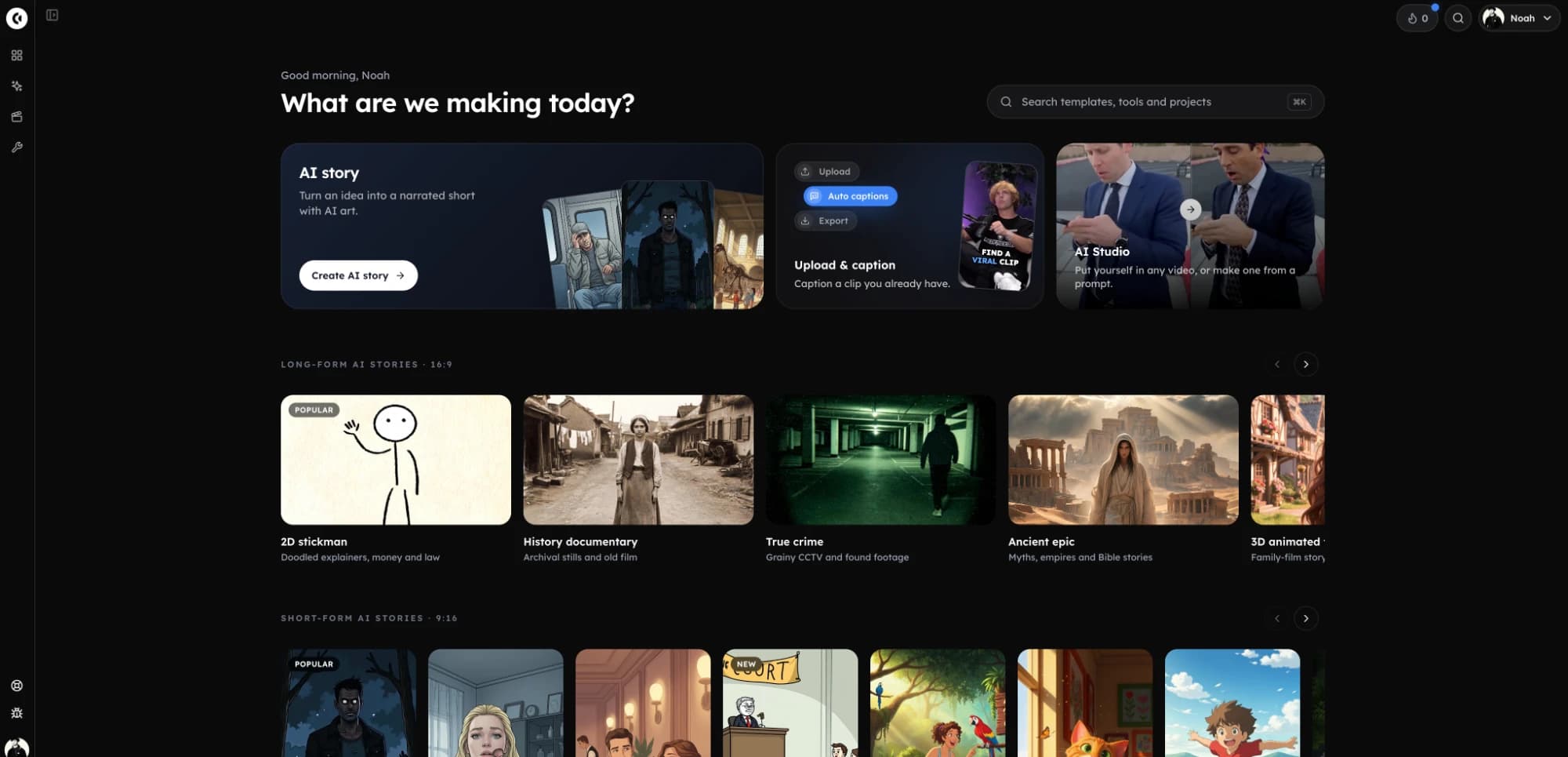
Clippie: animated AI story videos (stickman, cartoon, horror, history, 3D) with a scene for every line, plus Reddit stories, fake texts and would you rather over gameplay. 9:16 or 16:9, scripts up to 10 minutes, from $19.99 a month. This is our product.
- 2
InVideo AI: explainers built from stock footage, with generated shots where stock has nothing. From $20 a month.
- 3
HeyGen: videos with a realistic AI presenter, or translated into many languages. Free plan with 3 watermarked videos a month; paid from $29.
- 4
CapCut: a free editor for cutting and captioning footage you already have, with paid AI tools on top.
- 5
Descript: editing a video by editing its transcript, for podcasts and talking-head videos. From $24 a month.
- 6
Revid AI: shorts that are generated and posted for you on a schedule. From $39 a month.
- 7
Crayo: Reddit story, fake text and split-screen gameplay shorts, plus clipping. From $29 a month.
Clippie wrote this page. Every other tool’s facts come from its own pricing, product and help pages, read on 10 November 2026. Prices are monthly billing in US dollars unless noted.
Faceless video generators side by side.
Monthly prices and what a plan includes, as each tool lists them on 10 November 2026. Yearly billing is cheaper on most of them.
| Tool | Best for | Paid plans a month | Free plan | What a plan includes | Posts for you |
|---|---|---|---|---|---|
| Clippie | Animated AI story videos and gameplay formats | Lite $19.99, Creator $34.99, Pro $69.99 | No | Export: Lite 3 hours, Creator 10 hours, Pro 16 hours. AI voice: Lite 1 hour, Creator 4 hours, Pro 8 hours 20 minutes. Captions included. | YouTube, publish or schedule |
| InVideo AI | Stock-footage explainers from a script | Starter $20, Plus $60, Max $150 ($10, $30, $75 billed yearly) | Not on the pricing page | 400, 2,000 or 5,000 credits; exports up to 1080p | No (“does not upload to YouTube”) |
| CapCut | Free editing with AI tools | Pro £21.99, Ultra £58 in the UK; prices vary by country | Yes: templates and basic editing | Pro: 1,200 AI credits; export up to 4K | Shares to TikTok |
| HeyGen | Realistic AI avatars and translation | Creator $29, Pro $49, Business $149 + $20 a seat | Yes: 3 videos a month, up to 1 minute, watermark | 600, 1,000 or 1,500 credits; videos up to 30 minutes on Creator and Pro | Shares to YouTube and TikTok |
| Descript | Editing by transcript | Hobbyist $24, Creator $35, Business $65 ($16, $24, $50 billed yearly) | Yes: 60 media minutes, 720p, watermark | 10, 30 or 40 media hours; 1080p on Hobbyist, 4K above | Exports to YouTube, not Shorts |
| Revid AI | Auto-generated, auto-posted shorts | Growth $39, Ultra $199 ($32, $166 billed yearly) | No; free credits on sign-up | 2,000 or 12,000 credits; about 40 to 80 credits per 30-second video | TikTok, Instagram, YouTube and X |
| Crayo | Reddit, fake text and split-screen shorts | Hobby $29, Clipper $59, Pro $129 | No | Export: 2, 10 or 30 hours. Voiceover: 30, 120 or 180 minutes | Not listed |
Read from each tool’s own site on 10 November 2026. Clippie’s column comes from the same plan data as clippie.ai/pricing. CapCut showed prices in pounds from the UK and calls them “for reference only”. Spotted something out of date? Email support@clippie.ai.
What Clippie makes: AI story videos in a consistent look, and gameplay formats such as Reddit stories.
How to choose a faceless video generator.
- 1
Name the format you post
Animated stories, stock-footage explainers, an AI presenter, Reddit stories over gameplay, or clips from long videos. Each tool here is built around one or two of these.
- 2
Work out a month at your volume
Some tools count minutes of export, others count credits that different features spend at different rates. Multiply your videos a week by their length and check which plan covers it.
- 3
Make the same script in two tools
Paste one real script from your channel into your top two picks and compare the finished video, not the demo reel.
Each tool in detail. What it is best at, and where it falls short.
Facts read from each company’s own pages on 10 November 2026.
Clippie: best for animated story videos and gameplay formats
Clippie turns an idea or a script into a narrated story video with a generated scene for every line, in one of 45 looks, among them five stickman styles (one is the doodle explainer), creepy cartoon, anime, comic, 3D animated film, claymation, fruit people and realistic documentary looks. The AI writer drafts 30 seconds to 10 minutes and you can paste a longer script. Scene animation is optional and uses AI credits.
It also has editors for the classic gameplay formats: Reddit stories, fake text stories, would you rather, split screen, Roblox rants and Top 5 countdowns, over a 417-clip library of Minecraft, Subway Surfers, GTA and other gameplay.
- Plans: Lite $19.99, Creator $34.99, Pro $69.99 a month, no free plan. Export Lite 3 hours, Creator 10 hours, Pro 16 hours; AI voice Lite 1 hour, Creator 4 hours, Pro 8 hours 20 minutes; 800, 1,500 or 3,000 AI credits.
- Output: 1080x1920 or 1920x1080 MP4 at 30 fps.
- Voices and languages: 125 built-in voices, a search of the ElevenLabs voice library and imported custom voices; captions in 100+ languages in 17 styles.
- Posting and automation: Publish or schedule to YouTube on paid plans; a REST API and an MCP server for Claude, ChatGPT and Cursor.
- Where it falls short: No AI presenter avatars, no clipping of long videos, and no posting to TikTok or Instagram yet.
InVideo AI: best for stock-footage explainers
InVideo AI’s agent turns a script or idea into a video built mostly from a stock library of more than 16 million images and clips, generating shots the library does not have. Voiceover can use a chosen voice or your own clone, captions are word by word, and its faceless page says it makes videos of any length.
- Plans: Starter $20, Plus $60 and Max $150 a month, or $10, $30 and $75 billed yearly, with 400, 2,000 and 5,000 credits.
- Output: Exports up to 1080p; 4K comes from a paid upscale.
- Languages: 50+ languages for translation.
- Where it falls short: It does not upload to YouTube, and stock footage looks like stock footage, which is a poor fit for animated story channels.
HeyGen: best for AI avatars and translation
HeyGen is built around realistic AI presenters and lip-synced translation. Its Video Agent also makes faceless videos from a prompt or script, using AI or stock B-roll, on-screen text and a voice, with word-synced captions in 9:16, 16:9 or 1:1.
- Plans: Free (3 videos a month, up to 1 minute, watermarked), Creator $29, Pro $49, Business $149 plus $20 a seat; $24 and $41 billed yearly.
- Length: Up to 30 minutes per video on Creator and Pro, 60 minutes on Business.
- Languages: 175+ languages on paid plans.
- Where it falls short: If you never want a presenter on screen, much of what you pay for goes unused.
CapCut: best free editor
CapCut is a full video editor with AI tools: script to video drafts from stock footage with an automatic narration, text to speech with 200+ voices, auto captions and, on paid plans, AI video generation. The free plan includes templates and basic editing, and it shares straight to TikTok.
- Plans: In the UK, Pro is £21.99 a month and Ultra £58; CapCut shows local prices and calls them for reference only. Pro includes 1,200 AI credits.
- Where it falls short: It is an editor first. You assemble the faceless video yourself, scene by scene, rather than getting one from a script.
Descript: best for editing by transcript
Descript edits video by editing its transcript, with strong audio cleanup. Its AI Video Maker can make a script, voiceover and visuals from a prompt, using AI b-roll styles or stock, in 9:16, 16:9 or 1:1.
- Plans: Free (60 media minutes, 720p, watermark), Hobbyist $24, Creator $35, Business $65 a month; $16, $24 and $50 billed yearly. 10, 30 and 40 media hours.
- Languages: Transcription in 25 languages, caption translation in 61, dubbing in 30.
- Where it falls short: It exports to YouTube but not as Shorts, and it has no gameplay story formats.
Revid AI: best for auto-posted shorts
Revid AI makes shorts from a prompt, script, link, audio or PDF with AI clips, animated images, stock or motion graphics, and on Growth and up it posts them to TikTok, Instagram, YouTube and X, including from automated “workers”.
- Plans: Growth $39 and Ultra $199 a month ($32 and $166 billed yearly), with 2,000 and 12,000 credits. Its FAQ puts a 30-second video at 40 to 80 credits.
- Where it falls short: Credits make the monthly volume harder to predict, and its pages give different language counts.
Crayo: best for Reddit and fake text shorts
Crayo is built for viral short templates: Reddit story videos, fake text videos and split-screen gameplay, with 100+ AI voices, AI captions and AI images, plus clipping. It has a REST API on paid plans.
- Plans: Hobby $29, Clipper $59 and Pro $129 a month, with 2, 10 and 30 hours of export and 30, 120 and 180 minutes of voiceover. No free plan.
- Where it falls short: Automatic posting is not listed, and it does not make animated story videos.
Which one for faceless YouTube, and which for TikTok and Reels
For a long-form faceless YouTube channel (8 to 20 minute history, true crime, explainer or horror episodes in 16:9), the choice is between an animated look (Clippie), stock footage (InVideo AI) and a presenter (HeyGen). Clippie and HeyGen both handle 10-minute scripts; InVideo AI lists no length cap.
For faceless TikTok, Reels and Shorts (30 to 60 seconds in 9:16), the formats that travel are animated stories, Reddit and fake text stories over gameplay, would you rather and countdowns. Clippie and Crayo both make the gameplay formats; Clippie also makes the animated stories; Revid AI will post them for you.
How this page was checked
Every competitor fact on this page was read from the company’s own site on 10 November 2026, without signing in. Where a site did not state something, the page leaves it out rather than guessing. Clippie’s own numbers come from the same plan data as the pricing page.
- InVideo AI: invideo.io/pricing, invideo.io/help/billing/plan-limits, invideo.io/make/ai-faceless-video-generator, invideo.io/make/video-translator, docs.invideo.io
- CapCut: capcut.com/pricing (shown in GBP from the UK), capcut.com/tools/script-to-video-maker, capcut.com/tools/text-to-speech, capcut.com/help/export-videos-in-capcut
- HeyGen: heygen.com/pricing, heygen.com/tool/text-to-video
- Descript: descript.com/pricing, descript.com/api, help.descript.com (AI Video Maker, YouTube export)
- Revid AI: revid.ai/pricing, revid.ai/tools/faceless-video, revid.ai/docs
- Crayo: crayo.ai/pricing, crayo.ai/features/reddit-story, crayo.ai/features/fake-texts, crayo.ai/features/ai-voiceover, crayo.ai/features/api
What to compare. Beyond the price.
The kind of visuals
AI-drawn scenes, stock footage, an avatar or gameplay. This decides what the channel looks like.
Minutes or credits
Minutes are easy to plan. Credits vary by feature, so check what one video costs.
Script length
Shorts need 30 to 60 seconds; long-form YouTube needs 10 minutes or more.
Voices
How many there are, whether you can bring your own, and which languages.
Captions
Word-by-word styles in your language, and whether they cost extra.
Posting
Whether it publishes for you, and to which platforms.
Frequently asked questions.
What is the best faceless video generator?
It depends on the format. For animated AI story videos and Reddit-style gameplay formats, Clippie. For stock-footage explainers, InVideo AI. For a realistic AI presenter, HeyGen. For free editing of your own footage, CapCut. The table on this page compares their prices and limits.
What is the best AI tool to run a faceless YouTube channel?
The one that makes your channel’s format well and covers your monthly volume. Clippie suits animated channels (stickman, history, horror, explainers): scripts up to 10 minutes, a scene for every line, a narrator and captions, 3 hours to 16 hours of export a month, and YouTube scheduling. InVideo AI suits stock-footage channels; HeyGen suits channels with a presenter.
What is the best AI video generator for faceless TikTok and Instagram Reels?
For 9:16 shorts, pick by format: Clippie for animated stories and gameplay formats (Reddit, fake texts, would you rather, split screen), Crayo for Reddit and fake text templates, and Revid AI if you want shorts posted to TikTok and Instagram automatically.
What is the best script to video AI?
For a narrated video with an AI-drawn picture for every line and captions, Clippie. For a script turned into stock footage, InVideo AI. For a script read by an AI presenter, HeyGen.
Which AI tool turns a story script into a narrated video with AI images and captions?
Clippie does exactly that: paste the story or have the AI writer draft it, pick one of 45 looks and a voice, and it draws a scene for each line, narrates it and adds word-by-word captions, in 9:16 or 16:9.
What AI tool can make a full 10-minute YouTube video from a script?
Clippie’s AI writer drafts up to 10 minutes and accepts longer pasted scripts, then makes the whole 16:9 video with narration and captions. HeyGen allows videos up to 30 minutes on its Creator and Pro plans. InVideo AI says it makes videos of any length.
Is there a free faceless video generator?
CapCut has a free plan with templates and basic editing. HeyGen’s free plan makes 3 watermarked videos of up to 1 minute a month, and Descript’s free plan exports 720p with a watermark. Clippie, Crayo and Revid AI have no free plan.
Who wrote this, and is it biased?
Clippie wrote it, and Clippie is one of the tools listed, so read it with that in mind. Every other tool’s facts come from its own pricing, product and help pages, read on the date at the top. Where another tool is the better pick for a job, the page says so.