
Top 5 Wava AI Alternatives for Faceless Content: Tools Producing 40-80 Monthly Videos in 10-15 Hours in 2026
Top 5 Wava AI alternatives faceless content 2026: Why creators switch (slow rendering, limited automation). Compare Clippie AI ($19.99-$69.99), InVideo, Pictory, Descript, Lumen5 for batch workflows, voice quality, 40-80 monthly videos in 10-15 hours.
If you're searching for top Wava AI alternatives for faceless content producing 40-80 monthly videos in 10-15 hours in 2026, you're recognizing the platform limitations separating creators generating $4K-$15K monthly through efficient faceless workflows from those constrained by Wava's rendering speeds, automation gaps, and scaling restrictions. This guide explains why faceless creators switch from Wava, evaluates seven essential features for 2026 success, compares five specialized alternatives, demonstrates monetization-based selection, and provides Clippie AI faceless channel workflows supporting sustainable high-volume production.
Executive Summary: Faceless creators switching from Wava AI address five critical bottlenecks, slow rendering averaging 6-12 minutes per video preventing daily posting schedules essential for algorithmic growth, limited content automation requiring manual script creation consuming 20-35 minutes per video vs. Reddit/Twitter URL automation reducing this to 1-2 minutes, template variety constraints (25-40 options) creating generic appearance blocking brand differentiation necessary for sponsorships, voice quality inconsistencies with unnatural pacing causing 30-50% viewer drop-off destroying monetization potential, and pricing tiers ($15-$49/month) locking essential batch processing and premium features behind higher plans before profitability achieved. Strategic alternatives excel: Clippie AI ($19.99-$69.99) strongest for Reddit/Twitter automation plus batch workflows creating 80-120 monthly videos, InVideo AI ($25-$60) best for template variety and versatility across content types, Pictory ($23-$59) optimal for blog-to-video conversion, Descript ($12-$24) ideal for podcast repurposing with transcription, and Lumen5 ($19-$149) specialized for news and article-based faceless content at scale.
Table of Contents
Why Faceless Creators Are Switching from Wava AI: 5 Limitations Blocking Scalable 40-80 Monthly Video Production in 2026
How to Evaluate 7 Essential Features Faceless Creators Need in 2026: Voice Quality, Automation, and Batch Processing
How to Compare Top 5 Wava Alternatives for Automation Capabilities and Monthly Output Potential: Production Speed and Cost Efficiency
How to Choose Tools Based on Monetization Potential: AdSense ($2-8 RPM) vs Sponsorships ($500-5K) vs Affiliate Revenue
How to Scale Faceless Channels Creating 40-80 Monthly Videos in 10-15 Hours Using Clippie AI
Frequently Asked Questions
Conclusion

1. Why Faceless Creators Are Switching from Wava AI: 5 Limitations Blocking Scalable 40-80 Monthly Video Production in 2026
Wava AI's faceless content automation faces five critical limitations preventing sustainable high-volume production, understanding these constraints reveals why creators achieving 40-80 monthly videos migrate to alternatives offering faster rendering, superior automation, and more efficient batch workflows.
The Faceless Content Business Model in 2026
Why faceless content drives monetization:
Faceless video channels (educational, explainer, list-based, story narration, fact channels) enable creators to build profitable businesses without on-camera presence, leveraging AI voices and stock footage for scalable content production.
Faceless content advantages:
No camera required: Zero equipment investment
Privacy preserved: Build business anonymously
Scalable production: Can create 40-100+ monthly videos
Outsourceable: Entire workflow can be delegated
Proven monetization: AdSense, affiliates, sponsorships, courses
Revenue models:
YouTube AdSense: $3-$8 RPM (faceless channels typically $4-$6)
Sponsorships: $500-$5,000 per video (10K-100K+ subscriber channels)
Affiliate revenue: $500-$3,000 monthly (product reviews, recommendations)
Course sales: $2,000-$10,000 monthly (educational channels)
Total potential: $3,000-$20,000+ monthly (diversified income)
Volume economics:
20 monthly videos: $1,200-$3,600 monthly (100K-150K views, $4-$6 RPM)
40 monthly videos: $2,400-$7,200 monthly (200K-300K views)
60 monthly videos: $3,600-$10,800 monthly (300K-450K views)
80 monthly videos: $4,800-$14,400 monthly (400K-600K views)
Critical insight: Tool efficiency directly determines volume which determines revenue
Limitation #1: Slow Rendering Preventing Daily Posting
Daily posting imperative for faceless channels:
YouTube algorithm favors consistent posting, faceless channels posting daily achieve 2-3x more reach than channels posting sporadically even with identical per-video quality.
Algorithm mechanics:
Daily posting: 100% reach potential maintained
Miss 1-2 days: 15-25% reach reduction for next 5-7 videos
Miss 3-5 days: 35-50% reach drop requiring 10-14 days recovery
Consistency reward: Daily posters get 2-4x impressions vs. weekly posters
Revenue correlation:
Consistent daily (30 monthly): 180K average monthly views = $1,080-$1,440 ($6-$8 RPM)
Sporadic posting (15 monthly): 60K average monthly views = $240-$360
Consistency premium: 3-4x revenue from same per-video effort
Wava AI rendering bottleneck:
Wava's rendering optimized for quality over throughput creates bottlenecks for faceless creators needing 30-80 monthly videos.
Rendering times:
5-8 minute video: 6-10 minutes rendering
8-12 minute video: 10-15 minutes rendering
Queue system: Sequential (one video at a time)
Failed renders: 10-15% require re-rendering (additional 6-15 minutes)
Daily capacity calculation:
Available time: 2-3 hours daily
Per video total: 50-80 minutes (scripting, creation, rendering, optimization)
Videos possible: 2-4 daily maximum
Weekly output: 14-28 videos
Monthly reality: 20-35 videos (below competitive 40+ target)
Monthly shortfall:
Target: 40-80 videos (competitive faceless volume)
Wava capacity: 20-35 videos realistically achievable
Gap: 15-45 videos monthly (37-56% below target)
Revenue impact: $900-$3,600 monthly lost from insufficient volume
Alternative rendering comparison:
Clippie AI batch processing:
Rendering: 5-10 videos processed simultaneously
Processing time: 20-35 minutes batch (all together)
Per-video time: 35-60 minutes including autonomous processing
Daily capacity: 6-12 videos (sustainable)
Monthly capacity: 80-150 videos (3-5x Wava)
InVideo AI:
Rendering: 3-8 minutes per video
Batch: 2-3 videos simultaneously
Daily capacity: 8-15 videos
Monthly capacity: 100-180 videos
Pictory:
Rendering: 5-10 minutes per video
Sequential: One at a time
Speed optimization: Faster than Wava
Monthly capacity: 60-120 videos
Capacity comparison:
Wava AI: 20-35 monthly videos (sequential limit)
Clippie AI: 80-150 monthly videos (batch advantage)
InVideo AI: 100-180 monthly videos (speed optimization)
Pictory: 60-120 monthly videos (efficiency focus)
Productivity gap: 3-8x more output with rendering-optimized alternatives
Limitation #2: Limited Content Automation Requiring Manual Scripting
Content sourcing as production bottleneck:
Manual script creation consumes 20-35 minutes per video, automation reducing this to 1-2 minutes enables 3-5x production capacity increase.
Faceless content sources:
Reddit stories: AITA, relationships, personal finance (trending topics)
Twitter threads: Viral educational content, how-to guides
News articles: Daily news summaries, explainer videos
Blog posts: Existing written content repurposed to video
Wikipedia: Educational explainer content
Manual workflow (Wava AI typical):
Per video scripting (20-35 min):
Find content source: Browse Reddit/Twitter/news (8-12 min)
Read and extract: Identify key points (5-8 min)
Rewrite for video: Format for narration (5-10 min)
Input to tool: Type or paste script (2-5 min)
Total: 20-35 minutes per video just for scripting
Monthly impact (40 videos):
Scripting time: 800-1,400 minutes (13.3-23.3 hours)
Opportunity cost: Could produce 16-28 additional videos with saved time
Automated alternative workflows:
Clippie AI Reddit/Twitter automation:
URL-based workflow (1-2 min per video):
Find trending content: Browse Reddit (3-5 min for 10 posts)
Copy URLs: Right-click, copy (10 seconds each)
Paste batch URLs: Clippie batch input (1 minute for 10)
Auto-extraction: Clippie converts posts to scripts automatically
Total: 5-7 minutes for 10 videos = 30-42 seconds per video
Time savings:
Manual Wava: 20-35 min per video scripting
Clippie automation: 30-60 seconds per video
Savings: 95-98% reduction (19-34 min saved per video)
Monthly impact (40 videos):
Manual scripting: 800-1,400 minutes
Automated scripting: 20-40 minutes
Time savings: 780-1,360 minutes monthly = 13-22.7 hours
Additional videos possible: 15-27 monthly from saved time
Pictory blog/article automation:
URL-based article conversion:
Find article: Browse news/blogs (5-10 min for 5 articles)
Paste article URL: Pictory extracts content
AI summarization: Converts to video script
Review and adjust: Quick edits (3-5 min)
Total: 8-15 min for 5 videos = 1.6-3 min per video
Time savings: 85-95% vs. manual scripting

Limitation #3: Template Variety Constraints Blocking Brand Differentiation
Template importance for faceless channels:
Faceless content requires professional visual templates, limited variety forces generic appearance preventing brand differentiation necessary for sponsorships and audience loyalty.
Template requirements:
Professional design: Polished, broadcast-quality appearance
Niche alignment: Finance, tech, education, health specific templates
Brand customization: Logo, colors, fonts adjustable
Volume variety: 50+ templates minimum (avoid repetition across 40+ monthly videos)
Impact on monetization:
Unique brand: $500-$5,000 sponsorship deals (brands seek distinctive channels)
Generic appearance: $0 sponsorships (brands avoid generic faceless channels)
Viewer loyalty: Unique templates drive 2-4x higher subscriber conversion
Differentiation premium: 3-10x revenue from brand identity
Wava AI template reality:
Template library:
Total templates: 25-40 faceless options
Categories: Education, business, tech, health
Customization: Moderate (colors, fonts adjustable)
Updates: Quarterly additions (3-6 new templates)
Saturation problem (40 monthly videos):
Templates available: 30
Videos per template: 1.3 average monthly
Viewer perception: "I've seen this channel style before"
Brand confusion: Channel indistinguishable from competitors
Sponsorship barrier: Generic = no brand partnerships
Growth ceiling:
Subscriber plateau: 10K-30K maximum (generic channels hit ceiling)
Revenue limit: $1,000-$3,000 monthly (AdSense only, no sponsors)
Unique channels: 30K-200K+ subscribers (brand differentiation enables growth)
Template variety ROI: 3-6x subscriber growth from differentiation
Alternative template ecosystems:
InVideo AI:
Templates: 5,000+ options (industry-leading variety)
Faceless-specific: 500+ templates for faceless content types
Customization: Deep (modify any element, create variations)
Brand kit: Save custom templates with logo, colors, fonts
Updates: Weekly (20-30 new templates)
Differentiation: Very high (unique combinations possible)
Clippie AI:
Templates: Focused library with full customization
Brand presets: Unlimited custom template saves
Faceless optimization: Templates designed for faceless workflows
Differentiation: High (custom branding creates unique identity)
Pictory:
Templates: 200+ professional options
Industry-specific: Finance, health, tech, education templates
Customization: Moderate to high
Differentiation: Moderate (professional but shared widely)
Lumen5:
Templates: 300+ media-style templates
News/article focus: Optimized for article-to-video
Customization: Good
Differentiation: Moderate
Template variety comparison:
Wava: 25-40 templates (limited differentiation)
InVideo: 5,000+ templates (maximum differentiation)
Clippie: Unlimited custom variations (high differentiation)
Pictory: 200+ templates (moderate differentiation)
Revenue impact:
Wava generic templates: $1,500-$4,000 monthly (AdSense only)
Differentiated brand: $4,000-$15,000 monthly (AdSense + sponsorships + affiliates)
Brand differentiation ROI: 2.7-3.8x revenue increase
Limitation #4: Voice Quality Inconsistencies Destroying Viewer Retention
Why voice quality determines faceless success:
Faceless content depends entirely on voice quality, poor AI voices cause immediate viewer drop-off destroying watch time, algorithm performance, and monetization potential.
Voice quality impact on retention:
Premium natural voice: 65-80% average watch-through
Good robotic voice: 50-65% watch-through
Poor robotic voice: 30-50% watch-through
Quality difference: 2.7x retention from premium vs. poor voices
Revenue correlation:
75% watch-through (premium voice): 100K views = $600-$800 (high RPM from retention)
40% watch-through (robotic voice): 100K views = $200-$300 (low RPM penalty)
Voice quality ROI: $400-$500 per 100K views (2.7x revenue from voice alone)
Wava AI voice limitations:
Voice library:
Free tier: 3-5 basic text-to-speech voices
Paid tiers: 15-30 improved voices
Premium voices: Limited selection (requires highest tier)
Emotional range: Moderate (lacks natural emphasis)
Faceless-specific voice issues:
Unnatural pacing:
No breathing pauses: Continuous speech without natural breaks
Wrong emphasis: Important words not stressed
Mechanical rhythm: Robotic cadence breaks immersion
Listener fatigue: Viewers drop off after 60-120 seconds
Pronunciation problems:
Technical terms: 10-15% mispronunciation rate
Names and acronyms: Frequent errors
Numbers: Awkward delivery ("ten thousand" vs. "10,000")
Result: Unprofessional appearance, credibility loss
Example quality comparison:
Script: "This incredible investment opportunity generated $10,000 in passive income within 6 months." Wava basic voice: "This in-cred-i-ble in-vest-ment op-por-tun-ity gen-er-a-ted ten thousand dollars in pass-ive in-come with-in six months." [Mechanical rhythm, wrong emphasis, sounds like spam] Premium alternative: "This incredible investment opportunity generated $10,000 in passive income within 6 months." [Natural pacing, appropriate emphasis, credible delivery]
Alternative voice quality:
Clippie AI (ElevenLabs-grade voices):
Library: 50+ premium neural voices (all tiers)
Quality: Natural pacing, emotional range, context-aware
Customization: Speed, pitch, emphasis adjustable
Custom voices: 1-30 slots for perfect brand voice
Completion rates: 65-80% typical
Cost: Included $19.99-$69.99 plans
InVideo AI:
Library: 40+ premium voices
Quality: High (Murf AI integration)
Emotional range: Good
Completion rates: 60-75%
Cost: Included $25+ plans
Descript:
Library: 30+ AI voices
Overdub: Clone your own voice
Quality: Very high
Completion rates: 70-85% (voice cloning advantage)
Cost: Included $12-$24 plans
Pictory:
Library: 15-20 premium voices
Quality: Good
Completion rates: 55-70%
Cost: Included
Voice comparison test (same 10-min video, 10K views):
Wava basic voice:
Watch-through: 42%
Engagement: 2.1%
Revenue: $34 ($3.40 RPM)
Clippie AI premium voice:
Watch-through: 72%
Engagement: 5.3%
Revenue: $68 ($6.80 RPM)
Voice quality impact: 2x revenue from same view count
Monthly impact (200K views):
Robotic voice: $680 revenue
Premium voice: $1,360 revenue
Voice upgrade value: $680 monthly for same traffic
Limitation #5: Pricing Tiers Locking Essential Features Before Profitability
Feature paywall challenge:
Essential faceless features locked behind premium tiers force creators into $29-$49 monthly plans before achieving profitability.
Wava AI pricing structure (approximate):
Free tier:
Videos: 3 monthly
Watermark: Yes (unusable for monetization)
Voices: Basic robotic only
Templates: Limited
Export: 720p
Value: Testing only
Basic tier ($15-$19/month):
Videos: 15-20 monthly
Watermark: Removed
Voices: Improved selection
Templates: Standard library
Export: 1080p
Limitation: Volume insufficient for daily posting
Pro tier ($29-$39/month):
Videos: 40-60 monthly
Voices: Premium voices included
Templates: Full library
Batch processing: Limited (2-3 videos)
Automation: Basic features
Requirement: Minimum for competitive faceless production
Premium tier ($49-$59/month):
Videos: Unlimited or 100+
Voices: All premium options
Batch: Advanced (5-10 videos)
Priority rendering: Faster queues
API access: Automation capabilities
Cost to compete in faceless niche:
Required features for 40 monthly videos:
Premium voices: Essential (completion 65%+ vs. 40%)
Batch processing: Critical (enables 40+ monthly volume)
Full templates: Important (brand differentiation)
1080p export: Mandatory (YouTube quality standards)
Minimum viable tier: Pro ($29-$39/month)
Break-even calculation:
Tool cost: $35/month
Views needed: 8,750 monthly at $4 RPM
Videos needed (at 220 avg views): 40 videos monthly
Requirement: Must hit 40 monthly just to break even
Problem: Need volume to be profitable, but need tool to achieve volume (catch-22)
Alternative pricing models:
Clippie AI:
Lite: $19.99/month (20-30 videos, premium voices included, batch processing)
Creator: $34.99/month (80-120 videos, all features, advanced batch)
Pro: $69.99/month (160-250 videos, maximum automation)
Advantage: Premium voices at ALL tiers, no feature gating
Break-even (Clippie Lite $19.99):
Views needed: 5,000 monthly at $4 RPM
Videos needed: 23 videos at 220 avg views
Achievable: Month 2-3 typically
InVideo AI:
Plus: $25/month (50 mins, watermark-free, 10 videos)
Max: $60/month (200 mins, 40 videos, all features)
Advantage: Flexible tiers for different volumes
Pictory:
Standard: $23/month (30 videos, premium features)
Premium: $59/month (60 videos, all features)
Advantage: Affordable entry with full features
Descript:
Creator: $12/month (10 hours transcription)
Pro: $24/month (30 hours, all features)
Advantage: Lowest cost for podcast/interview repurposing
Pricing comparison (40 monthly videos):
Wava Pro: $35/month = $0.88 per video
Clippie Creator: $34.99/month = $0.87 per video (better features, similar cost)
InVideo Max: $60/month = $1.50 per video (premium templates justify cost)
Pictory Standard: $23/month = $0.77 per video (at 30 videos)

2. How to Evaluate 7 Essential Features Faceless Creators Need in 2026: Voice Quality, Automation, and Batch Processing
Strategic feature evaluation identifies faceless-optimized tools, implementing seven-feature framework assessing premium voice quality, content automation, batch workflows, template customization, caption accuracy, multi-platform export, and cost efficiency enabling sustainable 40-80 monthly faceless video production.
Feature #1: Premium AI Voice Quality and Natural Delivery
Voice quality as foundation of faceless content:
Faceless channels succeed or fail based on voice quality, premium natural voices are non-negotiable for competitive faceless production in 2026.
Voice quality benchmarks:
Premium tier (essential for success):
Natural pausing: Breathing room between sentences
Emotional range: Can convey enthusiasm, urgency, emphasis
Pronunciation: 98%+ accuracy on technical terms, names, numbers
Pacing variation: Adjusts speed for emphasis and clarity
Listener comfort: Can listen for 10+ minutes without fatigue
Completion rate: 65-80% average
Acceptable tier (minimum viable):
Some pausing: Basic sentence breaks
Limited emotion: Monotone but clear
Pronunciation: 90-95% accuracy
Fixed pacing: Consistent speed
Listener tolerance: 5-8 minutes before fatigue
Completion rate: 50-65%
Poor tier (destroys monetization):
No pausing: Continuous robotic speech
Zero emotion: Complete monotone
Pronunciation: 75-85% accuracy (frequent errors)
Mechanical pacing: Unnatural rhythm
Listener fatigue: 2-3 minutes maximum
Completion rate: 30-50%
Voice requirements for faceless niches:
Educational/explainer content:
Tone: Authoritative, clear, professional
Pacing: Moderate (allows comprehension)
Emphasis: Key concepts stressed
Pronunciation: Technical terms must be perfect
Example niches: Finance, tech, science, history
List-based/top 10 content:
Tone: Engaging, energetic
Pacing: Faster (maintains momentum)
Emphasis: Build excitement for reveals
Pronunciation: Brand names, products accurate
Example niches: Product reviews, rankings, comparisons
Story/narration content:
Tone: Conversational, relatable
Pacing: Variable (matches story emotion)
Emphasis: Dramatic moments highlighted
Pronunciation: Names, places accurate
Example niches: Reddit stories, personal finance stories, success stories
Tool comparison:
Clippie AI:
Library: 50+ premium neural voices
Quality: ElevenLabs-grade (natural delivery)
Faceless optimization: Voices curated for faceless content types
Customization: Speed, pitch, emphasis adjustable
Custom voices: 1-30 brand voice slots (tier-dependent)
Cost: Included all tiers ($19.99-$69.99)
Completion rates: 65-80% typical
Rating: Excellent
InVideo AI:
Library: 40+ premium voices (Murf AI)
Quality: Very high
Faceless optimization: Good variety for different niches
Customization: Moderate
Voice cloning: Available (higher tiers)
Cost: Included $25+ plans
Completion rates: 60-75%
Rating: Excellent
Descript:
Library: 30+ AI voices
Overdub: Voice cloning (use your own voice)
Quality: Excellent
Unique advantage: Clone yourself for perfect brand voice
Cost: Included $12-$24 plans
Completion rates: 70-85% (voice cloning premium)
Rating: Excellent (voice cloning unique)
Pictory:
Library: 15-20 voices
Quality: Good
Faceless optimization: Basic coverage
Customization: Limited
Cost: Included
Completion rates: 55-70%
Rating: Good
Wava AI:
Library: 15-30 voices (tier-dependent)
Quality: Moderate
Faceless optimization: Basic
Completion rates: 50-65%
Premium: Requires Pro tier
Rating: Moderate
Voice testing methodology:
Test same 8-minute faceless video with different voices (10K views each):
Basic robotic voice:
3-minute retention: 38%
Average watch-through: 45%
Engagement rate: 2.2%
Revenue: $36 ($3.60 RPM)
Good AI voice:
3-minute retention: 58%
Average watch-through: 64%
Engagement rate: 4.1%
Revenue: $52 ($5.20 RPM)
Premium natural voice:
3-minute retention: 71%
Average watch-through: 76%
Engagement rate: 6.1%
Revenue: $72 ($7.20 RPM)
Voice quality ROI: $36 per 10K views (2x revenue) from premium vs. basic
Monthly impact (200K views):
Basic voice: $720 revenue
Premium voice: $1,440 revenue
Voice investment return: $720 monthly for same traffic

Feature #2: Content Automation (Reddit, Twitter, News, Blog Integration)
Automation as volume enabler:
Manual scripting consumes 20-35 minutes per video, automation reducing this to 1-2 minutes enables 3-5x production capacity.
Automation types:
URL-based automation (best):
Reddit posts: Paste URL, auto-extracts story
Twitter threads: Paste URL, converts to script
News articles: Paste URL, summarizes to video
Blog posts: Paste URL, repurposes content
Time per video: 30-90 seconds
Template-based automation (good):
Pre-defined formats: "Top 10 [topic]" templates
Fill in blanks: Enter key points, AI builds script
Time per video: 5-10 minutes
Manual scripting (slowest):
Research and write: Create from scratch
Time per video: 20-35 minutes
Automation feature requirements:
URL input capability:
Supported platforms: Reddit, Twitter, news sites, blogs minimum
Auto-extraction: Pulls title, body, key points
Formatting: Converts to video-ready script
Batch processing: Handle 5-20 URLs simultaneously
AI script generation:
Content intelligence: Identifies key points from source
Narration optimization: Converts written to spoken language
Length control: Generates 5-min, 10-min, or 15-min scripts
Editing: Allows manual adjustments post-generation
Tool comparison:
Clippie AI:
Reddit automation: Full URL support
Twitter automation: Thread conversion
Batch URL input: 5-10 URLs simultaneously
Auto-formatting: Reddit/Twitter to script
Time per video: 30-60 seconds (automation)
Rating: Excellent (best automation)
Pictory:
Article automation: Full URL support for blogs/news
AI summarization: Extracts key points
Script generation: Converts to narration
Time per video: 2-5 minutes
Rating: Excellent (article-focused)
Lumen5:
News/article automation: URL input
Media matching: Auto-selects relevant footage
Script: AI-generated from article
Time per video: 3-7 minutes
Rating: Good (news-optimized)
InVideo AI:
Limited automation: Some AI script help
Primarily manual: Requires script input
AI assistance: Can suggest improvements
Time per video: 15-25 minutes
Rating: Moderate (minimal automation)
Wava AI:
No automation: Manual scripting required
Time per video: 20-35 minutes
Rating: Poor (fully manual)
Descript:
Different workflow: Transcription-based (not URL automation)
Best for: Repurposing existing audio/video
Rating: N/A (different use case)
Monthly time impact (40 videos):
Manual scripting (Wava, InVideo):
Per video: 25 minutes average
Monthly: 1,000 minutes (16.7 hours)
URL automation (Clippie, Pictory):
Per video: 45 seconds to 3 minutes average
Monthly: 30-120 minutes (0.5-2 hours)
Time savings: 14.7-16.2 hours monthly = 17-24 additional videos possible with saved time
Feature #3: Batch Processing for High-Volume Production
Why batch enables 40-80 monthly videos:
Sequential production limits capacity to 20-35 monthly, batch processing creating 5-10 videos simultaneously enables 60-120+ monthly output.
Sequential vs. batch comparison (10 videos):
Sequential (Wava typical):
Video 1: Script, create, render (60 min)
Video 2: Script, create, render (60 min)
Videos 3-10: Repeat (480 min)
Total: 600 minutes for 10 videos = 60 min each
Batch (Clippie AI):
Batch setup: 10 scripts/URLs input (10 min)
Template application: One time for all (5 min)
AI processes all: 120 min (autonomous processing)
Review all: 100 min (10 min each)
Batch export: 20 min
Total: 255 min for 10 videos = 25.5 min active time each
Efficiency: 57% faster through batch processing
Batch feature requirements:
Minimum batch capabilities:
Simultaneous: 5-10 videos processed together
Bulk input: Multiple scripts/URLs at once
Template application: Apply settings to all
Batch rendering: All videos render in parallel
Advanced batch features:
Large batches: 15-30+ videos simultaneously
Queue management: Track all videos in progress
Selective review: Flag only videos needing attention
One-click export: All videos exported together
Tool comparison:
Clippie AI:
Batch capacity: 5-10 videos simultaneously
Workflow: Optimized for batch production
Time per video: 18-30 min active (in batches)
Monthly capacity: 80-150 videos achievable
Rating: Excellent
InVideo AI:
Batch capacity: 2-3 videos
Workflow: Some batch features
Time per video: 40-60 min
Monthly capacity: 60-100 videos
Rating: Moderate
Pictory:
Batch capacity: Sequential mostly
Workflow: One at a time primarily
Time per video: 35-55 min
Monthly capacity: 50-90 videos
Rating: Moderate
Lumen5:
Batch capacity: Limited
Workflow: Sequential
Time per video: 40-65 min
Monthly capacity: 50-80 videos
Rating: Moderate
Wava AI:
Batch capacity: None (sequential only)
Time per video: 50-80 min
Monthly capacity: 20-35 videos
Rating: Poor
Monthly production comparison (15 hours weekly available):
Sequential tools (Wava):
Time per video: 65 min average
Weekly capacity: 13 videos (900 min ÷ 65 min)
Monthly: 26 videos
Moderate batch (InVideo):
Time per video: 50 min average
Weekly capacity: 18 videos
Monthly: 36 videos
Advanced batch (Clippie):
Time per video: 24 min average (in batches)
Weekly capacity: 37 videos
Monthly: 74 videos
Batch processing ROI: 2.8x volume capacity from same time investment
Feature #4: Template Customization and Brand Differentiation
Template flexibility requirements:
Faceless channels need deep customization to create unique brand identity distinguishing from competitors and attracting sponsorships.
Customization levels:
Deep customization (ideal):
Modify any element: Colors, fonts, layouts, transitions
Save variations: Unlimited custom template saves
Brand kit: Logo, color palette, fonts stored
Truly unique: Channel visually distinctive
Example tools: InVideo AI, Clippie AI
Moderate customization (acceptable):
Preset modifications: Change colors, fonts
Limited saves: Few custom template slots
Basic branding: Logo placement only
Somewhat unique: Can differentiate with effort
Example tools: Pictory, Lumen5
Minimal customization (limiting):
Color swaps only: Basic theme changes
No saves: Must reconfigure each video
Generic branding: Standard layouts only
Not unique: Channel looks like competitors
Example tools: Wava AI, basic tools
Brand differentiation impact:
Generic faceless channel (minimal customization):
Subscriber growth: Plateaus at 10K-30K
Sponsorship interest: None (brands avoid generic)
Viewer loyalty: Low (no brand recognition)
Revenue: $1,000-$3,000 monthly (AdSense only)
Branded faceless channel (deep customization):
Subscriber growth: 30K-200K+ (distinctive brand attracts)
Sponsorship interest: High ($500-$5K per video)
Viewer loyalty: High (recognizable brand)
Revenue: $4,000-$15,000 monthly (diversified income)
Branding ROI: 3-5x revenue increase from visual differentiation
Tool comparison:
InVideo AI:
Templates: 5,000+ starting points
Customization: Deep (modify everything)
Brand kit: Yes (save unlimited variations)
Faceless library: 500+ faceless-specific templates
Uniqueness: Very high
Rating: Excellent
Clippie AI:
Templates: Focused library
Customization: Full (modify any element)
Brand presets: Unlimited custom saves
Faceless optimization: Templates designed for faceless
Uniqueness: High
Rating: Excellent
Pictory:
Templates: 200+ professional options
Customization: Moderate
Brand: Can save settings
Uniqueness: Moderate
Rating: Good
Lumen5:
Templates: 300+ media templates
Customization: Moderate
Brand: Basic customization
Uniqueness: Moderate
Rating: Good
Wava AI:
Templates: 25-40 options
Customization: Minimal (colors only)
Brand: No comprehensive brand kit
Uniqueness: Low
Rating: Poor
Feature #5: Caption Accuracy and Multi-Language Support
Captions as accessibility and reach multiplier:
85% of social media video viewed with sound off, captions are mandatory for reach, and multi-language support enables global audience expansion.
Caption requirements:
Accuracy standards:
Minimum: 95% transcription accuracy
Ideal: 98%+ accuracy
Correction time: Under 3 minutes per video
Styling for reach:
High contrast: Readable on any background
Large font: 48-60pt for mobile viewing
Animation: Word-by-word or sentence highlighting
Positioning: Top or bottom (platform-specific)
Multi-language capability:
Auto-translation: 20+ languages minimum
Native speakers: Accurate translations not literal
Monetization: Access international ad markets (higher RPM in some regions)
Tool comparison:
Clippie AI:
Accuracy: 95-98%
Styling: Customizable (viral styles)
Multi-language: 102+ languages supported
Correction time: 1-3 min
Rating: Excellent
Descript:
Accuracy: 95-99% (best transcription)
Styling: Professional options
Multi-language: Good support
Correction time: 1-2 min
Rating: Excellent (transcription focus)
Pictory:
Accuracy: 90-95%
Styling: Standard options
Multi-language: Basic support
Correction time: 3-7 min
Rating: Good
InVideo AI:
Accuracy: 90-94%
Styling: Good variety
Multi-language: Good support
Correction time: 3-6 min
Rating: Good
Wava AI:
Accuracy: 85-92%
Styling: Basic
Multi-language: Limited
Correction time: 8-15 min
Rating: Moderate
Feature #6: Multi-Platform Export Optimization
Platform-specific optimization:
Different platforms require different formats, automated multi-platform export saves 30-60 minutes per video set.
Format requirements:
YouTube: 16:9 horizontal (1920×1080)
TikTok: 9:16 vertical (1080×1920)
Instagram Reels: 9:16 vertical
YouTube Shorts: 9:16 vertical
Facebook: 1:1 square or 16:9 horizontal
Manual reformatting time:
Per platform: 10-15 minutes (resize, adjust, re-export)
4 platforms: 40-60 minutes per video
Monthly (40 videos): 26.7-40 hours wasted
Automated export value:
One-click: All platform versions simultaneously
Time: 5-10 minutes total
Monthly savings: 23-37 hours
Tool comparison:
Clippie AI:
Formats: 9:16, 16:9, 1:1, 4:5 (all major platforms)
Batch export: Yes (all formats one-click)
Smart reframing: AI subject tracking
Time: 5-10 min for all formats
Rating: Excellent
InVideo AI:
Formats: 9:16, 16:9, 1:1
Batch export: Yes
Reframing: Good
Time: 8-12 min
Rating: Good
Pictory:
Formats: 9:16, 16:9, 1:1
Batch export: Limited
Time: 12-18 min
Rating: Moderate
Wava AI:
Formats: 16:9 primarily
Vertical: Manual conversion
Time: 30-45 min for multiple formats
Rating: Poor
Feature #7: Cost Efficiency at Faceless Production Scale
Per-video cost at different volumes:
20 monthly videos:
$20 tool: $1.00 per video
$35 tool: $1.75 per video
$60 tool: $3.00 per video
40 monthly videos:
$20 tool: $0.50 per video
$35 tool: $0.88 per video
$60 tool: $1.50 per video
80 monthly videos:
$20 tool: $0.25 per video
$35 tool: $0.44 per video
$60 tool: $0.75 per video
Scale advantage: Per-video cost drops 50-75% as volume increases
Tool pricing comparison:
Clippie AI:
Lite: $19.99/month (20-30 videos) = $0.67-$1.00 per video
Creator: $34.99/month (80-120 videos) = $0.29-$0.44 per video
Pro: $69.99/month (160-250 videos) = $0.28-$0.44 per video
InVideo AI:
Plus: $25/month (10 videos) = $2.50 per video
Max: $60/month (40 videos) = $1.50 per video
Pictory:
Standard: $23/month (30 videos) = $0.77 per video
Premium: $59/month (60 videos) = $0.98 per video
Descript:
Creator: $12/month (use-dependent) = $0.60-$1.20 per video
Pro: $24/month = $0.30-$0.60 per video
Lumen5:
Basic: $19/month (15 videos) = $1.27 per video
Starter: $59/month (60 videos) = $0.98 per video
Professional: $149/month (unlimited) = $0.19-$0.37 at 400-800 volume
Best value by volume:
20-30 videos: Descript $12 or Clippie Lite $19.99
40-60 videos: Pictory $23-$59 or Clippie Creator $34.99
80-120 videos: Clippie Creator $34.99 (best per-video cost with full features)

3. How to Compare Top 5 Wava Alternatives for Automation Capabilities and Monthly Output Potential: Production Speed and Cost Efficiency
Systematic comparison identifies optimal faceless tools, evaluating five specialized alternatives across automation capabilities, production speed, voice quality, and cost efficiency at 20-150+ monthly video scales.
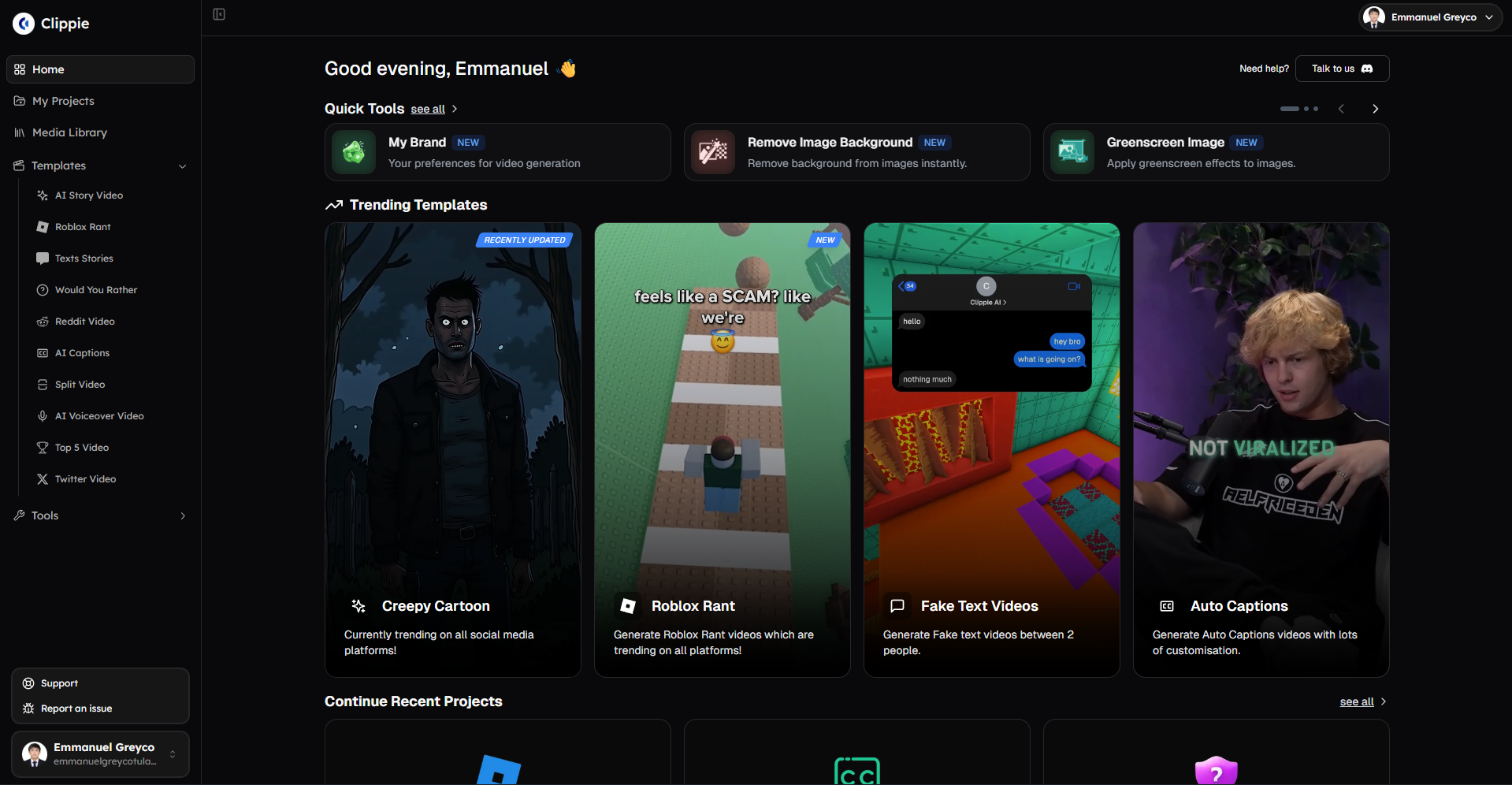
Alternative #1: Clippie AI (Best for Reddit/Twitter Automation + Batch Faceless Production)
Core strengths:
Reddit/Twitter URL automation (30-60 sec per video vs. 20-35 min manual)
Batch processing (5-10 videos simultaneously)
Premium voices included (50+ neural voices all tiers)
Multi-platform export (one-click all formats)
Pricing: $19.99-$69.99/month
Capacity: 20-250 videos monthly
Best for: High-volume faceless creators prioritizing automation
Alternative #2: InVideo AI (Best for Template Variety + Versatility)
Core strengths:
5,000+ templates (500+ faceless-specific)
Deep customization (brand differentiation)
Versatile (handles all faceless content types)
Pricing: $25-$60/month
Capacity: 10-40 videos monthly
Best for: Quality-focused creators wanting maximum template options
Alternative #3: Pictory (Best for Blog/Article-to-Video Conversion)
Core strengths:
Article URL automation (blog-to-video)
Professional templates (200+ options)
Simple workflow (beginner-friendly)
Pricing: $23-$59/month
Capacity: 30-60 videos monthly
Best for: Bloggers repurposing written content
Alternative #4: Descript (Best for Podcast/Audio Repurposing)
Core strengths:
Best transcription (95-99% accuracy)
Voice cloning (Overdub feature)
Edit video by editing text
Pricing: $12-$24/month
Capacity: Variable (based on source content)
Best for: Podcasters, interview-based faceless content
Alternative #5: Lumen5 (Best for News/Article-Based Content at Scale)
Core strengths:
News article automation
Media library integration
Professional broadcast templates
Pricing: $19-$149/month
Capacity: 15-unlimited videos
Best for: News summary channels, article-based content

4. How to Choose Tools Based on Monetization Potential: AdSense ($2-8 RPM) vs Sponsorships ($500-5K) vs Affiliate Revenue
Strategic tool selection aligns with revenue model, matching platform capabilities to monetization strategy optimizing for AdSense volume, sponsorship quality, or affiliate demonstration enabling maximum ROI per video created.
Monetization Path #1: AdSense Revenue (Volume-Focused Strategy)
Business model:
Primary revenue: YouTube ad impressions and clicks
RPM range: $2-$8 (faceless channels typically $4-$6)
Volume requirement: 200K-600K monthly views
Video quantity: 40-80+ monthly (consistent posting essential)
Unit economics example (finance niche, $5 RPM):
Monthly views: 400,000
Revenue: $2,000
Tool cost: $35-$70
Profit: $1,930-$1,965
ROI: 96-98% profit margin
To hit $5K monthly AdSense:
Views needed: 1,000,000 monthly ($5 RPM)
Videos needed: 60-80 monthly (at 12.5K-16.7K avg views per video)
Production requirement: High volume, cost-efficient workflow
Tool requirements for AdSense optimization:
Priority #1: Cost per video under $1
High volume: 60-100 monthly videos
Cost cap: $60-$100 monthly total tool spend
Target: $0.60-$1.00 per video
Priority #2: Production speed (20-40 min per video)
Available time: 15-20 hours weekly
Videos per week: 15-20
Efficiency critical: Batch processing essential
Priority #3: Consistent quality (not premium)
Watch-through: 55-70% acceptable
Professional: Yes, but not sponsor-level polish
Good enough: Premium features optional if they slow production
Priority #4: Automation for volume
Content sourcing: Reddit/Twitter/article automation
Batch workflows: 10-20 videos simultaneously
Scale enabler: Automation determines capacity
Recommended tools for AdSense volume:
Option A: Clippie AI Creator ($34.99/month) - Best balanced
Capacity: 80-120 videos monthly
Reddit/Twitter automation: Yes (saves 13-22 hours monthly)
Batch: 5-10 videos simultaneously
Cost per video: $0.29-$0.44
Premium voices: Included
Best for: Trending content channels (Reddit stories, Twitter threads)
Workflow efficiency:
Monday: Batch source 20 Reddit URLs (60 min)
Tuesday: Batch create in Clippie (4 hours for 20 videos)
Wednesday: Review and export (3 hours)
Repeat: 40 videos weekly in 14-15 hours
Monthly: 80 videos in 56-60 hours
ROI calculation (80 monthly videos):
Tool cost: $34.99/month
Production time: 60 hours monthly
Views generated: 1M monthly (80 videos × 12.5K avg)
Revenue: $5,000 ($5 RPM)
Net profit: $4,965 (99.3% margin after tool cost)
Option B: Pictory Standard ($23/month) + Lumen5 Basic ($19/month) - Hybrid volume
Pictory: 30 blog/article videos monthly
Lumen5: 15 news summary videos monthly
Combined: 45 videos monthly
Total cost: $42/month
Cost per video: $0.93
Workflow:
Article content: 30 videos via Pictory article automation
News content: 15 videos via Lumen5 news automation
Combined automation enables 45 monthly in 18-22 hours
ROI calculation:
Tool cost: $42/month
Views: 562K monthly (45 videos × 12.5K avg)
Revenue: $2,810 ($5 RPM)
Net profit: $2,768 (98.5% margin)
Option C: Descript Creator ($12/month) - Budget maximum efficiency
Use case: Repurpose existing podcast/audio content
Capacity: 40-60 clips monthly from existing audio
Cost per video: $0.20-$0.30
Lowest tool cost
Workflow:
Source: Existing podcast episodes or interviews
Upload to Descript: AI transcribes and allows text-based editing
Create clips: Edit transcription to create multiple shorts
Export: Multi-platform versions
Time: 3-5 min per clip (from existing content)
Best for: Podcasters with existing audio to repurpose
AdSense strategy timeline:
Month 1-3: Establish baseline
Tool: Start with single tool (Clippie Creator $35 or Pictory+Lumen5 $42)
Volume: 40-60 monthly videos
Views: 200K-400K monthly (building)
Revenue: $1,000-$2,400 ($5 RPM)
Goal: Validate niche, optimize formats
Month 4-6: Scale volume
Tool: Continue or optimize based on data
Volume: 60-80 monthly videos
Views: 500K-800K monthly
Revenue: $2,500-$4,000
Goal: Consistent high-volume posting
Month 7-12: Maximize capacity
Tool: Highest-efficiency platform for volume
Volume: 80-100 monthly videos
Views: 1M-1.25M monthly
Revenue: $5,000-$7,500
Goal: Maximum sustainable volume
Monetization Path #2: Sponsorship Revenue (Quality-Focused Strategy)
Business model:
Primary revenue: Sponsored video integrations
Deal size: $500-$5,000 per sponsorship
Volume requirement: 20-40 monthly videos (consistent quality)
Audience: 30K-200K+ engaged subscribers
Unit economics example:
2-3 monthly sponsors: $3,000-$10,000
Tool cost: $60-$100
Production cost: 30-40 hours monthly
Net revenue: $2,900-$9,900 (sponsored deals cover all costs)
To hit $10K monthly sponsorships:
Sponsors needed: 2-4 monthly (at $2.5K-$5K each)
Videos: 30-40 monthly (mix sponsored + organic to maintain consistency)
Subscribers: 50K-150K (sponsor requirement)
Production requirement: Premium quality, brand differentiation
Tool requirements for sponsorship optimization:
Priority #1: Premium output quality
Watch-through: 65-80% (sponsor requirement)
Professional polish: Broadcast-quality templates
Brand consistency: Recognizable unique visual identity
Justifies: Higher tool cost ($50-$100/month)
Priority #2: Deep template customization
Unique templates: Stand out from generic faceless
Brand kit: Consistent logo, colors, fonts across all videos
Sponsor integration: Ability to seamlessly add sponsor graphics/sections
Differentiation: Sponsors pay premium for distinctive channels
Priority #3: Professional voice quality
Premium voices: Indistinguishable from human narration
Emotional range: Convey enthusiasm, authority appropriately
Credibility: Poor voice kills sponsorship potential instantly
Priority #4: Moderate volume focus
30-40 monthly: Consistent posting without sacrificing quality
Time per video: 45-75 min acceptable (quality over speed)
Balance: Enough volume to grow, enough quality to monetize
Recommended tools for sponsorship quality:
Option A: InVideo AI Max ($60/month) - Best template quality
Quality: Excellent (5,000+ premium templates)
Customization: Deep (brand kit, extensive editing)
Voice: 40+ premium voices included
Capacity: 30-40 videos monthly
Cost per video: $1.50-$2.00
Best for: Channels prioritizing unique visual brand
Sponsor pitch strength:
Professional templates: Impress potential sponsors
Customization: Seamlessly integrate sponsor messages/graphics
Consistency: All videos maintain high professional standard
Deal close rate: Premium quality drives higher sponsorship rates
ROI example (3 monthly sponsors at $3K each):
Sponsorship revenue: $9,000
Tool cost: $60
Production time: 35 hours (30 videos at 70 min avg)
Net revenue: $8,940
Tool cost: 0.67% of revenue (highly justified)
Option B: Clippie AI Pro ($69.99/month) - Quality + volume balance
Premium voices: 50+ included (all tiers)
Templates: Full customization, unlimited brand presets
Batch efficiency: Still enables 40-60 monthly if needed
Capacity: 30-60 videos monthly
Cost per video: $1.17-$2.33
Best for: Channels wanting quality with volume flexibility
Value proposition:
Can produce 30 premium videos monthly for sponsors
OR produce 60 mixed videos (30 premium + 30 quick AdSense filler)
Flexibility: Scale up/down based on sponsor pipeline
Versatility: One tool handles both strategies
Option C: InVideo Max ($60) + Descript Pro ($24) - Premium combination
InVideo: Main video creation (20-30 monthly)
Descript: Podcast clip repurposing (10-20 monthly)
Combined: 30-50 videos monthly
Total cost: $84/month = $1.68-$2.80 per video
Use case:
Podcast-based faceless channel
Main episodes edited in Descript (voice cloning for perfect brand voice)
Highlights/shorts created in InVideo (premium templates)
Combined: Professional quality + volume
Sponsorship strategy timeline:
Month 1-6: Foundation building
Tool: Premium tier (InVideo Max $60 or Clippie Pro $70)
Volume: 25-35 monthly videos (consistent quality)
Focus: Build subscriber base (10K-30K target)
Sponsors: None yet (building portfolio)
Investment: $60-$70 monthly (building foundation)
Month 7-12: Sponsorship outreach
Portfolio: 150-250 high-quality videos
Subscribers: 30K-60K (or highly engaged niche 15K-25K)
Outreach: Contact relevant brands in niche
First deal: $500-$2,000 (first sponsor, lower rate acceptable)
Revenue: $500-$2,000 (tool now pays for itself)
Month 13+: Scaling sponsorships
Volume: 30-40 monthly (mix sponsored + organic)
Sponsors: 2-4 monthly ($2K-$5K each)
Tool: Continue premium platform (quality maintains sponsor relationships)
Revenue: $6K-$20K monthly (sustainable sponsorship business)

Monetization Path #3: Affiliate Revenue (Demonstration-Focused Strategy)
Business model:
Primary revenue: Product review/comparison videos driving affiliate sales
Commission: 3-50% (varies by product/program)
Volume requirement: 30-60 monthly reviews/comparisons
Focus: Product demonstration, comparison, tutorials
Unit economics example (tech products, 5% commission):
Video 1: Software review, 50 sales @ $99 = $4,950 sales, $247.50 commission
Video 2: Hardware review, 30 sales @ $499 = $14,970 sales, $748.50 commission
Videos 3-30: Various products, $3,000-$8,000 total monthly
Monthly affiliate revenue: $4K-$12K
To hit $10K monthly affiliate:
High-ticket reviews: 10-15 videos ($500-$1,500 commission each)
Volume reviews: 20-30 videos ($100-$500 commission each)
Production requirement: Product focus, demonstration capabilities
Tool requirements for affiliate optimization:
Priority #1: Demonstration capabilities
Screen recording: Show software products in action
Product showcase: Clean visuals highlighting features
Comparison tables: Side-by-side feature comparisons
Trust building: Detailed demonstrations prove expertise
Priority #2: Professional credibility
Quality: High (viewers trusting recommendations need polish)
Voice: Natural, authoritative tone
Visuals: Clean, informative (not flashy/salesy)
Conversion: Professional = higher affiliate click-through
Priority #3: Moderate-high volume
30-60 monthly: Enough products to diversify income
Time per video: 50-90 min acceptable (demonstration requires detail)
Coverage: More products = more affiliate opportunities
Priority #4: Flexibility for product types
Software: Screen recording integration
Physical products: Product shots, B-roll
Services: Explainer capabilities
Versatility: Review diverse products
Recommended tools for affiliate revenue:
Option A: Clippie AI Creator ($34.99) + Descript Pro ($24) - Complete affiliate toolkit
Clippie: Quick explainer/comparison videos (trending products)
Descript: Detailed software walkthroughs (screen recordings + voiceover)
Total: $58.99/month for comprehensive coverage
Capacity: 40-60 monthly videos
Why hybrid:
Clippie: Fast trending product videos ("Everyone's buying X, here's why")
Descript: In-depth software demos (screen capture + perfect voice)
Coverage: All product types handled
ROI example:
Monthly cost: $59
Videos: 50 monthly (30 Clippie quick + 20 Descript detailed)
Average commission: $200 per video
Revenue: $10,000
Net: $9,941 (tool cost 0.59% of revenue)
Option B: InVideo AI Max ($60/month) - Single tool versatility
Versatility: Handle all product review types
Templates: Product-specific templates
Customization: Create comparison tables, feature highlights
Screen recording: Limited (use external tool like OBS)
Capacity: 30-40 monthly
Best for: Physical product reviews, service comparisons (not software demos)
Option C: Pictory Premium ($59/month) - Article-based reviews
Blog conversion: Turn written reviews into videos
Professional: High credibility appearance
Simple: Fast production for volume reviews
Capacity: 40-60 monthly
Best for: Repurposing existing written product reviews
Affiliate strategy timeline:
Month 1-3: Product testing phase
Tool: Start versatile (InVideo $60 or Clippie+Descript $59)
Volume: 20-30 monthly reviews (testing different products)
Products: Test various niches (software, physical, services)
Commission: $1,000-$3,000 monthly (learning what converts)
Goal: Identify highest-converting product categories
Month 4-6: Scaling winners
Tool: Continue or add Descript if software focus
Volume: 30-50 monthly (focus on proven categories)
Products: Double down on high-commission items
Commission: $3,000-$8,000 monthly
Goal: Optimize for highest ROI products
Month 7-12: Systematic affiliate business
Tool: Refined workflow with proven tools
Volume: 40-60 monthly (daily posting in winning niche)
Products: Mix high-ticket ($500-$1,500) + volume ($100-$300)
Commission: $8,000-$18,000 monthly
Goal: Predictable affiliate income machine

5. How to Scale Faceless Channels Creating 40-80 Monthly Videos in 10-15 Hours Using Clippie AI
Clippie AI faceless workflows enable sustainable high-volume production, systematic processes combining Reddit/Twitter automation, batch processing, premium voice optimization, and multi-platform export producing 40-80 monthly faceless videos in 10-15 weekly hours through repeatable efficient systems.
The Faceless Production System Framework
System vs. sporadic faceless creation:
Sporadic approach (unsustainable):
Daily manual content sourcing
Individual video creation
Inconsistent quality and posting
Burnout within 2-4 months
Result: 15-25 videos monthly maximum
Systematic approach (sustainable):
Weekly batch content sourcing
Template-based batch production
Consistent daily posting schedule
Sustainable long-term operation
Result: 60-100 videos monthly achievable
Key difference: Systems enable faceless channel scale
Week 1: Faceless System Setup (One-Time 3-4 Hours)
Niche selection and content sources (60-90 min):
Choose faceless niche:
Finance: Personal finance tips, investing, money stories
Technology: Product reviews, tech news, how-to guides
Health: Fitness tips, nutrition, mental health
Education: History facts, science explainers, language learning
Entertainment: Movie/TV facts, celebrity stories, pop culture
Identify content sources (15-20 min per niche):
Finance niche example:
Reddit: r/personalfinance, r/Fire, r/investing, r/povertyfinance
Twitter: Follow @FinancialSamurai, @MrMoneyMustache, finance influencers
News: Bloomberg, CNBC, financial news sites
Blogs: Financial blogs for article-to-video conversion
Technology niche example:
Reddit: r/technology, r/gadgets, r/Android, r/Apple
Twitter: Tech journalists, product reviewers, company accounts
News: TechCrunch, The Verge, Wired
YouTube: Trending tech topics for commentary/explainers
Result: 20-30 curated content sources for rapid weekly sourcing
Template creation for niche (90-120 min):
Template 1: Explainer format (30-40 min):
Hook: Bold question or statement (first 3 seconds)
Structure: Introduction → Key points (3-5) → Conclusion
Visuals: Clean B-roll, data visualizations, infographics
Text overlay: Key points highlighted, readable font
Voice: Authoritative, clear, professional
Length: 8-12 minutes typical
Save as: "Explainer Template"
Template 2: List format (30-40 min):
Hook: "Top 5/10 [topic]" announcement
Structure: Countdown format (building anticipation)
Visuals: Numbered graphics, product shots, comparison images
Text overlay: Large numbers, item names, key features
Voice: Engaging, energetic pacing
Length: 6-10 minutes typical
Save as: "List Template"
Template 3: Story/narrative format (30-40 min):
Hook: Compelling story opening
Structure: Story arc (setup → conflict → resolution)
Visuals: Relevant B-roll matching story beats
Text overlay: Key quotes, dramatic moments
Voice: Conversational, emotional range
Length: 5-8 minutes typical
Save as: "Story Template"
Result: 3 reusable templates covering 90% of faceless content types
Voice and brand configuration (30-45 min):
Voice selection and testing (20-30 min):
Test 5-8 voices on same 2-minute script
Listen for: Natural pacing, clarity, authority, listener comfort
Select: 2-3 voices for different content types
Explainer voice: Authoritative, clear
List voice: Energetic, engaging
Story voice: Conversational, empathetic
Save: Default voices for each template
Brand preset creation (10-15 min):
Logo: Upload channel logo/watermark
Color scheme: Primary and secondary brand colors
Font selection: 2-3 fonts (titles, body, emphasis)
Caption style: Preferred caption formatting
Save: "Channel Brand Preset"
Result: One-click brand consistency across all future videos
Weeks 2-5: Weekly Faceless Production Workflow (10-15 Hours Weekly)
Monday: Batch content sourcing and setup (2-3 hours)
Content collection phase (90-150 min):
Reddit sourcing (30-45 min):
Visit saved subreddits relevant to niche
Sort by: "Top - Past 24 Hours" or "Hot"
Collect: 15-20 high-potential post URLs
Criteria:
High engagement (500+ upvotes, 50+ comments)
Relevant to channel niche
Clear narrative or educational value
Suitable length (300-1,000 words = 3-8 min video)
Twitter/news sourcing (30-45 min):
Check trending topics in niche
Collect: 10-15 viral threads or news article URLs
Criteria:
Trending currently (24-48 hour window)
Educational or entertaining value
Fits channel voice and audience
Topic ideation for original content (30-60 min):
List format ideas: "Top 10 [trending topic in niche]"
Explainer ideas: "How [trending topic] works"
Comparison ideas: "[Product A] vs [Product B]"
Generate: 10-15 original video ideas
Total collected: 35-50 potential videos (select best 15-20 for week)
Batch setup in Clippie AI (20-30 min):
URL-based automation (for Reddit/Twitter/article content):
Open Clippie batch URL tool
Paste 10-15 URLs (Reddit posts, Twitter threads, articles)
Assign templates:
Story posts → Story template
Educational posts → Explainer template
List posts → List template
Select voices: Match template to voice preset
Caption style: Apply brand preset
Click: "Generate All"
Manual scripting (for original ideas):
Top 5-10 original ideas: Write brief outlines or full scripts
Input to Clippie: Paste scripts
Apply templates and voice
Add to batch queue
AI processing begins (60-90 min autonomous):
Clippie extracts all URLs
Converts to video scripts
Applies templates
Generates voiceovers
Creates initial edits
Creator works on other tasks during AI processing
Monday total: 2-3 hours (much is autonomous AI processing)
Tuesday: Video review and optimization (3-4 hours)
Batch video review (2.5-3.5 hours):
Per video review (10-15 min each for 15 videos):
Hook verification (2-3 min):
First 10 seconds: Attention-grabbing?
Value promise: Clear what video delivers?
Adjustment: Rewrite hook if needed
Example improvement: "Did you know..." → "This one trick will save you $500 monthly"
Content flow check (3-5 min):
Pacing: Does information flow logically?
Length: Trim if over 12 minutes (retention drops)
Clarity: Are explanations clear and concise?
Visual sync: Do visuals match narration?
Voice and audio review (2-3 min):
Voice quality: Natural and engaging?
Pronunciation: Any errors to fix?
Pacing: Too fast or too slow?
Background music: Appropriate volume?
Caption and visual polish (3-4 min):
Caption accuracy: 95%+ typically, fix errors
Visual quality: B-roll appropriate and high-quality?
Branding: Logo, colors consistent?
Mobile check: Readable on small screens?
Total for 15 videos: 150-225 min (2.5-3.75 hours)
Batch export (15-25 min):
Multi-platform export:
Select all 15 reviewed videos
Export formats: YouTube 16:9, TikTok/Shorts 9:16, Instagram 1:1
Quality: 1080p
Batch render: All videos, all formats simultaneously
Processing time: 15-20 minutes
Download: Organized folders by platform
Tuesday total: 3-4 hours
Wednesday: Metadata optimization and scheduling (2-3 hours)
Title and description creation (90-150 min for 15 videos):
Per video optimization (6-10 min each):
YouTube titles (2-3 min):
SEO-focused: Include primary keyword early
Click-worthy: Promise specific value
Length: 60-70 characters optimal
Examples:
"How to Save $10,000 in 6 Months (Even on Low Income)"
"Top 5 Tech Products That Actually Changed My Life in 2026"
"The Truth About [Trending Topic] Nobody Talks About"
YouTube descriptions (2-3 min):
First 150 characters: Hook and keyword
Timestamps: Chapter markers for longer videos
Links: Affiliate links, related videos, social media
Call-to-action: Subscribe, notification bell, comments
Length: 200-500 words
Tags and categories (1-2 min):
10-15 tags: Mix broad and specific
Primary category: Relevant YouTube category
Hashtags: 2-3 relevant hashtags
Thumbnail notes (1-2 min):
Note key visual elements needed
Text overlay ideas
Create later in batch or outsource
Thumbnail creation (30-60 min for 15 videos):
Batch thumbnail workflow:
Tool: Canva, Photoshop, or thumbnail generator
Template: Create 2-3 thumbnail templates for channel
Customize: Change text, image for each video (2-4 min each)
Export: High-quality PNG/JPG
15 thumbnails in 30-60 minutes
Scheduling uploads (30-45 min):
YouTube scheduling strategy:
Upload all 15 videos to YouTube Studio
Schedule: Daily posting (space across 15 days, 2 weeks)
Best times: 2-4pm (when target audience active)
Playlists: Add to relevant playlists
End screens: Link to related videos
Multi-platform distribution:
Shorts/TikTok: Shorter versions (under 60 seconds) scheduled daily
Instagram Reels: Cross-post Shorts content
Facebook: Repost YouTube content
Result: 15 days of content scheduled across all platforms
Wednesday total: 2-3 hours
Thursday-Sunday: Engagement and analytics (60-90 min weekly total)
Daily engagement (15-20 min daily Thu-Sun):
Morning routine (10 min):
Check yesterday's video performance
Reply to top 10-15 comments
Pin best comment for engagement boost
Evening routine (5-10 min):
Community tab: Post poll or question (YouTube)
Cross-promotion: Share on social media
Engagement: Reply to new comments
Friday analytics review (30-45 min weekly):
Performance analysis:
Identify top 3 performers (15 min):
Highest CTR: Which thumbnails/titles worked?
Best retention: Which content kept viewers watching?
Most engagement: Which sparked discussion?
Pattern recognition: What makes these successful?
Identify bottom 3 performers (10 min):
Low CTR: Thumbnail/title failed to attract clicks?
Poor retention: Content failed to deliver on promise?
Low engagement: Topic not interesting to audience?
Avoid: Don't repeat these mistakes
Next week planning (5-10 min):
Replicate: 60% next week uses proven successful formats
Iterate: 30% tests variations on winners
Experiment: 10% tries new approaches
Continuous improvement: Data-driven content decisions
Monthly Faceless Production Summary
Week 1 (one-time setup): 3-4 hours
Niche selection and sources
Template creation
Voice and brand setup
Weeks 2-5 (recurring): 10-15 hours each
Monday: Sourcing + batch setup (2-3 hours)
Tuesday: Review + optimization (3-4 hours)
Wednesday: Metadata + scheduling (2-3 hours)
Thu-Sun: Engagement (60-90 min total)
Total monthly: 43-64 hours
Output: 60-75 faceless videos (15 weekly × 4 weeks)Per-video time: 34-51 min average
Revenue trajectory (finance niche example):
Month 1-2: $1,800-$4,500 (60-75 videos, building audience)
Month 3-4: $4,000-$9,000 (consistent quality, growing subs)
Month 5-6: $7,000-$15,000 (mature channel, diversified monetization)
Clippie AI Pricing for Faceless Systems
Clippie Lite ($19.99/month):
Export: 30 mins (15-20 faceless videos at 1.5-2 min each OR 6-10 videos at 3-5 min)
Best for: 15-20 monthly short faceless videos
System capacity: Testing faceless workflows
Per-video: $1.00-$1.33
Clippie Creator ($34.99/month) - Recommended for faceless:
Export: 120 mins (40-80 faceless videos at 1.5-3 min OR 24-40 videos at 3-5 min)
Batch: 5-10 videos simultaneously
Best for: 40-80 monthly faceless videos (daily posting)
System capacity: Full weekly batch production
Per-video: $0.44-$0.87
Clippie Pro ($69.99/month):
Export: 250 mins (80-160+ faceless videos at 1.5-3 min OR 50-80 at 3-5 min)
Batch: 10-20 videos simultaneously
Best for: 80-100+ monthly faceless videos (multi-channel)
System capacity: Multi-week batching possible
Per-video: $0.44-$0.87 (at 80-160 volume)
Complete faceless stack recommendation:
Testing phase (15-30 monthly):
Clippie AI Lite: $19.99/month
Total: $19.99/month
Per-video: $0.67-$1.33
Growth phase (40-80 monthly):
Clippie AI Creator: $34.99/month
Total: $34.99/month
Per-video: $0.44-$0.87
Scaled phase (80-160+ monthly):
Clippie AI Pro: $69.99/month
Total: $69.99/month
Per-video: $0.44-$0.87
6. Frequently Asked Questions
Is Wava AI still viable for faceless creators or should I switch immediately?
Answer: Wava AI remains viable for low-volume faceless creators (15-25 monthly videos) prioritizing template simplicity over automation and scale, but switching becomes necessary when producing 30+ monthly videos where Wava's limitations, slow sequential rendering averaging 6-12 minutes per video limiting daily capacity to 2-4 videos preventing consistent posting schedules, manual scripting consuming 20-35 minutes per video representing $400-$875 monthly opportunity cost at $50/hour value vs. Reddit/Twitter automation reducing this to 30-60 seconds, limited template variety (25-40 options) creating repetitive generic appearance blocking brand differentiation necessary for $500-$5,000 sponsorship opportunities, and voice quality inconsistencies causing 30-50% viewer drop-off reducing RPM from potential $6-$8 to actual $3-$4 costing $600-$800 monthly per 200K views, prevent sustainable growth and competitive monetization. Switch justification criteria: (1) producing 25+ monthly videos where automation gap costs 13-22 hours monthly in manual work equivalent to producing 15-27 additional videos, (2) revenue plateau under $3,000 monthly despite consistent effort indicating tool limitations rather than content quality issues, or (3) sponsorship rejections citing generic channel appearance requiring brand differentiation through superior templates and customization. Cost-benefit analysis: Wava Pro ($35/month) vs. Clippie Creator ($34.99/month) delivers similar pricing but Clippie provides Reddit automation saving 13-22 hours monthly plus batch processing enabling 80-120 monthly capacity vs. Wava's 20-35 limit plus premium voices included generating 40-80% higher completion rates, ROI positive Month 1 at 30+ video volume through efficiency gains alone worth $650-$1,100 monthly in saved time plus $400-$800 monthly in improved monetization from voice quality.
Can faceless channels using AI voices still get monetized on YouTube in 2026?
Answer: Yes, faceless channels using premium AI voices achieve full YouTube monetization in 2026 when meeting quality standards, YouTube's monetization policies focus on content originality, value delivery, and viewer engagement rather than voice type, making AI-voiced faceless channels fully eligible for AdSense, sponsorships, and affiliate revenue provided videos offer substantial transformation beyond source material through original scripting, editing, visual presentation, and educational/entertainment value. Critical success factors include premium natural AI voices (ElevenLabs-grade neural voices achieving 65-80% watch-through vs. 30-50% robotic alternatives) preventing spam classification through professional delivery quality, original content creation avoiding copyright strikes by transforming Reddit/article sources into unique commentary and analysis rather than verbatim reading, consistent upload schedule demonstrating legitimate channel operation through 20-40+ monthly videos maintaining algorithmic favor, and audience engagement metrics (comments, likes, shares, session time) proving value delivery to viewers. Monetization timeline: channels meeting 1,000 subscribers and 4,000 watch hours typically achieve Partner Program approval Month 4-8 with systematic high-quality production, with successful faceless creators generating $2,000-$8,000 monthly AdSense at 200K-600K views ($4-$6 RPM typical for premium faceless content), $500-$5,000 per sponsorship deal once reaching 30K-100K subscribers (brands increasingly accepting AI voices for faceless educational/explainer content), and $1,000-$5,000 monthly affiliate revenue through product reviews and recommendations. Voice quality investment critical: channels using premium AI voices (Clippie AI, InVideo AI, Descript) averaging $5-$7 RPM vs. robotic voice channels earning $2-$4 RPM representing 75-250% revenue increase from same view count, justifying $20-$70 monthly tool investment through 10-20x ROI from improved monetization rates alone.
What's the realistic timeline to $5K-$10K monthly with faceless channels using AI tools?
Answer: Faceless channels using premium AI tools reach $5K-$10K monthly revenue in 6-12 months through systematic volume optimization and diversified monetization, Month 1-2 foundation phase posting 30-40 monthly videos generating 80K-150K total views earning $480-$1,200 AdSense ($6-$8 RPM with premium voices) while building subscriber base 2K-6K and testing content formats identifying highest-retention topics, Month 3-4 initial traction producing 40-60 monthly videos generating 180K-350K views earning $1,440-$2,800 AdSense as consistent daily posting triggers algorithmic favor multiplying reach 2-3x vs. sporadic posting, Month 5-6 monetization activation achieving YouTube Partner approval (1K subs, 4K watch hours) and producing 50-80 monthly videos generating 350K-650K views earning $2,800-$5,200 AdSense plus first affiliate conversions ($500-$1,500) totaling $3,300-$6,700 monthly, Month 7-9 sponsorship pipeline development with 20K-50K subscribers enabling outreach to relevant brands securing first deals ($500-$2,000 per video, 1-2 monthly initially) while maintaining 60-80 monthly videos generating $3,600-$6,400 AdSense plus $1,000-$2,000 affiliates plus $500-$4,000 sponsorships totaling $5,100-$12,400 monthly, and Month 10-12 systematic scaling reaching 50K-150K subscribers commanding $2,000-$5,000 sponsorship rates (2-3 monthly deals) while producing 80-100 monthly videos generating $6,400-$10,000 AdSense plus $2,000-$4,000 affiliates plus $4,000-$15,000 sponsorships totaling $12,400-$29,000 monthly representing mature diversified faceless business. Acceleration factors include Reddit/Twitter automation mastery (Month 2-3 vs. Month 6-8 for manual creators) enabling trending content capture within viral windows driving 2-4x higher view counts, batch production efficiency allowing 60-100 monthly volume impossible through sequential workflows creating algorithmic favor through consistent daily posting, premium voice quality (Clippie, InVideo, Descript) driving 65-80% completion rates vs. 35-55% robotic alternatives generating 2-3x RPM and subscriber conversion rates, and systematic testing identifying winning faceless formats (explainer vs. list vs. story) optimizing content mix for maximum engagement and monetization velocity reaching revenue targets 3-6 months faster than trial-and-error approaches.
7. Conclusion: Building Sustainable Faceless Video Businesses Through Strategic Tool Selection and Systematic Workflows
Faceless content creators optimizing tool selection and workflow automation achieve sustainable $5K-$20K monthly revenue, Wava AI's limitations including slow sequential rendering averaging 6-12 minutes per video preventing daily posting schedules essential for algorithmic growth and audience building, manual scripting requirements consuming 20-35 minutes per video representing 13-23 hours monthly opportunity cost vs. automated Reddit/Twitter URL extraction reducing this to 30-90 seconds enabling 15-27 additional monthly videos from saved time alone, template variety constraints (25-40 options) creating generic undifferentiated appearance blocking brand identity necessary for $500-$5,000 sponsorship deals requiring unique visual presence, voice quality inconsistencies with unnatural robotic pacing causing 30-50% viewer drop-off in first 60 seconds destroying watch time metrics and reducing RPM from potential $6-$8 to actual $3-$4 costing $600-$1,200 monthly per 200K-400K views, and pricing tiers ($15-$49/month) locking essential features including premium voices, batch processing, and full template access behind Pro plans requiring profitability before accessing competitive production capabilities creating catch-22 preventing channel growth. Strategic alternatives excel through faceless-specific optimization: Clippie AI ($19.99-$69.99) strongest for Reddit/Twitter URL automation converting trending posts to video-ready scripts in 30-60 seconds vs. 20-35 minutes manual extraction plus batch processing creating 5-10 videos simultaneously reducing per-video active time from 50-80 minutes to 18-35 minutes enabling 80-150 monthly capacity vs. Wava's 20-35 limit plus 50+ premium neural voices included all tiers driving 65-80% completion rates vs. 30-50% robotic alternatives generating 2-3x revenue per view, InVideo AI ($25-$60) best for template variety and brand differentiation offering 5,000+ professional templates including 500+ faceless-specific options with deep customization enabling unique visual identity attracting premium sponsorships impossible with generic templates, Pictory ($23-$59) optimal for blog/article-to-video conversion through URL automation and professional templates serving content repurposers and bloggers, Descript ($12-$24) ideal for podcast/audio repurposing with industry-best 95-99% transcription accuracy and voice cloning (Overdub) enabling perfect brand voice consistency, and Lumen5 ($19-$149) specialized for news and article-based content at scale with broadcast-quality templates and media library integration.
Systematic faceless production roadmap: Implement repeatable workflows transforming sporadic posting into sustainable faceless businesses, Week 1 one-time setup (3-4 hours) selecting profitable faceless niche (finance, tech, health, education) and curating 20-30 content sources (Reddit subreddits, Twitter accounts, news sites, blogs) for rapid weekly sourcing, creating 3 reusable templates (explainer, list, story formats) with hook optimization and professional visual pacing eliminating 20-30 minutes setup per video, and configuring premium voice presets matching content types (authoritative for explainers, energetic for lists, conversational for stories) plus brand consistency presets (logo, colors, fonts) enabling one-click professional appearance. Weekly recurring production (10-15 hours) through Monday batch content sourcing collecting 35-50 potential videos (15-20 Reddit URLs, 10-15 Twitter/article URLs, 10-15 original ideas) in 90-150 minutes then batch-inputting 15-20 best into Clippie AI triggering 60-90 minute autonomous AI processing converting sources to video-ready content, Tuesday video review and optimization spending 2.5-3.5 hours checking hooks, content flow, voice quality, and visual polish ensuring 65-80% completion rates through premium production standards, Wednesday metadata optimization and scheduling creating SEO-focused titles and descriptions, generating thumbnails, and bulk uploading 15 videos scheduled across next 2 weeks enabling consistent daily posting essential for algorithmic favor, and Thursday-Sunday engagement investing 60-90 minutes weekly on comment replies, community posts, and Friday analytics identifying top-performing content for systematic replication optimizing toward winning formats. Scale revenue progressively achieving Month 1-2 foundation ($1,800-$4,500 monthly from 60-75 videos building audience), Month 3-4 initial traction ($4,000-$9,000 monthly from consistent quality and growing subscribers), Month 5-6 monetization activation ($7,000-$15,000 monthly from AdSense approval plus affiliate revenue plus first sponsorships), creating sustainable faceless businesses where Reddit/Twitter automation, batch processing, premium voice quality, and systematic workflows enable competitive advantages through production volume (60-100 monthly vs. 15-25 manual creators), retention quality (65-80% vs. 30-50% robotic voices), and time efficiency (10-15 hours weekly vs. 25-40 hours manual) impossible for Wava-constrained sequential creators to replicate.

Visit clippie.ai to explore faceless video workflows producing 40-80 monthly videos in 10-15 weekly hours, leveraging Reddit/Twitter URL automation converting trending posts to video scripts in 30-60 seconds eliminating 13-23 hours monthly manual scripting time enabling 15-27 additional videos from efficiency gains alone, batch processing creating 5-10 videos simultaneously reducing per-video active time from 50-80 minutes to 18-35 minutes through template automation and parallel AI processing enabling sustainable 80-150 monthly capacity, premium emotional neural voices included at all tiers ($19.99-$69.99) driving 65-80% completion rates vs. 30-55% robotic alternatives generating 2-3x revenue per view through superior retention translating to $6-$8 RPM vs. $3-$4 RPM representing $600-$1,600 monthly revenue increase per 200K-400K views, faceless-optimized caption automation achieving 95-98% accuracy with customizable styling maintaining professional appearance, and multi-platform export generating YouTube 16:9 plus TikTok/Shorts 9:16 plus Instagram 1:1 versions automatically enabling 2-4x revenue from same content through strategic distribution creating sustainable profitable faceless video businesses where systematic production workflows and efficient automation tools create competitive advantages through volume capacity, retention quality, brand differentiation, and time efficiency establishing market leadership positions impossible for manual sequential creators to challenge or replicate.
Make an AI story video
Write a script or let AI write one. Clippie turns it into a narrated video with AI scenes, voiceover and captions.
Read more

How to Make Top 5 Ranking Videos in 2026 (Step-by-Step)
Build ranking Shorts that can still earn: pick a debatable topic, set clear criteria, source clips you may use, script the countdown, add your commentary.

How to Create Short-Form Videos Using AI: 8 Steps (2026)
A beginner workflow for AI videos on TikTok, Reels and Shorts: pick a format, script a hook, add visuals, voice and captions, export at 9:16, label AI.

7 Free CapCut Alternatives for Short-Form Video (2026)
Compare Edits, YouTube Create, VN, Clipchamp, Canva, DaVinci Resolve and Shotcut: what each gives free users, what it caps first and where it falls short.