
Top 5 Crayo AI Alternatives for Viral Short-Form Content: Tools Producing 30-50 Monthly TikTok Videos in 8-12 Hours in 2026
Top 5 Crayo AI alternatives 2026: Why creators leave (slow rendering, template limits). Compare Clippie AI, OpusClip, Kapwing, CapCut, Submagic for viral hooks, batch workflows, caption automation. Produce 30-50 monthly videos in 10-15 hours.

If you're searching for top Crayo AI alternatives for viral short-form content producing 30-50 monthly TikTok videos in 8-12 hours in 2026, you're recognizing the workflow limitations separating creators generating $3K-$15K monthly through efficient viral content systems from those constrained by Crayo's rendering speeds, template restrictions, and pricing tiers. This guide explains why creators explore Crayo alternatives, evaluates seven essential features for viral success, compares five specialized tools, demonstrates volume-based selection criteria, and provides Clippie AI repeatable workflow systems supporting sustainable high-volume production.
Executive Summary: Creators switching from Crayo AI address five critical production bottlenecks, slow rendering averaging 5-10 minutes per video preventing daily posting schedules essential for algorithmic growth, limited viral template variety (30-50 options) creating generic content indistinguishable from competitors blocking audience growth, tier-based feature restrictions locking essential automation behind premium plans ($29-$49/month), manual workflow dependencies requiring per-video customization consuming 40-70 minutes preventing sustainable 30-50 monthly output, and caption generation accuracy issues (85-90%) requiring manual corrections adding 5-10 minutes per video. Strategic alternatives excel through specialized capabilities: Clippie AI ($19.99-$69.99) strongest for Reddit/Twitter trending automation and batch processing, OpusClip ($9-$29) optimal for long-to-short AI conversion, Kapwing ($16-$50) best for team collaboration, CapCut (free-$11.99) fastest for mobile-first viral replication, and Submagic ($20-$50) specialized for AI hook optimization and viral caption styling.
Table of Contents
Why Creators Are Exploring Crayo AI Alternatives: 5 Limitations Blocking Scalable 30-50 Monthly Viral Video Production in 2026
How to Evaluate 7 Key Features Needed for Viral Content Success: Hook Optimization, Caption Automation, and Batch Processing
How to Compare Top 5 Tools for Automation Speed and Viral Optimization: Production Time, Template Quality, and Cost Efficiency
How to Choose Best Tools for Scaling Content Output: 20-30 vs 40-60 vs 100+ Monthly Videos
How to Build Repeatable Video Systems Producing 30-50 Monthly Viral Videos in 8-12 Hours Using Clippie AI
Frequently Asked Questions
Conclusion

1. Why Creators Are Exploring Crayo AI Alternatives: 5 Limitations Blocking Scalable 30-50 Monthly Viral Video Production in 2026
Crayo AI's automation promises rapid viral content creation, but five critical limitations prevent sustainable high-volume production, understanding these constraints reveals why creators achieving 30-50 monthly videos migrate to alternatives offering faster rendering, broader template libraries, and more efficient batch workflows.
The Viral Content Production Reality
Why volume matters for virality:
TikTok, Instagram Reels, and YouTube Shorts algorithms favor consistent high-volume posting, making production efficiency the primary competitive advantage for viral growth.
Algorithmic posting requirements:
Minimum viable frequency: 1 video daily (30 monthly)
Competitive frequency: 1-2 videos daily (40-60 monthly)
Testing velocity: More videos = faster format optimization
Revenue correlation: Volume directly drives Creator Fund earnings and brand deals
Production capacity benchmarks:
Manual creators: 5-10 monthly videos (unsustainable for viral growth)
Basic AI tools: 15-25 monthly videos (insufficient for daily posting)
Optimized AI workflows: 40-60 monthly videos (competitive viral production)
Advanced batch systems: 100+ monthly videos (market domination)
Revenue impact of volume:
15 monthly videos: $500-$1,500 monthly (casual income)
30 monthly videos: $2,000-$6,000 monthly (serious side income)
50 monthly videos: $4,000-$12,000 monthly (full-time viable)
100+ monthly videos: $8,000-$25,000+ monthly (scaled business)
Limitation #1: Slow Rendering Preventing Daily Posting
The daily posting imperative:
Viral platforms heavily weight posting consistency, gaps in daily content trigger algorithmic suppression reducing reach 30-50% compared to consistent daily posters.
TikTok algorithm mechanics:
Daily posting: 100% reach potential maintained
Skip 1 day: 15-25% reach reduction for next 3-5 videos
Skip 3+ days: 40-60% reach reduction requiring week to recover
Consistency reward: Channels posting daily get 2-3x distribution vs. sporadic
Creator Fund correlation:
Consistent daily (30 monthly): $400-$800 monthly at 100K views
Sporadic posting (15 monthly): $150-$300 monthly despite same total views
Volume premium: Algorithmic favor drives 2-3x views per video for daily posters
Crayo AI rendering bottleneck:
Crayo's rendering speed optimized for quality over throughput creates bottlenecks for creators needing 30-50 monthly videos.
Rendering times:
30-60 second video: 5-8 minutes rendering
60-90 second video: 8-12 minutes rendering
Queue system: Sequential processing (one at a time)
Failed renders: 10-15% require re-rendering (additional 5-12 minutes)
Daily capacity calculation:
Available time: 2-3 hours daily production
Per video total: 50-80 minutes (including rendering, revisions, export)
Videos possible: 2-3 daily maximum
Weekly output: 14-21 videos
Monthly reality:
Target: 30-50 videos (daily to 1.5x daily posting)
Crayo capacity: 20-28 videos realistically achievable
Shortfall: 10-22 videos monthly (20-44% below target)
Revenue impact: $800-$3,000 monthly lost from insufficient volume
Alternative rendering comparison:
Clippie AI batch processing:
Rendering: 5-10 videos processed simultaneously
Processing time: 15-25 minutes total (batch)
Active time: 45-65 minutes per video (including autonomous AI processing)
Daily capacity: 6-10 videos (sustainable)
CapCut mobile:
Rendering: 2-5 minutes per video (phone processing)
Template application: Instant (one-tap)
Daily capacity: 8-12 videos (mobile-optimized speed)
OpusClip AI:
Rendering: 10-30 clips from single long-form (20-40 min total)
Per-clip processing: 2-4 minutes average
Daily capacity: 15-30 clips from 2-3 source videos
Time efficiency comparison:
Crayo AI: 20-28 monthly videos (sequential rendering limit)
Clippie AI: 35-45 monthly videos (batch processing advantage)
CapCut: 40-60 monthly videos (mobile speed optimization)
OpusClip: 60-150 monthly clips (long-form conversion efficiency)
Productivity gap: 40-75% more output with rendering-optimized alternatives
Limitation #2: Limited Viral Template Variety
Template importance for viral differentiation:
Viral content requires hook-optimized templates with trending visual styles, limited template libraries force generic content appearance reducing click-through rates 30-50%.
Viral template requirements:
Hook emphasis: First 3 seconds visually distinct
Trending formats: Updated weekly with viral styles
Brand customization: Ability to modify while maintaining trend
Volume variety: 100+ templates minimum (avoid repetition across 30-50 monthly videos)
Impact on virality:
Unique templates: 4-7% CTR (viewers click to watch)
Generic templates: 2-3% CTR (scrollers skip as "seen before")
Revenue correlation: 3% CTR difference = 2x views from same impressions
Crayo AI template reality:
Template library:
Total templates: 30-50 viral-style options
Categories: Story, educational, hook-based, trending
Update frequency: Monthly additions (2-4 new templates)
Customization: Moderate (color changes, text edits)
Saturation challenge:
Popular Crayo template: Used by 5,000+ creators
Viewer recognition: "I've seen this format 20 times today"
Skip rate: 60-70% immediate scroll (familiarity fatigue)
Your video performance: 40-60% lower than unique content
Volume constraint:
50 monthly videos using 40 templates
Template reuse: Each template used 1-2 times monthly
Audience perception: Channel feels repetitive by week 3-4
Unsubscribe rate: 15-30% higher than varied content
Alternative template ecosystems:
CapCut:
Templates: 500+ TikTok-native trending formats
Update frequency: Weekly (20-30 new templates)
Source: Pulled directly from trending TikTok videos
Uniqueness: High (vast selection enables variation)
Clippie AI:
Templates: Focused library with full customization
Brand presets: Save unlimited custom template variations
Automation: Apply templates to Reddit/Twitter stories
Uniqueness: High (customization creates brand identity)
Kapwing:
Templates: 200+ short-form templates
Team sharing: Collaborative template creation
Customization: Deep modification options
Uniqueness: Moderate to high
Template variety impact:
Crayo (40 templates, 50 monthly videos):
Template reuse: 1.25x per template monthly
Audience perception: Repetitive by week 4
CTR: 2.5-3.5% (familiarity reduces clicks)
Monthly views: 80K-120K
CapCut (500 templates, 50 monthly videos):
Template reuse: 0.1x per template monthly (rarely repeat)
Audience perception: Fresh, varied content
CTR: 4-6% (unique formats drive clicks)
Monthly views: 150K-280K
Virality difference: 1.9-2.3x views from template variety alone

Limitation #3: Tier-Based Feature Restrictions
The feature paywall problem:
Essential viral features locked behind premium tiers force creators into $29-$49 monthly plans before achieving profitability.
Crayo AI pricing structure (approximate 2026):
Free tier:
Videos: 3 monthly
Watermark: Yes (unusable for monetization)
Templates: Limited selection
Export: 720p
Value: Testing only
Starter tier ($9-$15/month):
Videos: 10-15 monthly
Watermark: Removed
Templates: Basic library
Export: 1080p
Limitation: Volume insufficient for daily posting
Pro tier ($29-$39/month):
Videos: 30-50 monthly
Templates: Full library access
Batch processing: Limited (2-3 videos)
Advanced features: Hook optimization, trending sounds
Requirement: Minimum for competitive viral production
Premium tier ($49-$59/month):
Videos: Unlimited or 100+ monthly
Batch processing: Full (5-10 videos)
Priority rendering: Faster queue
API access: Automation capabilities
Feature gatekeeping impact:
Essential features for 30+ monthly videos:
Batch processing: Reduces time 40-60% (locked behind Pro tier minimum)
Full template library: Enables variety (locked behind Pro)
Trending sounds: Critical for viral potential (locked behind Pro)
Priority rendering: Faster production (locked behind Premium)
Cost to compete:
Required tier: Pro ($29-$39/month minimum)
Break-even: 7,250-9,750 views monthly at $4 RPM just to cover tool
Additional costs: Stock assets ($10-$30), scheduling tools ($10-$20)
Total monthly: $49-$89 before profitability
Alternative pricing comparison:
Clippie AI:
Lite: $19.99/month (30 mins, 20-30 short videos, all features included)
Creator: $34.99/month (120 mins, 80-120 short videos, batch processing)
Pro: $69.99/month (250 mins, 160-250 short videos)
Advantage: No feature gating, premium voices, batch, templates included all tiers
CapCut:
Free: Unlimited videos (watermarked)
Pro: $11.99/month (no watermark, all features)
Advantage: Lowest cost for unlimited volume
OpusClip:
Starter: $9/month (150 mins processing, 60-90 clips)
Pro: $29/month (300 mins, 120-180 clips)
Advantage: Low entry cost for high-volume output
Break-even comparison (30 monthly videos):
Crayo Pro ($35/month):
Views needed: 8,750 monthly at $4 RPM
Per-video requirement: 292 views average
Achievable: Month 3-4 typically
Clippie Creator ($34.99/month):
Views needed: 8,750 monthly
Per-video requirement: 292 views
Additional value: Batch processing included (Crayo requires higher tier)
CapCut Pro ($11.99/month):
Views needed: 3,000 monthly
Per-video requirement: 100 views
Achievable: Month 1-2
CapCut advantage: 3x faster break-even due to lower cost
Limitation #4: Manual Workflow Dependencies
Automation gaps requiring manual intervention:
True automation requires end-to-end workflow from content sourcing to export, manual steps at each stage compound to prevent sustainable high-volume production.
Crayo AI workflow (per video):
Step 1: Content sourcing (10-20 min manual):
Find trending topic: Browse TikTok/Reddit manually
Extract story/script: Copy-paste and reformat
Input to Crayo: Type or paste into interface
No automation: Every video requires manual topic sourcing
Step 2: Template selection (5-10 min):
Browse templates: Manual review of options
Select style: Match to content
Customize: Adjust colors, text positioning
Per-video customization: Cannot batch-apply settings
Step 3: Voice and audio (3-8 min):
Select voice: Choose from library
Generate voiceover: Wait for AI processing
Review quality: Check pronunciation, pacing
Adjust if needed: Regenerate (additional 3-5 min)
Step 4: Rendering and export (5-10 min):
Render preview: 5-8 minutes
Review: Check for errors
Re-render if needed: 15-30% require corrections (additional 5-10 min)
Export: Download file
Step 5: Platform optimization (5-15 min):
Caption creation: Write TikTok-specific copy
Hashtag research: Find trending tags
Thumbnail: Create if needed
Upload: To platform manually
Total time per video: 28-63 minutes
Monthly capacity at 2 hours daily:
Daily time: 120 minutes
Videos per day: 2-4 (at 30-60 min each)
Weekly: 14-28 videos
Monthly: 20-28 videos (below 30+ target)
Automated alternative workflows:
Clippie AI automated workflow:
Step 1: Batch content sourcing (5-10 min for 10 videos):
Reddit/Twitter URLs: Paste 10 trending URLs
Auto-extraction: Clippie converts to scripts automatically
Batch setup: All 10 queued simultaneously
Automation: 95% of sourcing work eliminated
Step 2: Template auto-application (2-3 min for 10 videos):
Brand template: Saved preset applied to all
Voice: Default voice auto-selected
Batch processing: All 10 videos configured at once
Step 3: AI processing (20-30 min autonomous for 10 videos):
Simultaneous rendering: All process at once
Creator works on other tasks during processing
Auto-optimization: Captions, timing, syncing automated
Step 4: Review and adjust (60-90 min for 10 videos):
Quick review: 6-9 minutes per video
Minor tweaks: Caption corrections, visual swaps
Batch export: All exported simultaneously
Step 5: Platform prep (30-60 min for 10 videos):
Captions: Auto-generated, copy-paste ready
Scheduling: Bulk upload to scheduling tool
Batch complete: 10 videos in 2-3 hours total
Total time for 10 videos: 120-180 minutes = 12-18 min per video
Efficiency comparison:
Crayo manual: 28-63 min per video
Clippie automated: 12-18 min per video
Time savings: 58-72% through automation
Monthly impact: Can produce 2-3x more videos in same time
Limitation #5: Caption Generation Accuracy Issues
Why captions determine viral success:
85% of TikTok/Reels viewers watch with sound off initially, caption accuracy and viral styling directly impact retention and engagement.
Caption quality benchmarks:
Excellent: 95-98% accuracy, viral styling (70-85% retention)
Good: 90-94% accuracy, basic styling (60-75% retention)
Poor: 85-89% accuracy, plain text (45-60% retention)
Failed: <85% accuracy (immediate viewer drop-off)
Revenue impact:
95% accuracy + viral styling: 100K views = $600 Creator Fund + brand interest
87% accuracy + plain styling: 100K views = $200 Creator Fund (no brand interest)
Difference: $400 per 100K views from caption quality
Crayo AI caption reality:
Auto-caption accuracy:
Transcription accuracy: 85-90% typical
Common errors: Misheard words, technical terms, names
Correction time: 5-10 minutes per video (manual editing)
Viral styling: Basic (limited animation options)
Problematic scenarios:
Technical content: 80-85% accuracy (jargon mistakes)
Accented speech: 75-85% accuracy (comprehension issues)
Background noise: 70-80% accuracy (environmental interference)
Result: Significant manual editing required for professionalism
Example accuracy issues:
Script: "This investment strategy generated $10,000 in passive income" Crayo output: "This in best men strategy generated ten thousand dollars in passive income" Errors: 3 words incorrect (87% accuracy) Time to fix: 5-8 minutes (re-listen, correct, re-sync timing)
Alternative caption quality:
Clippie AI:
Accuracy: 95-98% (advanced transcription)
Viral styling: Customizable animations, emojis, highlighting
Auto-sync: Perfect timing to voiceover
Correction time: 1-3 minutes (rare errors only)
Submagic (specialized caption tool):
Accuracy: 95-99% (best-in-class)
AI emojis: Contextual emoji insertion
48+ viral styles: Trending caption templates
Correction time: 0-2 minutes (minimal editing)
CapCut:
Accuracy: 90-95%
Viral templates: TikTok-native caption styles
Auto-effects: Word highlighting, animations
Correction time: 2-5 minutes
Time impact at scale:
Crayo (87% accuracy, 30 monthly videos):
Correction time per video: 7 minutes average
Monthly time waste: 210 minutes (3.5 hours)
Opportunity cost: Could produce 3-5 additional videos with saved time
Clippie AI (97% accuracy, 30 monthly videos):
Correction time per video: 2 minutes average
Monthly time: 60 minutes (1 hour)
Time savings: 150 minutes monthly = 2.5 hours
Caption quality ROI:
Time saved: 2.5 hours monthly
Additional videos: 3-4 monthly
Additional views: 12K-20K monthly (at 4K avg views)
Additional revenue: $48-$160 monthly ($4-$8 RPM)
Better captions justify tool cost through efficiency + performance

2. How to Evaluate 7 Key Features Needed for Viral Content Success: Hook Optimization, Caption Automation, and Batch Processing
Strategic feature evaluation identifies viral-optimized tools, implementing seven-feature framework assessing hook templates, caption automation, batch workflows, trending sound integration, mobile preview accuracy, viral analytics, and cost efficiency enabling sustainable 30-50 monthly viral video production.
Feature #1: Hook Optimization Templates
Why first 3 seconds determine virality:
TikTok algorithm uses initial retention (0-3 seconds) as primary signal for distribution, videos losing 50%+ viewers in first 3 seconds get 70-90% less reach regardless of overall quality.
Hook retention impact on distribution:
85%+ 3-second retention: Algorithm promotes aggressively (2-5x normal reach)
70-84% retention: Standard distribution
50-69% retention: Limited distribution (30-50% suppression)
<50% retention: Severe suppression (70-90% reach reduction)
Revenue correlation:
85% hook retention: 150K views → $600-$1,200 Creator Fund
55% hook retention: 40K views → $160-$320 Creator Fund
Hook quality difference: $440-$880 per video (3.75x revenue)
Hook template requirements:
Visual hook elements:
Text overlay: Large bold question or statement (visible frame 1)
Pattern interrupt: Movement, unexpected visual, contrast
Emotional trigger: Curiosity, shock, relatability
Brand consistency: Logo/style present but not distracting
Template features needed:
Hook section: First 3 seconds designed separately from main content
Text presets: Bold, oversized, high-contrast text defaults
Quick customization: Change hook text without rebuilding
A/B testing: Easy to create multiple hook variations
Hook testing workflow:
Create 3 variations: Different hooks for same content
Post simultaneously: Test across platforms or times
Analyze retention: Which hook performs best
Replicate winner: Use successful hook structure for future videos
Tool comparison:
Clippie AI:
Hook templates: Built-in hook-optimized structures
Text emphasis: Auto-bold large text for hooks
Batch testing: Create 10 videos with hook variations
Rating: Excellent (systematic hook optimization)
CapCut:
Trending hooks: Viral hooks built into trending templates
Beat sync: Hook timed to music beat drops
One-tap: Apply trending hook format instantly
Rating: Excellent (TikTok-native hooks)
Submagic:
AI hook detection: Identifies best hook moment in existing footage
Hook scoring: Rates hook quality 1-10
Suggestions: Recommends hook improvements
Rating: Good (AI hook optimization)
Crayo AI:
Hook templates: Moderate selection
Customization: Manual hook setup
Testing: Sequential (not batch-optimized)
Rating: Moderate (basic hook support)
Feature #2: Advanced Caption Automation and Viral Styling
Caption automation requirements:
Accuracy standards:
Minimum: 95% transcription accuracy (5 errors per 100 words)
Ideal: 98%+ accuracy (2 errors per 100 words)
Impact: Each 5% accuracy drop = 3-5 min correction time
Viral styling elements:
Word-by-word animation: Each word appears synced to speech
Bold fonts: Minimum 48pt readable on mobile
Color psychology: Yellow/white on dark (high contrast)
Emoji integration: Contextual emojis emphasizing key words
Keyword highlighting: Important words in different color/size
Auto-sync precision:
Perfect timing: Captions synced within 0.1 seconds of speech
Natural rhythm: Pauses and pacing matched
Manual adjustment: Easy fine-tuning if needed
Tool comparison:
Submagic (specialized caption tool):
Accuracy: 95-99% (best-in-class)
Viral styles: 48+ trending caption templates
Auto-emojis: AI adds contextual emojis automatically
Customization: Full control over styling
Cost: $20-$50/month (specialized tool)
Rating: Excellent (caption-focused)
Clippie AI:
Accuracy: 95-98%
Viral styling: Customizable animations and colors
Brand presets: Save custom caption styles
Batch application: Apply style to multiple videos
Cost: Included in $19.99-$69.99 plans
Rating: Excellent (included in main tool)
CapCut:
Accuracy: 90-95%
Viral templates: 30+ TikTok-native caption styles
Auto-captions: One-tap generation
Trending updates: Weekly new caption animations
Cost: Free or $11.99/month
Rating: Good
Crayo AI:
Accuracy: 85-90%
Styling: Basic (limited viral animations)
Customization: Moderate
Correction time: 5-10 minutes per video
Rating: Moderate (requires manual polishing)
Caption workflow efficiency:
Submagic workflow (best but separate tool):
Create video in main tool: 30-40 min
Upload to Submagic: 2 min
AI generates viral captions: 3-5 min (autonomous)
Review and adjust: 3-7 min
Export: 3-5 min
Total: 41-59 minutes + $20-$50 monthly cost
Clippie AI workflow (integrated):
Create video with auto-captions: 35-50 min
Captions generated during creation: 0 min extra
Review and adjust: 1-3 min
Export: 5-8 min
Total: 36-53 minutes, included in tool cost
CapCut workflow:
Create video: 20-35 min
Auto-caption: 2-4 min
Style selection: 1-2 min
Review: 2-5 min
Total: 25-46 minutes, free or $11.99/month
Time efficiency: CapCut fastest, Clippie AI best value-integrated, Submagic best quality but adds cost

Feature #3: Batch Processing for High-Volume Production
Why batch processing enables 30-50 monthly videos:
Sequential production (one video at a time) limits capacity to 15-25 monthly, batch workflows processing 5-10 simultaneously enable 40-60+ monthly output.
Sequential vs batch time analysis:
Sequential (Crayo AI typical):
Video 1: 50 min (sourcing, creation, rendering, export)
Video 2: 50 min (repeat all steps)
Video 3: 50 min (repeat all steps)
Total for 3 videos: 150 minutes
Batch (Clippie AI workflow):
Setup all 3: 20 min (scripts, templates, settings)
AI processes all: 25 min (autonomous simultaneous rendering)
Review all: 18 min (6 min each)
Export all: 12 min (batch export)
Total for 3 videos: 75 minutes (50% faster)
Monthly impact:
2 hours daily available
Sequential: 20-24 videos monthly (2.4 videos per 2-hour session)
Batch: 38-45 videos monthly (4.5 videos per 2-hour session)
Capacity increase: 1.9x more videos from batch processing
Batch capability requirements:
Minimum batch features:
Simultaneous processing: 3-5 videos at once minimum
Bulk input: Upload/paste multiple scripts at once
Template application: Apply settings to entire batch
Queue management: See all videos in progress
Advanced batch features:
Large batches: 10-20 videos simultaneously
Auto-optimization: AI applies best practices to all
Batch export: All videos exported in one action
Error handling: Flagged issues don't stop entire batch
Tool comparison:
Clippie AI:
Batch capacity: 5-10 videos simultaneously
Workflow: Optimized for batch production
Setup time: 15-25 min for 10 videos
Processing: Parallel (all render together)
Rating: Excellent (batch-optimized)
OpusClip:
Batch capacity: 10-30 clips from one long video
Workflow: Upload once, get many outputs
Processing: AI auto-creates all clips
Rating: Excellent (long-to-short batch conversion)
Kapwing:
Batch capacity: Moderate (team can work on multiple)
Workflow: Collaborative batch production
Processing: Individual renders but parallel workflow
Rating: Good (team-based batch)
CapCut:
Batch capacity: Limited (1-2 videos)
Workflow: Optimized for speed not batch
Processing: Sequential
Rating: Moderate (speed compensates for lack of batch)
Crayo AI:
Batch capacity: Limited (2-3 videos on premium tiers)
Workflow: Primarily sequential
Processing: Queue system (one after another)
Rating: Moderate (batch limited to higher tiers)
Feature #4: Trending Sound Library Integration
Trending audio impact on virality:
Videos using trending sounds get 2-4x more reach than identical content with non-trending audio, sound selection is second only to hook quality for viral potential.
Trending sound timeline:
Peak virality: First 24-48 hours of sound trending
Strong performance: Days 3-7 (still trending)
Declining benefit: Days 8-14 (oversaturated)
No benefit: 15+ days (sound is "over")
Timing challenge:
Must identify trending sound within 24-48 hours
Must create and post video within next 24-48 hours
Total window: 72-96 hours maximum for optimal viral boost
Revenue example:
Video with trending sound (posted day 2 of trend): 180K views
Same video, generic music: 45K views
Trending audio multiplier: 4x views from same content
Trending sound requirements:
Library features:
Daily updates: New trending sounds added every 24 hours
TikTok integration: Direct access to TikTok trending library
Trending indicator: Clear labeling of trending vs. evergreen
Duration tags: Filter by video length (30-60 sec, 60-90 sec)
One-click: Apply trending sound to video instantly
Search and discovery:
Trending tab: Dedicated section for viral sounds
Popularity score: See how trending each sound is
Trend timeline: See how long sound has been trending
Similar sounds: Find alternatives if preferred sound oversaturated
Tool comparison:
CapCut:
TikTok integration: Direct native TikTok sound library
Updated: Real-time (hourly updates)
Trending section: Clearly marked trending sounds
One-click: Instant application to video
Commercial rights: Full rights for trending sounds
Rating: Excellent (best trending sound access)
Epidemic Sound:
Trending: Curated "trending-style" music (not actual TikTok trending)
Quality: Professional production
Commercial rights: Full monetization
Limitation: Not actual viral trending sounds
Cost: $15/month additional
Rating: Good (quality but not trending-native)
Clippie AI:
Trending sounds: Can upload custom audio (manual sourcing)
Integration: Not built-in trending library
Workaround: Download trending TikTok sounds, upload to Clippie
Rating: Moderate (requires manual trending sound management)
Crayo AI:
Music library: Stock music (not trending-focused)
Trending: No built-in trending sound integration
Workaround: Upload custom audio
Rating: Moderate
Recommendation: CapCut for trending sound access, or manually download trending sounds for other tools
Feature #5: Mobile Preview Accuracy
Why desktop preview misleads:
95% of TikTok/Reels views happen on mobile, content appearing perfect on desktop often fails on phone screens due to text size, safe zones, and aspect ratios.
Common desktop-to-mobile failures:
Text too small: Readable on 27" monitor, illegible on 6" phone (40% of videos)
Safe zone violations: Text covered by like/share buttons (30% of videos)
Color issues: High contrast on desktop, washed out on phone (20% of videos)
Aspect ratio: Composition looks different on vertical screen (25% of videos)
Performance impact:
Desktop-optimized (not mobile-tested): 45-60% retention
Mobile-optimized (previewed on actual device): 65-80% retention
Retention difference: 33% higher from mobile optimization
Mobile preview requirements:
Real-time preview:
Actual size: Shows true mobile screen dimensions
Safe zones: Highlights areas covered by platform UI
Live updates: Changes immediately reflected
Device variations: iPhone, Android previews
Testing features:
Dark/light mode: How it looks in both themes
Sound on/off: Preview with and without audio
Quick toggle: Easy switch between edit and preview modes
Tool comparison:
CapCut (mobile app):
Preview: WYSIWYG (editing ON mobile = perfect preview)
Real device: Creating on actual viewing device
Safe zones: Automatic (can't place text in covered areas)
Rating: Excellent (true mobile creation)
Clippie AI:
Mobile preview: Real-time vertical preview
Safe zones: Highlighted in editing interface
Export preview: Shows final mobile appearance
Desktop-based: Simulates mobile (accurate but not real device)
Rating: Excellent (accurate mobile simulation)
Kapwing:
Mobile preview: Available with manual toggle
Safe zones: Manual guidelines (not automatic)
Accuracy: Good but requires switching views
Rating: Good
Crayo AI:
Mobile preview: Available but not default
Safe zones: Not specifically marked
Manual testing: Export and view on phone to verify
Rating: Moderate (requires extra verification steps)
Feature #6: Viral Analytics and Performance Insights
Why analytics inform replication:
Viral success is systematic, analytics identifying which hooks, formats, and topics perform best enable replication across future videos.
Essential analytics:
Retention analytics:
3-second retention: Hook performance indicator
Average watch time: Overall content quality
Retention curve: Where viewers drop off
Completion rate: Percentage watching to end
Engagement metrics:
Like rate: Content resonates emotionally
Comment rate: Content sparks conversation
Share rate: Highest-value metric (indicates virality potential)
Save rate: Educational/valuable content indicator
Audience insights:
Demographics: Age, location, gender of viewers
Peak times: When audience most active
Traffic sources: How viewers found video (For You, Following, Search)
Follower conversion: View-to-follow rate
Analytics-driven optimization:
Identify patterns (analyze top 20% of videos):
What hooks work: "Did you know" vs. "You won't believe" vs. "Stop scrolling"
Optimal length: 35 seconds vs. 60 seconds vs. 90 seconds
Best topics: Finance vs. relationships vs. productivity
Format winners: Story format vs. list format vs. tutorial format
Replicate success (systematic production):
Double down: 60% of content uses proven formats
Iterate: 30% tests variations on winners
Experiment: 10% tries completely new approaches
Result: Steady performance improvement over time
Tool comparison:
Built-in platform analytics (TikTok, Instagram):
Depth: Comprehensive native analytics
Access: Free for all creators
Integration: Must review separately from creation tools
Actionability: Requires manual pattern identification
Clippie AI:
Analytics: Basic (integrated with creation)
Tracking: Which templates/topics used per video
Correlation: Can see which Clippie settings performed best
Limitation: Must combine with platform analytics
Rating: Moderate (helps correlate production choices to outcomes)
Third-party analytics (Analisa.io, Pentos):
Depth: Advanced pattern detection
Cross-platform: Aggregate TikTok + Instagram + YouTube
AI insights: Automated pattern identification
Cost: $20-$100/month additional
Rating: Excellent but adds cost
Most creators: Use free platform analytics + track production variables in spreadsheet
Feature #7: Cost Efficiency at Viral Volume (30-50 Monthly Videos)
Per-video cost calculation:
Subscription cost divided by monthly video output = cost per video for tool.
Cost efficiency formula: Per-video cost = (Monthly subscription + time value) ÷ Videos produced
Example calculations:
Crayo AI Pro ($35/month, 30 monthly videos):
Subscription: $35/month
Time per video: 50 minutes average
Per-video cost: $1.17 (subscription only)
Time value: 50 min × $50/hour = $41.67 value per video
Total per-video: $42.84 (subscription + time investment)
Clippie AI Creator ($34.99/month, 40 monthly videos via batch efficiency):
Subscription: $34.99/month
Time per video: 35 minutes average (batch processing saves time)
Per-video cost: $0.87 (subscription only)
Time value: 35 min × $50/hour = $29.17 value per video
Total per-video: $30.04 (29% more efficient than Crayo)
CapCut Pro ($11.99/month, 50 monthly videos via mobile speed):
Subscription: $11.99/month
Time per video: 28 minutes average (mobile-optimized speed)
Per-video cost: $0.24 (subscription only)
Time value: 28 min × $50/hour = $23.33 value per video
Total per-video: $23.57 (45% more efficient than Crayo)
Break-even analysis:
When does tool cost justify investment?
Crayo Pro ($35/month):
Views needed to cover cost: 8,750 monthly at $4 RPM
Videos needed (at 300 avg views): 29 videos monthly
Break-even timeline: Month 3-4 typically
Clippie Creator ($34.99/month):
Views needed: 8,750 monthly
Videos possible with tool: 40 monthly (batch efficiency)
Break-even timeline: Month 2-3 (higher volume accelerates)
CapCut Pro ($11.99/month):
Views needed: 3,000 monthly
Videos possible: 50 monthly (mobile speed)
Break-even timeline: Month 1-2 (lowest cost, highest volume)
ROI optimization: CapCut fastest break-even, Clippie best balance of features + efficiency

3. How to Compare Top 5 Tools for Automation Speed and Viral Optimization: Production Time, Template Quality, and Cost Efficiency
Systematic comparison identifies optimal viral tools, evaluating five specialized alternatives across automation capabilities, viral template quality, production speed, and cost efficiency at 30-100+ monthly video scales.
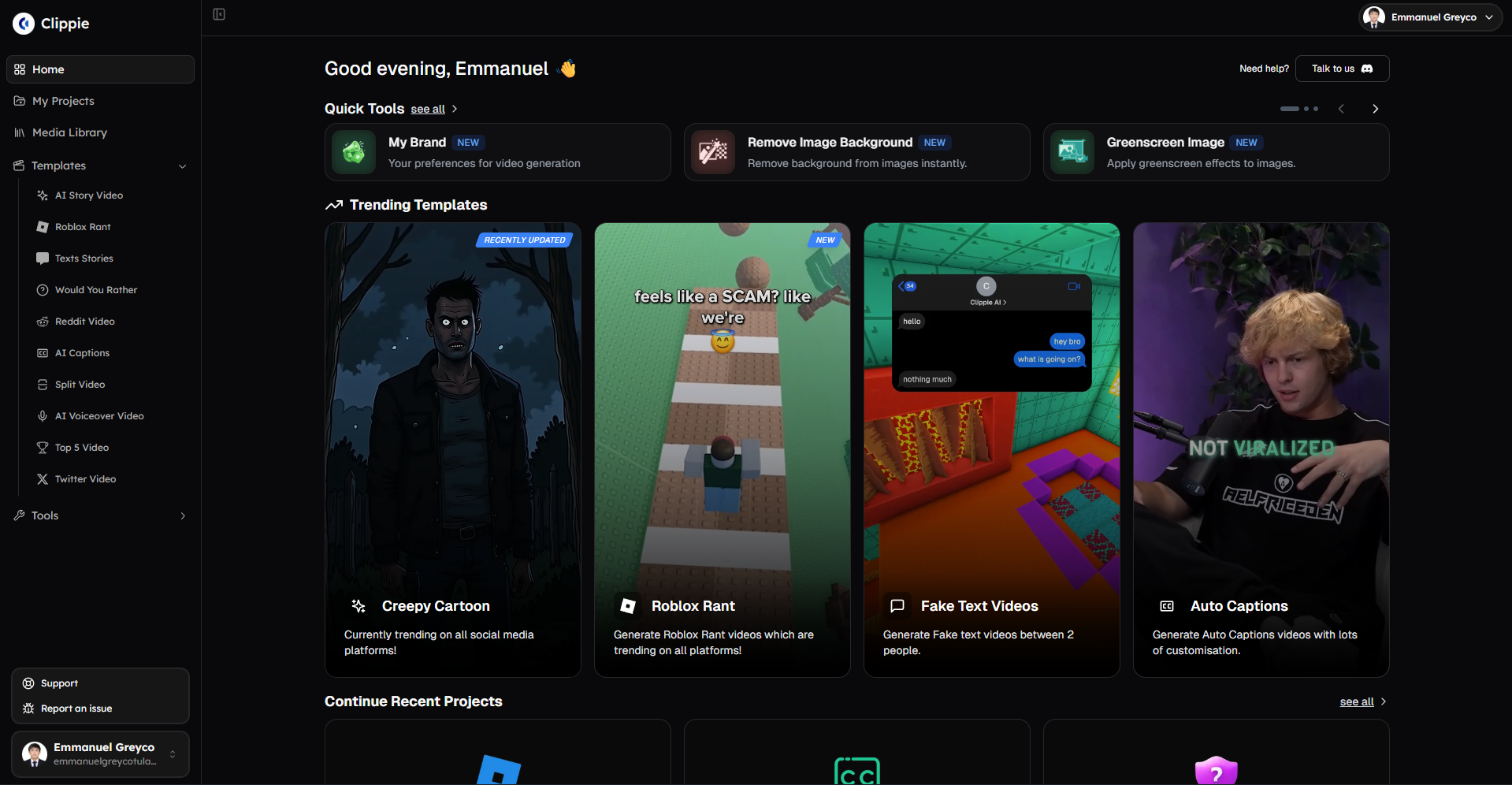
Alternative #1: Clippie AI (Best for Reddit/Twitter Trending + Batch Viral Production)
Core strengths:
Trending content automation:
Reddit/Twitter URLs: Paste viral story links
Auto-script generation: Converts trending posts to video scripts
Viral story sourcing: 15-25 min saved per video vs. manual
Ideal for: Trending story channels (finance, AITA, relationships, tech)
Batch viral workflow:
Capacity: 5-10 videos simultaneously
Setup: 20-30 min for batch of 10
Processing: AI handles all simultaneously
Active time per video: 12-18 min (including autonomous processing)
Monthly capacity: 80-120 short viral videos
Premium voices included:
Library: 50+ neural voices (natural delivery)
Quality: 60-75% retention typical
Cost: Included in all tiers (no additional voice subscription)
Viral advantage: Professional audio without extra cost
Pricing for viral volume:
Clippie Lite ($19.99/month):
Export: 30 mins (20-30 short viral videos 60-90 sec)
Per-video: $0.67-$1.00
Best for: Testing viral workflows
Clippie Creator ($34.99/month) - Recommended:
Export: 120 mins (80-120 short viral videos)
Per-video: $0.29-$0.44
Best for: Daily viral posting (30-40 monthly videos)
Clippie Pro ($69.99/month):
Export: 250 mins (160-250 short viral videos)
Per-video: $0.28-$0.44
Best for: Multi-channel or agency viral production
Production speed:
Typical workflow (Reddit trending story to viral TikTok):
Find trending Reddit story: 5 min
Paste URL into Clippie: 30 seconds
AI generates script + video: 15-20 min (autonomous)
Review and viral optimization: 8-12 min (hook check, caption styling)
Export: 5-8 min
Total: 33-46 minutes per video
Batch workflow (10 viral videos):
Find 10 trending stories: 30 min
Batch URL input: 10 min
AI processes all: 90 min (autonomous while you work on other tasks)
Review all with viral lens: 80 min (hook optimization, caption checks)
Batch export: 20 min
Total active time: 140 min for 10 videos = 14 min per video
Viral optimization features:
Hook templates:
Built-in hook structures: First 3 seconds emphasized
Text presets: Bold, oversized viral-style text
Pattern interrupts: Visual hooks designed in
Caption quality:
Accuracy: 95-98%
Viral styling: Customizable word-by-word animations
Auto-sync: Perfect timing
Correction: 1-3 min per video
Multi-platform export:
Formats: TikTok 9:16, YouTube Shorts, Instagram Reels
Batch export: All platforms simultaneously
Time saved: 30-45 min per video set
Best for:
Trending content creators (Reddit/Twitter viral stories)
Batch producers (30-120 monthly videos)
Multi-platform viral strategy (TikTok + Reels + Shorts)
Budget: $20-$70 monthly
Viral focus: Trending story amplification
Limitations:
Template variety: Moderate (not 500+ like CapCut)
Trending sounds: Manual sourcing required (not built-in TikTok library)
Learning curve: Batch workflow requires initial setup
Alternative #2: OpusClip (Best for Long-Form to Viral Clips Conversion)
Core strengths:
AI clip extraction:
Upload long-form: Podcast, YouTube video, interview, webinar (5-120 min)
AI identifies: Viral-worthy moments automatically
Auto-editing: Creates 10-30 short clips from one source
Virality scoring: Rates each clip 1-10 for viral potential
Ideal for: Podcasters, interviewers, educators, webinar hosts repurposing existing long content
Automation level:
Input: Single long-form video
AI processing: Fully autonomous clip selection, editing, captioning
Output: 10-30 ready-to-post viral clips
Time investment: 15-30 min review (minimal editing needed)
Pricing:
OpusClip Starter ($9/month):
Processing: 150 mins long-form monthly
Output: ~60-90 short viral clips
Per-clip: $0.10-$0.15
Best for: Weekly podcasters
OpusClip Pro ($29/month):
Processing: 300 mins long-form monthly
Output: ~120-180 clips
Per-clip: $0.16-$0.24
Best for: Daily content or multiple shows
Production speed:
Workflow:
Upload 30-min podcast: 5-10 min
AI processing: 20-40 min (autonomous)
AI creates: 15-25 clips automatically
Review clips: 30-60 min (rating and selecting best)
Minor edits: 15-30 min (captions, hooks)
Batch export: 10 min
Total: 80-150 min for 15-25 clips = 3-6 min active time per clip
Fastest scenario:
Upload weekly podcast
AI auto-processes overnight
Morning: Download top 10 AI-rated clips
Post daily for next 10 days
Active time: 2-5 min per clip (review and download only)
Viral features:
AI viral detection:
Hook identification: AI finds best opening moments
Virality score: 1-10 rating predicting performance
Auto-hooks: First 3 seconds optimized automatically
Caption generation: Auto-captions with viral styling
Clip optimization:
Auto-composition: Vertical framing optimized for mobile
Speaker tracking: Camera follows speaker automatically
B-roll suggestions: Recommends where to add visuals
Trending topics: Identifies which clips match trending topics
Best for:
Podcasters (existing long-form audio/video)
Interview-based channels
Educators (lecture repurposing)
Webinar content creators
Anyone with 20+ min source videos
Budget: $9-$29 monthly
Limitations:
Requires source content: Need existing long-form (not for original short creation)
AI selection: Less control than manual clip creation
Editing limits: Best for straightforward talking-head content
Alternative #3: Kapwing (Best for Team Viral Production)
Core strengths:
Team collaboration:
Shared workspace: Multiple editors on same project library
Comment system: Team feedback directly on timeline
Template sharing: Create and distribute viral templates across team
Asset library: Centralized viral assets for team
Ideal for: Agencies, brands with multiple content creators, teams producing 50+ monthly viral videos
Viral template library:
Templates: 200+ short-form viral templates
Mobile preview: Available with toggle
Team custom: Teams create and share viral formats
Version control: Track template iterations
Pricing:
Kapwing Free:
Export: Watermarked (unsuitable for viral monetization)
Team: 2 members
Best for: Testing only
Kapwing Pro ($16/month):
Export: No watermark
Features: Full editing, templates
Team: Single user
Storage: 500GB
Kapwing Business ($50/month):
Team: Unlimited members
Storage: Unlimited
Brand kit: Custom viral templates
Priority: Faster rendering
Best for: Viral production teams
Production speed:
Individual workflow:
Template selection: 5-10 min
Content creation: 20-30 min
Viral optimization: 10-15 min (hook, captions)
Rendering: 5-10 min
Total: 40-65 min per video
Team workflow (3-person viral team):
Creator A: Ideation + rough edit (15 min)
Creator B: Viral optimization (hook, captions) (10 min)
Creator C: Final polish + export (5 min)
Parallel: 3 people working on different videos simultaneously
Team capacity: 60-100 monthly viral videos
Best for:
Teams and agencies (3+ people)
Collaborative viral workflows
Brands with multiple content verticals
High-volume (50-100+ monthly viral videos)
Budget: $50+ monthly for team features
Limitations:
Individual creators: Expensive for solo ($50 for full features)
Team requirement: Best value requires team plan
Viral features: Good but not specialized (general tool)
Alternative #4: CapCut (Best for Mobile-First Viral Speed + Trending Templates)
Core strengths:
Mobile-native viral creation:
Editing on phone: Create directly on device where viral content viewed
WYSIWYG: Perfect viral preview (editing IS viewing)
TikTok integration: Native trending sound and template access
Instant posting: Direct upload to TikTok from app
Trending viral templates:
Library: 500+ TikTok-native trending templates
Updates: Weekly (20-30 new trending formats added)
One-tap: Apply trending format with zero customization
Auto-sync: Videos auto-match to viral music beats
Ideal for: Speed-focused viral creators prioritizing trending format replication
Pricing:
CapCut Free:
Videos: Unlimited
Templates: All trending templates
Limitation: Watermark on exports
TikTok workaround: Post to TikTok directly (no watermark)
CapCut Pro ($11.99/month or $74.99/year):
No watermark: Clean exports for all platforms
Premium templates: Exclusive viral formats
Cloud storage: Cross-device editing
Advanced effects: Premium transitions
Production speed:
Mobile workflow (fastest):
Trending template selection: 2-3 min (browse viral templates)
Upload clips: 3-5 min
Template auto-application: 1 min (auto-syncs)
Viral caption addition: 2-3 min (auto-captions)
Hook optimization: 3-5 min (adjust first 3 seconds)
Export: 2-5 min
Total: 13-24 min per viral video (fastest option)
Desktop workflow:
Similar process: 20-35 min per video
Batch export: Available on desktop
Viral advantages:
Trending sound access:
TikTok library: Direct native access to trending sounds
Real-time: Hourly updates
Viral window: Catch trends in first 24-48 hours
Commercial rights: Full monetization allowed
Viral template replication:
Copy successful formats: Use exact template from viral videos
Beat sync: Auto-match content to viral music beats
Effects library: All trending TikTok effects available
Best for:
Speed priority (want 15-25 min per video)
Trending format replication (copy viral videos)
TikTok-first strategy (may post elsewhere secondarily)
Mobile creators (prefer editing on phone)
Budget: Free or $12/month (most affordable viral tool)
Limitations:
Customization: Less control than professional tools
Brand identity: Harder to differentiate (trending template dependency)
Desktop: Desktop app less polished than mobile
Alternative #5: Submagic (Best for AI Viral Caption + Hook Optimization)
Core strengths:
AI caption excellence:
Accuracy: 95-99% (best-in-class transcription)
Viral styles: 48+ trending caption templates
Auto-emojis: Contextual emoji insertion automatically
Perfect sync: Captions timed precisely to voiceover
Hook AI:
Auto-detection: Identifies best hook moment in video
Hook scoring: Rates hook quality 1-10
Suggestions: Recommends hook improvements
A/B testing: Generate multiple hook variations
Ideal for: Creators prioritizing caption quality and hook optimization, used alongside base editing tool
Pricing:
Submagic Starter ($20/month):
Videos: 10 monthly
Features: All AI caption + hook features
Per-video: $2.00
Best for: Low-volume viral creators
Submagic Pro ($50/month):
Videos: 30 monthly
Priority: Faster processing
Per-video: $1.67
Best for: Consistent viral creators
Production speed:
Workflow (supplement to base tool):
Create video in CapCut/Clippie: 20-35 min
Upload to Submagic: 2 min
AI generates viral captions + hook analysis: 3-5 min (autonomous)
Review and adjust: 5-10 min
Export with optimized captions: 5 min
Total: 35-57 min (adds 15 min to base workflow)
Viral optimization value:
Caption quality:
Emoji integration: Better than competitors
Viral styling: Most comprehensive template library
Hook optimization: Unique AI hook analysis
Cost-benefit analysis:
Additional cost: $20-$50/month (on top of base editing tool)
Value: Best caption quality available
Alternative: Use Clippie AI or CapCut built-in captions (free/$35)
Decision: Submagic justified only if captions are absolute top priority
Best for:
Caption-obsessed creators (prioritize subtitle quality above all)
Hook testing: Want AI-powered hook analysis
Supplement tool: Use with CapCut or Clippie for complete workflow
Budget: $20-$50 monthly (in addition to base editor)
Limitations:
Not standalone: Requires separate video creation tool
Cost stacking: $20-$50 on top of other tools ($35-$120 total monthly)
Narrow focus: Specialized for captions/hooks only
Recommendation: Most creators should use built-in captions (Clippie AI or CapCut included) unless caption quality is worth $20-$50 extra monthly
Comparison summary:
Clippie AI:
Best for: Reddit/Twitter trending automation, batch viral workflows
Production speed: 33-46 min per video (14 min in batches)
Viral features: Hook templates, premium voices, viral captions
Cost per video: $0.29-$1.00
Monthly price: $19.99-$69.99
OpusClip:
Best for: Long-to-short viral conversion, podcasters
Production speed: 3-6 min per clip (AI automated)
Viral features: AI virality scoring, auto-hooks, clip extraction
Cost per clip: $0.10-$0.24
Monthly price: $9-$29
Kapwing:
Best for: Team viral production, agencies
Production speed: 40-65 min per video
Viral features: Team collaboration, shared templates
Cost per video: $0.50-$1.67 (at 30-100 volumes)
Monthly price: $16-$50
CapCut:
Best for: Speed, trending templates, TikTok-first, mobile viral
Production speed: 13-35 min per video (fastest)
Viral features: Trending sounds, 500+ templates, TikTok integration
Cost per video: $0.24-$0.40
Monthly price: Free-$11.99 (most affordable)
Submagic:
Best for: AI viral captions + hooks (supplement tool)
Production speed: Adds 15 min to base workflow
Viral features: Best captions, AI hook analysis, emoji automation
Cost per video: $1.67-$2.00
Monthly price: $20-$50 (supplement cost)

4. How to Choose Best Tools for Scaling Content Output: 20-30 vs 40-60 vs 100+ Monthly Videos
Strategic tool selection aligns with production scale, matching platform capabilities, automation levels, and pricing to monthly viral video volume optimizing per-video economics and sustainable growth.
Low-Medium Volume: 20-30 Monthly Viral Videos
Production profile:
Videos monthly: 20-30
Time investment: 8-12 hours weekly
Creator type: Part-time viral grower, testing monetization
Revenue: $1,000-$4,000 monthly (building)
Tool budget: $12-$35/month maximum
Optimal tool combinations:
Option A: CapCut Pro (Best value for viral volume):
Tool: CapCut Pro ($11.99/month)
Videos: 30-50 monthly capacity
Trending sounds: Built-in TikTok library (massive viral advantage)
Templates: 500+ trending formats
Total cost: $11.99/month
Per-video cost: $0.40-$0.60 (20-30 videos)
Pros:
Lowest cost for viral optimization
Best trending sound access (critical for virality)
Fastest production (mobile-optimized 15-25 min per video)
TikTok-native (direct posting)
Cons:
Less customization than professional tools
Brand differentiation harder (template-dependent)
Batch processing limited
Best for: TikTok-first creators prioritizing trending format replication at lowest cost
Option B: Clippie AI Lite + Free Trending Sounds (Best for trending stories):
Tool: Clippie AI Lite ($19.99/month)
Videos: 20-30 monthly (short viral 60-90 sec)
Trending sounds: Manual download from TikTok (free)
Workflow: Reddit/Twitter trending stories
Total cost: $19.99/month
Per-video cost: $0.67-$1.00
Pros:
Trending story automation (Reddit/Twitter URL input)
Premium voices included
Viral caption quality (95-98% accuracy)
Multi-platform export
Cons:
Trending sounds require manual sourcing
Higher cost than CapCut
Smaller template library
Best for: Trending story channels (finance, AITA, relationships) where Reddit/Twitter automation justifies cost
Option C: OpusClip Starter (Best if repurposing existing content):
Tool: OpusClip Starter ($9/month)
Videos: 60-90 clips monthly (from 150 mins long-form)
Source: Existing podcasts, interviews, webinars
Total cost: $9/month
Per-clip cost: $0.10-$0.15
Pros:
Lowest cost per video
Minimal time (3-6 min per clip)
AI virality scoring
Highest volume possible
Cons:
Requires existing long-form content
Less control than manual creation
Limited to talking-head content
Best for: Podcasters, interviewers, educators with existing long-form library
Volume-specific recommendation:
20 monthly videos:
Best: CapCut Pro ($11.99) for trending viral replication
Per-video time: 20-30 min
Cost efficiency: $0.60 per video
Viral advantage: Trending sounds access critical
25 monthly videos:
Best: Clippie AI Lite ($19.99) if doing trending stories, otherwise CapCut
Per-video time: 25-35 min (Clippie) or 18-28 min (CapCut)
Decision: Reddit automation worth extra $8/month? If yes, Clippie. If no, CapCut.
30 monthly videos:
Best: Clippie AI Lite ($19.99) for batch efficiency
Per-video time: 22-30 min (batch processing advantage kicks in)
Cost: $0.67 per video
Justification: Batch workflows enable sustainable 30+ volume
Medium-High Volume: 40-60 Monthly Viral Videos
Production profile:
Videos monthly: 40-60
Time investment: 12-18 hours weekly
Creator type: Serious viral business, profitable channel
Revenue: $4,000-$15,000 monthly (established)
Tool budget: $35-$70/month justified by ROI
Optimal tool combinations:
Option A: Clippie AI Creator (Best for batch viral production):
Tool: Clippie AI Creator ($34.99/month)
Videos: 80-120 short viral videos monthly (60-90 sec)
Batch processing: 5-10 videos simultaneously
Trending automation: Reddit/Twitter URL workflows
Total cost: $34.99/month
Per-video cost: $0.29-$0.87 (depending on 40-120 volume)
Pros:
Best batch efficiency (critical at this volume)
Premium voices included
Multi-platform export
Reddit/Twitter automation
Cons:
Trending sounds: Manual sourcing needed
Higher cost than CapCut
Best for: Trending story creators producing 40-60 monthly systematically
Option B: CapCut Pro + OpusClip Starter (Hybrid high-volume):
CapCut Pro: $11.99/month (trending viral videos)
OpusClip Starter: $9/month (repurposed podcast clips)
Combined capacity: 50-80 monthly videos
Total cost: $20.99/month
Per-video cost: $0.26-$0.42
Workflow:
Original viral: 20-30 monthly via CapCut (trending sounds advantage)
Repurposed clips: 20-30 monthly via OpusClip (if you have podcasts/long-form)
Total: 40-60 monthly from two specialized tools
Pros:
Lowest cost for this volume
Leverages each tool's strengths
Diversified content sources
Cons:
Managing two tools (workflow complexity)
Only works if you have long-form source content
Best for: Creators with existing podcast/interview content wanting maximum volume at lowest cost
Option C: Kapwing Business (Best for team production):
Tool: Kapwing Business ($50/month)
Team: 2-3 people collaborating
Videos: 60-100 monthly (team parallel production)
Total cost: $50/month
Per-video cost: $0.50-$0.83
Pros:
Team collaboration (3 people = 3x capacity)
Shared viral templates
Professional quality
Cons:
Requires team (not solo creator)
Higher cost per video
Best for: Agencies, brand teams, creator collectives
Volume-specific recommendation:
40 monthly videos:
Best: Clippie AI Creator ($34.99) for batch efficiency
Per-video time: 18-25 min (batch workflow optimized)
Cost: $0.87 per video
Justification: Batch processing essential at this volume
50 monthly videos:
Best: CapCut Pro ($11.99) + OpusClip Starter ($9) = $20.99 if you have podcasts
Alternative: Clippie AI Creator ($34.99) if trending stories only
Per-video time: 15-22 min (mixed workflow)
Cost: $0.42-$0.70 per video
60 monthly videos:
Best: Clippie AI Creator ($34.99) or Pro ($69.99) depending on format length
Per-video time: 15-20 min (highly optimized batch system)
Cost: $0.58 (Creator) or $1.17 (Pro)
Decision: Short viral (60-90 sec) = Creator. Longer viral (2-5 min) = Pro.

High Volume: 100+ Monthly Viral Videos
Production profile:
Videos monthly: 100+
Time investment: 20-30 hours weekly
Creator type: Full-time viral business, agency, multi-channel
Revenue: $15,000-$50,000+ monthly (scaled operation)
Tool budget: $70-$150/month justified by scale
Optimal tool combinations:
Option A: Clippie AI Pro (Best for single-creator high volume):
Tool: Clippie AI Pro ($69.99/month)
Videos: 160-250 short viral videos monthly
Batch capacity: 10-20 videos simultaneously
Total cost: $69.99/month
Per-video cost: $0.28-$0.44 (at 160-250 volume)
Workflow:
Monday: Batch source 40-50 trending stories
Tuesday-Wednesday: Batch create 40-50 videos (2 days)
Thursday: Review and optimize all
Friday: Batch export and schedule
Weekly output: 40-50 videos = 160-200 monthly
Pros:
Lowest per-video cost for solo high-volume
Maximum batch efficiency
Sustainable workflow
Cons:
Still requires trending sound manual sourcing
Best for: Solo creators at scale, trending story focused
Option B: Multiple tools (Specialization strategy):
Clippie AI Creator: $34.99/month (trending stories, 80-120 monthly)
OpusClip Pro: $29/month (podcast repurposing, 120-180 monthly)
CapCut Pro: $11.99/month (trending formats, occasional use)
Total cost: $75.98/month
Combined capacity: 200-300 monthly videos
Per-video cost: $0.25-$0.38
Workflow:
Trending stories: 80-120 via Clippie (batch Mon-Wed)
Podcast clips: 80-120 via OpusClip (automated daily)
Trending replications: 20-30 via CapCut (mobile creation Fri-Sun)
Total: 180-270 monthly videos
Pros:
Maximum volume possible
Each tool used for its strength
Diversified content sources
Cons:
Managing three platforms
Workflow complexity
Higher absolute cost
Best for: Creators with podcast + trending stories + trending replication all needed
Option C: Team approach (Agency scale):
Kapwing Business: $50/month
Clippie AI Pro: $69.99/month
CapCut Pro: $11.99/month
Team: 3-5 people
Total cost: $131.98/month
Team capacity: 300-500 monthly videos
Per-video cost: $0.26-$0.44
Team workflow:
Person 1-2: Trending story production (Clippie)
Person 3: Long-form repurposing (OpusClip via Kapwing)
Person 4-5: Trending format replication (CapCut)
Collaboration: Kapwing for team review and approval
Agency/brand scale production
Pros:
Maximum possible volume
Professional quality
Scalable team system
Cons:
Requires team
Complex coordination
Higher absolute cost ($132/month)
Best for: Agencies, large brands, creator collectives
Volume-specific recommendation:
100 monthly videos:
Best: Clippie AI Pro ($69.99) for solo creators
Alternative: Clippie Creator ($34.99) + OpusClip Pro ($29) = $63.99 if you have podcasts
Per-video cost: $0.64-$0.70
Per-video time: 12-18 min (highly optimized)
150+ monthly videos:
Best: Multiple tool specialization ($75.98 total)
Clippie Creator + OpusClip Pro + CapCut Pro
Per-video cost: $0.38-$0.51
Workflow: Each tool handles its specialty
300+ monthly videos:
Best: Team approach ($132/month)
Multiple tools + multiple people
Per-video cost: $0.26-$0.44
Organization: Agency/brand scale

5. How to Build Repeatable Video Systems Producing 30-50 Monthly Viral Videos in 8-12 Hours Using Clippie AI
Clippie AI workflow systems enable sustainable viral production, systematic processes combining Reddit/Twitter trending automation, batch processing, viral template optimization, and multi-platform distribution producing 30-50 monthly viral videos in 8-12 weekly hours through repeatable high-efficiency systems.
The Repeatable Viral System Framework
System vs. sporadic production:
Sporadic approach (unsustainable):
Daily scramble for ideas
Individual video creation
Inconsistent quality
Burnout within 3-6 months
Result: 10-20 videos monthly maximum
Systematic approach (sustainable):
Weekly batch ideation
Template-based production
Predictable quality
Sustainable long-term
Result: 40-60 videos monthly achievable
Key difference: Systems enable scale
Week 1: Viral System Setup (One-Time 3-4 Hours)
Viral template creation (90-120 min):
Hook template (30-40 min):
Visual: Bold text overlay, pattern interrupt image
Text preset: 72pt bold white text with black outline
Duration: 3-second hook section
Save as: "Viral Hook Template"
Caption style (20-30 min):
Font: Bold sans-serif, 48pt minimum
Color: Yellow with black outline (high contrast)
Animation: Word-by-word reveal
Emoji integration: Manual or AI-suggested
Save as: "Viral Caption Style"
Full video templates (40-50 min):
Template 1: Trending story format (Reddit/Twitter stories)
Template 2: Educational list format ("5 things you didn't know")
Template 3: Reaction format ("POV: You just...")
Save all: One-click application to future videos
Result: 3-5 reusable viral templates eliminating 15-25 min setup per video
Trending source identification (60-90 min):
Reddit subreddits (30-45 min):
Identify: 10-15 subreddits in your niche
Criteria: 100K+ members, active daily posts, viral potential
Examples (finance niche):
r/personalfinance
r/Fire
r/investing
r/povertyfinance
r/FinancialPlanning
Save: Bookmark all for quick Monday sourcing
Twitter/X accounts (30-45 min):
Identify: 15-20 trending accounts in niche
Criteria: 50K+ followers, daily viral threads
Create: Twitter list for easy monitoring
Examples: Finance influencers, news accounts, story aggregators
Result: Curated trending sources eliminating 20-30 min daily searching
Content calendar setup (30-45 min):
30-day posting schedule:
Platform distribution: 50% TikTok, 30% Instagram Reels, 20% YouTube Shorts
Posting times: TikTok 6-9pm, Reels 12pm + 7pm, Shorts 4-7pm
Content mix: 70% trending stories, 20% educational, 10% trending format replication
Backup slots: 5 evergreen videos pre-created for gaps
Spreadsheet columns:
Date | Platform | Topic/Source URL | Status | Performance
Pre-fill: 30 days with platform rotation and times
Result: Know exactly what to post when for next month
Weeks 2-5: Weekly Viral Production Workflow (8-12 Hours Weekly)
Monday: Trending sourcing and batch setup (90-150 min)
Trending story collection (60-90 min):
Reddit sourcing (30-45 min):
Visit saved subreddits
Sort by: "Top - Past Week"
Criteria: 500+ upvotes, 50+ comments, viral potential
Collect: 15-20 story URLs
Viral assessment: Will this make people stop scrolling?
Twitter sourcing (30-45 min):
Check saved Twitter list
Look for: Viral threads (10K+ views)
Collect: 10-15 thread URLs
Viral assessment: Strong hook, emotional reaction potential
Total collected: 25-35 potential viral stories
Batch setup in Clippie AI (30-60 min):
Week's production queue (10-12 videos):
Select best 10-12 stories from collected 25-35
Paste URLs into Clippie batch input
Select: Saved viral template
Voice: Saved premium voice preset
Caption: Viral caption style preset
Click: "Generate All"
AI processing begins (60-90 min autonomous):
Clippie processes all 10-12 simultaneously
Creates scripts, voiceovers, basic edits
Creator does other work during processing:
Respond to comments from last week's videos
Analyze last week's performance
Source trending sounds for upcoming videos
Tuesday: Viral optimization and hook enhancement (3-4 hours)
Batch review with viral lens (2-3 hours):
Per video review (12-18 min each for 10 videos):
Hook check (3-5 min):
First 3 seconds: Is it attention-grabbing?
Text: Bold, readable, intriguing question?
Visual: Pattern interrupt present?
Adjustment: Rewrite hook if needed for max viral potential
Caption optimization (4-6 min):
Accuracy: Check auto-generated captions (usually 95%+ accurate)
Viral styling: Word animations present?
Emoji opportunities: Add emojis for emphasis where appropriate
Timing: Captions perfectly synced?
Viral elements check (3-5 min):
Story pacing: Does it flow or drag?
Visual variety: Enough B-roll cuts?
Ending: Clear conclusion or call-to-action?
Shareable: Would viewer share this?
Minor adjustments (2-3 min):
Trim: Cut any dead moments
Enhance: Add transitions if needed
Polish: Final quality check
Total for 10 videos: 120-180 min
Trending sound selection (30-60 min):
Manual trending sound sourcing:
Open TikTok: Browse "For You" page
Identify: 5-10 trending sounds (used in many viral videos)
Download: Save audio files (use TikTok sound download tools)
Organize: Save in "Trending Sounds Week X" folder
Assign: Match each sound to appropriate video
Upload to Clippie:
Import trending sounds
Apply to videos
Sync: Adjust video pacing to match sound beats
Time investment: 3-6 min per video
Batch export (15-25 min):
Export setup:
Select all 10 reviewed videos
Formats: TikTok 9:16, Reels 9:16, Shorts 9:16
Batch export: All processed simultaneously
Download: Organized folders by platform
Tuesday total active time: 180-240 min (3-4 hours)
Wednesday: Platform optimization and scheduling (90-120 min)
Caption and hashtag creation (60-90 min for 10 videos):
Per video platform optimization (6-9 min each):
TikTok captions:
Hook text: First line must grab attention
Hashtags: 3-5 trending + 2-3 niche (#fyp #viral #financetok #moneytips)
CTA: "Follow for more" or "Save this"
Length: 150 characters max
Instagram Reels captions:
More detailed: 200-300 characters
Hashtags: 10-15 (#finance #money #investing #reels #viral)
CTA: Stronger engagement ask
First line: Critical (shows before "more")
YouTube Shorts captions:
Title-style: Keyword-rich
Description: 200-300 characters
Links: Channel link, related video
SEO: Include target keywords
Hashtag strategy:
Mix: 40% trending viral, 40% niche, 20% branded
Research: Check hashtag view counts (aim for 10M-100M range)
Avoid: Dead hashtags (<1M views) or oversaturated (>1B views)
Scheduling uploads (30-45 min):
Bulk scheduling process:
Upload all to scheduling tool (Later, Metricool, or native platforms)
TikTok: Daily 6-9pm posting
Reels: Daily 12pm and 7pm (2 daily slots)
Shorts: Daily 4-7pm
Week ahead: All 30+ videos scheduled for next 7-10 days
Result: Entire week's viral content queued in 90-120 min
Thursday-Sunday: Engagement and performance tracking (60-90 min weekly total)
Daily engagement (15-20 min daily Thu-Sun):
Morning routine (10 min):
Check yesterday's video performance
Reply to top 10-15 comments
Pin best comment for engagement boost
Evening routine (5-10 min):
Cross-engage: Comment on 5-10 niche videos (algorithm boost)
Story reshares: Repost viral performer to Stories
Community: DM responses to partnership inquiries
Friday analytics review (30-45 min weekly):
Performance analysis:
Identify top performers (15-20 min):
Best 3 videos: What made these go viral?
Hook style: Specific question format that worked
Topic: Finance niche sub-topic
Length: 45 seconds vs. 90 seconds
Sound: Which trending sound performed best
Viral patterns: Note commonalities
Identify underperformers (10-15 min):
Worst 3 videos: Why did these flop?
Weak hook: Failed to stop scroll
Topic saturation: Story already overused
Poor timing: Posted when trend was dead
Avoid patterns: Don't repeat these mistakes
Next week optimization (5-10 min):
Replicate winners: 60% of next week uses proven formats
Iterate variations: 30% tests new angles on winners
Experiment: 10% tries completely new approaches
Continuous improvement: Data-driven decisions
Monthly Viral Production Summary
Week 1 (one-time setup): 3-4 hours
Viral template creation
Source identification
Calendar setup
Weeks 2-5 (recurring production): 8-12 hours each
Monday: Sourcing + batch setup (90-150 min)
Tuesday: Viral optimization (180-240 min)
Wednesday: Platform prep (90-120 min)
Thu-Sun: Engagement (60-90 min total)
Total monthly: 35-52 hours
Output: 40-50 viral videos (10-12 weekly × 4 weeks)
Per-video time: 42-62 minutes average
Revenue trajectory:
Month 1-2: $1,000-$3,000 (building audience)
Month 3-4: $3,000-$8,000 (monetization kicking in)
Month 5-6: $6,000-$15,000 (viral system mature)
Clippie AI Pricing for Viral Systems
Clippie Lite ($19.99/month):
Export: 30 mins (20-30 short viral 60-90 sec)
Best for: 20-30 monthly viral videos
System capacity: Week 1 setup only, limited ongoing volume
Use case: Testing viral systems
Clippie Creator ($34.99/month) - Recommended for viral:
Export: 120 mins (80-120 short viral videos)
Batch: 5-10 videos simultaneously
Best for: 40-50 monthly viral videos (system sweet spot)
System capacity: Full weekly batch production sustainable
Per-video: $0.70-$0.87 (at 40-50 volume)
Clippie Pro ($69.99/month):
Export: 250 mins (160-250 short viral videos)
Batch: 10-20 videos simultaneously
Best for: 80-100+ monthly viral videos (scaled systems)
System capacity: Multi-week batching possible
Per-video: $0.70-$0.87 (at 80-100 volume)
Complete viral stack recommendation:
Budget viral system (20-30 monthly):
Clippie AI Lite: $19.99/month
Trending sounds: Manual sourcing (free)
Total: $19.99/month
Per-video: $0.67-$1.00
Optimal viral system (40-50 monthly):
Clippie AI Creator: $34.99/month
Trending sounds: Manual sourcing (free)
Total: $34.99/month
Per-video: $0.70-$0.87
Scaled viral system (80-100+ monthly):
Clippie AI Pro: $69.99/month
Trending sounds: Manual sourcing (free)
Total: $69.99/month
Per-video: $0.70-$0.87
Alternative: CapCut Pro ($11.99) if trending sounds more important than batch efficiency
6. Frequently Asked Questions
Can I achieve viral success with Crayo AI or do I need to switch tools?
Answer: Crayo AI enables viral success for low-volume creators (10-20 monthly videos) but faces scalability constraints preventing sustainable 30-50 monthly production, slow sequential rendering averaging 5-10 minutes per video limits daily capacity to 2-3 videos vs. 6-10 needed for competitive posting frequency, limited template variety (30-50 options) creates repetitive content appearance reducing CTR 30-50% by week 3-4, and tier-based feature restrictions requiring $29-$39 Pro subscription for essential batch processing and full template access. Switch justified when (1) producing 25+ monthly videos where rendering bottlenecks prevent daily posting, (2) template saturation causing audience fatigue from repetitive formats, or (3) caption correction consuming 5-10 minutes per video reducing efficiency 15-25%. Alternatives like Clippie AI ($34.99 Creator tier) offer batch processing enabling 40-60 monthly volume, CapCut Pro ($11.99) provides 500+ trending templates plus native TikTok sound access, and OpusClip ($9-$29) delivers 60-180 monthly clips from existing long-form content. Cost-benefit analysis: Crayo Pro ($35/month) vs. CapCut Pro ($11.99) saves $23 monthly while enabling higher volume through trending optimization, ROI positive Month 1-2 at 30+ video scale.
How important are trending sounds vs. template quality for viral performance?
Answer: Trending sounds deliver 2-4x distribution boost making them highest-impact viral factor, videos using sounds trending for 24-72 hours receive algorithmic priority generating 150K-300K views vs. 40K-80K identical content with non-trending audio, while template quality affects retention determining whether viewers watch 30% or 75% of amplified views translating to engagement rates and Creator Fund earnings. Optimal strategy prioritizes trending sounds first (CapCut Pro $11.99 offers native TikTok library access), then optimizes templates second (viral hook structures, caption styling). Single-tool limitation: Most AI tools lack trending sound integration requiring manual download workaround (5-10 minutes weekly sourcing 5-10 trending sounds from TikTok, saving to library, uploading to editing tool). Template quality matters most for retention and re-watchability once trending sound delivers initial views, poorly templated viral video gets 180K views at 35% retention ($288 Creator Fund at $1.60 per 1K views) vs. well-templated viral video gets 180K views at 72% retention ($576 Creator Fund) representing 2x revenue from same view count. Strategic recommendation: Use CapCut for trending sound access creating 20-30 monthly trending-audio videos, supplement with Clippie AI for additional 10-20 monthly batch-produced trending story videos achieving 40-50 total monthly output combining both viral advantages.
What's the realistic timeline from starting with AI tools to achieving $5K-$10K monthly from viral content?
Answer: Realistic viral monetization timeline spans 4-8 months achieving $5K-$10K monthly through systematic volume and quality optimization, Month 1-2 foundation building posting 20-30 monthly videos generating 30K-80K total views earning $120-$640 while testing hooks and formats, Month 3-4 initial traction with 30-40 monthly videos generating 120K-250K views earning $800-$2,500 as successful formats identified and replicated, Month 5-6 scaling phase producing 40-50 monthly videos generating 300K-600K views earning $2,500-$6,000 from Creator Funds plus first brand partnerships ($500-$2,000), and Month 7-8 optimization producing 50-60 monthly videos generating 500K-900K views earning $4,000-$8,000 Creator Funds plus 2-3 brand deals monthly ($2,000-$6,000) totaling $6,000-$14,000 monthly. Acceleration factors include trending sound mastery (Month 2-3 vs. Month 5-6), batch production efficiency (enables 40+ monthly volume vs. 20-25), and systematic testing (data-driven hook optimization vs. guessing). Tool efficiency impact: Creators using optimized workflows (Clippie AI batch or CapCut trending templates) reach $5K monthly 2-3 months faster than manual creators (Month 4-5 vs. Month 7-9) by enabling volume thresholds (40+ monthly posts) essential for algorithmic favor and audience growth compounding to monetization milestones faster.
7. Conclusion: Building Sustainable Viral Businesses Through Systematic Tool Selection and Workflow Optimization
Viral content creators optimizing tool selection and workflow systems achieve sustainable $5K-$15K monthly revenue, Crayo AI's limitations including slow sequential rendering averaging 5-10 minutes per video preventing daily posting essential for algorithmic growth, limited viral template variety (30-50 options) creating repetitive content appearance reducing CTR 30-50% and blocking audience growth, tier-based feature restrictions requiring $29-$49 monthly Pro/Premium plans locking essential batch processing and trending templates behind paywalls, manual workflow dependencies consuming 40-70 minutes per video through repeated content sourcing and per-video customization preventing sustainable 30-50 monthly output, and caption generation accuracy issues (85-90%) requiring 5-10 minutes manual correction per video adding 150-300 minutes monthly overhead. Strategic alternatives excel through specialized capabilities: Clippie AI ($19.99-$69.99) strongest for Reddit/Twitter trending automation eliminating 15-25 minutes sourcing per video and batch processing creating 5-10 videos simultaneously reducing per-video time from 50-70 minutes to 12-18 minutes enabling 80-120 monthly capacity, OpusClip ($9-$29) optimal for long-to-short AI conversion generating 60-180 monthly clips from existing podcasts/interviews at 3-6 minutes active time per clip, Kapwing ($16-$50) best for team viral collaboration enabling 60-100 monthly videos through parallel production workflows, CapCut (free-$11.99) fastest for mobile-first viral speed averaging 13-24 minutes per video plus native TikTok trending sound library delivering 2-4x distribution boost, and Submagic ($20-$50) specialized for AI viral caption optimization achieving 95-99% accuracy and automated emoji integration as workflow supplement. Selection criteria depend on production volume optimizing per-video economics and viral features, 20-30 monthly videos justify CapCut Pro ($11.99) for trending sound access and lowest cost ($0.40-$0.60 per video), 40-60 monthly videos benefit from Clippie AI Creator ($34.99) batch efficiency enabling sustainable high-volume ($0.58-$0.87 per video), and 100+ monthly videos achieve $0.28-$0.44 per-video costs through Clippie AI Pro ($69.99) or multiple specialized tools ($75-$132 monthly) maximizing each platform's strengths.
Systematic viral production roadmap: Implement repeatable workflows transforming sporadic posting into sustainable viral businesses, Week 1 one-time setup (3-4 hours) creating viral hook templates emphasizing first 3-second retention, caption styling presets with word-by-word animations and emoji integration, identifying 25-35 curated trending sources (Reddit subreddits, Twitter lists) eliminating daily search time, and establishing 30-day content calendar with platform rotation and optimal posting times. Weekly recurring production (8-12 hours) through Monday trending sourcing collecting 15-20 Reddit stories and 10-15 Twitter threads in 60-90 minutes then batch-inputting 10-12 best URLs into Clippie AI with saved viral templates triggering 60-90 minute autonomous AI processing, Tuesday viral optimization spending 180-240 minutes reviewing all videos with viral lens checking hook strength, caption accuracy, pacing quality, and trending sound integration, Wednesday platform preparation creating TikTok/Reels/Shorts-specific captions and hashtags plus bulk scheduling entire week's content in 90-120 minutes, and Thursday-Sunday engagement investing 60-90 minutes weekly total on comment replies, cross-engagement, and Friday analytics identifying top performers for systematic replication. Scale revenue progressively achieving Month 1-2 foundation ($1,000-$3,000 monthly from 20-30 videos building audience), Month 3-4 initial traction ($3,000-$8,000 monthly from 30-40 videos as monetization activates), Month 5-6 scaling ($6,000-$15,000 monthly from 40-50 videos with Creator Funds plus brand partnerships), creating sustainable viral businesses where efficient tools and systematic workflows enable rather than constrain growth opportunities.

Visit clippie.ai to explore viral content workflows producing 40-50 monthly TikTok videos in 8-12 weekly hours, leveraging Reddit/Twitter trending automation converting viral posts to videos in 30 seconds eliminating 15-25 minutes manual sourcing per video, batch processing creating 5-10 videos simultaneously reducing per-video active time from 50-70 minutes to 12-18 minutes through template automation and AI processing, premium neural voices included at all tiers ($19.99-$69.99) driving 60-75% retention vs. 40-55% robotic alternatives increasing Creator Fund earnings 40-80%, viral caption automation achieving 95-98% accuracy with customizable word-by-word animations and emoji integration saving 5-10 minutes correction time per video, and multi-platform export generating TikTok/Reels/Shorts versions automatically enabling 2-3x revenue from same content through strategic distribution creating sustainable profitable viral content businesses where systematic production workflows and efficient automation tools create competitive advantages impossible for manual creators to replicate.
Make an AI story video
Write a script or let AI write one. Clippie turns it into a narrated video with AI scenes, voiceover and captions.
Read more

How to Make Top 5 Ranking Videos in 2026 (Step-by-Step)
Build ranking Shorts that can still earn: pick a debatable topic, set clear criteria, source clips you may use, script the countdown, add your commentary.

How to Create Short-Form Videos Using AI: 8 Steps (2026)
A beginner workflow for AI videos on TikTok, Reels and Shorts: pick a format, script a hook, add visuals, voice and captions, export at 9:16, label AI.

7 Free CapCut Alternatives for Short-Form Video (2026)
Compare Edits, YouTube Create, VN, Clipchamp, Canva, DaVinci Resolve and Shotcut: what each gives free users, what it caps first and where it falls short.