
How to Replace Image Backgrounds with a Solid Color Using Green Screen (2026 Guide)
Learn how to replace image backgrounds with a solid color using Clippie AI’s Green Screen tool for clean, professional visuals.
Introduction
Replacing an image background with a solid color is an easy way to create clean, consistent visuals for thumbnails, social media posts, faceless content, and video overlays. Solid backgrounds help keep attention on the subject and make images easier to reuse across different projects.
With Green Screen in Clippie AI, you can instantly replace an image’s background with a solid color without needing advanced design or editing tools. This feature is ideal for creators who want fast, polished visuals that work seamlessly in videos and other content formats.
In this guide, you’ll learn how to use the Green Screen tool in Clippie AI to replace image backgrounds with a solid color, helping you create professional-looking visuals in just a few clicks.
Step 1: Open the Green Screen Tool
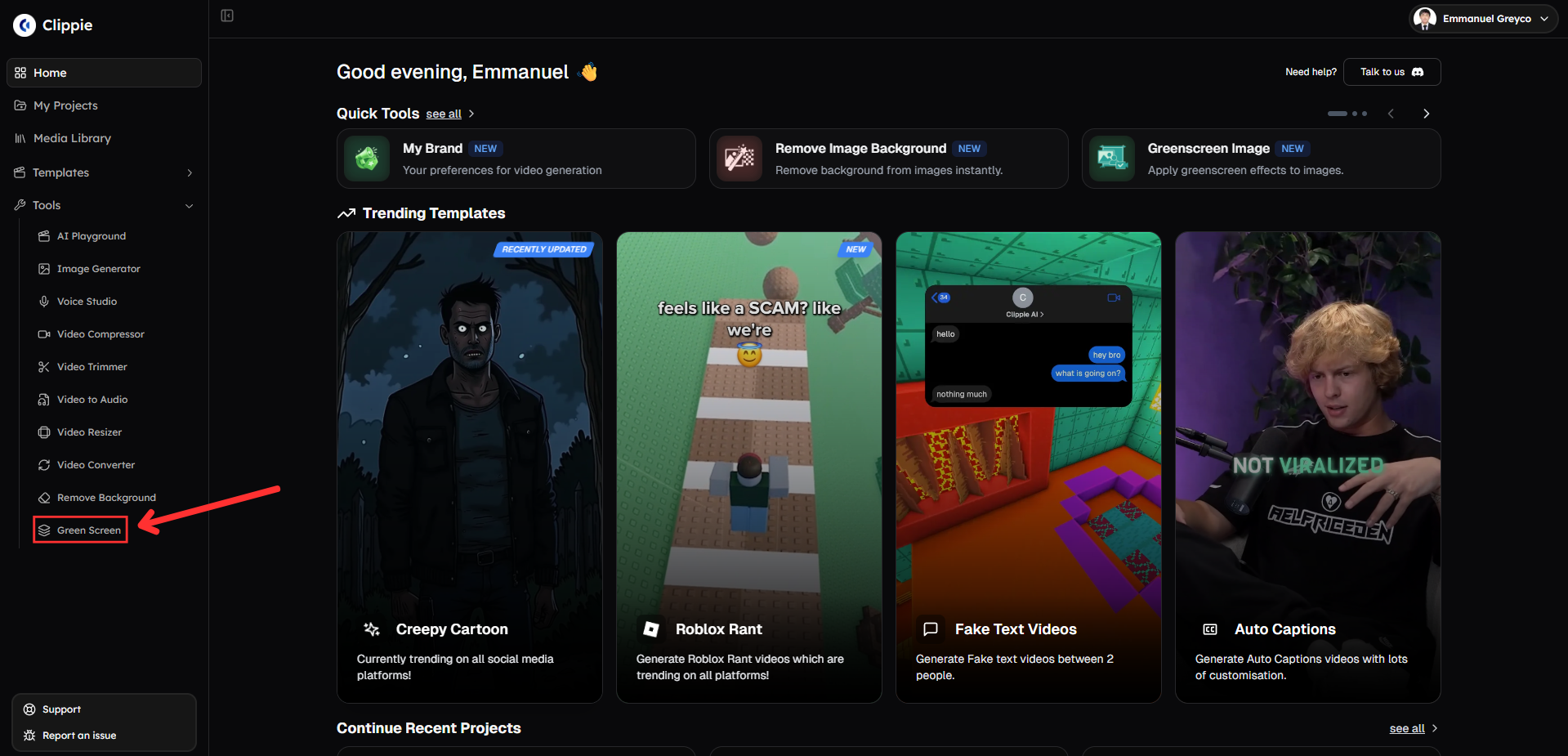
Start by accessing the background replacement tool.
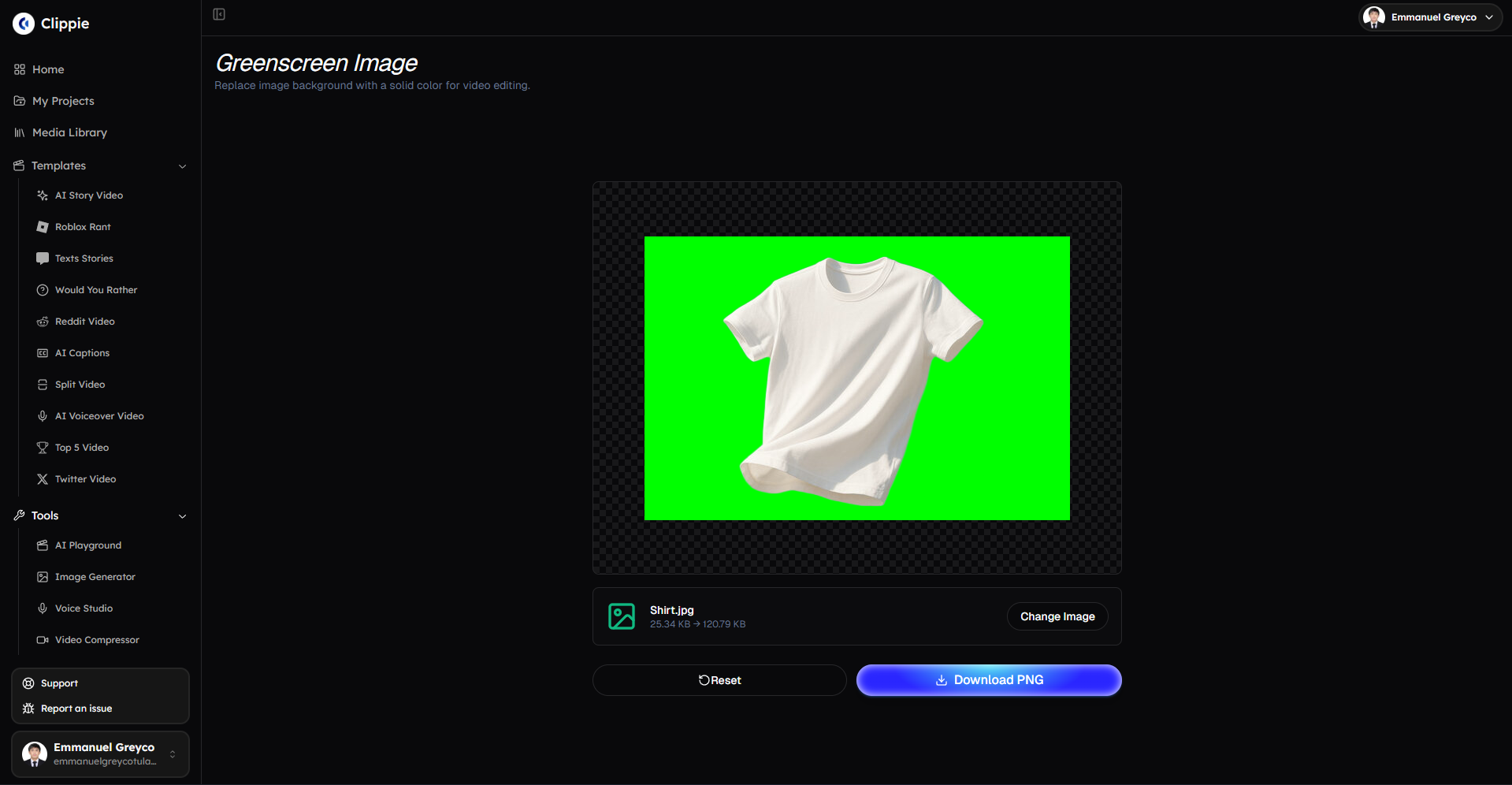
Go to Tools and click Green Screen.
Step 2: Replace the Image Background
Use this step to remove the original background and replace it with a solid color for clean and consistent visuals.
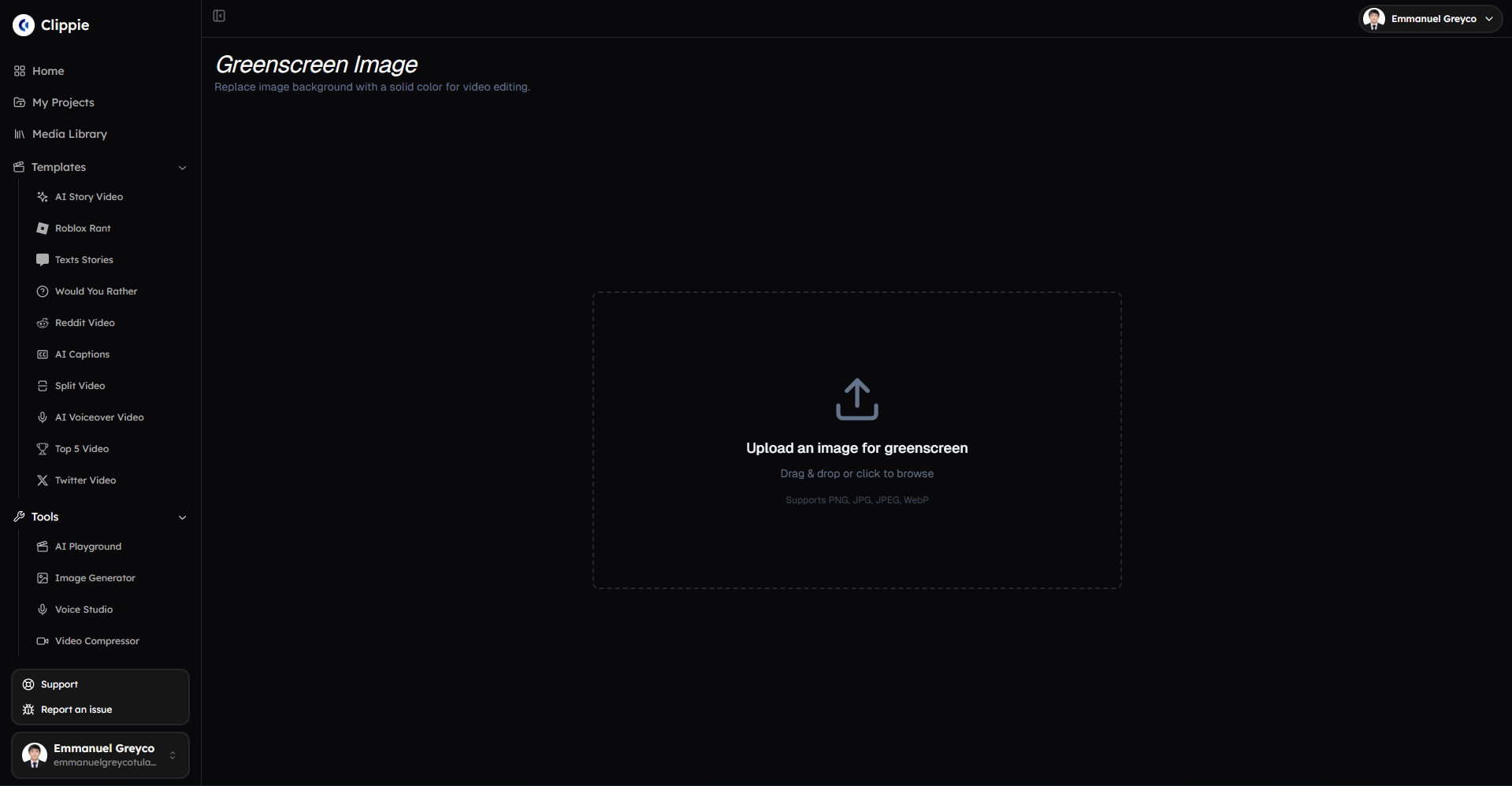
Upload your image.
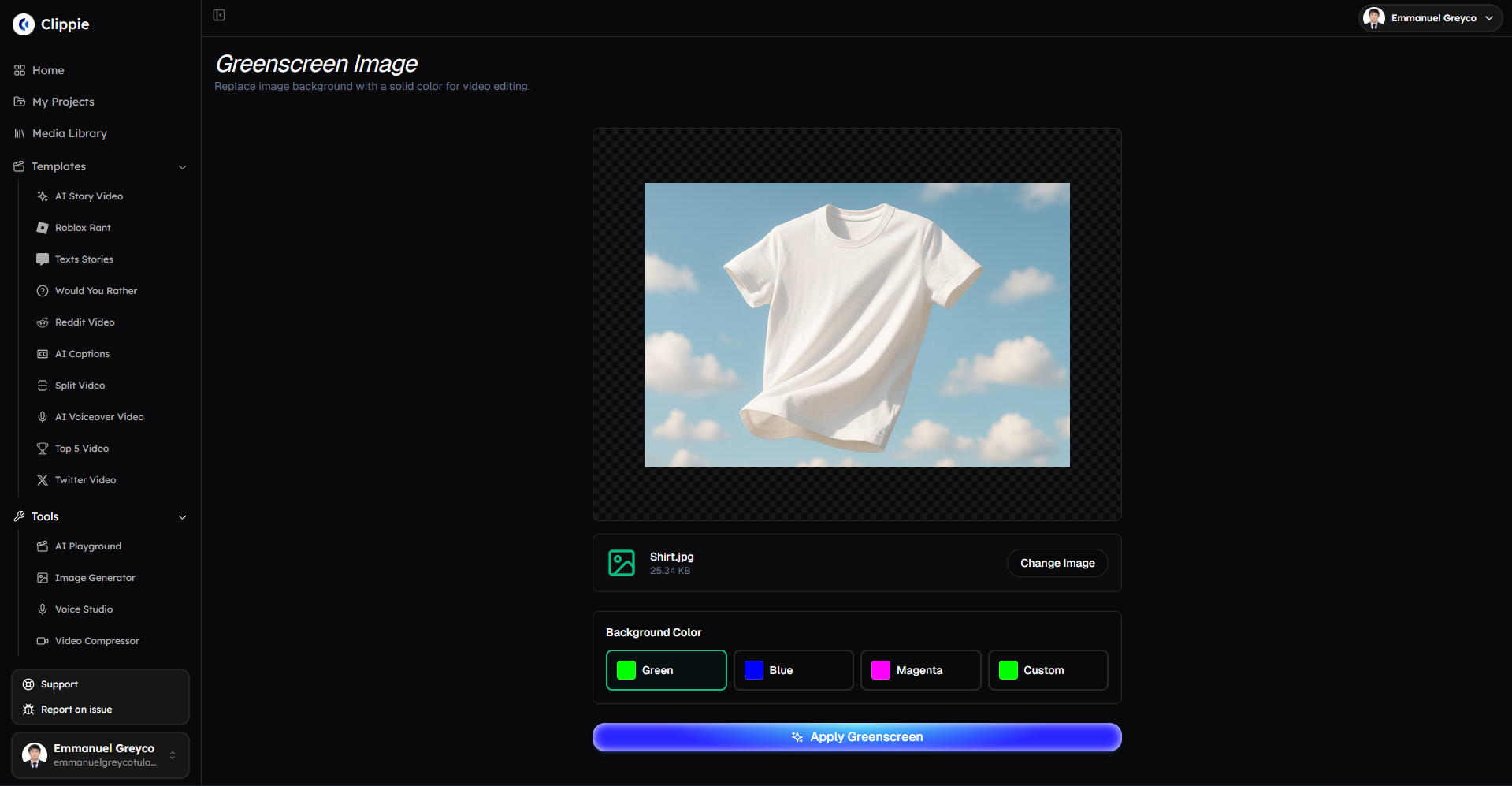
Select the background color you want to replace.
Click Apply Green Screen to process the image.
Step 3: Download Your Edited Image
Once the background replacement is complete:
Download your final image.
Bonus: Get 1-on-1 Support in Our Discord Community
If you get stuck or want personalized help, join our Discord community. Our team offers 24/7 one-to-one support to help you go viral with your content.
Click me to join our discord community!
FAQs: Using Green Screen
Q: What does the Green Screen tool do? A: The Green Screen tool replaces an image background with a solid color, making visuals cleaner and easier to use for thumbnails, designs, and video editing.
Q: What background colors are available? A: You can replace the background with Green, Blue, Magenta, or choose a Custom color.
Q: What types of images work best with Green Screen? A: Images with clear subjects and strong contrast from the background produce the cleanest results.
Q: Will replacing the background affect image quality? A: No. The tool keeps the original image resolution and quality while replacing the background color.
Related Blog Posts
How to Convert Videos Easily with Clippie AI (2026 Guide)
How to Create AI Story Videos with Clippie AI (2026 Guide)
How to Remove Image Backgrounds with Clippie AI (2026 Guide)
Click Me To Start Creating With Clippie AI Now!
Make an AI story video
Write a script or let AI write one. Clippie turns it into a narrated video with AI scenes, voiceover and captions.
Read more

How to Make Top 5 Ranking Videos in 2026 (Step-by-Step)
Build ranking Shorts that can still earn: pick a debatable topic, set clear criteria, source clips you may use, script the countdown, add your commentary.

How to Create Short-Form Videos Using AI: 8 Steps (2026)
A beginner workflow for AI videos on TikTok, Reels and Shorts: pick a format, script a hook, add visuals, voice and captions, export at 9:16, label AI.

7 Free CapCut Alternatives for Short-Form Video (2026)
Compare Edits, YouTube Create, VN, Clipchamp, Canva, DaVinci Resolve and Shotcut: what each gives free users, what it caps first and where it falls short.