
How to Use Voice Studio in Clippie AI (2026 Guide)
Learn how to use Voice Studio in Clippie AI to create clear and natural sounding AI voiceovers for your videos.
Introduction
Voiceovers play a huge role in how engaging and professional your videos sound. The right voice can instantly improve watch time, clarity, and overall content quality, especially for short-form videos on TikTok, YouTube Shorts, and Reels.
Voice Studio in Clippie AI is designed to give you full control over your narration by allowing you to import custom voices directly from ElevenLabs into your Clippie account. Instead of being limited to default voices, you can bring in your own cloned or premium ElevenLabs voices and use them across all your Clippie videos.
This means you can maintain a consistent brand voice, reuse the same narrator across multiple video formats, and create more personalized content without switching platforms. Once imported, your ElevenLabs voices work seamlessly inside Clippie’s workflow, from AI scripts to final video exports.
In this guide, we’ll walk you through exactly how to use Voice Studio to import voices from ElevenLabs, manage them inside Clippie AI, and apply them to your videos for more professional and scalable content creation.
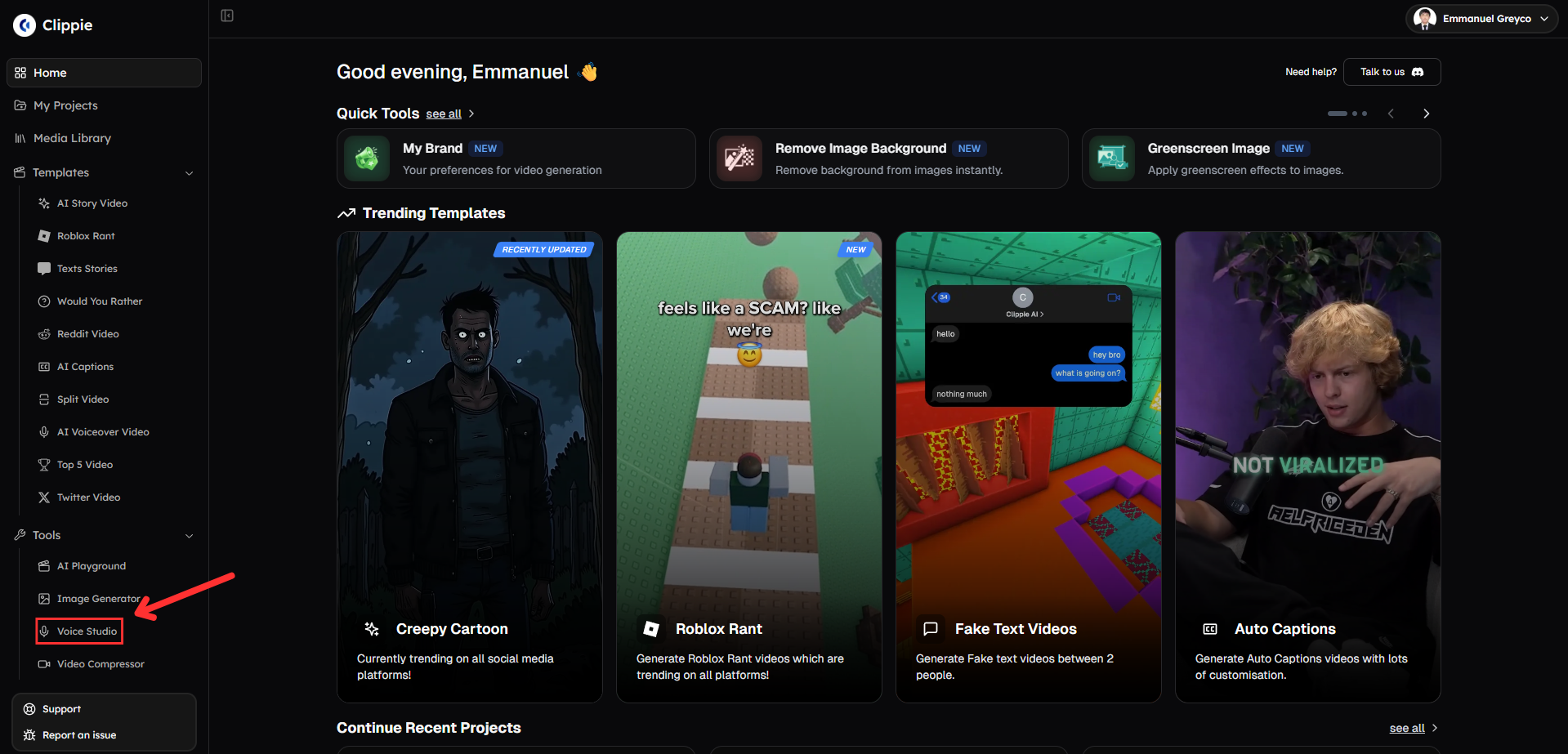
Step 1: Open Voice Studio
Start by accessing the voice import tool.
Go to Tools and click Voice Studio.
Step 2: Import Your Voice
Add custom voices from ElevenLabs.
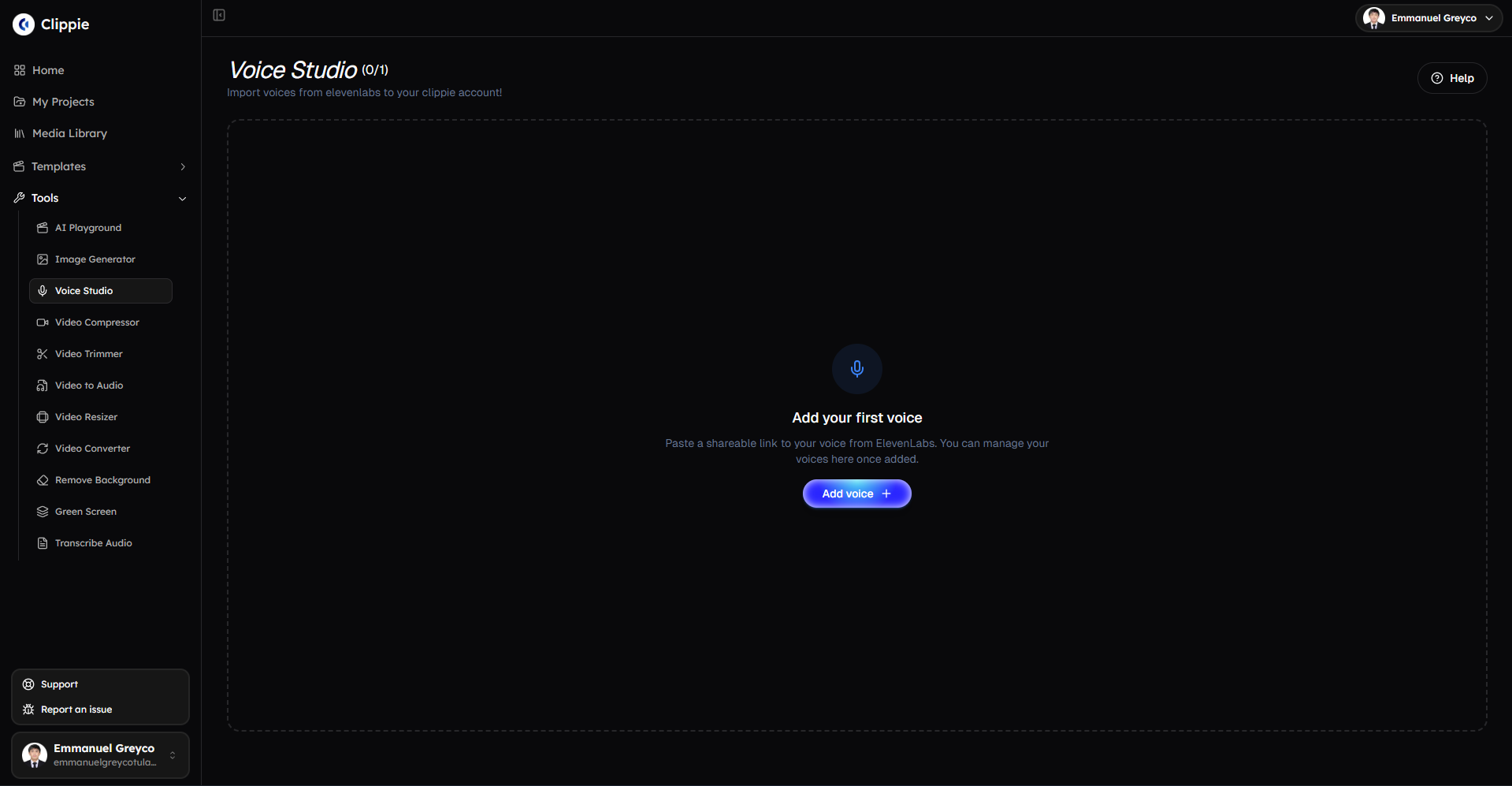
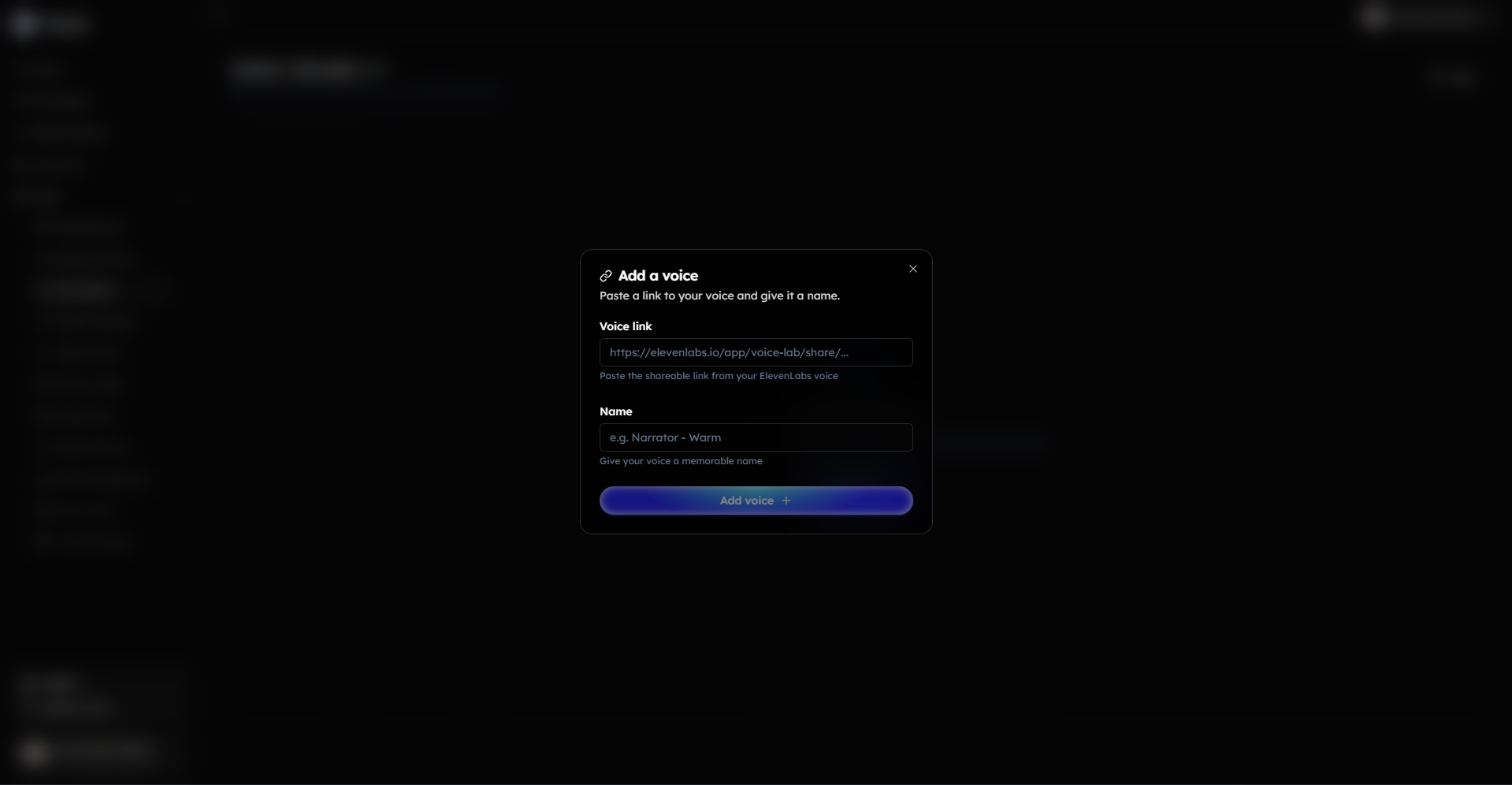
Paste a shareable link to your voice from ElevenLabs.
Give your voice a name.
Click Add Voice to save it to your Clippie AI account.
Bonus: Get 1-on-1 Support in Our Discord Community
If you get stuck or want personalized help, join our Discord community. Our team offers 24/7 one-to-one support to help you go viral with your content.
Click me to join our discord community!
FAQs: Using Voice Studio
Q: What is Voice Studio used for? A: Voice Studio lets you import custom AI voices from ElevenLabs into your Clippie AI account for personalized voiceovers.
Q: How do I add a voice to Voice Studio? A: Paste a shareable link from ElevenLabs, name the voice, and click Add Voice to import it.
Q: Can I use multiple custom voices? A: Yes, you can import and manage multiple ElevenLabs voices. The number of voices you can import depends on your Clippie AI subscription plan.
Q: Are there any costs for using imported voices? A: Costs depend on your ElevenLabs subscription and usage; Clippie AI does not charge extra for importing voices.
Related Blog Posts
How to Resize Videos with Clippie AI (2026 Guide)
How to Convert Video to Audio with Clippie AI (2026 Guide)
How to Compress Videos with Clippie AI (2026 Guide)
Click Me To Start Creating With Clippie AI Now!
Make an AI story video
Write a script or let AI write one. Clippie turns it into a narrated video with AI scenes, voiceover and captions.
Read more

How to Make Top 5 Ranking Videos in 2026 (Step-by-Step)
Build ranking Shorts that can still earn: pick a debatable topic, set clear criteria, source clips you may use, script the countdown, add your commentary.

How to Create Short-Form Videos Using AI: 8 Steps (2026)
A beginner workflow for AI videos on TikTok, Reels and Shorts: pick a format, script a hook, add visuals, voice and captions, export at 9:16, label AI.

7 Free CapCut Alternatives for Short-Form Video (2026)
Compare Edits, YouTube Create, VN, Clipchamp, Canva, DaVinci Resolve and Shotcut: what each gives free users, what it caps first and where it falls short.