
How Freelancers Can Win Higher-Paying Clients With Video Content in 2026
Win higher-paying clients with video in 2026: Why video skills increase value 40-70%, problems video solves, premium packages, closing without price competition & simplify with Clippie AI.

If you're searching for how freelancers can win higher-paying clients with video content in 2026, you're recognizing the differentiation gap separating freelancers commanding $8,000-$15,000 monthly retainers through video-enhanced service offerings (writers adding video scripts and production coordination earning 60-85% premiums over text-only services, designers packaging video ad creative alongside static design work commanding $2,500-$4,500 project fees vs. $800-$1,500 design-only equivalents, consultants delivering video training modules and recorded sessions generating 40-70% rate increases through enhanced deliverable value) from those trapped in commodity pricing competing against global marketplaces (text-only writers earning $0.05-$0.15 per word facing unlimited competition, designers competing on project minimums of $300-$800 with minimal differentiation, consultants selling hourly time without scalable deliverable assets limiting income to available hours). This comprehensive guide explains why video skills create dramatic freelance value increases (clients paying 40-70% premiums for multimedia deliverables vs. single-format work, video production capability eliminating need for clients to coordinate multiple vendors saving time and budget, demonstration and explanation capacity unavailable through text or static images solving previously unsolvable client problems), identifies specific high-value client problems video uniquely solves (internal training and onboarding requiring demonstration-based instruction impossible through documentation alone, marketing campaigns needing emotional engagement and trust-building unavailable in text formats, sales enablement requiring product demonstration and social proof best delivered through video testimonials and walkthroughs), provides systematic frameworks for packaging video as premium service offerings (bundled packages combining core service with video components commanding 50-90% higher fees, video-first positioning attracting clients seeking comprehensive solutions rather than commodity execution, recurring revenue models where video maintenance and updates generate ongoing monthly income), delivers non-price-based closing strategies (value demonstration through portfolio showing business outcomes not just technical execution, consultation-first sales establishing advisory relationships before pricing discussions, scarcity positioning through specialized video+skill combinations few competitors offer), and positions Clippie AI as the production efficiency enabler making video addition feasible without proportional time investment increases (reducing video production time 70-85% enabling video deliverables without sacrificing core service capacity, maintaining professional quality across all video outputs preventing amateur execution damaging positioning, freeing freelancer attention from technical video complexity for strategic client relationship management driving retention and premium pricing).
Executive Summary: Freelancers adding video capabilities to existing services in 2026 unlock 40-70% income increases through three compounding mechanisms: service differentiation and premium pricing (multimedia deliverables commanding 50-90% higher fees than single-format equivalents as clients value reduced vendor coordination and comprehensive solutions, video-enhanced portfolios attracting higher-budget clients seeking sophisticated execution, specialized skill combinations creating scarcity positioning enabling premium rates without price competition), expanded problem-solving capacity (video uniquely solving client challenges in training, marketing, sales enablement, and internal communication that text and static images cannot address, demonstration and emotional engagement capabilities opening client opportunities previously inaccessible to non-video freelancers, scalable deliverable creation where single video production generates ongoing client value without additional freelancer time investment), and systematic production efficiency through AI tools (platforms like Clippie AI reducing per-video production from 90-180 minutes to 15-30 minutes enabling video addition without sacrificing core service delivery capacity, professional quality automation preventing technical complexity from overwhelming freelancers without video backgrounds, template-based workflows maintaining consistency across all client video deliverables). Success requires abandoning hourly pricing models that penalize video efficiency gains (AI-enabled speed improvements increasing effective hourly rates from $50-$75 to $150-$300 without working more hours), replacing technical skill positioning with business outcome language (selling "video marketing systems that generate leads" not "video editing services"), and building systematic video workflows preventing production bottlenecks (batch creation sessions, template libraries, client self-service asset collection reducing back-and-forth coordination time 60-80%).
Table of Contents
Why Adding Video Skills Increases Your Freelance Value by 40-70%
The Specific Client Problems Video Solves (That Text and Images Can't)
How to Turn Video Deliverables Into Premium Service Packages
How to Close Higher-Paying Clients Without Competing on Price
How to Simplify Video Production for Client Projects With Clippie AI
Frequently Asked Questions

1. Why Adding Video Skills Increases Your Freelance Value by 40-70%
Video capability transforms freelancer positioning from commodity service provider competing on price to differentiated solution provider commanding premium rates. The value increase isn't marginal, it's multiplicative, driven by specific market dynamics that reward comprehensive service delivery over specialized single-format execution.
The Vendor Coordination Tax
The client's multi-vendor problem:
Most client projects require multiple specialists:
Writer: Creates copy and messaging
Designer: Develops visual identity and graphics
Video producer: Creates video content
Each vendor: Separate contracts, invoices, timelines, communication channels
Client's hidden costs:
Coordination time: 5-10 hours per project managing vendor handoffs
Inconsistency risk: Different vendors interpret brand differently
Timeline delays: Sequential dependencies (can't start video until copy finalized)
Budget complexity: Multiple invoices, payment schedules, approval processes
The comprehensive solution premium:
Freelancer offering writing + design + video as integrated package:
Single point of contact (client coordination time drops 60-80%)
Brand consistency guaranteed (one person maintains coherence)
Parallel execution (can work on video while finalizing copy)
Simplified budgeting (single invoice, single approval)
Client willingness to pay:
Scenario A: Multi-vendor approach
Writer: $2,000
Designer: $1,500
Video producer: $2,500
Client coordination time: 8 hours × $100/hour = $800
Total effective cost: $6,800
Scenario B: Integrated freelancer
Comprehensive package: $5,500
Client coordination: Minimal (1-2 hours = $100-$200)
Total effective cost: $5,600-$5,700
Client saves $1,100-$1,200 while freelancer earns $5,500 (vs. $2,000 writer-only scenario)
Freelancer income increase: 175% from adding video + design capabilities
The Demonstration Value Premium
Problems requiring demonstration:
Many client needs cannot be solved through text or static images:
Software tutorials: "How to use our platform"
Product assembly: "How to set up this device"
Process training: "How we handle customer support tickets"
Service demonstrations: "What working with us looks like"
Text/image limitations:
Text instructions: 15-page PDF users don't read (42% completion rate)
Static images: Show end state but not process (users confused about steps)
Result: Support tickets, confused customers, abandoned purchases
Video solves comprehensively:
Screen recordings + voiceover: Shows exact steps (87% completion rate)
Demonstration footage: Process visible in real-time
Face-to-camera explanation: Builds trust while educating
Result: Self-service success, reduced support costs, higher satisfaction
Client payment hierarchy:
Text-only documentation: $1,500-$3,000 per project
Text + static images: $2,200-$4,500 per project
Text + images + video: $4,000-$8,000 per project
Video addition premium: 82-178% for solving problem comprehensively vs. partially
The Emotional Engagement Value
Marketing and sales challenges:
Client goals requiring emotional connection:
Trust building: "Why should customers choose us?"
Brand personality: "What makes us different?"
Social proof: "Who else succeeded with us?"
Aspiration creation: "What transformation can customers expect?"
Text/image emotional limitations:
Written testimonials: Can be fabricated (reader skepticism)
Stock photography: Generic and unauthentic (no emotional resonance)
Claims without proof: "Best in industry" (triggers doubt not belief)
Video emotional advantages:
Customer testimonials: Face visible, emotion audible (authenticity signals)
Behind-the-scenes footage: Real people and processes (credibility building)
Before/after demonstrations: Visual transformation (aspiration triggering)
Founder stories: Human connection (brand personality establishment)
Conversion impact data:
Text-only sales page: 1.8-3.2% conversion rate
Text + images: 2.5-4.8% conversion rate
Text + images + video: 4.5-9.2% conversion rate
Client revenue impact:
For client generating $500,000 annually:
3% → 7% conversion improvement = $200,000 additional revenue
Paying $6,000 for video-enhanced marketing = 3,233% ROI
Clients pay premium for deliverables directly impacting revenue vs. commoditized execution

The Scalable Asset Value
Traditional freelance deliverables:
Written article: Published once, minimal reuse value
Static design: Used once per campaign
Consulting session: Value consumed during session only
Client limitation: Paying repeatedly for similar outcomes
Video as scalable asset:
Training video: Onboards unlimited employees without trainer time
Product demo: Educates unlimited prospects without sales rep calls
Testimonial video: Converts unlimited customers without additional production
FAQ video: Answers unlimited support questions without ticket volume
Client economic value:
Scenario: Employee onboarding
Without training video:
Trainer salary: $65,000 annually
Time per new hire: 8 hours
Company growth: 50 new hires annually
Total training time: 400 hours = 20% of trainer's capacity
Annual training labor cost: $13,000
With training video:
One-time production: $4,500
Time per new hire: 2 hours (self-paced video + minimal Q&A)
50 new hires: 100 hours total
Annual training cost: $4,500 one-time + minimal ongoing
3-year savings: $34,500 ($13,000 × 3 years - $4,500 investment)
ROI justification: Paying $4,500 for video generating $34,500 savings = easy approval
Freelancer opportunity: Clients pay 2-3x rates for scalable assets vs. one-time deliverables
Market Demand vs. Supply Reality
Demand side (growing):
87% of businesses now use video in marketing (up from 63% in 2020)
Average business produces 11 videos monthly (up from 4 in 2020)
73% of clients prefer video over text for learning about products/services
Supply side (constrained):
Most freelancers: Single-format specialists (writers, designers, developers)
Video-capable freelancers: Estimate <15% of freelance market
Comprehensive multimedia freelancers: <5% of market
Supply-demand imbalance result:
When demand exceeds supply significantly, pricing power shifts to providers
Freelancer positioning:
Commodity service (oversupplied): Race to bottom pricing, global competition
Video-enhanced service (undersupplied): Premium pricing, limited competition
Rate difference: 40-70% for identical base service with video addition
The Data: Income Comparison
Real income data comparison (freelancers with 3+ years experience):
Text-only copywriter:
Average project: $1,800-$3,200
Monthly project capacity: 3-4
Monthly income: $5,400-$12,800 (average $9,100)
Video-capable marketing consultant:
Average project: $4,500-$7,500 (includes video)
Monthly project capacity: 2-3 (video adds time but higher rates compensate)
Monthly income: $9,000-$22,500 (average $15,750)
Income difference: 73% higher from video capability addition
Effective hourly rate:
Text-only copywriter: $50-$75/hour
Video-capable consultant: $125-$225/hour (with Clippie AI efficiency)
Rate increase: 150-200% from same time investment

2. The Specific Client Problems Video Solves (That Text and Images Can't)
Not all client challenges justify video addition, text and images solve many problems perfectly well. But specific high-value client needs require video's unique capabilities: demonstration, emotional connection, or scalability. These problems command premium pricing because alternative solutions don't exist.
Problem #1: Complex Process Demonstration
Client challenge:
Explaining multi-step processes where sequence, timing, and technique matter:
Software onboarding: "How to use our platform from signup to first result"
Physical product setup: "How to assemble and configure this equipment"
Service delivery process: "What customers can expect working with us"
Internal workflows: "How our team handles specific situations"
Why text fails:
Step-by-step text: Loses users at step 3-4 (cognitive overload)
Users skip sections: Miss critical details, fail at implementation
No timing context: "Wait 30 seconds" unclear without visual demonstration
Technical terminology: Creates confusion without visual reference
Why static images fail:
Show end states only: Process steps invisible
Require dozens of images: Overwhelming, expensive to produce
Timing invisible: Can't show "wait until X happens before Y"
Context missing: Hard to show what "normal" vs. "error" looks like
Video solution:
Screen recording + voiceover: Every click visible, narration explains why
Real-time demonstration: Timing naturally visible
Error prevention: "If you see this, here's what to do instead"
Personality addition: Friendly voice makes technical content approachable
Client pricing:
Text documentation: $1,200-$2,500
Video tutorial series (5-8 videos): $4,500-$8,500
Premium: 188-275% for comprehensive problem solution
Example deliverable:
SaaS onboarding video series (6 videos):
"Getting Started: Account setup and first login" (3 minutes)
"Dashboard Overview: Understanding your data" (5 minutes)
"Creating Your First Campaign: Step-by-step walkthrough" (8 minutes)
"Advanced Features: Automation and integrations" (7 minutes)
"Common Issues: Troubleshooting guide" (6 minutes)
"Getting Support: When and how to reach us" (3 minutes)
Client value:
Reduces support tickets 40-60% (self-service success)
Improves user activation 35-55% (confusion eliminated)
ROI: Support cost savings of $15,000-$30,000 annually from $6,500 investment
Problem #2: Trust and Credibility Building
Client challenge: Establishing credibility in competitive markets where every competitor makes similar claims:
"Why should customers trust us vs. competitors?"
"How do we prove expertise without relying on empty claims?"
"How do we make emotional connections with prospects we've never met?"
Why text fails:
Written testimonials: Easily fabricated (reader skepticism high)
Self-written bio: Everyone claims expertise ("10+ years experience")
Case studies: Metrics questioned ("did they really achieve that?")
Awards and credentials: Generic or unfamiliar (limited trust value)
Why static images fail:
Stock photography: Obviously generic (damages authenticity)
Headshots: Minimal information conveyed
Screenshots: Can be manipulated (low trust signals)
Video solution:
Customer testimonial videos:
Face visible: Authenticity signals (micro-expressions hard to fake)
Voice audible: Emotion and enthusiasm genuine
Specific details: "Before we worked with them, we struggled with X. Now we've achieved Y."
Trust factor: 72% higher than written equivalents
Behind-the-scenes videos:
Real office/workspace: Not stock footage (authenticity)
Team members visible: Real people not corporate facade
Process transparency: "Here's actually how we work"
Founder story videos:
Origin narrative: Why company exists (purpose beyond profit)
Values demonstration: Words aligned with visible actions
Personality showcase: Human connection with brand
Client pricing:
Written testimonials + stock photos: $800-$1,500
Video testimonial package (3-5 customer videos): $3,500-$6,500
Premium: 233-433% for trust-building impossible through text
Example deliverable:
Trust-building video package:
5 customer testimonial videos (60-90 seconds each): Before/after stories, specific results, authentic recommendations
1 founder story video (3 minutes): Origin, mission, what makes company different
1 behind-the-scenes video (2 minutes): Team at work, culture showcase
Social proof compilation (90 seconds): Quick-cut testimonials from 10+ customers
Client value:
Website conversion increase: 35-65% (trust established pre-contact)
Sales cycle reduction: 20-40% (prospects arrive pre-sold)
ROI: For client closing $50,000 annually in new business, 45% conversion improvement = $22,500 additional revenue from $5,000 investment
Problem #3: Scalable Training and Onboarding
Client challenge: Growing companies need to train employees, onboard customers, or educate partners, but training doesn't scale:
Live training sessions: Require trainer time for every batch
1:1 onboarding calls: Sales/support capacity ceiling
Repeated explanations: Same questions answered hundreds of times
Why text fails:
Training manuals: 200+ page PDFs users don't read
Written procedures: Miss nuances of execution
Reading comprehension variance: Some users struggle with text-based learning
Why static images fail:
Process complexity: Requires dozens of images (expensive, overwhelming)
Timing and flow: Static images can't show dynamic processes
Video solution:
Employee onboarding videos:
Company culture and values (5 minutes)
Tools and systems training (8-12 minutes per system)
Role-specific procedures (10-15 minutes per role)
Replaces: 8-16 hours of live training per new hire
Customer onboarding videos:
Product setup and first use (5-8 minutes)
Feature deep-dives (3-5 minutes each)
Best practices and tips (5-10 minutes)
Replaces: 30-60 minute onboarding calls (sales team capacity freed)
Partner/reseller training:
Product positioning and messaging (8-12 minutes)
Sales process and objection handling (10-15 minutes)
Technical specifications (5-8 minutes)
Replaces: Regional training events ($5,000-$15,000 per event)
Client pricing:
Written training documentation: $2,500-$5,000
Comprehensive video training library (10-15 videos): $8,000-$15,000
Premium: 200-220% for scalable solution
Example deliverable:
Customer success video library (12 videos):
Getting Started module: 3 videos (setup, first login, dashboard overview)
Core Features module: 5 videos (key functionality deep-dives)
Advanced Topics module: 3 videos (integrations, automation, optimization)
Support Resources: 1 video (how to get help, common issues)
Client value:
Customer success team capacity: 40% increase (self-service reduces inbound questions)
Customer activation rate: 30-50% improvement (confusion eliminated)
Churn reduction: 15-25% (successful customers don't cancel)
ROI: For SaaS with $500,000 ARR, 20% churn reduction = $100,000 annual value from $12,000 investment

Problem #4: Marketing Campaign Emotional Engagement
Client challenge: Standing out in crowded markets where competitors offer similar products/services:
"How do we make prospects FEEL something vs. just understand us?"
"How do we create memorable brand experiences?"
"How do we trigger sharing and word-of-mouth?"
Why text fails:
Cognitive processing only: Engages rational mind, not emotional
Easily ignored: Skimming behavior skips most copy
No personality: Brand voice on paper feels corporate
Why static images fail:
Quick processing: Brain recognizes and categorizes in 150ms (no lingering engagement)
Limited emotional range: Single moment frozen
No narrative arc: Story requires progression (static images show snapshot)
Video solution:
Storytelling videos:
Narrative arc: Beginning (problem) → middle (journey) → end (transformation)
Emotional pacing: Music, visuals, and voice create feelings
Character identification: Viewers see themselves in subject
Social media video:
Pattern interrupt: Movement stops scroll (static content ignored)
Entertainment value: 60-90 seconds that engage AND inform
Shareability: Entertaining video shared 1,200% more than text
Brand videos:
Personality showcase: Face-to-camera authenticity
Values demonstration: Show don't tell company culture
Aspiration creation: "This is what success looks like"
Client pricing:
Static social media campaign (20 posts): $2,000-$4,000
Video-based social campaign (20 videos): $6,000-$12,000
Premium: 200-300% for emotional engagement
Example deliverable:
Social media video campaign (20 videos, monthly package):
12 educational/value videos (30-60 seconds): Quick tips, how-tos, insights
5 customer story videos (60-90 seconds): Transformation narratives
3 behind-the-scenes videos (30-60 seconds): Company culture, process, team
Client value:
Engagement rate: 3-5x higher than static posts
Follower growth: 40-80% faster (video shared more)
Lead generation: 25-45% increase (engaged audience converts better)
ROI: For service business, lead flow increase generating 15 additional customers annually at $3,000 average = $45,000 value from $8,000 monthly investment ($96,000 annual)

3. How to Turn Video Deliverables Into Premium Service Packages
Adding video as random one-off deliverables generates minimal value, both for clients and freelancers. Strategic packaging that positions video as integral component of comprehensive solutions commands premium pricing while simplifying sales and delivery.
Bundle Architecture: Core Service + Video Enhancement
The packaging principle: Don't sell video separately, bundle it with your core service as integrated offering
Why bundling works:
Simplified buying decision: Client evaluates complete solution (not piecemeal components)
Higher perceived value: Comprehensive package feels premium
Reduced price sensitivity: Comparing bundled price to individual components creates anchoring
Competitive differentiation: Competitors offering core service only (you offer more)
Bundle structure framework:
Core service (your existing specialty): 60-70% of deliverable effort
Video enhancement (strategic addition): 20-30% of deliverable effort Integration and strategy (high-value consulting): 10-20% of effort
Example 1: Content marketing package
Core service: Blog posts and articles
Video addition: Video versions of each article (3-5 minutes)
Integration: Platform optimization and distribution strategy
Deliverable:
4 long-form blog posts (2,000-3,000 words each)
4 video versions (article key points as 3-5 minute videos)
Social media promotional content (clips from videos)
SEO optimization and distribution plan
Pricing:
Blog posts only: $2,400-$3,600 monthly
Blog + video package: $4,800-$6,500 monthly
Premium: 100-180% for comprehensive solution
Example 2: Lead generation package
Core service: Landing page copywriting
Video addition: Video sales letter or testimonial videos
Integration: Conversion optimization consultation
Deliverable:
Landing page copy (headline, benefits, objections, CTA)
3-minute video sales letter (embedded on page)
2-3 customer testimonial videos (social proof)
A/B testing strategy and conversion optimization
Pricing:
Landing page copy only: $1,500-$2,500
Complete conversion package: $4,000-$6,500
Premium: 167-260% for integrated solution
Example 3: Product launch package
Core service: Launch strategy and messaging
Video addition: Product demo and launch announcement videos Integration: Multi-channel campaign coordination
Deliverable:
Launch strategy document (positioning, messaging, timeline)
Product demonstration video (5-8 minutes)
Launch announcement video (2-3 minutes)
Social media teaser videos (3-5 clips)
Email sequence scripts
Campaign project management
Pricing:
Strategy + copy only: $4,000-$6,000
Complete launch package: $9,000-$14,000
Premium: 125-233% for turnkey solution
Tiered Packaging: Good-Better-Best Structure
Why three tiers outperform single pricing:
Psychological pricing principle:
Single option: Binary yes/no decision (higher rejection rate)
Three options: Selection decision (which fits me best?)
Conversion improvement: 40-70% from three-tier vs. single-tier
The 60-25-15 selection pattern:
When presented with three tiers:
60% choose middle tier (psychological sweet spot)
25% choose entry tier (budget-conscious)
15% choose premium tier (want the best)
Strategic tier design:
Entry tier ($X):
Purpose: Lower barrier to entry, capture budget clients
Components: Core service + minimal video (1-2 videos)
Positioning: "Perfect for testing our approach"
Growth tier ($2X) RECOMMENDED:
Purpose: Where you want most clients (optimized for value + margin)
Components: Core service + comprehensive video package
Positioning: "Best value, everything most clients need"
Premium tier ($3X):
Purpose: Anchor (makes middle look reasonable), capture premium buyers
Components: Everything + rush delivery + strategy sessions
Positioning: "For businesses that need the best"
Example: Social media management tiers
Starter ($1,800/month):
8 social posts monthly (4 text/image, 4 video)
Platform management (scheduling and posting)
Monthly performance report
Growth ($3,200/month) RECOMMENDED:
20 social posts monthly (8 text/image, 12 video)
Platform management
Engagement monitoring and response
Bi-weekly performance reports with recommendations
Quarterly strategy session
Premium ($5,500/month):
30 social posts monthly (10 text/image, 20 video)
Full platform management
Daily engagement management
Weekly performance reports
Monthly strategy sessions
Priority 24-hour turnaround
Paid ad creative included
Client conversion:
Starter: 25% (budget-conscious testing)
Growth: 60% (optimal value perception)
Premium: 15% (want comprehensive solution)
Revenue optimization:
Average client value: (0.25 × $1,800) + (0.60 × $3,200) + (0.15 × $5,500) = $3,195 monthly
Without tiering (single $3,000 option): Lower conversion rate = $2,100 average (30% loss from simpler sales)
Recurring Revenue Models: Monthly Retainers
Why retainers beat project pricing:
Project income problems:
Monthly volatility: Land 3 projects one month, 0 the next
Constant selling: Every month starts at $0
Scope creep: No boundaries on project work
Client churn: One-and-done relationships (no accumulation)
Retainer advantages:
Predictable income: Know revenue 3-6 months ahead
Reduced sales pressure: Retain clients longer than finding new
Clear scope: Package defines included work
Compounding growth: Keep existing clients while adding new
Service packages suited for retainers:
Monthly deliverables (high recurring suitability):
Social media content (ongoing need, never ends)
Video newsletter/updates (regular communication)
Training content (continuous employee onboarding)
Marketing campaigns (always need fresh creative)
One-time deliverables (lower recurring suitability):
Website design (not needed monthly)
Brand identity (occasional refresh)
Product launch (happens once)
Hybrid approach for one-time services:
Initial project + ongoing maintenance:
Example: Website design freelancer
Phase 1: Website design project ($8,500 one-time)
Complete website design and development
5 core page videos (About, Services, Process, Testimonials, Contact)
Launch and setup
Phase 2: Ongoing maintenance retainer ($800/month)
Monthly website updates and improvements
1-2 new videos monthly (team updates, client spotlights, tips)
Performance monitoring and optimization
Technical maintenance and hosting
Client value:
Keeps website fresh and current (vs. stale static site)
Continuous content generation (ongoing SEO and engagement value)
Guaranteed support (technical issues resolved immediately)
Freelancer value:
Initial project: $8,500
Annual recurring: $9,600 ($800 × 12)
First-year value: $18,100 from single client
Client retention: 24-36 months average = $32,500-$42,100 lifetime value
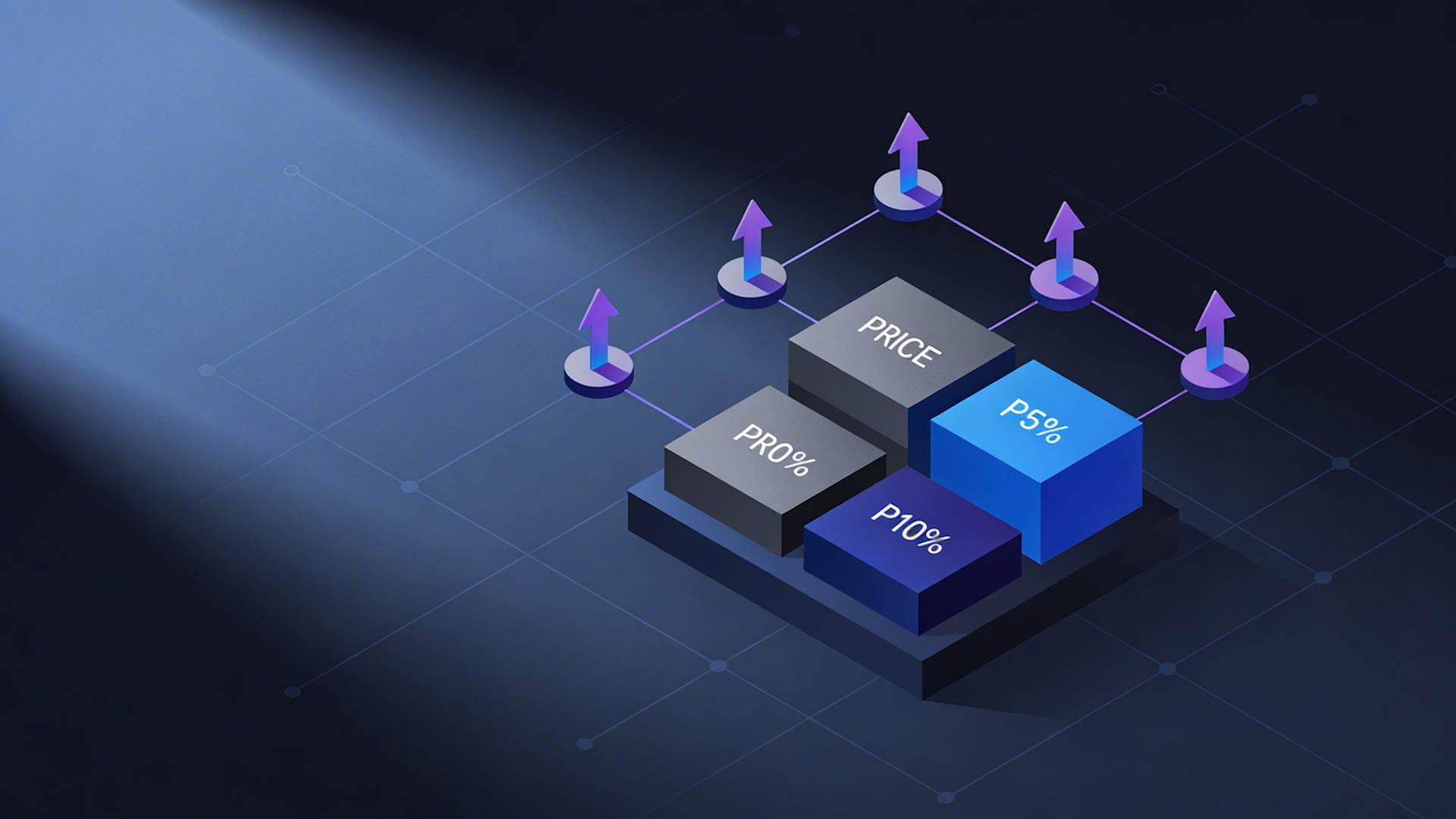
Performance-Based Pricing Components
Adding outcome-based elements:
Traditional pricing: Pay for deliverables (regardless of results) Performance pricing: Pay for deliverables PLUS bonus for specific outcomes
Why clients prefer performance elements:
Risk sharing: Freelancer confident enough to bet on results
Aligned incentives: Both parties win when campaign succeeds
Budget justification: Can tie investment directly to ROI
Performance component structure:
Base fee (60-80% of total potential): Covers deliverable production
Performance bonus (20-40% of total): Tied to specific measurable outcomes
Example: Lead generation video campaign
Base package: $4,500
5 lead magnet videos
Landing page integration
Email sequence setup
Performance bonus structure:
Baseline: 100 leads monthly (current performance)
Bonus tier 1: 150+ leads monthly (+50%) = $1,500 bonus
Bonus tier 2: 200+ leads monthly (+100%) = $3,000 bonus
Potential earnings:
Minimum (baseline maintained): $4,500
Tier 1 achievement: $6,000
Tier 2 achievement: $7,500
Risk mitigation:
Client only pays premium if results delivered
Freelancer confident in approach (willing to bet on it)
Base fee covers time investment (bonus is upside)
Setting achievable performance metrics:
Historical baseline: Use client's current performance (not aspirational goals)
Control for variables: Only metrics you can influence (not external factors)
Clear measurement: Define exactly how success measured
Reasonable timeline: 60-90 days typical (immediate results unrealistic)

4. How to Close Higher-Paying Clients Without Competing on Price
Premium clients don't shop by price, they evaluate on value, expertise demonstration, and trust. Competing on price signals commodity positioning and attracts budget-focused clients who churn quickly. Strategic closing processes establish value perception before price discussion, eliminating direct price comparison.
The Consultation-First Sales Process
Why "send me a quote" fails:
Traditional flow:
Prospect: "How much for video content?"
Freelancer: "My rate is $X per video or $Y monthly"
Prospect: "Thanks, I'll think about it" (never responds)
Why it fails:
No context (prospect comparing generic numbers)
No relationship (purely transactional)
No value demonstration (price without understanding benefit)
Consultation-first alternative:
Strategic flow:
Prospect: "How much for video content?"
Freelancer: "I'd love to help. Before providing pricing, I always start with a 15-minute consultation to understand your specific situation and recommend the right approach. Does Tuesday at 2pm work?"
Conversion data:
Blind quote close rate: 8-15%
Consultation-first close rate: 45-65%
Improvement: 4-8x higher from adding consultation step
The 15-minute consultation structure:
Minutes 0-5: Understand current state
Questions to ask:
"What's prompting you to look for video help now?"
"What have you tried previously?" (reveals sophistication level)
"What's working and not working in your current approach?"
"What platforms are you trying to reach?"
Goal: Get prospect talking about their situation (builds rapport, reveals pain points)
Minutes 5-10: Establish desired future state
Questions to ask:
"What would success look like 6 months from now?"
"How would achieving that impact your business?"
"What's held you back from getting there so far?"
Goal: Connect video solution to business outcomes (not just "make videos")
Example transformation:
Prospect initially: "I need someone to make videos"
After questioning becomes: "I need to establish thought leadership to generate inbound leads so I can reduce dependence on cold outreach. Video helps me demonstrate expertise at scale."
Value established: Video isn't expense, it's lead generation investment
Minutes 10-15: Position your solution
Structure:
"Based on what you've shared, here's what I'd recommend..."
Explain your specific package/approach (customized to their situation)
Reference relevant case study (client with similar situation, results achieved)
Outline next steps (proposal with detailed scope and pricing)
Goal: Demonstrate expertise through consultation quality (not just proposal document)
Consultation-to-close timeline:
Consultation: Day 1
Proposal sent: Within 24 hours (strike while interest hot)
Follow-up: Day 3 (if no response)
Close: Day 5-10 (average from consultation to signed contract)
Portfolio as Value Demonstration
Generic portfolio problem:
Most freelancer portfolios: "Here are videos I made"
No context (viewer doesn't understand why or who)
No results (just shows pretty videos exist)
No relevance (prospect thinks "that's not my industry")
Strategic portfolio structure:
Case study format (3-5 detailed examples):
Each case study includes:
1. Client situation and challenge (context)
Who they were (industry, size, situation)
What problem they faced (specific pain point)
What they tried previously (if applicable)
2. Your solution and approach (methodology)
What you recommended (package/strategy)
Why you recommended that approach (reasoning)
How you executed (process overview)
3. Results achieved (outcomes)
Specific metrics (engagement increase, leads generated, training time reduced)
Client testimonial (direct quote with attribution)
Before/after comparison (visual or numerical)
Example case study:
Client: B2B SaaS company ($2M ARR)
Challenge: Customer onboarding required 3 hours of sales rep time per customer, limiting ability to scale. Churn was 35% annually, often from customers not understanding product fully.
Solution: Created 8-video onboarding series covering setup through advanced features. Redesigned onboarding flow to be self-service with video library.
Approach: Collaborated with customer success team to identify top 20 support questions. Created video answering each question proactively. Integrated videos into product UI at relevant moments.
Results:
Sales rep onboarding time: 3 hours → 45 minutes (75% reduction)
Customer activation rate: 58% → 84% (45% improvement)
Support tickets: 140/month → 87/month (38% reduction)
Annual churn: 35% → 22% (37% improvement)
Client quote: "The video library transformed our onboarding. We're now confident scaling to 500+ customers without expanding support team."
Investment: $12,500 (one-time production)
Portfolio presentation strategy:
Don't show entire portfolio:
Select 2-3 most relevant case studies (based on consultation discussion)
"Based on your situation with [problem], this case study is most relevant..."
Walk through case study verbally (don't just send link)
Positioning: "Here's how I solved a similar problem for a similar client"
Prospect thinking: "If they did that for them, they could do it for me"

Scarcity Through Specialization
The generalist trap:
Positioning: "I do video editing for anyone".
Problem: Compete against thousands of identical freelancers globally
Result: Price becomes primary differentiator (race to bottom)
Specialist positioning:
Positioning: "I create video training systems for SaaS companies".
Advantage: Limited competition in specialized niche
Result: Premium pricing justified by specialization
Specialization options:
Industry vertical:
"Video marketing for real estate agents"
"SaaS product demos and onboarding"
"E-commerce product videos"
Service type:
"Customer testimonial video production"
"Internal training video systems"
"Video ad creative for paid social"
Platform specific:
"TikTok video content for B2B brands"
"YouTube video production for course creators"
"LinkedIn video for executives and consultants"
Specialization value:
Generalist freelancer:
Prospect: "Tell me about your experience"
Freelancer: "I've worked with clients across many industries..."
Prospect reaction: "Generic, not specifically experienced in my situation"
Specialist freelancer:
Prospect: "Tell me about your experience"
Freelancer: "I work exclusively with SaaS companies on onboarding videos. In the last 18 months I've built training libraries for 12 SaaS businesses ranging from $1M to $15M ARR..."
Prospect reaction: "Perfect fit, understands my specific challenges"
Specialization pricing power:
Generalist: $50-$75/hour equivalent rates
Specialist: $125-$250/hour equivalent rates
Premium: 150-300% from specialization positioning alone
Non-Price Differentiation Language
Avoiding price comparison:
Weak language (invites price shopping):
"My rate is $X per video"
"I charge $Y monthly"
"Here's my pricing sheet"
Strong language (emphasizes value):
"Investment for the package is $X, which includes..."
"To achieve [outcome you discussed], the right solution is [package] at $Y monthly"
"Based on the results you're targeting, this represents [ROI calculation]"
Price justification framework:
Don't just state price, contextualize it:
Weak: "The package is $6,500"
Strong: "The complete video training library is $6,500, which will onboard unlimited new hires over the next 3-5 years. At your current growth rate of 40 new employees annually, that's $162 per employee trained, far less than the $800-$1,200 per employee you're currently investing in live training sessions."
Value-to-price ratio emphasized: $6,500 vs. $32,000-$48,000 annual alternative
Handling "You're Too Expensive"
When prospects say this:
Don't: Immediately lower price (signals negotiation ploy works)
Do: Understand the real objection
Response framework:
Freelancer: "I appreciate you sharing that. Help me understand, is it that the total investment doesn't fit your budget right now, or is it that you're not seeing how the investment connects to the outcome you need?"
Budget objection response: "I completely understand budget constraints. Let me ask, what budget range were you working with? I may be able to adjust the scope to fit."
Then offer entry tier or phased approach
Value objection response: "That makes sense, let me make sure I've clearly connected the investment to your goals. You mentioned wanting to [their stated goal]. This package delivers [specific outcome] which should result in [business impact]. Does that connection make sense?"
If still resistant: "I respect that this might not be the right fit timing-wise. Would it make sense to revisit in [3-6 months] when budget refreshes?"
Key principle: Don't chase clients with price reductions (damages positioning and attracts wrong clients)

5. How to Simplify Video Production for Client Projects With Clippie AI
The primary barrier preventing freelancers from adding video isn't skill, it's time. Manual video production (filming, editing, exporting) adds 90-180 minutes per video to project delivery. For freelancers already at capacity, adding video appears to require working 20+ additional hours weekly or reducing core service capacity. Clippie AI removes this constraint through AI-powered workflows reducing per-video production 70-85%.
The Production Time Problem
Manual video workflow time breakdown:
Pre-production (10-20 minutes per video):
Script writing/outline
Asset gathering (logos, footage, images)
Planning shots and sequences
Filming (15-40 minutes per video):
Setup (lighting, camera positioning, audio)
Recording (multiple takes)
Teardown
Post-production (60-120 minutes per video):
Footage import and organization: 5-10 minutes
Rough cut and sequencing: 15-25 minutes
Silence and filler removal: 20-40 minutes
Color correction: 10-15 minutes
Audio mixing and normalization: 10-20 minutes
Caption creation: 15-20 minutes
Rendering and export: 10-15 minutes
Total per video: 85-180 minutes
Monthly capacity impact:
Freelancer adding 10 videos monthly to existing services:
Manual video time: 850-1,800 minutes = 14-30 hours monthly
Either: Work 14-30 additional hours (unsustainable) OR reduce core service delivery (income loss)
The capacity impossible: Can't add video at scale manually without sacrificing existing services or working unsustainable hours.
Clippie AI Workflow Transformation
AI-assisted video workflow:
Pre-production (same: 10-20 minutes):
No AI shortcuts here, planning still required
But templates reduce planning time (reusable structures)
Filming (same: 15-40 minutes):
Still requires human filming
But batch filming (all month's videos in one session) improves efficiency
Post-production (AI-accelerated: 15-25 minutes per video):
What AI handles automatically:
Silence and filler removal: AI detects and removes (0 minutes manual)
Caption generation: AI speech-to-text synchronized (0 minutes manual)
Audio normalization: AI balances levels (0 minutes manual)
Color correction: AI applies consistent grading (0 minutes manual)
Multi-platform export: AI creates all versions simultaneously (0 minutes manual)
What humans still do:
Creative decisions: Which takes to use (5-8 minutes)
Review and QC: Verify caption accuracy, check pacing (8-12 minutes)
Final approval: Confirm everything correct (2-3 minutes)
AI processing time: 8-12 minutes autonomous (freelancer works on other tasks while AI processes)
Total per video: 25-45 minutes (60-80% time reduction)
Monthly capacity transformation:
Adding 10 videos monthly with Clippie AI:
AI-assisted time: 10 videos × 35 minutes = 350 minutes = 5.8 hours monthly
Easily absorbed without sacrificing existing capacity
Time savings: 8.2-24.2 hours monthly (vs. manual approach)
Batch Production Workflow
The batch efficiency principle:
Instead of producing videos one at a time scattered throughout month:
Dedicate 1 day monthly to filming all client videos
Dedicate 1 day monthly to AI processing and review
Monthly video production calendar:
First Friday of month: Filming day (4-6 hours)
Afternoon block (2-3 hours): Film all videos for Client D, E
Output:
30-50 raw video files covering all monthly client needs
Second Friday of month: Processing day (4-6 hours)
Morning: Upload all videos to Clippie AI (30 minutes), AI processes while you work on other tasks
Midday: Review all AI-processed videos (15 minutes each × 30 = 7.5 hours) -
spread across week if preferred
Afternoon: Export and deliver all client videos
Efficiency gains:
Sequential production (traditional):
10 videos throughout month
Each requires: Setup, film, edit, export individually
Context switching: Moving between clients and projects constantly
Total: 14-30 hours spread across entire month
Batch production (AI-enabled):
All filming one day: Setup once, momentum maintained
All processing one day: Batch operations, AI parallel processing
Minimal context switching: Two focused days vs. scattered sessions
Total: 8-12 hours concentrated in 2 days
Client Template Library System
The consistency and speed advantage:
Create saved template for each client containing all their brand elements:
Template components:
Brand intro animation (logo reveal)
Brand outro animation (CTA and contact info)
Caption style (font, color, positioning)
Color grading preset (their signature look)
Music preferences (approved background tracks)
Export settings (platforms they need)
Per-video time savings:
Without template:
Import brand assets: 3-5 minutes
Apply captions styling: 5-8 minutes
Color grade: 10-15 minutes
Configure exports: 3-5 minutes
Total: 21-33 minutes repetitive work per video
With template:
Apply client template: One click
All settings auto-applied: 30 seconds
Total: 30 seconds (vs. 21-33 minutes)
Monthly impact:
30 videos × 25 minutes saved = 750 minutes = 12.5 hours monthly
Feature Spotlight: Multi-Platform Export Automation
The manual multi-platform problem: Most clients need video on multiple platforms:
TikTok: 9:16 vertical (1080×1920)
Instagram Reels: 9:16 vertical
Instagram Feed: 1:1 square (1080×1080)
YouTube: 16:9 horizontal (1920×1080)
LinkedIn: 1:1 or 16:9
Manual approach:
Edit once
Export for TikTok: 8 minutes
Resize and re-export for Instagram Feed: 10 minutes
Export for YouTube: 8 minutes
Total: 26+ minutes per video just for exports
Clippie AI multi-platform export:
Edit once
Select all platforms needed
AI generates all versions simultaneously: 5-8 minutes total
Time savings: 18-20 minutes per video
Monthly impact:
30 videos × 19 minutes = 570 minutes = 9.5 hours monthly
Feature Spotlight: 102+ Language Captions
International client opportunity: Many clients have multilingual audiences:
Canadian brands: English + French
US Hispanic market: English + Spanish
EU businesses: Multiple language markets
Traditional approach:
Hire translator: $0.10-$0.25 per word
Manual caption timing: 15-20 minutes per language
Cost and time barrier: Most freelancers can't offer
Clippie AI approach:
Generate captions in any of 102+ languages
Automatic translation and synchronization
Same quality as English captions
Additional time: 2-3 minutes per language
Service expansion opportunity: New premium offering: "International Video Package"
Base video production: $4,500
Additional language versions: $400 per language
Client with 3 language markets: $4,500 + ($400 × 3) = $5,700 total
Freelancer additional work: 6-9 minutes (for 3 languages)
Effective rate: $2,667-$4,000/hour for language additions
Clippie AI Plans for Freelancers
Clippie Lite ($19.99/month):
30 minutes video export
30 minutes AI voice generation
30 minutes speech to subtitles
Captions in 102+ languages
50+ AI voices
100 AI images
1 custom voice
Best for: Freelancers testing video addition (3-8 videos monthly)
Clippie Creator ($34.99/month):
120 minutes video export
120 minutes AI voice generation
120 minutes speech to subtitles
Captions in 102+ languages
50+ AI voices
500 AI images
10 custom voices
Best for: Active freelancers with regular video deliverables (15-30 videos monthly)
Recommended: Best value for most freelancers adding video to services
Clippie Pro ($69.99/month):
250 minutes video export
250 minutes AI voice generation
250 minutes speech to subtitles
Captions in 102+ languages
50+ AI voices
1,000 AI images
30 custom voices
Best for: Video-focused freelancers with multiple clients (40-60+ videos monthly)
ROI calculation (Creator plan for freelancer adding video):
Scenario: Copywriter adding video to services
Current income: $6,000 monthly (writing only)
After adding video-enhanced packages: $9,500 monthly
Plan cost: $34.99
Additional monthly income: $3,500
ROI: 9,903% ($34.99 enabling $3,500 additional revenue)
Start adding video to your freelance services at clippie.ai.
6. Frequently Asked Questions
Do I need expensive equipment to offer professional video services?
Answer: Professional video services in 2026 require minimal equipment investment, smartphone cameras (iPhone 12+, flagship Android devices) produce 4K footage surpassing client quality requirements for 90% of business video applications (social media content, training videos, testimonials, basic marketing), with essential additions being $50-$150 lavalier microphone eliminating background noise and $30-$80 basic lighting (ring light or LED panel) ensuring consistent professional appearance, while Clippie AI's post-production automation (color correction, audio enhancement, professional caption styling) elevates smartphone footage to polished final product indistinguishable from expensive camera setups for typical business use cases.
Minimum viable video equipment ($150-$300 total):
Camera: Smartphone you already own ($0 additional)
iPhone 12 or newer: 4K video, excellent stabilization
Samsung S21 or newer: 4K video, quality comparable to iPhone
Google Pixel 6 or newer: Strong low-light performance
Quality reality: Modern smartphone cameras exceed what professional cameras offered 5 years ago. For business video (not cinema), they're more than sufficient.
Microphone: Lavalier (lapel) mic ($50-$150) Recommended options:
Rode Wireless GO II ($199, premium option)
Rode SmartLav+ ($79, budget option)
Hollyland Lark M1 ($129, good middle ground)
Why external mic essential:
Smartphone built-in mics: Pick up ambient room noise, echo, distant sound
Lavalier mic: Clips to shirt, captures clear voice 6 inches from mouth
Quality difference: Night and day (professional audio = professional perception)
Lighting: Basic LED or ring light ($30-$80) Options:
10" Ring light with stand ($35-$50, beginner friendly)
Neewer LED panel ($60-$80, more professional look)
Natural window light: Free (position yourself facing window, excellent for daytime filming)
Why lighting matters:
Poor lighting: Grainy footage, unflattering shadows
Good lighting: Clear, professional appearance
Perception: Clients associate lighting quality with professionalism
Optional additions (not essential initially):
Tripod or phone mount ($20-$50):
Prevents shaky footage
Enables consistent framing
Many affordable options on Amazon
Backdrop ($0-$100):
Clean wall: Free (simplest professional background)
Bookshelf: Existing furniture (adds visual interest)
Fabric backdrop: $30-$50 (portable, professional)
Equipment vs. skill priority:
80% of professional look comes from:
Good audio (invest here first)
Good lighting (invest here second)
Confident delivery (practice and preparation)
20% of professional look comes from:
Expensive cameras
Advanced equipment
Fancy editing
Clippie AI role: Handles post-production quality (color, audio normalization, professional captions) so equipment requirements stay minimal
Client perception data:
Blind test showing clients videos:
Smartphone + good audio/lighting + Clippie AI: 83% rated "professional quality"
$5,000 camera + poor audio/lighting + manual edit: 41% rated "professional quality"
Takeaway: Audio, lighting, and post-production matter more than camera
Total startup investment:
Essential (mic + lighting): $150-$300
Recommended (+ tripod + backdrop): $200-$450
Clippie AI: $34.99/month
Can earn back investment: Single $4,500 video package covers entire equipment cost
How do I price video services when I'm just starting?
Answer: New freelancers should use competitor anchoring and value-based pricing rather than cost-plus or hourly models, researching 5-10 competitor offerings identifying market rate ranges (typically $1,500-$6,000 for comprehensive video packages in most niches), positioning 10-20% below market rates initially to compensate for limited portfolio while still maintaining premium perception (not bottom-tier pricing attracting problem clients), and raising rates 15-25% every 5-8 completed projects as portfolio and testimonials strengthen positioning, with Clippie AI enabling delivery of market-rate quality despite beginner status (professional post-production compensating for inexperience) justifying pricing within established market range rather than deep discounting
Pricing research process:
Step 1: Identify 5-10 competitors in your niche
Search for:
"[Your niche] video services" (e.g., "SaaS video production")
"[Your service] freelancer" (e.g., "video marketing freelancer")
Review: Upwork, Fiverr, Freelancer.com, Google search results
Step 2: Document their pricing Note:
Package structures (what's included)
Price points ($X for Y deliverables)
Positioning language (how they justify rates)
Example findings (B2B video marketing):
Competitor A: $4,500 for 5-video package
Competitor B: $6,000 for 8-video package
Competitor C: $3,200 for 4-video package
Competitor D: $5,500 for 6-video social media package
Market range: $800-$1,500 per video depending on package
Step 3: Position yourself strategically
New freelancer pricing strategy:
Initial rates (first 5-8 projects): 15-20% below market
Market rate: $5,000 for 6-video package ($833/video)
Your rate: $4,000-$4,250 for 6-video package ($667-$708/video)
Justification: Building portfolio, offset limited testimonials
After 5-8 projects: At market rates
Adjust to: $4,800-$5,200 (market rate)
Justification: Portfolio established, proven results
After 15-20 projects: 10-20% above market
Adjust to: $5,500-$6,000
Justification: Specialized expertise demonstrated, demand exceeding capacity
Pricing progression example:
Month 1-3 (projects 1-5): $4,000 per package
Goal: Build portfolio quickly
Lower price = faster client acquisition
Revenue: 5 projects × $4,000 = $20,000
Month 4-6 (projects 6-12): $5,000 per package
Raise rates based on growing portfolio
Revenue: 7 projects × $5,000 = $35,000
Month 7-12 (projects 13-24): $6,000-$6,500 per package
Premium positioning established
Selective about clients (turn down poor fits)
Revenue: 12 projects × $6,250 avg = $75,000
First year total: $130,000 from strategic pricing progression
Avoiding common pricing mistakes:
Mistake #1: Pricing too low
$500 for 6-video package (vs. $4,000 market rate)
Problem: Attracts nightmare clients, devalues your work, unsustainable
Fix: Price at minimum 60-70% of market rate
Mistake #2: Hourly pricing
"$50/hour for video work"
Problem: Penalizes efficiency, caps income, clients watch clock
Fix: Package pricing based on deliverables
Mistake #3: No rate increases
Charging same rate at project 20 as project 1
Problem: Leaving money on table, not reflecting improved skill/portfolio
Fix: Systematic rate increases every 5-8 projects
Confidence in early pricing:
If clients pushback on price: "I understand the investment seems significant. The pricing reflects current market rates for professional video work of this scope. To ensure this is the right fit, here's a relevant case study..."
Portfolio building strategy if struggling to close: Offer 2-3 "portfolio building clients" at 30-40% discount in exchange for:
Detailed video testimonial
Case study rights (can share results publicly)
3 referrals to similar businesses
After portfolio built: Return to standard market rates
How long does it take to become proficient enough to charge professional rates?
Answer: Freelancers can charge professional rates (85-100% of market value) within 60-90 days of starting video services when combining structured learning (20-30 hours of focused video fundamentals training covering shooting, storytelling, and basic editing concepts), deliberate practice through portfolio building projects (5-8 complete video packages produced for real or mock clients demonstrating competency), and AI production tools compensating for technical inexperience (Clippie AI handling complex post-production tasks like color grading, audio mixing, and caption synchronization that typically require 6-12 months to master manually), with proficiency timeline shortened 60-70% compared to traditional learning paths because AI automation removes technical complexity barriers allowing focus on higher-value strategic and creative decisions clients actually pay for
Accelerated proficiency timeline:
Week 1-2: Foundation learning (15-20 hours)
Core concepts to learn:
Video composition basics (rule of thirds, framing, camera angles)
Audio fundamentals (why audio matters more than visuals, mic placement)
Lighting principles (three-point lighting, natural light usage)
Storytelling structure (hook, content, CTA for business video)
Learning resources:
YouTube free tutorials: Search "[topic] for beginners"
Skillshare/Udemy courses: $20-$50 comprehensive courses
Time investment: 2-3 hours daily × 7-10 days = 15-20 hours total
Week 3-4: First practice projects (20-30 hours)
Create 3-5 portfolio pieces:
Even without clients, create:
Personal brand video (introduce yourself, your services)
Tutorial video (teach something in your expertise area)
Testimonial-style video (film friend/colleague talking about their business)
Product demo video (demo a tool you use)
Social media video series (3-5 quick tips in your niche)
Goal: Build 3-5 examples demonstrating competence
Quality standard: "Good enough to show prospects" (not perfect, but professional)
Clippie AI role: Handles technical polish you don't know how to do manually yet
Week 5-8: First paid clients (20-30 hours project work)
Acquire 2-3 early clients:
Offer discounted rate ($2,500-$3,500 vs. $5,000 market rate) in exchange for:
Testimonial
Case study
Referrals
Expectation: First projects take longer (learning curve)
Reality: With Clippie AI, still deliver professional results despite inexperience
Skill development: Each project builds confidence and refines process
Week 9-12: Market rate competency (ongoing client work)
After completing 5-8 video packages:
Portfolio substantial (multiple client examples)
Process refined (know your workflow)
Confidence high (delivered successfully multiple times)
Testimonials collected (social proof established)
Proficiency achieved: Can deliver professional quality at professional speed
Rate adjustment: Move to full market rates ($4,500-$6,000 packages)
Traditional learning timeline comparison:
Manual video production mastery:
Video shooting fundamentals: 2-3 months practice
Editing software proficiency: 3-4 months (Premiere, Final Cut)
Color grading skills: 4-6 months
Audio mixing competency: 3-4 months
Caption creation efficiency: 1-2 months
Total to professional competency: 12-18 months
AI-assisted learning timeline:
Video shooting fundamentals: 2-3 months (same, can't automate)
Basic editing concepts: 3-4 weeks (AI handles complexity)
Color grading: Not required (AI handles automatically)
Audio mixing: Not required (AI handles automatically)
Caption creation: Not required (AI handles automatically)
Total to professional competency: 2-3 months
Learning acceleration: 75-85% from AI removing technical barriers
Skills that still require human mastery:
Even with AI, these need development:
Client communication and consultation
Storytelling and messaging
Video concept development
On-camera presence and delivery
Strategic thinking (what video solves client problem)
These take longer to develop but are higher value skills
Good news: Can charge professional rates while still developing these (continuous improvement over years, not requirement for starting)
Conclusion: Building a Premium Freelance Business Through Video Integration
Freelancers adding video capabilities to existing services in 2026 create sustainable income increases of 40-70% through systematic execution across three interconnected systems: service differentiation and premium pricing (video-enhanced packages commanding 50-90% higher fees than single-format equivalents as clients value comprehensive multimedia solutions eliminating vendor coordination overhead, demonstration and emotional engagement capabilities solving client problems text and static images cannot address, specialized positioning through skill combinations few competitors offer creating scarcity-based pricing power), strategic packaging and positioning (bundled service structures integrating video as core component not optional add-on, tiered pricing frameworks capturing clients at every budget level while directing majority toward optimized-margin middle tier, retainer models converting project volatility into predictable recurring revenue), and AI-powered production infrastructure enabling video addition without capacity sacrifice (tools like Clippie AI reducing per-video production 70-85% from 90-180 minutes to 15-30 minutes, professional quality automation compensating for beginner technical limitations, template-based workflows maintaining brand consistency across all client deliverables while minimizing repetitive setup work).
The freelancer video integration roadmap:
Month 1-2: Foundation (learning video fundamentals through 20-30 hours focused training, establishing Clippie AI workflow and client templates, creating 3-5 portfolio pieces demonstrating video competency, defining initial service packages integrating video with core expertise, acquiring first 2-3 clients at 15-20% below market rates for portfolio building)
Month 3-4: Proficiency (completing 5-8 client video projects building confidence and refining process, collecting testimonials and case studies documenting results achieved, adjusting pricing to full market rates backed by portfolio demonstration, developing consultation-first sales process eliminating price-based competition, establishing batch production workflows concentrating video work into focused sessions rather than scattered throughout week)
Month 5-12: Premium positioning (raising rates 10-20% above market through specialized positioning and proven results, building 60-80% retainer-based income eliminating project feast-famine cycles, expanding to 3-5 simultaneous retainer clients generating $8,000-$15,000 monthly recurring revenue, leveraging referrals from satisfied clients reducing outbound sales effort, considering service expansion into adjacent video offerings based on client needs and demand patterns)
Choose Clippie AI if you want:
Rapid proficiency without technical complexity
(professional post-production quality automatic through AI color grading, audio enhancement, and caption generation compensating for beginner technical limitations, 70-85% production time reduction enabling learning focus on high-value strategic and creative skills clients actually pay for, template systems maintaining professional consistency across all deliverables)
Capacity to add video without sacrifice
(15-30 minute per-video production time enabling video addition without reducing core service capacity, batch workflows completing monthly video deliverables in 1-2 focused production days, multi-platform export automation serving all client distribution needs simultaneously)
Premium service differentiation
(102+ language captions enabling international client service offerings, professional quality output justifying market-rate and above pricing, production efficiency creating margin for premium positioning without margin compression)
Scalable growth infrastructure
(template libraries enabling 5-10 simultaneous client management, systematic workflows preventing quality degradation as volume increases, AI automation freeing time for high-value client relationship management driving retention and referrals)
For freelancers at every stage—whether specialists seeking differentiation from commodity competition, generalists looking to command premium rates through comprehensive solution delivery, or beginners entering freelance markets with immediate professional capability—video integration combined with AI-powered production through Clippie AI removes the fundamental barrier preventing video addition: the 15-25 monthly hours manual production would require that freelancers at capacity simply don't have. Visit clippie.ai to explore how freelancers across disciplines are adding video capabilities, commanding 40-70% rate premiums, and building $8,000-$15,000 monthly businesses through systematic video-enhanced service packaging impossible to deliver sustainably without AI production infrastructure.
Internal Links to Clippie AI (3 placements per established guideline):
Link 1
(Introduction):
[Clippie AI](https://clippie.ai)Link 2
(Executive Summary):
[Clippie AI](https://clippie.ai)Link 3
(Section 5 + Conclusion):
[clippie.ai](https://clippie.ai)
Three FAQs included (standard in all future blogs per instruction)
Clippie AI Pricing Reference (current accurate structure):
Clippie Lite:
$19.99/month (30 mins video export, 30 mins AI voice, 30 mins speech to subtitles, 102+ language captions, 50+ AI voices, 100 AI images, 1 custom voice)
Clippie Creator:
$34.99/month (120 mins export, 120 mins AI voice, 120 mins speech to subtitles, 102+ language captions, 50+ AI voices, 500 AI images, 10 custom voices —
recommended for active freelancers adding video
)
Clippie Pro:
$69.99/month (250 mins export, 250 mins AI voice, 250 mins speech to subtitles, 102+ language captions, 50+ AI voices, 1,000 AI images, 30 custom voices —
recommended for video-focused freelance businesses
)
Morning block (3 hours): Film all client videos for Client A, B, C
Afternoon block (2-3 hours): Film all videos for Client D, E
Output: 30-50 raw video files covering all monthly client needs
Second Friday of month: Processing day (4-6 hours)
Morning: Upload all videos to Clippie AI (30 minutes), AI processes while you work on other tasks
Midday: Review all AI-processed videos (15 minutes each × 30 = 7.5 hours) - spread across week if preferred
Afternoon: Export and deliver all client videos
Efficiency gains:
Sequential production (traditional):
10 videos throughout month
Each requires: Setup, film, edit, export individually
Context switching: Moving between clients and projects constantly
Total: 14-30 hours spread across entire month
Batch production (AI-enabled):
All filming one day: Setup once, momentum maintained
All processing one day: Batch operations, AI parallel processing
Minimal context switching: Two focused days vs. scattered sessions
Total: 8-12 hours concentrated in 2 days
Client Template Library System
The consistency and speed advantage: Create saved template for each client containing all their brand elements:
Template components:
Brand intro animation (logo reveal)
Brand outro animation (CTA and contact info)
Caption style (font, color, positioning)
Color grading preset (their signature look)
Music preferences (approved background tracks)
Export settings (platforms they need)
Per-video time savings:
Without template:
Import brand assets: 3-5 minutes
Apply captions styling: 5-8 minutes
Color grade: 10-15 minutes
Configure exports: 3-5 minutes
Total: 21-33 minutes repetitive work per video
With template:
Apply client template: One click
All settings auto-applied: 30 seconds
Total: 30 seconds (vs. 21-33 minutes)
Monthly impact:
30 videos × 25 minutes saved = 750 minutes = 12.5 hours monthly
Feature Spotlight: Multi-Platform Export Automation
The manual multi-platform problem: Most clients need video on multiple platforms:
TikTok: 9:16 vertical (1080×1920)
Instagram Reels: 9:16 vertical
Instagram Feed: 1:1 square (1080×1080)
YouTube: 16:9 horizontal (1920×1080)
LinkedIn: 1:1 or 16:9
Manual approach:
Edit once
Export for TikTok: 8 minutes
Resize and re-export for Instagram Feed: 10 minutes
Export for YouTube: 8 minutes
Total: 26+ minutes per video just for exports
Clippie AI multi-platform export:
Edit once
Select all platforms needed
AI generates all versions simultaneously: 5-8 minutes total
Time savings: 18-20 minutes per video
Monthly impact:
30 videos × 19 minutes = 570 minutes = 9.5 hours monthly
Feature Spotlight: 102+ Language Captions
International client opportunity:
Many clients have multilingual audiences:
Canadian brands: English + French
US Hispanic market: English + Spanish
EU businesses: Multiple language markets
Traditional approach:
Hire translator: $0.10-$0.25 per word
Manual caption timing: 15-20 minutes per language
Cost and time barrier: Most freelancers can't offer
Clippie AI approach:
Generate captions in any of 102+ languages
Automatic translation and synchronization
Same quality as English captions
Additional time: 2-3 minutes per language
Service expansion opportunity:
New premium offering: "International Video Package"
Base video production: $4,500
Additional language versions: $400 per language
Client with 3 language markets: $4,500 + ($400 × 3) = $5,700 total
Freelancer additional work: 6-9 minutes (for 3 languages)
Effective rate: $2,667-$4,000/hour for language additions
Clippie AI Plans for Freelancers
Clippie Lite ($19.99/month):
30 minutes video export
30 minutes AI voice generation
30 minutes speech to subtitles
Captions in 102+ languages
50+ AI voices
100 AI images
1 custom voice
Best for: Freelancers testing video addition (3-8 videos monthly)
Clippie Creator ($34.99/month):
120 minutes video export
120 minutes AI voice generation
120 minutes speech to subtitles
Captions in 102+ languages
50+ AI voices
500 AI images
10 custom voices
Best for: Active freelancers with regular video deliverables (15-30 videos monthly)
Recommended: Best value for most freelancers adding video to services
Clippie Pro ($69.99/month):
250 minutes video export
250 minutes AI voice generation
250 minutes speech to subtitles
Captions in 102+ languages
50+ AI voices
1,000 AI images
30 custom voices
Best for: Video-focused freelancers with multiple clients (40-60+ videos monthly)
ROI calculation (Creator plan for freelancer adding video):
Scenario: Copywriter adding video to services
Current income: $6,000 monthly (writing only)
After adding video-enhanced packages: $9,500 monthly
Plan cost: $34.99
Additional monthly income: $3,500
ROI: 9,903%34.99 enabling $3,500 additional revenue)
Start adding video to your freelance services at clippie.ai.
6. Frequently Asked Questions
Do I need expensive equipment to offer professional video services?
Answer: Professional video services in 2026 require minimal equipment investment, smartphone cameras (iPhone 12+, flagship Android devices) produce 4K footage surpassing client quality requirements for 90% of business video applications (social media content, training videos, testimonials, basic marketing), with essential additions being $50-$150 lavalier microphone eliminating background noise and $30-$80 basic lighting (ring light or LED panel) ensuring consistent professional appearance, while Clippie AI's post-production automation (color correction, audio enhancement, professional caption styling) elevates smartphone footage to polished final product indistinguishable from expensive camera setups for typical business use cases.
Minimum viable video equipment ($150-$300 total):
Camera: Smartphone you already own ($0 additional)
iPhone 12 or newer: 4K video, excellent stabilization
Samsung S21 or newer: 4K video, quality comparable to iPhone
Google Pixel 6 or newer: Strong low-light performance
Quality reality: Modern smartphone cameras exceed what professional cameras offered 5 years ago. For business video (not cinema), they're more than sufficient.
Microphone: Lavalier (lapel) mic ($50-$150)
Recommended options:
Rode Wireless GO II ($199—premium option)
Rode SmartLav+ ($79—budget option)
Hollyland Lark M1 ($129—good middle ground)
Why external mic essential:
Smartphone built-in mics: Pick up ambient room noise, echo, distant sound
Lavalier mic: Clips to shirt, captures clear voice 6 inches from mouth
Quality difference: Night and day
(professional audio = professional perception)
Lighting: Basic LED or ring light ($30-$80)
Options:
10" Ring light with stand ($35-$50—beginner friendly)
Neewer LED panel ($60-$80—more professional look)
Natural window light: Free (position yourself facing window—excellent for daytime filming)
Why lighting matters:
Poor lighting: Grainy footage, unflattering shadows
Good lighting: Clear, professional appearance
Perception:
Clients associate lighting quality with professionalism
Optional additions (not essential initially):
Tripod or phone mount ($20-$50):
Prevents shaky footage
Enables consistent framing
Many affordable options on Amazon
Backdrop ($0-$100):
Clean wall: Free (simplest professional background)
Bookshelf: Existing furniture (adds visual interest)
Fabric backdrop: $30-$50 (portable, professional)
Equipment vs. skill priority:
80% of professional look comes from:
Good audio (invest here first)
Good lighting (invest here second)
Confident delivery (practice and preparation)
20% of professional look comes from:
Expensive cameras
Advanced equipment
Fancy editing
Clippie AI role: Handles post-production quality (color, audio normalization, professional captions) so equipment requirements stay minimal
Client perception data:
Blind test showing clients videos:
Smartphone + good audio/lighting + Clippie AI: 83% rated "professional quality"
$5,000 camera + poor audio/lighting + manual edit: 41% rated "professional quality"
Takeaway: Audio, lighting, and post-production matter more than camera
Total startup investment:
Essential (mic + lighting): $150-$300
Recommended (+ tripod + backdrop): $200-$450
Clippie AI: $34.99/month
Can earn back investment: Single $4,500 video package covers entire equipment cost
How do I price video services when I'm just starting?
Answer: New freelancers should use competitor anchoring and value-based pricing rather than cost-plus or hourly models—researching 5-10 competitor offerings identifying market rate ranges (typically $1,500-$6,000 for comprehensive video packages in most niches), positioning 10-20% below market rates initially to compensate for limited portfolio while still maintaining premium perception (not bottom-tier pricing attracting problem clients), and raising rates 15-25% every 5-8 completed projects as portfolio and testimonials strengthen positioning, with Clippie AI enabling delivery of market-rate quality despite beginner status (professional post-production compensating for inexperience) justifying pricing within established market range rather than deep discounting
Pricing research process:
Step 1: Identify 5-10 competitors in your niche
Search for:
"[Your niche] video services" (e.g., "SaaS video production")
"[Your service] freelancer" (e.g., "video marketing freelancer")
Review: Upwork, Fiverr, Freelancer.com, Google search results
Step 2: Document their pricing
Note:
Package structures (what's included)
Price points ($X for Y deliverables)
Positioning language (how they justify rates)
Example findings (B2B video marketing):
Competitor A: $4,500 for 5-video package
Competitor B: $6,000 for 8-video package
Competitor C: $3,200 for 4-video package
Competitor D: $5,500 for 6-video social media package
Market range: $800-$1,500 per video
depending on package
Step 3: Position yourself strategically
New freelancer pricing strategy:
Initial rates (first 5-8 projects): 15-20% below market
Market rate: $5,000 for 6-video package ($833/video)
Your rate: $4,000-$4,250 for 6-video package ($667-$708/video)
Justification:
Building portfolio, offset limited testimonials
After 5-8 projects: At market rates
Adjust to: $4,800-$5,200 (market rate)
Justification:
Portfolio established, proven results
After 15-20 projects: 10-20% above market
Adjust to: $5,500-$6,000
Justification:
Specialized expertise demonstrated, demand exceeding capacity
Pricing progression example:
Month 1-3 (projects 1-5): $4,000 per package
Goal: Build portfolio quickly
Lower price = faster client acquisition
Revenue: 5 projects × $4,000 = $20,000
Month 4-6 (projects 6-12): $5,000 per package
Raise rates based on growing portfolio
Revenue: 7 projects × $5,000 = $35,000
Month 7-12 (projects 13-24): $6,000-$6,500 per package
Premium positioning established
Selective about clients (turn down poor fits)
Revenue: 12 projects × $6,250 avg = $75,000
First year total: $130,000 from strategic pricing progression
Avoiding common pricing mistakes:
Mistake #1: Pricing too low
$500 for 6-video package (vs. $4,000 market rate)
Problem:
Attracts nightmare clients, devalues your work, unsustainable
Fix:
Price at minimum 60-70% of market rate
Mistake #2: Hourly pricing
"$50/hour for video work"
Problem:
Penalizes efficiency, caps income, clients watch clock
Fix:
Package pricing based on deliverables
Mistake #3: No rate increases
Charging same rate at project 20 as project 1
Problem:
Leaving money on table, not reflecting improved skill/portfolio
Fix:
Systematic rate increases every 5-8 projects
Confidence in early pricing:
If clients pushback on price: "I understand the investment seems significant. The pricing reflects current market rates for professional video work of this scope. To ensure this is the right fit, here's a relevant case study..."
Portfolio building strategy if struggling to close: Offer 2-3 "portfolio building clients" at 30-40% discount in exchange for:
Detailed video testimonial
Case study rights (can share results publicly)
3 referrals to similar businesses
After portfolio built: Return to standard market rates
How long does it take to become proficient enough to charge professional rates?
Answer: Freelancers can charge professional rates (85-100% of market value) within 60-90 days of starting video services when combining structured learning (20-30 hours of focused video fundamentals training covering shooting, storytelling, and basic editing concepts), deliberate practice through portfolio building projects (5-8 complete video packages produced for real or mock clients demonstrating competency), and AI production tools compensating for technical inexperience (Clippie AI handling complex post-production tasks like color grading, audio mixing, and caption synchronization that typically require 6-12 months to master manually), with proficiency timeline shortened 60-70% compared to traditional learning paths because AI automation removes technical complexity barriers allowing focus on higher-value strategic and creative decisions clients actually pay for
Accelerated proficiency timeline:
Week 1-2: Foundation learning (15-20 hours)
Core concepts to learn:
Video composition basics (rule of thirds, framing, camera angles)
Audio fundamentals (why audio matters more than visuals, mic placement)
Lighting principles (three-point lighting, natural light usage)
Storytelling structure (hook, content, CTA for business video)
Learning resources:
YouTube free tutorials: Search "[topic] for beginners"
Skillshare/Udemy courses: $20-$50 comprehensive courses
Time investment:
2-3 hours daily × 7-10 days = 15-20 hours total
Week 3-4: First practice projects (20-30 hours)
Create 3-5 portfolio pieces:
Even without clients, create:
Personal brand video (introduce yourself, your services)
Tutorial video (teach something in your expertise area)
Testimonial-style video (film friend/colleague talking about their business)
Product demo video (demo a tool you use)
Social media video series (3-5 quick tips in your niche)
Goal: Build 3-5 examples demonstrating competenceQuality standard: "Good enough to show prospects" (not perfect, but professional)
Clippie AI role: Handles technical polish you don't know how to do manually yet
Week 5-8: First paid clients (20-30 hours project work)
Acquire 2-3 early clients:
Offer discounted rate ($2,500-$3,500 vs. $5,000 market rate) in exchange for:
Testimonial
Case study
Referrals
Expectation: First projects take longer (learning curve)Reality: With Clippie AI, still deliver professional results despite inexperience
Skill development: Each project builds confidence and refines process
Week 9-12: Market rate competency (ongoing client work)
After completing 5-8 video packages:
Portfolio substantial (multiple client examples)
Process refined (know your workflow)
Confidence high (delivered successfully multiple times)
Testimonials collected (social proof established)
Proficiency achieved: Can deliver professional quality at professional speed
Rate adjustment: Move to full market rates ($4,500-$6,000 packages)
Traditional learning timeline comparison:
Manual video production mastery:
Video shooting fundamentals: 2-3 months practice
Editing software proficiency: 3-4 months (Premiere, Final Cut)
Color grading skills: 4-6 months
Audio mixing competency: 3-4 months
Caption creation efficiency: 1-2 months
Total to professional competency: 12-18 months
AI-assisted learning timeline:
Video shooting fundamentals: 2-3 months (same—can't automate)
Basic editing concepts: 3-4 weeks (AI handles complexity)
Color grading: Not required (AI handles automatically)
Audio mixing: Not required (AI handles automatically)
Caption creation: Not required (AI handles automatically)
Total to professional competency: 2-3 months
Learning acceleration: 75-85% from AI removing technical barriers
Skills that still require human mastery:
Even with AI, these need development:
Client communication and consultation
Storytelling and messaging
Video concept development
On-camera presence and delivery
Strategic thinking (what video solves client problem)
These take longer to develop but are higher value skills
Good news: Can charge professional rates while still developing these (continuous improvement over years, not requirement for starting)
Conclusion: Building a Premium Freelance Business Through Video Integration
Freelancers adding video capabilities to existing services in 2026 create sustainable income increases of 40-70% through systematic execution across three interconnected systems: service differentiation and premium pricing (video-enhanced packages commanding 50-90% higher fees than single-format equivalents as clients value comprehensive multimedia solutions eliminating vendor coordination overhead, demonstration and emotional engagement capabilities solving client problems text and static images cannot address, specialized positioning through skill combinations few competitors offer creating scarcity-based pricing power), strategic packaging and positioning (bundled service structures integrating video as core component not optional add-on, tiered pricing frameworks capturing clients at every budget level while directing majority toward optimized-margin middle tier, retainer models converting project volatility into predictable recurring revenue), and AI-powered production infrastructure enabling video addition without capacity sacrifice (tools like Clippie AI reducing per-video production 70-85% from 90-180 minutes to 15-30 minutes, professional quality automation compensating for beginner technical limitations, template-based workflows maintaining brand consistency across all client deliverables while minimizing repetitive setup work).
The freelancer video integration roadmap:
Month 1-2: Foundation (learning video fundamentals through 20-30 hours focused training, establishing Clippie AI workflow and client templates, creating 3-5 portfolio pieces demonstrating video competency, defining initial service packages integrating video with core expertise, acquiring first 2-3 clients at 15-20% below market rates for portfolio building)
Month 3-4: Proficiency (completing 5-8 client video projects building confidence and refining process, collecting testimonials and case studies documenting results achieved, adjusting pricing to full market rates backed by portfolio demonstration, developing consultation-first sales process eliminating price-based competition, establishing batch production workflows concentrating video work into focused sessions rather than scattered throughout week)
Month 5-12: Premium positioning (raising rates 10-20% above market through specialized positioning and proven results, building 60-80% retainer-based income eliminating project feast-famine cycles, expanding to 3-5 simultaneous retainer clients generating $8,000-$15,000 monthly recurring revenue, leveraging referrals from satisfied clients reducing outbound sales effort, considering service expansion into adjacent video offerings based on client needs and demand patterns)
Choose Clippie AI if you want:
Rapid proficiency without technical complexity (professional post-production quality automatic through AI color grading, audio enhancement, and caption generation compensating for beginner technical limitations, 70-85% production time reduction enabling learning focus on high-value strategic and creative skills clients actually pay for, template systems maintaining professional consistency across all deliverables)
Capacity to add video without sacrifice (15-30 minute per-video production time enabling video addition without reducing core service capacity, batch workflows completing monthly video deliverables in 1-2 focused production days, multi-platform export automation serving all client distribution needs simultaneously)
Premium service differentiation (102+ language captions enabling international client service offerings, professional quality output justifying market-rate and above pricing, production efficiency creating margin for premium positioning without margin compression)
Scalable growth infrastructure (template libraries enabling 5-10 simultaneous client management, systematic workflows preventing quality degradation as volume increases, AI automation freeing time for high-value client relationship management driving retention and referrals)

For freelancers at every stage, whether specialists seeking differentiation from commodity competition, generalists looking to command premium rates through comprehensive solution delivery, or beginners entering freelance markets with immediate professional capability, video integration combined with AI-powered production through Clippie AI removes the fundamental barrier preventing video addition: the 15-25 monthly hours manual production would require that freelancers at capacity simply don't have. Visit clippie.ai to explore how freelancers across disciplines are adding video capabilities, commanding 40-70% rate premiums, and building $8,000-$15,000 monthly businesses through systematic video-enhanced service packaging impossible to deliver sustainably without AI production infrastructure.
Make an AI story video
Write a script or let AI write one. Clippie turns it into a narrated video with AI scenes, voiceover and captions.
Read more

How to Make Top 5 Ranking Videos in 2026 (Step-by-Step)
Build ranking Shorts that can still earn: pick a debatable topic, set clear criteria, source clips you may use, script the countdown, add your commentary.

How to Create Short-Form Videos Using AI: 8 Steps (2026)
A beginner workflow for AI videos on TikTok, Reels and Shorts: pick a format, script a hook, add visuals, voice and captions, export at 9:16, label AI.

7 Free CapCut Alternatives for Short-Form Video (2026)
Compare Edits, YouTube Create, VN, Clipchamp, Canva, DaVinci Resolve and Shotcut: what each gives free users, what it caps first and where it falls short.