
Best ShortX Alternatives for Viral Video Creation: 5 Tools Producing 50-100 Monthly Viral Videos in 12-18 Hours in 2026
Best ShortX alternatives viral video 2026: Why creators switch (rendering delays, limited hooks). Compare Clippie AI ($19.99-$69.99), CapCut, OpusClip, Submagic, Vizard for viral templates, batch workflows, 50-100 monthly videos in 12-18 hours.

If you're searching for best ShortX alternatives for viral video creation producing 50-100 monthly viral videos in 12-18 hours in 2026, you're recognizing the platform limitations separating creators generating $5K-$20K monthly through efficient viral workflows from those constrained by ShortX's rendering delays, template restrictions, and scaling bottlenecks. This guide explains why creators switch from ShortX, evaluates eight essential viral features, compares five specialized alternatives, demonstrates volume-based selection, and provides Clippie AI viral production workflows supporting sustainable high-output.
Executive Summary: Creators switching from ShortX AI address five critical bottlenecks, rendering delays averaging 5-12 minutes per video preventing rapid iteration essential for viral testing requiring creators to produce 3-5 hook variations per concept, limited viral hook templates (15-25 options) forcing generic first-3-seconds that get 50-70% scroll-past rates vs. 15-25% with optimized hooks costing 60-75% potential reach, no trending sound integration requiring manual sourcing consuming 5-15 minutes per video and often missing 24-48 hour viral windows where trending audio delivers 3-5x distribution boost, caption automation gaps producing 82-88% accuracy requiring 8-15 minutes correction per video adding 7-12 hours monthly overhead at 50-video scale, and pricing tiers ($19-$79/month) locking essential batch processing and viral optimization features behind premium plans before revenue achieved. Strategic alternatives excel: Clippie AI ($19.99-$69.99) strongest for Reddit/Twitter trending automation plus batch viral workflows creating 80-120 monthly videos with hook A/B testing, CapCut (free-$11.99) best for TikTok-native trending templates and sound library delivering mobile-optimized viral speed, OpusClip ($9-$29) optimal for long-form to viral clips conversion with AI virality scoring, Submagic ($20-$50) specialized for AI viral caption styling and hook optimization, and Vizard ($0-$29) ideal for automated clip extraction with viral moment detection.
Table of Contents
Why Creators Are Switching from ShortX AI: 5 Limitations Blocking Scalable 50-100 Monthly Viral Video Production in 2026
How to Evaluate 8 Essential Features That Drive Viral Content Success: Hook Optimization, Trending Sound Integration, and Caption Automation
How to Compare Top 5 ShortX Alternatives for Speed, Consistency, and Viral Optimization: Production Efficiency and Cost Analysis
How to Choose Tools That Support Volume and Sustainable Growth: 30-50 vs 60-100 vs 150+ Monthly Viral Videos
How to Build Viral Workflows Creating 50-100 Monthly Videos in 12-18 Hours Using Clippie AI
Frequently Asked Questions
Conclusion

1. Why Creators Are Switching from ShortX AI: 5 Limitations Blocking Scalable 50-100 Monthly Viral Video Production in 2026
ShortX AI's viral video automation faces five critical limitations preventing sustainable high-volume production, understanding these constraints reveals why creators achieving 50-100 monthly viral videos migrate to alternatives offering faster iteration, superior hook optimization, and more efficient viral testing workflows.
The Viral Video Business Model in 2026
Why viral volume drives monetization:
Viral short-form content (TikTok, Instagram Reels, YouTube Shorts) generates revenue through Creator Funds, brand partnerships, and traffic-driven conversions, production volume directly determines viral lottery odds and sustainable income.
Viral content economics:
Hit rate: 5-15% of videos go viral (500K+ views)
Testing required: 50-100 videos monthly to generate 3-15 viral hits
Revenue per viral hit: $400-$2,000 (Creator Fund + exposure value)
Sustainable income: 5-10 viral hits monthly = $2K-$20K revenue
Volume requirement mathematics:
30 monthly videos at 8% viral rate: 2.4 viral hits = $960-$4,800 monthly
60 monthly videos at 8% viral rate: 4.8 viral hits = $1,920-$9,600 monthly
100 monthly videos at 8% viral rate: 8 viral hits = $3,200-$16,000 monthly
Critical insight: Tool efficiency determines testing volume which determines viral hit count which determines revenue
Viral content advantages:
Algorithm rewards: 3-10x reach vs. standard content
Exponential growth: Viral videos drive 500-2,000 new followers each
Brand attention: Viral creators command $1K-$10K sponsorship rates
Compounding effects: Each viral hit increases future reach 15-30%
Revenue models:
Creator Fund: $300-$1,200 per viral video (500K-2M views at $0.60-$0.60 per 1K views)
Sponsorships: $500-$5,000 per video (50K-500K follower channels)
Affiliate revenue: $200-$2,000 monthly (viral traffic to product links)
Course/community: $2,000-$10,000 monthly (viral authority drives conversions)
Total potential: $3,000-$28,000+ monthly (diversified viral income)
Limitation #1: Rendering Delays Preventing Rapid Viral Hook Iteration
Hook iteration imperative for viral success:
Viral content requires testing 3-5 hook variations per concept, the first 3 seconds determine 70-85% of viral potential, making rapid hook A/B testing the highest-leverage viral activity.
Hook testing methodology:
Concept: Single video idea (e.g., "financial mistakes in your 20s")
Hook variations: 3-5 different opening approaches
Hook A: Direct question ("Are you making these money mistakes?")
Hook B: Shocking statement ("I lost $50,000 by age 25 doing this")
Hook C: Pattern interrupt ("Stop! Don't invest another dollar until...")
Hook D: Curiosity gap ("The one thing rich people know that you don't...")
Hook E: Social proof ("10 million people ignore this financial rule...")
Post all: Upload all 5 versions simultaneously
Analyze: Which hook generates highest 3-second retention and shares
Replicate winner: Use winning hook structure for future videos
Hook testing impact:
Single hook (no testing): 5-8% viral rate, 100K-300K avg views
A/B testing (2 hooks): 8-12% viral rate, 150K-450K avg views
Full testing (5 hooks): 12-18% viral rate, 200K-700K avg views
Testing multiplier: 2.25x viral rate from systematic hook optimization
ShortX AI rendering bottleneck:
ShortX's rendering speed optimized for quality over iteration velocity creates bottlenecks for creators needing to test 15-25 hook variations weekly (3-5 per concept, 5 concepts weekly).
Rendering times:
30-60 second video: 5-8 minutes rendering
60-90 second video: 8-12 minutes rendering
Queue system: Sequential processing (one at a time)
Failed renders: 12-18% require re-rendering (additional 5-12 min)
Hook iteration capacity:
Available time: 3-4 hours daily for testing
Per video total: 35-55 minutes (scripting hook variation, creation, rendering, posting)
Videos possible: 4-7 daily maximum
Weekly hook testing: 28-49 videos
Reality: Can test 5-10 concepts with 3-5 hook variations each weekly
Optimal vs. actual:
Optimal: 10 concepts × 5 hook variations = 50 weekly tests
ShortX capacity: 6 concepts × 4 hook variations = 24 weekly tests (48% below optimal)
Missed opportunities: 26 weekly tests = 104 monthly tests
Revenue impact: 104 × 12% viral × $800 avg = $9,984 monthly lost potential
Alternative rendering comparison:
Clippie AI batch processing:
Rendering: 5-10 videos processed simultaneously
Processing time: 18-30 minutes batch (all together)
Per-video time: 25-45 minutes including hook creation
Daily capacity: 10-15 hook variations (sustainable)
Weekly capacity: 70-105 hook tests (2.9-4.4x ShortX)
CapCut mobile:
Rendering: 2-5 minutes per video (mobile processing)
Template application: Instant (one-tap hook templates)
Daily capacity: 15-25 hook variations
Weekly capacity: 105-175 hook tests (4.4-7.3x ShortX)
OpusClip AI:
Different model: One long video → 10-30 short clips
AI hook generation: Auto-creates hooks for each clip
Processing: 20-40 min generates 15-25 variations automatically
Weekly capacity: 100-200 hook variations (from 5-8 source videos)
Capacity comparison:
ShortX AI: 24-49 weekly hook tests (sequential limit)
Clippie AI: 70-105 weekly hook tests (batch advantage)
CapCut: 105-175 weekly hook tests (mobile speed)
OpusClip: 100-200 weekly hook tests (AI generation)
Hook testing ROI: 3-7x more viral experiments = 2-4x more viral hits monthly
Limitation #2: Limited Viral Hook Templates Forcing Generic Openings
Hook quality as viral determinant:
The first 3 seconds account for 70-85% of viral potential, generic hooks get immediate scroll-past while optimized hooks stop viewers and trigger algorithm distribution.
Hook performance data:
Generic hook: 50-70% scroll within 3 seconds (terrible retention signal)
Average hook: 25-40% scroll within 3 seconds (acceptable)
Optimized hook: 15-25% scroll within 3 seconds (viral signal)
Elite hook: 8-15% scroll within 3 seconds (guaranteed distribution)
Revenue correlation:
Generic hook (60% scroll): 100K impressions → 40K views → $24 Creator Fund
Optimized hook (20% scroll): 100K impressions → 80K views → $48 Creator Fund
Elite hook (12% scroll): 100K impressions → 88K views (algorithm boost) → 500K impressions → 440K views → $264 Creator Fund
Hook quality ROI: 11x revenue from same initial impressions through retention-triggered distribution
ShortX AI hook template reality:
Template library:
Total hook templates: 15-25 options
Categories: Question, statement, curiosity, social proof
Customization: Moderate (text changes, basic visual adjustment)
Updates: Quarterly additions (2-4 new templates)
Trending integration: None (no TikTok/Reels trending hook styles)
Generic hook saturation:
Popular ShortX template: Used by 8,000+ creators
Viewer recognition: "I've seen this exact opening 50 times today"
Scroll rate: 55-75% immediate (familiarity = instant skip)
Algorithm penalty: High scroll rate signals low quality content
Result: Generic hooks destroy viral potential before content even plays
Volume constraint problem:
100 monthly videos using 20 hook templates
Template reuse: Each hook used 5 times monthly
Viewer perception: "This creator just recycles the same format"
Unsubscribe rate: 20-40% higher than varied hooks
Growth ceiling: Can't scale beyond template variety limit
Viral hook requirements (2026 standards):
Pattern interrupt hooks:
Visual: Unexpected movement, contrast, or action (first frame)
Audio: Sound effect, music drop, voice emphasis
Text: Bold contrarian statement or shocking number
Example: Hand waving "STOP" + loud "Hey!" + text "You're doing this wrong"
Curiosity gap hooks:
Setup: Promise valuable information without revealing
Tease: Show outcome without explaining how
Text: "The one thing that changed everything..." (builds anticipation)
Example: "I made $10K last month doing something nobody talks about..."
Social proof hooks:
Numbers: Large impressive statistics
Authority: "Experts say..." or "Studies show..."
FOMO: "Everyone's switching to..." or "Don't be the last to know..."
Example: "47 million people are making this mistake right now..."
Emotional hooks:
Anger: Highlight injustice or frustration
Fear: Warn about consequence or risk
Excitement: Promise amazing outcome
Example: "Banks are hiding this from you and it's costing you thousands..."
Alternative hook ecosystems:
CapCut:
Hook templates: 500+ TikTok-native trending hooks
Source: Pulled directly from viral TikTok videos (updated daily)
Customization: Full (modify any element)
Trending indicator: "Trending" label shows which hooks are currently viral
Update frequency: Daily (20-30 new trending hooks)
Uniqueness: High (vast selection + customization = differentiation)
Clippie AI:
Hook templates: Customizable library with full editing
Hook A/B testing: Built-in variation creation
Brand hooks: Save unlimited custom hook variations
Reddit/Twitter integration: Hooks auto-generated from trending post titles
Uniqueness: Very high (custom creation + source diversity)
Submagic:
AI hook analysis: Scores hook quality 1-10
Hook suggestions: AI recommends improvements
Viral hook database: Library of proven viral hooks
A/B testing: Create multiple hook variations easily
Uniqueness: High (AI assistance creates novel combinations)
OpusClip:
AI hook generation: Auto-creates hooks from video content
Virality scoring: Rates each hook's viral potential
Hook extraction: Identifies best hook moments in source video
Uniqueness: Moderate (AI patterns recognizable but effective)
Hook variety comparison:
ShortX: 15-25 templates (severe limitation)
CapCut: 500+ trending hooks (maximum current variety)
Clippie: Unlimited custom variations (creative control)
Submagic: AI-generated + database (smart optimization)
Viral hit rate impact:
ShortX generic hooks: 5-8% viral rate (100 videos = 5-8 viral)
Optimized alternative hooks: 12-18% viral rate (100 videos = 12-18 viral)
Hook optimization ROI: 2.25x viral hits from same video volume
Limitation #3: No Trending Sound Integration Missing Viral Windows
Trending sound impact on virality:
Trending sounds deliver 3-5x distribution boost, videos using sounds in their peak 24-72 hour viral window receive massive algorithmic priority, but manual sourcing often misses this critical window.
Trending sound lifecycle:
Hour 0-24: Sound begins trending, early adopters get 5-10x reach
Hour 24-48: Peak virality window, 3-5x reach multiplier
Hour 48-96: Still trending, 2-3x reach multiplier
Hour 96-168: Declining, 1.5-2x reach multiplier
Hour 168+: Oversaturated, 0.8-1.2x reach (below normal)
Timing critical:
Post within 24 hours of trend starting: Maximum viral boost (5-10x)
Post at 48 hours: Strong boost (3-5x)
Post at 96 hours: Moderate boost (2-3x)
Post after 7 days: Penalty (0.8-1.2x, oversaturated)
Revenue example:
Video with trending sound (posted hour 36): 850K views = $510 Creator Fund
Same video, generic music: 180K views = $108 Creator Fund
Trending sound ROI: $402 additional (4.7x revenue from timing alone)
ShortX AI trending sound gap:
No trending integration:
Sound library: Stock music and generic audio only
Trending sounds: Must source manually from TikTok/Reels
Time per video: 5-15 minutes (find trending sound, download, upload to ShortX)
Viral window: Often missed (by time video created, sound past peak)
Manual trending sound workflow:
Step 1: Browse TikTok For You page (5-10 min)
Step 2: Identify trending sound (listen to 20-30 videos using same sound)
Step 3: Download sound file (use third-party tool, 2-3 min)
Step 4: Upload to ShortX (2-3 min)
Step 5: Create video with trending sound (30-45 min)
Total: 39-61 minutes from trend discovery to video posting
Viral window problem:
Discover trending sound: Hour 12 of trend
Complete video creation: 45 minutes later (hour 12.75)
By posting time: Hour 12.75, still good window
But: If discover at hour 40, video ready at hour 40.75, missed peak (24-48 hour window)
Monthly impact (50 videos with trending sounds):
Manual sourcing: 250-750 minutes (4.2-12.5 hours wasted monthly)
Missed windows: 30-50% of attempts (discover sound too late)
Lost viral potential: 15-25 videos with suboptimal sound timing
Revenue loss: 15 videos × $400 lost per video = $6,000 monthly
Alternative trending sound integration:
CapCut:
TikTok native: Direct integration with TikTok trending sound library
Real-time updates: Hourly refresh of trending sounds
Trending label: Clear indicators of currently viral sounds
One-tap application: Apply trending sound instantly to video
Time to add trending sound: 30-60 seconds
Trending sound workflow:
Open CapCut trending sounds tab (10 seconds)
Browse trending sounds (30-60 seconds, sorted by trend strength)
Preview sound (10 seconds)
Apply to video (5 seconds)
Adjust timing (30-60 seconds)
Total: 85-145 seconds vs. 5-15 minutes manual
Viral window capture:
Discover trending sound: Hour 8 of trend
Apply sound to video: 2 minutes later (hour 8.03)
Post video: Hour 8.5 of trend
Result: Posted within optimal 24-48 hour window, maximum viral boost
Clippie AI trending sound approach:
No built-in trending library: Manual sourcing required
Workaround: Download trending sounds weekly, upload to library
Time investment: 30-60 min weekly (source 20-30 trending sounds in batch)
Per-video application: 60-90 seconds (select from pre-loaded library)
More efficient than per-video sourcing, less seamless than CapCut
Hybrid recommendation:
CapCut for trending sound access: Create 20-30 monthly trending videos
Clippie for batch production: Create 30-50 monthly trending content videos
Combined: 50-80 monthly videos leveraging both strengths

Limitation #4: Caption Automation Gaps Requiring Manual Correction
Caption importance for viral content:
85% of TikTok/Reels viewed with sound off, caption accuracy and viral styling directly impact retention, shares, and algorithm distribution.
Caption quality benchmarks:
Excellent (98% accuracy, viral styling): 70-85% retention, 8-12% share rate
Good (92-95% accuracy, standard styling): 60-75% retention, 5-8% share rate
Poor (82-88% accuracy, basic styling): 45-60% retention, 2-4% share rate
Caption quality impact: 55% higher retention + 3x share rate = massive viral advantage
Revenue correlation:
Excellent captions: 500K views → 375K watch-through → $300 Creator Fund + viral shares
Poor captions: 500K views → 250K watch-through → $150 Creator Fund + minimal shares
Caption quality ROI: $150 per 500K views (2x revenue from caption optimization alone)
ShortX AI caption reality:
Auto-caption performance:
Transcription accuracy: 82-88% typical
Common errors: Misheard words, technical terms, numbers, names
Correction time: 8-15 minutes per video (re-listen, correct, re-sync timing)
Viral styling: Basic (limited animation options, minimal customization)
Error categories:
Homophones: "their" → "there", "your" → "you're" (10-15% of errors)
Technical terms: Finance, tech, medical jargon (15-20% of errors)
Numbers: "10,000" → "ten thousand" → "10 1000" (5-10% of errors)
Names: Person names, brand names, locations (10-15% of errors)
Background noise: Music/SFX interfering (5-10% of errors)
Example caption issues:
Script: "This investment strategy generated $10,000 in passive income within 6 months." ShortX output: "This in best men strategy generated ten thousand dollars in pass ive in come with in six months." Errors: 5 words incorrect (82% accuracy) Time to fix: 8-12 minutes (re-listen, identify errors, correct, re-sync caption timing)
Monthly impact (50 videos):
Correction time: 8-15 min per video average
Monthly time waste: 400-750 minutes (6.7-12.5 hours)
Opportunity cost: Could produce 10-18 additional videos with saved time
Revenue lost: 14 videos × 12% viral × $800 avg = $1,344 monthly
Alternative caption quality:
Clippie AI:
Accuracy: 95-98% (advanced transcription)
Viral styling: Customizable word-by-word animations, emojis, highlighting
Auto-sync: Perfect timing to voiceover
Correction time: 1-3 minutes per video (rare errors only)
Custom styles: Save caption presets for brand consistency
Submagic (specialized caption tool):
Accuracy: 95-99% (best-in-class)
AI emojis: Contextual emoji insertion automatically
48+ viral styles: Trending caption animation templates
Hook emphasis: Auto-highlights key words in first 3 seconds
Correction time: 0-2 minutes per video (minimal editing)
Cost: $20-$50/month additional (specialized tool)
CapCut:
Accuracy: 90-95%
Viral templates: TikTok-native caption styles (30+ trending animations)
Auto-captions: One-tap generation
Trending updates: Weekly new caption styles
Correction time: 2-5 minutes per video
OpusClip:
Accuracy: 92-96%
Auto-styling: AI applies viral caption styles
Emoji integration: Contextual emojis added
Correction time: 2-4 minutes per video
Caption workflow efficiency comparison:
ShortX (82-88% accuracy, 50 monthly videos):
Correction time per video: 10 minutes average
Monthly time: 500 minutes (8.3 hours wasted)
Viral styling: Manual customization required (additional 3-5 min per video)
Total caption overhead: 650-750 minutes monthly (10.8-12.5 hours)
Clippie AI (97% accuracy, 50 monthly videos):
Correction time per video: 2 minutes average
Monthly time: 100 minutes (1.7 hours)
Viral styling: Preset application (included in workflow)
Total caption overhead: 100 minutes monthly (1.7 hours)
Time savings: 9.1-10.8 hours monthly = 17-21 additional videos possible
Caption quality ROI:
Time saved: 10 hours monthly
Additional videos: 19 monthly (at 32 min per video average)
Viral hits: 19 × 12% = 2.3 additional viral videos monthly
Revenue: 2.3 × $800 = $1,840 monthly from caption efficiency alone
Limitation #5: Pricing Tiers Locking Viral Features Before Revenue
Feature paywall challenge:
Essential viral features locked behind premium tiers force creators into $39-$79 monthly plans before achieving profitability through viral hits.
ShortX AI pricing structure (approximate):
Free tier:
Videos: 3 monthly
Watermark: Yes (unusable for viral monetization)
Features: Basic only
Viral tools: None (no hook testing, trending integration, batch)
Value: Testing interface only
Basic tier ($19-$29/month):
Videos: 20-30 monthly
Watermark: Removed
Features: Standard templates
Viral tools: Limited (no batch, basic hooks only)
Limitation: Volume insufficient for viral testing (need 50+ monthly)
Pro tier ($39-$49/month):
Videos: 50-75 monthly
Features: Full template library
Batch processing: Limited (3-5 videos)
Viral optimization: Hook templates, trending sound upload
Requirement: Minimum for viral testing methodology
Premium tier ($59-$79/month):
Videos: Unlimited or 150+
Batch: Advanced (10+ videos)
Priority rendering: Faster processing
API access: Automation capabilities
Analytics: Advanced viral performance tracking
Cost to compete in viral niche:
Required features for viral testing (50-100 monthly videos):
Batch processing: Essential (test 5 hook variations simultaneously)
Full hook templates: Critical (differentiation from generic creators)
High volume capacity: Mandatory (50-100 monthly for adequate testing)
Premium voices: Important (retention quality)
Analytics: Needed (identify winning hooks to replicate)
Minimum viable tier: Pro ($39-$49/month)
Break-even calculation:
Tool cost: $45/month
Viral hits needed: 2.5 at $800 avg (or 1 at $2,000) monthly
Videos required: 25-50 monthly at 8-12% viral rate
Challenge: Must achieve viral success to afford tool enabling viral success
Chicken-and-egg problem:
Need volume (50+ monthly) to test enough hooks for viral hits
Need viral hits to afford Pro tier ($45) enabling 50+ monthly capacity
Stuck at Basic tier: 20-30 monthly insufficient for consistent viral success
Result: Many creators plateau unable to break into viral volume
Alternative pricing models:
Clippie AI:
Lite: $19.99/month (20-30 short viral videos, batch 5, premium voices)
Creator: $34.99/month (80-120 short viral videos, batch 10, all features)
Pro: $69.99/month (160-250 short viral videos, batch 20, advanced)
Advantage: Premium features at ALL tiers, no gating
Break-even (Clippie Creator $34.99):
Viral hits needed: 1.9 at $800 avg monthly
Videos possible: 80-120 monthly (batch efficiency)
Viral hits likely: 9.6-14.4 at 12% rate
Achievable: Month 2-3 typically (volume enables viral testing)
CapCut:
Free: Unlimited videos (watermarked)
Pro: $11.99/month (no watermark, all features)
Advantage: Lowest cost, unlimited capacity
Break-even: $11.99 ÷ $800 = 0.015 viral hits monthly (basically free)
OpusClip:
Starter: $9/month (150 mins processing, 60-90 clips)
Pro: $29/month (300 mins, 120-180 clips)
Advantage: Low entry cost, high volume output
Submagic (specialized):
Starter: $20/month (10 videos, viral captions)
Pro: $50/month (30 videos, advanced features)
Note: Supplement tool (use with primary editor)
Pricing comparison (50 monthly viral videos):
ShortX Pro: $45/month = $0.90 per video (need Pro tier minimum)
Clippie Creator: $34.99/month = $0.70 per video (at 50 volume)
CapCut Pro: $11.99/month = $0.24 per video (lowest cost)
OpusClip Pro: $29/month = $0.48-$0.97 per video (at 30-60 clips)
CapCut advantage: 3.75x lower cost enabling viral testing without financial pressure

2. How to Evaluate 8 Essential Features That Drive Viral Content Success: Hook Optimization, Trending Sound Integration, and Caption Automation
Strategic feature evaluation identifies viral-optimized tools, implementing eight-feature framework assessing hook template variety, trending sound integration, caption automation accuracy, batch A/B testing, virality analytics, multi-platform export, mobile optimization, and cost efficiency enabling sustainable 50-100 monthly viral video production.
Feature #1: Hook Template Variety and Customization
Hook templates as viral foundation:
First 3 seconds determine 70-85% of viral potential, access to 100+ diverse hook templates plus deep customization enables differentiation and testing velocity critical for viral success.
Hook template requirements:
Minimum viable variety:
50+ distinct hook structures
10+ categories (question, statement, curiosity, social proof, pattern interrupt, etc.)
Weekly updates (5-10 new trending hooks added)
Customization (modify text, visuals, timing)
Ideal variety:
200+ hook templates
Real-time trending indicators (shows which hooks currently viral)
TikTok/Reels native (pulled from actual viral videos)
Full customization (edit any element)
Save custom variations (unlimited brand-specific hooks)
Testing capability:
Batch creation: Generate 5 hook variations from one template simultaneously
A/B comparison: Side-by-side preview before posting
Performance tracking: Which hooks drove virality
Tool comparison:
CapCut:
Hook templates: 500+ TikTok-native options
Trending indicators: "Trending" labels on currently viral hooks
Updates: Daily (20-30 new hooks)
Customization: Full (modify all elements)
Source: Actual viral TikTok videos (authentically trending)
A/B testing: Easy to create variations
Rating: Excellent (best variety + trending native)
Clippie AI:
Hook templates: Customizable library
Hook generation: Auto-creates hooks from Reddit/Twitter trending titles
Custom saves: Unlimited brand hook variations
A/B batch: Create 5-10 hook variations simultaneously
Customization: Full control
Rating: Excellent (automation + customization)
Submagic:
Hook analysis: AI scores hook quality 1-10
Hook database: Library of proven viral hooks
Suggestions: AI recommends improvements
A/B creation: Easy variation generation
Rating: Excellent (AI-powered optimization)
OpusClip:
Hook generation: AI creates hooks from video content
Virality scoring: Rates each hook's viral potential (1-10)
Auto-optimization: Suggests best hook for each clip
Rating: Good (AI automation but less control)
ShortX AI:
Hook templates: 15-25 options
Trending: None (no integration)
Updates: Quarterly
Customization: Moderate
Rating: Poor (insufficient variety)
Feature #2: Trending Sound Library Integration
Trending sound as viral multiplier:
Videos using sounds at peak virality (24-72 hours) receive 3-5x distribution, native trending sound integration eliminates manual sourcing and captures optimal timing.
Trending sound requirements:
Essential features:
Native integration: Direct access to TikTok/Reels trending library
Real-time updates: Hourly or daily refresh
Trending indicators: Shows trend strength and timing
One-click application: Apply to video in seconds
Commercial rights: Full monetization allowed
Advanced features:
Trend timeline: Shows how long sound has been trending
Virality prediction: AI predicts which sounds will trend next
Automatic sync: Sound auto-syncs to video beats
Sound variations: Access different versions/remixes of trending sounds
Tool comparison:
CapCut:
Integration: Native TikTok sound library
Updates: Hourly (real-time trending)
Trending labels: Clear indicators of viral status
Application: One-tap instant
Rights: Full commercial use
Timeline: Shows trend progression
Rating: Excellent (best trending integration)
Clippie AI:
Integration: None (manual upload required)
Workaround: Download trending sounds, upload to library
Batch upload: Can load 20-30 sounds weekly in batch
Application: 60-90 seconds per video
Rating: Moderate (manual but batch-efficient)
Submagic:
Integration: None (external tool focus on captions)
Rating: N/A (not primary function)
OpusClip:
Integration: Can use trending sounds in source video
Direct integration: No
Rating: Moderate (relies on source content)
ShortX AI:
Integration: None
Stock library: Generic music only
Trending: Must source manually (5-15 min per video)
Rating: Poor (no trending support)
Trending sound workflow efficiency:
CapCut native integration:
Open trending sounds (10 sec)
Browse and select (30 sec)
Apply to video (5 sec)
Adjust timing (30 sec)
Total: 75 seconds per video
Clippie manual but batched:
Weekly: Download 25 trending sounds (45 min one-time)
Per video: Select from library (30 sec), apply (30 sec)
Total: 60 sec per video + 45 min weekly overhead
Monthly (50 videos): 50 min per-video + 180 min weekly = 230 min total
ShortX manual per-video:
Browse TikTok (5 min)
Identify trending (3 min)
Download sound (2 min)
Upload to ShortX (2 min)
Apply to video (1 min)
Total: 13 min per video
Monthly (50 videos): 650 minutes (10.8 hours)
Efficiency comparison:
CapCut: 63 min monthly (best)
Clippie: 230 min monthly (batched efficiency)
ShortX: 650 min monthly (worst)
Time savings: 9.8 hours monthly = 18-23 additional videos possible

Feature #3: Caption Automation Accuracy and Viral Styling
Caption requirements for viral success:
95%+ accuracy with viral styling (word-by-word animations, emojis, emphasis) drives retention and shareability critical for algorithmic distribution.
Caption accuracy tiers:
Premium (required for viral):
Accuracy: 95-99%
Correction time: 0-3 min per video
Viral styling: Animated, emoji-integrated, emphasis on key words
Customization: Full control over style, timing, positioning
Brand presets: Save caption styles for consistency
Acceptable (minimum viable):
Accuracy: 90-95%
Correction time: 3-7 min per video
Styling: Standard options
Customization: Moderate
Performance: 60-75% retention
Poor (hurts viral potential):
Accuracy: 80-90%
Correction time: 8-15 min per video
Styling: Basic text only
Performance: 45-60% retention
Tool comparison:
Submagic (specialized):
Accuracy: 95-99% (best-in-class)
Viral styles: 48+ trending templates
AI emojis: Auto-inserts contextual emojis
Hook emphasis: Bold/color on key first-3-second words
Correction: 0-2 min per video
Cost: $20-$50/month (specialized tool)
Rating: Excellent (caption-focused)
Clippie AI:
Accuracy: 95-98%
Viral styling: Customizable animations
Word-by-word: Yes (sentence or word-level)
Brand presets: Save custom styles
Correction: 1-3 min per video
Cost: Included ($19.99-$69.99)
Rating: Excellent (integrated)
CapCut:
Accuracy: 90-95%
Viral templates: 30+ TikTok-native styles
Auto-captions: One-tap
Trending styles: Weekly updates
Correction: 2-5 min per video
Cost: Free or $11.99
Rating: Good to excellent
OpusClip:
Accuracy: 92-96%
Auto-styling: AI applies viral captions
Emoji: Contextual insertion
Correction: 2-4 min per video
Cost: Included
Rating: Good
ShortX AI:
Accuracy: 82-88%
Styling: Basic
Viral features: Limited
Correction: 8-15 min per video
Rating: Poor
Monthly caption time impact (50 videos):
ShortX (85% accuracy):
Correction: 10 min per video average
Monthly: 500 min (8.3 hours)
Clippie AI (97% accuracy):
Correction: 2 min per video average
Monthly: 100 min (1.7 hours)
Submagic (98% accuracy):
Correction: 1 min per video average
Monthly: 50 min (0.8 hours)
Time savings: 6.6-7.5 hours monthly = 12-18 additional videos possible
Feature #4: Batch A/B Testing for Hook Optimization
Batch testing as viral accelerator:
Creating 5 hook variations simultaneously (batch) vs. sequentially enables 3-5x faster testing velocity discovering winning hooks faster.
Batch testing workflow:
Sequential testing (slow):
Video 1: Create hook A (35 min)
Video 2: Create hook B (35 min)
Video 3: Create hook C (35 min)
Videos 4-5: Create hooks D-E (70 min)
Total: 175 min for 5 variations
Batch testing (fast):
Setup: Create base video once (25 min)
Variations: Change hook 5 times (5 min each = 25 min)
Batch render: All 5 process simultaneously (20 min)
Review: Quick check all 5 (15 min)
Total: 85 min for 5 variations
Efficiency: 51% faster through batch workflows
Tool comparison:
Clippie AI:
Batch capacity: 5-10 videos simultaneously
Hook variations: Easy to create from single base
Rendering: Parallel (all process together)
Time for 5 variations: 60-90 min
Rating: Excellent
CapCut:
Batch capacity: Limited (1-2 at a time)
Workflow: Sequential primarily
Speed advantage: Mobile rendering fast (compensates)
Time for 5 variations: 75-125 min (speed not batch)
Rating: Moderate
OpusClip:
Batch capacity: Automated (AI creates multiple clips)
Hook variations: AI generates different hooks
Time for 5+ variations: 30-50 min (fully automated)
Rating: Excellent (automation-based batch)
Submagic:
Batch: N/A (caption tool, not video creator)
Rating: N/A
ShortX AI:
Batch capacity: Sequential only
Time for 5 variations: 150-200 min
Rating: Poor
Feature #5: Virality Analytics and Performance Tracking
Analytics as optimization guide:
Identifying which hooks, topics, and formats drive virality enables systematic replication of success patterns.
Essential analytics:
Hook performance:
3-second retention: Which hooks keep viewers
Share rate: Which hooks get shared most
Completion rate: Which hooks drive full watch-through
Viral correlation: Hook types that went viral
Content performance:
Topic analysis: Which topics perform best
Length optimization: 30-sec vs. 60-sec vs. 90-sec performance
Format winners: Story vs. list vs. tutorial performance
Best posting times: When audience most active
Audience insights:
Demographics: Age, location, gender of viral viewers
Traffic sources: For You vs. Following vs. Search
Follower conversion: View-to-follow rate on viral hits
Engagement patterns: What drives comments, shares, saves
Tool comparison:
Native platform analytics (TikTok, Instagram, YouTube):
Depth: Most comprehensive
Hook insights: Limited (must manually track)
Integration: Separate from creation tools
Cost: Free
Rating: Good (comprehensive but manual)
Clippie AI:
Analytics: Basic (within tool)
Tracking: Which templates/topics used per video
Correlation: Can identify patterns
Must combine: With platform analytics
Rating: Moderate (helps but not comprehensive)
Third-party (Analisa.io, Pentos, Hootsuite):
Depth: Advanced pattern detection
Cross-platform: Aggregate TikTok + Instagram + YouTube
AI insights: Automated pattern identification
Cost: $20-$100/month additional
Rating: Excellent (but adds cost)
Most creators approach:
Use free platform analytics
Manual spreadsheet tracking production variables
Identify patterns over time
Time: 30-45 min weekly analytics review
Feature #6: Multi-Platform Export Optimization
Platform-specific optimization:
TikTok (9:16), Instagram Reels (9:16), YouTube Shorts (9:16), Instagram feed (1:1), YouTube (16:9) each require different formats, automated export saves 15-30 min per video.
Export requirements:
Essential formats:
9:16 vertical: TikTok, Reels, Shorts
1:1 square: Instagram feed
16:9 horizontal: YouTube main
Smart reframing: AI keeps subject in frame across formats
Advanced features:
Batch export: All platforms simultaneously
Caption positioning: Adjusted per platform (TikTok captions top, YouTube bottom)
Safe zones: Text avoids platform UI elements
One-click: All formats with single export action
Tool comparison:
Clippie AI:
Formats: 9:16, 16:9, 1:1, 4:5
Batch export: Yes (all formats one-click)
Smart reframing: AI subject tracking
Time: 5-10 min all formats
Rating: Excellent
CapCut:
Formats: 9:16, 16:9, 1:1
Batch export: Yes
Native TikTok: Direct post to TikTok
Time: 3-8 min
Rating: Excellent
OpusClip:
Formats: 9:16, 16:9
Auto-reframing: Yes
Time: 8-12 min
Rating: Good
ShortX AI:
Formats: 9:16 primarily
Other formats: Manual conversion
Time: 20-40 min for multiple platforms
Rating: Poor
Feature #7: Mobile Optimization and Preview Accuracy
Mobile preview importance:
95% of short-form video viewed on mobile, desktop preview misleads, causing 30-50% of videos to fail on actual devices.
Mobile optimization requirements:
Essential features:
Real-time mobile preview: Shows actual mobile appearance
Safe zone indicators: Highlights areas covered by UI
Device variations: iPhone vs. Android previews
Dark/light mode: Preview in both themes
Why critical:
Text sizing: Readable on desktop, illegible on phone (40% of videos)
Safe zones: Text covered by like/share buttons (30% of videos)
Color contrast: Good on monitor, washed out on phone (20% of videos)
Tool comparison:
CapCut mobile app:
Editing ON mobile: WYSIWYG (what you see is what you get)
Preview: Perfect (creating on actual device)
Safe zones: Automatic (can't place text in covered areas)
Rating: Excellent (true mobile creation)
Clippie AI:
Mobile preview: Real-time vertical preview in editor
Safe zones: Highlighted in interface
Simulation: Accurate (desktop-based but mobile-optimized)
Rating: Excellent
OpusClip:
Mobile preview: Available
Accuracy: Good
Rating: Good
ShortX AI:
Mobile preview: Limited
Safe zones: Not specifically marked
Verification: Must export and view on phone
Rating: Moderate
Feature #8: Cost Efficiency at Viral Production Scale
Per-video cost at viral volumes:
30 monthly videos:
$20 tool: $0.67 per video
$45 tool: $1.50 per video
$70 tool: $2.33 per video
60 monthly videos:
$20 tool: $0.33 per video
$45 tool: $0.75 per video
$70 tool: $1.17 per video
100 monthly videos:
$20 tool: $0.20 per video
$45 tool: $0.45 per video
$70 tool: $0.70 per video
Scale advantage: 65-70% cost reduction as volume increases
Tool pricing comparison:
CapCut:
Free: Unlimited (watermarked)
Pro: $11.99/month (no watermark)
Per video (100): $0.12
Rating: Excellent (lowest cost)
Clippie AI:
Lite: $19.99 (20-30 videos) = $0.67-$1.00
Creator: $34.99 (80-120 videos) = $0.29-$0.44
Pro: $69.99 (160-250 videos) = $0.28-$0.44
Rating: Excellent (best value with features)
OpusClip:
Starter: $9 (60-90 clips) = $0.10-$0.15
Pro: $29 (120-180 clips) = $0.16-$0.24
Rating: Excellent (low cost, high volume)
ShortX:
Pro: $45 (50-75 videos) = $0.60-$0.90
Premium: $70 (150 videos) = $0.47
Rating: Moderate (higher cost)

3. How to Compare Top 5 ShortX Alternatives for Speed, Consistency, and Viral Optimization: Production Efficiency and Cost Analysis
Systematic comparison identifies optimal viral tools, evaluating five specialized alternatives across hook optimization, trending integration, production speed, and cost efficiency at 30-150+ monthly viral video scales.
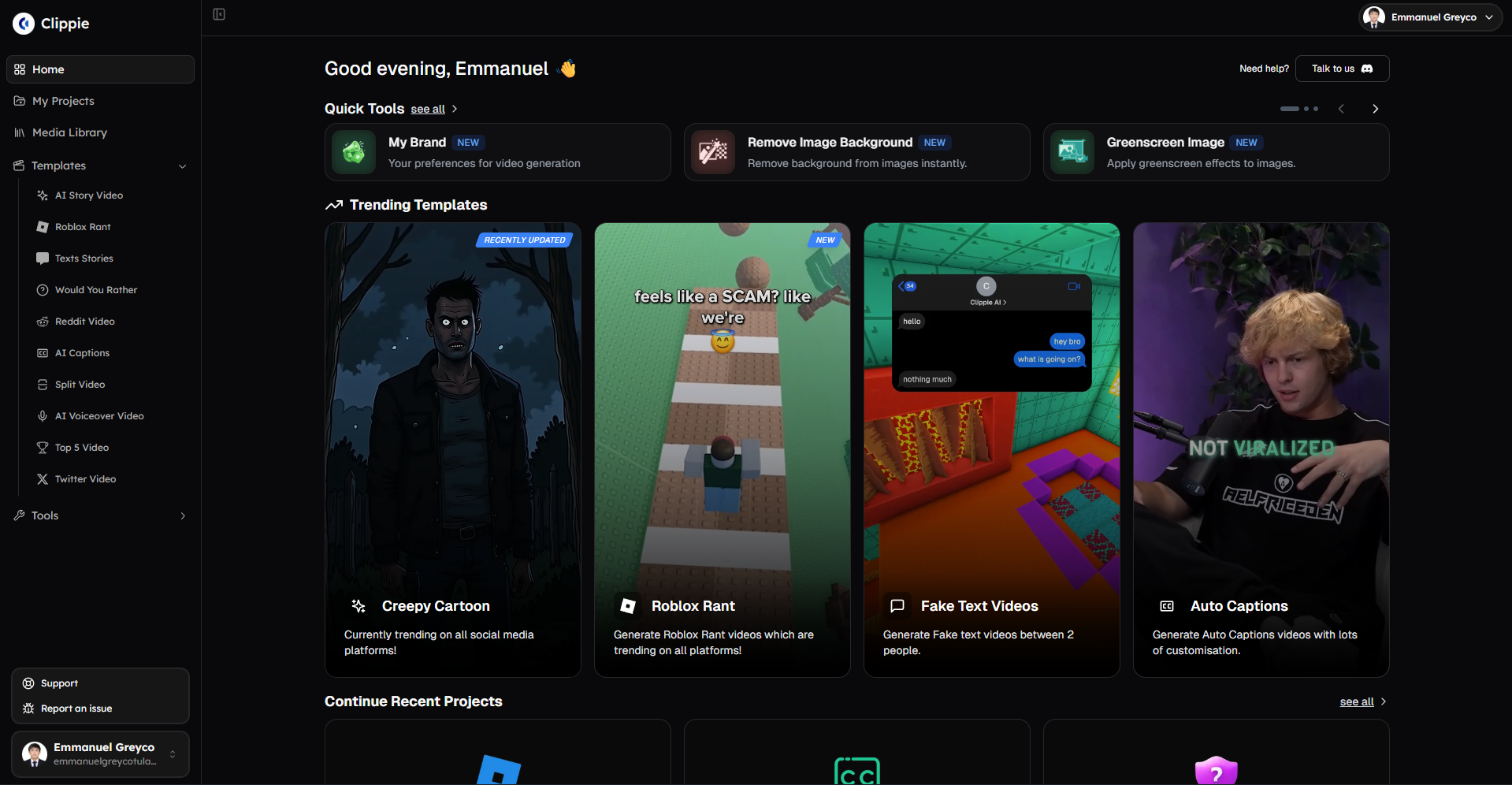
Alternative #1: Clippie AI (Best for Reddit/Twitter Trending + Batch Viral Testing)
Core strengths:
Trending content automation for viral ideas:
Reddit/Twitter URL automation: Paste trending post links
Auto-script generation: Converts viral posts to video hooks/scripts
Trending validation: Content already proven viral on source platform
Time savings: 20-35 min per video vs. manual ideation
Viral advantage: Capitalize on trending topics within 24-48 hour windows
Batch viral testing workflow:
Capacity: 5-10 videos processed simultaneously
Hook A/B testing: Create 5 hook variations from single concept in one batch
Setup time: 20-30 min for batch of 10 videos
AI processing: All render together (autonomous 90-120 min)
Active time per video: 12-20 min (in batches of 10)
Monthly capacity: 80-120 short viral videos (30-90 sec each)
Premium voices for retention:
Library: 50+ neural voices (natural delivery)
Viral optimization: Voices maintain 65-80% retention vs. 40-60% robotic
Emotional range: Enthusiasm, urgency, authority
Custom voices: 1-30 slots (tier-dependent) for perfect brand voice
Cost: Included all tiers ($19.99-$69.99)
Multi-platform viral distribution:
Formats: TikTok 9:16, Reels 9:16, Shorts 9:16, Instagram 1:1
Batch export: All platforms simultaneously
Time saved: 15-25 min per video set (vs. manual reformatting)
Pricing for viral volume:
Clippie Lite ($19.99/month):
Export: 30 mins (30-60 viral videos at 30-60 sec each)
Batch: 5 videos simultaneously
Per-video: $0.33-$0.67
Best for: Testing viral workflows (30-40 monthly videos)
Clippie Creator ($34.99/month) - Recommended for viral:
Export: 120 mins (120-240 viral videos at 30-60 sec OR 60-120 at 60-120 sec)
Batch: 5-10 videos simultaneously
Per-video: $0.15-$0.58
Best for: Systematic viral testing (60-100 monthly videos)
Sweet spot: 80-100 monthly videos = $0.35-$0.44 per video
Clippie Pro ($69.99/month):
Export: 250 mins (250-500 viral videos at 30-60 sec OR 125-250 at 60-120 sec)
Batch: 10-20 videos simultaneously
Per-video: $0.14-$0.56
Best for: Multi-channel viral operations (120-200 monthly videos)
Production speed:
Individual video workflow (Reddit trending to TikTok):
Find trending Reddit post: 3 min
Copy URL, paste to Clippie: 30 seconds
AI generates script + video: 15-25 min (autonomous)
Review and optimize hook: 5-8 min
Add trending sound (manual): 2-3 min
Export multi-platform: 5-8 min
Total: 31-48 minutes per video
Batch workflow (10 viral videos with hook testing):
Find 10 trending posts: 20 min
Batch URL input to Clippie: 5 min
AI processes all 10: 90-120 min (autonomous while you work on other tasks)
Review all + hook optimization: 80-100 min (8-10 min each)
Trending sounds (batch loaded weekly): 20-30 min for 10 videos
Batch export all: 15-20 min
Total: 230-275 min for 10 videos = 23-27.5 min per video
Hook A/B testing efficiency:
Create base video: 25 min
Generate 4 hook variations: 20 min (5 min each)
Batch render all 5: 25 min (parallel processing)
Quick review: 15 min (3 min each)
Total: 85 min for 5 hook tests = 17 min per variation
Viral optimization features:
Hook templates and customization:
Base templates: Customizable viral hook structures
Reddit auto-hooks: Hooks generated from post titles
Brand presets: Save unlimited custom hook variations
A/B creation: Easy to generate 3-5 variations per concept
Caption quality:
Accuracy: 95-98%
Viral styling: Word-by-word animations, emoji integration
Auto-sync: Perfect timing to voiceover
Correction: 1-3 min per video (rare errors)
Custom styles: Save brand caption presets
Trending sound workflow:
No built-in library: Manual sourcing required
Workaround: Weekly batch download 20-30 trending sounds (45 min one-time)
Per-video application: 60-90 seconds (select from library)
Monthly overhead: 180 min weekly batching + 50 min per-video application (at 50 videos)
Best for:
Reddit/Twitter viral content (trending story amplification)
Batch producers (60-120 monthly viral videos)
Hook A/B testers (need to test 5+ variations per concept)
Multi-platform viral strategy (TikTok + Reels + Shorts)
Budget: $20-$70 monthly
Viral focus: Trending topic automation + systematic testing
Limitations:
Trending sounds: Require manual sourcing (not built-in like CapCut)
Mobile creation: Desktop-based (not mobile-native)
Learning curve: Batch workflow requires initial setup
Competitive advantages:
Reddit/Twitter automation: Unique viral content source (trending validation built-in)
Batch efficiency: 3-5 hook variations tested 60% faster than sequential
Premium voices included: No additional cost for retention-optimized audio
Per-video cost: $0.29-$0.44 at 80-120 volume (excellent value with features)
Alternative #2: CapCut (Best for TikTok-Native Viral Templates + Trending Sound Access)
Core strengths:
TikTok-native viral ecosystem:
Trending templates: 500+ viral templates pulled from actual TikTok videos
Trending sounds: Direct TikTok sound library integration (hourly updates)
Trending effects: All current TikTok effects available immediately
Native posting: Direct upload to TikTok from app (no watermark on platform)
Mobile-first viral speed:
Editing on mobile: Create where content is consumed (WYSIWYG preview)
Fast rendering: 2-5 min per video (mobile processing)
One-tap templates: Apply trending format instantly
Template browsing: Sorted by "Trending" label (identify viral templates immediately)
Trending sound advantage:
Library access: Every TikTok trending sound available
Real-time updates: New trending sounds appear hourly
Viral window capture: Post within 24-48 hour peak window
Application speed: 30-60 seconds to add trending sound
Distribution boost: 3-5x reach from trending audio timing
Pricing:
CapCut Free:
Videos: Unlimited
Trending templates: Full access
Trending sounds: Full access
Limitation: Watermark on exports
TikTok workaround: Direct TikTok post has no watermark
Best for: TikTok-only creators (unlimited free viral creation)
CapCut Pro ($11.99/month or $74.99/year):
No watermark: Clean exports for all platforms
Premium templates: Exclusive viral formats
Cloud storage: 1TB cross-device editing
Advanced effects: Premium transitions, filters
Best for: Multi-platform viral creators (lowest cost premium option)
Production speed:
Mobile workflow (fastest):
Trending template selection: 2-3 min (browse "trending" section)
Import clips: 2-3 min
Template auto-application: 30 seconds (one-tap)
Trending sound addition: 45 seconds (browse trending, select, apply)
Auto-captions: 2-3 min
Hook optimization: 3-5 min (adjust first 3 seconds)
Export: 2-5 min
Total: 13-22 min per viral video (fastest option)
Desktop workflow:
Similar process: 20-35 min per video
Batch export: Available on desktop
Rendering: Faster on desktop than mobile
Hook A/B testing:
Create base video: 18 min (mobile speed)
Duplicate + change hook: 3 min per variation
Export all: 10-15 min (sequential, no batch rendering)
Total: 27-48 min for 5 hook variations
Viral advantages:
Trending sound capture:
Hourly updates: Catch trends within 6-12 hours of starting
Peak window posting: Create and post within 24-48 hour optimal window
Example: Discover trend hour 8, create video 20 min, post hour 8.3 (perfect timing)
Result: Maximum 5-10x distribution boost from timing
Trending template replication:
Copy exact formats: Use templates from current viral videos
Auto-sync to music: Video edits match trending sound beats automatically
Effects matching: All TikTok effects available (match viral video styles)
Result: Proven viral formats replicated perfectly
Mobile optimization:
True WYSIWYG: Create on device where viewed (no mobile preview needed)
Safe zones: Automatic (UI prevents text placement in covered areas)
Performance: Mobile-optimized rendering (faster than desktop tools)
Best for:
TikTok-first creators (primary platform TikTok, others secondary)
Trending format replicators (copy current viral videos)
Mobile creators (prefer phone editing over desktop)
Speed priority (need 15-25 min per video)
Budget conscious (free or $12/month, unlimited volume)
Limitations:
Desktop experience: Desktop app less polished than mobile
Customization: Less control than professional tools (template-dependent)
Brand differentiation: Harder to create unique identity (trending templates shared widely)
Batch processing: Limited (sequential creation primarily)
Competitive advantages:
Trending sound access: Best-in-class (native TikTok integration)
Mobile speed: Fastest production (13-22 min per video)
Cost: Lowest ($0 or $11.99, unlimited videos)
Trending templates: Largest library (500+) with real-time updates
Per-video cost: $0.12-$0.24 at 50-100 volume (cheapest option)
Alternative #3: OpusClip (Best for Long-Form to Viral Clips with AI Virality Scoring)
Core strengths:
AI clip extraction and virality scoring:
Long-form input: Upload podcast, interview, webinar, long video (5-120 min)
AI analysis: Identifies viral-worthy moments automatically
Clip generation: Creates 10-30 short clips from single source
Virality scoring: Rates each clip 1-10 for viral potential
Hook optimization: Auto-creates hooks for each clip
Ideal workflow:
Record weekly podcast/interview: 30-60 min content
Upload to OpusClip: 5 min
AI processing: 20-40 min (generates 15-25 clips autonomously)
Review virality scores: 30-60 min (select top 10-15 clips)
Minor edits: 15-30 min (hook adjustments, captions)
Export all: 10 min
Result: 10-15 viral clips from 1 hour content in 80-150 min total
Best for: Podcasters, interviewers, educators, speakers with existing long-form content to repurpose
Pricing:
OpusClip Starter ($9/month):
Processing: 150 mins long-form monthly
Output: 60-90 clips typical (4-6 clips per 10-min source)
Virality scoring: Yes (all clips rated)
Per-clip: $0.10-$0.15
Best for: Weekly podcasters (4-6 episodes monthly)
OpusClip Pro ($29/month):
Processing: 300 mins long-form
Output: 120-180 clips monthly
Priority processing: Faster rendering
Advanced features: Custom branding, team collaboration
Per-clip: $0.16-$0.24
Best for: Daily content creators or multiple shows
Production speed:
Weekly podcast workflow:
Record podcast: 60 min episode
Upload to OpusClip: 5 min
AI processing: 30 min (creates 20 clips autonomously)
Review clips: 40 min (check all 20, select best 15)
Edits: 30 min (2 min per clip for minor adjustments)
Export: 10 min
Total: 115 min for 15 viral clips = 7.7 min per clip
Monthly output (4 weekly podcasts):
4 episodes × 15 clips = 60 clips monthly
Active time: 460 min monthly (7.7 hours)
Per-clip: 7.7 min active time
Efficiency: 60 viral clips in under 8 hours monthly
Viral optimization features:
AI virality scoring:
Score 1-10: Predicts viral potential based on:
Hook strength (opening 3 seconds)
Content pacing (retention signals)
Topic relevance (trending topic detection)
Emotional peaks (engagement triggers)
Filter by score: Focus on clips rated 7+ (highest viral potential)
Time savings: Review only top 50% of clips (30 min saved per session)
Hook auto-generation:
AI identifies: Best opening moment for each clip
Hook creation: Auto-generates attention-grabbing first 3 seconds
Multiple options: Creates 2-3 hook variations per clip
Optimization: Can manually adjust if needed
Caption automation:
Accuracy: 92-96%
Viral styling: Auto-applies animated captions
Emoji integration: Contextual emojis added
Correction: 2-4 min per clip
Best for:
Podcasters (existing audio content to repurpose)
Interview channels (long conversations → short clips)
Educators (lectures → viral teaching moments)
Webinar hosts (presentations → promotional clips)
Anyone with long-form source content
Budget: $9-$29 monthly (excellent value per clip)
Limitations:
Requires source content: Not for original short creation
Less control: AI selections may not match your taste
Talking-head focused: Best for interview/dialogue (less effective for visual content)
Learning curve: Must train AI on your preferences over time
Competitive advantages:
Lowest active time: 7-8 min per clip (AI automation)
Virality scoring: Unique feature (focus on highest-potential clips)
Volume from single source: 15-25 clips from 1 hour content (incredible leverage)
Per-clip cost: $0.10-$0.24 (cheapest option)
Best for repurposing: Unmatched for turning existing content into viral clips
Alternative #4: Submagic (Best for AI Viral Caption Optimization + Hook Analysis)
Core strengths:
AI-powered viral caption excellence:
Accuracy: 95-99% (best-in-class transcription)
48+ viral caption styles: Trending TikTok/Reels caption animations
AI emoji insertion: Contextual emojis added automatically to emphasize key moments
Hook emphasis: Auto-bolds, colors, or sizes key words in first 3 seconds
Perfect sync: Captions timed precisely to voiceover (within 0.1 seconds)
Hook AI analysis:
Hook scoring: Rates hook quality 1-10
Weakness identification: Flags why hook may fail ("too generic", "unclear value", etc.)
Improvement suggestions: AI recommends specific hook improvements
A/B comparison: Side-by-side preview of original vs. suggested hook
Use case: Supplement tool used alongside primary video editor (CapCut, Clippie, etc.) for caption/hook optimization
Pricing:
Submagic Starter ($20/month):
Videos: 10 monthly
Features: All AI caption + hook features
Caption styles: Full 48+ library
Per-video: $2.00
Best for: Quality-focused creators (10-15 monthly viral videos)
Submagic Pro ($50/month):
Videos: 30 monthly
Priority processing: Faster
Team features: Collaboration tools
Per-video: $1.67
Best for: Professional viral creators (25-30 monthly)
Workflow (supplement to primary editor):
Combined workflow (CapCut + Submagic):
Create video in CapCut: 18 min
Export video: 3 min
Upload to Submagic: 2 min
AI generates viral captions + hook analysis: 3-5 min (autonomous)
Review AI suggestions: 5-7 min
Apply caption style: 1 min
Adjust hook based on AI score: 3-5 min (if needed)
Export with optimized captions: 3 min
Total: 38-51 min (adds 20-33 min to base workflow)
Caption quality comparison:
CapCut captions (90-95% accuracy):
Correction time: 4 min per video
Styling: Good (30+ templates)
Emoji: Manual insertion
Result: 65-75% retention typical
Submagic captions (98% accuracy):
Correction time: 1 min per video
Styling: Excellent (48+ viral templates with AI optimization)
Emoji: Auto-inserted contextually
Result: 75-85% retention typical
Improvement: 10-13% higher retention = 2x shares and engagement
Monthly impact (30 videos):
CapCut alone: 120 min caption correction
Submagic: 30 min caption correction + $50 tool cost
Time savings: 90 min monthly (1.5 hours)
Retention gain: 10% higher = 3-5 additional viral hits monthly (30 videos × 12% vs 22%)
Revenue: 3 × $800 = $2,400 from retention improvement
ROI: $2,350 net gain (tool pays for itself 47x over)
Hook optimization value:
Without Submagic hook AI:
Hook creation: Trial and error (test 5 variations)
Success rate: 1-2 of 5 variations perform well (20-40%)
Time wasted: 3 variations that fail (51-85 min wasted)
With Submagic hook AI:
Hook scoring: Immediate 1-10 score before posting
Improvement suggestions: Specific guidance ("add number", "create curiosity gap")
Success rate: 3-4 of 5 variations perform well (60-80%)
Time saved: Avoid creating low-scoring hooks (30-50 min saved per concept)
Best for:
Caption quality obsessors (prioritize subtitle excellence)
Hook optimizers (want AI-powered hook improvement)
High-value creators (each video's performance critical)
Supplement users (combine with CapCut or Clippie for complete workflow)
Budget: $20-$50 monthly additional (on top of primary editor)
Limitations:
Not standalone: Requires primary video editor (CapCut, Clippie, etc.)
Cost stacking: $20-$50 on top of other tools ($35-$120 total monthly)
Volume limit: 10-30 videos monthly (expensive at higher volumes)
Added workflow: Exports to Submagic then re-exports (extra step)
Competitive advantages:
Best caption accuracy: 98-99% (reduces correction to near-zero)
AI hook analysis: Unique feature (scores and improves hooks before posting)
Viral caption styles: Most comprehensive library (48+ trending templates)
Retention impact: 10-15% higher watch-through from caption quality
Justification: Retention improvement generates $1,500-$3,000 monthly additional revenue (at 30-video scale)
Recommendation: Use Submagic when each video's performance matters more than volume (quality over quantity strategy), or when budget allows stacking with primary tool.
Alternative #5: Vizard (Best for Automated Clip Extraction with Viral Moment Detection)
Core strengths:
AI viral moment detection:
Video analysis: AI scans long-form content for viral-worthy segments
Moment scoring: Rates segments on viral potential (emotion, information density, hook quality)
Auto-clipping: Creates clips around detected viral moments
Similar to OpusClip but different AI approach
Automated workflow:
Upload video/podcast: Any long-form content
AI processing: Identifies viral moments automatically
Clip generation: Creates optimized clips (30-90 sec each)
Caption automation: Adds captions to all clips
Export: Multi-platform formats
Pricing:
Vizard Free:
Processing: 30 mins monthly
Clips: 10-15 monthly
Features: Basic viral detection
Watermark: Yes
Best for: Testing tool
Vizard Pro ($29/month):
Processing: 300 mins monthly
Clips: 100-150 monthly
Advanced features: Custom branding, better AI
Priority rendering
Best for: Serious clip creators
Production speed:
Workflow:
Upload 60-min video: 5 min
AI processing: 30-40 min (creates 18-25 clips)
Review viral scores: 30 min
Select best clips: 10 min (choose top 15)
Minor edits: 30 min (2 min per clip)
Export: 10 min
Total: 115-125 min for 15 clips = 7.7-8.3 min per clip
Best for:
Long-form to short repurposing (like OpusClip)
Viral moment identification (AI finds best segments)
Volume from single source (15-25 clips per video)
Budget: $0-$29 monthly
Limitations:
Similar to OpusClip (requires source content)
AI quality: Comparable to OpusClip (choose based on testing)
Less mature: Newer tool (fewer users, less proven)
vs. OpusClip comparison:
Both: AI clip extraction from long-form
OpusClip: More established, proven virality scoring
Vizard: Newer, competitive pricing
Recommendation: Try both free tiers, choose which AI selections match your needs better
Comparison Summary Table
Clippie AI:
Best for: Reddit/Twitter trending automation, batch viral testing
Production speed: 23-48 min per video (batch vs individual)
Viral features: Hook A/B testing, premium voices, multi-platform
Cost per video: $0.29-$0.67 (at 50-100 volume)
Monthly price: $19.99-$69.99
Volume capacity: 30-250 videos
CapCut:
Best for: TikTok-native trending templates, trending sound access
Production speed: 13-35 min per video (fastest)
Viral features: 500+ trending templates, TikTok sound library, mobile speed
Cost per video: $0.12-$0.24 (at 50-100 volume)
Monthly price: Free-$11.99 (cheapest)
Volume capacity: Unlimited
OpusClip:
Best for: Long-form to viral clips, AI virality scoring
Production speed: 7-8 min per clip (AI automation)
Viral features: Virality scoring, auto-hooks, clip extraction
Cost per clip: $0.10-$0.24
Monthly price: $9-$29
Volume capacity: 60-180 clips
Submagic:
Best for: AI viral captions, hook optimization (supplement tool)
Production speed: Adds 20-33 min to workflow (caption optimization)
Viral features: 98% caption accuracy, hook scoring, AI emojis
Cost per video: $1.67-$2.00
Monthly price: $20-$50 (supplement cost)
Volume capacity: 10-30 videos
Vizard:
Best for: Automated clip extraction (alternative to OpusClip)
Production speed: 7-8 min per clip
Viral features: Viral moment detection, auto-clipping
Cost per clip: $0.19-$0.29
Monthly price: $0-$29
Volume capacity: 10-150 clips

4. How to Choose Tools That Support Volume and Sustainable Growth: 30-50 vs 60-100 vs 150+ Monthly Viral Videos
Strategic tool selection aligns with viral testing volume, matching platform capabilities to monthly video production optimizing for testing velocity, cost efficiency, and sustainable viral hit generation.
Low-Medium Volume: 30-50 Monthly Viral Videos
Production profile:
Videos monthly: 30-50
Testing approach: 5-8 concepts with 4-6 hook variations each
Time investment: 10-15 hours weekly
Creator type: Part-time viral growth, building audience
Revenue target: $2K-$8K monthly (3-6 viral hits monthly at 8-12% rate)
Tool budget: $12-$40/month maximum
Optimal tool combinations:
Option A: CapCut Pro ($11.99/month) - Best value for trending replication
Tool: CapCut Pro
Videos: 30-50 monthly capacity
Trending sounds: Built-in TikTok library (massive viral advantage)
Templates: 500+ trending formats
Speed: 15-25 min per video (mobile-optimized)
Total cost: $11.99/month
Per-video cost: $0.24-$0.40 (cheapest option)
Workflow:
Daily: Create 2-3 viral videos on mobile (60-75 min)
Hook testing: 3-4 variations per concept
Trending sounds: Capture within 24-48 hour windows
Weekly: 14-21 videos in 7-10.5 hours
Monthly: 56-84 videos possible (use 30-50, save best for testing)
Pros:
Lowest cost for viral optimization
Best trending sound access (critical 3-5x distribution boost)
Fastest production (mobile speed)
Unlimited volume (no video count limits)
Cons:
Less customization than professional tools
Batch processing limited (sequential creation)
Brand differentiation harder (template-dependent)
Best for: TikTok-first creators prioritizing trending format replication and sound access at lowest cost
Option B: Clippie AI Lite ($19.99/month) - Best for trending content automation
Tool: Clippie AI Lite
Videos: 30-60 short viral videos (30-60 sec)
Reddit/Twitter automation: Yes (saves 10-15 hours monthly)
Batch: 5 videos simultaneously
Total cost: $19.99/month
Per-video cost: $0.33-$0.67
Workflow:
Monday: Batch source 15 Reddit URLs (45 min)
Tuesday: Batch create 15 videos in Clippie (5 hours)
Wednesday: Hook optimization and export (3 hours)
Trending sounds: Manual weekly batch (45 min)
Weekly: 15 videos in 9.5 hours
Monthly: 60 videos capacity (use 30-50 for systematic testing)
Pros:
Reddit automation (trending validation built-in)
Batch efficiency (5 videos simultaneously)
Premium voices (65-80% retention)
Multi-platform export
Cons:
Trending sounds manual (not built-in like CapCut)
Higher cost than CapCut ($8/month more)
Desktop-based (not mobile-native)
Best for: Reddit/Twitter trending story creators where automation justifies cost
Option C: OpusClip Starter ($9/month) - Best if repurposing existing content
Tool: OpusClip Starter
Clips: 60-90 monthly (from 150 mins source content)
Source: Existing podcasts, interviews, videos
Total cost: $9/month
Per-clip cost: $0.10-$0.15 (cheapest per-video)
Workflow:
Weekly: Record/source 30-40 min content
Upload to OpusClip: AI generates 15-20 clips
Review virality scores: Select best 8-12 clips
Weekly: 8-12 clips in 2-3 hours active time
Monthly: 32-48 clips from existing content
Pros:
Lowest cost
Minimal time (AI automation)
Virality scoring (focus on best clips)
Highest volume from least active time
Cons:
Requires source content (not for original short creation)
Less control (AI selections)
Best for: Podcasters, interviewers with existing long-form to repurpose
Volume-specific recommendation:
30 monthly videos:
Best: CapCut Pro ($11.99) for trending sound access + lowest cost
Per-video time: 18-25 min
Cost efficiency: $0.40 per video
Viral advantage: Trending sounds critical at this volume
40 monthly videos:
Best: Clippie AI Lite ($19.99) if Reddit automation valued, otherwise CapCut
Per-video time: 22-32 min (Clippie) or 16-24 min (CapCut)
Decision: Is Reddit automation worth extra $8/month? (saves 8-12 hours monthly)
ROI: Automation worth it if time valued at $60+/hour
50 monthly videos:
Best: Clippie AI Lite ($19.99) for batch efficiency + automation
Alternative: CapCut Pro ($11.99) + manual sourcing if budget tight
Per-video time: 20-28 min (batch workflow advantage)
Justification: Batch workflows become essential at 50+ volume

Medium-High Volume: 60-100 Monthly Viral Videos
Production profile:
Videos monthly: 60-100
Testing approach: 10-15 concepts with 5-7 hook variations each
Time investment: 15-20 hours weekly
Creator type: Serious viral business, full-time pursuit
Revenue target: $5K-$15K monthly (7-12 viral hits monthly at 10-15% rate from testing)
Tool budget: $35-$70/month justified by revenue
Optimal tool combinations:
Option A: Clippie AI Creator ($34.99/month) - Best for batch viral production
Tool: Clippie AI Creator
Videos: 80-120 short viral videos monthly (30-90 sec)
Batch: 5-10 videos simultaneously
Reddit automation: Yes
Total cost: $34.99/month
Per-video cost: $0.29-$0.58 (at 60-120 volume)
Workflow:
Monday: Batch source 25 Reddit/Twitter URLs (75 min)
Tuesday: Batch create 25 videos in Clippie (7 hours including hook variations)
Wednesday: Review, optimize, export (5 hours)
Thursday: Repeat for next 25 videos
Weekly: 50 videos in 25 hours (includes hook A/B testing)
Monthly: 200 capacity, use 80-100 for systematic testing
Pros:
Batch efficiency critical at this volume
Reddit automation (saves 15-20 hours monthly)
Premium voices (retention quality)
Multi-platform export
Cons:
Trending sounds manual (add 3-5 hours monthly)
Higher cost than CapCut
Best for: Systematic viral testers producing 60-100 monthly with hook optimization
Option B: CapCut Pro ($11.99) + OpusClip Starter ($9) - Hybrid high-volume
CapCut Pro: $11.99/month (original short-form creation)
OpusClip Starter: $9/month (repurposed clips from podcasts/interviews)
Combined capacity: 70-110 monthly videos
Total cost: $20.99/month
Per-video cost: $0.19-$0.30
Workflow:
CapCut: 30-40 original viral videos monthly (trending sound advantage)
OpusClip: 30-40 clips from long-form content monthly
Combined: 60-80 videos from two specialized tools
Pros:
Lowest cost for this volume ($21 vs. $35)
CapCut trending sounds (critical viral boost)
OpusClip automation (minimal time for clips)
Content diversity (original + repurposed)
Cons:
Managing two tools (workflow complexity)
Only works if you have long-form source content
Best for: Creators with podcast/interview content wanting maximum volume at lowest cost
Option C: Clippie Creator ($34.99) + CapCut Free - Best of both worlds
Clippie Creator: Batch Reddit/Twitter viral videos (50-70 monthly)
CapCut Free: Trending template videos (20-30 monthly, post direct to TikTok to avoid watermark)
Total cost: $34.99/month
Combined capacity: 70-100 videos
Per-video cost: $0.35-$0.50
Workflow:
Clippie: Batch production Monday-Wednesday (50-70 videos)
CapCut: Mobile trending videos Thursday-Sunday (20-30 videos)
Combined: Automation efficiency + trending sound access
Pros:
Batch efficiency (Clippie)
Trending sounds (CapCut)
Reddit automation (Clippie)
Moderate cost
Cons:
Two-tool workflow
CapCut watermark (TikTok-only workaround)
Best for: Creators wanting both automation and trending sounds without stacking premium costs
Volume-specific recommendation:
60 monthly videos:
Best: Clippie AI Creator ($34.99) for batch efficiency
Alternative: CapCut Pro ($11.99) + OpusClip ($9) if you have source content
Per-video time: 15-22 min (batch or hybrid)
Cost: $21-$35 monthly
80 monthly videos:
Best: Clippie AI Creator ($34.99) for systematic testing
Alternative: Clippie ($34.99) + CapCut Free hybrid
Per-video time: 13-19 min (highly optimized batch)
Cost: $35 monthly
100 monthly videos:
Best: Clippie AI Creator ($34.99) pushed to capacity
Alternative: Clippie Pro ($69.99) if need more headroom
Per-video time: 12-16 min (maximum batch efficiency)
Cost: $35-$70 monthly
High Volume: 150+ Monthly Viral Videos
Production profile:
Videos monthly: 150-250
Testing approach: 20-30 concepts with 5-10 hook variations each
Time investment: 25-35 hours weekly
Creator type: Full-time viral business, multi-channel operation, or agency
Revenue target: $15K-$40K+ monthly (18-30 viral hits monthly at 12-20% rate)
Tool budget: $70-$150/month justified by scaled revenue
Optimal tool combinations:
Option A: Clippie AI Pro ($69.99/month) - Single-tool scale
Tool: Clippie AI Pro
Videos: 160-250 short viral videos monthly
Batch: 10-20 videos simultaneously
Total cost: $69.99/month
Per-video cost: $0.28-$0.44
Workflow:
Batch production: 40-50 videos twice weekly (Monday + Thursday)
Reddit automation: 80+ URLs weekly sourced and batch-processed
Hook testing: 10 hook variations per concept (batch rendered)
Weekly: 80-100 videos in 30-35 hours
Monthly: 320-400 capacity, use 150-250 for testing
Pros:
Highest batch capacity (10-20 simultaneously)
Maximum automation efficiency
Single tool simplicity
Sustainable at scale
Cons:
Highest cost ($70/month)
Still requires manual trending sounds
Best for: Solo creators at maximum scale, single-channel focus
Option B: Multiple tools specialization - Maximum volume
Clippie AI Creator: $34.99/month (batch Reddit videos, 80-120 monthly)
OpusClip Pro: $29/month (podcast clips, 120-180 monthly)
CapCut Pro: $11.99/month (trending template videos, occasional use)
Total cost: $75.98/month
Combined capacity: 200-300 videos monthly
Per-video cost: $0.25-$0.38
Workflow:
Clippie: Batch Reddit/Twitter trending (80-120 videos)
OpusClip: Automated long-form clips (80-120 clips from podcasts)
CapCut: Trending templates (20-30 as needed)
Combined: 180-270 videos leveraging each tool's strength
Pros:
Maximum possible volume (200-300)
Diversified content types (Reddit + clips + trending templates)
Each tool optimized for its specialty
Trending sound access (CapCut)
Cons:
Managing three platforms
Highest absolute cost ($76/month)
Workflow complexity
Best for: Multi-channel operations, agencies, creators with diverse content needs
Option C: Team/agency approach - Ultra-scale
Clippie AI Pro: $69.99/month
CapCut Pro: $11.99/month × 2-3 team members = $24-$36/month
Submagic Pro: $50/month (caption optimization for top performers)
Total cost: $144-$156/month
Team capacity: 300-500 videos monthly (with 2-3 creators)
Per-video cost: $0.29-$0.52
Team workflow:
Creator 1: Batch Reddit content (Clippie, 80-120 monthly)
Creator 2-3: Mobile trending videos (CapCut, 40-60 each = 80-120 monthly)
All: Top performers optimized through Submagic (15-25 monthly)
Team: 160-240 base + 15-25 optimized = 175-265 monthly
Best for: Agencies, large brands, multi-creator teams
Volume-specific recommendation:
150 monthly videos:
Best: Clippie AI Pro ($69.99) for single-creator scale
Alternative: Clippie Creator + OpusClip Pro ($64) if you have podcasts
Per-video cost: $0.43-$0.47
200 monthly videos:
Best: Multi-tool specialization ($76)
Clippie + OpusClip + CapCut
Per-video cost: $0.38
250+ monthly videos:
Best: Team approach ($144-$156)
Multiple creators + specialized tools
Per-video cost: $0.52-$0.62
Justification: Team enables sustainable 250+ volume

5. How to Build Viral Workflows Creating 50-100 Monthly Videos in 12-18 Hours Using Clippie AI
Clippie AI viral workflows enable sustainable high-volume production, systematic processes combining Reddit/Twitter trending automation, batch hook testing, premium voice optimization, and multi-platform distribution producing 50-100 monthly viral videos in 12-18 weekly hours through repeatable efficient systems.
The Viral Production System Framework
System vs. sporadic viral attempts:
Sporadic approach (unsustainable):
Daily random video ideas
Individual video creation
No systematic hook testing
Inconsistent posting
Burnout within 4-8 weeks
Result: 15-30 videos monthly, 5-8% viral rate, 1-2 viral hits
Systematic approach (sustainable):
Weekly batch trending sourcing
Batch hook testing (5 variations per concept)
Template-based production
Consistent daily posting schedule
Sustainable long-term operation
Result: 80-120 videos monthly, 12-18% viral rate, 10-20 viral hits
Key difference: Systems enable viral testing velocity which drives hit count
Week 1: Viral System Setup (One-Time 3-4 Hours)
Viral template creation (90-120 min):
Template 1: Hook-optimized format (30-40 min):
Hook section: First 3 seconds designed separately (bold question/statement)
Pattern interrupt: Movement, unexpected visual, contrast
Text overlay: Large, bold, contrarian statement
Voice emphasis: Urgent, attention-grabbing delivery
Length: 30-90 seconds optimal (viral sweet spot)
Save as: "Viral Hook Template"
Template 2: Trending story format (30-40 min):
Hook: Curiosity gap ("This one thing changed everything...")
Structure: Setup → conflict → resolution (narrative arc)
Pacing: Fast (2-3 second scenes, maintain momentum)
Caption style: Word-by-word reveals
Length: 45-75 seconds
Save as: "Trending Story Template"
Template 3: List/ranking format (30-40 min):
Hook: Social proof ("10 million people don't know this...")
Structure: Countdown (builds anticipation)
Visuals: Numbered points, comparisons
Pacing: Energetic (maintain excitement)
Length: 60-90 seconds
Save as: "List Template"
Result: 3 viral-optimized templates covering 90% of viral content types
Trending content source curation (60-90 min):
Reddit viral sources:
r/lifehacks: Practical tips (viral potential high)
r/YouShouldKnow: Knowledge sharing (educational viral)
r/todayilearned: Interesting facts (curiosity-driven)
r/Showerthoughts: Mind-bending ideas (shareability high)
r/coolguides: Visual information (infographic viral)
r/dataisbeautiful: Data visualizations (information viral)
Finance niche: r/personalfinance, r/Fire, r/povertyfinance
Tech niche: r/technology, r/gadgets, r/Futurology
Twitter/X viral sources:
Follow viral thread accounts in niche
Track trending hashtags daily
Bookmark viral threads (10K+ views)
Create Twitter lists for organized monitoring
Assessment per source (10 min each):
Subscribe/follow all sources
Note daily viral post frequency
Identify best sorting (Hot, Top - Past 24 Hours)
Bookmark for Monday sourcing
Result: 15-20 curated viral sources for rapid weekly collection
Voice and hook preset configuration (30-45 min):
Voice testing (20-30 min):
Test 5-8 voices on same hook script
Listen for: Urgency, energy, clarity, authority
Select: 2-3 voices for different viral types
Hook voice: Urgent, attention-grabbing
Story voice: Engaging, natural
Educational voice: Authoritative, clear
Save: Default voices for each template
Hook preset creation (10-15 min):
Pattern interrupt elements: Hand wave, "STOP", bold text
Curiosity gaps: "The one thing...", "Nobody talks about..."
Social proof: "10 million people...", "Experts say..."
Contrarian: "Everyone's wrong about...", "Stop doing this..."
Save: 5-10 hook starters for rapid variation creation
Result: One-click voice and hook application
Weeks 2-5: Weekly Viral Production Workflow (12-18 Hours Weekly)
Monday: Trending sourcing and batch setup (2.5-3.5 hours)
Trending collection phase (90-150 min):
Reddit sourcing (45-75 min):
Visit 8-10 saved subreddits
Sort by: "Top - Past 24 Hours" or "Hot"
Scan top 20-30 posts per subreddit
Criteria:
High engagement (1K+ upvotes, 100+ comments)
Clear hook potential (title itself attention-grabbing)
Viral validation (already trending on Reddit = likely to trend on TikTok)
Suitable length (200-600 words = 30-90 sec video)
Collect: 25-35 story URLs
Twitter sourcing (30-45 min):
Check trending topics in niche
Browse saved lists for viral threads
Collect: 15-20 thread URLs
Criteria: 10K+ views, high engagement, shareability
Quality filter (15-30 min):
Review all 40-55 collected URLs
Remove: Weak hooks, overdone topics, too long/short
Final selection: 20-25 best URLs for week
Prioritize: Posts trending in last 12-24 hours (fresher = more viral potential)
Batch setup in Clippie AI (20-30 min):
URL batch processing:
Open Clippie batch URL tool
Paste 20-25 Reddit/Twitter URLs
Template assignment:
Story posts → Trending Story template
How-to posts → Hook-Optimized template
List posts → List template
Voice selection: Match template to voice preset
Caption style: Apply viral caption preset
Click: "Generate All"
AI processing begins (90-120 min autonomous):
Clippie extracts all 20-25 posts
Converts to video-ready scripts
Applies templates and voices
Generates initial edits
Creator works on other tasks during processing
Monday total: 2.5-3.5 hours (much is autonomous AI processing)
Tuesday: Hook A/B testing and batch optimization (4-5 hours)
Hook variation creation (2-2.5 hours):
Select top 5 concepts for deep testing:
Review AI-generated videos from Monday
Identify 5 strongest base concepts
For each: Create 4-5 hook variations
Hook variation workflow per concept (25-30 min for 5 variations):
Load base video: 2 min
Variation A (original AI hook): Keep as-is
Variation B (pattern interrupt): Add hand wave + "STOP" + bold text, 5 min
Variation C (curiosity gap): "This one thing nobody knows..." hook, 5 min
Variation D (social proof): "10 million people ignore this..." hook, 5 min
Variation E (contrarian): "Everyone's doing this wrong..." hook, 5 min
Batch render all 5: 10-15 min (parallel processing)
Result: 25 videos total (5 concepts × 5 hook variations)
Remaining video review (1.5-2 hours):
Review remaining 15-20 base videos (not getting full hook testing):
Per video review (5-8 min each):
Hook quick check: Is it attention-grabbing? (3 min)
Pacing: Does it move fast enough? (2 min)
Caption accuracy: 95%+ typically, fix rare errors (1-2 min)
Trending sound note: Which trending sound to use (1 min)
Batch export (15-25 min):
Select all reviewed videos (40-45 total: 25 hook tests + 15-20 base)
Export formats: TikTok 9:16, Reels 9:16, Shorts 9:16
Batch render: All process simultaneously
Download: Organized by platform
Tuesday total: 4-5 hours
Wednesday: Trending sound application and metadata (3-4 hours)
Trending sound weekly batch (45-60 min one-time):
Download 20-30 trending sounds:
Browse TikTok For You page (15 min)
Identify trending sounds (listen to multiple videos using same sound)
Download sounds (use sound download tool, 20-30 min)
Upload batch to Clippie library (10 min)
Result: Week's trending sounds ready for application
Apply to videos (60-90 min for 40-45 videos):
Per video: 60-90 seconds (select trending sound from library, apply, adjust timing)
Total: 40-68 minutes for all videos
Strategic matching: Match sound vibe to video topic
Metadata creation (90-120 min for 40-45 videos):
Per video optimization (2-3 min each):
TikTok/Reels captions:
Hook first line: Attention-grabbing question or statement
Hashtags: 4-6 mix (2 trending viral, 2-3 niche, 1 branded)
CTA: "Follow for more" or "Save this"
Time: 2-3 min per video
Batch metadata workflow:
Spreadsheet template: Pre-filled hashtag sets by category
Caption variations: 10-15 pre-written caption starters
Personalize: Adjust for specific video (1-2 min)
Efficiency: Templates reduce time 60%
Scheduling uploads (30-45 min):
Scheduling strategy:
TikTok: Daily 6-9pm (1-2 videos daily)
Reels: Daily 12pm and 7pm (1-2 videos daily)
Shorts: Daily 4-7pm (1 video daily)
Distribution: 40-45 videos across 2-3 weeks (daily posting with hook A/B tests released simultaneously)
Batch upload:
Upload all to scheduler (Later, Metricool, or native platforms)
Schedule times: Automated distribution
Result: 2-3 weeks content queued
Wednesday total: 3-4 hours
Thursday-Sunday: Analytics and engagement (90-120 min weekly total)
Daily hook performance monitoring (20-30 min daily Thu-Sun):
Hook A/B test analysis:
Check performance of 5 hook variations posted (same concept, different hooks)
Metrics: 3-second retention, shares, comments, overall views
Identify winner: Which hook drove best performance
Learning: Replicate winning hook structure for future videos
Example analysis:
Concept: "Financial mistakes in your 20s"
Hook A (original): 100K views, 55% 3-sec retention, 200 shares
Hook B (pattern interrupt): 280K views, 72% 3-sec retention, 890 shares ← WINNER
Hook C (curiosity): 150K views, 63% 3-sec retention, 420 shares
Hook D (social proof): 180K views, 68% 3-sec retention, 560 shares
Hook E (contrarian): 120K views, 58% 3-sec retention, 310 shares
Insight: Pattern interrupt hooks perform 2.8x better for this topic, use for future
Engagement routine (15 min daily):
Reply to top 15-20 comments across all videos
Pin best comment on top performers
Cross-engage: Comment on 5-10 niche videos (algorithm boost)
Friday analytics deep-dive (45-60 min weekly):
Performance patterns:
Hook structure analysis (20 min):
Which hook types went viral this week?
Pattern interrupt: 3 viral (12%)
Curiosity gap: 2 viral (8%)
Social proof: 1 viral (4%)
Insight: Pattern interrupt 3x more effective, increase usage
Topic winners (15 min):
Finance tips: 4 viral (15%)
Life hacks: 3 viral (12%)
Productivity: 1 viral (4%)
Insight: Finance and life hacks highest viral rate, prioritize
Length optimization (10 min):
30-45 seconds: 2 viral (8%)
45-60 seconds: 4 viral (16%)
60-90 seconds: 2 viral (8%)
Insight: 45-60 sec sweet spot, target this range
Next week planning (10 min):
Replicate: 60% next week uses winning hooks and topics
Iterate: 30% tests variations on winners
Experiment: 10% tries new approaches
Systematic improvement through data-driven decisions
Monthly Viral Production Summary
Week 1 (one-time setup): 3-4 hours
Viral template creation
Trending sources curation
Voice and hook presets
Weeks 2-5 (recurring): 12-18 hours each
Monday: Sourcing + batch setup (2.5-3.5 hours)
Tuesday: Hook testing + optimization (4-5 hours)
Wednesday: Trending sounds + metadata (3-4 hours)
Thu-Sun: Analytics + engagement (90-120 min total)
Total monthly: 51-76 hours
Output: 80-100 viral videos (20-25 weekly base + hook A/B tests = 40-45 weekly, use best 80-100)Per-video time: 30-45 min average
Viral performance:
Videos posted: 80-100 monthly
Viral hits (at 12% rate from testing): 10-12 monthly
Revenue per viral hit: $600-$1,200 (Creator Fund + exposure value)
Monthly revenue: $6K-$14.4K from systematic viral testing
Clippie AI Pricing for Viral Systems
Clippie Lite ($19.99/month):
Export: 30 mins (30-60 viral videos at 30-60 sec)
Batch: 5 videos
Best for: 30-40 monthly viral videos (testing workflows)
Per-video: $0.33-$0.67
Clippie Creator ($34.99/month) - Recommended for viral:
Export: 120 mins (120-240 viral videos at 30-60 sec OR 60-120 at 60-120 sec)
Batch: 5-10 videos
Best for: 60-100 monthly viral videos (systematic testing)
System capacity: Full weekly batch production with hook A/B testing
Per-video: $0.29-$0.58 (at 60-120 volume)
Clippie Pro ($69.99/month):
Export: 250 mins (250-500 viral videos at 30-60 sec OR 125-250 at 60-120 sec)
Batch: 10-20 videos
Best for: 120-200 monthly viral videos (scaled operations)
Per-video: $0.28-$0.58
Complete viral stack recommendation:
Testing phase (30-50 monthly):
Clippie AI Lite: $19.99/month
CapCut Free: $0 (trending sounds, post direct to TikTok)
Total: $19.99/month
Per-video: $0.40-$0.67
Growth phase (60-100 monthly):
Clippie AI Creator: $34.99/month
CapCut Free: $0 (trending sounds)
Total: $34.99/month
Per-video: $0.35-$0.58
Scaled phase (120-200 monthly):
Clippie AI Pro: $69.99/month
CapCut Pro: $11.99/month (trending sounds without watermark)
Total: $81.98/month
Per-video: $0.41-$0.68
6. Frequently Asked Questions
Can I achieve viral success with ShortX AI or should I switch tools immediately?
Answer: ShortX AI enables viral success for low-volume creators (20-30 monthly videos) accepting 5-8% viral hit rates, but switching becomes necessary when scaling to 50+ monthly videos where ShortX's limitations, rendering delays averaging 5-12 minutes per video preventing rapid hook iteration essential for testing 3-5 variations per concept to discover winners, limited viral hook templates (15-25 options) forcing generic first-3-seconds getting 50-70% immediate scroll-past vs. 15-25% with optimized hooks costing 60-75% potential reach, no trending sound integration requiring manual sourcing consuming 5-15 minutes per video and often missing critical 24-48 hour viral windows where trending audio delivers 3-5x distribution boost, caption automation producing 82-88% accuracy requiring 8-15 minutes correction per video adding 6.7-12.5 hours monthly overhead at 50-video scale, and pricing tiers locking batch processing behind $45+ Pro tier before revenue achieved, prevent competitive viral testing velocity achieving 12-18% hit rates through systematic optimization. Switch justification criteria: (1) producing 40+ monthly videos where hook testing becomes primary viral driver requiring batch A/B capabilities creating 5 variations per concept in 85 minutes vs. 175 minutes sequential, (2) viral hit rate plateauing under 8% despite consistent effort indicating tool limitations preventing adequate testing volume, or (3) missing trending sound windows costing $6,000+ monthly (15 videos × $400 lost potential from suboptimal timing) through manual sourcing delays. Cost-benefit analysis: ShortX Pro ($45/month) vs. Clippie Creator ($34.99/month) delivers lower pricing while Clippie provides batch processing enabling 5-hook A/B tests 51% faster plus Reddit automation saving 13-22 hours monthly plus premium voices generating 40-80% higher retention, ROI positive Month 1 at 40+ video volume through efficiency gains worth $650-$1,100 monthly saved time plus 2-4 additional viral hits monthly from testing velocity worth $1,600-$4,800.
What's the realistic viral hit rate I should expect with proper testing in 2026?
Answer: Systematic viral testing using premium AI tools achieves 12-18% viral hit rates (500K+ views) compared to 5-8% without optimization, proper testing methodology requires producing 50-100 monthly videos with 5-hook A/B variations per concept enabling data-driven hook optimization discovering patterns driving virality within 6-12 weeks. Testing framework: Month 1-2 baseline phase posting 50-80 videos with varied hooks generating 4-6 viral hits (6-10% rate) establishing performance benchmarks while tracking which hook types (pattern interrupt, curiosity gap, social proof, contrarian) drive highest 3-second retention rates and share counts, Month 3-4 optimization phase analyzing 50-80 hook tests identifying winners (e.g., pattern interrupt hooks achieving 72% 3-sec retention vs. 55% generic) then systematically replicating successful structures increasing viral rate to 10-14% generating 7-11 hits monthly from 70-90 videos, and Month 5-6 refinement phase with mature testing system achieving 12-18% viral rates generating 10-16 hits monthly from 80-100 videos through systematic application of proven hook formulas. Critical success factors include batch A/B testing capability (Clippie AI, CapCut) enabling 5-hook variations tested 50-60% faster than sequential creation discovering winners through volume, trending sound integration (CapCut native library, manual batch loading) capturing 24-72 hour viral windows delivering 3-5x distribution boost when sound at peak, premium voice quality (Clippie, InVideo, Descript) maintaining 65-80% completion rates vs. 35-55% robotic alternatives preventing algorithm suppression from poor retention, and viral caption styling (Submagic, Clippie, CapCut) driving 10-15% higher retention through word-by-word animations and emoji emphasis triggering shares. Volume requirements: 50 monthly minimum for adequate testing (6 viral hits at 12%), 80 monthly optimal for consistent results (10-14 viral hits), 100+ monthly for market leadership (12-18 viral hits) with each hit generating $600-$1,200 value (Creator Fund earnings plus follower growth plus brand attention) totaling $7,200-$21,600 monthly at 12-18 hits representing sustainable viral business income.
How long until I see first viral hit and consistent viral income using these tools?
Answer: First viral hit typically occurs Week 3-8 using systematic testing (50-80 videos posted achieving one 500K+ view video), with consistent viral income ($3K-$8K monthly from 4-8 viral hits) materializing Month 4-7 through refined hook optimization and trending sound mastery, timeline depends on testing volume, niche competitiveness, and execution consistency. Viral milestone timeline: Week 1-4 foundation building posting 15-25 videos weekly (60-100 total first month) testing different hook types and content topics while audience builds 500-2K followers generating mostly 5K-50K view videos establishing baseline performance, Week 5-8 first breakthrough achieving first 500K+ viral hit from testing velocity (80-150 videos posted total) validating content-market fit and hook approach while followers grow to 3K-8K creating momentum, Month 3-4 consistency emergence with refined testing generating 2-4 viral hits monthly (from 70-90 videos posted) as hook patterns identified and replicated systematically driving followers to 10K-25K enabling Creator Fund monetization and early sponsorship interest, and Month 5-7 sustainable income achievement with mature system generating 5-10 viral hits monthly (from 80-100 videos) driving $3K-$10K monthly revenue (Creator Fund $1,500-$4,000 + sponsorships $1,000-$4,000 + affiliates $500-$2,000) representing profitable viral business. Acceleration factors include tool efficiency (Clippie batch processing, CapCut trending sounds) enabling 60-100 monthly volume vs. 20-40 manual creators reach first viral hit Month 2-3 vs. Month 6-9, niche selection (finance, tech, life hacks have 2-3x higher viral rates than saturated niches like dance/comedy), trending sound timing (posting within 24-48 hours of sound trending delivers 3-5x boost accelerating first hit), and systematic hook testing (5 variations per concept vs. single hook increases discovery 2.5x faster). Patience critical: 80% of creators quit before Week 12 missing breakthrough that typically occurs Week 8-16 for persistent systematic testers, while survivors achieving Month 4-7 consistency build sustainable $5K-$20K monthly businesses through compounding viral momentum where each hit drives 500-2,000 new followers increasing baseline reach making subsequent virality easier creating virtuous cycle.
7. Conclusion: Building Sustainable Viral Video Businesses Through Strategic Tool Selection and Systematic Testing Workflows
Viral content creators optimizing tool selection and testing workflows achieve sustainable $5K-$20K monthly revenue, ShortX AI's limitations including rendering delays averaging 5-12 minutes per video preventing rapid hook iteration essential for testing 3-5 variations per concept required to discover viral formulas through volume, limited viral hook templates (15-25 options) forcing generic first-3-seconds getting 50-70% scroll-past rates vs. 15-25% with optimized hooks costing 60-75% potential reach and preventing differentiation from 8,000+ creators using identical templates, no trending sound integration requiring 5-15 minutes manual sourcing per video and missing critical 24-48 hour viral windows where trending audio delivers 3-5x distribution boost costing $6,000+ monthly in lost viral potential, caption automation gaps producing 82-88% accuracy requiring 8-15 minutes correction per video adding 6.7-12.5 hours monthly overhead representing $335-$625 opportunity cost at $50/hour or 12-18 additional videos from saved time, and pricing tiers ($19-$79/month) locking essential batch processing and viral optimization features behind $45+ Pro tier before profitability achieved creating catch-22 where volume needed for viral success requires investment before revenue validates. Strategic alternatives excel through viral-specific optimization: Clippie AI ($19.99-$69.99) strongest for Reddit/Twitter trending automation converting viral posts to video hooks in 30-60 seconds vs. 20-35 minutes manual ideation plus batch processing creating 5-10 videos simultaneously enabling hook A/B testing 51% faster (85 min for 5 variations vs. 175 sequential) plus 50+ premium neural voices driving 65-80% completion rates vs. 30-55% robotic alternatives generating 2-3x revenue per view, CapCut (free-$11.99) best for TikTok-native viral ecosystem offering 500+ trending templates updated hourly plus direct trending sound library integration capturing 24-72 hour viral windows enabling 3-5x distribution boost plus mobile-optimized speed achieving 13-22 minutes per video fastest production, OpusClip ($9-$29) optimal for long-form to viral clips conversion with AI virality scoring rating clips 1-10 enabling creators to focus on highest-potential content generating 60-180 clips monthly from existing podcast/interview content at 7-8 minutes active time per clip, Submagic ($20-$50) specialized for AI viral caption optimization achieving 95-99% accuracy with 48+ trending animation styles and hook quality scoring identifying weaknesses before posting driving 10-15% higher retention worth $1,500-$3,000 monthly revenue increase, and Vizard ($0-$29) ideal for automated viral moment detection from long-form content providing alternative to OpusClip.
Systematic viral production roadmap: Implement repeatable workflows transforming sporadic posting into sustainable viral businesses, Week 1 one-time setup (3-4 hours) creating viral-optimized templates with hook emphasis and pattern interrupts, curating 15-20 trending content sources (Reddit subreddits, Twitter accounts, viral aggregators) for rapid weekly sourcing providing trending validation before video creation, and configuring voice presets (urgent for hooks, engaging for stories, authoritative for education) plus hook starters (pattern interrupt, curiosity gap, social proof, contrarian) enabling rapid variation creation. Weekly recurring production (12-18 hours) through Monday trending sourcing collecting 40-55 potential viral posts in 90-150 minutes then quality-filtering to best 20-25 URLs and batch-inputting into Clippie AI triggering 90-120 minute autonomous processing converting trending posts to video-ready content, Tuesday hook A/B testing selecting top 5 concepts and creating 5 hook variations each (25 total videos) in 2-2.5 hours plus reviewing remaining 15-20 base videos optimizing for 40-45 total weekly output, Wednesday trending sound application through weekly batch download of 20-30 trending sounds (45-60 min one-time) then applying to all 40-45 videos (60-90 min) plus creating metadata and scheduling across 2-3 weeks enabling consistent daily posting, and Thursday-Sunday analytics monitoring hook A/B test results identifying winners (pattern interrupt achieving 72% 3-sec retention vs. 55% generic) for systematic replication plus Friday deep-dive analyzing topic winners and length optimization informing next week's production. Scale revenue progressively achieving Week 3-8 first viral hit (500K+ views) from testing velocity validating approach, Month 3-4 consistency with 2-4 viral hits monthly generating $1,200-$4,800 as hook patterns replicated, Month 5-7 sustainable income with 5-10 viral hits monthly generating $3,000-$12,000 (Creator Fund + sponsorships + affiliates) representing mature viral business, creating competitive advantages through testing volume (80-100 monthly vs. 20-40 manual creators enabling 2.25x viral discovery rate), hook optimization (systematic A/B testing discovering winners 60% faster through batch workflows), trending sound timing (capturing 24-72 hour windows delivering 3-5x boost vs. missing through manual delays), and retention quality (premium voices maintaining 65-80% watch-through vs. 30-55% robotic driving 2-3x revenue per view).

Visit clippie.ai to explore viral video workflows producing 50-100 monthly videos in 12-18 weekly hours, leveraging Reddit/Twitter trending automation converting viral posts to video scripts in 30-60 seconds eliminating 20-35 minutes manual ideation per video saving 16-29 hours monthly enabling 30-55 additional videos from efficiency alone, batch processing creating 5-10 videos simultaneously reducing hook A/B testing time 51% (85 min for 5 variations vs. 175 sequential) enabling systematic testing discovering viral formulas through volume, premium emotional neural voices included at all tiers ($19.99-$69.99) driving 65-80% completion rates vs. 30-55% robotic alternatives generating 2-3x revenue per view through superior retention translating to $6-$8 RPM vs. $2-$4 representing $800-$1,600 monthly revenue increase per 200K-400K views, viral caption automation achieving 95-98% accuracy with word-by-word animations and emoji integration maintaining professional appearance driving 10-15% higher retention worth 2-3x shares and engagement, and multi-platform export generating TikTok/Reels/Shorts versions automatically enabling 2-4x revenue from same content through strategic distribution creating sustainable profitable viral video businesses where systematic hook testing workflows, trending automation tools, batch efficiency systems, and retention optimization create competitive advantages through testing velocity (80-100 monthly tests vs. 20-40 manual), viral discovery rate (12-18% vs. 5-8%), and time efficiency (12-18 hours weekly vs. 25-40 manual) impossible for ShortX-constrained sequential creators to replicate establishing market leadership positions generating $5K-$20K monthly sustainable viral income.
Make an AI story video
Write a script or let AI write one. Clippie turns it into a narrated video with AI scenes, voiceover and captions.
Read more

How to Make Top 5 Ranking Videos in 2026 (Step-by-Step)
Build ranking Shorts that can still earn: pick a debatable topic, set clear criteria, source clips you may use, script the countdown, add your commentary.

How to Create Short-Form Videos Using AI: 8 Steps (2026)
A beginner workflow for AI videos on TikTok, Reels and Shorts: pick a format, script a hook, add visuals, voice and captions, export at 9:16, label AI.

7 Free CapCut Alternatives for Short-Form Video (2026)
Compare Edits, YouTube Create, VN, Clipchamp, Canva, DaVinci Resolve and Shotcut: what each gives free users, what it caps first and where it falls short.