
Best AI Shorts Generator in 2026: 12 Top Tools Compared (Pricing + Features)
Comparing 12 of the best AI shorts generators in 2026, Clippie, Crayo, Viblo, ViewMax, InVideo, Fliki & more. Real pricing, honest pros and cons, and a simple framework to pick the right one.

If you searched for the best AI shorts generator, you've probably already hit the problem: every tool claims to make "viral videos in minutes," every pricing page hides the real limits in credits and fine print, and half the reviews online are written by the tools themselves. This guide cuts through that. We compared 12 of the most-searched AI shorts generators of 2026, their actual pricing, what each one genuinely does well, and where each falls short, so you can pick the right tool for your channel the first time. With platforms rewarding daily posting and punishing generic content, choosing the wrong tool now costs you both money and months.
Executive summary: This guide compares 12 AI shorts generators across pricing, output quality, voice and caption features, and best-fit use case: Clippie AI, Crayo AI, Viblo AI, ViewMax, InVideo AI, Fliki, Pictory, OpusClip, AutoShorts.ai, Clipify.io, Pika, and Luma. It's written for faceless creators on YouTube Shorts, TikTok, and Reels, beginners choosing their first tool and experienced creators auditing their stack. By the end, you'll know which tool fits your format, budget, and posting volume, and you'll have a 5-question framework to make the call.
Table of Contents
How We Compared These 12 AI Shorts Generators
What Actually Separates AI Video Generators in 2026
Tool #1: Clippie AI, Best All-Round AI Shorts Generator for Faceless Creators
Tool #2: Crayo AI, Fast Template-Based Shorts With Billing Caveats
Tool #3: Viblo AI, Simple Faceless Automation for Beginners
Tool #4: ViewMax, Sora 2 Generation Bundled With Creator Courses
Tool #5: InVideo AI, Broad AI Video Platform With Multi-Pool Credits
Tool #6: Fliki, Voice-First Text-to-Video With 2,000+ Voices
Tool #7: Pictory, Script and Blog Repurposing on Stock Footage
Tool #8: OpusClip, Best for Turning Long Videos Into Shorts
Tool #9: AutoShorts.ai, Set-and-Forget Daily Auto-Posting
Tool #10: Clipify.io, Credit-Based Faceless Video Generation
Tools #11 & #12: Pika and Luma, Best for Cinematic AI Visuals
Best AI Shorts Generator for Beginners: Top 3 Picks
What Professional Faceless Creators Actually Use
How to Choose the Right AI Video Tool: 5-Question Framework
Quick Comparison: All 12 Tools at a Glance
FAQs
What to Do Next

How We Compared These 12 AI Shorts Generators
Every tool in this guide was assessed on the same five criteria, using published pricing, documented features, and independent user feedback, not marketing claims.
Real cost per published video, not just the headline monthly price
Output quality: voices, captions, visuals, and how "AI-generic" the result looks
Format coverage: Reddit stories, fake texts, rankings, story videos, clips
Control: can you edit, brand, and differentiate your videos?
Transparency: published pricing, clear limits, and billing reputation
One honest note before we start: pricing in this market changes constantly. Every figure below was checked in July 2026, but always confirm on the tool's own pricing page before subscribing.

What Actually Separates AI Video Generators in 2026
The tools below look similar on the surface, script in, vertical video out. The real differences sit in four places.
Pricing model. Minute-based plans (you get X minutes of export) are predictable. Credit-based plans (credits split across generation, voices, and images) are where most creators get surprised, one pool runs dry while another sits full.
Visual engine. Some tools generate original AI visuals (images or full AI video via models like Sora 2). Others assemble stock footage. Stock-based output is faster but looks identical to thousands of other channels, a growing problem now that platforms actively deprioritise repetitive content.
Voice quality. Robotic narration is the #1 reason viewers swipe away from AI shorts. Tools using premium voice engines (ElevenLabs-class) hold retention noticeably better than tools with basic text-to-speech.
Workflow depth. A generator that only outputs a finished file forces you into other tools for captions, edits, and branding. All-in-one workflows save real hours at daily posting volume.
Tool #1: Clippie AI, Best All-Round AI Shorts Generator for Faceless Creators
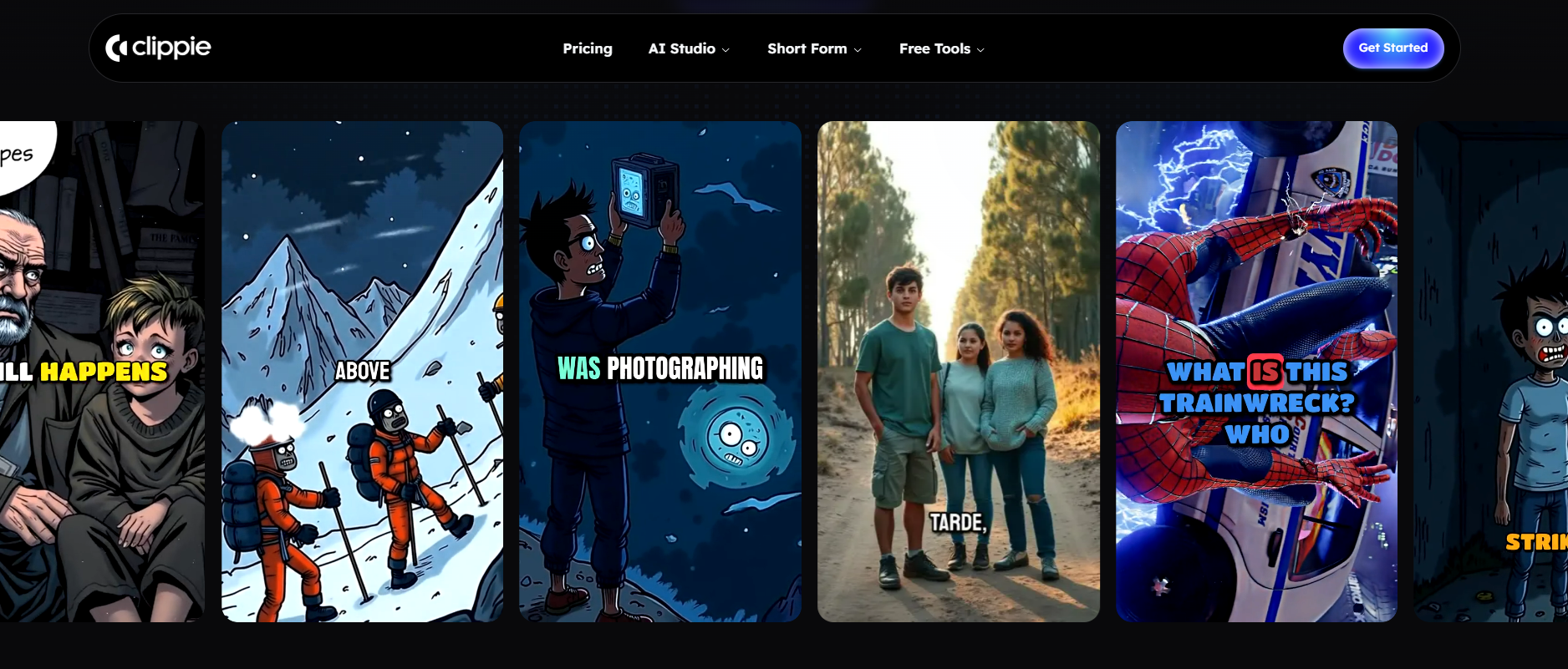
What it is: Clippie AI is a purpose-built platform for faceless short-form video. Instead of one generic generator, it offers dedicated generators for the formats that actually trend: AI story videos, Reddit stories, fake text conversations, Would You Rather videos, Top 5 rankings, split-screen videos, X/Twitter videos, voiceover-over-gameplay, and auto-captions for uploaded footage.
Why it stands out:
Format-native templates, each viral format gets its own workflow, so a Reddit story or fake-text video comes out structured correctly, not adapted from a generic template
ElevenLabs-powered voices, access to 50+ premium AI voices, plus custom voice cloning on every plan
Captions in 102+ languages on all tiers, which matters if your niche travels internationally
Minute-based pricing, you know exactly what you're getting; no multi-pool credit maths
▶ Watch it in action: https://www.youtube.com/watch?v=ku0V7qxuzp8
Pricing (July 2026):
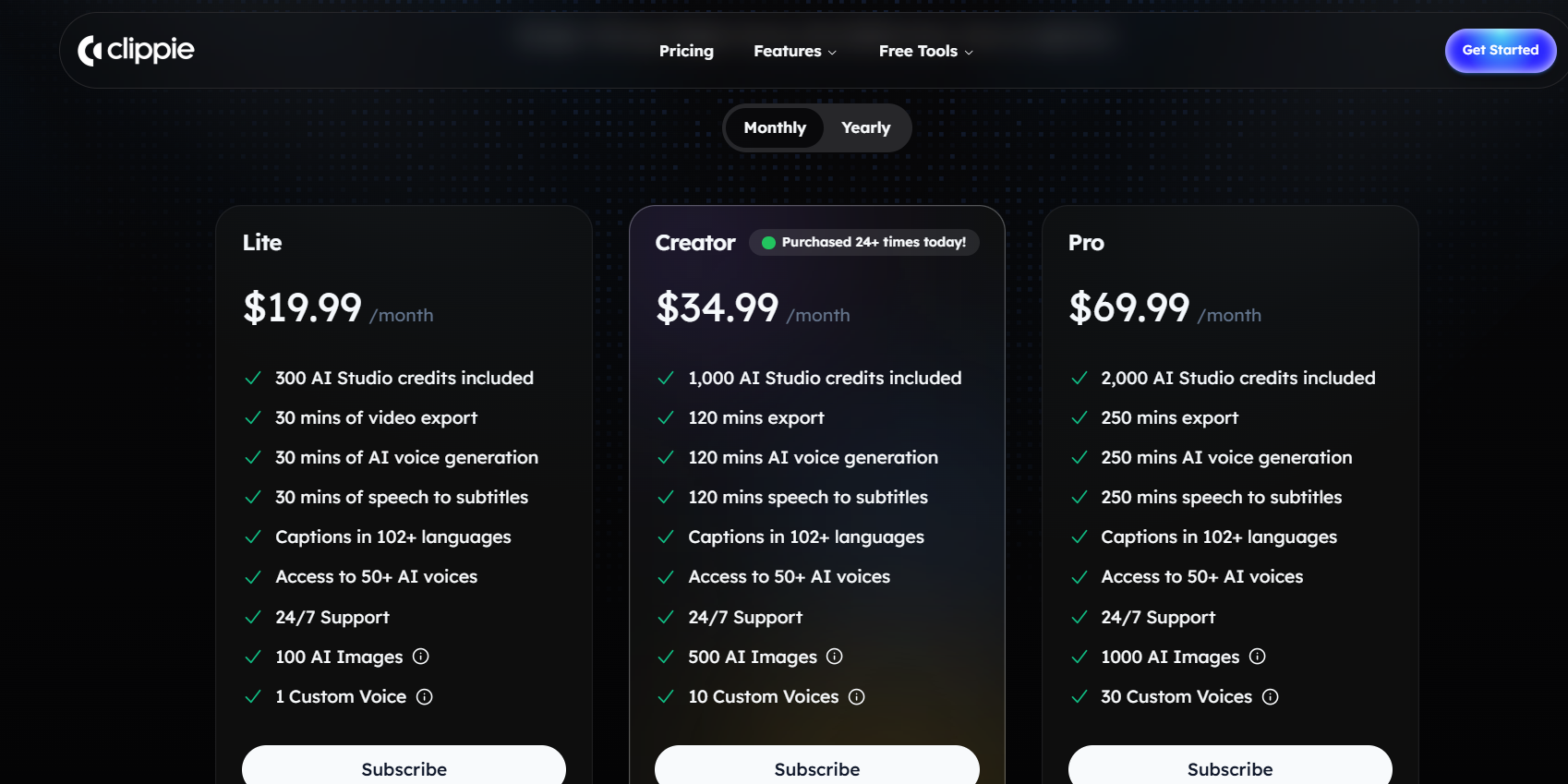
Lite, $19.99/month: 30 min video export, 30 min AI voice generation, 30 min speech-to-subtitles, 100 AI images, 1 custom voice
Creator, $34.99/month: 120 min export, 120 min AI voice, 120 min speech-to-subtitles, 500 AI images, 10 custom voices
Pro, $69.99/month: 250 min export, 250 min AI voice, 250 min speech-to-subtitles, 1,000 AI images, 30 custom voices
All plans include 102+ caption languages, 50+ AI voices, and 24/7 support
Where it falls short: Clippie is built for short-form faceless content specifically. If you need long-form editing, AI avatars, or repurposing hour-long podcasts into clips, it's not the tool for that job, pair it with a clipper like OpusClip instead.
Best for: Faceless creators running trend formats (stories, rankings, fake texts, Reddit) who want predictable pricing and format-correct output. You can try the core workflow on the AI video generator page.
Tool #2: Crayo AI, Fast Template-Based Shorts With Billing Caveats
What it is: Crayo AI is a template-driven shorts generator focused on the same faceless formats, Reddit stories, fake texts, split-screen, with a genuinely fast idea-to-export flow (often under 10 minutes per video).
Why it matters: For raw speed on templated formats, Crayo is one of the quickest tools in this list, and its template depth for Reddit-story and fake-text videos is real.
Pricing (July 2026):
Hobby, $19/month (≈$13/month billed annually): 50 AI videos
Clipper, $39/month (≈$27/month annually): 150 AI videos
Pro, $79/month (≈$55/month annually): 250 AI videos
No free plan; annual billing locks in 12 months upfront
Where it falls short: Independent reviews consistently flag three things: auto-captions stumble on unusual words, voiceovers can sound flat, and, more seriously, multiple Trustpilot reviewers report unexpected charges after cancellation. Output can also look similar to other Crayo users' videos in saturated niches.
Best for: Creators who prioritise speed on Reddit/fake-text formats and are comfortable checking billing terms carefully.
Tool #3: Viblo AI, Simple Faceless Automation for Beginners
What it is: Viblo AI turns a script or idea into an automated faceless clip, script help, voiceover, visuals, captions, with minimal input. It's genuinely beginner-friendly.
Why it matters: If your goal is "publish something today with zero learning curve," Viblo delivers that. It's one of the fastest routes from idea to posted video.
Pricing (July 2026):
Freemium model with limited free access for testing
Paid tiers are structured around
video volume, but dollar pricing isn't clearly published, you generally see final pricing at checkout
Where it falls short: Reviewers repeatedly flag the same gaps: limited creative control over the output, weaker multilingual support, no custom voice cloning, and the unpublished pricing itself. For a deeper breakdown, see our full Viblo AI alternative comparison.
Best for: Complete beginners testing whether faceless content is for them, before committing to a fuller toolkit.
Tool #4: ViewMax, Sora 2 Generation Bundled With Creator Courses
What it is: ViewMax is an AI tool suite for viral short-form content whose headline feature is native Sora 2 (and Sora 2 Pro) AI video generation, bundled with a scriptwriter, AI voiceovers, auto-captions, and a 4+ hour viral-strategy course library.
Why it matters: Getting Sora 2-class AI visuals inside an affordable creator suite is genuinely notable, that model access used to require expensive direct API access. If you want original AI-generated B-roll rather than stock footage, ViewMax is one of the few budget options offering it.
Pricing (July 2026):
Subscription tiers roughly $14–$49/month depending on plan and billing cycle
Credit-based: plans include monthly credit allowances (e.g. 350–800 credits) plus voiceover character caps from ~100,000 to ~450,000 characters/month
Sora 2 Pro and 1080p export are gated to higher tiers
Where it falls short: The credit system is the recurring complaint, users find limits confusing, and heavy Sora generation burns credits fast. The bundled courses are value if you use them, padding if you don't. We've published a detailed ViewMax alternative breakdown if you're weighing it up.
Best for: Creators whose priority is original AI-generated visuals (not stock), and who don't mind managing credits.
Tool #5: InVideo AI, Broad AI Video Platform With Multi-Pool Credits
What it is: InVideo AI is one of the biggest names in AI video, text-to-video generation, AI avatars, voice cloning, stock integration (iStock), and automated editing workflows, covering far more than shorts.
Why it matters: Breadth. If you make shorts and longer marketing videos and want avatar content, InVideo covers it in one subscription, and its Generative tier bundles access to frontier models like Sora 2 and Veo 3.1.
Pricing (July 2026):
Plus, ~$25/month (≈$20/month billed annually)
Max, ~$60/month (≈$48/month annually)
Generative, ~$100–120/month, bundling Sora 2 / Veo 3.1 access
Free plan exists but exports carry a watermark
Where it falls short: Every plan splits AI minutes, iStock downloads, voiceover minutes, and voice clones into separate credit pools that don't roll over, the most common complaint is one pool running dry mid-month. For pure faceless shorts, you're paying for breadth you may not use.
Best for: Creators and small businesses producing multiple video types, not just faceless shorts.
Tool #6: Fliki, Voice-First Text-to-Video With 2,000+ Voices
What it is: Fliki turns scripts, blog posts, or ideas into narrated videos, and its core strength is audio: 2,000+ AI voices across 80+ languages, with ultra-realistic voices and voice cloning on paid tiers.
Why it matters: If narration quality and language coverage are your bottleneck, say you're running channels in multiple languages, Fliki's voice library is among the deepest available.
Pricing (July 2026):
Free: watermarked exports, no commercial rights, testing only
Standard, ~$28/month (meaningful discount on annual billing): 1080p export, commercial rights, ultra-realistic voices
Premium, roughly $66–$88/month depending on billing: higher volume, more voice-clone slots
Where it falls short: Fliki's visuals are stock-footage based, there's no AI-generated scene capability, so output can look like every other stock-driven channel. Commercial rights require a paid plan, which matters for monetised channels.
Best for: Narration-heavy educational or explainer shorts, and multilingual channel operators.
Tool #7: Pictory, Script and Blog Repurposing on Stock Footage
What it is: Pictory converts scripts, blog posts, URLs, and presentations into videos by matching your text to stock footage (with Getty/Shutterstock-quality libraries on higher tiers) plus AI voiceover and captions.
Why it matters: For content marketers repurposing written content into video at volume, Pictory's article-to-video workflow is one of the most polished, and its licensed stock libraries are safer for brand and client work.
Pricing (July 2026):
Starter, ~$25/month (≈$19/month billed annually): 200 video minutes
Professional, ~$49/month (≈$35–39/month annually): 600 video minutes, bigger stock library
Teams, ~$119/month; free trial available
Where it falls short: Like Fliki, Pictory doesn't generate original AI visuals, it's a stock-assembly engine. It's also built more for marketing teams than for trend-format faceless creators; there are no Reddit-story or fake-text workflows.
Best for: Bloggers, marketers, and B2B teams turning written content into video.
Tool #8: OpusClip, Best for Turning Long Videos Into Shorts
What it is: OpusClip solves a different problem to the rest of this list: it takes existing long-form video (podcasts, streams, interviews) and automatically cuts it into captioned vertical clips, each scored 0–100 for virality potential.
Why it matters: If you already produce long-form content, clipping it is the cheapest possible shorts strategy, and OpusClip's virality scoring genuinely helps you prioritise which clips deserve posting.
Pricing (July 2026):
Free: 60 credits/month (1 credit = 1 minute of source video), watermarked, clips expire after 3 days
Starter, $15/month: 150 credits, no watermark
Pro, $29/month: ~300 credits/month, AI B-roll, social scheduler, team seats
Credits are charged on source minutes uploaded, regardless of how many clips you keep
Where it falls short: It can't create videos from scratch, no script-to-video at all. And the credit mechanic surprises people: uploading a 60-minute podcast costs 60 credits even if you only keep two clips.
Best for: Podcasters, streamers, and interview channels repurposing existing footage. Pairs well with (rather than competes with) a script-to-video tool.
Tool #9: AutoShorts.ai, Set-and-Forget Daily Auto-Posting
What it is: AutoShorts.ai automates the entire loop: it generates faceless videos on a topic and posts them automatically to YouTube/TikTok on a schedule you set.
Why it matters: It's the purest "channel on autopilot" product in this list, the lowest-friction way to keep a niche channel posting daily with near-zero input.
Pricing (July 2026):
Plans run roughly $19–$69/month, priced by posting frequency (3×/week, daily, or 2×/day)
The ~$39/month daily plan works out around $1.30 per posted video
Where it falls short: Full automation is also the weakness. Videos are stock-footage-based and look like every other AutoShorts channel; many users report minimal views on fully auto-generated content, and accounts are limited to one content series. Hands-off input tends to produce hands-off results.
Best for: Operators testing volume strategies on low-editorial niches (motivation, facts, stories) who accept the sameness trade-off.
Tool #10: Clipify.io, Credit-Based Faceless Video Generation
What it is: Clipify.io is a faceless video generator using a credit-based model, covering standard short-form generation with voiceovers and captions.
Why it matters: It's a frequently searched option in the faceless space, so it belongs in any honest comparison.
Pricing (July 2026):
Credit-based tiers; at its ~$79/month tier you get roughly 50 videos/month, about $1.58 per video
Higher volumes require plan upgrades or add-on credit purchases; check current pricing before committing
Where it falls short: The credit model gets expensive fast at daily-posting volume, a creator publishing 60+ videos a month across platforms outgrows the standard tiers quickly. Minute-based competitors work out cheaper at scale.
Best for: Low-to-mid volume creators comfortable with per-video credit maths.
Tools #11 & #12: Pika and Luma, Best for Cinematic AI Visuals
What they are: Pika and Luma (Dream Machine) are AI video generation models, not shorts pipelines. You write a prompt; they generate short cinematic clips with camera movement, lighting, and motion that stock footage can't match.
Why they matter: If your searches were about "AI tools like Pika or Luma," here's the honest framing, they generate footage, not finished shorts. There's no script structure, no voiceover, no captions, no format templates. They're the visual layer, not the video factory.
Pricing: Both run credit-based subscriptions with limited free tiers; generation costs scale with clip length and resolution, and pricing changes frequently, check their sites for current rates.
Where they fall short (for shorts creators): Cost per usable second is high, outputs need assembling in an editor, and consistency across a multi-scene story is still hard to control.
Best for: Creators who want standout cinematic B-roll to drop into shorts assembled elsewhere, or who use a suite (like ViewMax or InVideo's Generative tier) that bundles model access into a full workflow.

Best AI Shorts Generator for Beginners: Top 3 Picks
If you're starting from zero, three tools from this list have the flattest learning curve:
Clippie AI, format templates mean your first Reddit story or ranking video comes out structured correctly, and minute-based plans make the bill predictable while you learn
Viblo AI, the fastest "type an idea, get a video" experience; good for testing the waters before committing to a paid stack
OpusClip, if you already have long videos, its free 60 minutes/month is the cheapest possible way to start posting shorts this week
▶ See what a beginner workflow produces: https://www.youtube.com/watch?v=TWUqXB3oato
The test that matters: can you go from idea to a video you'd actually publish in under 30 minutes, on day one? All three pass it. Several tools on this list don't.

What Professional Faceless Creators Actually Use
Full-time faceless operators rarely run one tool. The common 2026 stack looks like this:
A format-native generator (Clippie, Crayo) for daily trend-format output, this is the workhorse
A clipper (OpusClip) if any long-form source content exists
A frontier-model tool (ViewMax, InVideo Generative, or direct Pika/Luma) for occasional standout AI visuals
A scheduler, either built into a tool or standalone, because consistency beats intensity on every platform
The pattern worth copying: professionals pick one primary generator and master its formats, rather than paying for four overlapping subscriptions. Tool-hopping is the most common beginner money leak.

How to Choose the Right AI Video Tool: 5-Question Framework
Answer these five questions and the right tool from this list picks itself:
Question 1: Am I creating from scratch or repurposing? From scratch → script-to-video tool (Clippie, Crayo, Viblo, Fliki). Repurposing long videos → OpusClip.
Question 2: Which formats will I actually publish? Trend formats (Reddit, fake texts, rankings, stories) → a format-native tool. Narrated explainers → voice-first tools like Fliki. Marketing repurposing → Pictory.
Question 3: Stock footage or original AI visuals? Stock is faster and cheaper but generic. Original AI visuals (ViewMax, InVideo Generative, Pika/Luma) differentiate you at a higher cost.
Question 4: How many videos per month, honestly? Under 30 → almost any entry tier works. 30–100+ → minute-based pricing usually beats credit-based; do the per-video maths before subscribing.
Question 5: What's my tolerance for billing complexity? If the answer is "low," avoid multi-pool credit systems and unpublished pricing; favour tools with transparent published tiers.
Quick Comparison: All 12 Tools at a Glance
Clippie AI, from $19.99/mo; minute-based; 9 viral format templates; ElevenLabs voices; best all-round for faceless trend formats
Crayo AI, from $19/mo; fast Reddit/fake-text templates; no free plan; billing complaints reported
Viblo AI, freemium; easiest for total beginners; pricing not clearly published; limited control
ViewMax, ~$14–49/mo; Sora 2 generation + courses; credit limits confuse users
InVideo AI, from ~$25/mo; broadest platform; separate credit pools frustrate heavy users
Fliki, from ~$28/mo; 2,000+ voices, 80+ languages; stock visuals only
Pictory, from ~$25/mo; best blog/script repurposing; built for marketers, not trend formats
OpusClip, free tier; $15–29/mo; best long-to-short clipper; can't create from scratch
AutoShorts.ai, $19–69/mo; true auto-posting; generic output, one series per account
Clipify.io, credit-based; ~$1.58/video at its ~$79 tier; expensive at daily volume
Pika, credit-based; cinematic AI clips; footage generator, not a shorts pipeline
Luma, credit-based; strong motion realism; same caveat as Pika
FAQs
Which AI shorts generator has the steepest learning curve, and the easiest?
Easiest: Viblo and AutoShorts (near-zero input required), with Clippie and Crayo close behind thanks to templates. Steepest: Pika and Luma, because prompt-crafting and assembling raw clips into a finished short is a genuine skill, plus InVideo if you use its full editing suite.
Do I need special equipment to use AI video generators?
No. Every tool in this list runs in a browser. You don't need a camera, microphone, or editing hardware, a laptop (or in most cases a phone) and an internet connection covers it. That's precisely why faceless content has such a low barrier to entry.
Are there genuinely free AI shorts generators without watermarks?
Mostly no. Free tiers almost always add a watermark (InVideo, Fliki, OpusClip) or expire exports quickly. OpusClip's free 60 minutes/month is the most usable free tier here, but watermarked, expiring clips aren't publishable for a serious channel. Budget for an entry paid tier if you're monetising.
Can one tool handle voiceover, captions, and visuals together?
Yes, that's the core pitch of all-in-one tools like Clippie, Crayo, ViewMax, and InVideo. The single-purpose tools (Pika, Luma for visuals; OpusClip for clipping) deliberately don't, which is why many creators run one all-in-one plus one specialist.
Do I own the videos these tools create, and can I monetise them?
On paid plans, generally yes, but check each tool's terms. Watch two traps: free tiers often exclude commercial rights entirely (Fliki's explicitly does), and stock-footage licences are covered by the tool's library agreements, which is one reason licensed libraries matter.
Is it better to use a phone/desktop editor like CapCut instead of an AI generator?
They solve different problems. CapCut-style editors give you full manual control but cost hours per video. AI generators trade some control for 10× speed. Most successful faceless creators use an AI generator for production volume and light manual editing for polish, not one or the other.
What to Do Next
Choosing a tool is step one; the channel strategy around it is what actually makes money. Pick your primary generator with the 5-question framework above, commit to one format for 30 days, and track retention, not just views.
If your formats are Reddit stories, rankings, fake texts, or story videos, Clippie AI's format-native generators and minute-based pricing were built for exactly that workflow, you can start with any of the templates and publish your first short today.
Make an AI story video
Write a script or let AI write one. Clippie turns it into a narrated video with AI scenes, voiceover and captions.
Read more

How to Make Top 5 Ranking Videos in 2026 (Step-by-Step)
Build ranking Shorts that can still earn: pick a debatable topic, set clear criteria, source clips you may use, script the countdown, add your commentary.

How to Create Short-Form Videos Using AI: 8 Steps (2026)
A beginner workflow for AI videos on TikTok, Reels and Shorts: pick a format, script a hook, add visuals, voice and captions, export at 9:16, label AI.

7 Free CapCut Alternatives for Short-Form Video (2026)
Compare Edits, YouTube Create, VN, Clipchamp, Canva, DaVinci Resolve and Shotcut: what each gives free users, what it caps first and where it falls short.