
How to Speed Up Your Video Workflow Using AI Tools
Learn how to cut video editing time by 70%+ using AI tools. Complete workflow optimization guide from concept to final render without sacrificing quality.

Every video creator, whether producing YouTube content, social media clips, client projects, or marketing materials, confronts the same fundamental challenge: video production consumes far more time than the final runtime suggests. A 10-minute YouTube video typically requires 3-8 hours of production work. A 60-second social media clip might demand 1-2 hours of scripting, filming, and editing. This brutal time-to-output ratio creates an impossible scaling ceiling, you cannot produce more content without proportionally increasing time investment, eventually hitting capacity limits that constrain growth regardless of demand, audience interest, or revenue opportunity.
Traditional video workflows compound this time problem through fragmented processes requiring constant context-switching between different tools, manual repetitive tasks that consume hours without requiring creative judgment, technical complexity barriers preventing efficient execution, and quality-consistency trade-offs where faster production typically means lower quality output. Creators face relentless pressure to choose between quantity enabling algorithmic success and consistency, or quality maintaining audience satisfaction and professional standards, a false choice that shouldn't exist but dominates the creator economy.
The emergence of sophisticated AI-powered video tools has fundamentally transformed this equation by automating the tedious, time-consuming technical aspects of video production while preserving creative control over strategic decisions that actually determine content quality and effectiveness. Modern AI can handle caption generation and synchronization in seconds versus 20+ minutes manually, automate scene detection and cutting eliminating hours of timeline scrubbing, generate B-roll suggestions and transitions maintaining visual interest, optimize audio mixing and color grading requiring specialized technical skills, and even assist with script generation and content ideation accelerating pre-production. When strategically integrated into systematic workflows, these AI capabilities enable 70-80% time reduction compared to manual production while maintaining or improving output quality.
The Compound Cost of Inefficient Workflows
Understanding the true cost of inefficient video production helps justify the learning investment required to optimize workflows through AI integration.
Direct time costs represent the obvious impact where 5 hours per video at 3 videos weekly equals 15 hours weekly or 60+ hours monthly just on production, before accounting for strategy, community engagement, business development, or personal time. At even modest $30/hour value, that's $1,800 monthly in opportunity cost. For full-time creators or agencies, inefficient workflows directly limit revenue ceiling, you cannot take on more clients or produce more monetized content when production consumes all available time.
Opportunity costs compound the problem through content you never create because production takes too long, strategic initiatives postponed indefinitely due to bandwidth constraints, revenue-generating activities (sponsorships, products, consulting) neglected while editing, and experimentation prevented by rigid production capacity leaving no room for testing new approaches. Many creators recognize their biggest growth constraint isn't ideas or audience demand but simply production capacity preventing executing on opportunities.
Quality degradation from rushing creates insidious problems when deadline pressure forces cutting corners through accepting first takes without refinement, skipping color grading or audio mixing improving professionalism, reducing B-roll or visual variety that maintains engagement, eliminating review cycles catching errors before publication, and sacrificing strategic thinking about hooks, pacing, and retention. Ironically, slow manual workflows often produce worse results than optimized AI-assisted approaches because exhaustion and time pressure prevent investing in quality where it matters.
Burnout and sustainability issues destroy creator careers when unsustainable production demands lead to physical and mental exhaustion from 60-80+ hour work weeks, creative fatigue from treating content creation as mechanical grind rather than creative expression, health problems from sedentary editing marathons and irregular sleep, relationship strain from work consuming all personal time, and eventual complete burnout causing channel abandonment or severe quality decline. The creator landscape is littered with talented individuals who burned out from unsustainable production approaches before achieving their potential.
Competitive disadvantages accumulate as more efficient creators outpace you through posting more frequently building algorithmic favor, responding faster to trends capturing time-sensitive opportunities, iterating quicker learning what works while you're still producing previous batch, and scaling operations through systematization while you remain stuck in manual grind. In content creation's winner-take-most economics, efficiency gaps compound into insurmountable audience and revenue differences over time.
What You'll Learn in This Comprehensive Guide
This guide provides the complete systematic framework for optimizing video workflows through strategic AI integration, reducing production time by 70%+ while maintaining or improving quality that drives engagement and business results. Whether you're currently spending 40+ hours weekly on video production, struggling to maintain posting consistency, or simply wanting to scale output without proportional time increases, you'll discover the specific tools, workflows, and mindsets that separate efficient creators from those drowning in endless editing.
We'll begin by diagnosing what actually slows down most video editors, moving beyond generic "editing takes time" to identify the specific bottlenecks consuming disproportionate time for minimal value. This diagnostic framework helps you recognize your personal workflow inefficiencies enabling targeted optimization rather than generic advice that might not address your actual constraints.
Next, you'll discover the AI tools that genuinely save hours of editing time across every production stage from pre-production through final delivery. We'll cover comprehensive platforms providing end-to-end solutions, specialized tools excelling at specific tasks, and how to integrate multiple tools into cohesive workflows that eliminate friction and context-switching overhead. These recommendations come from analyzing what successful efficient creators actually use rather than just marketing claims.
The workflow optimization section provides systematic frameworks for building smooth, repeatable processes that compound efficiency gains over time. You'll learn how to structure projects minimizing decision fatigue, create templates and presets accelerating recurring tasks, batch similar activities avoiding constant context-switching, and develop quality-control checkpoints preventing errors without requiring excessive review time. These process improvements often deliver greater time savings than tools alone.
We'll walk through complete production from concept to final render showing how AI integration transforms each stage including ideation and scripting accelerated through AI assistance, filming and asset gathering optimized for efficient editing, editing workflows leveraging AI automation strategically, and rendering and delivery streamlined through batch processing and intelligent compression. This end-to-end view helps you understand how stages connect and where optimization delivers maximum impact.
Finally, you'll learn how to speed up without losing quality, the critical balance enabling sustainable efficiency rather than race-to-bottom quality degradation. This includes identifying which quality elements actually matter to audiences versus creator perfectionism, automating technical precision while preserving creative control, and building review systems catching errors efficiently without excessive time investment.
By the end of this guide, you'll have complete clarity on building video workflows that produce professional results in 30% of the time traditional approaches require, transformation that fundamentally changes what's possible for your content business or creative career.
Table of Contents
What Slows Down Most Video Editors
AI Tools That Save Hours of Editing Time
Building a Smooth, Repeatable Workflow
From Concept to Final Render: Simplified
Speeding Up Without Losing Quality
FAQs
Conclusion

1. What Slows Down Most Video Editors
Identifying your specific bottlenecks enables targeted optimization delivering maximum time savings from minimum effort.
Pre-Production Delays and Decision Paralysis
Many workflow inefficiencies occur before editing begins, creating cascading delays throughout production.
Concept and ideation struggles waste enormous time when creators stare at blank pages hoping for inspiration, research topics without systematic frameworks, debate endlessly between multiple ideas without clear decision criteria, and restart multiple times after committing then doubting initial choices. This creative paralysis can consume 2-4 hours before production even begins. The root cause is typically lack of systematic ideation processes, relying on motivation and inspiration rather than frameworks, absence of idea capture systems maintaining evergreen topic banks, and perfectionism preventing committing to "good enough" concepts.
Scripting and planning inefficiencies compound pre-production time through writing everything from scratch without templates or frameworks, excessive detail in scripts that won't be read verbatim anyway, multiple complete rewrites rather than iterative refinement, and failing to prepare shot lists or visual plans causing filming confusion. Many creators spend 3-5 hours scripting videos that could be adequately planned in 45-60 minutes with systematic approaches.
Asset gathering and preparation delays prevent starting editing when you lack proper organization of stock footage, music, graphics, experience unclear naming conventions making files difficult to locate, suffer missing or low-quality assets requiring last-minute sourcing, or maintain no central library for frequently reused elements. These organizational issues create 20-30 minute delays throughout production as you hunt for assets or improvise alternatives.
Analysis paralysis on creative decisions traps creators in endless deliberation over thumbnail concepts, title options, video structure, creative approaches, or stylistic choices before committing. This decision fatigue consumes mental energy and time without improving final output since most options being debated would work reasonably well. The endless deliberation itself becomes the problem rather than the solution.
Technical Editing Bottlenecks
The editing phase typically consumes 60-80% of total production time, with specific recurring bottlenecks creating disproportionate delays.
Manual caption and subtitle generation represents one of the most time-consuming yet least creative tasks requiring listening to entire video transcribing every word (20-30 minutes for 10-minute video), synchronizing text to audio timestamps precisely, formatting for readability and platform requirements, and reviewing for accuracy and corrections. This 30-60 minute process adds minimal creative value but remains essential for accessibility and engagement. Many creators skip captions entirely due to time constraints, harming reach and viewer experience.
Repetitive cutting and trimming consumes hours through removing filler words, pauses, and mistakes throughout footage, cutting out failed takes or off-topic tangents, trimming clip beginnings and endings to exact frames, and adjusting timing throughout video for pacing. This mechanical work requires precision but minimal creativity, making it ideal automation candidate yet commonly done manually consuming 2-4 hours per video.
Color grading and correction creates bottlenecks when done manually requiring matching color across different clips for consistency, correcting exposure, white balance, and other camera issues, applying creative looks or filters maintaining aesthetic, and ensuring final output meets platform technical standards. Professional color work can consume 1-2 hours even for relatively simple videos, often skipped by time-constrained creators resulting in amateur-looking output.
Audio mixing and cleanup demands specialized skill and significant time through removing background noise and echo from recordings, balancing levels across different audio sources, adding music beds and sound effects at appropriate volumes, applying compression and EQ improving clarity and professionalism, and ensuring final mix meets loudness standards. Poor audio immediately signals amateur production, yet proper mixing requires 45-90 minutes that many creators cannot spare.
B-roll selection and integration becomes tedious when searching through stock libraries finding relevant footage (15-30 minutes), downloading and importing numerous clips, cutting and arranging B-roll matching narration timing, and applying effects or overlays creating visual interest. The searching and arrangement process can easily consume 1-2 hours per video despite being relatively mechanical work.
Effects, transitions, and graphics add time through applying effects to individual clips manually, creating or customizing transitions between scenes, designing lower thirds, titles, and other graphics, and animating elements for dynamic presentation. Even using templates, this work commonly requires 30-60 minutes that feels more tedious than creative for many creators.
Review, Revision, and Perfectionism Traps
The refinement phase often expands indefinitely without clear completion criteria.
Endless iteration without clear standards causes creators to watch their video 5-10+ times making minor tweaks each pass, adjust edits back and forth unable to decide on optimal version, constantly second-guess decisions made hours earlier, and continue refining long past meaningful quality improvements. This perfectionism can turn 4-hour productions into 8-hour ordeals as creators cannot decide when they're done.
Lack of systematic quality checks ironically makes creators less confident they caught all issues requiring watching entire video multiple times to verify different quality aspects, no checklist ensuring critical elements were addressed, inconsistent standards making acceptance criteria ambiguous, and anxiety about missing errors without clear verification process. Paradoxically, systematic quality processes often enable faster completion with more confidence than ad-hoc repeated reviews.
Overthinking elements audiences don't notice wastes time on frame-perfect cuts viewers won't perceive, agonizing over music choices when multiple options work fine, obsessing over minor color variations, and adjusting effects by 1-2% increments. Most creators dramatically overestimate what audiences notice or care about, investing time in refinements providing zero engagement or satisfaction benefit.
Procrastination through fake productivity manifests as reorganizing project files instead of editing, watching tutorials on techniques you're already using, preparing assets you won't need, and endless preparation preventing actual production progress. This procrastination feels productive while avoiding the challenging creative work actually moving projects forward.
Technical Performance and Software Issues
Even with solid creative workflows, technical limitations create friction and delays.
Slow rendering and preview performance interrupts workflow when playback lags during editing preventing fluid creative process, effects or color grading take seconds to display disrupting rhythm, timeline scrubbing stutters making precise cuts difficult, and background rendering consumes computer resources. These performance issues might add 30-60 seconds per action, compounding to hours over complete projects while destroying creative flow states.
Software crashes and instability create anxiety and actual time loss through lost work from crashes before saves, time wasted troubleshooting technical problems, anxiety causing frequent saving disrupting workflow, and hesitation to try new approaches fearing software instability. Beyond direct time loss, technical unreliability creates stress hampering creative quality.
Export and rendering bottlenecks extend completion time through long render times preventing immediate upload (20-60 minutes common), failed renders requiring restarts and troubleshooting, format and compression confusion producing inappropriate file outputs, and lack of batch rendering requiring manual attention for multiple exports. Many creators report spending 30-45 minutes just on final export process.
File management and organization chaos creates constant friction through inability to find project files from previous work, duplicate or missing assets requiring redownloading, unclear version control causing confusion about latest edits, and scattered assets across multiple drives or cloud services. This disorganization creates 5-10 minute delays dozens of times per project accumulating to substantial wasted time.
Context-Switching and Tool Fragmentation
Modern video production often requires juggling multiple applications creating overhead and cognitive load.
Application juggling overhead consumes time and mental energy through editing in one tool, color grading in another, audio mixing in third, graphics creation in fourth application, and constant exporting and importing between tools. Each switch requires 30-60 seconds plus mental reorientation, and these switches occur dozens of times per project. Beyond time costs, constant switching destroys focus and creative flow.
Learning curves for multiple specialized tools creates barriers including time investment learning different interfaces and workflows, maintaining proficiency across numerous applications, troubleshooting when things break in unfamiliar tools, and decision fatigue choosing which tool for each task. Tool proliferation turns creators into tool managers rather than content creators.
Integration and compatibility issues create technical friction through export format mismatches between applications, lost quality or metadata through file conversions, versioning conflicts when updating tools, and collaboration difficulties when team members use different software. These integration problems manifest as mysterious technical issues consuming hours of troubleshooting for problems having nothing to do with creative work.
The Compounding Effect of Small Inefficiencies
Individual bottlenecks might seem minor but compound dramatically across frequent video production.
A creator producing 3 videos weekly might waste 10 minutes searching for assets per video (30 minutes weekly), 15 minutes on manual captions per video (45 minutes weekly), 20 minutes on excessive iteration per video (60 minutes weekly), 5 minutes on software performance delays per video (15 minutes weekly), and 10 minutes on context-switching per video (30 minutes weekly). These "minor" inefficiencies total 3 hours weekly or 12+ hours monthly, enough time to produce 2-3 additional complete videos if eliminated.
Recognizing these patterns in your own workflow enables targeted optimization. The following sections show how AI tools and systematic processes eliminate these bottlenecks, transforming video production from exhausting time-sink into efficient creative process.

2. AI Tools That Save Hours of Editing Time
Strategic AI tool integration eliminates the most time-consuming bottlenecks while preserving creative control where it matters.
Comprehensive End-to-End Video Production Platforms
These platforms aim to handle complete video workflows from concept through final render in unified interfaces.
Clippie AI provides the most comprehensive end-to-end solution specifically optimized for efficient video production including AI-powered script generation from topic prompts or outlines, automated video editing with scene detection, cutting, and transitions, industry-leading caption generation and synchronization (95%+ accuracy), voiceover generation for faceless or narration content, stock footage and music integration from licensed libraries, batch processing enabling creation of multiple videos efficiently, platform-specific optimization for YouTube, TikTok, Instagram, and other destinations, and brand consistency through saved templates and presets. Clippie particularly excels at educational content, social media clips, and any video requiring captions, b-roll, and professional editing. The platform enables complete video production from script to final export in 10-15 minutes for relatively straightforward content that would require 2-3 hours manually, an 8-10x efficiency improvement. For creators serious about efficient high-volume production, Clippie represents current state-of-the-art enabling professional results with minimal learning curve. Pricing scales from free trials through professional tiers for agencies and high-volume creators.
Descript revolutionizes editing through text-based interface where editing transcribed text automatically edits corresponding video including video editing by editing transcript (delete words = delete video segments), filler word removal automatically cleaning "ums" and "ahs", overdub AI voice for fixing mistakes without re-recording, studio sound audio enhancement improving quality, screen recording with automatic editing, and multi-track editing with intuitive interface. Descript works exceptionally well for interview content, podcasts, tutorials, and any video based on spoken content. The text-based editing reduces editing time by 60-70% for suitable content types compared to traditional timeline editing. Pricing starts around $12 monthly for creator plans.
Runway ML provides cutting-edge AI video capabilities including background removal and replacement without green screen, object removal from video footage, AI-generated video from text descriptions, frame interpolation creating smooth slow motion, motion tracking and effects, and collaborative editing features. Runway suits creators needing advanced visual effects traditionally requiring expensive software and specialized skills. Pricing starts around $12 monthly for basic plans.
Caption and Subtitle AI Tools
Caption generation represents one of the highest-value automation opportunities given its time intensity and minimal creative requirements.
Built-in Clippie AI caption generation provides the fastest integrated solution with 95%+ accuracy requiring minimal correction, automatic synchronization to audio precisely, platform-appropriate styling and formatting, customizable appearance matching brand aesthetics, and multilingual support for international audiences. For creators already using Clippie for editing, the integrated caption workflow eliminates the tool-switching overhead separate caption services require.
Rev.ai and Otter.ai offer specialized transcription services with high accuracy through automated transcription with human-quality accuracy, speaker identification for multi-person content, timestamped transcripts for precise reference, searchable archives of all transcriptions, and API integration for workflow automation. These services work well for creators needing transcription beyond just captions, content repurposing, accessibility compliance, or searchable video archives. Pricing typically $0.25-1.25 per minute.
YouTube's automatic captions provide free baseline option with acceptable accuracy for clear audio, automatic generation after upload, easy editing through YouTube Studio, support for multiple languages, and zero additional cost. While less accurate and customizable than dedicated tools, YouTube captions work adequately for creators with zero budget who can tolerate 85-90% accuracy requiring manual correction.
AI Script and Content Generation Tools
Pre-production acceleration through AI-assisted scripting and ideation delivers upstream efficiency improvements.
ChatGPT and Claude (conversational AI) provide versatile creative assistance including full script generation from topic prompts and outlines, research and fact-gathering for content accuracy, structure and outline development organizing ideas logically, rewriting and refinement improving clarity and engagement, ideation and brainstorming generating numerous creative angles, and answering questions during content development. These general-purpose tools work across all content types when prompted effectively. ChatGPT Plus and Claude Pro ($20 monthly each) unlock enhanced capabilities worth investment for serious creators.
Jasper and Copy.ai specialize in marketing-optimized copywriting including video script templates for various formats, YouTube title and description optimization, tone adjustment matching brand voice, content brief workflow guiding AI output, and SEO optimization improving discoverability. These platforms suit content marketers and business-focused creators. Pricing starts around $36-49 monthly.
Automated Editing and Cutting AI
AI can intelligently identify and execute cuts that would take editors hours manually.
OpusClip, Vizard, and similar tools specialize in creating short clips from long-form content including AI-powered highlight detection finding best moments, automatic caption generation and styling, viral potential scoring predicting performance, aspect ratio adjustment for different platforms, batch processing multiple clips efficiently, and template-based branding. These tools help creators repurpose long-form content into numerous social clips in minutes rather than hours of manual editing. Pricing typically $9-30 monthly depending on features and volume.
Recut and similar filler-removing tools automate the tedious cutting process by automatically detecting and removing silences, identifying and cutting filler words ("um," "uh," "like"), leaving intentional pauses intact, creating edited timeline as starting point for further refinement, and supporting multiple video formats and codecs. These tools reduce rough-cut editing time by 70-80% for talking-head content. Pricing around $99-299 one-time purchase.
AI Audio Enhancement Tools
Professional audio quality critically impacts perceived production value yet requires specialized skills and significant time when done manually.
Adobe Podcast AI (formerly Project Shasta) / Adobe Enhance provides revolutionary audio cleanup including one-click studio-quality enhancement, removing echo and reverb automatically, suppressing background noise effectively, fixing audio level inconsistencies, and handling poor recording conditions gracefully. Adobe's AI audio tools can transform mediocre home-recording quality into professional studio sound in seconds versus hours of manual mixing. The enhancement quality often exceeds what manual editing achieves unless you're experienced audio engineer. Available through Adobe Creative Cloud subscriptions ($55 monthly) or standalone for free at podcast.adobe.com/enhance.
Cleanvoice specializes in automated audio post-production including removing filler words and mouth sounds, cutting silences and dead air, detecting and removing background noise, standardizing volume levels, and batch processing multiple files. Cleanvoice particularly suits podcast and interview content. Pricing starts around $10 monthly.
iZotope RX provides professional-grade audio repair with AI assistance including spectral editing for precise noise removal, de-clicking and de-clipping fixing distortion, dialogue isolation separating voices from background, reverb removal improving clarity, and repair assistant suggesting fixes automatically. While more complex than one-click tools, iZotope offers unmatched quality for serious audio work. Pricing around $399 for standard version.
AI Visual Enhancement and Effects
Visual polish elevates content but traditionally requires significant skill and time.
Topaz Video AI excels at upscaling and quality improvement through AI upscaling from 720p to 4K, deinterlacing and frame rate conversion, noise and grain reduction, sharpening and detail enhancement, and batch processing for entire projects. Topaz can salvage low-quality footage or future-proof content through intelligent upscaling. Pricing around $299 one-time purchase.
Runway Inpainting and background tools enable advanced visual effects including removing objects or people from footage, replacing backgrounds without green screen, AI-generated textures and extensions, motion tracking for effect application, and collaborative visual editing. These tools democratize effects previously requiring After Effects expertise.
Color grading AI tools like Color Lab AI and various plugins automate color work through one-click color grading presets, automatic color matching across clips, intelligent exposure and white balance correction, LUT application and customization, and skin tone optimization. These tools reduce color grading time from 60+ minutes to 5-10 minutes with results matching or exceeding manual work for most creators. Pricing varies, some plugin-based ($50-200), others subscription ($15-30 monthly).
AI-Powered Stock Content and Generation
Finding and integrating B-roll and supporting visuals consumes substantial time that AI tools dramatically reduce.
Built-in Clippie AI stock library provides the most efficient workflow with searchable licensed footage directly in editing interface, AI-suggested B-roll matching script content, music library with mood-based selection, automatic integration without manual downloads, and commercial licensing included. The workflow integration eliminates the browse-download-import cycle that wastes 15-30 minutes per video.
Artgrid, Storyblocks, and premium libraries offer extensive curated collections with unlimited downloads within subscription, higher quality unique footage, music and sound effects included, After Effects templates and graphics, and commercial licensing. These premium services suit creators needing distinctive visuals justifying $15-60 monthly costs.
AI image and video generation tools like Midjourney, DALL-E, and Runway create custom visuals including generating specific images from text descriptions, creating consistent characters or styles, producing thumbnails and graphics, and avoiding copyright concerns with original content. AI generation increasingly complements stock footage for specific visual needs. Pricing varies, DALL-E around $20 monthly, Midjourney $10+ monthly.
Rendering and Export Optimization
The final stage often creates frustrating delays that optimization can eliminate.
Smart rendering and proxy workflows reduce export times through rendering only changed sections not entire timeline, working with optimized proxy files during editing, switching to full quality only for final export, and parallel processing utilizing all CPU cores. Most modern editing software includes these features but creators don't always enable or optimize them.
Export presets and batch rendering eliminate repetitive work by saving platform-specific export settings (YouTube 4K, Instagram Square, etc.), batch exporting multiple versions simultaneously, queue management for overnight rendering, and automatic upload integration with platforms. These workflow optimizations transform final delivery from manual bottleneck to automated background process.
Building Your Optimal AI Tool Stack
Strategic tool selection depends on content type, budget, and workflow preferences.
Starter stack for budget-conscious creators includes Clippie AI free tier or basic plan for end-to-end production, ChatGPT free version for script assistance, Adobe Podcast AI free tier for audio enhancement, and free stock footage from Pexels/Pixabay. Total cost: $0-50 monthly producing professional results while validating workflow benefits before premium tool investment.
Intermediate stack for growing creators typically features Clippie AI Pro ($50-100) for comprehensive efficient production, ChatGPT Plus ($20) for enhanced creative assistance, premium stock library access ($15-30) for distinctive visuals, and specialized tools as needed (audio enhancement, effects). Total cost: $100-200 monthly with dramatically improved efficiency and quality.
Professional stack for established creators often includes Clippie AI Enterprise ($150-300) for high-volume professional production, Claude Pro or ChatGPT Plus ($20) plus Jasper ($39) for versatile content creation, Adobe Creative Cloud ($55) for advanced capabilities when needed, premium stock and music subscriptions ($50+), and specialized AI tools for specific needs ($50+). Total cost: $300-500+ monthly justified by time savings enabling revenue-generating work.
The key principle is starting strategic and lean, validating AI workflow benefits before heavy investment, and upgrading specific bottlenecks as they emerge rather than buying everything upfront.

3. Building a Smooth, Repeatable Workflow
Tools alone don't create efficiency, systematic workflows that eliminate decision fatigue and minimize context-switching compound AI's benefits.
The Workflow Optimization Framework
Efficient repeatable processes share common structural characteristics enabling consistent fast execution.
Sequential stage organization structures work into clear phases including pre-production (ideation, scripting, asset preparation), production (filming, recording, asset gathering), post-production (editing, effects, review), and delivery (export, upload, metadata). Completing one stage before starting the next prevents destructive context-switching and provides natural checkpoints. Many inefficient creators jump randomly between stages maintaining all aspects in working memory simultaneously.
Batching similar activities dramatically improves efficiency through dedicated ideation sessions generating 10-20 video concepts, bulk script writing producing multiple scripts consecutively, filming multiple videos in single session with consistent setup, editing similar projects together applying learned techniques, and batch exporting and uploading reducing overhead. Context-switching between different activity types consumes cognitive energy, batching maintains focus improving both speed and quality.
Templates and presets elimination of repetitive decisions by creating saved project templates with common settings, color grading presets matching your aesthetic, audio mixing chains for different content types, export presets for various platforms, and graphics templates for recurring elements (intros, outros, lower thirds). Each template eliminates 5-15 minutes of setup and configuration per project while ensuring consistency.
Checklists and systematic quality control ensure completeness without endless review through pre-production checklists verifying asset readiness before editing, editing checklists ensuring all required elements included, technical checklists confirming audio levels, captions, exports correct, and final review checklists systematically verifying quality criteria. Checklists transform subjective anxious review into objective confident verification.
The Optimized Pre-Production Phase
Efficient pre-production prevents cascading delays throughout remaining workflow.
Systematic ideation preventing blank-page paralysis structures creative process including maintaining idea capture system documenting inspiration immediately, scheduled ideation sessions (weekly 60-90 minutes) generating topic banks, research frameworks guiding information gathering efficiently, decision matrices evaluating ideas against clear criteria, and commitment deadlines preventing endless deliberation. This systematic approach produces 10-15 validated ideas per session versus hours staring at blank pages hoping for inspiration.
Script development workflows balance thoroughness with efficiency through AI-assisted first drafts providing structure and content foundation, templated script structures for recurring content types (tutorials, reviews, explanations), talking points approach for some content rather than full scripts, collaborative editing when working with teams, and final read-throughs catching awkward phrasing before recording. Most creators over-script content that would benefit from structured talking points, while under-planning content requiring precise explanation.
Asset preparation before editing prevents mid-workflow interruptions by creating shot lists or storyboards guiding filming, pre-downloading stock footage into organized folders, selecting music options before editing, preparing graphics or text overlays in advance, and organizing all assets with clear naming conventions. Entering editing with everything prepared enables uninterrupted flow versus constant pauses to find or create missing elements.
Project setup standardization eliminates repetitive configuration through template projects with timeline settings, frequently used effects and transitions pre-loaded, color correction and audio mixing chains established, and organized bins or folders for standard asset categories. Opening template instead of blank project saves 10-15 minutes while ensuring you don't forget critical setup steps.
The Streamlined Production Phase
Filming and asset gathering optimized for efficient post-production downstream.
Filming techniques enabling faster editing reduce post-production work through recording clear slate/take markers for easy identification, intentional pauses before/after key moments simplifying cutting, minimal filler words and false starts (or quick restarts), consistent lighting and framing reducing color correction needs, and quality audio capture minimizing cleanup requirements. Many creators underestimate how filming approach dramatically affects editing efficiency, thoughtful filming practices save hours in post-production.
Asset gathering efficiency practices prevent delays when you need materials by using dedicated stock footage apps/plugins during scripting, maintaining curated collections of frequently needed asset types, downloading during breaks rather than interrupting editing flow, organizing immediately with clear naming and foldering, and tracking licensing to avoid compliance issues later. The 5-10 minutes invested in organization during gathering prevents 20-30 minutes of searching and troubleshooting during editing.
Recording workflow optimization maintains consistency and quality including using proper equipment reducing need for audio repair, recording in appropriate environments minimizing background noise, capturing multiple takes of important segments providing editing options, documenting issues requiring attention in post, and reviewing immediately while reshooting is still possible. The discipline of checking quality before leaving filming location prevents discovering unfixable problems during editing.
The Efficient Editing Phase
Post-production represents the largest time investment requiring most aggressive optimization.
AI-first editing approach leverages automation strategically by using Clippie AI or similar for initial assembly and cutting, letting AI handle captions, basic cutting, and transitions, using AI audio enhancement for initial cleanup, allowing AI color correction as starting point, and then adding human refinement only where AI results are insufficient. This approach produces 70-80% of final result in 10-15 minutes providing base for targeted human refinement.
The three-pass editing method structures refinement efficiently including rough cut pass assembling all content in approximate order without perfection, refinement pass improving transitions, pacing, and visual variety, and polish pass adding final effects, color grading, audio mixing. This progressive approach prevents obsessing over details that might not survive structure changes in rough cut, reduces decision fatigue through separating different decision types, and provides clear progression criteria preventing endless iteration.
Keyboard shortcuts and efficiency techniques eliminate mechanical friction through learning and using shortcuts for most common actions (probably 20-30 shortcuts cover 80% of actions), customizing shortcuts matching your personal workflow, using multi-camera editing for podcast or interview content, leveraging adjustment layers for consistent effects across clips, and mastering ripple/roll edits for efficient trimming. Experienced editors work 2-3x faster than beginners largely through shortcut fluency enabling thinking at speed of execution.
Asset organization within projects maintains workflow clarity by using clear timeline tracks for different content types (A1 audio, V1 main footage, V2 B-roll, V3 text), creating sequences or compound clips for complex sections, using markers noting important moments or to-do items, maintaining organized bins/folders mirroring timeline structure, and clearly labeling everything enabling quick navigation. Organization overhead pays for itself many times over through eliminating searching and confusion.
The Refined Review and Quality Control
Systematic quality processes enable confident completion without excessive iteration.
The single-viewing checklist review replaces multiple anxious rewatches with structured single review using detailed checklist covering all quality criteria (audio levels, caption accuracy, visual variety, pacing, technical compliance), watching once while systematically verifying each item, noting specific issues requiring fixes rather than vague "make it better", making all identified fixes in batch, and conducting brief verification viewing confirming fixes without full rewatch. This approach typically catches 95%+ of issues in single systematic review versus multiple nervous rewatches that still miss problems.
Automated quality checks catch technical issues efficiently through loudness meters confirming audio meets platform standards (-14 to -16 LUFS for YouTube), checking for mono audio accidentally replacing stereo, verifying closed caption coverage and synchronization, confirming video resolution and aspect ratio for platforms, and testing color in different viewing environments. These objective technical checks eliminate anxiety about technical compliance.
External feedback protocols when available provide objective perspective through sending to trusted reviewer with specific feedback questions, incorporating audience feedback from previous videos, A/B testing thumbnail and title options when possible, and accepting that some iteration is valuable while endless tweaking is wasteful. External perspective often identifies genuine issues you've become blind to while highlighting concerns that matter less than you think.
Completion criteria preventing endless iteration establish when you're done through defining minimum viable quality thresholds explicitly, setting time budgets for projects forcing completion discipline, recognizing when further refinement provides diminishing returns, and accepting good enough on time beats perfect too late. Many creators dramatically overestimate what audiences notice, investing hours in refinements providing zero engagement benefit.

The Automated Delivery Phase
Final export and distribution streamlined through systematization.
Batch export workflows handle multiple outputs efficiently by creating export presets for each platform and resolution, queuing all necessary exports together, rendering overnight or during breaks rather than waiting, and automatically uploading to platforms when possible. This transforms final delivery from interactive manual process to automated background task.
Metadata and optimization templates accelerate publishing by maintaining title formulas and templates for content types, description templates including standard links and CTAs, tag libraries for different content categories, thumbnail templates maintaining consistent branding, and upload checklists ensuring nothing forgotten. These templates reduce publishing from 15-20 minutes to 3-5 minutes per platform.
Post-publication workflows maintain efficiency after upload through scheduling social promotion posts in advance, setting up analytics tracking and monitoring, queuing follow-up content or community posts, archiving project files and backups systematically, and documenting learnings for future improvement. Completing these final steps while project is fresh prevents them being forgotten or consuming future time.

4. From Concept to Final Render: Simplified
Seeing complete production workflow shows how all stages connect and where AI integration delivers maximum impact.
Stage 1: Concept and Ideation (15-30 minutes)
Efficient idea generation and validation launching production on solid foundation.
Step 1: Generate topic ideas using AI assistance by providing ChatGPT or Claude with your niche and content goals, asking for 20-30 video topic suggestions, requesting variations on your successful past topics, and having AI identify trending topics in your space. This AI-assisted ideation produces more diverse higher-quality options in 5-10 minutes than hours of manual brainstorming.
Step 2: Validate topics against strategic criteria including checking search volume through TubeBuddy or YouTube autocomplete, analyzing competitor performance on similar topics, assessing your unique angle or value-add, verifying you have expertise or access to needed information, and confirming topic aligns with channel goals and audience interests. This validation prevents wasting production time on topics unlikely to succeed.
Step 3: Select and commit to topic decisively using simple decision matrix evaluating against 3-5 criteria (demand, competition, expertise, alignment, resources), selecting highest-scoring option without endless deliberation, documenting decision rationale for future learning, and moving immediately to next stage preventing reconsideration. Decision discipline separates productive creators from those paralyzed by optionality.
Time saved through AI and systematization: 60-90 minutes of unfocused ideation reduced to 15-30 minutes of structured productive work.
Stage 2: Script and Asset Preparation (30-60 minutes)
Developing clear plan and gathering necessary materials enabling smooth production.
Step 1: Generate script outline using AI by providing your chosen topic to ChatGPT/Claude with context about target audience, length, and tone, requesting detailed outline with key points and structure, having AI suggest hooks, examples, and supporting details, and reviewing outline ensuring logical flow and completeness. AI produces comprehensive outlines in minutes versus 30-45 minutes developing from scratch.
Step 2: Refine script with your expertise and personality by adding specific examples from your experience, incorporating unique perspectives AI couldn't generate, adjusting tone and language matching your voice, developing stronger hooks and transitions, and fact-checking AI-provided information. This human refinement transforms generic AI draft into distinctly valuable content while starting from solid foundation rather than blank page.
Step 3: Prepare visual assets before filming/editing by identifying B-roll needs from script, downloading stock footage into organized project folder, selecting 2-3 music options matching desired mood, creating any graphics or text overlays needed, and organizing everything with clear naming for easy access during editing. This preparation prevents mid-editing interruptions searching for assets.
Time saved: 90-120 minutes of traditional scripting and asset hunting reduced to 30-60 minutes of AI-assisted structured work.
Stage 3: Production and Recording (varies by content type)
Capturing footage and audio with efficiency-enabling techniques.
For talking-head or presentation content: Using quality microphone and basic lighting setup reducing post-production cleanup needs, recording in quiet environment minimizing background noise, delivering script naturally with minimal filler words and false starts, recording straight through without perfectionism then doing second take of any sections you're unhappy with rather than countless retakes of everything, and marking takes clearly for easy editing identification. Time: 20-40 minutes for typical video.
For screen recording tutorials: Using screen capture software like OBS or Descript recording at 1080p minimum, scripting or outlining clearly before recording preventing rambling unclear explanations, recording audio separately from screen capture when possible for easier editing, highlighting cursor and clicks showing what you're doing, and rehearsing complex demonstrations before recording reducing errors and retakes. Time: 30-60 minutes for typical tutorial.
For AI-generated or faceless content: Using Clippie AI to generate voiceover from script, selecting appropriate stock footage from integrated libraries, letting AI assemble initial edit automatically, and reviewing AI output making refinements as needed. Time: 10-20 minutes for AI assembly, 15-30 minutes for human refinement.
Time saved varies by content type but thoughtful filming practices consistently reduce post-production work by 30-50% through minimizing cleanup and correction requirements.
Stage 4: AI-Accelerated Editing (20-45 minutes)
Transforming raw materials into polished final video leveraging AI for heavy lifting.
Step 1: Import and organize in editing platform by creating project from template with standard structure, importing all footage and assets into organized bins, reviewing footage briefly noting any obvious issues, and creating timeline or sequence ready for editing. Time: 3-5 minutes with template and organization habits.
Step 2: Leverage AI for initial assembly (using Clippie AI) by uploading script and assets to platform, letting AI handle initial cutting and assembly, allowing automatic caption generation and synchronization, having AI select and integrate appropriate B-roll, and letting AI apply basic transitions and effects. This AI first-pass produces 70% of final result in 5-10 minutes.
Step 3: Human refinement and creative enhancement by reviewing AI assembly identifying sections needing improvement, adjusting pacing where AI choices feel off, enhancing key moments with specific effects or emphasis, refining captions for accuracy and readability, and adding personal touches that distinguish your content. This targeted human work focuses on genuine value-add rather than mechanical tasks AI handled. Time: 15-30 minutes for refinement.
Step 4: Audio and color finishing touches using AI audio enhancement (Adobe Podcast) for initial cleanup, manually adjusting music levels and mixing, applying color grading presets or AI color correction, and making final adjustments to achieve desired aesthetic. Time: 5-10 minutes leveraging AI automation.
Total editing time: 20-45 minutes versus 2-4 hours traditional manual editing, a 4-6x improvement.
Stage 5: Review and Quality Assurance (10-15 minutes)
Systematic verification ensuring professional output without excessive iteration.
Step 1: Single viewing with comprehensive checklist covering audio quality (levels, clarity, music balance, no distortion), visual quality (resolution, color, smoothness, no glitches), captions (accuracy, readability, synchronization), pacing and engagement (no boring sections, good flow), and technical compliance (platform requirements met). Time: length of video.
Step 2: Make identified fixes in batch addressing all noted issues consecutively, avoiding fixing then rewatching repeatedly, trusting the systematic review caught everything, and conducting brief spot-check on fixed sections. Time: 5-10 minutes typically.
Step 3: Technical verification checks using automated tools confirming audio loudness meets standards, verifying caption file generated correctly, checking video specifications match platform requirements, and testing playback on different devices if possible. Time: 2-3 minutes.
Total review time: 10-15 minutes versus 30-60 minutes of anxious repeated viewings, ensuring quality while preventing perfectionism paralysis.
Stage 6: Export and Delivery (5-10 minutes active, 15-45 minutes rendering)
Final technical process optimized through batching and automation.
Step 1: Export using platform-specific presets selecting saved preset matching destination platform (YouTube 4K, Instagram Square, TikTok Vertical), queuing multiple versions if needed simultaneously, starting render and moving on to other work, and leveraging overnight rendering for large projects. Active time: 2-3 minutes.
Step 2: Upload and optimize during or after render uploading video while finalizing metadata, using metadata templates populated with video-specific details, applying thumbnail created during pre-production, scheduling publication at strategic time, and setting up analytics tracking. Active time: 5-8 minutes.
Step 3: Archive and documentation saving project files and assets for future reference or updates, documenting what worked and challenges for process improvement, updating content calendars and tracking, and clearing workspace preparing for next project. Active time: 2-3 minutes.
Total delivery time: 10-15 minutes active work plus background rendering versus 20-30 minutes of manual attention.

Complete Workflow Time Comparison
Traditional manual workflow total: 5-8 hours typical (Ideation 90 min, Scripting 90 min, Production 45 min, Editing 3 hours, Review 45 min, Delivery 20 min)
AI-optimized workflow total: 1.5-2.5 hours typical (Ideation 20 min, Scripting 45 min, Production 40 min, Editing 30 min, Review 12 min, Delivery 12 min)
Time savings: 70-75% reduction enabling 3-4x content output in same time investment, or same content output with 70% more time for strategy, engagement, and life outside content creation.

5. Speeding Up Without Losing Quality
The critical balance enabling sustainable efficiency rather than race-to-bottom quality degradation.
Understanding What Quality Actually Means
Many creators conflate perfectionism with quality, investing time in refinements audiences don't notice or value.
Quality elements audiences genuinely care about include audio clarity enabling comfortable listening without straining, information accuracy and usefulness providing real value, appropriate pacing maintaining engagement without boring or overwhelming, professional baseline technical standards without distracting errors, and authentic personality and perspective creating connection. These elements directly impact viewer satisfaction and engagement metrics.
Perceived quality elements creators obsess over unnecessarily include frame-perfect cuts to exact frames (viewers don't notice 3-5 frame differences), subtle color grading variations (most viewers watch on uncalibrated phone screens), minor audio imperfections in otherwise clear audio, complex transitions versus simple cuts (simple cuts often perform better), and production complexity versus information density (audiences value useful information more than flashy production). Many creators invest 2-3 hours pursuing marginal improvements in these areas providing zero engagement benefit.
The 80/20 principle applied to video quality recognizes that 80% of perceived quality comes from 20% of effort invested in critical elements like clear audio, good hooks and pacing, accurate useful information, and professional baseline execution. The remaining 20% of quality improvement requires 80% of effort through subtle color refinement, perfect transitions, frame-perfect cuts, and endless polish that audiences rarely notice. Efficient creators focus effort on the critical 20% of elements delivering 80% of quality, accepting "good enough" on remaining elements where perfection provides negligible return.
Quality as meeting audience expectations for your content type varies dramatically by niche and platform. Quick social media tips require different quality standards than educational deep-dives. Audiences forgive lower production quality when information value is exceptional, while perfect production quality doesn't compensate for boring or useless content. Understanding your specific audience's quality priorities enables appropriate quality investment rather than generic over-production.
Strategic Quality Investment Framework
Systematically determining where quality investment matters most for your specific content.
Retention-critical elements deserving maximum quality include hook and opening 30 seconds determining whether viewers stay, audio quality since poor audio triggers immediate departure, pacing and cuts preventing boredom-induced leaving, and caption accuracy for accessibility and phone viewers. These elements directly impact watch time metrics determining algorithmic success, quality investment here delivers measurable returns through better retention and distribution.
Branding and positioning elements justifying quality investment include thumbnails and titles determining click-through rates, consistent visual branding building recognition, professional baseline execution preventing amateur perception, and unique differentiating elements creating competitive advantage. These elements affect discovery and channel positioning, quality here drives business results through better click-through and differentiation.
Elements where "good enough" suffices for most creators include perfect color grading (baseline color correction sufficient), complex transitions (simple cuts work fine), frame-perfect cutting (close enough is close enough), subtle audio mixing refinements beyond clarity (basic mixing adequate), and excessive B-roll variety (some repetition acceptable). These elements provide marginal quality improvement not worth time investment for most content and audiences.
Platform-specific quality considerations require adapting standards including YouTube Shorts tolerating lower production quality than traditional YouTube, TikTok favoring authentic rawness over polished perfection, educational content benefiting from higher information density and clarity, entertainment content requiring faster pacing and visual variety, and B2B content demanding higher professional polish. Matching quality investment to platform and audience expectations optimizes efficiency.
AI Quality Advantages vs. Limitations
Understanding where AI matches or exceeds human quality versus where human oversight remains essential.
Areas where AI matches or exceeds human capabilities include caption accuracy with premium AI often exceeding human transcribers, consistent audio levels and noise removal, color correction for common scenarios, filler word removal and silence cutting, and basic transition and effect application. In these technical areas, AI automation typically improves quality while saving time, the rare win-win of better and faster.
Areas where AI provides excellent starting points requiring minimal human refinement include script generation providing structure and content foundation needing personality injection, voiceover generation approaching human naturalness with slight refinement, initial video assembly and cutting creating rough cut needing creative enhancement, B-roll selection suggesting relevant footage requiring taste-based final selection, and music selection identifying appropriate options requiring human final choice. The AI-first-then-human-refine approach produces 85-90% quality in 20% of time with human adding final 10-15% quality in another 20% time, still dramatically more efficient than 100% human work.
Areas where human judgment remains essential include strategic creative decisions about hooks, angles, and positioning, brand voice and personality expression creating distinctiveness, genuine expertise and experience adding unique value, audience understanding and empathy informing appropriate tone and approach, and quality control catching AI errors or inappropriate suggestions. These creative and strategic elements determine whether content resonates and achieves business goals, AI can assist but not replace human contribution here.
The optimal human-AI collaboration has AI handling mechanical precision tasks (captions, cutting, basic corrections) where consistency and speed matter, providing first drafts and suggestions for creative elements reducing blank-page friction, handling technical complexity making professional quality accessible, and automating repetitive tasks enabling human focus on high-value creative decisions. Meanwhile humans provide strategic direction and final quality judgment, add personality and unique perspective, verify accuracy and appropriateness, and make creative choices requiring taste and context. This partnership consistently outperforms either pure human or pure AI approaches.
Building Quality Assurance Into Fast Workflows
Systematic quality processes enable confidence in rapid production.
Templated quality standards documented explicitly including defined audio quality thresholds (minimum -14 LUFS, no clipping, clear speech), visual quality baselines (1080p minimum, basic color correction, no glitches), content completeness requirements (clear intro/outro, key points covered, CTA included), and technical platform compliance (appropriate aspect ratio, length, file format). Explicit standards transform subjective quality anxiety into objective verification.
Automated technical quality checks catch objective errors including audio loudness meters confirming levels, visual glitch detection in editing software, caption accuracy review tools, render verification ensuring exports succeeded correctly, and platform compliance checkers. These automated checks eliminate entire categories of potential issues without manual review time.
Systematic review checklists replace anxious repeated viewing with structured single review through categorized quality criteria (audio, visual, content, technical), specific items within each category, yes/no verification for each item, and documented issues requiring specific fixes. Checklist-driven review typically catches 95%+ of issues in single viewing versus multiple nervous rewatches still missing problems.
Incremental quality improvement mindset prevents perfectionism paralysis by accepting current output meeting baseline standards, documenting improvement opportunities for future iteration, applying learnings to templates and processes benefiting all future work, and recognizing quality improvement through systematic process refinement beats individual video perfectionism. Most successful creators achieve quality through consistent good-enough output and continuous improvement rather than agonizing over individual pieces.
Recognizing When to Slow Down vs. When to Ship
Strategic judgment about where time investment actually improves results.
Red flags indicating quality issues requiring additional time include audio problems making content hard to understand, structural pacing issues causing obvious retention drops, factual errors damaging credibility, incomplete content not delivering promised value, and technical problems preventing viewing. These issues harm audience experience and algorithmic performance, time investment fixing them delivers clear returns.
Green lights indicating shipping is appropriate include minor imperfections that don't affect comprehension or enjoyment, elements meeting quality baseline even if not perfect, content delivering clear value to target audience, professional technical execution on critical elements, and deadline or consistency needs favoring publication over marginal improvements. When content clears quality baseline, shipping beats endless polish that provides minimal incremental benefit.
The consistency-quality trade-off reality recognizes that consistent good-enough content outperforms sporadic perfect content algorithmically and for audience building. Algorithms reward regular posting demonstrating channel reliability. Audiences build habits around predictable content schedules. The creator producing three good videos weekly typically outperforms creator producing one perfect video monthly, both algorithmically and in audience growth. This doesn't mean accepting low quality, but rather recognizing that baseline quality with consistency beats perfection without consistency.
Testing and data-driven quality decisions reveal what actually matters by A/B testing different quality levels measuring retention impact, monitoring whether audiences comment about quality issues, tracking whether production time invested correlates with performance, and comparing performance of quick-turnaround versus heavily-polished content. Many creators discover their carefully-polished videos don't outperform efficiently-produced content enough to justify time difference, data beats assumptions about quality requirements.
FAQs
1. How much time can I realistically save using AI tools in my video workflow?
Time savings depend on your current workflow efficiency and content type, but most creators report 60-80% reduction in editing time specifically and 50-70% reduction in total production time when implementing comprehensive AI-assisted workflows. Typical scenarios include traditional manual editing requiring 3-4 hours for 10-minute video reduced to 45-60 minutes with AI-assisted editing through Clippie or similar platforms, caption generation requiring 20-30 minutes reduced to 2-3 minutes of AI generation plus quick review, script development requiring 90+ minutes reduced to 30-45 minutes with AI-assisted drafting and human refinement, audio cleanup and mixing requiring 30-60 minutes reduced to 5-10 minutes with AI enhancement tools, and color grading requiring 30-45 minutes reduced to 10-15 minutes with AI correction and preset application. Complete workflow comparisons show traditional manual production requiring 5-8 hours total reduced to 1.5-2.5 hours with comprehensive AI integration, a 70-75% time reduction. Your specific savings depend on current efficiency baseline (already-efficient creators see smaller absolute improvements but still meaningful percentages), content type (talking-head and tutorial content benefits more than complex cinematography), tool selection (comprehensive platforms like Clippie deliver greater savings than piecemeal tool adoption), and implementation quality (proper workflow design required to realize full benefits). Most creators notice significant time savings (30-50% reduction) within first 2-3 videos as they learn tools, with improvements continuing to 60-80% as they optimize workflows over 10-15 videos. The compounding nature of time savings is critical, 70% time reduction doesn't just mean finishing individual videos faster, it enables producing 3-4x more content in same time investment or maintaining same output while freeing 20-30 hours weekly for strategy, engagement, business development, or personal life. This efficiency transformation fundamentally changes what's possible for creator businesses.
2. Will using AI tools make my videos look generic or obviously automated?
AI tool usage doesn't inherently create generic appearance, execution quality and strategic human input determine whether output feels distinctive or robotic. Well-implemented AI workflows produce content indistinguishable from or better than manual production because AI handles mechanical precision tasks (captions, cutting, audio levels) with perfect consistency, while human creativity focuses on strategic elements (hooks, pacing, personality) where unique value is created. The perception of generic automation typically results from over-reliance on default templates without customization, accepting AI output verbatim without human refinement and personality injection, using obvious AI voices without natural-sounding premium options, and failing to add unique perspectives and examples only you can provide. Strategies for maintaining distinctiveness with AI workflows include customizing templates and presets matching your specific brand aesthetic, editing AI outputs adding personality and specific examples, investing in premium AI tools (Eleven Labs for voice, professional color presets) avoiding obviously artificial results, maintaining consistent brand elements creating recognition, and focusing AI on technical precision while humans handle creative strategy. Many successful creators use extensive AI automation while maintaining highly distinctive recognizable styles because they strategically deploy AI for efficiency on mechanical tasks while investing saved time in creative elements that differentiate their content. Audiences judge content on value, engagement, and quality, they don't care whether captions were generated by AI or typed manually, as long as they're accurate and well-synchronized. The key principle is using AI as production assistant handling tedious tasks while you focus on creative direction, expertise, and personality that make content uniquely yours. When implemented this way, AI-assisted workflows typically improve rather than harm content distinctiveness by freeing mental energy and time for the creative work that actually creates differentiation.
3. What's the learning curve for implementing these AI tools into my existing workflow?
Learning curves vary by tool complexity and your current technical comfort, but most modern AI video tools are designed for accessibility requiring minimal specialized knowledge. Realistic timelines for competent proficiency include comprehensive platforms like Clippie AI requiring 2-4 hours of focused learning producing first usable videos immediately with continuous improvement over 5-10 videos, specialized tools like Descript or caption generators requiring 1-2 hours learning basics with full proficiency in 3-5 projects, AI writing assistants like ChatGPT requiring 30-60 minutes understanding effective prompting with continuous improvement through practice, and audio enhancement tools like Adobe Podcast requiring 10-20 minutes (often literally one-click operation). Workflow integration beyond individual tools typically requires 3-5 projects experimenting with sequencing and handoffs between tools, developing templates and presets accelerating future work, identifying your specific bottlenecks and optimal solutions, and building muscle memory making processes automatic. Most creators report feeling comfortable with new AI-assisted workflows within 2-3 weeks of active use, and highly proficient within 4-6 weeks. The learning investment compounds dramatically, 2-4 hours learning Clippie might feel significant initially, but that investment saves 2-3 hours per video thereafter. After just 2-3 videos, you've recovered learning time investment, with every subsequent video representing pure time savings. Strategies accelerating learning include dedicating focused learning time before production pressure rather than learning mid-deadline, following official tutorials and documentation rather than randomly experimenting, starting with most impactful bottleneck tools rather than trying to learn everything simultaneously, and accepting early outputs won't be perfect while you learn. The critical mindset is viewing learning time as investment rather than cost, the temporary time investment enables permanent efficiency gains transforming your production capacity. Additionally, most AI tools continue improving through updates, meaning your learning investment appreciates over time as capabilities expand without requiring proportional additional learning.
4. Can I still maintain my creative vision and style when automating so much of the production?
Absolutely, AI automation and creative distinctiveness are complementary rather than contradictory when implemented strategically. The key insight is that AI excels at mechanical execution tasks requiring precision but not creativity (caption synchronization, filler word removal, audio normalization, basic color correction, consistent formatting), while you maintain complete control over creative and strategic decisions that actually define your style (content angles and perspectives, hook development and storytelling, pacing and emotional beats, brand aesthetic choices, unique examples and personality). Well-designed AI workflows actually enhance creative output by freeing mental energy from tedious tasks enabling focus on genuinely creative decisions, eliminating decision fatigue on technical minutiae, providing starting points reducing blank-page friction, handling consistency in technical execution while you focus on creative variety, and saving time enabling more experimentation and iteration. Many creators report that AI automation enables better creative output by removing the exhaustion that comes from spending hours on mechanical editing tasks, preventing creative burnout by making production sustainable long-term, and allowing investment of saved time into strategic creative thinking rather than just more production. Practical approaches maintaining creative vision include using AI for initial assembly then extensively refining to match your vision, customizing all templates and presets reflecting your specific aesthetic, developing clear brand guidelines AI assistance follows, treating AI suggestions as options requiring your creative judgment, and maintaining final approval authority over all AI-generated elements. The creative hierarchy should always be: you provide strategic direction and vision, AI executes technical implementation efficiently, and you refine and approve ensuring output matches your standards and style. This collaboration leverages AI's efficiency advantages while preserving your creative authority. Successful creators using extensive AI automation maintain highly distinctive recognizable brands because automation handles consistency in technical execution while creative energy focuses on the strategic choices that actually create differentiation.
5. Which AI tool should I start with if I can only invest in one initially?
The highest-impact single tool depends on your biggest current bottleneck, but for most creators, a comprehensive video editing platform like Clippie AI delivers maximum value because editing represents the largest time investment in typical workflows (50-70% of total production time), editing efficiency improvements compound across all content, integrated platforms eliminate tool-switching overhead, and comprehensive solutions address multiple bottlenecks simultaneously. Clippie specifically provides excellent first-tool choice through handling caption generation (saving 20-30 min per video), automated editing and cutting (saving 60-90 min per video), audio enhancement (saving 15-30 min per video), B-roll integration (saving 20-40 min per video), and platform-specific optimization (saving 10-15 min per video). Total time savings from comprehensive editing platform: 2-4 hours per video, more than any other single tool category. Alternative first-tool considerations for specific situations include ChatGPT Plus if scripting/ideation is your primary bottleneck and editing is already efficient, Eleven Labs if you're creating faceless content where voiceover quality is critical, Descript if you primarily create talking-head or interview content benefiting from transcript-based editing, or audio enhancement like Adobe Podcast if audio quality is your biggest current weakness. The decision framework should evaluate what currently consumes most time in your workflow (use time-tracking for 2-3 videos identifying actual bottlenecks), what tool would deliver maximum time savings for your content type, what represents sustainable monthly cost you can justify, and what would enable you to increase output or reduce time investment most dramatically. For creators uncertain about their bottlenecks, starting with comprehensive editing platform like Clippie provides broad benefits across multiple areas while you learn your specific workflow patterns. The platform approach also provides better value than accumulating multiple specialized tools, $50-100 monthly for comprehensive solution beats $10-30 monthly each for five specialized tools ($50-150 total) while providing better integration. Once you've implemented and mastered your first AI tool, you can strategically add specialized tools addressing remaining specific bottlenecks your workflow still experiences.
6. How do I know if I'm sacrificing too much quality for speed?
Quality-speed balance requires objective measurement rather than subjective anxiety. Data-driven quality assessment includes monitoring audience retention graphs for drop-off patterns indicating quality issues, comparing current retention to your baseline pre-AI workflows, checking comments for quality complaints or technical issue mentions, tracking like/dislike ratios as quality sentiment indicators, and measuring engagement rates (comments, shares) indicating value perception. If these metrics remain stable or improve after implementing AI workflows, you're maintaining adequate quality regardless of production speed increases. Specific quality verification approaches include A/B testing by producing some videos with AI workflows and some manually comparing performance, conducting quality audits having trusted peers review output identifying any concerning patterns, comparing your content quality to successful competitors in niche benchmarking against market standards, and soliciting explicit audience feedback through polls or community posts asking about quality perception. Warning signs suggesting excessive quality compromise include retention drops at consistent timestamps across multiple videos indicating systematic pacing or quality issues, increasing comments mentioning technical problems or production issues, declining engagement despite stable view counts suggesting content isn't resonating, and your own discomfort with published content indicating you're below your standards. If you notice these signals, slow down and identify specific quality issues through systematic review comparing fast-turnaround versus carefully-produced examples, identifying which accelerated elements correlate with quality problems, and adjusting workflows maintaining speed on non-critical elements while investing more time in identified quality-critical areas. The ideal state shows performance metrics maintaining or improving despite faster production, indicating you've successfully eliminated time waste without sacrificing genuine quality. Most creators discover their speed anxieties were unfounded, audiences care about clear audio, useful information, and engaging pacing, not whether you spent 8 versus 2 hours achieving those results. The key principle is measuring quality through audience response and engagement rather than production time invested, since time investment correlates poorly with output quality beyond baseline competence thresholds.
7. Should I automate everything possible or keep some manual control over certain elements?
The optimal approach strategically automates mechanical tasks while preserving human control over creative and strategic decisions rather than pursuing automation for its own sake. Elements ideal for maximum automation include caption generation and synchronization (AI accuracy equals or exceeds human), filler word and silence removal (mechanical pattern recognition), audio level normalization and cleanup (consistent technical standards), initial scene detection and cutting (pattern-based assembly), basic color correction (technical standards application), and export and rendering processes (purely technical). These tasks require precision but minimal creativity, making automation both efficient and quality-preserving. Elements benefiting from AI-assisted but human-directed workflows include script generation where AI provides structure and content foundation requiring personality injection and expertise, voiceover where premium AI voices work well with human refinement of emphasis and pacing, B-roll selection where AI suggests relevant footage requiring taste-based final selection, music selection where AI identifies appropriate options requiring human emotional judgment, and initial edit assembly where AI creates rough cut requiring creative pacing and transition refinement. These elements benefit from AI acceleration while requiring human judgment for optimal results. Elements generally requiring primary human control include creative strategic decisions about hooks, angles, and positioning (core creative value), brand voice and personality expression (distinctiveness creation), audience understanding and empathy (relationship building), final quality approval and standards (accountability), and business strategy and content planning (goal alignment). The decision framework asks for each workflow element: Does this require creativity, or is it mechanical execution? Does this differentiate my content, or is it commodity work? Would mistakes here significantly harm results? How much time does this currently consume? Elements that are mechanical, commodity, low-risk, and time-intensive are automation priorities, while creative, differentiating, high-risk, or quick tasks deserve human attention. The goal is maximizing your return on time invested by focusing human effort exclusively on activities requiring uniquely human capabilities while delegating everything else to AI systems.
Conclusion
Video production efficiency represents one of the most impactful levers available to modern creators, determining whether you scale sustainably or burn out while competitors outpace you. The brutal mathematics of traditional manual workflows, 5-8 hours of production per 10-minute video, creates artificial ceilings on content volume, strategic experimentation, and ultimately revenue and impact. This time constraint forces impossible choices between posting consistency enabling algorithmic success and production quality maintaining audience satisfaction, between content creation and revenue-generating business activities, and between sustainable effort and burnout-inducing overwork.
The emergence of sophisticated AI tools has fundamentally transformed this equation by automating the tedious, time-consuming technical aspects of production while preserving creative control over strategic decisions that actually determine content effectiveness. Modern AI capabilities enable 70-80% time reductions across complete workflows through caption generation in seconds versus 30 minutes manually, automated editing and cutting eliminating hours of timeline work, audio enhancement producing professional quality in minutes versus extensive manual mixing, color grading delivering consistent results without specialized expertise, and script generation providing structure reducing blank-page paralysis. These efficiency improvements compound when integrated into systematic repeatable workflows rather than used as isolated point solutions.
Throughout this comprehensive guide, you've discovered that workflow optimization requires understanding your specific bottlenecks through diagnostic analysis identifying where time actually goes in your production process, selecting strategic AI tools addressing highest-impact inefficiencies through comprehensive platforms like Clippie AI or specialized solutions for specific needs, building systematic repeatable workflows that eliminate decision fatigue and context-switching overhead, and maintaining quality through strategic investment in elements audiences actually value while accepting "good enough" on marginal refinements providing minimal return.
The complete workflow transformation shows how AI integration affects every production stage from ideation accelerated through AI-assisted topic generation and validation, through scripting enhanced by AI-generated outlines requiring human expertise refinement, to production optimized through efficiency-enabling filming practices, through editing revolutionized by AI handling mechanical assembly while humans add creative polish, through review streamlined by systematic checklists replacing anxious repeated viewing, and finally through delivery automated via batch export and templated publishing processes. Each stage sees 40-80% time reductions compounding into overall workflow producing professional results in 30% of traditional time investment.
The Sustainable Competitive Advantage
AI-assisted workflow efficiency creates compound advantages extending far beyond just finishing videos faster. Production capacity expansion enables posting 3-4x more content in same time investment driving algorithmic favor through consistency, testing more approaches discovering what resonates faster, and capturing time-sensitive opportunities competitors miss. Strategic bandwidth liberation frees time for genuine value-creation activities including audience research and community engagement, performance analysis and strategic planning, business development and revenue opportunities, and creative experimentation and innovation. Quality improvement paradoxically often accompanies efficiency gains because reduced time pressure enables thoughtful decisions rather than rushed compromises, automation handles technical precision better than fatigued manual work, saved mental energy enables better creative output, and systematic processes catch errors better than ad-hoc review. Sustainability and longevity become achievable through manageable production demands preventing burnout, capacity for consistent output building durable audience relationships, and work-life balance enabling long-term career viability.
These advantages compound over time creating widening gaps between efficient and inefficient creators. The creator producing five videos weekly through AI-assisted workflows learns faster, builds audiences quicker, generates revenue sooner, and scales more sustainably than competitors struggling to produce two videos weekly manually despite working more hours. In content creation's winner-take-most economics, this efficiency difference determines who succeeds and who burns out before achieving potential.
Your Implementation Path Forward
Begin optimizing your workflow this week by tracking your current production time across 2-3 complete videos documenting exactly where time goes at each stage, identifying your largest time sinks representing highest-impact optimization opportunities, and calculating current time-per-video baseline for comparison after implementation. This diagnostic reveals your specific bottlenecks rather than relying on generic assumptions about what slows you down.
Select and implement your first AI tool focusing on your largest bottleneck, starting with comprehensive editing platform like Clippie AI if editing consumes most time, choosing specialized tools addressing specific bottlenecks if editing is already efficient, investing 2-4 focused hours learning tool thoroughly before production pressure, and producing 3-5 videos with new tool developing proficiency while tracking time improvements. This focused implementation proves AI workflow benefits quickly while avoiding overwhelm from trying to learn everything simultaneously.
Systematically optimize your complete workflow by developing templates and presets for recurring elements, creating systematic checklists replacing anxious ad-hoc review, batching similar activities minimizing context-switching overhead, and documenting your optimized process enabling continuous improvement and eventual team scaling. These process improvements often deliver time savings comparable to tools alone while creating compounding benefits as workflows mature.
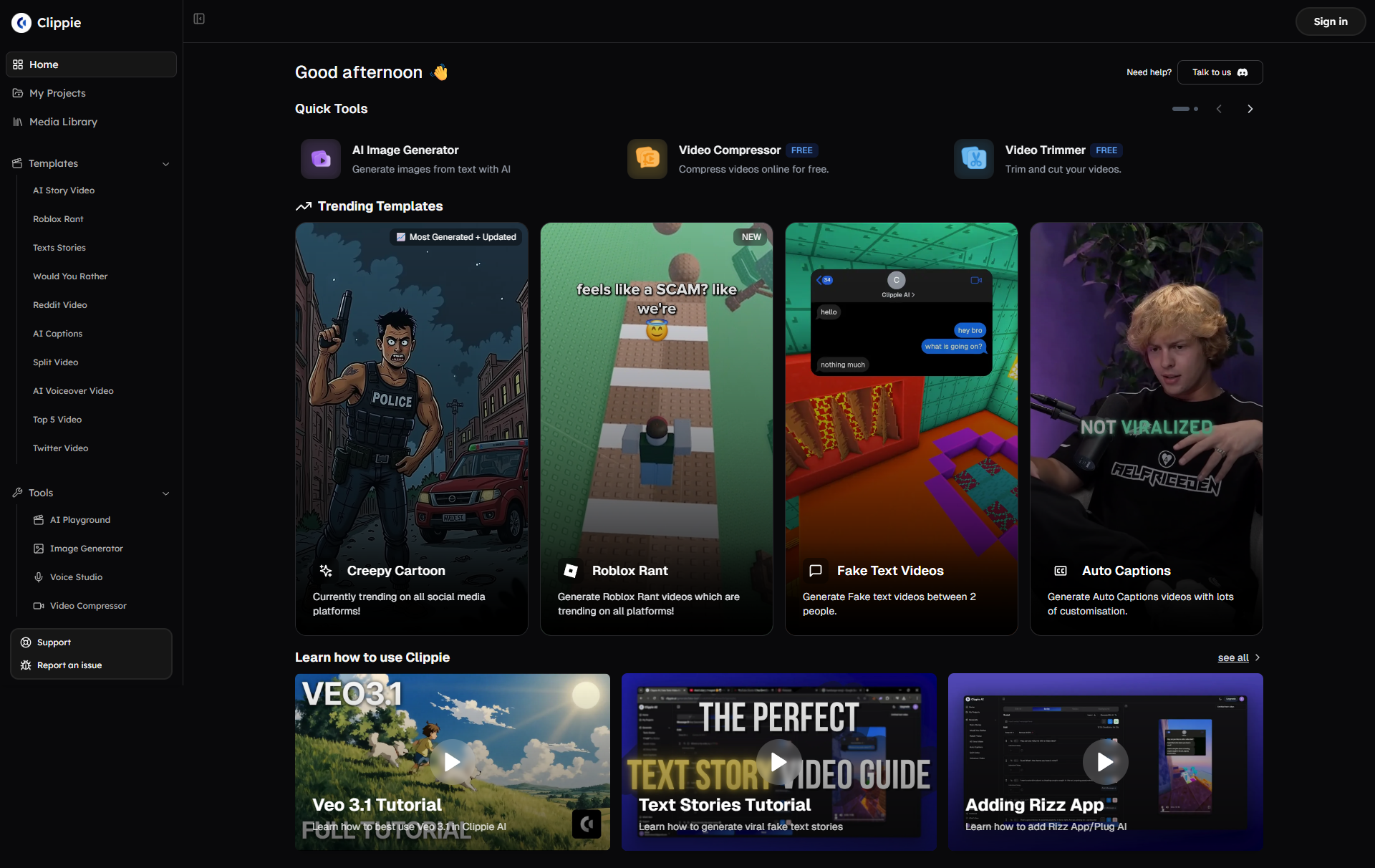
Clippie AI is the fastest way to revolutionize your video production workflow, reducing editing time by 70%+ while maintaining or improving the professional quality that drives engagement and revenue. Whether you're currently drowning in 40+ weekly editing hours, struggling to maintain posting consistency, or simply wanting to scale output without proportional time increases, start creating with Clippie today, and experience how efficiently you can produce the volume and quality of content that modern creator success demands.
Start Your Free Clippie Trial Now and begin building the efficient, sustainable video workflow that transforms content creation from exhausting time-sink into manageable, scalable business activity. Your optimized high-efficiency production future starts with the systematic improvements you implement today.
Related Blog Posts
1. Building a Sustainable Content Creation Schedule: Volume Without Burnout: Discover frameworks for maintaining consistent high-volume content production without exhausting yourself including realistic capacity assessment and planning, energy management and creative sustainability, batch production systems enabling efficient output, and long-term career sustainability practices preventing creator burnout.
2. The Complete Guide to Video Templates and Presets: Speed Without Sacrificing Quality: Learn how to develop and leverage templates that accelerate production while maintaining brand consistency including project template architecture for various content types, color grading and audio mixing presets, graphics and motion template libraries, and export and publishing workflow templates.
3. From Solo Creator to Content Team: Scaling Video Production Operations: Explore systematic approaches to building teams and processes that scale beyond personal capacity including role definition and hiring for video production, training and quality control systems, project management and collaboration workflows, and transitioning from personal brand to sustainable business operations.
Make an AI story video
Write a script or let AI write one. Clippie turns it into a narrated video with AI scenes, voiceover and captions.
Read more

How to Make Top 5 Ranking Videos in 2026 (Step-by-Step)
Build ranking Shorts that can still earn: pick a debatable topic, set clear criteria, source clips you may use, script the countdown, add your commentary.

How to Create Short-Form Videos Using AI: 8 Steps (2026)
A beginner workflow for AI videos on TikTok, Reels and Shorts: pick a format, script a hook, add visuals, voice and captions, export at 9:16, label AI.

7 Free CapCut Alternatives for Short-Form Video (2026)
Compare Edits, YouTube Create, VN, Clipchamp, Canva, DaVinci Resolve and Shotcut: what each gives free users, what it caps first and where it falls short.