
How to Create High-CTR Thumbnails Using AI
Master AI-powered thumbnail creation with proven strategies for maximizing click-through rates. Complete guide to psychology, tools, styles, and optimization for YouTube and social media.

Your thumbnail represents the single most important factor determining whether viewers click on your video or scroll past to competitors' content, more important than your title, description, video quality, or even the algorithmic promotion your content receives. YouTube's own research confirms that 90% of the best-performing videos share one common characteristic: custom thumbnails that immediately capture attention and communicate clear value propositions. The stark reality is that content quality becomes completely irrelevant if your thumbnail fails to generate clicks, the most valuable educational content, entertaining video, or useful tutorial in existence will reach zero viewers if the thumbnail doesn't stop scrollers and convert impressions into views.
Traditional thumbnail creation required either advanced design skills using complex software like Photoshop and Illustrator, substantial time investment creating custom graphics and compositions from scratch, expensive outsourcing to professional designers at $25-100+ per thumbnail, or acceptance of mediocre amateur thumbnails significantly handicapping your content's performance. This created fundamental barrier where creators with design expertise or budgets enjoyed massive distribution advantages over equally talented creators lacking these resources. The thumbnail quality gap directly translated into view count disparities, algorithmic favor differences, channel growth rate variations, and ultimately revenue and impact inequalities having nothing to do with content quality and everything to do with visual presentation skills.
AI-powered thumbnail creation tools have revolutionized this landscape by democratizing access to professional-quality thumbnail design through automated design generation creating polished compositions in seconds, intelligent template systems adapting proven patterns to your content, psychological optimization suggesting elements that drive clicks, rapid iteration enabling A/B testing multiple approaches efficiently, and accessible interfaces requiring zero design training or technical expertise. These AI capabilities don't just speed up thumbnail creation, they fundamentally expand who can compete for viewer attention by eliminating the design skill barrier that previously excluded talented creators from achieving distribution their content deserved.
The Compound Impact of Thumbnail Performance
Understanding how thumbnail CTR affects every aspect of channel performance justifies investing effort in optimization.
The algorithmic amplification effect means YouTube and other platforms use CTR as primary signal determining how aggressively to promote content. Videos with 8-12%+ CTR receive exponentially more impressions than identical content with 3-5% CTR, creating compounding distribution advantages where better thumbnails generate more views, leading to more algorithmic promotion, generating even more views in virtuous cycle. A single thumbnail improvement from 4% to 9% CTR might increase total views 3-5x for same content through algorithmic effects alone.
The audience growth acceleration compounds over time as higher CTR videos reach more potential subscribers converting at similar rates, meaning 3x view improvement translates roughly to 3x subscriber growth. Channels optimizing thumbnails systematically often report 2-4x faster subscriber acquisition compared to identical content with poor thumbnails. This growth acceleration compounds as larger audiences generate more initial engagement on new videos, further boosting algorithmic promotion.
The revenue multiplication directly follows view increases since advertising revenue scales linearly with views at given CPM. A creator generating 100,000 monthly views at $5 CPM earns $500. Improving average CTR from 4% to 8% might increase views to 250,000 (assuming similar impression volumes), increasing revenue to $1,250, 2.5x increase from thumbnail optimization alone without creating additional content. Sponsorship opportunities and rates similarly scale with view counts, multiplying revenue impact.
The competitive positioning determines relative visibility in search results and recommendations where thumbnails don't exist in isolation but compete directly with dozens of alternatives viewers see simultaneously. Your 6% CTR thumbnail loses to competitor's 9% CTR thumbnail even if your content is superior, because viewers never experience your content to judge quality. Thumbnail performance determines whether your content gets chance to demonstrate value or remains invisible despite excellence.
What You'll Master in This Comprehensive Guide
This tutorial provides complete systematic framework for creating high-performing thumbnails using AI tools, from understanding psychological principles through practical design execution, style optimization, and performance testing.
We'll begin by examining why thumbnails matter more than ever in 2025's attention economy including algorithmic changes increasing thumbnail importance, viewer behavior patterns affecting click decisions, competitive landscape evolution raising quality standards, and platform-specific considerations across YouTube, TikTok, Instagram, and other destinations. Understanding these forces helps you recognize thumbnail optimization as strategic imperative rather than optional refinement.
The AI tools section provides detailed analysis of platforms specifically designed for thumbnail creation including Canva's AI features for accessible template-based design, Midjourney and DALL-E for custom AI-generated imagery, specialized thumbnail generators optimized for YouTube, Photoshop's AI capabilities for advanced users, and Clippie's integrated thumbnail tools for streamlined workflow. You'll learn each tool's strengths, limitations, ideal use cases, and how to combine tools strategically.
The psychology behind clickable thumbnails explores the cognitive principles driving viewer decisions including curiosity gap creation making viewers need to click, emotional trigger identification evoking strong immediate responses, pattern interruption techniques standing out from surrounding content, social proof and credibility signals building trust, and cognitive ease principles reducing decision friction. Applying these psychological insights transforms thumbnails from artistic exercises into scientifically-optimized conversion tools.
The style analysis examines what actually performs across different niches through data-driven pattern identification in educational content, entertainment categories, how-to and tutorial videos, commentary and reaction content, and news or informational channels. Rather than generic advice, you'll discover specific style patterns proven effective in your particular content category.
Finally, the mistakes section identifies common thumbnail failures destroying CTR including design errors making thumbnails invisible or confusing, psychological missteps reducing click motivation, technical problems preventing proper display, testing failures leaving performance optimization to chance, and platform policy violations risking penalties or removal. Learning what to avoid prevents costly mistakes while focusing effort on highest-impact improvements.
By the end of this guide, you'll understand both the strategic importance of thumbnails and the practical execution steps for consistently creating high-CTR designs using AI tools, even without prior design experience.
Table of Contents
Why Thumbnails Are More Important Than Ever
AI Tools That Help You Design Thumbnails
The Psychology Behind Clickable Thumbnails
Styles That Perform Across Niches
Thumbnail Mistakes That Hurt Performance
FAQs
Conclusion

1. Why Thumbnails Are More Important Than Ever
Multiple converging trends have elevated thumbnail importance from significant to absolutely critical for content success.
Algorithmic Evolution Prioritizing Click-Through Rate
Platform algorithms have become increasingly sophisticated in using engagement signals to determine content quality and promotion worthiness.
YouTube's recommendation system relies heavily on CTR as primary quality indicator because CTR directly measures whether content delivers on thumbnail/title promise, high CTR indicates content resonates with intended audience, CTR remains relatively manipulation-resistant compared to other metrics, and platform benefits from promoting content that converts impressions into views. YouTube's algorithm explicitly uses CTR in first 24-48 hours to determine whether content deserves continued promotion or should be suppressed. Videos achieving 8%+ CTR commonly receive 5-10x more long-term impressions than identical content at 3-4% CTR.
The compound promotional effect creates winner-take-most dynamics where small CTR advantages multiply dramatically through algorithmic amplification. A video starting with 10% CTR receives more impressions, accumulates more total views and watch time, signals quality to algorithm triggering further promotion, appears in more recommendations and search results, and continues accumulating views for months or years. Meanwhile, identical content with 4% CTR receives minimal initial promotion, fails to accumulate signals algorithm rewards, gets suppressed from recommendations, and effectively becomes invisible regardless of content quality. The initial thumbnail/title combination's CTR performance determines whether content succeeds or fails independent of actual quality.
Platform business model alignment explains why algorithms prioritize CTR, platforms profit from keeping users engaged on platform consuming ads or subscriptions. Content that converts impressions into views efficiently helps platforms monetize inventory better than content requiring many impressions per view. Creators optimizing for platform business model (high CTR) receive more algorithmic support than those optimizing for other metrics. This alignment means thumbnail optimization directly serves both creator and platform interests.
The mobile-first viewing environment intensifies thumbnail importance since 70%+ of YouTube viewing happens on mobile devices where thumbnails display smaller making strong visual communication more critical, viewers scroll faster through feeds increasing competition for attention, decision time is compressed to 0.5-1.5 seconds per thumbnail, and environmental distractions (commuting, multitasking) reduce attention available for nuanced evaluation. Mobile viewing means thumbnails must communicate value and trigger emotion almost instantaneously or viewers scroll past without conscious consideration.

Viewer Behavior and Attention Economics
How audiences actually interact with content platforms reveals thumbnail's decisive role.
The millisecond decision window means viewers make click/skip decisions in 0.5-2 seconds based almost entirely on thumbnail and title since there's insufficient time for conscious deliberate evaluation, decisions happen based on instant emotional response and pattern recognition, hundreds of competing options create choice overload defaulting to clearest strongest signals, and viewers satisfice rather than optimize (choosing first acceptable option rather than evaluating all possibilities). This compressed decision timeline means thumbnail must instantly communicate value and trigger click motivation without requiring thought or analysis.
The information saturation context creates challenging environment where average person encounters 5,000-10,000 marketing messages daily, YouTube alone hosts 720,000 hours of video uploaded daily, every niche has 10-100+ creators competing for same audience attention, and viewer attention is finite resource in infinite content environment. Standing out requires exceptional thumbnail that interrupts pattern and demands attention, meeting average quality threshold is insufficient since only exceptional content captures clicks in oversaturated markets.
The post-click expectation setting means thumbnail creates implicit promise about content that must be fulfilled or viewer immediately leaves, creating complex optimization challenge balancing click-maximizing thumbnail against retention-maximizing content delivery, requiring thumbnails to attract clicks from target audience likely to appreciate content while filtering out viewers who would immediately leave disappointed, and demanding strategic alignment between thumbnail, title, content opening, and full video. Clickbait thumbnails attracting wrong audience harm performance through poor retention even if CTR increases.
The trust and credibility formation begins with thumbnail impression since professional polished thumbnails signal quality content worth viewer's time, amateur thumbnails communicate lack of production value or expertise, consistent thumbnail style builds brand recognition and loyalty, and thumbnail quality influences perceived creator credibility before content consumption. Viewers make complex quality judgments from thumbnail alone, investing in professional thumbnails creates halo effect influencing how content is received and evaluated.
Competitive Landscape and Rising Standards
The thumbnail quality bar has risen dramatically as tools democratize professional design.
The professionalization trend shows average thumbnail quality improving year-over-year as more creators use professional designers or sophisticated tools, AI tools enabling professional results without design expertise, educational content teaching thumbnail optimization proliferating, and competitive pressure forcing quality improvements to maintain relative standing. What qualified as excellent thumbnail in 2020 is merely acceptable in 2025, standards continuously rise requiring ongoing improvement just to maintain competitive position.
The attention arms race creates escalating sophistication where creators employ increasingly dramatic imagery, hyperbolic language, and emotional manipulation, leading to viewer desensitization requiring even stronger signals to capture attention, and creating controversial tension between effective click generation and ethical content representation. Navigating this landscape requires balancing effectiveness against maintaining credibility and trust with audience. Creators refusing to participate in arms race risk becoming invisible, while those pushing too far risk damaging reputation and retention.
The niche-specific evolution means thumbnail standards vary dramatically by content category where educational/tutorial content has developed particular visual language (contrasting before/after, numbered lists, problem/solution framing), entertainment/personality content emphasizes faces, expressions, and drama, news/commentary shows cultural moments or controversial statements, and each niche has implicit expectations viewers bring to thumbnail evaluation. Understanding your niche's visual language prevents violations of implicit expectations while enabling strategic differentiation within established patterns.
The cross-platform convergence shows thumbnail practices evolving similarly across platforms as TikTok and Instagram increasingly emphasize custom thumbnails rather than auto-generated frames, YouTube Shorts adopting similar thumbnail importance as traditional videos, LinkedIn and Twitter video both rewarding strong thumbnails, and universal mobile-first viewing creating similar optimization principles across platforms. Skills developing for YouTube thumbnails increasingly transfer to other platforms as visual attention capture becomes universal content distribution requirement.
Platform-Specific Thumbnail Considerations
Different platforms have unique technical requirements and cultural norms affecting thumbnail strategy.
YouTube traditional video represents most mature thumbnail ecosystem with 1280x720 pixels (16:9 aspect ratio) as standard, file size under 2MB (JPEG, PNG, GIF), custom thumbnails available to verified accounts with 1000+ subscribers, and strong culture of highly designed dramatic thumbnails setting high quality expectations. YouTube's large desktop viewing audience tolerates more complex detailed thumbnails compared to pure mobile platforms. The platform's recommendation algorithm heavily weights CTR making optimization crucial for distribution.
YouTube Shorts uses vertical 9:16 format (1080x1920 pixels recommended) optimized for mobile viewing, custom thumbnails less emphasized but increasingly important for feed performance, and simpler more immediate designs work better matching quick-scroll mobile behavior. Shorts thumbnails require adapting principles from traditional YouTube to more TikTok-like aesthetic and behavioral context.
TikTok video uses vertical format (1080x1920) with prominent centered subject avoiding edges that may be cut off, cover images auto-generated from frame but custom covers increasingly supported, and extreme simplicity and boldness required because of ultra-fast scrolling behavior. TikTok thumbnails serve discovery in profile grid view and "For You" page, requiring immediate visual impact without supporting detail or complexity.
Instagram Reels similar to TikTok using 9:16 vertical format (1080x1920), automatic frame selection but custom cover images available, and aesthetic visual style emphasized reflecting Instagram's culture. Instagram audience has different expectations than YouTube or TikTok, often valuing beautiful aspirational imagery over dramatic emotional manipulation. Understanding platform culture prevents tone-deaf thumbnails that work mechanically but feel wrong culturally.

2. AI Tools That Help You Design Thumbnails
Comprehensive analysis of AI-powered platforms and their strategic applications for thumbnail creation.
Canva's AI-Powered Design Features
Canva has evolved from template platform to sophisticated AI-assisted design tool.
Magic Design and template generation creates complete thumbnail designs from simple prompts including generating multiple design variations from text description, suggesting layouts, color schemes, and element placement, providing starting points that require refinement rather than creation from scratch, and continuously learning from user selections improving suggestions. This AI generation works well for creators who can recognize good design but struggle creating it from blank canvas. The workflow typically involves describing your thumbnail concept (example: "YouTube thumbnail for video about productivity tips, showing clock and to-do list"), reviewing 5-10 AI-generated variations, selecting closest match to vision, and customizing text, colors, and specific elements. Generation takes 15-30 seconds providing instant starting points dramatically faster than manual creation.
AI background removal and image enhancement handles technical photo editing tasks automatically by removing backgrounds from images with single click creating transparent or solid-color backgrounds, enhancing image quality through automatic color correction and sharpening, intelligently expanding images beyond original borders when needed, and replacing backgrounds with AI-generated or stock alternatives. These features save significant time and eliminate technical barriers for creators without photo editing expertise. Example workflow: upload your photo, click "Background Remover," generate transparent background, place over dramatic background image or solid color, and adjust sizing and positioning. This complete process takes 2-3 minutes versus 15-30 minutes manually in Photoshop.
Text and element suggestions uses AI to improve typography and composition through suggesting text hierarchy and sizing for readability, recommending font pairings creating professional appearance, proposing color combinations maintaining contrast and harmony, and positioning elements following design principles like rule of thirds. These intelligent suggestions prevent common design mistakes that destroy thumbnail effectiveness even when creators don't understand underlying design theory.
Brand Kit integration maintains consistency across thumbnails by storing your colors, fonts, logos, and style preferences, applying your brand elements automatically to new designs, ensuring consistent visual identity across all thumbnails, and enabling quick brand-aligned thumbnail creation. Consistency builds recognition and professionalism, viewers should instantly recognize your content from thumbnail style before reading title or channel name.
Strengths and limitations show Canva excels at template-based design for creators wanting quick professional results without learning curve, provides extensive stock image library reducing need to source assets externally, offers affordable pricing ($13/month for Pro) accessible to most creators, and works entirely in browser requiring no software installation or powerful computer. However, limitations include designs can feel template-based without sufficient customization, less control over fine details compared to professional tools, occasional generic appearance if relying too heavily on templates, and requires internet connection unlike desktop software. Canva works best for creators prioritizing efficiency and accessibility over absolute customization control.
Midjourney and DALL-E for Custom AI Imagery
Generative AI creates completely custom thumbnail imagery impossible or expensive to produce otherwise.
Midjourney capabilities for thumbnail creation include generating hyperrealistic or stylized imagery from text descriptions, creating dramatic scenes or compositions matching your specific vision, producing images in any art style (photorealistic, painted, illustrated, 3D rendered, etc.), iterating rapidly testing multiple visual concepts quickly, and creating completely unique imagery ensuring no other creator has identical thumbnail. Midjourney particularly excels at dramatic stylized imagery popular in entertainment and commentary content.
The Midjourney workflow involves crafting detailed text prompts describing desired image (example: "YouTube thumbnail, shocked person reacting to laptop screen showing error message, dramatic lighting, photorealistic, high detail, 16:9"), generating 4 variations from prompt (takes 60 seconds), selecting best variation and upscaling for high resolution, and iterating on prompt if results don't match vision. The prompt-crafting skill improves with practice, learning to specify composition, style, lighting, and mood produces better results.
DALL-E 3 advantages for certain thumbnail needs include integration with ChatGPT enabling conversational image generation, better text rendering within images (important for thumbnails with text elements), more consistent results with fewer artifacts or errors, simpler prompt requirements compared to Midjourney, and straightforward commercial usage rights. DALL-E works well for creators wanting simpler workflow and better text-within-image handling.
Strategic use cases for AI-generated imagery include creating impossible-to-film scenes (futuristic settings, fantasy elements, abstract concepts), generating consistent character illustrations across video series, producing dramatic stylized art differentiating your content, visualizing abstract ideas or concepts requiring metaphorical representation, and A/B testing visual concepts before investing in professional photography. AI generation particularly valuable for faceless channels, abstract educational content, storytelling videos, and any context where realistic photography limits creative expression.
Combining AI imagery with design tools provides best results by generating custom imagery in Midjourney/DALL-E, importing into Canva or Photoshop for text overlays and composition refinement, adding your face or brand elements to AI background, and creating polished final thumbnail combining AI's creative capability with design tool's refinement features. Pure AI output rarely creates optimal thumbnails without some refinement and text addition.
Limitations and considerations include that AI-generated images sometimes have subtle artifacts or uncanny qualities viewers notice subconsciously, text-within-image from AI tools often has errors requiring external text overlays, results can be unpredictable requiring multiple generation attempts, and monthly costs ($30-50 for Midjourney Pro, $20 for ChatGPT Plus with DALL-E) add up for high-volume creators. Use AI generation strategically for thumbnails where custom imagery provides major advantage rather than every thumbnail regardless of need.

Specialized AI Thumbnail Generators
Purpose-built tools specifically optimized for YouTube thumbnail creation.
Thumbnail AI and similar specialized tools offer YouTube-specific features including thumbnail templates designed explicitly for YouTube's specifications and best practices, AI analysis of successful thumbnails in your niche learning what works, predictive CTR scoring estimating likely performance before publishing, A/B testing frameworks comparing multiple thumbnails systematically, and optimization suggestions based on data from thousands of successful thumbnails. These specialized tools understand YouTube's unique context better than general design tools.
The analysis and optimization approach these tools provide includes uploading or generating thumbnail candidates, receiving AI-powered analysis scoring predicted performance, getting specific improvement suggestions (adjust contrast, simplify composition, emphasize faces, etc.), iterating based on feedback, and selecting highest-scoring version for publication. Some tools claim 70-80% accuracy predicting relative CTR performance before publishing, though independent validation of these claims is limited.
Thumbnail Test and competitor analysis tools enable systematic optimization through analyzing top competitors' thumbnails in your niche, identifying common patterns and successful elements, generating thumbnails matching proven patterns while maintaining distinctiveness, and tracking your own thumbnail CTR patterns over time. Learning from what already works in your niche accelerates improvement more than reinventing approaches from first principles.
Cost-benefit analysis for specialized tools: monthly costs typically $20-50 for full features, time savings substantial if tool quality is good (30-60 minutes per thumbnail reduced to 10-15 minutes), predictive CTR features valuable if accurate preventing costly mistakes, but subscription costs add up making sense primarily for channels with monetization justifying investment or creators producing high volumes. Many creators find specialized tools worth cost once producing 15-20+ videos monthly where thumbnail improvement significantly impacts income.
Adobe Photoshop's AI Features
For advanced users, Photoshop's AI capabilities provide maximum control and quality.
Generative Fill and Generative Expand revolutionize photo editing by generating missing or desired content within images automatically, extending image borders intelligently when original doesn't fit ideal composition, removing unwanted objects or backgrounds with AI-generated replacements, and creating complex compositions that would require hours of manual work in minutes. Example: photograph yourself with distracting background, use generative fill to create dramatic studio backdrop, extend image borders to fit 16:9 thumbnail ratio, remove distracting elements, and add AI-generated objects or effects enhancing drama, all within 10 minutes.
Neural Filters provide one-click effects and enhancements including skin smoothing and blemish removal for professional portrait quality, makeup and expression adjustment optimizing your appearance, style transfer applying artistic effects, colorization and tone adjustments, and dozens of other AI-powered effects previously requiring complex manual editing. These filters particularly valuable for creators appearing in thumbnails wanting to optimize their appearance without expensive photoshoots.
AI-powered selection and masking dramatically speeds up complex editing tasks by automatically detecting and selecting people, objects, or backgrounds with accuracy, creating clean masks enabling isolated editing, and refining selections intelligently respecting fine details like hair or transparent objects. This functionality enables complex compositions combining multiple images that would be prohibitively time-consuming without AI assistance.
The advanced user workflow combines capabilities creating sophisticated thumbnails: photograph or generate base imagery, use AI background removal or generative fill creating ideal backdrop, employ neural filters optimizing appearance and mood, add text and graphic elements, apply effects and adjustments for drama and clarity, and export optimized for YouTube specifications. This workflow produces maximum-quality results but requires substantial Photoshop knowledge and time investment (30-60 minutes per thumbnail).
When Photoshop makes sense versus simpler tools: if you have existing Photoshop expertise justifying time investment, if thumbnail quality directly impacts income justifying effort, if you're creating brand flagship content deserving maximum polish, or if you enjoy design process and find it creatively satisfying rather than tedious obligation. For most creators, simpler tools like Canva provide better time-to-quality ratio, but advanced users can achieve unmatched results in Photoshop.
Clippie's Integrated Thumbnail Creation
Streamlined thumbnail generation within comprehensive video production workflow.
The workflow integration advantage provides unique efficiency by generating thumbnails automatically during video creation process without separate tool, suggesting thumbnail images from video frames using AI to identify most engaging moments, creating multiple thumbnail variations automatically enabling A/B testing, maintaining consistent branding automatically across all generated thumbnails, and reducing context switching between different tools and interfaces. This integration particularly valuable for high-volume creators where every minute saved compounds across dozens of videos monthly.
AI-powered thumbnail generation within Clippie's platform includes analyzing video content to identify visually compelling frames suitable for thumbnails, applying proven design patterns automatically (text overlays, contrast enhancement, composition optimization), generating variations testing different emotional hooks or value propositions, and exporting in correct specifications for target platforms. The AI understands that thumbnail isn't just visually appealing image but strategic tool designed to generate clicks from specific audience.
The efficiency multiplier for Clippie users creating multiple videos: single platform handles complete production from script through final video including thumbnail, eliminates manual file management and asset organization, batch-processes multiple videos maintaining thumbnail consistency, and substantially reduces total production time per video by handling all components in integrated workflow. For creators producing 10-20+ videos monthly, this integration saves 2-4 hours weekly that would be spent on thumbnail creation in separate tools.
Strategic use within broader workflow: Clippie's thumbnail generation provides excellent baseline thumbnails meeting quality threshold without additional effort, enables rapid A/B testing with multiple auto-generated variations, and frees creative energy for occasional custom thumbnails on flagship content using specialized tools. Rather than viewing as replacement for all thumbnail creation, smart creators use Clippie for efficient baseline then selectively invest additional effort in most important thumbnails using specialized tools.

3. The Psychology Behind Clickable Thumbnails
Understanding the cognitive and emotional principles driving click decisions transforms thumbnails from art into science.
Curiosity Gap and Information Withholding
Creating tension between what viewers know and what they want to know drives clicks.
The curiosity gap principle exploits fundamental human motivation where incomplete information creates uncomfortable psychological tension, resolution requires clicking to learn missing information, effective gaps balance intrigue against confusion (too vague provides no motivation), and gaps must be quickly resolvable within video otherwise viewer feels manipulated. George Loewenstein's information gap theory explains this as arising from perceived gap between what we know and what we want to know, thumbnails that create specific concrete questions activate curiosity more effectively than vague mysterious imagery.
Effective curiosity gap techniques in thumbnail design include showing dramatic moment without context (person reacting in shock to something off-screen), displaying partial information requiring video to complete (graph showing dramatic change but without labeling axes), posing specific intriguing questions visually (before/after comparison with shocking difference), presenting contradictions or unexpected combinations (respected expert using controversial tool, surprising outcome from common action), and showing beginning or end of process without middle (disaster result but not how it happened). The key is being specific enough to intrigue but incomplete enough to require clicking.
Common curiosity gap mistakes that reduce effectiveness include being too vague where viewers can't form specific question they want answered (random dramatic image with no context), creating gaps that aren't actually resolved in video destroying trust, using identical gap technique repeatedly causing viewer fatigue and skepticism, and relying on curiosity alone without other psychological triggers. Effective thumbnails typically combine curiosity with other principles rather than depending entirely on information gaps.
Balancing curiosity and clarity prevents confusion-induced scroll-past by ensuring viewers can form specific hypothesis about video content even while being intrigued by gap, combining curiosity element with clear value proposition or topic indication, using text overlays to guide interpretation of ambiguous imagery, and testing thumbnails with fresh viewers to ensure intrigue doesn't become bewilderment. If viewers can't form concrete question they want answered from thumbnail, gap fails to motivate click.
Emotional Trigger Identification and Implementation
Strong immediate emotions dramatically increase click probability compared to neutral reactions.
The emotional spectrum for thumbnails includes proven high-performing emotions: surprise or shock (dramatic unexpected outcomes, counterintuitive information, surprising combinations), fear or concern (potential dangers or losses, problems requiring solutions, threats to wellbeing or success), anger or outrage (injustices or violations of fairness, controversial statements or actions, situations triggering moral emotions), joy or excitement (positive outcomes, achievements, entertaining moments), and curiosity or interest (intriguing mysteries, novel information, engaging narratives). Research consistently shows emotional content outperforms neutral information by 2-3x in click generation and sharing.
Visual emotional communication techniques effectively trigger responses including facial expressions where exaggerated dramatic expressions immediately communicate emotion (shock, anger, joy), color psychology with warm colors (red, orange, yellow) creating urgency and energy while cool colors (blue, green) suggest calm or analysis, composition and framing using tight close-ups increasing emotional intensity and wide shots providing context but less emotional impact, and movement and dynamism through implied motion, energy lines, or action mid-frame. The thumbnail must communicate emotion within 0.5-1 second, subtlety fails in this context.
Emotion-topic alignment ensures consistency preventing confused or manipulated feelings where thumbnail emotion should authentically reflect video content and value delivered, entertainment content allows broader emotional exaggeration than educational content where credibility matters more, serious topics requiring respectful emotional treatment despite click optimization pressure, and brand identity influencing appropriate emotional range. A personal finance expert using shocked outraged expressions risks damaging credibility even if such thumbnails generate more clicks from wrong audience who leave immediately disappointed.
The ethical emotion boundary requires constant navigation as platform success incentivizes increasingly extreme emotional manipulation, viewer desensitization requires escalating intensity to achieve same response, but excessive manipulation damages trust and attracts wrong audiences harming retention. The sustainable approach emphasizes authentic emotions genuinely present in content, using emotional hooks that accurately preview video experience, avoiding manipulative extremes that violate viewer trust, and recognizing that retention matters as much as initial clicks.

Pattern Interruption and Visual Salience
Standing out from surrounding content requires breaking viewers' scrolling patterns.
The attention capture challenge in crowded feeds: viewers see 10-30+ thumbnails simultaneously in recommendations or search results, each thumbnail competes directly with all others for finite attention, viewers scroll rapidly scanning for anything interesting, and most thumbnails get 0.2-0.5 seconds of consideration before viewer's eye moves on. Success requires interrupting this rapid scanning process with something impossible to ignore, meeting average quality threshold is insufficient since only exceptional outliers capture attention.
Pattern interruption techniques that break scrolling trance include extreme contrast using colors that dramatically stand out from typical thumbnails (bright magenta in sea of blues and reds, high-contrast black/white in colorful feed), unexpected imagery showing things viewers don't expect in your content category, scale and size violations like oversized faces or text filling entire frame, negative space strategic emptiness when all competing thumbnails are cluttered, movement and direction with diagonal lines or implied motion drawing eye, and face + emotion combinations where human faces automatically capture attention especially with strong expressions. These techniques work by triggering automatic involuntary attention before conscious evaluation begins.
The specificity advantage where specific concrete imagery outperforms vague abstract because viewers can immediately categorize and understand specific content, curiosity about specific situations is stronger than vague mystery, specific examples feel more valuable than generic advice, and concrete imagery is more memorable than abstract concepts. Compare "productivity tips" (vague generic) versus "I tried waking up at 4:30 AM for 30 days" (specific concrete), latter creates much clearer expectations and stronger curiosity.
Balancing pattern interruption with clarity prevents drawing attention without converting to clicks since capturing attention only helps if viewers then understand value proposition and click, some interruption techniques (random chaos, extreme weirdness) draw attention but confuse rather than intrigue, and interruption must occur within niche's visual language rather than violating all category expectations. The goal is standing out among similar thumbnails while still communicating clear membership in content category viewers seek.
Social Proof and Credibility Signals
Building immediate trust increases click-through from skeptical viewers.
Credibility indicators that quickly communicate trustworthiness include professional polish signaling production quality and serious investment, credentials or authority markers (doctor, lawyer, industry expert), numbers and data suggesting rigor and verification (with 10,000 hours experience, tested 50 times, etc.), brand consistency creating familiarity and reliability, and testimonial or endorsement indicators when relevant. Viewers make rapid unconscious judgments about creator credibility from thumbnail quality, amateur thumbnails suggest amateur content regardless of actual quality.
Social proof elements leveraging human tendency to follow others include view counts or popularity indicators (though platforms show these separately), celebrity or influencer appearances or endorsements, crowd scenes or multiple people suggesting community consensus, and "as seen on" or media mentions. However, explicit social proof can backfire by looking desperate or inauthentic, integrate subtly rather than heavy-handedly.
The authenticity paradox in thumbnail psychology where some credibility signals increase clicks but others feel manipulative, viewers want both polish (suggesting quality) and authenticity (suggesting trustworthiness), excessive polish can feel corporate or inauthentic alienating some viewers, while too much "authenticity" (rough amateurish appearance) signals low quality. The balance varies by niche: productivity and business content requires more polish, while lifestyle and personality content often benefits from seeming authentic and raw. Know your audience's preferences rather than assuming universal standards.
Building credibility through consistency over time by maintaining recognizable visual style across thumbnails, delivering on thumbnail promises consistently building trust, gradually improving quality demonstrating growth and investment, and establishing visual brand elements that signal your content before viewers consciously recognize you. Long-term success requires thumbnail strategy that generates clicks while also building sustainable brand and trust rather than maximizing short-term clicks through deceptive or unsustainable practices.
Cognitive Ease and Decision Friction
Reducing mental effort required to understand and click thumbnail improves conversion.
The cognitive fluency principle shows people prefer things that are easy to process mentally with simple clear thumbnails processing faster than complex cluttered designs, familiar patterns requiring less cognitive effort than novel unexpected approaches, readable text processing effortlessly while decorative fonts require concentration, and high contrast requiring less visual effort than subtle distinctions. Research shows cognitively easier decisions feel more trustworthy and valuable, viewers unconsciously associate processing ease with quality and accuracy.
Simplification strategies that reduce cognitive load include single clear subject rather than multiple competing elements, minimal text conveying only essential information (3-5 words maximum for readability at small sizes), clean uncluttered composition focusing attention on primary element, obvious value proposition not requiring interpretation, and familiar patterns within your niche that viewers instantly recognize. Compare "10 Productivity Hacks That Changed My Life" (clear specific) to "Productivity: A Deep Dive Into Advanced Time Management Methodologies" (complex abstract), the former processes instantly while latter requires conscious reading and interpretation.
The readability imperative especially for mobile viewing since 70%+ of viewing happens on phones where text appears tiny, older viewers or those with vision impairment struggle with small text, and environmental distractions during viewing reduce attention available for reading. Best practices include large bold text (minimum 60-80pt font size in 1280x720 canvas), high contrast between text and background (white text with black stroke on any background works universally), simple sans-serif fonts prioritizing readability over personality, minimal word count (3-5 words maximum, preferably 2-3), and strategic positioning avoiding platform UI elements that might cover text.
Decision architecture guides viewers toward clicking through clear hierarchy showing most important element first and secondary elements supporting, logical flow that eyes naturally follow (left-to-right, top-to-bottom in Western cultures), minimal decision points preventing analysis paralysis, and single clear call to action (watch this video) rather than multiple competing messages. The thumbnail should present obvious easy decision rather than complex evaluation requiring thought, viewers satisfice (choose first good option) rather than optimize (evaluate all options choosing best).

4. Styles That Perform Across Niches
Data-driven analysis of what actually works in different content categories.

Educational and Tutorial Content Thumbnails
Learning-focused content has developed particular visual language maximizing clicks while setting appropriate expectations.
The before/after comparison remains most effective educational thumbnail pattern showing clear visual difference between starting state and desired outcome, immediate value proposition without requiring reading, concrete proof that method delivers results, and curiosity about how transformation was achieved. Effective implementation includes strong contrast making difference obvious at small sizes, labels clarifying what viewers see (before/after, problem/solution, old/new), results that look genuinely achievable preventing skepticism, and consistency with actual video content preventing disappointed viewers. Examples: side-by-side photos showing home renovation transformation, code comparison showing simplified elegant solution versus messy original, or data visualization showing improvement over time.
The numbered list indicator leverages specific counting psychology where odd numbers especially 3, 5, 7 feel more digestible than even numbers or large counts, specific promises ("7 tips") feel more credible than vague claims ("many tips"), completeness perception suggests viewer will get full comprehensive information, and scannability promise suggests efficient information delivery. Thumbnail implementation includes large number as primary visual element (5, 7, 10), brief descriptor of list content, iconography or imagery hinting at topic, and design consistency if creating series. Be honest with count, don't promise 10 tips but deliver 6 padding.
The problem/solution visual immediately communicates value proposition by showing relatable painful problem evoking viewer recognition, clear indication of available solution creating hope, dramatic contrast between problem and solution states, and implied promise of transformation through video. Implementation: split screen showing problem side versus solution side, visual metaphors for abstract problems (tangled mess becoming organized, broken/fixed, chaos/order), facial expression or body language communicating problem distress and solution relief, and clear labeling ensuring correct interpretation. Example: productivity video showing overwhelmed person surrounded by tasks becoming calm focused person with organized system.
The step-by-step process preview works well for tutorials by showing key steps in process without revealing everything, creating curiosity about missing steps or details, establishing credibility by demonstrating legitimate process, and setting appropriate expectations about what viewers learn. Implementation includes 3-4 visual steps in sequence, numbered or arrowed progression showing flow, simplified icons or images representing each step, and indication that tutorial teaches complete process. Don't reveal entire process in thumbnail, show enough to intrigue without eliminating need to watch.
Text-on-screen screenshot approach for software tutorials by showing actual software interface viewers will use, specific problem or task addressed by tutorial, clean readable screenshot with good composition, and clear text overlay stating what tutorial teaches. This practical approach sets accurate expectations preventing wrong audience from clicking while appealing strongly to people actually needing this specific skill. Best practices: use clean example avoiding distracting content, highlight relevant interface area with arrows or circles, ensure text and interface both readable at small size, and maintain professional appearance suggesting quality instruction.
Entertainment and Personality-Driven Content
Entertainment-focused channels require different approaches emphasizing personality and emotion.
The extreme reaction face dominates entertainment thumbnails (often called "YouTube face") featuring exaggerated emotional expression (shock, disgust, fear, excitement), direct eye contact creating connection and demanding attention, dramatic lighting emphasizing expression, and tight framing focusing entirely on face. This pattern works because human faces automatically capture attention before conscious processing, exaggerated expressions communicate emotion instantly, implied social interaction (someone looking at you) triggers involuntary attention, and pattern effectively interrupts scroll suggesting entertaining content. Implementation: closeup photo with genuine extreme expression, dramatic lighting from side or below, strong contrast and saturation emphasizing drama, and clear space for text if needed. Authenticity matters, forced fake expressions feel uncomfortable.
The dramatic moment capture shows peak action or comedy by freezing mid-action mid-laugh or mid-disaster moment, showing consequences or outcomes mid-process, capturing perfectly-timed funny or impressive moment, and suggesting entertaining story or experience. This approach creates curiosity about context and full story. Implementation: high-quality photo or video frame capture, excellent timing catching perfect moment, clear focus on main action or subject, and enough context to understand what's happening while maintaining mystery about details. Poor timing or unclear moments fail, select very carefully.
The unexpected combination or juxtaposition creates intrigue through humor by combining elements that don't typically go together, placing people or objects in unexpected contexts, showing contradictions or violations of expectations, and creating visual humor or surprise. This pattern generates clicks through confusion and curiosity, viewer wants to understand why unusual combination exists. Examples: formal business person in absurd situation, unexpected object in unusual location, contradiction between text and image. Implementation: clear visual presentation of both contrasting elements, composition emphasizing unexpected relationship, sufficient context to create humor without confusion, and genuine rather than random combination.
The challenge or stunt thumbnail for reality-style entertainment by clearly showing unusual or difficult challenge being attempted, mid-attempt showing action and stakes, facial expression or body language showing struggle or intensity, and context suggesting entertainment value. Challenge videos have proven format: "(Action) for (duration/extent)." Implementation: action-focused composition, dynamic mid-motion capture, visible difficulty or intensity, and environmental context setting scene. Examples: person attempting physical challenge, endurance test in progress, unusual food challenge, social experiment.
Commentary and Reaction Content
Commentary channels require thumbnails that clearly indicate perspective and content being discussed.
The split-screen commentary format effectively communicates reaction content by showing original content being reacted to (person, image, headline), commentator's reaction (often exaggerated expression), clear relationship between two halves creating obvious narrative, and suggestion of analysis or judgment being provided. Implementation: 50/50 or 60/40 split with commentator and subject, contrasting emotional tones between sides, clear high-quality images for both elements, and text overlay providing additional context if needed.
The controversial statement or headline works for hot-take commentary through prominent display of controversial statement or claim, commentator's expression suggesting reaction (agreement, disagreement, shock), clear indication that video analyzes or responds to claim, and suggestion of conflict or debate. This approach works by triggering viewer's own reaction to controversial statement creating desire to see analysis. Implementation: make headline primary visual element with readable text, include commentator showing clear perspective, use colors and design suggesting topic's emotional tone, and avoid accidental endorsement of harmful claims through design choices.
The side-by-side comparison or versus format for comparative commentary by clearly showing two options being compared, equal visual weight suggesting fair comparison, indication of commentator's perspective or analysis, and promise of informed opinion or decision guidance. This format works well for product reviews, service comparisons, or position analysis. Implementation: balanced layout giving appropriate attention to both sides, clear labeling, commentator providing human element, and design suggesting thoughtful analysis rather than clickbait.
News and Informational Content
News-style content requires balancing attention-capture with credibility and accuracy.
The breaking news or announcement style signals timeliness through "BREAKING" or time-sensitive language, clear headline stating news, professional graphics suggesting credibility, and visual elements from news itself (people involved, locations, objects). This style must balance urgency against appearing sensationalist. Implementation: bold clear text stating news, relevant imagery (not random stock photos), date stamp if important, design conveying seriousness, and avoiding misleading exaggeration.
The data visualization thumbnail works for analytical news content by showing compelling chart, graph, or statistic, clear simple data representation readable at small sizes, specific concrete number or finding, and indication of significance or surprise. This approach attracts analytically-minded viewers seeking substantive information. Implementation: simple clear chart type (bar, line, pie, avoid complex), minimal data points preventing clutter, clear labels and titles, highlighting key finding with color or annotation, and context explaining significance.
The explainer or "how it works" visual for educational news by showing process, system, or concept being explained, simplified diagram or visual metaphor, clear indication of complexity level, and suggestion of accessible understandable explanation. This format promises to make complex topics comprehensible. Implementation: clean simple visual representation, indication of what's being explained, suggestion of thoroughness and quality, and appropriate complexity level signals.

5. Thumbnail Mistakes That Hurt Performance
Identifying and avoiding common errors that destroy CTR despite otherwise good content.
Design and Composition Errors
Technical mistakes that make thumbnails ineffective or invisible.
Insufficient contrast and readability destroys mobile performance where text blends into background making it unreadable, colors that clash but don't contrast reducing visual clarity, busy backgrounds competing with important elements, and subtle distinctions invisible at small sizes. Test thumbnails at actual display size (1-2 inches on phone) ensuring all elements remain clear and readable. Solution: use high-contrast color combinations (white text with black stroke works universally), simplify backgrounds eliminating distracting elements, test on actual mobile device before publishing, and avoid subtle colors or gradients that don't display well at small sizes.
Overcrowding and complexity creates confusion rather than clarity by including too many elements competing for attention, multiple text blocks requiring extensive reading, cluttered composition with no clear focal point, and attempting to communicate too much information simultaneously. Remember viewers have 0.5-1 second, thumbnails must communicate single clear message instantly. Solution: identify single most important element making it dominant, remove all non-essential elements ruthlessly, use 2-4 words maximum text not paragraph, follow one idea rule (one subject, one message, one emotion), and test for instant comprehensibility showing thumbnail to friend for 1 second asking what they understood.
Poor image quality and resolution signals amateurish content through pixelated or blurry images, low-resolution photos stretched beyond original size, visible artifacts from excessive compression, and unprofessional lighting or composition in photos. Quality signals credibility, poor thumbnails suggest poor content regardless of actual video quality. Solution: use high-resolution images (minimum 1280x720 for YouTube, higher better), ensure sharp focus especially on faces, use proper lighting when photographing, compress appropriately balancing file size with quality, and maintain professional standards matching your niche expectations.
Violating platform aspect ratios and safe areas causes cropping or display issues with thumbnails designed for wrong aspect ratio getting cropped awkwardly, important elements placed where platform UI covers them, text or faces cut off at edges, and thumbnails not optimized for mobile rectangular preview. Different platforms have different display contexts. Solution: design at correct dimensions (1280x720 for YouTube), keep important elements in center safe area, test how thumbnail displays in all contexts (search, recommendations, mobile, desktop), and avoid placing critical elements at edges or corners.
Inconsistent branding and style prevents recognition by using completely different visual styles across videos, frequently changing fonts, colors, and layout, no consistent elements linking your thumbnails visually, and making every thumbnail from scratch without template or system. Consistency builds brand recognition enabling viewers to spot your content instantly. Solution: develop thumbnail template with consistent placement of elements, use same fonts and colors across all thumbnails, include subtle branding elements (logo, color scheme, style), maintain consistency while allowing variation for different content types, and update branding deliberately in batches rather than constantly changing.
Psychological and Strategic Mistakes
Conceptual errors undermining thumbnail's persuasive effectiveness.
Misleading or clickbait thumbnails that violate trust by promising content not delivered in video, using fake emotions or reactions not in actual content, showing people or elements not appearing in video, creating curiosity gaps never resolved, and generally manipulating viewers through deception. This approach destroys retention and trust even if temporarily boosting CTR. Solution: ensure thumbnail accurately represents actual video content, use genuine expressions and reactions from content, deliver on implicit promises thumbnail makes, maintain ethical standards preserving long-term trust, and remember retention matters as much as CTR.
Generic undifferentiated thumbnails that blend into competition by using same visual cliches as everyone in niche, no distinctive style or approach creating recognition, following trends without adding unique element, looking virtually identical to competitors' thumbnails, and providing no reason to click your video over alternatives. Standing out requires intentional differentiation. Solution: study competitors identifying overused patterns, develop distinctive style or approach, add unique element (consistent color scheme, mascot, style), test whether your thumbnail stands out in actual search or recommendation context, and evolve approach as niche patterns change.
Ignoring target audience preferences misaligns with viewer expectations where thumbnail style inappropriate for demographic (young aesthetic for older audience, serious style for entertainment content), emotional tone mismatched to content expectations, complexity level wrong for audience (too simple for sophisticated audience, too complex for casual viewers), and cultural blind spots alienating intended viewers. Understanding your specific audience crucial. Solution: research successful channels serving same audience, ask audience directly about thumbnail preferences through polls, test different approaches measuring performance differences, consider demographic factors (age, education, interests), and respect audience intelligence avoiding insulting simplicity or patronizing tone.
Weak or absent value proposition fails to communicate why viewers should click by not clearly indicating what video delivers, generic titles and imagery not conveying specific value, no hook or angle making content seem unique or interesting, and requiring too much interpretation to understand value. Thumbnails must instantly answer "why should I watch this?" Solution: identify specific unique value your video provides, communicate one clear benefit or promise, use specificity over vagueness, test whether fresh viewer immediately understands value, and ensure thumbnail and title work together conveying complete value proposition.
Neglecting emotional connection creates flat unengaging thumbnails by using neutral expressions or no faces, failing to trigger any emotional response, relying entirely on information without emotional hook, appearing cold or corporate rather than human, and underestimating emotion's role in click decisions. Most clicks are emotional decisions rationalized afterward. Solution: include faces with strong expressions where appropriate, identify emotional core of video incorporating in thumbnail, use colors and composition creating emotional tone, add human element even in technical content, and test emotional response asking viewers what they feel seeing thumbnail.
Technical and Platform Policy Violations
Practical errors causing serious problems.
Copyright and licensing violations risk legal and platform consequences through using copyrighted images without permission, including trademarked logos or brands inappropriately, showing people without proper releases, using "royalty-free" images in ways violating licensing terms, and ignoring intellectual property protections. These violations can result in copyright strikes, video removal, or legal action. Solution: use properly licensed stock images, create original imagery, obtain permissions for using third-party content, understand license terms for any images used, and be especially careful with celebrity images or branded content.
Violating platform community guidelines results in penalties including sexually suggestive imagery or positioning, graphic violent or disturbing content, misleading metadata or spam practices, impersonating others or using deceptive practices, and content targeting minors inappropriately. Violations can result in strikes, demonetization, or termination. Solution: review platform guidelines thoroughly, stay conservative with boundary cases, consider whether thumbnail appropriate for all ages if targeting general audience, and remember guidelines evolve requiring periodic review.
Technical export and upload errors cause display problems with wrong file format (use JPG or PNG), excessive file size causing compression, wrong dimensions causing awkward cropping, corrupted files not displaying properly, and color profile issues causing unexpected color shifts. These technical problems entirely negate design effort. Solution: follow platform technical specifications exactly, test thumbnail upload before publishing video, check display across different devices and contexts, use appropriate compression maintaining quality, and keep source files in case re-export needed.
A/B testing implementation mistakes waste optimization opportunities by changing multiple variables simultaneously making it impossible to identify what worked, insufficient sample size reaching conclusions prematurely, testing trivial differences unlikely to matter, ignoring statistical significance making random fluctuations seem meaningful, and never acting on test results. Testing only helps if done systematically. Solution: change one variable at a time in tests, wait for statistically significant sample size (typically 1,000+ impressions minimum), test meaningful differences (different styles, emotions, compositions), use YouTube's built-in A/B test feature if available, document results and actually implement learnings.
FAQs
1. How important is having my face in thumbnails for building a successful channel?
Face presence in thumbnails significantly impacts performance in some niches while mattering less in others, requiring nuanced consideration rather than universal rules. The psychological advantage of faces includes that human faces automatically capture attention through evolutionary attention bias toward faces, facial expressions communicate emotion instantly without requiring thought or reading, perceived social connection creating relationship feeling drawing viewers, credibility and trust benefits from putting yourself visibly behind content, and memorability as faces are far more memorable than abstract imagery or text. Research consistently shows thumbnails with faces, especially showing strong emotions, outperform non-face alternatives by 20-40% on average across many content types. The performance variation by content type shows personality and lifestyle content almost requiring face presence as viewers watch for connection with you specifically (vlogging, commentary, personal brand building), educational and tutorial content benefiting from faces but not requiring them, mix of face and screen/diagram works well, entertainment content often using faces for emotional reactions, and technical or analytical content succeeding without faces if visual demonstrations strong. The faceless success examples prove faces aren't universally necessary, numerous highly successful channels never show creators (many tech tutorials, animated education, some commentary using gameplay or other footage, compilation channels, and certain documentary-style content). These channels typically compensate with exceptionally strong content, distinctive style or approach, professional polish and production value, and other attention-capture techniques like dramatic imagery, intriguing titles, or consistent branding. The strategic considerations for whether to include your face involve your comfort level and privacy preferences (forcing uncomfortable on-camera presence undermines authenticity), whether your niche culture expects or discourages face presence (gaming often uses less face content than lifestyle/personal brand niches), whether your expertise/credibility benefits from personal association or stands independently, and whether you're building personal brand (requiring face) versus content brand (not requiring face). The hybrid approach many creators use combines faceless content as primary output with occasional face appearances in key videos or intro/outros, face in some thumbnails (typically higher stakes videos) but not all, and gradually introducing face as channel grows and creator comfort increases. The practical advice: if natural and comfortable on camera, include face and emotion in thumbnails, this provides significant advantage. If uncomfortable, resist forcing it and compensate through exceptional content quality, distinctive style, professional polish, strong visual storytelling, and compelling titles. Don't let face presence or absence become excuse for poor overall thumbnail strategy, many other factors matter tremendously. Test both approaches if uncertain, measuring relative performance for your specific audience rather than assuming universal patterns apply to your unique situation.
2. How often should I A/B test thumbnails and how long should I run tests?
A/B testing thumbnails provides data-driven optimization but requires systematic approach avoiding common mistakes that waste effort or generate misleading conclusions. The testing frequency balance involves testing too frequently causing constant flux preventing any thumbnail from accumulating statistically significant data, while testing too rarely missing optimization opportunities that could substantially improve CTR and views. For most channels, testing thumbnail variations on 30-50% of uploads (approximately 1 in 2-3 videos) provides good balance, testing more frequently initially while learning what works for your audience, and testing less frequently once you've established patterns and templates. The sample size requirements before drawing conclusions show that statistical significance typically requires minimum 1,000-2,000 impressions per variant (so 2,000-4,000 total across two variants), with more impressions needed for smaller effect sizes (if one thumbnail only 5% better than alternative, more data needed than if one is 40% better), and typical timeframe of 24-72 hours for medium-sized channels to accumulate sufficient data. Tiny channels (under 1,000 subscribers) may need weeks for adequate sample size, while large channels (100K+ subscribers) might reach significance within hours. The critical mistake is changing thumbnails too quickly based on insufficient data, random variance can make inferior thumbnail temporarily appear better, and patience until reaching significance prevents false conclusions. The single variable testing principle requires changing one element at a time (different emotion/expression, different color scheme, face vs. no face, text variations, composition approaches) while keeping other elements constant, enabling clear understanding of what specific change caused performance difference, avoiding confusion from testing radically different thumbnails where multiple changes make identifying cause impossible, and building systematic understanding of what works for your specific audience. The YouTube built-in testing feature (available through YouTube Studio) automatically splits impressions between thumbnail variants, tracks performance of each variant independently, requires manually ending test and selecting winner once statistically significant difference emerges, and provides cleaner data than manually changing thumbnails mid-cycle. If your channel has access to this feature, use it, it eliminates most common testing mistakes. The performance metrics to track beyond just CTR include watch time and retention since high-CTR thumbnail attracting wrong audience who immediately leaves hurts overall video performance, click patterns and drop-off showing whether thumbnail accurately sets expectations, long-term performance as some thumbnails achieve initial curiosity clicks but don't sustain interest, and audience feedback through comments providing qualitative insights complementing quantitative data. The systematic improvement process involves testing specific hypothesis not random variations, documenting all tests and results building institutional knowledge, actually implementing learnings in future thumbnails, gradually building thumbnail templates based on proven patterns, and accepting that some tests will show no significant difference, this is useful information eliminating unnecessary variables from future testing. The diminishing returns reality means early tests typically yield largest improvements (moving from poor to good thumbnails), subsequent tests provide smaller incremental gains (optimizing already-good thumbnails), and eventually optimization hits ceiling where additional testing provides minimal improvement. Don't test obsessively once you've found effective approach, invest effort in content quality and other growth areas. The practical recommendation for most creators: implement thumbnail best practices from established successful patterns in your niche, A/B test major variations once pattern is established (different emotional approaches, face vs faceless, composition styles), run tests long enough for statistical significance (2,000+ impressions minimum, ideally 5,000+), implement clear winners as your new baseline, and retest periodically as channel grows since audience composition and preferences may evolve.
3. What thumbnail tools are worth paying for versus using free alternatives?
The investment decision depends on your channel size, revenue, production volume, and whether paid tools provide capabilities or time savings justifying cost. The free tool capabilities starting point includes Canva free tier offering basic design functionality, templates, and stock images (with limited library), YouTube's thumbnail creator showing preview and allowing upload, GIMP as free Photoshop alternative with substantial capability but steeper learning curve, free mobile apps like Adobe Express providing basic creation on phones, and social media graphic templates often including YouTube thumbnail sizes. These free tools enable creating professional-quality thumbnails with time and learning investment, lack of money need not prevent good thumbnails. The paid tool value propositions include Canva Pro ($13 monthly) adding extensive template library, remove background tool, brand kit functionality, and premium stock assets, justified for creators producing 5+ videos monthly where time savings and quality improvements are worth cost. Midjourney ($30 monthly) or ChatGPT Plus with DALL-E ($20 monthly) enable custom AI imagery valuable for creating unique impossible-to-film visuals, particularly worthwhile for faceless channels, storytelling content, or achieving distinctive visual style. Adobe Creative Cloud ($55 monthly) provides industry-standard tools with maximum capability, justified for established creators generating revenue justifying investment or those with existing Adobe expertise. Specialized thumbnail generators ($20-50 monthly) offer AI-powered optimization, CTR prediction, and competitor analysis, worth considering for channels producing high volume (15-20+ videos monthly) or those with revenue where improved CTR directly increases income by more than tool cost. The ROI calculation framework involves estimating typical views per video (example: 10,000 views), estimating current average CTR (example: 5%, meaning 200,000 impressions generated 10,000 views), projecting improvement from better thumbnails (conservative: +2% CTR to 7%, optimistic: +4% to 9%), calculating additional views (at 7% CTR and same impressions: 14,000 views, 40% increase), and determining revenue impact (if $5 CPM: 4,000 additional views = $20 additional revenue per video). If producing 8 videos monthly, $160 additional monthly revenue easily justifies $13-50 monthly tool cost. The breakeven channel size varies but typical thresholds suggest free tools work fine until producing 5-8+ videos monthly where time investment becomes burdensome, revenue justifies paid tools typically around 20-50K subscribers where channel generates $200-1,000+ monthly, and specialized tools make sense for larger channels (100K+ subscribers) producing high volume where thumbnail optimization directly impacts significant revenue. The smart hybrid approach most creators use involves starting with free tools learning thumbnail basics and principles, upgrading to Canva Pro once producing regularly and time savings justify cost, adding AI image generation selectively for specific thumbnails where unique visuals provide major advantage, and considering specialized tools only after establishing that thumbnails are significant performance bottleneck worth investment. The critical insight: tools matter less than strategy, psychology, and execution quality. Free tools used skillfully outperform expensive tools used poorly. Invest first in learning effective thumbnail principles, study successful thumbnails in your niche, master psychological triggers and design fundamentals, and improve systematically through testing and iteration. Tools accelerate and simplify execution but don't replace strategic understanding. The red flag warning signs you're overspending on tools include having multiple subscriptions providing duplicate capabilities, paying for advanced features you don't actually use, not producing enough content to justify tool subscription costs, or expecting tools to solve problems that are actually strategic or execution issues rather than tool limitations. The conservative spending approach: use free tools until clear specific limitation prevents achieving goals, upgrade to minimal paid tier solving that specific limitation, cancel any tools not being actively used, and regularly audit whether tools still justify costs given current usage patterns and channel revenue.
4. Should thumbnails be consistent across all videos or varied by content type?
The consistency-versus-variety tension requires strategic balance rather than absolute answer in either direction. The consistency arguments favoring similar thumbnails include that consistent style builds brand recognition enabling viewers instantly identifying your content, reduces decision fatigue in creation process using templates rather than designing from scratch, creates professional polished appearance suggesting serious investment, and establishes viewer expectations about content quality and style. Many successful channels maintain very consistent thumbnail aesthetic where you could hide channel name and viewers would still recognize content immediately. The variety arguments favoring differentiation include that different content types benefit from different thumbnail approaches (tutorial thumbnails should look different from vlog thumbnails), variety prevents thumbnail fatigue where all content looks same to viewers, algorithmic testing suggests some variation helps identify what resonates best, and matching thumbnail to specific video content prevents misleading viewers and improves retention. The strategic hybrid approach most successful channels use involves maintaining consistent brand elements across all thumbnails (same fonts, color palette, layout structure, stylistic choices, and subtle branding like logo or color bar), varying content-specific elements while maintaining brand foundation (different emotional expressions for different content moods, different imagery matching specific video topics, different color emphasis within consistent palette, and different text while maintaining formatting), and developing content-type templates where tutorials follow one template, vlogs follow another, and reviews follow third, maintaining consistency within content type. This approach provides best of both worlds, recognition and professionalism from consistency plus appropriate optimization and freshness from variation. The content category considerations show that personality/lifestyle channels benefit from more variation as content itself varies substantially, educational channels work well with more consistency as viewers seek systematic comprehensive coverage, and entertainment channels fall between depending on specific style and audience expectations. Study successful channels in your specific niche observing whether leaders use consistency or variety, this reveals audience expectations you should align with or strategically violate. The evolution over time approach recognizes that thumbnails should improve as you learn and channel grows, requiring periodic "rebranding" where you deliberately update template and approach rather than randomly changing constantly, typically occurring during major channel milestones (100K subscribers, content strategy shift, etc.), and implemented across all future thumbnails not retrospectively changing old videos. This gives freshness without appearing inconsistent or confusing. The practical implementation advice includes developing 2-3 template variations covering your main content types, maintaining brand elements consistent across all templates (fonts, colors, layouts, style), varying images, expressions, and specific text while maintaining structure, and establishing these templates early then evolving deliberately rather than randomly. The testing caveat: while consistency helps recognition, don't let it prevent testing and improvement, schedule periodic template refreshes where you test new approaches on 30-50% of content, maintain tracking to see if new template performs better, and update your standard template based on data rather than assumption or feeling. The consistency should serve strategy not constrain evolution. The personal brand consideration shows that channels built around creator's personality benefit from more consistency as you're the brand, while content-focused channels (education, news, certain entertainment) can vary more since specific videos matter more than creator personality. Consider whether you're building personal brand (you) or content brand (the information or entertainment) when determining consistency strategy.
5. How do I know if poor CTR is due to thumbnails versus titles or content quality?
Diagnosing performance problems requires systematic analysis isolating variables rather than assuming thumbnails are always the culprit. The diagnostic process begins with reviewing YouTube Analytics examining impressions (how many people saw your thumbnail), CTR (what percentage clicked after seeing thumbnail), average view duration and retention (how long viewers stayed after clicking), and traffic sources (where impressions came from, search, browse, suggested, external). The CTR benchmarks by traffic source show browse features (YouTube homepage, subscription feed) typically achieving 4-6% CTR for average content and 8-12% for excellent thumbnails, YouTube search typically achieving 2-4% CTR due to more intent-driven behavior, suggested videos achieving highly variable CTR depending on what video you're being suggested alongside, and external sources (social media, websites) varying widely by source and context. These benchmarks help identify whether your CTR is problematic, consistent 2% CTR in browse features strongly suggests thumbnail problem, while 5-6% is acceptable and 10%+ is excellent. The isolation methodology for thumbnail versus title involves changing only thumbnail while keeping title identical, measuring CTR change (if CTR improves significantly, thumbnail was problem; if unchanged, issue is elsewhere), changing only title while keeping thumbnail identical measuring CTR change, and recognizing that thumbnail and title work together, optimal combination isn't necessarily strongest individual elements. YouTube's thumbnail A/B test feature (when available) provides cleanest isolation of thumbnail variable. The retention analysis distinguishes thumbnail problems from content problems since thumbnail problems show high initial drop-off (first 15-30 seconds) indicating thumbnail attracted wrong audience or set incorrect expectations, while content problems show gradual consistent drop-off throughout video indicating content doesn't maintain interest or provide value. If retention looks good (60-70%+ through duration) but CTR is low, problem is definitely thumbnail/title, not content. Conversely, if CTR is reasonable (5-7%) but retention is poor (dropping below 40% quickly), problem is content not matching thumbnail promise or simply being less engaging than alternatives. The competitive comparison approach involves searching your video's main topic observing competing videos' thumbnails and titles, identifying whether your thumbnail stands out positively or blends into background or stands out negatively, considering whether your title clearly communicates value proposition compared to alternatives, and honestly assessing whether your content quality matches or exceeds competitors viewers have alternative access to. If your thumbnail looks significantly weaker than established competitors, that's likely the problem. If your thumbnail is comparable or better but still underperforming, look at title or content. The title-specific indicators of title problems include title being too vague or generic not clearly indicating content value, title being too complex or requiring too much reading, title not including relevant search keywords reducing discoverability, title not creating curiosity or interest even if clear, and title tone or style mismatched to thumbnail creating disconnection. The content quality indicators distinguishing from thumbnail issues include good CTR and high initial retention (first 30 seconds) but poor overall retention suggesting content doesn't deliver on promise, consistent performance regardless of thumbnail variations suggesting thumbnails aren't the constraint, audience feedback in comments mentioning disappointment with content quality, and competitive analysis showing your content is less comprehensive, useful, or entertaining than alternatives. The systematic improvement approach tests variables individually rather than changing everything simultaneously making it impossible to identify what helped, documents all changes and results building data-driven understanding, and prioritizes highest-leverage improvements first (if CTR is 2%, improving that provides bigger impact than optimizing retention from 60% to 65%). The reality check: most creators overestimate their content quality and underestimate importance of presentation (thumbnails, titles, hooks). If your content is genuinely excellent but getting poor views, thumbnail/title are likely problems. If views are reasonable but retention is poor, content is likely problem. Use data to diagnose accurately rather than assuming convenient explanations that avoid uncomfortable truths about content needing improvement.
6. What are the legal issues around using images of people, celebrities, or brands in thumbnails?
The legal landscape around thumbnail imagery is complex with significant risks that many creators underestimate until receiving cease-and-desist letters or legal threats. The copyright fundamentals show that virtually all professional photographs are copyrighted automatically upon creation, using others' photos without permission or license is copyright infringement regardless of how you found them online, "fair use" is narrow legal defense that doesn't automatically protect any educational or commentary usage, and copyright violations can result in DMCA takedown, copyright strikes against your channel, or lawsuits with substantial statutory damages ($750-150,000 per work). The right of publicity and personality rights protect individuals' right to control commercial use of their name, image, and likeness, meaning using someone's photograph in your thumbnail (especially celebrities or public figures) can violate their publicity rights even if you own copyright to photo, "newsworthiness" exception may protect some journalistic or commentary uses but isn't unlimited protection, and violations can result in demands for compensation or legal action. The trademark considerations mean including others' logos, brand names, or trademarked imagery can constitute trademark infringement particularly if usage suggests endorsement or association, even if commenting on or reviewing product, and brands actively enforce trademark rights sending takedown demands. The practical safe approaches to sourcing imagery include photographing yourself or creating your own original imagery eliminating copyright and publicity concerns, using properly licensed stock photography from legitimate sources (Shutterstock, Adobe Stock, Unsplash for free commercial use) and understanding license terms, using Creative Commons licensed images that explicitly permit commercial use with proper attribution, hiring photographers or designers creating original work with work-for-hire agreement transferring rights to you, and using AI-generated imagery from tools with commercial usage rights (Midjourney, DALL-E, etc.) though this area is evolving legally. The celebrity and public figure considerations are particularly risky where using paparazzi photos or promotional images almost certainly violates copyright, screenshots from movies/TV shows are copyright-protected not fair use for most purposes, news photos are copyrighted by photographer or agency despite showing newsworthy subjects, and publicity rights apply even if you legally obtained photo. The limited exceptions include clearly newsworthy commentary or criticism might qualify for fair use but isn't guaranteed, transformative use that dramatically changes image might qualify but requires substantial transformation not just adding text, and some jurisdictions have narrower publicity rights than others creating complex multi-state analysis. Never assume you can freely use celebrity images even for commentary, seek legal advice if relying on fair use defense. The platform policy layer adds additional restrictions beyond just law where YouTube prohibits misleading metadata including thumbnails suggesting endorsements that don't exist or misrepresenting content, platforms can remove content or terminate channels for policy violations even if technically legal, and policies often more restrictive than legal requirements providing creators less leeway. The risk mitigation strategies include defaulting to original imagery you create or license properly, avoiding celebrity images unless truly necessary and you've obtained legal advice, never using others' professional photography without explicit permission, clearly distinguishing commentary about someone from suggesting association with them, and maintaining records of licensing for all images you use. The AI-generated imagery considerations recognize this is rapidly evolving area where most AI image tools claim users have commercial rights to generated images, but underlying training data copyright questions remain unresolved legally, and safe approach is using AI imagery only when original sources would also be legal (not generating celebrity likenesses or copyrighted characters). The when to seek legal advice includes if planning to regularly use celebrity images in thumbnails, if using content from other creators or sources where fair use might apply, if you receive any cease-and-desist or infringement claims, or if building channel with significant revenue where legal risks justify professional guidance. The cheap insurance approach includes obtaining basic media liability insurance if channel becomes substantial business, maintaining meticulous records of image sources and licenses, promptly responding to any takedown requests even if you believe they're invalid, and erring on side of caution when borderline cases arise. The practical reality: thousands of creators regularly violate copyright and publicity rights in thumbnails without consequences because most rights holders don't actively monitor or enforce except against largest channels where damages justify legal costs. This doesn't make violations legal or safe, it means risk increases as your channel grows and becomes more visible target. Start with safe practices from beginning rather than developing illegal habits you must change later.
7. How should I optimize thumbnails differently for YouTube Shorts versus traditional long-form videos?
YouTube Shorts and traditional videos require substantially different thumbnail strategies reflecting distinct viewer behaviors, platform features, and algorithmic considerations. The primary discovery difference shows Shorts are discovered primarily through dedicated Shorts feed with ultra-fast vertical scrolling similar to TikTok, while traditional videos are discovered through search results, homepage recommendations, and suggested video sidebars. This fundamental discovery context changes what works. The Shorts thumbnail technical specifications require vertical 9:16 aspect ratio (1080x1920 pixels) matching mobile portrait orientation, whereas traditional videos use horizontal 16:9 aspect ratio (1280x720 minimum). Designing for tall vertical format requires different composition approaches centering important elements avoiding top/bottom edges that may be cut off, using vertical visual flow rather than horizontal, and maintaining readability in much narrower space. The viewing context and attention differences show Shorts viewers scroll extremely rapidly (0.2-0.5 seconds per thumbnail) requiring even more immediate impact than traditional thumbnails, mobile-only viewing (99%+ of Shorts viewing is mobile) requiring simpler clearer designs, and extreme competition as Shorts feed shows endless options encouraging viewers to keep scrolling until something exceptional appears. The Shorts algorithm differences include that Shorts algorithm appears less CTR-focused than traditional videos (completion rate and engagement matter more), custom thumbnails for Shorts are less emphasized in algorithm than for traditional videos, and Shorts success depends more on first 1-3 seconds of video content than thumbnail. This doesn't mean Shorts thumbnails don't matter, they're crucial for profile grid view and suggested Shorts, but are relatively less important than for traditional videos. The Shorts-optimized design principles require extreme simplicity with single bold clear subject, maximum 1-3 words of text (not 3-5 like traditional thumbnails), even higher contrast to remain visible during ultra-fast scrolling, faces and emotions work even better than traditional thumbnails, and composition centered with safe margins. Compare traditional thumbnail reading "5 Productivity Tips That Changed My Life" to Shorts equivalent showing just face with emotion and "LIFE CHANGING" two-word text, the Shorts version sacrifices detail for instant impact. The hybrid content strategy many creators use involves repurposing traditional video content into Shorts using different thumbnails optimized for each format, don't just shrink traditional thumbnail to vertical, actually redesign emphasizing different elements. Creating Shorts-specific content means designing thumbnails for ultra-fast mobile scrolling with minimal text, maximum visual impact, and centered vertical composition. Testing both formats requires tracking Shorts and traditional video CTR separately recognizing benchmarks differ (Shorts CTR often lower due to feed dynamics), testing thumbnail variations for Shorts is harder due to less control over impression distribution, and success metrics differ (Shorts: completion rate and engagement; Traditional: CTR and watch time). The cross-promotion opportunity involves using Shorts as discovery vehicle for traditional content where Shorts can introduce your channel to new viewers who then explore traditional content, maintaining consistent branding between Shorts and traditional thumbnails helps recognition, and Shorts thumbnails appearing in profile grid view alongside traditional thumbnails benefit from visual consistency. The practical workflow includes creating traditional video with traditional horizontal thumbnail, if creating Shorts version, designing new vertical thumbnail rather than repurposing horizontal, testing both formats independently, and analyzing performance by format separately rather than comparing Shorts to traditional videos directly. The platform evolution caveat recognizes YouTube Shorts features and algorithm evolve rapidly, current best practices may change as platform matures, so stay current with Shorts-specific best practices through creator communities and official YouTube guidance.
Conclusion
Thumbnail optimization represents one of the highest-leverage improvements available to content creators, the single change that can increase views 2-4x without changing content quality, filming, or production processes at all. Understanding that 90% of clicks happen or fail based entirely on thumbnail and title combination, with thumbnail being the dominant factor in that decision, justifies treating thumbnail creation with same seriousness as content production itself. The distinction between talented creators achieving success and equally talented creators remaining invisible often comes down entirely to thumbnail quality differences rather than content quality gaps.
The comprehensive framework provided in this guide, from understanding algorithmic and psychological foundations through practical AI tool selection, proven design strategies, niche-specific patterns, and common mistake avoidance, equips you with both conceptual understanding and tactical execution capabilities. The psychological principles driving clicks aren't mysterious or arbitrary but reflect predictable cognitive patterns around curiosity gaps, emotional triggers, pattern interruption, social proof, and cognitive ease. Deliberately implementing these principles transforms thumbnail creation from subjective art into scientific optimization process with measurable predictable results.
The AI-powered tools revolution has democratized professional thumbnail creation, eliminating the historical advantage that design-skilled or well-funded creators enjoyed over equally talented creators lacking those resources. Whether using accessible platforms like Canva's AI features for template-based efficiency, generative AI like Midjourney for custom impossible-to-film imagery, specialized thumbnail generators for data-driven optimization, or Adobe's professional tools for maximum control and quality, modern AI capabilities enable anyone creating content worthy of audience to create thumbnails worthy of that content. The investment required, whether money, time, or learning effort, provides returns far exceeding costs through dramatically improved CTR driving algorithmic promotion and channel growth.
The niche-specific style analysis reveals that thumbnail effectiveness isn't universal but context-dependent where educational content benefits from before/after comparisons and numbered lists, entertainment requires extreme expressions and dramatic moments, commentary needs clear indication of perspective and subject, and news demands credibility signals and clear information. Success requires understanding your specific niche's visual language and audience expectations while finding strategic differentiation opportunities preventing your content from blending invisibly into competition. The balance between following proven patterns and differentiating meaningfully determines whether thumbnails generate clicks while building sustainable brand recognition.
The Systematic Optimization Approach
Moving from ad-hoc thumbnail creation to systematic optimization process separates channels that achieve consistent growth from those that plateau despite good content. The foundation includes studying successful channels in your niche learning what actually works rather than assuming universal patterns, implementing proven psychological principles deliberately rather than accidentally, developing 2-3 template variations covering your main content types while maintaining brand consistency, and establishing quality standards ensuring every thumbnail meets professional baseline. This foundation prevents the constant reinvention and inconsistency that plague creators lacking systematic approaches.
The continuous improvement cycle involves A/B testing specific variables one at a time generating actionable insights, tracking CTR, retention, and long-term performance for every thumbnail understanding what drives results, documenting learnings rather than trusting memory building institutional knowledge, implementing proven patterns while remaining open to evolution as platforms and audiences change, and investing in thumbnail optimization proportional to its impact on your specific channel's growth and revenue. This systematic approach compounds advantages over time as understanding deepens and templates improve while competitors continue creating thumbnails randomly without learning from data.
The resource allocation balance recognizes that thumbnails deserve significant attention without consuming disproportionate time or money relative to content creation. Efficient creators develop thumbnail workflows taking 10-20 minutes per thumbnail using AI tools and templates, selectively invest additional effort in highest-stakes thumbnails where performance particularly matters, maintain simplicity avoiding perfectionism preventing publishing consistent content, and automate or template repetitive elements focusing creative energy on strategic differentiation. The goal is reliable professional thumbnails supporting content success rather than elaborate artistic creations becoming ends in themselves.
Your Thumbnail Optimization Action Plan
Begin immediately improving your thumbnail performance by auditing your last 10-20 thumbnails honestly evaluating whether they implement psychological principles discussed, analyzing your CTR data identifying whether thumbnails are actual constraint on growth, and studying top competitors' thumbnails in your niche learning effective patterns. This diagnostic reveals your specific opportunity areas rather than generic improvements that might not address your actual constraints.
Implement foundational improvements using AI tools by selecting appropriate tool for your budget and skill level (Canva Pro for most creators, AI generation for unique imagery needs, specialized tools for high-volume production), developing 2-3 template variations covering your main content types with consistent branding, and establishing systematic creation workflow taking 15 minutes or less per thumbnail. This operational foundation enables consistent professional output without excessive time investment per thumbnail.
Test and iterate systematically by A/B testing major variables on 30-50% of uploads learning what resonates with your audience, tracking metrics rigorously understanding what actually drives performance rather than assuming, and implementing proven patterns while remaining open to evolution as you learn. This data-driven approach separates effective optimization from random changes providing no learning.
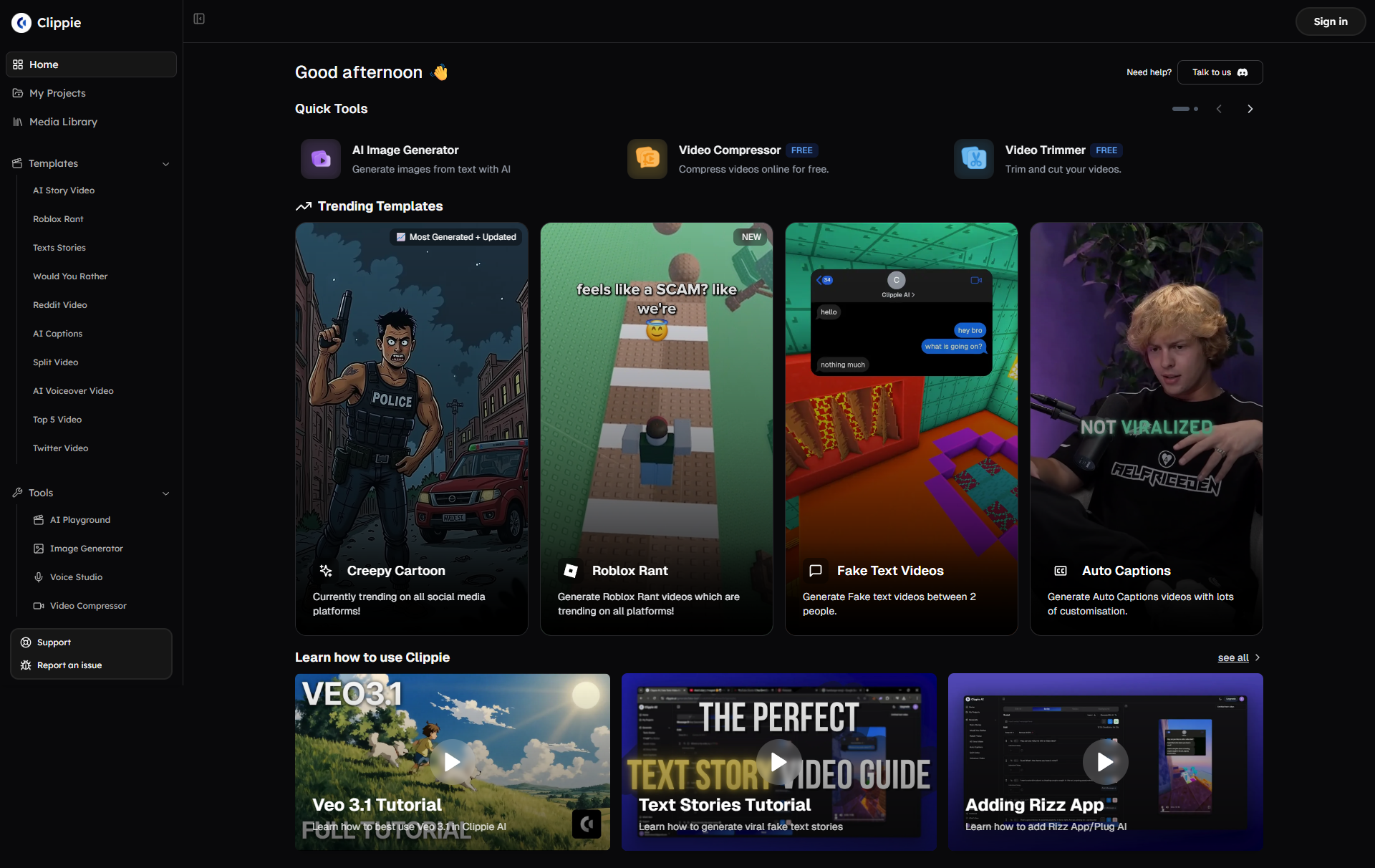
AI-powered thumbnail creation tools like those available through Clippie's integrated platform eliminate the historical barriers preventing talented creators from competing for audience attention they deserve. Whether you're new creator seeking efficient entry into content production, established creator wanting to systematically improve performance, or agency producing high volumes for multiple clients, modern AI tools provide accessible path to professional thumbnails that generate clicks, satisfy algorithms, and build successful channels.
Start Your Free Clippie Trial Now and begin creating high-CTR thumbnails that transform your content's discoverability and channel's growth trajectory. Your optimized thumbnail strategy and the dramatically improved performance it enables start with the implementation you commit to today.
Related Blog Posts
1. The Complete YouTube Algorithm Guide: Understanding How Videos Get Discovered in 2025: Comprehensive analysis of YouTube's recommendation system including how CTR, retention, and engagement signals determine promotion, algorithmic changes affecting different content types, strategies for maximizing algorithmic favor across discovery surfaces, and adapting to ongoing platform evolution.
2. Mastering Video Hooks: The First 30 Seconds That Determine Success or Failure: Deep exploration of opening strategies that maintain retention after thumbnail and title drove the click including psychological principles behind effective hooks, proven opening formulas across content categories, avoiding common mistakes that lose viewers immediately, and ensuring thumbnail-to-content continuity maintaining trust.
3. Building a Profitable YouTube Channel: Complete Monetization Strategy for 2025: Business-focused guide for maximizing creator revenue including advertising revenue optimization through CPM improvement and watch time strategies, sponsorship acquisition and negotiation tactics, digital product development and launch strategies, and building diversified income streams reducing platform dependence.
Make an AI story video
Write a script or let AI write one. Clippie turns it into a narrated video with AI scenes, voiceover and captions.
Read more

How to Make Top 5 Ranking Videos in 2026 (Step-by-Step)
Build ranking Shorts that can still earn: pick a debatable topic, set clear criteria, source clips you may use, script the countdown, add your commentary.

How to Create Short-Form Videos Using AI: 8 Steps (2026)
A beginner workflow for AI videos on TikTok, Reels and Shorts: pick a format, script a hook, add visuals, voice and captions, export at 9:16, label AI.

7 Free CapCut Alternatives for Short-Form Video (2026)
Compare Edits, YouTube Create, VN, Clipchamp, Canva, DaVinci Resolve and Shotcut: what each gives free users, what it caps first and where it falls short.