How to Make Dark Cartoon AI Story Videos with Clippie AI (2025 Guide)
Learn step-by-step how to create viral Dark Cartoon AI story videos with Clippie AI. From script writing to voiceovers, captions, and effects — here’s how to build scary story content that performs on TikTok, YouTube Shorts, and Instagram Reels.

On this page
Introduction
Scary story videos have quickly become one of the fastest-growing content niches on TikTok, YouTube Shorts, and Instagram Reels. Audiences are naturally drawn to suspense, mystery, and fear, and when these elements are delivered in a short, visually gripping format, they create the perfect recipe for virality.
The trend isn’t just about horror stories; it’s about the dark cartoon aesthetic. Distorted visuals, eerie backgrounds, and chilling narration come together to produce videos that feel unique, unsettling, and impossible to scroll past. Combined with AI-generated storytelling hooks that keep viewers hanging on every word, these videos drive massive watch time, shares, and comments — three signals TikTok and YouTube’s algorithms reward heavily.
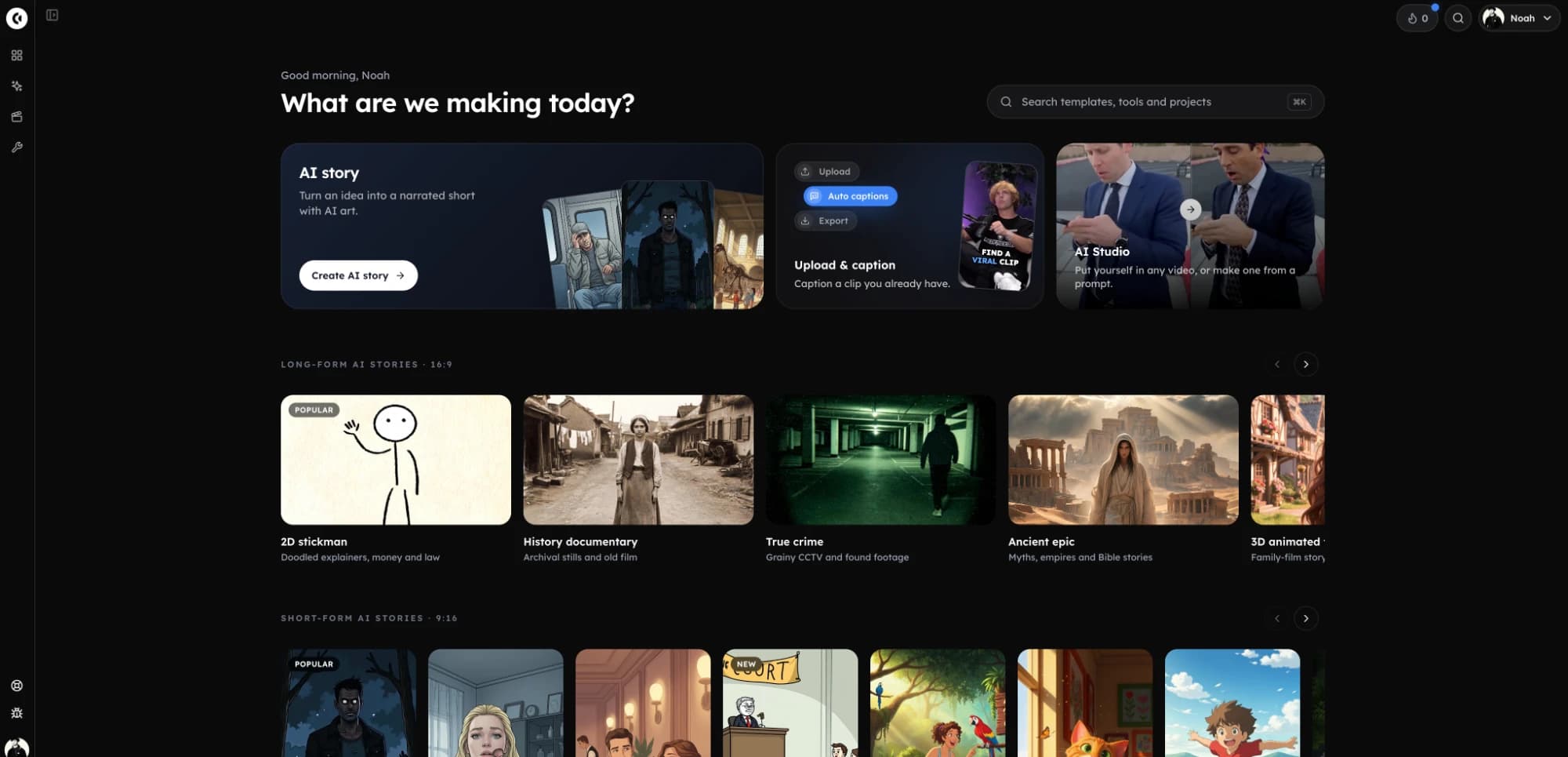
With Clippie AI, you don’t need to be an animator, a video editor, or even a professional storyteller to tap into this viral niche. Our platform gives you everything you need in one workflow: AI script writing for your horror story, text-to-voice narration, dark cartoon image and video generation, background music and effects, automated captions, and one-click exports ready for TikTok, Shorts, or Reels.
In this detailed step-by-step tutorial, we’ll walk you through exactly how to create your own Dark Cartoon AI story videos with Clippie AI, starting from writing your script all the way to customizing captions and exporting your finished video. By the end, you’ll be ready to post professional-quality scary story content that captures attention and grows your audience fast.
Step 1: Generate Your Script with the AI Script Writer
The foundation of every great dark cartoon video is the script.
Open the AI Script Writer in Clippie AI.
Enter a detailed prompt describing the type of scary story you want. (e.g., “Write a 45-second horror story about a haunted school at night.”)
Let the AI craft your script for you.
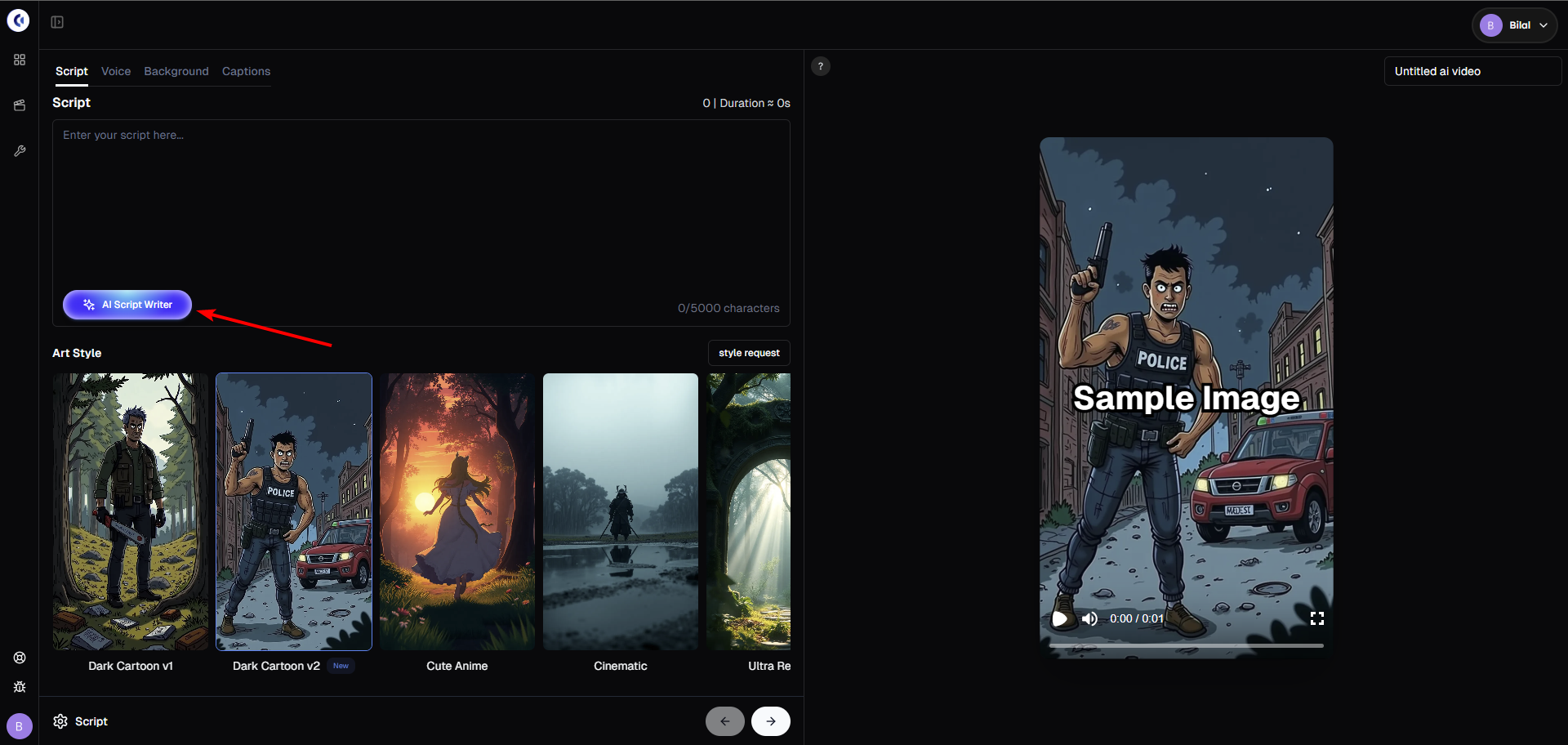
Pro tip: The more detail you give the prompt, the more engaging and vivid the story will be.
Step 2: Choose Your Voice Character
Once your script is ready:
Select a voice character from Clippie’s library.
Click Generate Scenes to automatically create your voiceover + image scenes.
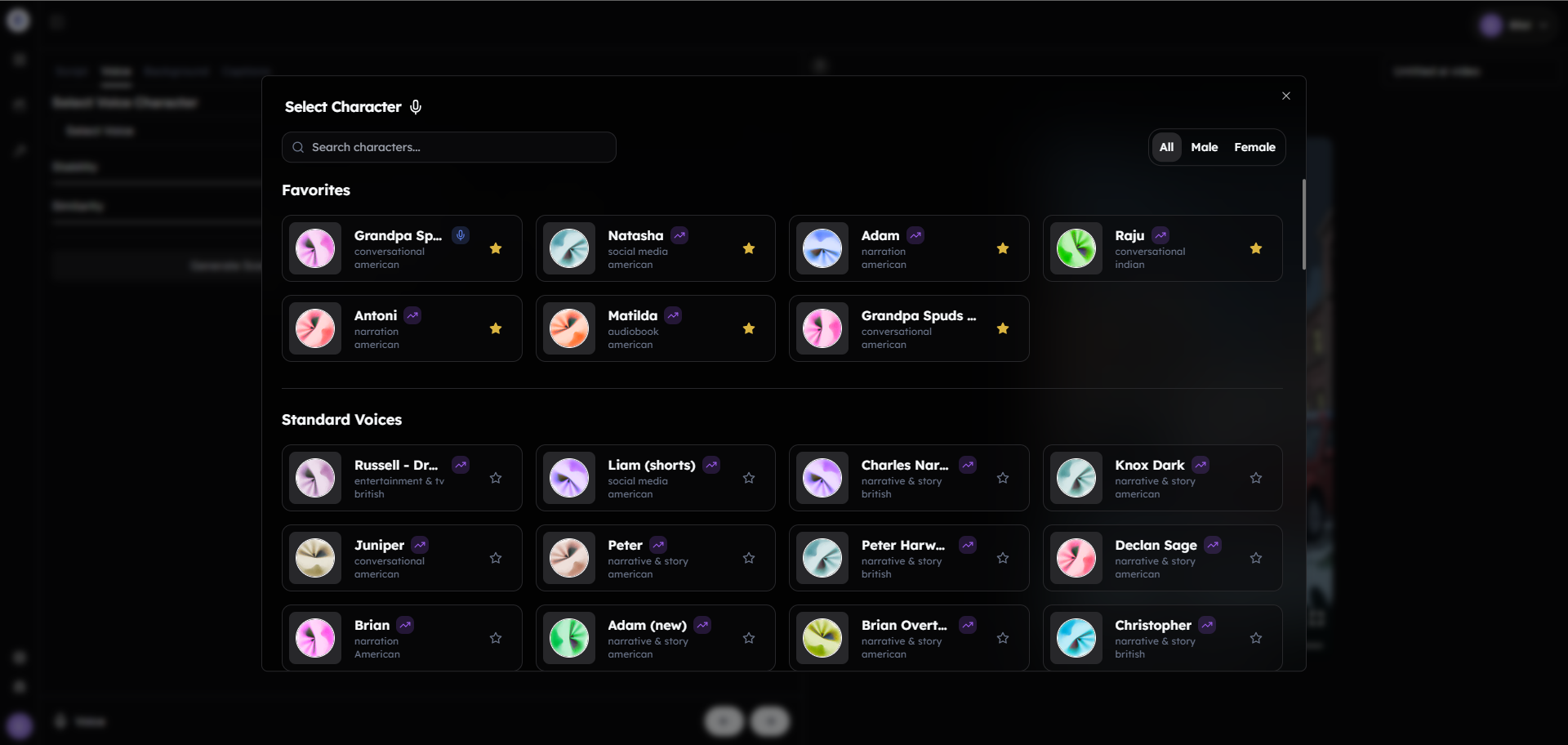
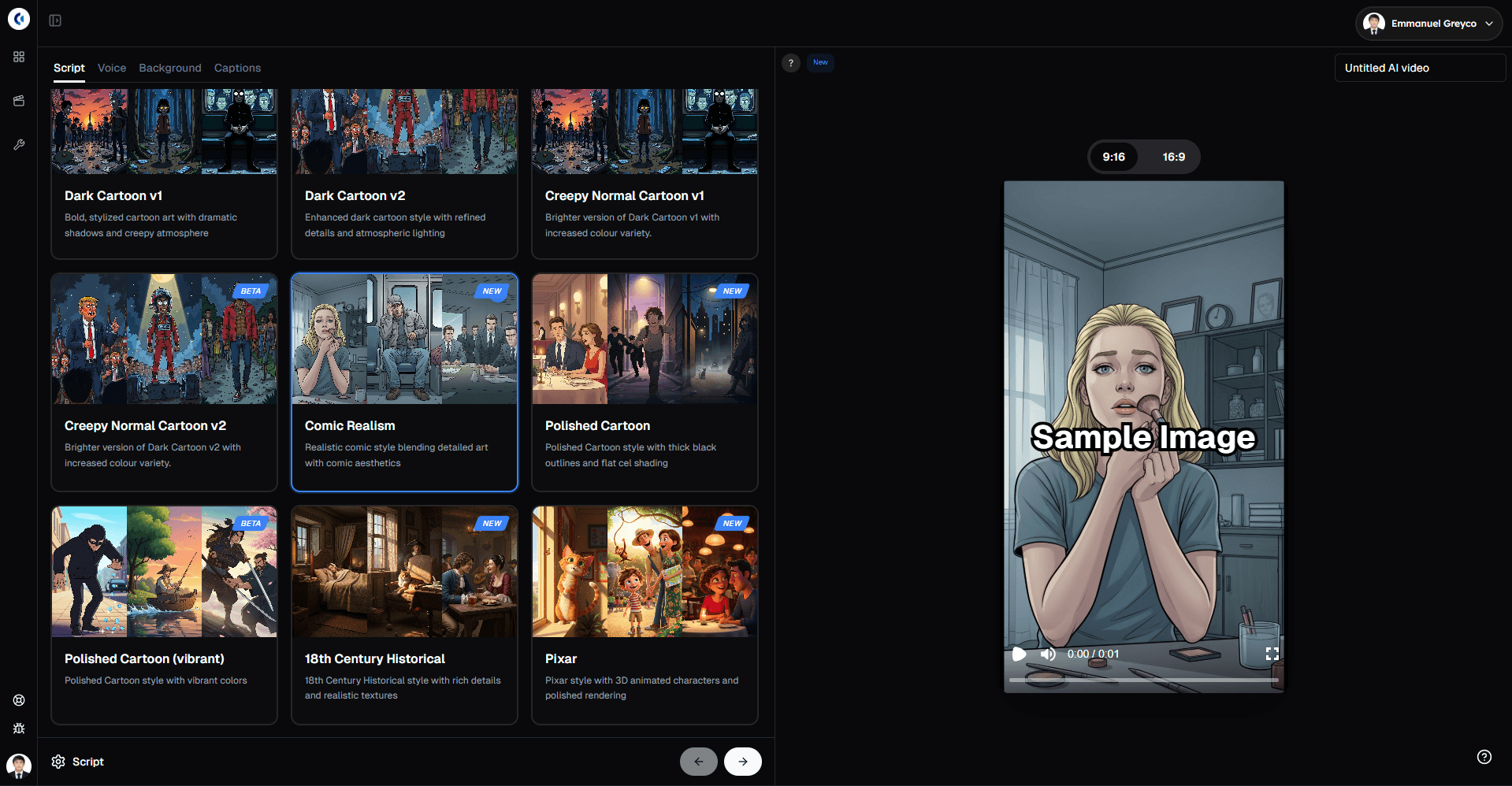
This step gives your story life with AI voices and dark cartoon-style images that match the narrative.
Step 3: Customize Your Scenes & Prompts
After scenes are generated, you can:
Regenerate images with a new prompt if you want a different look.
Switch between different prompt modes for more specific visuals.
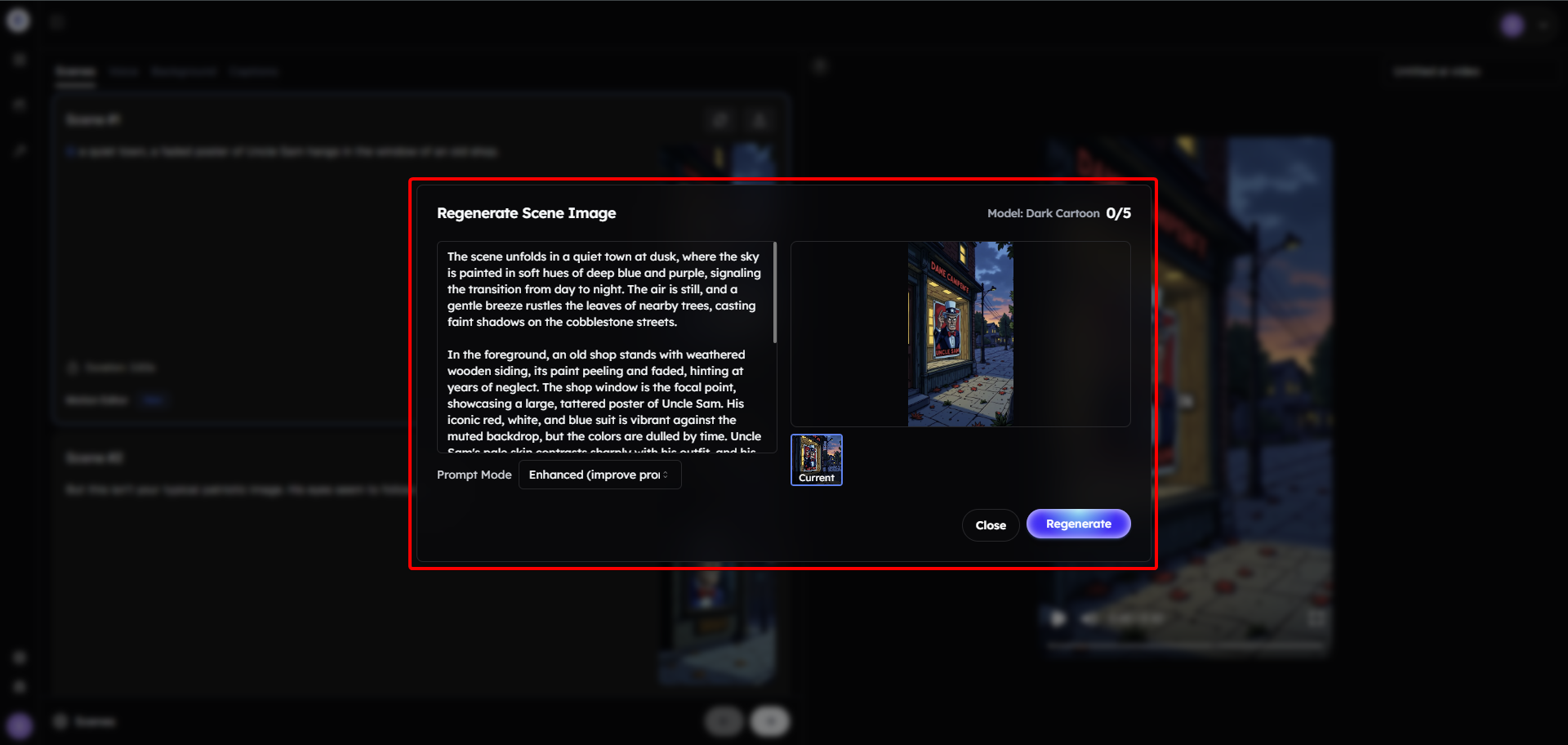
This flexibility ensures every video is unique, creepy, and perfect for your target niche.
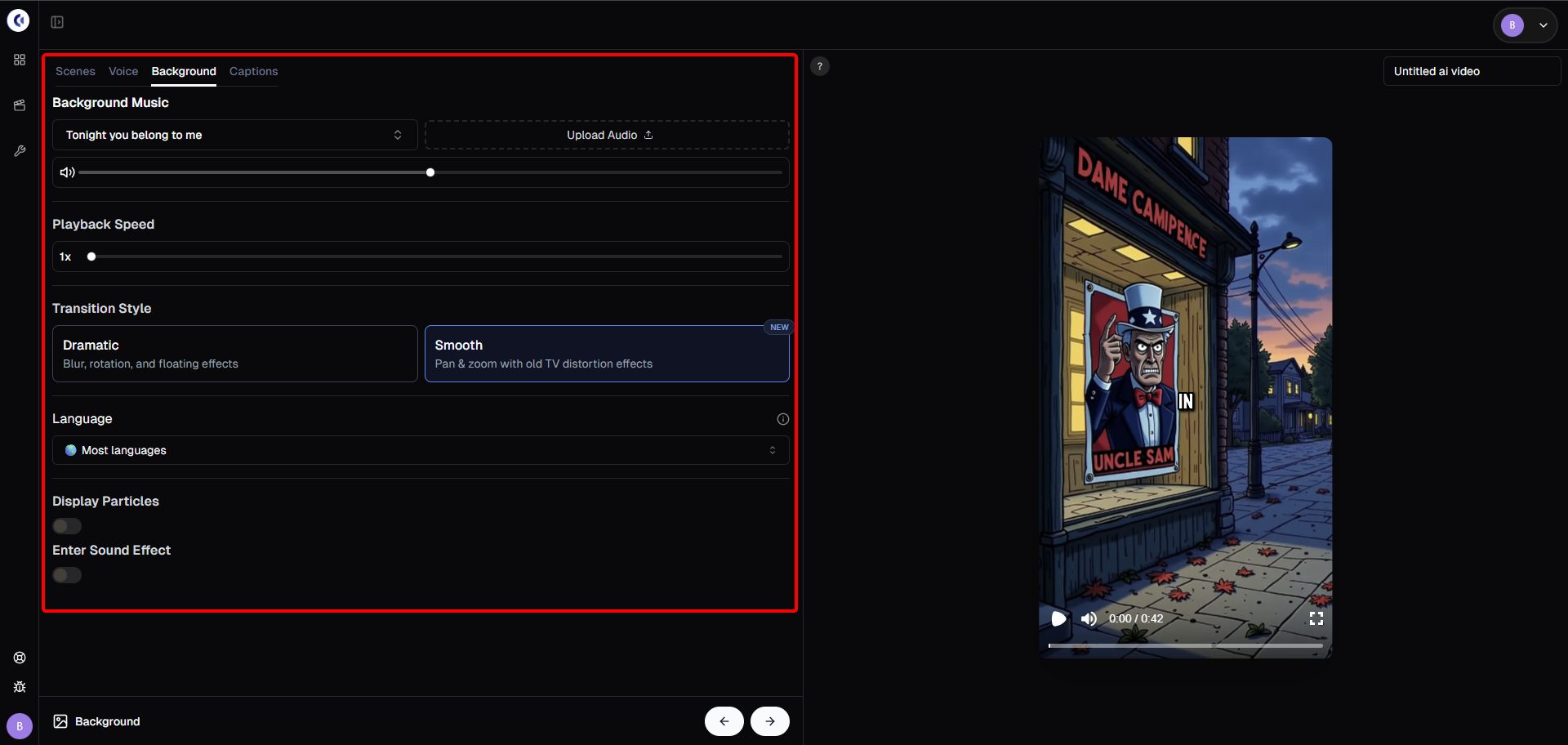
Step 4: Add Background Music & Effects
Now it’s time to polish your story:
Go to the Background tab to add custom music.
Adjust video speed, transition styles, and effects.
Add particles or creepy sound effects for extra immersion.
Choose your preferred video language to reach international audiences.
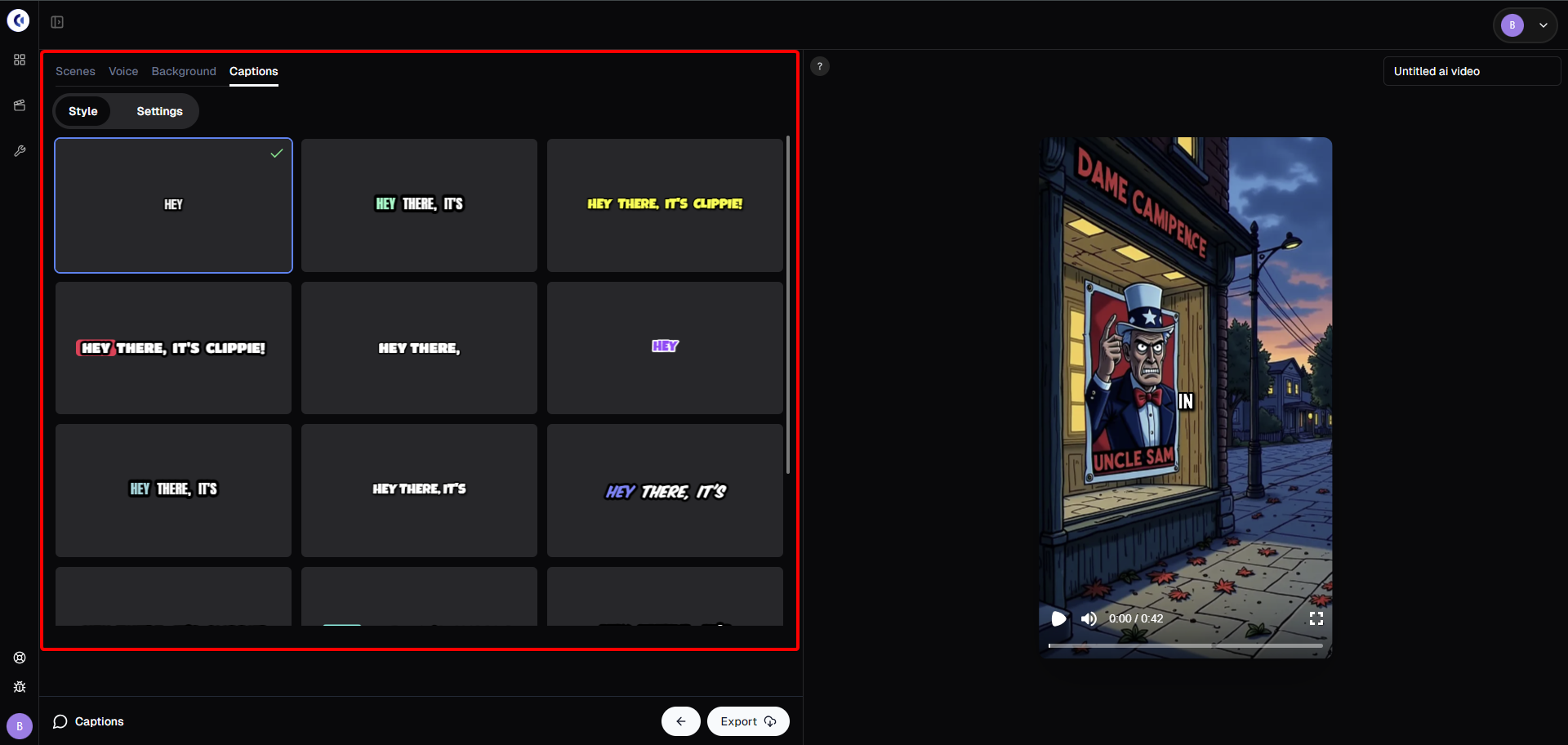
Step 5: Style Your Captions for Engagement
Captions are essential for TikTok and YouTube Shorts. With Clippie AI you can:
Browse multiple caption templates with live previews.
Pick one that fits your dark cartoon theme.
Edit fonts, colors, and styles in the Settings tab for maximum impact.
Step 6: Export & Share Your Video
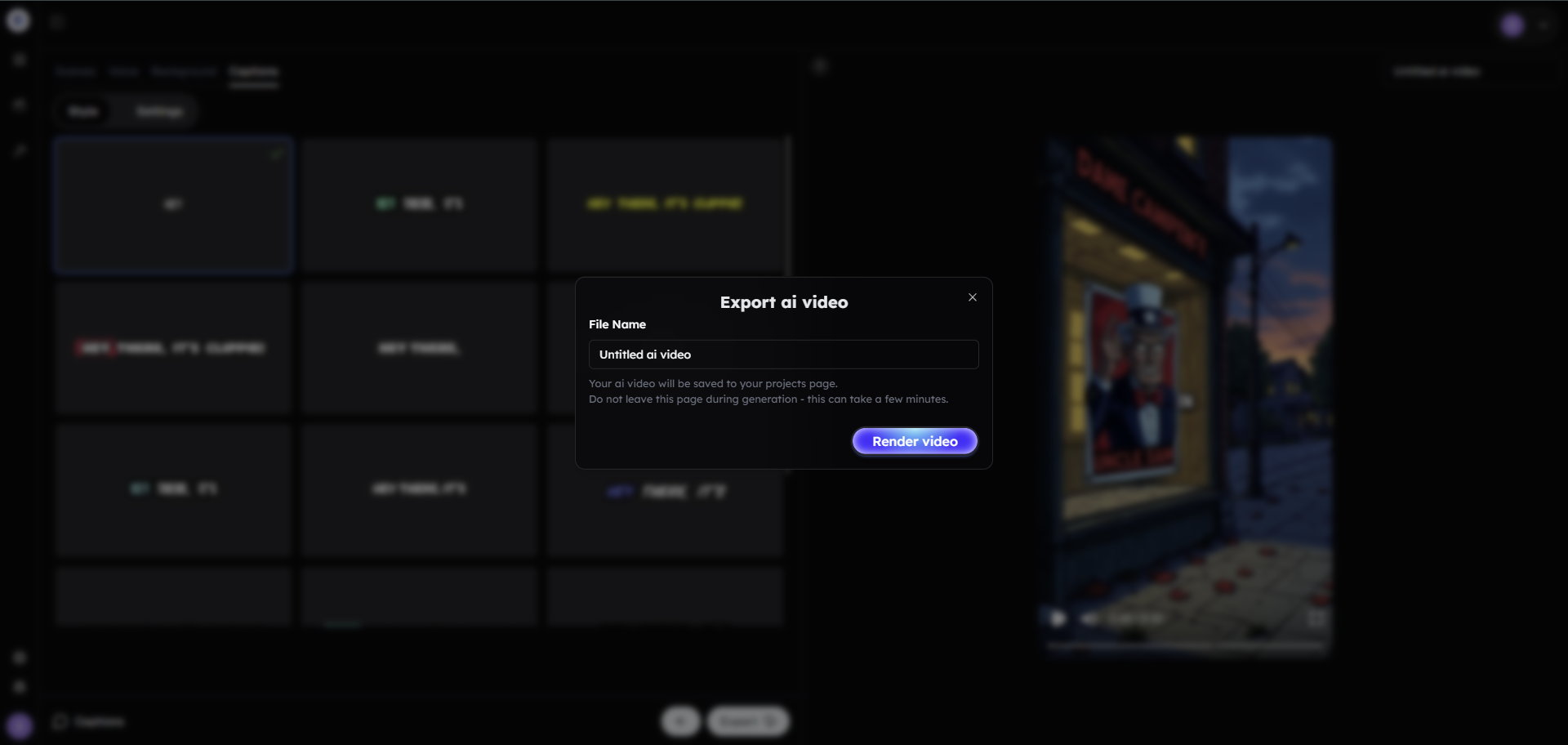
Once your video looks and sounds the way you want:
Click Export.
Your Dark Cartoon AI story video is now ready to post on TikTok, YouTube Shorts, or Instagram Reels.
Bonus: Get 1-on-1 Support in Our Discord Community
If you get stuck or want personalized help, join our Discord community. Our team offers 24/7 one-to-one support to help you go viral with your content. Click me to join our discord community!
FAQs: Making Dark Cartoon AI Story Videos
Q: What makes dark cartoon scary stories go viral? A: The combination of creepy visuals, short storytelling hooks, and suspenseful pacing grabs attention and keeps viewers watching to the end.
Q: Do I need editing skills to make these videos? A: No — Clippie AI automates scriptwriting, voiceovers, captions, and editing, so you don’t need professional editing experience.
Q: Can I monetize dark cartoon videos? A: Yes! Many creators earn through TikTok’s Creativity Program, affiliate links, and Clippie’s built-in monetization features.
Q: How long should a scary AI story video be? A: Between 30–60 seconds works best for TikTok and YouTube Shorts.
Related blog posts
The Rise of AI Scary Stories: How to Build a Horror TikTok Channel Fast
Dark Cartoon AI: Why Scary Story Videos Are Going Viral on TikTok
How to Make Money from Faceless AI Videos in 2025
Click Me To Start Creating With Clippie AI Now!
Build the story step by step
Stickman animation prompts and video ideas you can build on
Original stickman prompts for survival stories, what-if videos, explainers and horror, with separate script, scene and animation instructions for Clippie.
How to turn a script into an AI cartoon video
Turn an original script into a cartoon with a scene plan, recurring characters, a consistent visual style, voices, optional animation and captions.
Try it in Clippie
Make a creepy cartoon story
Write a scary story or let AI write one. Clippie draws it in the dark cartoon style and narrates it.
Make a scary story video