
Best Content Creation Tools in 2026 for Short-Form Growth
Best content creation tools for short-form growth in 2026. Compare Clippie AI, CapCut, Descript, Canva & Adobe for TikTok, YouTube Shorts, Instagram Reels. See speed, retention features, monetization systems & complete workflows.

If you're searching for the best content creation tools in 2026, you're facing a landscape where algorithm changes, retention requirements, and monetization thresholds have fundamentally transformed what "best" means. This comprehensive guide evaluates leading content creation platforms across the dimensions that actually matter for short-form growth, production speed, retention engineering, cross-platform optimization, monetization features, and workflow integration, to help you build a profitable TikTok, YouTube Shorts, or Instagram Reels channel.
Executive Summary: The "best" content creation tool depends on your specific content type, production volume goals, and monetization strategy. While traditional video editing tools (Adobe Premiere, Final Cut) offer maximum creative control, AI-powered platforms (Clippie AI, Descript, CapCut) enable 5–10x faster production with retention rates that often exceed manually edited content. This blog evaluates 15+ tools across 7 critical categories, faceless AI video, mobile editing, desktop editing, voiceover generation, thumbnail design, analytics platforms, and workflow automation, with detailed recommendations for creators at every skill level and production stage, from testing (0–5K followers) to scaling (50K+ followers).
Table of Contents
What Modern Content Creation Requires in 2026
AI Tools That Save the Most Time
Tools That Actually Improve Retention
Monetisation-Ready Content Systems
Centralising Your Workflow With Clippie
Frequently Asked Questions

1. What Modern Content Creation Requires in 2026
The Algorithmic Reality of Short-Form Content
Short-form video platforms underwent dramatic algorithmic evolution between 2022 and 2026, fundamentally changing what content succeeds and what tools creators need:
The 2022 Algorithm Environment
What worked then:
Novelty and trend-riding (jumping on viral sounds)
Raw, authentic content (low production value acceptable)
Personality-driven engagement (charisma over polish)
Inconsistent posting schedules (viral hits compensated for gaps)
Manual editing sufficient (algorithm distributed broadly)
Tool requirements:
Basic mobile editing (CapCut, InShot)
Trend identification (TikTok native tools)
Simple graphics (Canva basics)
Success pattern: Create, post, hope for virality, repeat when inspired
The 2026 Algorithm Environment
What works now:
Retention engineering (45%+ completion rate minimum for distribution)
Consistent posting (5–7 videos weekly minimum, daily ideal)
Value delivery (educational, entertaining, or emotionally resonant content)
Platform-specific optimization (different hooks, pacing, formats per platform)
Quality floor raised (professional presentation now baseline expectation)
Tool requirements:
Speed + quality balance (produce 20–50 videos weekly at 45%+ retention)
Retention analytics (identify drop-off points, optimize systematically)
Multi-platform automation (cross-post efficiently to 4–6 platforms)
Voice quality (AI voices must sound human, not robotic)
Template systematization (repeatable formats that maintain quality at volume)
Success pattern: Test formats systematically → Identify winners → Scale proven formats → Optimize continuously
Platform-Specific Requirements
TikTok Algorithm Priorities (2026)
Primary ranking factors:
Watch time percentage (retention rate)
Rewatch rate (viewers replaying video)
Completion rate (finish entire video)
Engagement velocity (likes/comments/shares in first 60 minutes)
Posting consistency (algorithm learns your schedule)
Content requirements:
Hook within 0.5–1 second (immediate attention capture)
Fast pacing (scene changes every 2–4 seconds)
Subtitle optimization (80% watch with sound off)
Trending audio integration (when relevant to content)
60–90 second sweet spot (longer acceptable for high retention)
Tool implications:
Need fast hook testing (try 10–20 variations weekly)
Real-time editing preview (see changes instantly)
Subtitle animation capabilities (viral-style word highlighting)
Batch production (daily posting sustainable)
YouTube Shorts Algorithm Priorities (2026)
Primary ranking factors:
Watch time (retention percentage × video length)
Click-through rate (thumbnail + title effectiveness)
Viewer satisfaction (likes, not interested clicks, survey data)
Channel authority (consistent quality across content library)
Long-form connection (Shorts that drive channel subscriptions)
Content requirements:
Educational value proposition (algorithm favors learning content)
Thumbnail quality (Shorts can be discovered via search/recommendations)
60–120 second length (longer acceptable than TikTok)
Clear audio (voice quality matters more than TikTok)
Professional presentation (credibility signaling)
Tool implications:
Thumbnail design capabilities essential
Voice quality premium (authority establishment)
Slightly slower production acceptable (quality matters more)
SEO optimization tools (titles, descriptions, tags)
Instagram Reels Algorithm Priorities (2026)
Primary ranking factors:
Save rate (content valuable enough to reference later)
Share rate (viewers sending to friends)
Completion rate (finish entire video)
Sound-off retention (many viewers browse with audio off)
Aesthetic quality (visual polish matters most on Instagram)
Content requirements:
Save-worthy content (actionable tips, quotable wisdom, reference material)
High aesthetic standards (professional design expected)
Subtitle dependency (optimize for sound-off viewing)
45–90 second optimal length (shorter than YouTube tolerance)
Brand consistency (recognizable visual identity)
Tool implications:
Template customization for visual branding
Professional design capabilities
Subtitle styling options (elegant, not just functional)
Color grading and polish features
Facebook Reels Algorithm Priorities (2026)
Primary ranking factors:
Watch time (algorithm similar to YouTube)
Engagement from target demographic (age-specific distribution)
Meaningful interactions (comments, not just likes)
Content type preference (educational, nostalgic, relatable)
Consistency (regular posting rewarded)
Content requirements:
Older demographic focus (35–65 primary audience)
Longer acceptable length (90–120 seconds)
Relatable, nostalgic, or practical content
Clear, professional presentation
Less trend-dependent than TikTok
Tool implications:
Slower pacing acceptable (older viewers tolerate longer exposition)
Professional voice quality essential (credibility for older audience)
Less emphasis on cutting-edge features
Cross-platform efficiency (Facebook often secondary platform)
The Modern Creator's Tool Stack Requirements
Essential capabilities for 2026 success:
1. Production Speed That Enables Volume
Why it matters:
Algorithms reward consistency (5–7 videos weekly minimum)
Testing requires volume (20–50 hook tests to find winners)
Cross-platform distribution multiplies workload
Manual editing unsustainable at required scale
Speed benchmarks:
Minimum acceptable: 15–20 minutes per video (allows 20–30 videos monthly)
Competitive: 8–12 minutes per video (allows 40–60 videos monthly)
Optimal: 5–8 minutes per video (allows 80–100+ videos monthly)
Tools that deliver: Clippie AI (5–8 min), CapCut mobile (10–15 min), InVideo AI (12–18 min)
Tools too slow for volume: Adobe Premiere (30–60 min), Final Cut (25–50 min), Descript (20–35 min)
2. Retention Engineering Features
Why it matters:
Retention determines distribution (below 40% = algorithmic suppression)
Monetization thresholds require high retention (45%+ for Creator Rewards)
Revenue per view tied to watch time (CPMs 2–3x higher at 55% vs 35% retention)
Critical features:
Premium voice quality (natural-sounding AI or professional human voiceover)
Pacing control (adjust speed, insert strategic pauses)
Subtitle optimization (viral-style animations, mobile-optimized sizing)
Hook testing frameworks (easy A/B testing of openings)
Drop-off analytics (identify where viewers leave)
Tools that deliver: Clippie AI (48–56% avg retention), Descript (45–52%), CapCut Pro (42–48%)
Tools with retention gaps: Basic TTS tools (28–35%), generic template platforms (30–40%)
3. Multi-Platform Optimization
Why it matters:
Revenue stacking (same content → 4 platforms = 3–4x earnings)
Risk diversification (algorithm changes don't kill entire business)
Audience expansion (reach different demographics per platform)
Critical features:
Multi-aspect ratio export (9:16, 16:9, 1:1, 4:5 from single source)
Platform-specific adjustments (text positioning, safe zones, pacing)
Automated scheduling (post to all platforms without manual uploads)
Metadata optimization (platform-specific captions, hashtags, titles)
Tools that deliver: Clippie AI (full automation), CapCut (manual but efficient), Canva (design-focused)
Tools with gaps: Most desktop editors (single export, manual workflow)
4. Analytics and Optimization Infrastructure
Why it matters:
Winners vs losers invisible without data
Optimization requires knowing what to improve
Testing ROI depends on tracking results
Critical features:
Retention analytics (per-video and aggregated)
Format comparison (which templates/styles perform best)
Platform performance tracking (cross-platform comparison)
Hook effectiveness metrics (first 3-second retention)
A/B testing frameworks (systematic experimentation)
Tools that deliver: Clippie AI (built-in), TubeBuddy (YouTube-focused), Hootsuite Analytics (cross-platform)
Tools with gaps: Most editing tools (no analytics), platform native tools (limited cross-platform view)
5. Workflow Scalability
Why it matters:
Growth requires delegation (can't stay solo forever)
Systematization enables consistency
Automation reduces burnout risk
Critical features:
Template libraries (repeatable formats)
Batch processing (queue multiple videos)
Team collaboration (multiple user access)
API integrations (connect to other tools)
Documentation and SOPs (teachable workflows)
Tools that deliver: Clippie AI (full workflow integration), Frame.io (collaboration), Notion (SOP documentation)
Tools with gaps: Consumer editing apps (solo-focused), one-off creation tools

The Tool Selection Framework
Match tools to your current growth stage:
Testing Phase (0–5K Followers, Months 1–4)
Primary needs:
Maximum testing velocity (try 5–10 niches rapidly)
Low cost per test (affordable experimentation)
Minimal learning curve (start producing immediately)
Optimal tools:
Video creation: Clippie AI or CapCut mobile
Analytics: Platform native tools
Design: Canva free tier
Voiceover: Clippie AI's included voices
Budget: $0–50/month
Optimization Phase (5K–25K Followers, Months 4–8)
Primary needs:
Consistent quality at moderate volume (20–40 videos monthly)
Format refinement capabilities
Better analytics and insights
Cross-platform distribution beginning
Optimal tools:
Video creation: Clippie AI Pro or InVideo AI
Analytics: TubeBuddy or Clippie AI dashboard
Design: Canva Pro
Voiceover: ElevenLabs or Clippie AI premium voices
Budget: $50–120/month
Scaling Phase (25K–100K Followers, Months 8–18)
Primary needs:
High-volume production (50–100+ videos monthly)
Team delegation capabilities
Advanced optimization and testing
Multi-platform automation
Optimal tools:
Video creation: Clippie AI Pro (unlimited)
Analytics: Clippie AI + dedicated platform tools
Design: Canva Pro + Adobe Express
Collaboration: Frame.io or Notion
Scheduling: Clippie AI automation or Hootsuite
Budget: $100–300/month
Maturity Phase (100K+ Followers, Months 18+)
Primary needs:
Sustainable systems (reduce creator dependency)
Premium quality for brand positioning
Advanced customization and differentiation
Revenue optimization focus
Optimal tools:
Video creation: Clippie AI + specialist tools for hero content
Analytics: Comprehensive suite (Clippie AI + platform-specific)
Design: Full Adobe Creative Cloud or Canva Enterprise
Team management: Asana or Monday.com
Monetization: Gumroad, Kajabi, or community platforms
Budget: $200–800/month
What Hasn't Changed: Core Content Principles
Despite algorithmic evolution, these remain constant:
Quality threshold matters more than perfection:
45% retention sufficient for monetization
Pursuing 60% retention at cost of volume = worse business outcome
"Good enough" at scale beats "perfect" occasionally
Consistency compounds exponentially:
100 videos at 40% retention = 40,000 retention-weighted views
50 videos at 50% retention = 25,000 retention-weighted views
Volume + quality > perfection alone
Value delivery determines long-term success:
Educational content builds loyal audiences
Entertaining content drives initial discovery
Emotional connection creates sustainable channels
Clickbait without substance penalized by algorithm
Your tool stack should enable these principles, not fight against them.

2. AI Tools That Save the Most Time
The AI Revolution in Content Creation (2023–2026)
AI-powered content creation tools reduced production time by 70–90% compared to manual editing while maintaining or improving output quality:
2022 baseline (manual editing):
60-second faceless video: 45–90 minutes production time
Voiceover recording/editing: 15–25 minutes
Visual selection and B-roll: 20–35 minutes
Subtitle generation and timing: 10–15 minutes
Export and platform optimization: 5–10 minutes
2026 AI-assisted workflow:
60-second faceless video: 5–15 minutes total production time
Voiceover: AI-generated in 30–60 seconds
Visual selection: AI-matched automatically
Subtitle generation: Automated with animations
Export and optimization: One-click multi-platform
Time savings: 75–85% reduction per video
Category 1: All-in-One AI Video Creation
Clippie AI - Best for Faceless Content at Scale
What it does:
Text-to-video generation with AI scene matching
Reddit/Twitter URL ingestion and auto-conversion
Premium neural voice synthesis (ElevenLabs + Azure)
200+ customizable templates
Multi-platform export automation
Built-in analytics and performance tracking
Time savings:
Traditional workflow: 45 minutes per video
Clippie AI workflow: 6–8 minutes per video
Time saved: 37–39 minutes per video (84–87% reduction)
At 50 videos monthly: 30–32 hours saved
Production speed breakdown:
Script input or URL paste: 30 seconds
AI scene generation: 60 seconds (automated)
Voice selection and preview: 1–2 minutes
Template customization: 2–3 minutes
Review and adjustments: 1–2 minutes
Multi-platform export: 1 minute (automated)
Best for:
Faceless content creators (Reddit stories, educational, motivational)
High-volume producers (50–100+ videos monthly)
Multi-platform distributors (TikTok, YouTube, Instagram, Facebook simultaneously)
Creators prioritizing monetization speed (reach thresholds 4–6 months faster)
Pricing:
Free: 5 videos (testing)
Starter: $19/month (30 videos)
Pro: $49/month (unlimited videos)
Time ROI calculation:
50 videos monthly × 38 minutes saved = 31.7 hours
At $25/hour value = $792.50 monthly time savings
Tool cost: $49/month
ROI: 16.1x (saves 16x more value than cost)
Limitations:
Optimized for short-form (60–120 seconds), not long-form (10+ minutes)
Template-based approach (highly customizable but not fully freeform editing)
Faceless content focus (not ideal for face-to-camera creators)
InVideo AI - Best for Mixed Content Types
What it does:
Blog article to video conversion
Script-based video generation
Template library (300+ options)
Stock footage integration (3M+ clips)
AI voiceover (premium voices on Pro tier)
Multi-format export
Time savings:
Traditional workflow: 40 minutes per video
InVideo AI workflow: 14–18 minutes per video
Time saved: 22–26 minutes per video (55–65% reduction)
Production speed breakdown:
Article/script input: 2–3 minutes
Template selection: 2 minutes
AI generation: 2–3 minutes (processing)
Customization: 5–7 minutes
Review and export: 3–4 minutes
Best for:
Blog-to-video conversion (repurpose written content)
Mixed content strategies (social + SEO + education)
Moderate volume creators (20–40 videos monthly)
Creators wanting extensive template variety
Pricing:
Free: 10 minutes of video (limited)
Starter: $25/month (50 videos)
Pro: $60/month (200 videos)
Time ROI calculation:
30 videos monthly × 24 minutes saved = 12 hours
At $25/hour value = $300 monthly time savings
Tool cost: $60/month
ROI: 5x
Limitations:
Slower than Clippie AI for pure faceless content
Semi-manual multi-platform workflow (not fully automated)
Credit-based system (caps can limit high-volume creators)
Pictory - Best for Long-Form Content Conversion
What it does:
Article and blog to video conversion
Long-form video to short clips
Text-based editing (edit via transcript)
Scene detection and highlights
Stock library integration
Voiceover generation
Time savings:
Traditional workflow (long-form to shorts): 35 minutes per short clip
Pictory workflow: 18–22 minutes per clip
Time saved: 13–17 minutes per clip (37–49% reduction)
Production speed breakdown:
URL/article input: 2 minutes
AI processing and scene detection: 3–4 minutes
Template selection: 2 minutes
Customization: 8–12 minutes
Export: 3–4 minutes
Best for:
Long-form to short-form repurposing
Blog content creators expanding to video
Educational content creators
YouTube-focused creators (horizontal + Shorts)
Pricing:
Starter: $23/month (30 videos)
Pro: $47/month (60 videos)
Time ROI calculation:
20 videos monthly × 15 minutes saved = 5 hours
At $25/hour value = $125 monthly time savings
Tool cost: $47/month
ROI: 2.7x
Limitations:
Slower than short-form specialists
Better for repurposing than original creation
Less optimized for TikTok/Instagram viral formats
Category 2: AI Voiceover Generation
ElevenLabs - Best Voice Quality Available
What it does:
Text-to-speech with neural voice models
Voice cloning (create custom voice from 30-second sample)
Emotional control and prosody adjustment
Multiple language support
API access for integration
Time savings:
Traditional voiceover recording: 15–25 minutes (script review, recording, retakes, editing)
ElevenLabs generation: 2–3 minutes (paste script, select voice, generate)
Time saved: 12–22 minutes per video (80–88% reduction)
Quality comparison:
Indistinguishable from human narration for most listeners
Consistent quality (no retakes needed for stumbles or background noise)
Instant re-generation for script changes (vs. re-recording sessions)
Best for:
Premium faceless content requiring human-like voices
Voice cloning for brand consistency
Creators without recording equipment or skills
Multi-language content production
Pricing:
Free: 10,000 characters/month (~10 minutes audio)
Starter: $5/month (30,000 characters)
Creator: $22/month (100,000 characters)
Pro: $99/month (500,000 characters)
Integration:
Works standalone or integrates with video editors
Clippie AI includes ElevenLabs voices (no separate subscription needed)
Can export audio for use in any editing tool
Time ROI calculation:
50 videos monthly × 18 minutes saved = 15 hours
At $25/hour value = $375 monthly time savings
Tool cost: $22/month (Creator tier)
ROI: 17x
Limitations:
Voiceover only (requires separate video editing tool if used standalone)
Character limits on lower tiers (Pro tier needed for high volume)
Murf AI - Best for Multi-Voice Dialogue
What it does:
AI voice generation (120+ voices)
Multi-voice projects (different voices per scene)
Emphasis and pronunciation controls
Voice cloning available
Commercial usage rights included
Time savings:
Traditional multi-voice recording: 25–40 minutes (coordinate multiple people, edit together)
Murf AI generation: 5–8 minutes (assign voices, generate, adjust)
Time saved: 17–35 minutes per video (68–88% reduction)
Best for:
Dialogue-based content (interviews, conversations, debates)
Educational content with multiple speakers
Story narration with character voices
Podcast-to-video conversion
Pricing:
Free: 10 minutes audio
Basic: $29/month (24 hours audio)
Pro: $39/month (48 hours audio)
Limitations:
Voiceover-focused (not a complete video solution)
Slightly lower voice quality than ElevenLabs for single-narrator content
More expensive than ElevenLabs for simple use cases
Category 3: AI Subtitle and Caption Tools
Submagic - Best for Viral-Style Subtitles
What it does:
Auto-generate subtitles with 98%+ accuracy
Viral-style animations (word-by-word highlighting, bouncing effects)
Emoji insertion based on context
B-roll suggestions and integration
50+ trendy subtitle styles
Time savings:
Manual subtitle creation: 12–18 minutes (transcribe, time, style, animate)
Submagic workflow: 2–3 minutes (upload video, select style, auto-generate)
Time saved: 9–15 minutes per video (75–83% reduction)
Best for:
TikTok and Instagram Reels creators (viral subtitle aesthetic)
Sound-off optimization (80% mobile viewers watch muted)
Creators without subtitle experience
Trend-focused content
Pricing:
Free: 10 videos (watermarked)
Starter: $20/month (30 videos)
Pro: $50/month (unlimited)
Time ROI calculation:
50 videos monthly × 12 minutes saved = 10 hours
At $25/hour value = $250 monthly time savings
Tool cost: $50/month
ROI: 5x
Integration note: Clippie AI includes automated subtitle generation with viral-style animations (no separate Submagic subscription needed)
Opus Clip - Best for Long-to-Short Conversion
What it does:
AI-powered clip identification from long videos
Automatic subtitle generation
Viral potential scoring (predicts likely performance)
Multi-clip generation from single video
Platform-specific formatting
Time savings:
Manual clip extraction: 30–45 minutes per clip (watch full video, identify moments, edit, subtitle)
Opus Clip workflow: 5–10 minutes total (upload, AI processes, select clips)
Time saved: 20–40 minutes per clip set (67–89% reduction)
Best for:
Podcast-to-shorts conversion
Webinar and presentation clipping
Interview highlight extraction
Creators with long-form source material
Pricing:
Free: 60 minutes processing time
Starter: $19/month (150 minutes)
Pro: $49/month (500 minutes)
Limitations:
Requires source long-form content (not for original short creation)
AI clip selection sometimes misses context
Best for talking-head content, less effective for visual-heavy videos
Category 4: AI Thumbnail and Design Tools
Canva AI - Best All-Around Design Speed
What it does:
Text-to-image generation (AI backgrounds)
Magic Eraser (remove unwanted elements)
Background remover (instant subject isolation)
Magic Write (AI copywriting for captions)
Template library (100K+ designs)
Time savings:
Manual thumbnail design: 15–25 minutes (Photoshop or manual design)
Canva AI workflow: 4–7 minutes (template + AI enhancements)
Time saved: 8–20 minutes per thumbnail (53–80% reduction)
Best for:
YouTube thumbnail creation (Shorts and long-form)
Social media graphics and templates
Brand kit management (consistent visual identity)
Non-designers needing professional results
Pricing:
Free: Limited AI features
Pro: $15/month (full AI suite)
Teams: $30/month (multi-user)
Time ROI calculation:
50 thumbnails monthly × 14 minutes saved = 11.7 hours
At $25/hour value = $292 monthly time savings
Tool cost: $15/month
ROI: 19.5x
Integration: Works standalone or complements video tools
Adobe Express - Best for Brand Consistency
What it does:
AI template generation from brand guidelines
Content Scheduler (cross-platform posting)
Remove background (AI subject isolation)
Generative Fill (AI content-aware editing)
Brand kit integration (fonts, colors, logos)
Time savings:
Manual branded design: 20–30 minutes per asset
Adobe Express workflow: 6–10 minutes with AI assistance
Time saved: 10–24 minutes per design (50–80% reduction)
Best for:
Established brands requiring consistency
Teams with strict brand guidelines
Creators using other Adobe products (Creative Cloud integration)
Professional presentation requirements
Pricing:
Free: Limited features
Premium: $10/month (full AI features)
Bundled with Creative Cloud subscriptions
Limitations:
Overkill for casual creators
Best value when using broader Adobe ecosystem

Time Savings Summary by Tool Category
Maximum time savings (AI faceless video creation):
Clippie AI: 37–39 minutes per video (84–87% reduction)
At 50 videos monthly: 30–32 hours saved
Significant savings (AI voiceover):
ElevenLabs: 12–22 minutes per video (80–88% reduction)
At 50 videos monthly: 10–18 hours saved
Moderate savings (AI subtitles):
Submagic: 9–15 minutes per video (75–83% reduction)
At 50 videos monthly: 7.5–12.5 hours saved
Specialized savings (AI thumbnails):
Canva AI: 8–20 minutes per thumbnail (53–80% reduction)
At 50 thumbnails monthly: 6.7–16.7 hours saved
Total potential time savings (using AI across workflow):
54–86 hours monthly vs. fully manual production
Equivalent to reclaiming 1.3–2 full work weeks per month
Strategic insight: AI tools don't just save time, they enable volume that manual workflows can't sustain, unlocking testing velocity and monetization speed manual creators can't match.

3. Tools That Actually Improve Retention
Why Most Editing Tools Don't Improve Retention
Traditional video editing tools provide technical capabilities (cuts, transitions, effects) but don't inherently engineer retention. Retention comes from:
Content structure: Hook strength, pacing, information density, satisfying conclusions
Production quality: Voice naturalness, visual relevance, subtitle readability, audio clarity
Platform optimization: Platform-specific hooks, safe zone compliance, pacing preferences
Most editing tools are neutral on retention, they enable good or bad retention equally depending on creator skill. Modern AI tools actively engineer retention through intelligent defaults and optimization features.
Tools With Retention Engineering Features
Clippie AI - Retention-First Design Philosophy
How it improves retention:
1. Premium Neural Voices (15–20 Point Retention Boost)
Standard TTS retention: 28–35% average
Clippie AI ElevenLabs voices: 48–56% average
Improvement: +15–20 percentage points
Why it works:
Natural prosody maintains attention (vs. monotone dropout)
Emotional range keeps content engaging
Professional quality signals credibility
No "AI voice fatigue" that causes early exits
2. Dynamic Pacing Templates (5–8 Point Retention Boost)
Generic pacing: 40–44% retention
Optimized pacing: 48–52% retention
Improvement: +5–8 percentage points
Platform-specific pacing:
TikTok templates: Faster pacing (5–8% speed increase), scene changes every 2–3 seconds
YouTube templates: Measured pacing (standard speed), educational exposition tolerated
Instagram templates: Aesthetic pacing (smooth transitions), save-worthiness prioritized
3. Viral-Style Subtitle Animations (8–12 Point Retention Boost)
No subtitles: 32–38% retention (sound-off viewers drop immediately)
Static subtitles: 40–45% retention (readable but not engaging)
Animated subtitles: 48–56% retention (maintains visual interest)
Improvement: +8–18 percentage points depending on baseline
How Clippie AI's subtitles improve retention:
Word-by-word highlighting (guides eye movement, maintains focus)
Bounce and color effects (creates visual rhythm)
Mobile-optimized sizing (easily readable on phones)
Platform-specific positioning (avoids UI overlap)
4. AI Scene Matching Relevance (3–6 Point Retention Boost)
Random stock footage: 38–42% retention (visual disconnect confuses viewers)
Relevant AI-matched visuals: 44–48% retention (visuals reinforce narration)
Improvement: +3–6 percentage points
How it works:
AI analyzes script semantic meaning (not just keywords)
Selects visuals that match topic and tone
Maintains visual variety (prevents monotony)
Avoids overused or cliché stock footage
5. Hook Testing Framework (Variable Improvement)
Generic hook: Baseline retention
Optimized hook (after 10–20 tests): +8–15 percentage points
Improvement: Depends on niche and testing commitment
Clippie AI hook features:
Easy hook variation creation (change opening, preview instantly)
Multiple hook templates (question, provocation, statistic, problem, story)
A/B testing support (track performance per hook type)
Platform-specific hook optimization (different openings per platform)
Cumulative retention impact:
Voice quality: +15–20 points
Pacing: +5–8 points
Subtitles: +8–12 points
Visual matching: +3–6 points
Hook optimization: +8–15 points
Theoretical maximum: +39–61 points (not all stack fully, but 25–35 point improvements common)
Real-world results:
Creators switching from basic tools to Clippie AI: 12–22 point retention improvements typical
Example: 33% retention (generic tool) → 51% retention (Clippie AI) = +18 points
Descript - Retention Through Editing Precision
How it improves retention:
1. Filler Word Removal (2–5 Point Retention Boost)
With filler words: 42–45% retention (ums, ahs, pauses annoy viewers)
Filler-free audio: 47–50% retention (crisp, professional delivery)
Improvement: +2–5 percentage points
Descript's AI filler removal:
One-click removal of ums, ahs, like, you know
Maintains natural speech rhythm (doesn't sound robotic)
Adjustable aggression (remove all vs. keep some for naturalness)
2. Silence Removal and Pacing Tightening (3–7 Point Retention Boost)
Unedited pacing: 40–43% retention (dead air loses attention)
Tightened pacing: 46–50% retention (continuous information flow)
Improvement: +3–7 percentage points
Descript's Shorten Word Gaps:
AI identifies unnatural pauses
Tightens spacing without sounding rushed
Maintains natural breathing rhythm
3. Studio Sound Enhancement (2–4 Point Retention Boost)
Poor audio quality: 38–42% retention (unprofessional, hard to hear)
Enhanced audio: 44–46% retention (clear, professional)
Improvement: +2–4 percentage points
Descript's Studio Sound:
AI noise removal (background hum, echo, room tone)
Voice enhancement (clarity and presence)
EQ optimization for speech intelligibility
4. Overdub Voice Consistency (Prevents Retention Loss)
Inconsistent audio (retakes, edits): Noticeable quality jumps hurt retention
Overdub smoothing: Seamless consistency maintains immersion
Impact: Prevents 3–5 point retention loss vs. enabling gain
Cumulative retention impact:
Filler removal: +2–5 points
Pacing tightening: +3–7 points
Audio enhancement: +2–4 points
Total: +7–16 point improvement
Best for: Creators recording their own voiceovers who want to sound professional without expensive equipment
CapCut Pro - Retention Through Trend-Optimized Templates
How it improves retention:
1. Trending Template Library (5–10 Point Retention Boost)
Generic editing: 38–42% retention
Trending templates: 48–52% retention (familiarity + novelty balance)
Improvement: +5–10 percentage points (while trend is active)
CapCut's trending templates:
Updated weekly based on viral videos
Pre-set pacing and transitions that work
Music and effect combinations proven to retain
2. Auto-Captions with Animations (6–10 Point Retention Boost)
No captions: 32–36% retention (sound-off viewers leave)
CapCut auto-captions: 42–46% retention (readable, engaging)
Improvement: +6–10 percentage points
CapCut caption features:
Multiple trendy styles (updated based on viral videos)
Automatic timing and word-level highlighting
Easy customization (colors, fonts, animations)
3. Effects Library Optimized for Retention (3–6 Point Retention Boost)
Minimal effects: 42–45% retention (can feel flat)
Optimized effects: 48–51% retention (maintains visual interest)
Improvement: +3–6 percentage points
CapCut retention-focused effects:
Zoom transitions (maintain energy)
Screen shake (emphasize moments)
Speed ramping (dynamic pacing)
Particle effects (visual interest without distraction)
Cumulative retention impact:
Trending templates: +5–10 points
Auto-captions: +6–10 points
Effects: +3–6 points
Total: +14–26 point improvement
Limitation: Template and effect trends change rapidly, what works this month may not work next month (requires staying current)
Best for: Trend-focused creators on TikTok and Instagram who want to ride viral formats
Tools That Measure Retention (Essential for Optimization)
TubeBuddy - YouTube Retention Analytics
What it tracks:
Average percentage viewed (overall retention)
Audience retention graph (second-by-second drop-off)
Click-through rate (thumbnail/title effectiveness)
Traffic sources (where viewers find your content)
How it improves retention:
Identifies exact drop-off points (where to improve content)
Compares retention across videos (which formats work best)
A/B testing for thumbnails and titles (optimize discovery)
Actionable insights:
"Viewers drop at 12 seconds consistently" → Test stronger hooks
"Retention highest in 60-second videos" → Optimize for that length
"This thumbnail CTR is 3.2% vs. 8.1% average" → Redesign thumbnails
Pricing:
Free: Basic analytics
Pro: $9/month (full retention data)
Legend: $49/month (advanced A/B testing)
Best for: YouTube-focused creators serious about optimization
Clippie AI Built-In Analytics
What it tracks:
Retention rate per video (platform-specific)
Average performance by template type
Hook effectiveness (first 3-second retention)
Format comparison (which styles retain best)
How it improves retention:
Identifies winning templates (scale what works)
Highlights underperforming formats (kill losers quickly)
Tracks A/B test results (systematic improvement)
Actionable insights:
"Reddit drama template: 52% avg retention, motivational template: 41%" → Focus on Reddit content
"Question hooks: 58% first 3-second retention vs. statement hooks: 47%" → Use more question hooks
"TikTok performance: 51% retention, Instagram: 46%" → Optimize Instagram-specific content
Advantage: Built into production tool (no separate analytics platform needed)
Best for: Multi-platform creators using Clippie AI for production

Retention Improvement Framework
Step 1: Establish baseline (Week 1)
Produce 10 videos with current tools and process
Track retention rate per video
Calculate average baseline retention
Step 2: Identify highest-impact improvement (Week 2)
If baseline <35%: Voice quality is primary issue → Switch to premium AI voices (ElevenLabs or Clippie AI)
If baseline 35–42%: Subtitle and pacing optimization → Add animated subtitles, tighten pacing
If baseline 42–48%: Hook and format testing → Systematic hook variation testing
If baseline >48%: Fine-tuning only → Optimize platform-specific details
Step 3: Implement single change (Week 3)
Change ONE variable only (e.g., voice quality)
Produce 10 videos with new approach
Measure retention improvement
Step 4: Validate improvement (Week 4)
If retention improved 5+ points: Keep change, move to next optimization
If retention unchanged or declined: Revert change, test different variable
Step 5: Stack improvements (Month 2+)
Layer successful optimizations (voice + subtitles + pacing)
Continue testing new variables
Track cumulative retention gains
Expected timeline:
Month 1: Baseline established, voice optimized (+12–18 points typical)
Month 2: Subtitles and pacing optimized (+6–10 additional points)
Month 3: Hooks and formats optimized (+5–8 additional points)
Total improvement: +23–36 points over 3 months
Real example:
Month 1 baseline: 34% retention (basic TTS voice)
Month 2: 49% retention (switched to Clippie AI premium voices) = +15 points
Month 3: 54% retention (added animated subtitles, tightened pacing) = +5 points
Month 4: 58% retention (optimized hooks through testing) = +4 points
Total: +24 points improvement, qualified for monetization 5 months faster

4. Monetisation-Ready Content Systems
What "Monetization-Ready" Actually Means in 2026
Platform monetization requirements extend far beyond follower counts and view thresholds:
TikTok Creator Rewards Requirements
Official requirements:
10,000 followers
100,000 qualified views in last 30 days
Videos must be 1+ minute long
Content must be original
Unofficial quality gates (2026):
Average retention must exceed 40% (algorithmic filtering)
Originality score must pass review (template-identical content rejected)
Voice quality must not trigger "low-effort AI" flags
Consistent posting history (not just sporadic viral hits)
Tool requirements to qualify:
Premium voice quality (not basic TTS)
Template customization (not cookie-cutter defaults)
Retention engineering (achieve 45%+ consistently)
Volume capability (maintain 5–7 videos weekly)
Clippie AI's monetization advantage:
Premium voices included (pass originality review)
Template customization (differentiate from other creators)
48–56% average retention (well above threshold)
Fast production (5–7 videos weekly sustainable)
Typical time to qualification:
Generic tools: 10–16 months
Clippie AI: 4–7 months
Acceleration: 4–9 months faster monetization
YouTube Partner Program Requirements
Official requirements (Shorts path):
1,000 subscribers
10 million Shorts views in 90 days
Unofficial quality gates (2026):
Reused content policies stricter (must add commentary/value)
Retention rates affect impression frequency (low retention = fewer impressions)
Channel authority matters (consistent quality across library)
Subscriber conversion rate (Shorts must drive subscriptions)
Tool requirements to qualify:
Professional presentation quality (credibility for subscriptions)
Thumbnail creation capabilities (Shorts discoverable via search)
SEO optimization (titles, descriptions, tags)
Cross-format capability (Shorts + long-form synergy)
Clippie AI + supplemental tools:
Clippie AI: Video production with premium quality
Canva: Thumbnail creation
TubeBuddy: SEO and analytics
Combined: Complete YouTube monetization system
Typical time to qualification:
Manual editing: 12–18 months
AI tools with optimization: 6–11 months
Clippie AI + strategy: 4–8 months
Instagram Reels Bonus Program
Official requirements:
Invitation-based or application
Consistent posting history
Strong engagement metrics
Unofficial selection criteria (2026):
Save rate prioritized (content valuable enough to reference)
Aesthetic quality matters (Instagram's brand positioning)
Engagement authenticity (bot detection increasingly sophisticated)
Niche alignment (educational, aspirational, creative content favored)
Tool requirements to qualify:
Professional design capabilities (aesthetic standards)
Save-worthy content formats (educational, inspirational, reference)
Consistent visual branding (recognizable style)
Cross-platform presence (Instagram often evaluates YouTube/TikTok presence)
Clippie AI + design tools:
Clippie AI: Video production and consistency
Canva Pro: Visual branding and polish
Template customization: Unique aesthetic identity
Typical time to invitation:
Generic content: 12–20 months (or never)
Quality-focused approach: 8–14 months
Strategic optimization: 6–10 months

Tools That Accelerate Monetization Qualification
Category 1: Production Speed (Volume Enables Consistency)
Why volume matters for monetization:
Algorithms reward consistent posting (5–7 videos weekly minimum)
Inconsistent posting resets momentum (delays qualification timeline)
Testing requires volume (find winning formats faster)
Tools that enable monetization-level volume:
Clippie AI:
5–8 minutes per video = 50–100 videos monthly sustainable
Batch processing = queue week's content in 2 hours
Multi-platform automation = no additional time for cross-posting
CapCut Pro:
10–15 minutes per video = 30–50 videos monthly sustainable
Mobile workflow = produce during downtime
Template library = faster than manual editing
InVideo AI:
14–18 minutes per video = 25–40 videos monthly sustainable
Good for mixed content = diversified testing
Manual editing (Premiere, Final Cut):
40–60 minutes per video = 10–20 videos monthly (insufficient for consistent growth)
Burnout risk high = inconsistent posting common
Monetization timeline extended significantly
Category 2: Quality Threshold (Pass Platform Reviews)
Why quality gates matter:
Low-quality content flagged during monetization review
Basic TTS voices trigger "low-effort AI" rejection
Template-identical content fails originality checks
Tools that pass quality reviews:
Premium voice platforms:
ElevenLabs (standalone): Best voice quality available
Clippie AI (integrated): ElevenLabs + Azure Neural included
Murf AI: Good quality, multi-voice capability
Template customization platforms:
Clippie AI: 200+ templates with deep customization
Canva Pro: Design customization for branding
Adobe Express: Professional brand consistency
Tools that risk rejection:
Basic TTS tools (Viewmaxio, budget platforms)
Generic template platforms with no customization
Low-res stock footage libraries
Category 3: Cross-Platform Distribution (Revenue Stacking)
Why multi-platform matters for monetization:
Diversifies qualification pathways (hit thresholds on multiple platforms)
Stacks revenue (same content → 4 platforms = 3–4x earnings)
Reduces risk (algorithm changes don't kill entire business)
Tools that enable efficient cross-platform:
Clippie AI:
One-click multi-aspect export (9:16, 16:9, 1:1, 4:5)
Direct API uploads (TikTok, YouTube, Instagram, Facebook)
Platform-specific optimization (hooks, pacing, metadata)
Hootsuite/Buffer:
Scheduling across platforms
Unified analytics dashboard
Team collaboration
Manual workflow:
Export from editor
Resize in separate tool (Canva, Adobe Express)
Upload manually to each platform
Time cost: 20–30 minutes additional per video
Multi-platform monetization timeline:
Single platform: 10–16 months average
2 platforms: 7–12 months average
4 platforms: 4–8 months average (fastest qualification somewhere)
Category 4: Analytics and Optimization (Data-Driven Improvement)
Why analytics accelerate monetization:
Identify winning formats faster (scale what works)
Kill losing formats quickly (don't waste time on failures)
Systematic improvement (not random guessing)
Essential analytics tools:
Clippie AI (built-in):
Retention per video and template type
Cross-platform performance comparison
Hook effectiveness metrics
Format testing frameworks
TubeBuddy (YouTube-specific):
Detailed retention graphs
A/B testing for thumbnails
SEO optimization tools
Competitor analysis
Hootsuite Analytics (cross-platform):
Unified performance dashboard
Best time to post analysis
Engagement rate tracking
Audience growth metrics
Platform native tools (free but limited):
TikTok Analytics: Basic metrics, limited historical data
YouTube Studio: Good retention data, platform-specific only
Instagram Insights: Engagement focus, limited retention data
Analytics-driven monetization acceleration:
No analytics: 14–20 months (random walk to success)
Basic analytics: 10–14 months (some optimization)
Comprehensive analytics: 6–10 months (systematic improvement)
Clippie AI integrated analytics: 4–7 months (production + optimization unified)
Complete Monetization-Ready Tool Stacks
Budget Stack ($50–75/month)
Core production:
Clippie AI Starter: $19/month (30 videos)
Canva Free: $0 (basic design)
Platform native analytics: $0
Supplemental:
ElevenLabs Free: $0 (10,000 chars/month) [if not using Clippie AI voices]
TubeBuddy Free: $0 (basic YouTube analytics)
Total: $19–50/month
Capabilities:
30 videos monthly (sufficient for testing and early growth)
Premium voice quality (pass monetization reviews)
Basic multi-platform distribution (manual but doable)
Limited analytics (enough for format identification)
Expected monetization timeline: 6–10 months
Best for: Testing phase creators (0–5K followers)
Growth Stack ($100–150/month)
Core production:
Clippie AI Pro: $49/month (unlimited videos)
Canva Pro: $15/month (full design suite)
TubeBuddy Pro: $9/month (advanced YouTube analytics)
Supplemental:
Hootsuite Free or Buffer Free: $0 (basic scheduling)
Platform native analytics: $0
Total: $73/month
Capabilities:
Unlimited video production (50–100+ videos monthly sustainable)
Professional design and branding
Comprehensive YouTube optimization
Multi-platform scheduling and basic cross-platform analytics
Expected monetization timeline: 4–7 months
Best for: Optimization phase creators (5K–25K followers)
Professional Stack ($200–350/month)
Core production:
Clippie AI Pro: $49/month (unlimited videos)
Canva Pro: $15/month (design)
Adobe Creative Cloud: $60/month (premium editing when needed)
Analytics and optimization:
TubeBuddy Legend: $49/month (advanced A/B testing)
Hootsuite Professional: $99/month (comprehensive cross-platform analytics)
Supplemental:
Frame.io: $19/month (team collaboration if applicable)
Total: $272–291/month
Capabilities:
Unlimited high-quality production
Advanced A/B testing and optimization
Professional design for hero content
Team collaboration infrastructure
Comprehensive analytics across all platforms
Expected monetization timeline: 4–6 months (fastest possible)
Best for: Scaling phase creators (25K–100K followers) and teams
Monetization Timeline Comparison by Tool Stack
Scenario: New creator starting from zero, consistent posting
Manual Editing Stack (Premiere Pro, Audacity, Photoshop)
Monthly output: 12–18 videos (time constraints)
Average retention: 38–44% (skill-dependent)
Time to 10K followers: 12–18 months
Time to monetization qualification: 14–20 months
Month 6 revenue: $0 (not yet qualified)
Month 12 revenue: $200–500 (recently qualified, building)
Bottlenecks: Production time limits testing, inconsistent posting hurts growth, steep learning curve delays quality improvement
Budget AI Stack (Generic tools, basic TTS)
Monthly output: 25–35 videos
Average retention: 30–36% (voice quality ceiling)
Time to 10K followers: 10–16 months
Time to monetization qualification: 12–18 months (review failures common)
Month 6 revenue: $0 (not qualified)
Month 12 revenue: $300–700 (qualified but low retention limits earnings)
Bottlenecks: Voice quality fails reviews, low retention extends timeline, generic templates limit differentiation
Clippie AI Stack (Premium voices, optimization)
Monthly output: 50–100 videos
Average retention: 48–56%
Time to 10K followers: 4–7 months
Time to monetization qualification: 5–8 months
Month 6 revenue: $200–600 (early qualification on fastest platform)
Month 12 revenue: $2,000–4,500 (multi-platform monetization, optimized)
Advantages: Volume enables testing, premium voices pass reviews, high retention accelerates growth, multi-platform stacks revenue
Key insight: Tool choice determines monetization timeline more than content niche or creator skill, premium tools pay for themselves within 2–4 months through faster qualification

5. Centralising Your Workflow With Clippie
The Hidden Cost of Tool Fragmentation
Most creators assemble content workflows from 5–10 separate tools:
Typical fragmented workflow:
Script writing: Google Docs or Notion
Voiceover: ElevenLabs or manual recording
Video editing: CapCut, Premiere, or Final Cut
Subtitle generation: Submagic or manual
Thumbnail creation: Canva or Photoshop
Aspect ratio conversion: Canva or separate tool
Platform upload: Manual to each platform
Analytics: Platform native tools (TikTok, YouTube, Instagram separately)
Scheduling: Hootsuite or Buffer
Project management: Notion or Asana
Problems with fragmentation:
Context switching overhead:
Each tool switch costs 3–7 minutes (login, find file, remember context)
10 tool switches per video = 30–70 minutes wasted on transitions
Mental fatigue from managing multiple interfaces
File management complexity:
Export from tool 1, import to tool 2, export again, import to tool 3...
Version control nightmares (which file is current?)
Storage sprawl across platforms
Learning curve multiplication:
10 tools × 2 hours learning each = 20 hours before proficiency
Interface changes break workflows (each tool updates independently)
Troubleshooting harder (which tool is causing the issue?)
Collaboration friction:
Team needs access to 10 different platforms
Billing management across multiple subscriptions
Permissions and access control complexity
Cumulative time cost:
Context switching: 30–70 minutes per video
File management: 10–15 minutes per video
Workflow inefficiency: 40–85 minutes per video wasted
At 50 videos monthly: 33–71 hours wasted on tool overhead (nearly 2 full work weeks)
Clippie AI's Unified Workflow Approach
Single platform handles:
Content sourcing (Reddit/Twitter URL ingestion)
Script input and management
Voiceover generation (ElevenLabs + Azure Neural integrated)
Video creation (AI scene matching and editing)
Subtitle generation and animation
Template selection and customization
Multi-aspect ratio export (9:16, 16:9, 1:1, 4:5)
Platform distribution (direct API uploads)
Performance analytics (retention tracking, format comparison)
Batch processing and scheduling
Result: One login, one interface, one workflow from idea to published content across all platforms
Complete Workflow: Idea to Multi-Platform Distribution
Phase 1: Content Sourcing (5–10 Minutes Weekly)
For Reddit story creators:
Browse trending subreddits (r/relationship_advice, r/AmItheAsshole, r/MaliciousCompliance)
Identify 10–15 high-engagement threads (2,000+ upvotes, complete narrative)
Copy Reddit URLs to list
Time investment: 10 minutes for week's content
For educational/motivational creators:
Review topic library (pre-built list of 50–100 evergreen topics)
Select 10–15 topics for the week
Note specific angles or recent examples
Time investment: 5–10 minutes for week's content
For Twitter thread creators:
Monitor saved Twitter lists or trending hashtags
Identify 5–10 viral threads relevant to niche
Copy thread URLs
Time investment: 5–10 minutes for week's content
Phase 2: Batch Script Preparation (2–3 Hours Weekly, Can Be Delegated)
For Reddit stories (minimal scripting):
URLs already collected
Clippie AI extracts text automatically
No manual script writing needed
Time investment: 0 minutes (fully automated)
For original content:
Write 15–20 scripts (60–90 seconds each)
Follow proven format structure (hook, context, content, conclusion, engagement)
Batch writing session (focus time)
Time investment: 2–3 hours weekly
Delegation option: Hire scriptwriter ($600–1,000/month for 60–80 scripts)
Script storage:
Save in Clippie AI (integrated library)
Or paste from Google Docs/Notion when ready to produce
Phase 3: Batch Video Production in Clippie AI (2–4 Hours Weekly)
Sunday production session (example):
10:00 AM - Queue 20 videos:
Log into Clippie AI
Paste first Reddit URL or script
Select template (Reddit Drama, Motivational, Educational, etc.)
Choose voice (or use default cloned voice)
Click "Generate"
Repeat for videos 2–20
Time: 20 videos × 2 minutes setup = 40 minutes
10:40 AM - AI processing:
Clippie AI generates all 20 videos
Scene matching, voiceover synthesis, subtitle generation
Processing time: 20–30 minutes (automated, walk away)
11:10 AM - Quality review:
Preview each video (spot-check)
Make adjustments if needed (2–3 minutes per video that needs changes)
Most videos perfect as-is (AI learning from past preferences)
Time: 20 videos × 1 minute avg = 20 minutes
11:30 AM - Multi-platform export:
Select all 20 videos
Click "Export All Platforms" (9:16, 16:9, 1:1, 4:5)
Processing time: 2–3 minutes (automated)
11:35 AM - Schedule posting:
Review content calendar
Assign videos to posting slots (optimal times per platform)
Review auto-generated captions and hashtags
Approve schedule
Time: 10 minutes
Total Sunday production time: 2 hours 10 minutes for 20 videos distributed across 4 platforms (80 total posts)
Per-video time average: 6.5 minutes (including multi-platform distribution)
Phase 4: Automated Distribution (0 Minutes Daily)
Monday–Sunday: Automatic posting:
Clippie AI publishes videos on schedule
TikTok: 2 videos daily (7 AM, 7 PM)
YouTube Shorts: 1 video daily (2 PM)
Instagram Reels: 1 video daily (12 PM)
Facebook Reels: 1 video daily (1 PM)
Creator involvement: Zero (system runs automatically)
Notifications: Email confirmations when videos post successfully
Phase 5: Weekly Analytics Review (30–45 Minutes Weekly)
Monday morning (example):
Review retention performance:
Identify top 5 performing videos from last week
Analyze common characteristics (template, topic, hook type, length)
Note underperformers for format retirement
Platform comparison:
Which platform performing best for your content
Platform-specific optimization opportunities
Audience demographic differences
Template effectiveness:
Average retention per template type
Scale winners, phase out losers
Test 1–2 new templates
Hook analysis:
First 3-second retention per hook type
Winning hook patterns
Plan next week's hook tests
Format planning:
Document winning format for next week's production
Identify 2–3 experimental variations to test
Plan systematic A/B tests
Time investment: 30–45 minutes weekly
Output: Data-driven production plan for next week
Phase 6: Community Engagement (Optional, 3–5 Hours Weekly)
Daily engagement (30–45 minutes):
Respond to comments across platforms
DM responses for collaboration inquiries
Engage with niche community posts
Purpose:
Build audience loyalty
Source content ideas from questions
Identify collaboration opportunities
Delegation option: Hire community manager ($480–$864/month)
Time Investment Summary: Full Workflow
Weekly time breakdown (solo creator, 80 videos/month across 4 platforms):
Content sourcing: 10 minutes
Script preparation: 2–3 hours (or delegated)
Batch production: 2–4 hours
Automated distribution: 0 hours
Analytics review: 30–45 minutes
Community engagement: 3–5 hours (optional)
Total active time: 6–9 hours weekly (or 3–6 hours with script delegation)
Output: 80 videos monthly (20 unique videos × 4 platforms), professionally produced, data-optimized
Comparison to manual workflow:
Manual editing: 40–60 minutes per video
80 videos manually: 53–80 hours monthly (full-time job+)
Clippie AI workflow: 24–36 hours monthly (part-time sustainable)
Time savings: 29–56 hours monthly (1–1.5 work weeks)
Workflow Scaling: From Solo to Team
Solo Creator Optimization (Months 1–8)
Responsibilities:
Content strategy and planning
Script writing (2–3 hours weekly)
Video production via Clippie AI (2–4 hours weekly)
Analytics and optimization (45 minutes weekly)
Community engagement (3–5 hours weekly)
Output: 60–100 videos monthly
Time: 8–12 hours weekly
Solo + Scriptwriter (Months 6–12)
Creator responsibilities:
Content strategy (1 hour weekly)
Video production oversight (1 hour weekly)
Analytics and optimization (45 minutes weekly)
Community engagement (3–5 hours weekly)
Scriptwriter responsibilities ($600–1,000/month):
Topic research (2 hours weekly)
Script writing (60–80 scripts monthly)
Script library management
Output: 100–150 videos monthly
Creator time: 6–8 hours weekly
Small Team (Months 12–24)
Creator responsibilities:
Strategy and optimization (2 hours weekly)
Quality control (1 hour weekly)
High-level community engagement (1 hour weekly)
Scriptwriter ($600–1,000/month):
Research and writing (80–120 scripts monthly)
Production manager/VA ($800–1,200/month):
Queue videos in Clippie AI (3 hours weekly)
Quality review and scheduling (2 hours weekly)
Platform monitoring (2 hours weekly)
Community manager ($480–864/month):
Comment responses (5 hours weekly)
Engagement and moderation (3 hours weekly)
Output: 200–300 videos monthly
Creator time: 4–5 hours weekly (strategic oversight only)
Team cost: $1,880–3,064/month
Revenue at scale: $6,000–15,000/month (multi-platform, optimized)
Net profit: $4,120–12,136/month
Centralised Workflow Benefits Beyond Time Savings
Consistency and Quality Control
With fragmented tools:
Each team member uses different tools
Quality varies by person and tool familiarity
Brand inconsistency common
Training new team members complex
With Clippie AI:
Single platform for all production
Templates ensure brand consistency
Quality standards built into workflow
New team members onboard in 2–3 hours
Data-Driven Decision Making
With fragmented tools:
Analytics scattered across platforms
Manual data aggregation required
Optimization decisions gut-feel based
With Clippie AI:
Unified analytics dashboard
Cross-platform performance comparison automatic
Format effectiveness immediately visible
Data-driven optimization built into workflow
Scalability Without Complexity
With fragmented tools:
Each new tool adds complexity
Team size limited by coordination overhead
Scaling requires more management, not just more output
With Clippie AI:
Single platform scales from 1 to 100+ videos monthly
Team collaboration simple (one platform to manage)
Automation handles increased volume without proportional effort
Business Risk Reduction
With fragmented tools:
If one tool shuts down or changes pricing, workflow breaks
Vendor lock-in across multiple platforms
Backup and migration complex
With Clippie AI:
Single vendor relationship
Export capabilities preserve content ownership
Workflow documented in one system (easier to migrate if ever needed)
The Case for Workflow Centralization
Question: "Why not just use best-of-breed tools for each function?"
Answer: Transaction costs exceed marginal utility gains
Example calculation:
Best-of-breed stack:
ElevenLabs (voice): $22/month
Submagic (subtitles): $50/month
CapCut Pro (editing): $10/month
Canva Pro (design): $15/month
Hootsuite (scheduling): $99/month
TubeBuddy (analytics): $49/month
Total: $245/month
Time cost:
Context switching: 50 minutes per video
File management: 12 minutes per video
Total overhead: 62 minutes per video
At 50 videos monthly: 51.7 hours wasted on tool overhead
Clippie AI centralized approach:
Clippie AI Pro: $49/month
Canva Pro (thumbnails only): $15/month
Total: $64/month
Time cost:
Integrated workflow: 6–8 minutes per video (no switching)
At 50 videos monthly: 5–6.7 hours total production time
Comparison:
Cost savings: $181/month ($2,172 annually)
Time savings: 46 hours monthly (over 1 work week)
Complexity reduction: 2 tools vs. 6 tools
When best-of-breed makes sense:
Specific requirements Clippie AI doesn't meet (e.g., long-form documentary editing)
Team already proficient with existing stack (retraining cost high)
Enterprise-specific compliance needs
For 90% of faceless creators: Centralized workflow wins on cost, time, and simplicity
6. Frequently Asked Questions
What's the single most important tool for short-form content creation in 2026?
The production tool that combines speed with retention quality.
For faceless content: Clippie AI (5–8 minute production, 48–56% retention, multi-platform automation)
For face-to-camera content: CapCut Pro (mobile convenience, trending templates, good retention features)
Why production tool matters most:
Determines your sustainable output volume (consistency is non-negotiable)
Sets your quality floor (retention determines monetization)
Influences your testing velocity (faster tools = faster format discovery)
Other tools are important but secondary:
Analytics tools help optimization (but only if you're producing enough to optimize)
Design tools improve thumbnails (but only YouTube needs them for shorts)
Scheduling tools save time (but production bottleneck matters more)
Strategic priority: Invest in best production tool first, add supplemental tools as revenue grows
Can I succeed with free tools or do I need paid subscriptions?
Free tools can work for testing (Months 1–3), but paid tools accelerate monetization significantly.
Free tool limitations:
CapCut Free:
Good mobile editing
Limited AI features (basic auto-captions)
Watermarks on some features
Viable for: Testing phase (0–5K followers)
Canva Free:
Basic design capabilities
Limited template access
Viable for: Simple thumbnails and graphics
Platform native tools:
TikTok, YouTube, Instagram built-in editors
Very limited (can't produce volume efficiently)
Viable for: Absolute beginners (first 5–10 videos)
ElevenLabs Free:
10,000 characters monthly (~10 minutes audio)
Premium voice quality
Viable for: Voice-only needs if producing <10 videos monthly
Free tool timeline to monetization: 14–24 months (volume and quality limitations extend journey)
Paid tool timeline to monetization: 4–10 months (depends on specific tools)
ROI calculation:
Paid tools ($50–120/month): Cost $600–1,440 for first 12 months
Faster monetization: Reach qualification 6–12 months earlier
Revenue during those 6–12 months: $1,200–7,200
Net benefit: $600–6,600 (2–5x ROI on tool investment)
Recommendation: Start with free tools for first 5–10 videos (validate interest), upgrade to paid tools (Clippie AI Starter or Pro) by video 10–15 for serious growth pursuit
How many tools do I realistically need in my stack?
Minimum viable stack (Testing phase):
Production tool: Clippie AI or CapCut
Design tool: Canva Free
Analytics: Platform native tools
Total: 2–3 tools
Optimal growth stack (Optimization phase):
Production: Clippie AI Pro
Design: Canva Pro
Analytics: Clippie AI built-in + TubeBuddy (if YouTube-focused)
Total: 2–3 tools
Professional stack (Scaling phase):
Production: Clippie AI Pro
Design: Canva Pro or Adobe Express
Analytics: Clippie AI + platform-specific tools
Collaboration: Notion or Frame.io
Scheduling: Clippie AI or Hootsuite (if complex scheduling needs)
Total: 4–6 tools
Red flags (tool bloat):
Using 8+ different tools (context switching overhead too high)
Paying for features you don't use (e.g., full Adobe Creative Cloud for occasional Photoshop use)
Manual file transfer between tools (integration missing = wasted time)
Simplification test: Can you eliminate a tool without losing essential capability? If yes, eliminate it.
Strategic principle: Each tool must save more time than it costs (in subscription + learning curve + context switching)
Should I learn professional editing software like Premiere or Final Cut?
Only if you have specific use cases AI tools can't handle.
When professional editors make sense:
Long-form content (10+ minutes):
Documentaries, video essays, tutorials
Complex scene composition and timing
Advanced color grading and audio mixing
Face-to-camera content with complex needs:
Multi-camera editing
Advanced effects and motion graphics
Precise control over every frame
Client work or commercial projects:
Agency standards require industry-standard tools
Client deliverable specifications
Professional team collaboration
When AI tools are superior:
Short-form faceless content:
Clippie AI: 6–8 minutes per video vs. 40–60 minutes in Premiere
Quality difference negligible for social media algorithms
Volume economics favor AI tools (50 AI videos > 10 perfect manual edits)
Testing and optimization:
Fast iteration required (try 20 hooks in a week)
Templates enable consistency
Speed of learning more valuable than perfection
ROI comparison (50 short-form videos monthly):
Premiere Pro approach:
Software cost: $55/month
Production time: 40 minutes × 50 = 33.3 hours
Learning curve: 20–40 hours initial investment
Total monthly time: 33.3 hours
Clippie AI approach:
Software cost: $49/month
Production time: 7 minutes × 50 = 5.8 hours
Learning curve: 2–3 hours
Total monthly time: 5.8 hours
Time saved: 27.5 hours monthly (over 1 work week)
Time value: $687.50 at $25/hour
Net savings: $681.50 monthly ($8,178 annually)
Recommendation: Skip professional editors for short-form faceless content; only learn if pursuing long-form or professional client work
What's the best tool for someone who's never edited video before?
Clippie AI (for faceless) or CapCut mobile (for face-to-camera).
Why Clippie AI is beginner-friendly:
No editing knowledge required:
Template-driven (select style, AI handles everything)
No timeline editing (no cutting, trimming, arranging clips)
No technical terminology (no keyframes, masks, compositing)
Instant preview:
See exactly what video will look like in real-time
Changes apply immediately (no rendering wait)
Mistakes easy to undo
Guided workflow:
Step-by-step interface (script → template → voice → export)
AI makes smart defaults (most users never need customization)
Help documentation and examples
Learning curve:
Video 1: 20–25 minutes (learning interface)
Video 2–3: 12–15 minutes (building familiarity)
Video 4+: 6–8 minutes (full proficiency)
Total learning time to proficiency: 1–2 hours (vs. 20–40 hours for Premiere)
Why CapCut mobile is beginner-friendly (face-to-camera):
Familiar mobile interface:
Similar to Instagram/TikTok editing
Intuitive touch gestures
Immediate visual feedback
Trending templates:
Proven viral formats
Pre-set transitions and effects
Copy successful creators easily
Learning curve:
Video 1: 30–40 minutes
Video 5+: 10–15 minutes (proficiency)
When CapCut beats Clippie AI:
Face-to-camera content (pointing, gestures, on-screen presence)
Trend-riding (need latest viral templates immediately)
Mobile-only workflow (no computer access)
Recommendation for absolute beginners:
Faceless content: Start with Clippie AI (fastest path to quality output)
Face-to-camera: Start with CapCut mobile (free, intuitive, powerful enough)
How do I know if I should upgrade my tools?
Upgrade when your current tools create bottlenecks:
Signs you've outgrown free tools:
Hitting output caps (video limits, watermarks, feature restrictions)
Quality ceiling visible (your best work looks amateur due to tool limitations)
Time waste obvious (spending hours on tasks paid tools automate)
Monetization blocked (low retention or quality fails platform reviews)
Signs you need Clippie AI vs. manual editing:
Spending 30+ minutes per short-form video
Can't maintain consistent posting (5+ videos weekly)
Retention below 40% (voice quality or pacing issues)
Multi-platform distribution too time-consuming
Signs you need better analytics:
Don't know which video types perform best
Can't identify why some videos succeed and others fail
Making optimization decisions based on gut-feel, not data
Testing without tracking results
Signs you need automation tools:
Manually uploading to 4+ platforms taking hours weekly
Forgetting to post consistently (no scheduling system)
Team coordination breaking down (no collaboration platform)
Upgrade decision framework:
Step 1: Calculate current bottleneck cost
Time spent on task: ___ hours monthly
Value of that time: ___ × $25/hour = $___
Opportunity cost (could produce X more videos instead)
Step 2: Estimate tool solution benefit
Time saved: ___ hours monthly
Value saved: ___ × $25/hour = $___
Plus: quality improvement, monetization acceleration
Step 3: Compare cost to benefit
Tool cost: $___ /month
Benefit value: $___ /month
ROI: ___x
Upgrade if ROI > 2x (tool saves/generates 2x more value than cost)
Example:
Current: Spending 40 hours monthly on manual editing
Time value: 40 × $25 = $1,000
Clippie AI saves: 30 hours monthly (30 × $25 = $750)
Clippie AI cost: $49/month
ROI: 15.3x → Immediate upgrade
Can AI tools really match human creativity and quality?
For short-form social content: Yes, AI often exceeds human output on metrics that matter.
What AI tools excel at (better than most humans):
Consistency:
AI doesn't have off days (quality consistent across 100 videos)
Humans tire, make mistakes, have creative blocks
Algorithm rewards consistency (AI advantage)
Speed:
AI produces 5–10x faster than manual editing
Volume enables testing (find winners faster)
Testing velocity beats perfection for growth
Data-driven optimization:
AI learns from performance data
Humans often repeat same mistakes
AI systematically improves (if feedback loop exists)
Technical execution:
AI voice timing perfect (no gaps, stutters, retakes)
AI visual matching relevant (semantic understanding)
AI subtitle timing precise (millisecond accuracy)
What humans still excel at (better than current AI):
Strategic creativity:
Novel format invention (AI templates based on existing patterns)
Cultural context and nuance (AI misses subtle references)
Brand voice development (human insight required initially)
Emotional authenticity (face-to-camera):
Genuine reactions and expressions
Personality and charisma
Connection and relatability
Complex storytelling:
Long-form narrative arcs
Subtle plot development
Advanced cinematography
Quality comparison (short-form faceless content):
Metric: Average retention rate
Basic human editing: 38–44%
Clippie AI: 48–56%
Winner: AI (premium voices + optimized pacing)
Metric: Production time
Human editing: 40–60 minutes per video
Clippie AI: 6–8 minutes per video
Winner: AI (7–10x faster)
Metric: Consistency across 100 videos
Human editing: High variance (burnout, skill fluctuation)
Clippie AI: Low variance (consistent quality)
Winner: AI (algorithm rewards consistency)
Metric: Creative differentiation
Human editing: High potential (if skilled and creative)
Clippie AI: Moderate (template-based with customization)
Winner: Human (for truly novel formats)
Strategic approach:
Use AI for 80% of content (consistent, fast, optimized)
Use human creativity for 20% (hero content, format innovation, brand development)
Combine both: AI handles execution, human provides strategy
Real-world example:
Human-edited channel: 15 videos monthly, 42% avg retention, $600/month revenue
AI-assisted channel: 70 videos monthly, 51% avg retention, $2,200/month revenue
Winner: AI-assisted (on business outcomes, not artistic merit)
For short-form social growth: AI tools are superior on metrics that drive monetization (volume, consistency, retention optimization)
What tools should I avoid in 2026?
Red flags indicating outdated or ineffective tools:
Tools with Basic TTS Voices
Why to avoid:
Retention ceiling at 30–36% (below monetization thresholds)
Platform reviews increasingly reject robotic voices
Audience immediately identifies as low-effort content
Examples: Viewmaxio, Virlo AI, generic text-to-video tools without premium voice integration
Exception: If tool offers premium voice upgrade option (e.g., InVideo AI has ElevenLabs on Pro tier)
Credit-Capped Tools Without Clear Value
Why to avoid:
Artificial scarcity limits testing (growth requires volume)
Expensive at scale (per-video cost increases with success)
Forces upgrades at worst time (right when gaining momentum)
Examples: Tools charging $0.50–$2 per video at volume vs. Clippie AI's unlimited tier
Exception: Tools with clear upgrade path to unlimited (InVideo AI has 200-video cap on Pro, reasonable for moderate producers)
Tools Without Multi-Platform Export
Why to avoid:
Manual resizing wastes 20–30 minutes per video
Cross-platform distribution becoming non-negotiable
Revenue stacking requires efficient multi-platform workflow
Examples: Desktop editors without built-in aspect ratio conversion
Workaround: Use Canva for resizing (adds step but manageable)
Analytics Tools That Don't Track Retention
Why to avoid:
Retention is THE critical metric in 2026
Engagement metrics (likes, comments) misleading
Optimization impossible without retention data
Examples: Social media scheduling tools with basic engagement tracking only
Exception: Platform native tools provide retention data (TikTok Analytics, YouTube Studio)
Tools That Lock You Into Proprietary Formats
Why to avoid:
Can't export and migrate if tool changes pricing or shuts down
No backup of your content library
Vendor lock-in risk
Examples: Rare in 2026, but check export capabilities before committing
Over-Priced "Premium" Tools For Beginners
Why to avoid:
Adobe Creative Cloud ($60/month) overkill for short-form social
Learning curve delays production (weeks to proficiency)
Cheaper specialized tools (Clippie AI $49/month) outperform on speed
Exception: If you're also doing client work, long-form content, or professional projects where Adobe suite needed
General avoidance principle: If a tool requires 10+ hours learning for basic proficiency on short-form social content, it's the wrong tool (AI-native tools should be usable in 1–2 hours)
Conclusion: Building Your Optimal Tool Stack for 2026 Short-Form Growth
The content creation tool landscape in 2026 offers unprecedented options, but success comes from strategic selection, not tool hoarding. The optimal stack balances production speed, retention quality, workflow integration, and cost efficiency while avoiding complexity and fragmentation.
Choose Clippie AI if you want:
Fastest production speed (5–8 minutes per video vs. 40–60 with manual editing)
Highest retention rates (48–56% average from premium ElevenLabs voices)
Complete workflow integration (sourcing → production → distribution → analytics in one platform)
Multi-platform automation (one-click export to TikTok, YouTube, Instagram, Facebook)
Unlimited output potential (no credit caps on Pro tier, scale freely)
Monetization acceleration (reach qualification 4–6 months faster than generic tools)
Lowest total cost of ownership ($49/month unlimited vs. $200+ fragmented stacks)
Choose CapCut Pro if you're:
Creating face-to-camera content (on-screen presence, pointing, gestures)
Trend-riding on TikTok (need latest viral templates immediately)
Mobile-first creator (produce entirely on phone)
Comfortable with manual editing (want creative control)
Choose InVideo AI if you're:
Converting blog articles to video (repurposing written content)
Balancing faceless social content with other formats
Want extensive template variety (300+ options)
Producing moderate volume (20–40 videos monthly)
Choose Descript if you're:
Creating podcast-style content or long-form audio
Recording your own voiceover (need filler word removal, audio enhancement)
Comfortable with professional tools (willing to invest learning time)
Producing premium long-form content (10+ minutes)
Choose Adobe Creative Cloud only if:
Doing professional client work requiring industry-standard tools
Creating complex long-form content (documentaries, commercials)
Already proficient with Adobe ecosystem
Budget supports $60/month + steep learning curve
For the overwhelming majority of creators building profitable short-form faceless channels in 2026, especially those targeting Reddit stories, educational content, motivational formats, or any high-volume niche on TikTok, YouTube Shorts, Instagram Reels, or Facebook Reels, Clippie AI's unified content creation system provides the optimal combination of speed (5–8 minutes per video), quality (48–56% retention), automation (multi-platform distribution), and cost efficiency ($49/month unlimited).
The platform's integration of content sourcing (Reddit/Twitter URLs), premium voice quality (ElevenLabs + Azure Neural), rapid production (template-based with customization), multi-platform optimization (one-click aspect ratio generation), and performance analytics (retention tracking) removes every operational barrier preventing creators from reaching sustainable monetization.
While specialized tools excel in narrow use cases, CapCut for mobile trend-riding, Descript for podcast editing, Adobe for professional client work, Clippie AI is purpose-built for the highest-leverage content strategy in 2026: high-volume, retention-optimized, multi-platform short-form videos that generate consistent, scalable revenue.
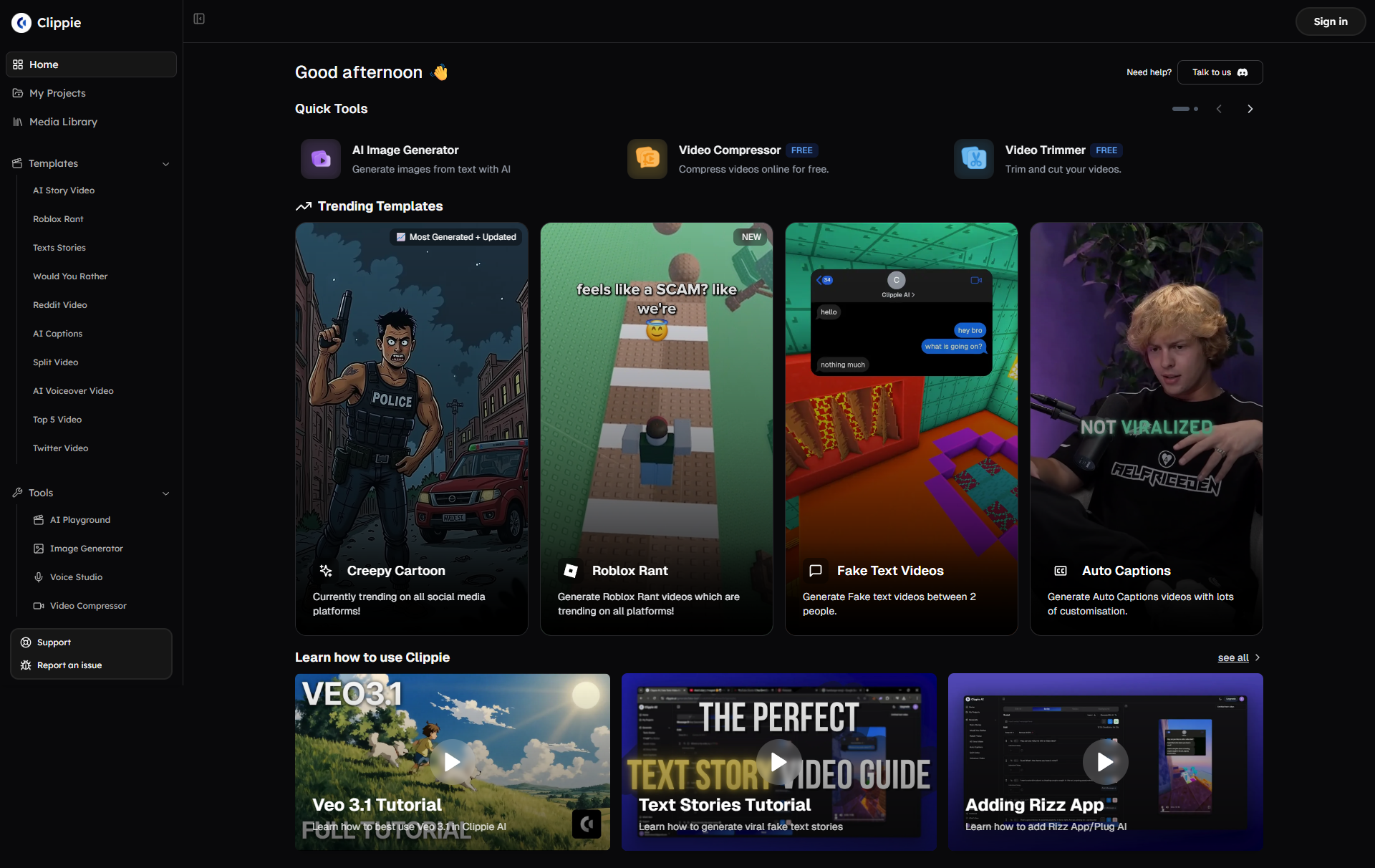
Ready to centralize your content workflow and accelerate your path to monetization? Start your free Clippie AI trial with 5 videos, experience the complete system from script to multi-platform distribution in under 10 minutes.
Make an AI story video
Write a script or let AI write one. Clippie turns it into a narrated video with AI scenes, voiceover and captions.
Read more

How to Make Top 5 Ranking Videos in 2026 (Step-by-Step)
Build ranking Shorts that can still earn: pick a debatable topic, set clear criteria, source clips you may use, script the countdown, add your commentary.

How to Create Short-Form Videos Using AI: 8 Steps (2026)
A beginner workflow for AI videos on TikTok, Reels and Shorts: pick a format, script a hook, add visuals, voice and captions, export at 9:16, label AI.

7 Free CapCut Alternatives for Short-Form Video (2026)
Compare Edits, YouTube Create, VN, Clipchamp, Canva, DaVinci Resolve and Shotcut: what each gives free users, what it caps first and where it falls short.