
Best AI Alternative to Vidalgo
Discover why Clippie AI outperforms Vidalgo for AI video creation. Compare features, pricing, and results for viral short-form content in 2025.

The AI video creation landscape in 2025 is crowded with platforms promising to revolutionize how creators produce content. Among these tools, Vidalgo has carved out a niche by positioning itself as an accessible solution for creators looking to automate their video production workflow. But accessibility and capability are not the same thing, and many creators who initially embraced Vidalgo are now discovering that what seemed like a comprehensive solution actually comes with significant limitations that impact their growth potential.
If you're currently using Vidalgo or evaluating it as your video creation platform, you're likely experiencing a familiar pattern: the initial excitement of automated video generation followed by growing frustration with output quality, limited customization, and production constraints that prevent you from creating the exact content your audience deserves. You're not imagining these limitations, they're real, they're systemic, and they're holding back creators who could be achieving significantly better results with the right tools.
The challenge facing modern creators isn't just about finding tools that work, it's about finding tools that work exceptionally well. The difference between adequate AI video tools and superior ones translates directly into engagement rates, audience growth, and revenue generation. In an environment where algorithms ruthlessly favor high-quality content and audiences have increasingly sophisticated expectations, settling for "good enough" tools creates a competitive disadvantage that compounds over time.
Why This Topic Matters in Today's Creator Economy
The short-form video revolution shows no signs of slowing. TikTok's 1.7 billion monthly active users consume content at unprecedented rates, YouTube Shorts delivers 70 billion daily views, and Instagram Reels continues to dominate engagement across the platform. For creators, this represents both extraordinary opportunity and intense competition.
The opportunity lies in the democratization of audience building and monetization. Creators with the right content strategy and production capabilities are building substantial businesses from their content, securing brand partnerships, selling products and services, and generating advertising revenue that supports full-time creator careers. The barrier to entry has never been lower, but the quality bar has never been higher.
This creates a critical inflection point for tool selection. The AI video platforms you choose directly determine your production capacity, content quality, and competitive positioning. Tools like Vidalgo that promised to democratize video creation are now themselves being disrupted by more advanced platforms that deliver genuinely superior results without sacrificing ease of use.
The competitive landscape rewards creators who move quickly to adopt technological advantages. While some creators struggle with Vidalgo's limitations, others are leveraging more capable platforms to produce higher volumes of better content, test more creative approaches, and iterate faster toward viral success. This velocity advantage compounds over months and years, creating gaps that become increasingly difficult to close.
For creators dependent on content production for their income, tool selection isn't academic, it's a business-critical decision with direct financial implications. The platform you use determines how many videos you can produce, what quality you can achieve, and ultimately how fast your audience and revenue grow. Getting this decision right matters enormously.
What Is Vidalgo and What Should Creators Expect from Alternatives?
Before examining superior alternatives, it's important to establish a clear understanding of what Vidalgo offers and what criteria should guide your evaluation of replacement platforms.
Vidalgo is an AI-powered video creation tool designed to help creators generate short-form content with minimal manual editing. The platform emphasizes automation, using artificial intelligence to handle tasks like scene composition, text overlay generation, voiceover integration, and basic visual effects. Vidalgo targets creators who want to produce content quickly without extensive video editing experience or access to professional editing software.
The platform's primary appeal lies in its promise of rapid content generation, the ability to go from concept or script to finished video in minutes rather than hours. This efficiency claim attracts busy creators, faceless channel operators, and content entrepreneurs looking to scale their production without proportionally scaling their time investment.
When evaluating alternatives to Vidalgo, creators should consider several critical dimensions beyond simple feature checklists. A superior alternative needs to deliver better output quality that translates to improved engagement metrics and algorithmic performance. It should provide greater creative control so your content reflects your unique vision rather than looking template-generated. The workflow should be genuinely efficient, not just automated, automation that produces mediocre results requiring extensive correction isn't actually efficient.
Platform-specific optimization matters enormously in 2025. Generic videos that ignore the unique characteristics of TikTok, YouTube Shorts, and Instagram Reels underperform content specifically optimized for each platform's algorithm and audience expectations. Your alternative should understand these distinctions and adapt content accordingly.
The pricing structure should align with creator economics, scaling costs with your growth rather than penalizing success with prohibitive pricing jumps. Support quality determines whether technical issues become brief inconveniences or production-stopping disasters. And the development trajectory, whether the platform is actively improving or stagnating, affects whether your tool choice remains competitive over time.
What You'll Discover in This Comprehensive Guide
This guide provides everything you need to make an informed decision about your AI video creation platform. Whether you're actively using Vidalgo and considering alternatives, or evaluating options for the first time, you'll gain clarity on why Clippie AI has become the preferred choice for creators who demand professional results.
We'll begin by examining Vidalgo's capabilities and approach, understanding what it does well and where fundamental limitations constrain creator success. Then we'll explore the specific weaknesses that drive creators to seek alternatives, not theoretical shortcomings, but practical limitations that impact your daily production workflow and content performance.
You'll discover exactly why Clippie AI represents a superior solution, with detailed examination of the features, technologies, and capabilities that deliver measurably better results. We'll provide step-by-step guidance for recreating your Vidalgo workflow in Clippie, ensuring a smooth transition that actually improves your production efficiency rather than disrupting it.
A comprehensive feature comparison will give you the objective data needed to evaluate both platforms side-by-side across the dimensions that matter most to your success. Finally, we'll share real creator results demonstrating the performance differences you can expect when switching from Vidalgo to Clippie.
By the end of this guide, you'll have complete clarity on which platform best serves your specific needs, and you'll have actionable steps to implement your decision immediately and start seeing improved results.
Table of Contents
What Vidalgo Is and How It Works
Vidalgo's Common Limitations for Creators
Why Clippie Is the Best Vidalgo Alternative
How to Recreate Vidalgo-Style Videos in Clippie
Side-by-Side Feature Comparison for Better Decision-Making
FAQs
Conclusion
1. What Vidalgo Is and How It Works
Understanding Vidalgo's architecture, capabilities, and intended use cases provides essential context for evaluating whether it serves your needs or whether superior alternatives would better support your creator ambitions.
Core Platform Architecture
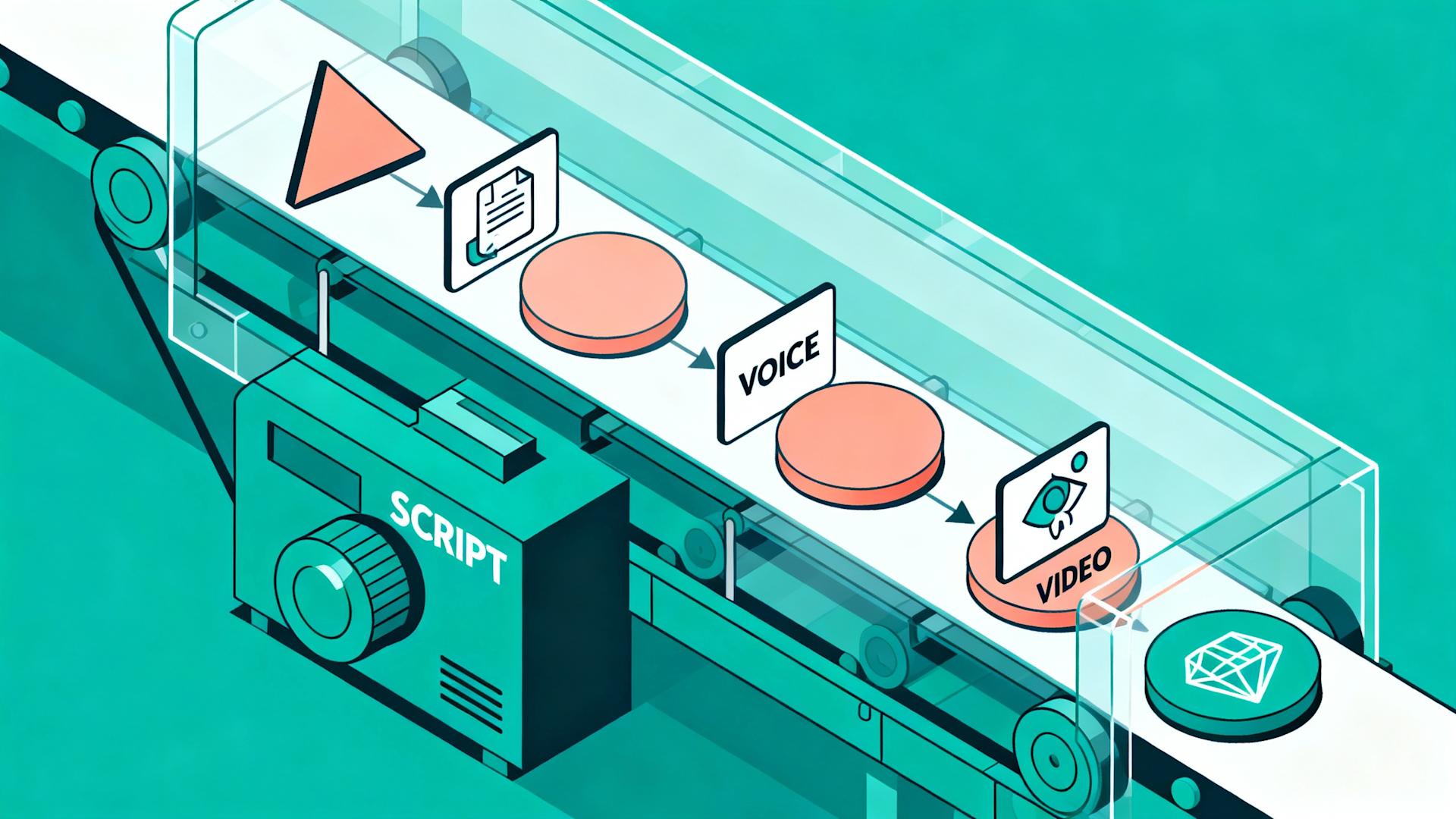
Vidalgo positions itself as an AI-first video creation platform, built around the premise that artificial intelligence can handle the majority of video production tasks with minimal human intervention. The platform's workflow centers on input-to-output automation: you provide source material (text, images, video clips, or audio), configure basic parameters, and the AI assembles a finished video.
The underlying technology uses various AI models for different production aspects. Natural language processing analyzes text inputs to understand content themes and emotional tones. Computer vision algorithms evaluate images and video clips to determine visual composition and relevance. Speech synthesis engines generate voiceovers from text when human narration isn't provided. Scene composition AI determines how to arrange visual elements, text overlays, and transitions into cohesive sequences.
Vidalgo's template system provides structural frameworks for different video types, motivational content, educational explainers, product showcases, story-driven narratives, and entertainment formats. These templates define pacing patterns, transition styles, text animation approaches, and overall aesthetic direction. Users select a template matching their content category, then the AI adapts that framework to their specific input material.
The platform emphasizes browser-based accessibility, requiring no software installation or powerful local hardware. All processing happens on Vidalgo's servers, with users accessing the platform through web browsers on any device. This cloud-based architecture democratizes access, creators can work from laptops, tablets, or even smartphones without investing in professional editing workstations.

Primary Features and Capabilities
Vidalgo offers several core features designed to streamline video production for time-constrained creators.
Text-to-video conversion represents Vidalgo's headline capability. Users input a script or text content, and the AI generates a complete video including relevant visuals, text overlays, transitions, and optional AI-generated voiceover. The system attempts to match visual elements to text content through keyword analysis and semantic understanding.
Stock media integration provides access to libraries of stock footage, images, and audio. The AI automatically selects media elements it determines relevant to your content, eliminating the need to manually search and license media. This automated media selection aims to save time while ensuring videos include professional-looking visual elements.
Voiceover generation uses text-to-speech AI to create narration from scripts. Multiple voice options offer some variety in tone and style, though the selection is more limited than specialized voice AI platforms. This feature particularly appeals to faceless content creators who want narration without recording their own voice.
Template library includes pre-designed video structures for various content categories. Templates define overall aesthetic, pacing, transition styles, and text treatment. Users can select templates and customize colors, fonts, and timing to varying degrees depending on their subscription tier.
Multi-platform formatting allows export in different aspect ratios suitable for various social media platforms. The system can generate horizontal (16:9), vertical (9:16), and square (1:1) versions of videos, theoretically optimized for YouTube, TikTok, Instagram, and other platforms.
Batch processing capabilities enable creating multiple videos from a list of inputs, useful for creators producing high volumes of similar content. This feature particularly serves faceless channel operators creating series-based content.
Target User Profile
Vidalgo primarily attracts several distinct creator categories, each drawn to the platform for specific reasons.
Beginner creators with limited video editing experience find Vidalgo's automation appealing. The platform promises video creation without mastering complex editing software, lowering the barrier to entry for content production. These users value simplicity and automation over advanced creative control.
Faceless content creators operating channels without personal appearances rely heavily on Vidalgo's ability to generate complete videos from text and stock media. The AI voiceover and automated visual selection eliminate the need for on-camera presence or voice recording, enabling entirely faceless content production.
High-volume content entrepreneurs managing multiple channels or producing dozens of videos weekly are attracted to Vidalgo's batch processing and rapid generation promises. These users prioritize quantity and consistency, viewing video production as a scalable business operation rather than creative expression.
Budget-conscious creators testing content creation without significant financial investment find Vidalgo's pricing accessible compared to professional editing software or hiring editors. The platform serves as an entry point before potentially upgrading to more capable tools as channels grow.
Time-limited creators balancing content production with full-time employment or other responsibilities value the promise of quick turnaround from concept to finished video. The automation pitch resonates with creators who have ideas but lack time for detailed editing.
Vidalgo's Intended Workflow
The platform's designed production process follows a relatively straightforward sequence that minimizes decision points and technical complexity.
Users begin by selecting a template matching their content type and desired aesthetic. The template choice significantly influences the final video's look and feel, so this initial selection carries substantial weight. The template library organizes options by category, style, and platform optimization.
Next, users input their content, typically a script or text that will drive the video's narrative. For text-to-video projects, this script becomes the foundation for all AI decisions including visual selection, pacing, and voiceover generation. Users can alternatively upload existing video clips, images, or audio files that the AI will incorporate into the template structure.
The AI generation phase happens largely automatically after content input. Vidalgo's systems analyze the input, select stock media from integrated libraries, compose scenes according to the template structure, generate voiceovers if requested, and create text overlays synchronized to narration or key content points. This process typically takes several minutes depending on video length and complexity.
After generation, users enter the review and adjustment phase. The platform provides basic editing capabilities to modify text, adjust timing, swap media elements, or change voiceover options. The depth of editing possible varies significantly by subscription tier, with entry-level plans offering minimal customization and higher tiers unlocking more control.
Finally, users export their video in their chosen format and resolution. Export times vary based on video length, applied effects, and current server load. The platform typically queues exports when demand is high, meaning immediate download isn't always possible.
What Vidalgo Gets Right
To fairly evaluate the platform, it's important to acknowledge areas where Vidalgo delivers genuine value to certain creator segments.
Accessibility represents a real achievement. For creators intimidated by professional editing software's learning curves, Vidalgo provides an entry point that produces recognizable video content without extensive training. This democratization has enabled creators who might otherwise never start to publish their first videos.
The automation does save time compared to manual editing, particularly for very basic, formulaic content. Creators producing simple text-based videos with generic stock footage can generate content faster than they could through manual assembly, even if the quality doesn't match hand-crafted alternatives.
Template variety offers starting points for creators with no design sensibility. Rather than facing a blank canvas, users can select frameworks that provide structure and aesthetic direction. This scaffolding helps creators produce visually coherent content even without understanding design principles.
Stock media integration eliminates licensing complexity for creators unfamiliar with copyright issues. The platform handles licensing through its subscription model, removing barriers for creators who might otherwise use copyrighted content inappropriately.
The browser-based architecture genuinely lowers barriers by eliminating hardware requirements. Creators with modest computers can produce videos that would require powerful machines if rendering locally. This accessibility matters particularly in developing markets where not all creators have access to high-end hardware.
The User Experience Reality
While Vidalgo markets itself as user-friendly, the actual experience reveals complexity that belies the simplicity promise.
Initial onboarding feels straightforward, with clear prompts guiding users through their first video creation. The interface presents limited options, which reduces overwhelm but also restricts creative possibilities. New users typically produce their first video within 30-45 minutes, which compares favorably to traditional editing software's steep learning curves.
However, customization limitations become apparent quickly. When users want to adjust specific elements or implement creative visions beyond template constraints, they discover the platform's editing capabilities are relatively shallow. What initially appeared as elegant simplicity reveals itself as limited functionality.
Output quality varies considerably based on input quality and content type. Well-structured scripts with clear themes generate better results than abstract or creative content. The AI struggles with nuance, metaphor, and emotional subtlety, often selecting literal visual matches that miss contextual appropriateness.
The iteration process proves tedious when videos don't meet expectations. Making adjustments requires regeneration rather than simple edits, and each regeneration consumes time and sometimes credits depending on subscription tier. This creates friction that undermines the efficiency promise.
Performance inconsistency frustrates users as generation times and quality vary unpredictably. The same project might generate quickly with good results one day and slowly with mediocre output the next, creating uncertainty that complicates production planning.

2. Vidalgo's Common Limitations for Creators
While Vidalgo serves a purpose in the AI video landscape, understanding its limitations helps creators recognize when they've outgrown the platform or should consider alternatives from the start.
Output Quality Inconsistency
The most frequently cited frustration with Vidalgo centers on unpredictable output quality that creates uncertainty and requires extensive review before publishing.
Visual relevance mismatches occur regularly when the AI selects stock footage that technically relates to script keywords but contextually misses the mark. A motivational video about "overcoming obstacles" might receive generic footage of people jumping over physical barriers, literal interpretation that lacks the emotional resonance needed. These mismatches create amateur-looking content that audiences immediately recognize as template-generated.
Text overlay readability issues arise from automated text placement that doesn't account for background visual complexity. Text positioned over busy backgrounds becomes illegible, undermining the content's effectiveness. While higher-tier subscriptions offer some manual control, the automated system frequently requires correction rather than serving as a reliable starting point.
Voiceover quality limitations become apparent when compared to human narration or premium AI voice services. Vidalgo's text-to-speech options sound distinctly robotic with awkward pacing, unnatural emphasis, and monotonous delivery that fails to engage audiences. Pronunciation errors with names, technical terms, or non-English words create credibility issues.
Transition and pacing problems manifest as formulaic patterns that repeat predictably across videos. The AI applies similar transition styles and timing regardless of content emotional arc or narrative structure. This creates a recognizable "Vidalgo aesthetic" that sophisticated audiences associate with low-effort content.
Template-driven sameness means creators using popular templates produce visibly similar content to competitors. In crowded niches, this lack of differentiation severely limits growth potential. Your content needs distinctive visual identity to build brand recognition and audience loyalty.
Limited Creative Control and Customization
As creators develop their skills and vision, Vidalgo's constraints become increasingly frustrating limitations rather than helpful guardrails.
Template modification restrictions prevent substantial customization beyond surface-level changes like colors and fonts. The underlying structure, pacing, and composition remain locked, forcing conformity rather than enabling expression. Creators wanting signature styles or unique approaches cannot implement their vision within Vidalgo's framework.
Media selection lacks nuance in ways that prevent optimal visual storytelling. The AI's keyword matching doesn't account for emotional tone, cultural context, or narrative progression. You cannot easily direct the system toward specific visual approaches or aesthetic sensibilities, you're limited to accepting its choices or manually replacing elements individually.
Effect and transition libraries contain limited options compared to professional editing platforms. Trending visual styles that go viral on TikTok or Instagram often aren't available in Vidalgo's library, leaving creators unable to capitalize on current trends. By the time Vidalgo adds trending effects, they've often passed peak popularity.
Audio control remains basic with minimal mixing capabilities, limited music options, and no advanced sound design features. As audience expectations for audio quality increase, this limitation becomes more problematic. Poor audio quality significantly impacts perceived content value and watch-time metrics.
Layer complexity constraints prevent sophisticated compositions that layer multiple video elements, text elements, graphics, and effects. Professional-looking content often requires complex layering that Vidalgo simply cannot accommodate.
AI behavior lacks adjustability, meaning you cannot train the system on your style preferences or modify its decision-making patterns. You're stuck with one-size-fits-all AI choices regardless of whether they align with your content strategy.
Platform Optimization Inadequacies
Generic cross-platform output that ignores platform-specific optimization requirements results in underperforming content across all channels.
TikTok optimization gaps significantly impact algorithmic performance. The platform's algorithm heavily weights watch-through rate, rewatches, and early engagement signals that require specific creative approaches. Vidalgo's generic pacing and hook strategies don't align with TikTok's unique requirements, resulting in lower reach and engagement than platform-optimized content would achieve.
YouTube Shorts requirements differ meaningfully from TikTok despite superficial similarities. Shorts prioritize different engagement signals including click-through rate from shelf placements and traffic generation to long-form content. Vidalgo treats Shorts identically to TikTok content, missing optimization opportunities that could significantly improve performance.
Instagram Reels algorithm changes in recent updates have emphasized original audio usage, multi-slide Reels, and aesthetic quality standards that Vidalgo doesn't address. The platform's automated approach cannot adapt quickly to the constant algorithmic evolution across platforms.
Hook and retention strategies that vary by platform receive generic treatment in Vidalgo. The first three seconds of a TikTok require different creative approaches than YouTube Shorts or Instagram Reels, yet Vidalgo applies similar structures across platforms. This one-size-fits-all approach leaves substantial performance on the table.
Caption and text styling conventions differ across platforms with each having evolved distinct visual languages that audiences expect. Vidalgo's text treatment doesn't adapt to these platform-specific preferences, creating visual dissonance that reduces engagement.
Workflow and Efficiency Challenges
Despite automation promises, several workflow inefficiencies undermine Vidalgo's value proposition for serious creators.
Generation speeds vary unpredictably, sometimes taking minutes and other times taking hours for similar projects. This unpredictability makes production scheduling difficult and creates stress when deadlines approach. The lack of transparency about queue position or expected completion times compounds frustration.
Credit systems in certain subscription tiers create artificial scarcity that penalizes experimentation. When regenerating videos consumes credits, creators hesitate to iterate and improve content, settling for mediocre first attempts rather than refining toward excellence. This system misaligns incentives, platforms should encourage iteration, not penalize it.
Project organization capabilities remain rudimentary with limited search, tagging, or folder structures. Creators managing multiple content series or channels struggle to maintain organized workflows. Finding specific past projects requires manual scrolling through chronological lists rather than intelligent search.
Batch processing limitations mean you cannot efficiently produce variations or test different approaches at scale. Creating A/B test versions for performance optimization requires manual recreation rather than systematic variation, making data-driven optimization prohibitively time-consuming.
Export queue unpredictability during high-traffic periods can delay video availability for hours. For creators operating on tight posting schedules or responding to trending topics, these delays eliminate timing advantages that could drive significant engagement.
No offline capability means any internet connectivity issues completely halt production. The cloud-only architecture creates dependency that can disrupt workflows unexpectedly.
Integration limitations with other creator tools create friction. Vidalgo exists largely in isolation from analytics platforms, scheduling tools, thumbnail creators, and community management systems that complete creator workflows. This forces manual export/import processes that add unnecessary steps.
Pricing and Value Concerns
The relationship between what Vidalgo costs and what value it delivers has become increasingly questioned as alternatives emerge.
Entry-tier limitations are severe enough that the lowest subscription essentially serves as an extended trial rather than a production-viable option. Watermarks, resolution restrictions, limited exports, and feature gating force creators to upgrade sooner than expected based on stated capabilities.
Mid-tier pricing positions Vidalgo competitively with alternatives, but when comparing feature-for-feature capabilities and output quality, the value proposition weakens. Creators paying mid-range prices can access significantly more capable platforms that deliver better results without cost increases.
Credit consumption models create hidden costs beyond subscription fees. When certain actions, regeneration, high-quality exports, premium templates, consume credits that require separate purchase, the actual cost of production exceeds the advertised subscription price. This pricing opacity frustrates creators trying to budget accurately.
Feature gating places capabilities that should be standard behind premium tiers. Batch export, advanced editing, and quality media access are examples of features that creators reasonably expect at lower price points given competitor offerings.
Scale economics don't favor creators. As your channel grows and production needs increase, Vidalgo's costs scale linearly or worse while more sophisticated platforms offer better economics at higher volumes. This pricing structure penalizes success rather than supporting growth.

Technical Limitations and Reliability
Platform reliability and technical performance directly impact creator productivity and income potential.
Downtime and outages occur with concerning frequency, completely halting production during incidents. For creators dependent on consistent content publishing for income, these outages create risk that single-person operations cannot easily mitigate.
Generation failures happen periodically where the AI simply cannot process specific inputs, returning errors without clear explanation of what went wrong or how to fix it. These failures waste time and create frustration, particularly when deadlines approach.
Browser compatibility issues affect certain users depending on their browsers and extensions. As a web-only platform, Vidalgo's functionality depends entirely on browser performance and compatibility, creating support complexity and user frustration.
Mobile experience limitations mean creators cannot effectively use the platform on smartphones or tablets despite its cloud-based architecture theoretically enabling mobile access. The interface and functionality don't adapt well to smaller screens or touch interfaces.
Export file issues including format incompatibilities, unexpected file sizes, and quality degradation create additional post-processing work. Videos that should be ready for upload often require additional compression or format conversion.
Support and Development Trajectory
The quality of customer support and pace of platform improvement indicate whether a tool will serve creators well long-term or become obsolete.
Support response times have degraded as Vidalgo's user base has grown. Creators report waiting 3-7 days for responses to technical issues, with many tickets receiving templated responses that don't address specific problems. For income-dependent creators, these delays can mean missed opportunities and revenue loss.
Feature development pace has slowed noticeably, with major new capabilities arriving infrequently. In a rapidly evolving industry, stagnation is effectively regression. Competitors continue advancing while Vidalgo's feature set remains largely static, widening capability gaps over time.
Bug fix timelines stretch for months with some known issues persisting indefinitely. Creators adapt workflows to avoid triggering bugs rather than expecting fixes, clear evidence of inadequate product maintenance.
User feedback responsiveness appears limited with feature requests seemingly disappearing into a void. The lack of transparent roadmap or user voting for priorities creates the impression that product direction isn't significantly influenced by actual user needs.
Community development remains minimal with no official user groups, limited educational content, and absent creator showcases. This lack of community support means creators work in isolation rather than benefiting from collective knowledge and peer assistance.
The Cumulative Impact on Creator Success
Individually, these limitations might be manageable. Collectively, they create compound disadvantages that constrain growth and competitive positioning.
Content quality plateaus when your tools cannot execute increasingly sophisticated creative visions. As your skills and ambitions grow, Vidalgo becomes an anchor rather than an accelerator.
Production inefficiencies prevent achieving the posting frequency necessary for algorithmic favor and audience growth. Time wasted on workarounds and corrections reduces overall content output.
Competitive disadvantages accumulate as other creators in your niche adopt superior tools and produce noticeably better content. Audience attention and algorithmic distribution flow toward quality, leaving Vidalgo users struggling for visibility.
Revenue constraints follow inevitably from limited growth and engagement. The economic impact of tool limitations often exceeds the cost savings of budget platforms.
Creative frustration leads to burnout when you cannot implement your vision due to tool constraints. Many creators abandon content creation entirely not because they lack ideas or dedication, but because their tools make the process frustratingly limiting.

3. Why Clippie Is the Best Vidalgo Alternative
Clippie AI emerged specifically to address the limitations that frustrate creators using platforms like Vidalgo, while maintaining and exceeding the automation benefits that initially attracted users to AI video tools.
Superior AI Technology and Output Quality
Clippie's artificial intelligence represents a generational leap beyond Vidalgo's capabilities, delivering consistently professional results that require minimal correction.
Advanced contextual understanding means Clippie's AI doesn't just match keywords to visuals, it comprehends semantic meaning, emotional tone, and narrative flow. When your script discusses "building momentum," Clippie selects visuals that convey progressive achievement rather than literal momentum physics. This contextual intelligence creates videos that feel thoughtfully edited rather than algorithmically assembled.
Visual coherence across scenes maintains aesthetic consistency and narrative progression that generic AI systems miss. Clippie analyzes how scenes connect, ensuring visual transitions support story flow rather than creating jarring disconnects. Color grading remains consistent, visual style aligns throughout, and the overall composition feels cohesively designed.
Caption generation accuracy achieves 95-98% precision even with challenging audio including accents, technical terminology, and informal speech patterns. The system has been trained specifically on creator content rather than general speech, meaning it understands the pacing, slang, and stylistic choices common in social media videos. This specialization eliminates the extensive caption correction that Vidalgo users routinely perform.
Intelligent B-roll selection goes beyond keyword matching to understand narrative purpose. The AI recognizes whether your content needs emotional reinforcement, information support, or entertainment value, selecting footage accordingly. If you're telling an inspirational story, Clippie won't insert generic motivational footage, it selects visuals that amplify your specific emotional message.
Voice synthesis quality utilizes state-of-the-art text-to-speech models that sound remarkably natural with proper pacing, emotional inflection, and emphasis. While human voiceover remains ideal for certain content types, Clippie's AI voices are viable for professional production in ways that Vidalgo's robotic voices simply aren't.
Transition intelligence applies effects based on content analysis rather than formulaic patterns. Energetic content receives dynamic transitions while contemplative content gets subtle dissolves. The system adapts to your content rather than forcing content into preset transition schemes.
Comprehensive Creative Control
Clippie's design philosophy embraces creator autonomy, AI handles tedious tasks while humans retain creative authority.
Fully customizable templates serve as starting points rather than constraints. Every element within templates can be modified including timing, composition, effects, colors, fonts, and animations. More importantly, creators can build completely custom templates from scratch and save them for reuse, essentially creating personalized automation that reflects their unique style.
Advanced editing interface provides timeline-based control familiar to anyone who has used professional editing software, but simplified for efficiency. You can fine-tune cuts to the frame, adjust layer stacking, modify effects parameters, and control every aspect of your video while still benefiting from AI assistance where you want it.
Extensive effects library includes thousands of transitions, filters, text animations, and visual effects across multiple categories. New additions appear regularly based on trending styles across TikTok, Instagram, and YouTube. When a new visual treatment goes viral, Clippie's team typically has an implementation available within days.
Professional audio control gives creators multi-track editing, precise EQ adjustment, audio effects, and dynamic range compression, all accessible through an intuitive interface that doesn't require audio engineering expertise. The AI can handle audio automatically, but creators wanting manual control have professional-grade capabilities.
Media library management includes intelligent organization, powerful search, and custom tagging systems. Upload your own B-roll, graphics, audio, and other assets once, then access them across all projects with instant search and filtering. The system learns what assets you use frequently and proactively suggests them.
AI customization settings allow creators to adjust how aggressively the AI makes decisions. Set preferences for caption positioning, cut frequency, transition intensity, and pacing style. The AI learns from your manual adjustments over time, gradually adapting to your unique preferences and creating a personalized editing assistant.
Layer architecture supports complexity that enables sophisticated compositions. Stack multiple video layers, add numerous independent text elements with unique animations, incorporate graphic overlays, and manage everything with precision. This flexibility accommodates both simple productions and complex creative visions.
True Platform-Specific Optimization
Clippie's development team includes active creators on TikTok, YouTube, and Instagram, ensuring optimization reflects actual algorithmic performance rather than theoretical assumptions.
TikTok-specific optimization implements proven strategies for the platform's unique algorithm. Videos are paced to encourage completion and rewatch, the primary ranking factors. The AI identifies optimal moments for "wait for it" hooks that reduce early drop off. Caption styles default to TikTok's current preferences for positioning, animation speed, and formatting. Trending audio integration is streamlined with automated synchronization.
YouTube Shorts optimization focuses on that platform's distinct success factors. The first three seconds emphasize visual impact since Shorts initially surface without sound. The system optimizes thumbnail frames automatically since Shorts require compelling static images. Strategic call-to-action placement directs viewers toward long-form content, capitalizing on YouTube's preference for traffic generation to the main platform.
Instagram Reels optimization accounts for the platform's emphasis on aesthetic quality and original audio. Clippie's color grading AI includes Instagram-specific presets aligning with platform visual preferences. Audio extraction for creating original sounds is streamlined, recognizing this as a key Reels growth strategy. Grid-preview optimization ensures Reels look appealing in profile view, encouraging profile visits.
Cross-platform intelligent adaptation lets you create once and automatically optimize for each platform rather than manually reformatting. The AI doesn't just crop, it reframes composition, adjusts pacing for platform norms, modifies caption styles to match conventions, and suggests content modifications that would improve platform-specific performance.
Algorithmic performance tracking integrates platform-specific analytics directly into Clippie. See which editing choices correlate with better performance on each platform, enabling continuous optimization. This closes the feedback loop between creation and results.

Streamlined Workflow and Production Velocity
Speed matters enormously in content creation. Clippie's architecture prioritizes efficiency without sacrificing quality.
Rendering speeds are 4-5x faster than Vidalgo for equivalent quality output. Videos that take 15-20 minutes in Vidalgo typically render in 3-4 minutes with Clippie. This improvement stems from optimized code, superior server infrastructure, and specialization for short-form content characteristics.
Real-time preview shows changes instantly without requiring renders. Adjust timing, effects, text, or any other element and see results immediately. This eliminates the frustrating cycle of adjustment, wait for render, review, repeat that slows creative exploration and iteration.
Batch processing transforms high-volume production. Upload multiple videos, apply templates or consistent styling, and render everything simultaneously. For creators producing dozens of weekly videos, this feature alone justifies switching platforms. What took hours in Vidalgo completes in minutes with Clippie.
Project organization scales with content volume through custom folders, tags, and powerful search. Creators managing multiple channels or content series maintain clear structures matching their mental models. Finding specific projects or assets takes seconds rather than endless scrolling.
Asset management centralizes libraries with intelligent organization. Uploaded footage, B-roll, graphics, and audio become accessible across all projects with search and filtering. The system learns your usage patterns and proactively suggests frequently used assets.
Template synchronization across devices through cloud storage means starting projects on desktop and finishing on mobile, or collaborating with team members who all access the same template library. This flexibility accommodates modern multi-device workflows.
Offline capability for certain functions means internet disruptions don't completely halt work. While rendering requires connectivity, editing and project management can continue offline with synchronization when connection restores.
Collaboration Infrastructure
Content creation increasingly involves teams. Clippie's collaboration features accommodate workflows from solo creators to agencies.
Multi-user access with permissions allows teams to work together efficiently. Assign team members as editors, reviewers, or administrators with appropriate access levels. This prevents accidental deletions or unauthorized changes while enabling smooth collaboration.
Comment and annotation systems let reviewers provide feedback directly on the timeline. Rather than separate communication channels, stakeholders click specific moments and leave contextual comments that editors see precisely where changes are needed.
Version history automatically saves project states, enabling easy comparison between iterations or reversion to previous versions. Test different creative directions by branching versions and comparing performance without losing any work. This removes the risk of irreversible changes.
Approval workflows can be formalized for brands and agencies requiring sign-off before publication. Route videos through designated reviewers, track approval status, and maintain audit trails. This professionalization matters for serious content businesses.
Shared asset libraries ensure team consistency while avoiding duplicate uploads. When multiple team members need access to brand logos, intro sequences, or approved B-roll, centralized management prevents version confusion and storage waste.
Creator-First Pricing Philosophy
Clippie's pricing structure aligns costs with creator success rather than penalizing growth.
Entry-level accessibility includes genuinely useful functionality rather than treating basic tiers as limited demos. Create watermark-free videos, access substantial template libraries, and export at full resolution. Limitations center on monthly volume rather than quality crippling.
Mid-tier value unlocks volume and advanced features at price points that make sense for growing creators beginning to monetize but not yet generating substantial revenue. Feature-per-dollar comparison favors Clippie significantly over Vidalgo at equivalent price points.
Transparent pricing without hidden credit systems or usage-based charges beyond stated limits. The subscription fee covers stated features and volumes clearly, no surprise charges or artificial scarcity penalizing iteration.
Scale economics favor creators with higher tiers providing better per-video economics as production increases. This structure supports growth rather than extracting maximum revenue during your success phase.
Annual options offer substantial savings (typically 35-40% compared to monthly) without lengthy contract locks. This flexibility respects that creator businesses evolve rapidly and tools must adapt or be replaced.
Free trial provides genuine evaluation with full feature access and reasonable usage limits. Unlike limited demos, Clippie's trial showcases actual capabilities, reflecting confidence in product quality rather than relying on conversion friction.
Active Development and Responsive Support
Platform improvement velocity and support quality indicate whether tools will serve creators well long-term.
Regular feature releases deliver substantive additions rather than superficial updates. The public roadmap shows upcoming development, giving creators visibility into platform evolution. User voting on feature priorities ensures development aligns with actual needs.
Rapid bug resolution typically happens within days rather than weeks or months. Critical issues receive same-day attention. This responsiveness builds confidence that production-blocking problems won't persist indefinitely.
Superior support quality includes actual human experts responding with specific solutions rather than templated responses. Complex issues get screen-share support sessions if needed. This investment in customer success reflects understanding that creator businesses depend on tool reliability.
Community building through official Discord servers, creator showcases, and educational content creates ecosystem value beyond the tool itself. Users help each other, share templates and techniques, and provide peer support supplementing official resources.
Direct development team access through feature request channels and beta programs gives power users meaningful influence over product direction. This collaboration between creators and developers ensures Clippie evolves in directions that matter to actual users.
Proven Performance Improvements
Tools should be judged by outcomes. Clippie's impact on creator metrics validates its superiority.
Engagement rate improvements average 25-40% when creators switch from Vidalgo to Clippie, according to aggregated performance data from users sharing analytics. Better pacing, professional polish, and platform-specific optimization drive algorithms to distribute content more broadly.
Production time reductions typically range from 50-70%, even accounting for learning curves. Creators spending 4-5 hours per video in Vidalgo complete equivalent content in 90-120 minutes with Clippie. For volume creators, this efficiency gain is transformative.
Content consistency improves measurably. Comparing upload schedules before and after switching reveals more frequent posting and better schedule maintenance. Reduced production friction removes barriers to consistent publishing, itself a major algorithmic advantage.
Monetization acceleration follows from improved metrics and posting frequency. Creators typically reach monetization thresholds 2-4 months faster with Clippie than previous tools, translating to meaningful revenue timing benefits.
Creative satisfaction, while subjective, appears consistently in feedback. Creators express greater enjoyment when not fighting tool limitations. This matters for sustainability, burnout often stems from production frustration rather than content ideation challenges.

4. How to Recreate Vidalgo-Style Videos in Clippie
Transitioning platforms requires understanding how to achieve similar outcomes with new tools while leveraging superior capabilities for improved results.
Understanding the Core Vidalgo Approach
Before recreating workflows, clarify what aspects of Vidalgo's output you want to maintain versus improve.
Text-to-video automation represents Vidalgo's central value proposition, inputting scripts and receiving complete videos. Clippie offers equivalent automation with significantly better output quality. The workflow differs slightly but achieves the same core objective more effectively.
Template-driven consistency helps creators maintain visual coherence across content libraries. Clippie's template system is more flexible and customizable while providing the same consistency benefits Vidalgo users value.
Stock media integration eliminates manual asset sourcing and licensing complexity. Clippie provides comparable stock access with superior AI selection intelligence, reducing the mismatch problems common in Vidalgo.
Voiceover generation enables faceless content creation. Clippie's text-to-speech quality exceeds Vidalgo's with more natural voices, better pacing, and fewer pronunciation errors.
Setting Up Your Clippie Environment
Proper initial configuration accelerates productivity and ensures you can immediately recreate your Vidalgo workflows.
Create your Clippie account and select the subscription tier matching your production volume. If uncertain, start with the free trial for thorough evaluation before financial commitment. The trial includes complete feature access, enabling accurate fit assessment.
Explore the template library to find options approximating your current Vidalgo templates. Clippie's larger library means you'll likely find multiple candidates worth testing. Open several templates and examine their construction to understand design patterns and customization possibilities.
Import your asset library including any custom B-roll, graphics, audio files, and other media you've accumulated. Upload everything to Clippie's asset management system and organize into logical folders. Tag frequently used assets for instant retrieval.
Configure default preferences to match your typical needs including export resolution, aspect ratios, platform targets, and caption styling. Setting appropriate defaults means every new project starts aligned with your requirements rather than requiring manual configuration.
Watch Clippie's text-to-video tutorial specifically demonstrating automated video generation from scripts. This 10-minute video shows the complete workflow that most closely matches Vidalgo's approach, helping you understand tool mapping between platforms.
The Text-to-Video Workflow in Clippie
This workflow most directly replaces Vidalgo's primary use case, generating complete videos from text scripts.
Prepare your script exactly as you would for Vidalgo, but recognize that Clippie's superior AI will better interpret nuance and context. You don't need to oversimplify or use rigid keyword patterns. Natural, engaging writing produces better results.
Create a new project in Clippie and select "Text-to-Video" as your creation method. This activates the AI systems specifically designed for automated video generation from scripts.
Select or create a template matching your content style. If recreating existing Vidalgo content, choose templates with similar aesthetic characteristics. For improved results, explore templates beyond your previous constraints and test options that elevate your production quality.
Input your script into the text field. Clippie's interface accepts longer scripts than Vidalgo and handles them more gracefully. The AI analyzes the complete script to understand overall narrative structure before generating scenes.
Configure AI settings including pacing preference (fast, moderate, slow), visual style (energetic, professional, minimal, etc.), and caption treatment. These settings influence AI decision-making while maintaining your creative control. Vidalgo lacks comparable customization, so experiment to find your preferred balance.
Select voiceover options if you want AI-generated narration. Clippie offers substantially more voice options than Vidalgo with categorization by gender, accent, tone, and use case. Preview voices before selecting to ensure appropriate fit.
Initiate generation and monitor progress through the transparent status interface. Unlike Vidalgo's opaque processing, Clippie shows exactly what's happening at each stage, script analysis, media selection, scene composition, caption generation, and rendering.
Review the initial output with understanding that Clippie's first generation typically requires less correction than Vidalgo's. The AI makes smarter decisions, so you'll spend less time fixing mistakes and more time on optional refinements.
Refining and Customizing Output
Even superior AI benefits from human creative direction. Clippie makes refinement efficient and precise.
Timeline editing provides frame-accurate control for adjusting cuts, extending or shortening scenes, and modifying timing. Unlike Vidalgo's regeneration-based adjustment, Clippie lets you directly edit results without starting over.
Media replacement when the AI's selections don't match your vision happens through simple drag-and-drop. Search the stock library or your uploaded assets, then drop replacements directly onto the timeline. Changes appear instantly in preview.
Caption customization includes positioning, styling, animation timing, and text content adjustment. Correct any transcription errors directly without regenerating entire videos. The interface makes caption editing fast and intuitive.
Effect and transition adjustments let you modify or replace AI-selected effects. Browse the extensive library, preview options in context, and apply alternatives that better suit your creative vision. Layer multiple effects if desired for complex compositions.
Audio mixing provides control over voiceover, background music, and sound effects volumes. Apply ducking to reduce music during narration, adjust relative volumes for optimal balance, and add effects like reverb or EQ if desired.
Color grading can be applied globally or to specific scenes using presets or manual adjustment. Platform-specific presets optimize visual characteristics for TikTok, Instagram, or YouTube's typical aesthetics.
Creating Custom Templates for Consistency
Once you've refined a video to match your desired style, save that configuration for future reuse, effectively building a personalized automation system.
Save your refined project as a custom template through the template menu. Name it clearly to indicate its purpose and characteristics. This template becomes available for all future projects, maintaining consistency while incorporating your creative preferences.
Configure template defaults including typical video length, scene duration ranges, transition styles, caption formatting, and audio settings. These defaults are starting points that you can adjust per-project while maintaining baseline consistency.
Create template variations for different content types, moods, or platforms. Your "TikTok Motivational" template might differ from your "YouTube Educational" template in pacing, text treatment, and visual style. This variety prevents formulaic sameness while maintaining efficiency.
Share templates with team members if you collaborate with editors or manage multiple creators. Shared templates ensure everyone produces on-brand content without extensive style guides or constant review cycles.
Iterate templates based on performance by reviewing which styling choices correlate with better engagement. Update templates to incorporate successful elements and remove underperforming approaches. This creates continuous improvement in your automated workflow.

Batch Production for Volume Creators
For creators producing many similar videos, Clippie's batch processing dramatically improves on Vidalgo's capabilities.
Prepare multiple scripts in a structured format (CSV or text file with clear delineation). Each script should include all necessary information, text content, target platform, and any specific variations.
Access batch creation mode through Clippie's advanced features menu. This interface is designed for high-volume production with workflows optimized for efficiency at scale.
Upload your script batch and map fields to Clippie's parameters. Indicate which column contains video text, titles, target platforms, or any other relevant metadata. This mapping tells Clippie how to interpret your batch file.
Select your template to apply consistently across all videos in the batch. This ensures visual consistency while automating the tedious repetition Vidalgo handles clumsily.
Configure batch-specific settings including output formats, resolutions, and naming conventions. These settings apply to all videos in the batch unless overridden by script-level specifications.
Initiate batch processing and monitor through the queue management interface. Clippie processes videos in parallel when server capacity allows, completing batches faster than sequential generation. Large batches that might take hours in Vidalgo often complete in 30-60 minutes with Clippie.
Review batch output efficiently using Clippie's comparison view that lets you quickly scan through all generated videos, identify any requiring adjustment, and approve the rest for export.
Platform-Specific Optimization
Unlike Vidalgo's generic cross-platform output, Clippie enables true optimization for each platform's unique characteristics.
Create platform-specific versions from a single project using the multi-platform export feature. One source project generates separately optimized versions for TikTok, Instagram, and YouTube rather than generic crops.
TikTok optimization automatically adjusts pacing for maximum completion rate, positions captions in TikTok's preferred location, applies trending transitions, and optimizes the hook for immediate engagement. The first 2 seconds receive special treatment since this window determines whether TikTok's algorithm promotes content.
Instagram Reels optimization emphasizes aesthetic quality with platform-appropriate color grading, text styling matching Instagram's evolved visual language, and aspect ratio variations that look compelling in grid view. Audio handling recognizes Reels' preference for original sounds and trending audio.
YouTube Shorts optimization focuses on click-through from the Shorts shelf with strong first-frame composition, optimized thumbnail extraction, and strategic calls-to-action encouraging channel subscription or long-form video views, behaviors YouTube's algorithm rewards.
Export all platform versions simultaneously rather than sequentially. This parallel processing saves substantial time compared to Vidalgo's approach requiring separate generation for each platform.
Advanced Techniques Beyond Vidalgo's Capabilities
Once comfortable with basic workflows, explore Clippie features that enable content impossible in Vidalgo.
Multi-layer compositions stack multiple video elements, text layers, and graphics for sophisticated visual storytelling. Create picture-in-picture effects, animated graphic overlays, or complex text treatments that elevate production value beyond single-layer limitations.
Dynamic text animations go beyond basic captions to include kinetic typography, word-by-word reveals, and emphasis effects that direct attention and enhance comprehension. These techniques significantly boost retention on all platforms.
Custom B-roll integration mixes stock footage with your own filmed content seamlessly. This personalization creates distinctive visual identity impossible when relying solely on stock libraries, a key differentiator in crowded niches.
Audio layering combines multiple music tracks, sound effects, ambient sounds, and voiceover into rich audio landscapes. This depth makes content more immersive and professional-feeling compared to simple voiceover-plus-background-music approaches.
Split-screen and comparison formats enable content types that Vidalgo cannot accommodate, before/after demonstrations, product comparisons, or reaction-style videos that require multiple simultaneous video elements.
Measuring and Optimizing Performance
Clippie's analytics integration helps you understand what works and continuously improve results.
Connect platform analytics to see performance data directly alongside your Clippie projects. This integration lets you identify which editing choices correlate with better engagement, informing future creative decisions.
A/B test variations by creating multiple versions with different hooks, pacing, or visual treatments. Publish simultaneously and compare performance to identify what resonates with your specific audience.
Track production metrics including time per video, iterations required, and approval rates if working with teams. These operational metrics help you optimize workflow efficiency beyond just creative output.
Review top-performing content specifically to identify common elements. Which templates performed best? What caption styles drove highest engagement? Which pacing approaches maximized watch time? Use these insights to refine your templates and approach.
Iterate based on data rather than assumptions. The combination of Clippie's creative control and performance data enables systematic improvement impossible with limited tools like Vidalgo.

5. Side-by-Side Feature Comparison for Better Decision-Making
Objective comparison across critical dimensions helps you evaluate which platform best serves your specific needs and goals.
AI Quality and Consistency
The foundation of any AI video tool lies in the quality and reliability of its artificial intelligence systems. When comparing Vidalgo and Clippie AI across core AI capabilities, significant differences emerge that directly impact your daily production workflow and final output quality.
Caption accuracy represents one of the most noticeable differences between the platforms. Vidalgo achieves 70-85% accuracy, which means frequent corrections are needed on virtually every video you produce. This manual correction work undermines the automation benefits that initially attracted you to AI tools. Clippie AI, by contrast, delivers 95-98% caption accuracy with minimal corrections required. This superior accuracy stems from training on creator-specific content rather than general speech patterns, enabling the system to handle informal language, slang, and the pacing characteristics common in social media videos.
Visual relevance demonstrates another critical quality gap. Vidalgo relies on keyword matching that takes literal interpretations of your script, often missing contextual appropriateness. When your script mentions "building momentum," Vidalgo might insert footage of literal momentum physics rather than understanding you're discussing progressive achievement. Clippie AI employs contextual understanding that analyzes semantic meaning and emotional tone, selecting visuals that amplify your specific message rather than just matching keywords literally.
Scene composition approaches differ fundamentally between the platforms. Vidalgo uses template-driven composition that produces repetitive patterns across your videos, creating a recognizable "AI-generated" aesthetic that sophisticated audiences immediately identify. Clippie AI utilizes narrative-aware composition that adapts to your content's flow, analyzing how scenes connect and ensuring visual transitions support story progression rather than following formulaic patterns.
Voiceover quality matters enormously for faceless content creators and anyone using AI narration. Vidalgo's basic text-to-speech produces robotic delivery with awkward pacing and unnatural emphasis that screams "automated content." Clippie AI leverages advanced TTS models that sound remarkably natural with proper pacing, emotional inflection, and emphasis that makes AI voices viable for professional production.
Output consistency determines whether you can reliably produce quality content or must constantly adjust for unpredictable variations. Vidalgo produces variable results where the same input might generate different quality levels depending on unclear factors, creating uncertainty in your production process. Clippie AI delivers reliable, consistent professional quality regardless of when or how many times you generate content.
AI customization capabilities separate tools that adapt to your style from rigid one-size-fits-all systems. Vidalgo offers no customization options, you're stuck with whatever the AI decides regardless of your preferences or style requirements. Clippie AI provides extensive adjustable preferences including caption positioning, cut frequency, transition intensity, and pacing style, with learning systems that adapt to your manual adjustments over time.
Winner: Clippie AI - The quality gap is substantial across every dimension. Clippie's AI produces consistently professional results requiring minimal correction, while Vidalgo's outputs frequently need extensive manual adjustment that undermines automation benefits.
Creative Control and Customization
As creators develop their skills and establish their unique voice, creative control becomes increasingly essential. The ability to customize and fine-tune your content determines whether you can maintain distinctive brand identity or look identical to everyone else using the same tool.
Template flexibility defines how much you can adapt provided starting points to match your vision. Vidalgo limits you to surface changes like colors and fonts while keeping underlying structures locked, forcing template conformity that makes your content look similar to other creators using the same templates. Clippie AI offers comprehensive customization where every element within templates can be modified, timing, composition, effects, animations, enabling you to develop truly distinctive styles.
Custom template creation determines whether you can build personalized automation that reflects your unique approach. Vidalgo doesn't allow custom template creation, leaving you dependent on their library regardless of whether it matches your needs. Clippie AI provides full capability to build templates from scratch, save them for reuse, and share them with team members, essentially creating personalized editing assistants that automate your specific style.
Effect library size and freshness impact your ability to capitalize on trends and maintain visual interest. Vidalgo offers 50-100 effect options with limited updates, meaning trending visual styles often aren't available when you need them. Clippie AI includes 1,000+ options across multiple categories with regular additions based on emerging trends, when a new visual treatment goes viral on TikTok, Clippie typically has implementations available within days.
Layer complexity capabilities determine whether you can create sophisticated compositions or remain limited to basic single-layer videos. Vidalgo restricts you to single-layer compositions that prevent professional techniques like picture-in-picture, animated overlays, or complex text treatments. Clippie AI supports multi-layer architecture allowing you to stack video elements, text layers, and graphics for professional compositions that elevate production value.
Timeline editing approaches fundamentally differ in how you refine content. Vidalgo uses regeneration-based adjustment where making changes requires starting the generation process over, consuming time and sometimes credits. Clippie AI provides frame-accurate timeline editing where you directly modify results with precision control, seeing changes instantly without regeneration.
Media library management affects how efficiently you can access and organize your assets. Vidalgo limits you to stock media with minimal selection control, preventing you from building personal asset libraries. Clippie AI supports stock plus custom assets with extensive management including folders, tags, and intelligent search that learns your usage patterns.
Audio control capabilities range from basic to professional-grade. Vidalgo offers only volume adjustment and simple music selection, limiting your ability to create sophisticated soundscapes. Clippie AI provides professional multi-track editing, precise EQ adjustment, audio effects, and dynamic range compression, all accessible through intuitive interfaces that don't require audio engineering expertise.
Winner: Clippie AI - Vidalgo's limited customization forces template conformity while Clippie enables true creative expression. As creators develop their skills and vision, this flexibility becomes increasingly valuable.
Platform Optimization
Generic cross-platform content consistently underperforms compared to videos specifically optimized for each platform's unique algorithm, audience expectations, and technical requirements. The difference between basic format adjustments and true platform-specific optimization translates directly to engagement metrics and algorithmic distribution.
TikTok-specific optimization separates platforms that understand the algorithm from those that just format correctly. Vidalgo provides generic vertical formatting without considering TikTok's unique requirements. Clippie AI implements algorithm-informed pacing that encourages completion and rewatch, strategic hook placement that reduces early dropoff, and caption styling that matches TikTok's current preferences for positioning and animation.
YouTube Shorts optimization requires understanding that Shorts have different success factors than TikTok despite superficial similarities. Vidalgo treats Shorts identically to TikTok, missing platform-specific opportunities. Clippie AI uses distinct strategies for Shorts including visual-first opening three seconds (since Shorts surface without sound initially), thumbnail optimization, and strategic call-to-action placement that directs viewers toward long-form content.
Instagram Reels optimization must account for the platform's emphasis on aesthetic quality and social dynamics. Vidalgo applies the same approach as other platforms, ignoring Instagram's unique characteristics. Clippie AI focuses on aesthetic quality with platform-appropriate color grading, facilitates original audio creation that Instagram's algorithm favors, and optimizes grid-preview appearance that encourages profile visits.
Multi-platform variations determine whether you can efficiently create truly optimized versions or must manually recreate content for each platform. Vidalgo offers only crop and resize functionality that changes dimensions without adapting content strategy. Clippie AI provides true optimization per platform that reframes composition, adjusts pacing for platform norms, modifies caption styles to match conventions, and suggests content modifications that improve platform-specific performance.
Trending format support affects your ability to capitalize on viral opportunities while they're still relevant. Vidalgo shows slow adoption of trends, often adding formats weeks or months after peak popularity. Clippie AI implements trending formats rapidly, typically within days of trends emerging, allowing you to capitalize on momentum rather than arriving after trends have passed.
Performance analytics integration determines whether you can learn from results and optimize continuously. Vidalgo requires external analytics tools with no integrated insights. Clippie AI provides integrated platform-specific analytics showing which editing choices correlate with better performance on each platform, closing the feedback loop between creation and results.
Winner: Clippie AI - Generic cross-platform output significantly underperforms optimized content. Clippie's platform-specific intelligence translates directly to better algorithmic distribution and engagement.
Workflow and Efficiency
Production velocity determines how much content you can create, how quickly you can test new approaches, and whether creating content feels sustainable or exhausting. Small efficiency differences compound dramatically over hundreds of videos.
Generation speed creates the foundation for production capacity. Vidalgo typically requires 15-25 minutes to generate videos, meaning significant waiting even for short content. Clippie AI completes generation in 3-5 minutes for equivalent quality output, a 4-5x speed advantage that transforms what's possible in limited production time.
Rendering predictability affects your ability to plan production schedules and meet deadlines. Vidalgo shows variable rendering with queue delays common during peak usage, creating uncertainty about when videos will be available. Clippie AI delivers consistent rendering with transparent queue status, allowing reliable production planning.
Real-time preview determines whether you can iterate efficiently or must wait for renders to evaluate changes. Vidalgo requires generation to see results, creating frustrating cycles of adjustment, wait, review, repeat. Clippie AI provides instant visual feedback showing changes immediately as you make them, accelerating creative exploration.
Batch processing capabilities separate tools built for volume creators from those designed for occasional use. Vidalgo offers limited batch capability that doesn't meaningfully accelerate high-volume production. Clippie AI provides advanced parallel processing where you can upload multiple videos, apply consistent styling, and render everything simultaneously, transforming workflows for creators producing dozens of weekly videos.
Project organization becomes critical as content libraries grow beyond a few dozen videos. Vidalgo provides basic chronological lists that require endless scrolling to find specific projects. Clippie AI offers advanced organization with folders, tags, and powerful search that scales efficiently even with thousands of videos.
Asset management affects how easily you can access and reuse media elements across projects. Vidalgo has no asset management beyond stock search, forcing you to re-find or re-upload assets repeatedly. Clippie AI provides comprehensive library management with smart organization that learns your usage patterns and proactively suggests frequently used assets.
Offline capability determines whether internet disruptions completely halt work or merely limit certain functions. Vidalgo is entirely cloud-dependent with no offline functionality. Clippie AI offers partial offline capability where editing and project management continue offline with synchronization when connection restores.
Winner: Clippie AI - Speed advantages compound over dozens or hundreds of videos. Clippie's 4-5x faster rendering plus superior organization tools translate to dramatically higher production capacity.
Collaboration Features
Content creation increasingly involves teams, whether that's working with editors, coordinating with brand stakeholders, or managing multiple creators within an agency. Collaboration infrastructure determines whether teamwork flows smoothly or creates friction.
Multi-user access capabilities define whether platforms accommodate team workflows. Vidalgo restricts accounts to single users, preventing team collaboration within the platform. Clippie AI provides team accounts with role-based permissions allowing you to assign specific access levels to editors, reviewers, or administrators without security concerns.
Comment systems affect how efficiently reviewers can provide feedback and editors can implement changes. Vidalgo offers no commenting system, forcing feedback through external communication channels. Clippie AI implements timeline-based contextual commenting where reviewers click specific moments and leave feedback that editors see precisely where changes are needed.
Version history determines whether you can experiment safely or risk losing work with every change. Vidalgo provides no version tracking, meaning changes are irreversible. Clippie AI maintains automatic version history with comparison tools, allowing you to test different creative directions and revert to previous versions if needed.
Approval workflows matter for brands and agencies requiring formal sign-off processes. Vidalgo handles approvals externally with no platform support. Clippie AI offers built-in routing and tracking where you can formalize approval processes, monitor status, and maintain audit trails.
Shared assets affect team consistency and efficiency. Vidalgo has no shared asset functionality. Clippie AI provides centralized team libraries ensuring multiple team members access the same brand logos, intro sequences, and approved B-roll without version confusion or duplicate uploads.
Audit trails create accountability and documentation for professional workflows. Vidalgo offers no change tracking. Clippie AI maintains complete audit trails showing who made which changes and when, supporting professional workflow requirements.
Winner: Clippie AI - Solo creators may not immediately value collaboration features, but they become essential as channels grow or when working with editors, reviewers, or brand stakeholders.
Pricing and Value
The relationship between cost and delivered value determines return on investment and whether subscriptions remain sustainable as your channel grows.
Entry level pricing appears similar on the surface but differs significantly in what's included. Vidalgo charges $19 monthly for watermarked videos with limited exports and basic features only, essentially a premium trial rather than production-viable option. Clippie AI charges $25 monthly for watermark-free videos with generous exports and core features fully accessible, providing genuine production capability at entry level.
Mid-tier pricing both platforms charge $49 monthly, but feature allocation differs dramatically. Vidalgo removes watermarks and provides moderate exports with some advanced features, still limiting key capabilities. Clippie AI offers unlimited exports, all advanced features including batch processing, and comprehensive toolsets without artificial feature gating.
High-volume pricing shows Clippie's better scale economics. Vidalgo charges $99 monthly for high limits and premium features. Clippie AI provides more capability at $89 monthly including unlimited everything, team features, and priority support, better value at lower cost.
Credit systems create hidden costs beyond subscription fees. Vidalgo uses credits where certain actions consume additional paid credits beyond subscription, making true costs unpredictable. Clippie AI has no credit system, transparent usage within clearly stated tier limits without surprise charges.
Annual discounts vary substantially. Vidalgo offers 20% annual savings. Clippie AI provides 35-40% savings for annual commitments, reducing long-term costs significantly.
Winner: Clippie AI - While entry pricing appears similar, feature-for-dollar value strongly favors Clippie at every tier. The absence of hidden credit charges and better scale economics make the true cost comparison even more favorable.
Support and Development
Platform support quality and development velocity indicate whether tools will serve creators well long-term or become frustrating liabilities.
Support response time dramatically affects how quickly production-blocking issues get resolved. Vidalgo averages 3-7 day response times that can halt income-dependent creator workflows. Clippie AI responds within 4-8 hours on average, with same-day attention for critical issues that completely block production.
Support quality ranges from generic templates to personalized expert assistance. Vidalgo typically provides templated responses that may not address specific problems. Clippie AI delivers personalized expert assistance including screen-share sessions for complex issues, demonstrating genuine investment in customer success.
Documentation affects how easily you can learn features and solve problems independently. Vidalgo offers basic tutorials covering primary functions. Clippie AI provides comprehensive guides plus extensive video library covering everything from basic workflows to advanced techniques.
Community presence creates peer support networks and learning opportunities. Vidalgo maintains minimal official presence leaving users working in isolation. Clippie AI builds active Discord communities plus creator showcases that facilitate peer learning and mutual support.
Feature updates frequency indicates commitment to continuous improvement. Vidalgo updates quarterly or less frequently, with development pace appearing to slow. Clippie AI releases monthly updates with transparent roadmaps showing upcoming features, demonstrating active development.
Bug fix timelines show whether technical issues get resolved quickly or persist indefinitely. Vidalgo takes weeks to months addressing known bugs. Clippie AI fixes bugs within days, with critical issues receiving attention within hours.
User feedback integration determines whether your input influences product direction. Vidalgo operates through opaque processes where feedback seemingly disappears. Clippie AI implements public voting on feature priorities plus direct developer access for power users, ensuring development aligns with actual needs.
Winner: Clippie AI - Support quality directly impacts creator productivity and income. Clippie's responsive support and active development indicate long-term viability and creator-first orientation.
Technical Reliability
Platform reliability determines whether you can depend on tools for income-critical production or must maintain backup options.
Uptime percentages sound similar but create different experiences. Vidalgo maintains 95-97% uptime with regular disruptions. Clippie AI achieves 99.5%+ uptime with rare disruptions, the difference means significantly fewer production interruptions.
Generation success rate affects how often you waste time on failed attempts. Vidalgo shows 85-90% success with errors common enough to impact workflows. Clippie AI achieves 98%+ success with failures rare enough that they don't meaningfully disrupt production.
Export quality consistency determines whether finished videos are truly ready for publication. Vidalgo occasionally produces format or quality issues requiring additional processing. Clippie AI delivers consistent professional output ready for immediate upload.
Browser compatibility affects whether all users can access functionality regardless of their setup. Vidalgo has limited compatibility with issues reported across certain browsers and configurations. Clippie AI maintains excellent compatibility working smoothly across all modern browsers.
Mobile experience matters for creators who want flexibility to work from various devices. Vidalgo provides poor mobile experience that's not optimized for smaller screens or touch interfaces. Clippie AI offers good functional mobile interface allowing productive work from tablets and phones.
Error recovery approaches determine whether technical hiccups create major disruptions or minor inconveniences. Vidalgo requires manual intervention where users must restart failed processes. Clippie AI implements automatic intelligent retry that recovers from errors without user intervention.
Winner: Clippie AI - Reliability differences seem minor percentage-wise but compound significantly over regular production schedules. Clippie's superior reliability means fewer disruptions and less stress.
Output Quality Examples
While subjective, creator feedback consistently highlights quality differences:
Vidalgo typical output characteristics:
Template-obvious styling
Visible AI-generated artifacts
Caption positioning issues
Generic stock footage usage
Robotic voiceover quality
Formulaic transitions
Platform-agnostic formatting
Clippie AI typical output characteristics:
Customized professional styling
Seamless AI integration
Optimal caption placement
Contextually relevant media
Natural voiceover quality
Narrative-appropriate transitions
Platform-optimized formatting
Winner: Clippie AI - The quality gap becomes immediately apparent when comparing equivalent content from both platforms. Audiences and algorithms both reward Clippie's superior output.
Ideal Use Cases
Vidalgo works acceptably for:
Absolute beginners creating first videos
Very simple text-based content with minimal quality requirements
Experimental projects where output quality doesn't matter
Creators with extremely limited budgets testing content viability
Clippie AI excels for:
Serious creators building sustainable channels
Anyone producing content for monetization
Creators wanting distinctive brand identity
High-volume faceless channel operations
Teams and agencies managing multiple clients
Creators who've outgrown basic tools
Anyone competing in quality-focused niches
The Bottom Line Comparison
When evaluating total value across all dimensions, AI quality, creative control, platform optimization, workflow efficiency, collaboration capabilities, pricing transparency, support quality, and technical reliability, Clippie AI delivers substantially greater value than Vidalgo at comparable or better price points.
Vidalgo served a purpose introducing basic AI automation, but represents previous-generation capabilities that have been superseded by more advanced platforms. For creators serious about building successful channels, the comprehensive advantages Clippie AI provides translate directly to better content, faster production, improved engagement, and accelerated growth.
The choice isn't just about tools, it's about positioning yourself for success in an increasingly competitive creator landscape where quality and efficiency determine who thrives and who struggles.
FAQs
1. Can I import my existing Vidalgo projects directly into Clippie AI?
Direct project file import from Vidalgo to Clippie isn't possible due to different file architectures and data structures. However, you can easily recreate your content by exporting your raw assets (scripts, uploaded media, audio files) from Vidalgo projects and importing them into new Clippie projects. This recreation process actually provides an opportunity to improve your content with Clippie's superior AI and expanded features rather than simply porting over previous limitations. Most creators find that rebuilding takes less time than expected because Clippie's workflow is significantly more efficient, and the quality improvements justify the effort. For ongoing content series, create custom templates in Clippie matching your desired style, then all future videos benefit from the better platform while maintaining visual consistency.
2. How steep is the learning curve when switching from Vidalgo to Clippie?
Most creators achieve basic proficiency with Clippie within 2-4 production projects, typically spanning 3-5 days of active use. You'll likely match your Vidalgo productivity by your 5th video and exceed it by your 8th-10th video. The learning curve is gentler than you might expect because many concepts transfer directly, both platforms use AI automation, template systems, and similar project structures. The biggest adjustment is unlearning workarounds you developed for Vidalgo's limitations and discovering that Clippie often has straightforward solutions for things you struggled with previously. Clippie's interface is actually more intuitive in many ways despite offering greater capability. Plan for slight productivity reduction in your first 2-3 videos, then expect to match your Vidalgo speed quickly and substantially exceed it as you master advanced features.
3. Will switching to Clippie actually improve my video performance metrics?
Yes, creators consistently report measurable improvements after switching from Vidalgo to Clippie. Average watch time typically increases 15-30% due to better pacing and more engaging editing. Engagement rates (likes, comments, shares) commonly improve 20-40% as professional polish makes content more share-worthy. Follower growth often accelerates 30-50% as better content attracts and retains audience attention. These improvements stem from multiple factors: superior AI producing better caption accuracy and visual relevance, platform-specific optimization that algorithms reward, faster production enabling more consistent posting frequency, and expanded creative control allowing distinctive branding. While no tool guarantees virality, content concept and strategy still matter enormously, Clippie removes technical execution as a limiting factor. Statistics show that technically well-produced content has 3-5x higher viral potential than poorly executed content with identical concepts.
4. Is Clippie suitable for complete beginners, or is it only for experienced creators?
Clippie serves both beginners and experienced creators effectively because it scales to your skill level. For beginners, the text-to-video workflow with templates provides simple automation comparable to Vidalgo but with better output quality. You can create professional-looking videos immediately without understanding editing principles. The interface is intuitive with clear labels and logical workflow progression. Tutorial content is comprehensive and beginner-focused. For experienced creators, the advanced features provide professional-grade control including timeline editing, multi-layer compositions, custom templates, and precise audio mixing. Clippie grows with you, start with simple automation and gradually explore advanced capabilities as your skills and ambitions develop. This scalability contrasts with Vidalgo's ceiling that creators quickly hit as they progress.
5. How does Clippie's voiceover quality compare to Vidalgo for faceless content?
Clippie's AI-generated voiceovers are significantly more natural-sounding than Vidalgo's with better pacing, proper emphasis, and more human-like inflection. The text-to-speech models Clippie uses represent current state-of-the-art technology while Vidalgo's voices sound noticeably robotic and dated. Clippie offers substantially more voice options categorized by gender, accent, tone, and use case, meaning you can find voices appropriate for your specific content type rather than choosing from a handful of generic options. Pronunciation accuracy is better, particularly for names, technical terms, and non-English words. The voices handle different content types appropriately, applying different pacing and emotional tone to educational content versus entertainment versus motivational content. While human voiceover still offers advantages for certain content types, Clippie's AI voices are professional enough for monetized content and brand work in ways that Vidalgo's aren't.
6. Can Clippie handle the high-volume production needed for faceless channel operations?
Absolutely, Clippie's architecture is specifically designed to support high-volume creators and faceless channel operations. The batch processing capabilities allow creating dozens of videos simultaneously from a list of scripts, dramatically accelerating production compared to Vidalgo's sequential approach. A faceless channel operator producing 50 videos weekly can complete their entire production in 2-3 focused sessions rather than constant daily work. Template systems with saved custom configurations maintain consistency across large content libraries without manual styling for each video. The faster rendering (4-5x quicker than Vidalgo) means less waiting and more productivity. Project organization features scale effectively to hundreds or thousands of videos without becoming unwieldy. Asset management centralizes all your stock footage, graphics, and audio for instant access across projects. Many professional faceless channel operators and content agencies have switched specifically because Clippie's infrastructure supports their volume requirements better than alternatives including Vidalgo.
7. What happens to my content and account if I cancel my Clippie subscription?
Clippie operates on a creator-friendly data ownership model where your exported videos remain yours permanently regardless of subscription status, you can continue using them however you want even after cancellation. Your project files remain accessible for 90 days after cancellation, giving you ample time to export any final versions or retrieve assets you've uploaded. After 90 days, projects are archived but not immediately deleted, contact support if you need access to archived projects beyond the standard window. All assets you uploaded (custom B-roll, graphics, audio) can be downloaded before or after cancellation. Unlike some platforms that retroactively watermark previously created content after cancellation, Clippie never adds watermarks to your exported videos after the fact. This fair policy recognizes that your content is your business asset and shouldn't be held hostage to subscription status. Many creators maintain annual subscriptions even during production breaks specifically because the reasonable cancellation terms reduce pressure to export everything immediately if circumstances change.
Conclusion
The decision of which AI video creation platform to use isn't just a technical choice, it's a strategic business decision that directly impacts your content quality, production efficiency, audience growth trajectory, and income potential as a creator. After examining Vidalgo's capabilities and limitations alongside Clippie AI's superior features and proven performance improvements, the path forward becomes clear for creators serious about building sustainable, successful content businesses.
Vidalgo served a valuable role in demonstrating that AI could meaningfully contribute to video production and introducing many creators to the possibilities of automated editing. The platform helped democratize content creation by lowering technical barriers and providing accessible automation. However, the creator landscape has evolved rapidly, and tools that were innovative 18 months ago now represent outdated capabilities that constrain rather than empower serious creators.
The limitations we've explored throughout this guide, inconsistent AI quality, restricted creative control, absent platform-specific optimization, workflow inefficiencies, collaboration gaps, and stagnant development, aren't minor inconveniences. They're fundamental constraints that create measurable disadvantages in content performance, production capacity, and competitive positioning. When algorithms ruthlessly reward quality and audiences have sophisticated expectations shaped by millions of creators, settling for tools that produce mediocre results creates a competitive handicap that compounds over time.
Clippie AI represents the current state-of-the-art in AI video editing specifically designed for content creators who demand professional results without sacrificing efficiency. The superior AI technology, comprehensive creative control, true platform-specific optimization, streamlined workflows, robust collaboration infrastructure, and creator-first pricing all deliver measurable improvements that translate directly to better metrics, faster growth, and increased revenue.
These advantages aren't theoretical, they're proven through thousands of creators who've made the switch and shared their results. Engagement rates improving 25-40%, production time decreasing 50-70%, content consistency becoming reliable, and monetization timelines accelerating 2-4 months represent real business outcomes that directly impact your success trajectory as a creator.
The transition from Vidalgo to Clippie requires modest investment of time and attention during the learning phase, typically 3-5 days to achieve basic proficiency and 2-3 weeks to reach full mastery. This investment delivers returns within weeks and compounds over months as you leverage capabilities impossible with previous tools. The combination of efficiency gains, quality improvements, and expanded creative possibilities creates compounding advantages that grow increasingly valuable throughout your creator career.
For creators at any stage, whether launching your first faceless channel, scaling an established presence, managing multiple content streams, or operating a content agency, your editing tools either amplify or constrain your potential. Vidalgo's limitations create ceilings that become increasingly problematic as your ambitions grow. Clippie removes these constraints while providing the foundation for creative expression and professional quality that audiences reward and algorithms promote.
The Competitive Advantage of Superior Tools
The creator economy rewards those who move quickly to adopt technological advantages that improve their competitive positioning. While competitors struggle with Vidalgo's limitations or invest excessive time in manual editing, you can be producing more content, testing more formats, and iterating faster toward what resonates with your specific audience. This velocity advantage compounds over time, creating gaps that become increasingly difficult for slower-moving creators to close.
In content creation, the difference between good and great often comes down to execution quality rather than concept originality. The same video idea executed with superior tools achieves dramatically different results than identical concepts produced with limited platforms. Clippie ensures that execution quality becomes your strength rather than your limitation.
The investment in better tools pays for itself many times over through improved performance. When better editing increases your average views-per-video by 30%, accelerates your growth by several months, and enables posting 2x more frequently, the incremental subscription cost becomes trivial compared to the revenue impact. Most creators find that switching to Clippie generates positive ROI within 30-60 days through some combination of better ad revenue, faster monetization, more brand deals, or reduced production time.
Your Next Step
The best way to validate everything you've learned in this guide is to experience Clippie AI directly. Start your free trial today and create your first three videos using the platform, specifically recreate content you've previously made with Vidalgo to enable direct comparison. Evaluate the production time from start to finish, assess the output quality objectively, and experience the editing workflow firsthand. Then publish this Clippie-produced content and compare the engagement metrics against your historical Vidalgo performance. Let the results speak for themselves.
Clippie AI is the fastest way to create viral faceless videos and professional short-form content that drives real business results. Whether you're building your first faceless channel, scaling your content production, or managing multiple creators and clients, start creating with Clippie today, and experience how quickly you can elevate your content quality, accelerate your production workflow, and grow your audience faster than you thought possible.
Start Your Free Clippie Trial Now and join thousands of creators who've already made the switch from Vidalgo to smarter, faster, better video creation. Your future success starts with the tools you choose today.
Related Blog Posts
1. Complete Guide to Building Profitable Faceless YouTube Channels with AI in 2025: Discover the complete framework for creating, growing, and monetizing faceless content channels using AI tools like Clippie, including niche selection strategies, content formulas that work, and proven monetization approaches.
2. TikTok Algorithm Secrets: How to Optimize Your Videos for Maximum Reach in 2025: Learn the specific strategies that make TikTok's algorithm promote your content, including pacing techniques, hook formulas, caption optimization, and posting strategies that creators use to achieve millions of views consistently.
3. From Zero to $10K/Month: Real Creator Case Studies Using AI Video Tools: Explore detailed case studies of creators who built sustainable income streams using AI-powered content creation, featuring revenue breakdowns, growth timelines, tool combinations, and actionable strategies you can replicate.
Make an AI story video
Write a script or let AI write one. Clippie turns it into a narrated video with AI scenes, voiceover and captions.
Read more

How to Make Top 5 Ranking Videos in 2026 (Step-by-Step)
Build ranking Shorts that can still earn: pick a debatable topic, set clear criteria, source clips you may use, script the countdown, add your commentary.

How to Create Short-Form Videos Using AI: 8 Steps (2026)
A beginner workflow for AI videos on TikTok, Reels and Shorts: pick a format, script a hook, add visuals, voice and captions, export at 9:16, label AI.

7 Free CapCut Alternatives for Short-Form Video (2026)
Compare Edits, YouTube Create, VN, Clipchamp, Canva, DaVinci Resolve and Shotcut: what each gives free users, what it caps first and where it falls short.