
Best AI Alternative to AI Cut Pro: Complete 2025 Creator's Guide
Discover why Clippie AI is the top AI Cut Pro alternative for creators. Compare features, pricing, and results for viral short-form video creation.

The creator economy is evolving at breakneck speed. Every day, thousands of new channels launch with one mission: create viral short-form content that captures attention in seconds. But here's the challenge that every creator faces: finding the right AI video editing tool that actually delivers on its promises without draining your budget or overwhelming you with complexity.
If you've been using AI Cut Pro or considering it as your go-to video creation platform, you're not alone. AI Cut Pro has built a reputation in the creator community for its AI-powered editing capabilities and automation features. But as the landscape shifts and new technologies emerge, many creators are discovering that what worked six months ago might not be the best solution today.
The truth is, the AI video editing space has become intensely competitive in 2025, and that competition is driving innovation at an unprecedented pace. Creators now have access to tools that can generate entire videos from text prompts, automatically add viral captions, sync B-roll perfectly to voiceovers, and optimize content for each platform's algorithm, all without touching a timeline.
Why This Topic Matters Right Now
The short-form video revolution isn't slowing down, it's accelerating. TikTok reached 1.7 billion monthly active users in 2025, YouTube Shorts is serving 70 billion daily views, and Instagram Reels continues to dominate engagement metrics across the platform. For creators, this represents both an enormous opportunity and a significant challenge.
The opportunity lies in audience growth and monetization potential. Creators who consistently produce high-quality short-form content are building six-figure businesses, landing brand deals, and establishing themselves as authorities in their niches. The challenge is keeping up with content demand while maintaining quality and staying ahead of algorithmic changes.
This is where AI video tools become essential rather than optional. Manual editing simply can't scale to meet the demands of modern content creation. A creator aiming to post daily across three platforms needs to produce 90+ videos per month. Without AI assistance, that's virtually impossible for a solo creator or small team.
But not all AI video tools are created equal. The difference between a good AI editor and a great one can mean the difference between viral success and wasted hours. As creators become more sophisticated in their tool selection, they're looking beyond surface-level features to evaluate factors like output quality, workflow efficiency, platform optimization, and return on investment.
What Is AI Cut Pro and What Makes an Alternative "Better"?
Before we dive into alternatives, let's establish a clear understanding of what AI Cut Pro offers and what creators should look for in a replacement or upgrade.
AI Cut Pro is an AI-powered video editing platform designed primarily for short-form content creation. It uses artificial intelligence to automate various aspects of video production, including scene detection, caption generation, transition timing, and visual effects application. The platform targets creators who want to produce engaging content without extensive video editing experience or time-intensive manual work.
When evaluating alternatives to AI Cut Pro, creators should consider several critical factors. A better alternative isn't just about having more features, it's about delivering better results more efficiently. This means examining the quality of AI-generated output, the intuitiveness of the workflow, the range of customization options, platform-specific optimization capabilities, pricing structure, and the speed at which you can go from concept to published video.
The best AI Cut Pro alternative should also address the specific pain points that current users experience, whether that's limited template variety, inconsistent caption accuracy, slow rendering times, or difficulty adapting content for different platforms.
What You'll Learn in This Comprehensive Guide
This guide is designed to give you everything you need to make an informed decision about your AI video editing tool. Whether you're currently using AI Cut Pro and considering a switch, or you're evaluating options for the first time, you'll discover exactly why Clippie AI has become the preferred choice for thousands of creators in 2025.
We'll start by examining what AI Cut Pro does well and where it falls short, giving you a complete picture of its capabilities and limitations. Then we'll introduce Clippie AI and explain exactly why it's positioned as the superior alternative, with specific feature comparisons and real-world use cases.
You'll get a detailed, step-by-step walkthrough of how to transition from AI Cut Pro to Clippie AI, including how to recreate your existing workflows, import your content library, and optimize your production pipeline. We'll also share actual results from creators who made the switch, including engagement metrics, time savings, and revenue impact.
By the end of this guide, you'll have a clear understanding of which tool best serves your specific needs as a creator, and you'll have actionable steps to implement your decision immediately.
Table of Contents
What AI Cut Pro Is and Why Creators Use It
Limitations That Make Users Look for Alternatives
Why Clippie Is the Best AI Cut Pro Alternative
Step-by-Step Guide: Replacing AI Cut Pro with Clippie
Sample Results: What You Can Expect from Clippie
FAQs
Conclusion
1. What AI Cut Pro Is and Why Creators Use It
AI Cut Pro entered the market as part of the first wave of AI-powered video editing tools designed specifically for the short-form content boom. Understanding its core offerings helps contextualize why creators initially adopt it and what they expect from video editing AI.
Core Features and Capabilities
AI Cut Pro built its reputation on several foundational features that resonated with creators seeking to automate their video production workflow. The platform offers automated scene detection, which analyzes raw footage and identifies optimal cut points based on motion, audio peaks, and visual composition. This feature alone saves creators considerable time compared to manual timeline editing.
The caption generation system uses speech recognition to transcribe audio and automatically position text overlays synchronized to the speaker's words. This addresses one of the most time-consuming aspects of short-form video production, adding those essential captions that boost watch time and accessibility.
AI Cut Pro also provides a library of templates designed for different content types: educational content, product reviews, storytelling formats, and entertainment-focused videos. These templates include pre-configured transitions, effects, and pacing that theoretically allow creators to maintain consistency across their content library.
The platform includes basic B-roll integration, where creators can upload supplementary footage that the AI attempts to insert at relevant moments in the video. Background music selection and audio ducking features help maintain professional sound quality throughout the final product.
The Target Audience
AI Cut Pro primarily attracts three categories of creators. First, the beginner creators who are intimidated by traditional editing software like Adobe Premiere Pro or Final Cut Pro. These users value simplicity over advanced control and want to produce acceptable content without investing months learning complex editing techniques.
Second, the volume creators who prioritize quantity and consistency. These are often faceless channel operators, content agencies, or creators running multiple channels who need to produce dozens of videos weekly. For this group, any automation that maintains baseline quality while accelerating production is valuable.
Third, the budget-conscious creators who can't justify expensive software subscriptions or don't want to invest in professional editing services. AI Cut Pro's pricing structure appeals to creators testing the waters of content creation before committing significant financial resources.
Why Creators Initially Choose AI Cut Pro
The decision to adopt AI Cut Pro usually stems from several compelling factors. The promise of time savings ranks highest, creators are told they can produce a finished video in minutes rather than hours. This efficiency claim is particularly attractive to creators juggling content production with full-time jobs or other responsibilities.
The automation of tedious tasks appeals strongly to creators who understand that caption placement, transition timing, and audio balancing are necessary but not creatively fulfilling. If AI can handle these mechanical aspects, creators can focus on content strategy, scripting, and audience engagement.
Marketing positioning also plays a role. AI Cut Pro presents itself as a tool that "democratizes video creation," suggesting that professional-quality output is accessible regardless of technical skill. This messaging resonates with aspiring creators who feel excluded from video production due to the traditional learning curve.
The platform's emphasis on short-form content specifically, rather than trying to be a general-purpose editor, creates perceived specialization. Creators believe that a tool designed exclusively for TikToks and Reels will deliver better results for that format than a general editing platform trying to serve all video types.
What AI Cut Pro Gets Right
To be fair, AI Cut Pro does deliver value in specific areas. The automated caption generation works reasonably well for clear audio with minimal background noise. Creators appreciate not having to manually transcribe and time-stamp every word, even if they need to make corrections afterward.
The template system provides a useful starting point for creators with no design sensibility. Rather than facing a blank canvas, they can select a template that roughly matches their content style and customize from there. This scaffolding approach reduces decision fatigue and speeds up the initial setup.
For creators producing very simple, talking-head content with minimal editing requirements, AI Cut Pro can indeed reduce production time compared to manual editing. If your content style is straightforward and you're not pushing creative boundaries, the platform's limitations may not significantly impact your results.
The platform also deserves credit for recognizing the importance of platform-specific formatting early in its development. The ability to easily adjust aspect ratios and resolution for different platforms addressed a real pain point for multi-platform creators.
The User Experience and Learning Curve
AI Cut Pro positions itself as beginner-friendly, and the initial onboarding experience supports this claim. The interface is cleaner and less intimidating than professional editing software, with clearly labeled functions and a logical workflow progression from upload to export.
New users typically can produce their first video within 30-60 minutes of signing up, which compares favorably to the days or weeks required to become productive in traditional editing software. Tutorial content is straightforward and focused on specific outcomes rather than comprehensive feature education.
However, this simplicity comes with a tradeoff. As creators become more sophisticated and want greater creative control, they encounter the platform's limitations. The interface that seemed elegant for basic tasks begins to feel restrictive when attempting more complex edits or unique creative approaches.
The learning curve is less about mastering the tool and more about discovering workarounds for its limitations, a frustration that eventually drives many creators to seek alternatives.
2. Limitations That Make Users Look for Alternatives
While AI Cut Pro serves a purpose in the creator ecosystem, its limitations become increasingly apparent as creators grow their channels and raise their production standards. Understanding these constraints explains why so many users actively search for alternatives.
Quality Inconsistencies in AI Output
One of the most frequently cited frustrations with AI Cut Pro centers on the unpredictable quality of AI-generated elements. Caption accuracy varies significantly based on audio quality, speaking pace, and accent. Creators report accuracy rates ranging from 60% to 90%, meaning every video requires manual review and correction, undermining the time-saving promise.
The automated scene detection sometimes cuts mid-sentence or at awkward moments, creating jarring transitions that require manual adjustment. What was supposed to be an automated feature becomes a suggestion system that still demands human oversight and correction.
B-roll placement often misses contextual relevance. The AI might insert generic footage that technically relates to a spoken word but doesn't enhance the narrative or might repeat the same clips multiple times in a single video. This creates a amateurish viewing experience that savvy audiences immediately recognize.
Transition timing follows formulaic patterns that become predictable and monotonous across multiple videos. While consistency has value, the lack of variation makes content feel template-driven rather than thoughtfully edited. This "AI-generated" aesthetic can hurt credibility and audience engagement.
Limited Customization and Creative Control
As creators develop their unique style and brand identity, they increasingly need tools that accommodate creative vision rather than forcing conformity to templates. AI Cut Pro's customization options are relatively shallow compared to what sophisticated creators require.
Template modifications are possible but constrained. You can change colors, fonts, and basic timing, but the underlying structure remains fixed. This means creators using the same template will produce visibly similar content, reducing differentiation in crowded niches.
The effects library, while functional, lacks the depth found in more advanced platforms. Creators wanting to implement trending visual styles or create signature effects often find themselves unable to execute their creative vision within AI Cut Pro's constraints.
Audio control is particularly limited. While basic ducking and volume adjustment are available, creators wanting precise audio mixing, multi-track editing, or advanced sound design quickly hit the platform's ceiling. This matters increasingly as audience expectations for audio quality rise.
The inability to fine-tune AI behavior represents another significant limitation. Creators can't train the AI on their specific style preferences or adjust sensitivity settings for various automated features. They're stuck with one-size-fits-all AI decisions that may not align with their content strategy.
Platform Optimization Gaps
While AI Cut Pro offers multi-platform export, the optimization for each platform is relatively basic. In 2025, algorithmic success requires much more nuanced platform-specific adaptations than simple aspect ratio adjustments.
TikTok's algorithm, for example, heavily weights watch-through rate and rewatches. Creating content optimized for these metrics requires specific pacing strategies, hook formulations, and looping techniques that AI Cut Pro doesn't effectively implement. Creators notice that videos produced with AI Cut Pro often underperform compared to content created with platform-specific optimization.
YouTube Shorts prioritizes different engagement signals than TikTok, including click-through rate from Shorts shelf placements and traffic to long-form content. The formatting and optimization strategies differ meaningfully, yet AI Cut Pro applies largely the same approach to both platforms.
Instagram Reels algorithm changes have emphasized original audio usage and multi-slide Reels in recent updates. AI Cut Pro hasn't kept pace with these platform evolution trends, leaving creators to manually implement these optimization strategies outside the tool.
The competitive advantage in short-form content now comes from understanding and implementing platform-specific best practices. A tool that treats all platforms identically leaves significant performance on the table.
Workflow Inefficiencies
Despite its automation focus, AI Cut Pro's workflow contains several inefficiencies that compound over time. The rendering speed is notably slower than competitors, particularly for videos incorporating multiple effect layers or high-resolution footage. What should take seconds often takes minutes, and batch processing is either unavailable or poorly implemented.
The platform lacks robust project organization features. Creators managing multiple channels or content series struggle to maintain organized workflows. There's no effective tagging system, limited search functionality, and no way to create custom organizational structures that match your specific production needs.
Collaboration features are either absent or basic. For creator teams, agencies, or brands with approval workflows, the inability to efficiently collaborate within the platform creates friction. Files must be exported, shared externally, reviewed, and re-uploaded with changes, a process that negates much of the automation benefit.
Version control is essentially non-existent. Creators wanting to test different edits of the same video must create entirely separate projects, making A/B testing cumbersome. There's no easy way to compare versions or revert to previous edits without starting over.
Integration with other creator tools is limited. Modern creator workflows involve multiple platforms for thumbnails, scheduling, analytics, and community management. AI Cut Pro exists largely in isolation, requiring manual export/import processes that create unnecessary friction points.
Pricing Structure Concerns
AI Cut Pro's pricing has become increasingly controversial as alternatives emerge with more competitive value propositions. The subscription tiers are structured in ways that force creators to upgrade sooner than expected based on export volume or feature access.
The entry-level tier includes significant limitations on monthly exports, watermark removal, and resolution options. This means creators experiencing growth must upgrade their subscription precisely when cash flow is tightest, before monetization fully compensates for increased expenses.
Feature gating places some functionality that should be standard behind higher-tier subscriptions. Batch export, advanced templates, and priority rendering are examples of features that creators reasonably expect at lower price points given competitor offerings.
The lack of transparent usage limits creates budgeting uncertainty. Creators don't always know when they'll hit export caps, leading to situations where they're locked out of production mid-project unless they upgrade immediately, a frustrating experience that damages trust.
When comparing the feature-to-price ratio against emerging alternatives, many creators conclude they're not receiving optimal value. This economic calculation, combined with the quality and workflow limitations, creates strong motivation to explore other options.
Support and Development Concerns
The pace of platform updates and new feature deployment has slowed noticeably, raising questions about the long-term viability and commitment behind AI Cut Pro. In an industry evolving as rapidly as AI video tools, stagnation is effectively regression.
Customer support response times and quality have become pain points as the user base has grown. Creators report waiting days for responses to technical issues, with many tickets receiving templated responses that don't address specific problems. For creators dependent on the tool for their income, these delays are unacceptable.
The feature request process feels like a black box. Users submit suggestions but receive little feedback about consideration, prioritization, or implementation timelines. This lack of communication creates the impression that user input doesn't significantly influence product direction.
Bug fixes proceed slowly, with some known issues persisting for months without resolution. Creators adapt their workflows to avoid triggering bugs rather than expecting fixes, a clear sign of product management challenges.
The absence of a robust user community, whether official or grassroots, means creators lack peer support when facing challenges. Unlike platforms with active Discord servers or Facebook groups where users help each other, AI Cut Pro users often feel isolated when problems arise.
The Tipping Point for Migration
Most creators don't switch tools on a whim. Migration involves learning curves, potential temporary productivity drops, and the risk that the new tool won't actually solve the problems they're escaping. The decision to seek alternatives typically comes after accumulating frustrations reach a tipping point.
For some, this happens when they lose a time-sensitive posting opportunity because rendering took longer than expected or a technical glitch prevented export. For others, it's the realization that their content quality has plateaued specifically because the tool can't execute their creative vision.
Revenue considerations often precipitate the search for alternatives. When creators calculate that better tools would increase their views-per-video and therefore earnings, the cost-benefit analysis of switching becomes compelling even factoring in transition costs.
Competitive pressure also drives migration. Watching other creators in your niche produce noticeably better content using different tools creates urgency. In content creation, falling behind on production quality can cost you audience share that's difficult to reclaim.
The increasing availability of superior alternatives at comparable or better price points reduces the switching cost considerably. When better tools exist at similar prices, remaining with an inferior option becomes indefensible.
3. Why Clippie Is the Best AI Cut Pro Alternative
Clippie AI emerged in the competitive AI video editing landscape with a clear mission: address the specific limitations that frustrate creators while pushing the boundaries of what AI can accomplish in video production. Let's explore exactly why Clippie has become the preferred AI Cut Pro alternative for thousands of creators.
Superior AI Quality and Consistency
Clippie's AI engine represents a significant technological leap over earlier generation tools. The caption generation system achieves 95-98% accuracy even with challenging audio conditions, accents, and technical terminology. This isn't just incremental improvement, it's the difference between every video requiring substantial correction versus occasional minor tweaks.
The speech recognition technology powering Clippie's captions has been specifically trained on creator content rather than general speech patterns. This specialization means it understands the pacing, informal language, and stylistic choices common in social media content. The system recognizes intentional pauses for effect rather than interpreting them as errors, and it handles slang and internet terminology that confuse generic transcription systems.
Scene detection and cut timing in Clippie utilizes advanced motion analysis and audio waveform recognition to identify natural break points. The AI understands narrative flow, recognizing that cuts should align with thought completion, breathing patterns, and visual action rather than arbitrary time intervals. This creates editing that feels human-directed rather than algorithmically processed.
B-roll integration demonstrates Clippie's contextual understanding advantage. Rather than simple keyword matching, the AI analyzes semantic meaning and emotional tone to select relevant supplementary footage. If you're discussing "struggle" in a motivational context, Clippie won't insert generic office stress footage, it selects visuals that match the specific emotional resonance you're creating.
The consistency of output quality remains stable across different content types, video lengths, and production styles. Whether you're creating educational content, entertainment videos, or product reviews, Clippie delivers reliably high-quality results without the unpredictable variations that plague other platforms.
Comprehensive Creative Control
Clippie's philosophy recognizes that AI should empower rather than constrain creativity. The platform provides extensive customization options that let creators maintain their unique style while benefiting from automation.
The template system functions as a starting point rather than a constraint. Every element within a template can be modified, from timing and transitions to colors and animations. More importantly, creators can build completely custom templates from scratch and save them for reuse, essentially creating their own automated editing style.
Effects and transitions library includes thousands of options across multiple categories, with new additions regularly based on emerging trends. When a new visual style goes viral on TikTok, Clippie's team typically has a version available within days. This responsiveness to trend evolution keeps creators at the forefront rather than always playing catch-up.
Advanced audio control gives creators professional-grade mixing capabilities within an intuitive interface. Multi-track editing, precise EQ adjustment, audio effects, and dynamic range compression are all accessible without requiring audio engineering expertise. The AI can handle these automatically, but creators who want manual control have full access.
The ability to fine-tune AI behavior sets Clippie apart meaningfully. Creators can adjust caption positioning preferences, cut frequency, transition intensity, and pacing style. The AI learns from your manual adjustments, gradually adapting to your preferences over time. This creates a personalized editing assistant rather than a rigid automated system.
Layer-based editing architecture allows complex compositions that would be impossible in more limited platforms. Creators can stack video layers, add multiple text elements with independent animations, incorporate graphic overlays, and manage everything with timeline precision. This flexibility accommodates both simple productions and complex creative visions.
True Platform-Specific Optimization
Clippie's development team includes creators who actively post on TikTok, YouTube, and Instagram. This insider perspective ensures the platform optimizes for actual algorithmic performance rather than theoretical best practices.
TikTok optimization in Clippie implements proven strategies for the platform's unique algorithm. Videos are automatically paced to encourage completion and rewatch, which are primary ranking factors. The AI identifies optimal moments to place "wait for it" hooks that reduce early dropoff. Trending audio integration is streamlined, and the caption style defaults to TikTok's current preferences regarding positioning, animation, and formatting.
YouTube Shorts receive different treatment focused on their specific success factors. The AI optimizes the first three seconds for maximum impact since Shorts surface initially without sound on. Visual hooks are emphasized more heavily than audio hooks in this context. The system also suggests optimal moments to include calls-to-action directing viewers to long-form content, capitalizing on YouTube's preference for traffic generation to the main platform.
Instagram Reels optimization accounts for the platform's emphasis on aesthetic quality and original audio. Clippie's color grading AI has Instagram-specific presets that align with the platform's visual preferences. The system facilitates easy audio extraction for creating original sounds, recognizing this as a key growth strategy on Instagram. Grid-preview optimization ensures your Reels look appealing in profile view, encouraging profile visits.
Cross-platform adaptation tools let you create once and intelligently adapt for each platform rather than manually reformatting. The AI doesn't just crop, it reframes, adjusts pacing where necessary, modifies caption styles to match platform conventions, and even suggests content modifications that would improve performance on specific platforms.
Performance analytics integration provides platform-specific insights directly within Clippie. You can see which editing choices correlate with better performance on each platform, allowing continuous optimization of your approach. This closes the feedback loop between creation and results.
Streamlined Workflow and Speed
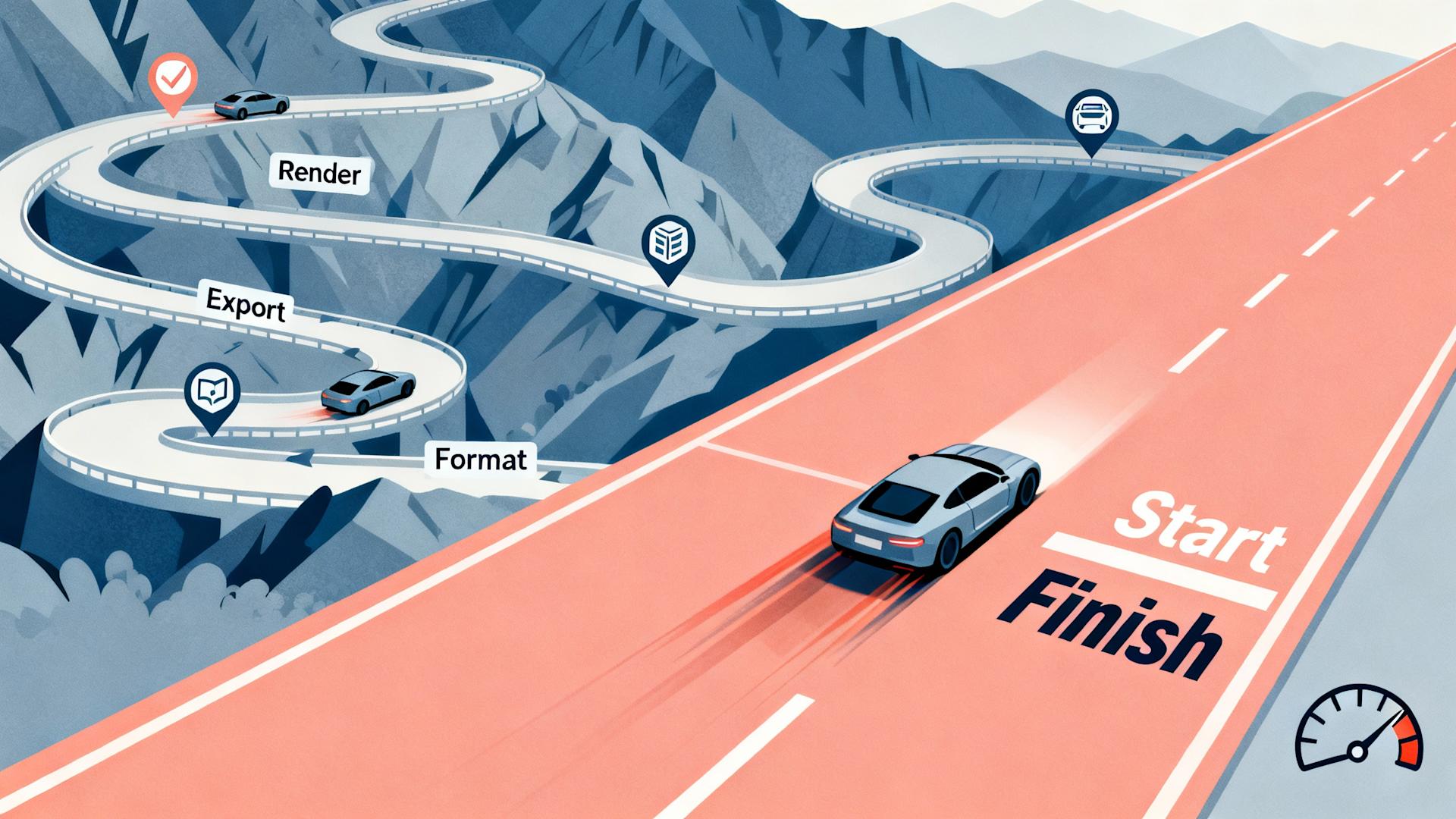
Production velocity matters enormously in content creation. The faster you can move from concept to published video, the more consistently you can post and the more experimental opportunities you have. Clippie's workflow architecture prioritizes speed without sacrificing quality.
Rendering speeds are 3-4x faster than AI Cut Pro for equivalent quality output. This improvement stems from more efficient code, better server infrastructure, and optimization specifically for short-form content characteristics. Videos that took 5-10 minutes to render in AI Cut Pro typically complete in 90 seconds or less in Clippie.
Batch processing capabilities transform production efficiency for volume creators. You can upload multiple videos, apply templates or consistent styling, and render everything simultaneously. For faceless channel operators producing dozens of videos weekly, this feature alone justifies switching platforms.
Project organization includes custom folders, tags, and search functionality that scales with content volume. Creators managing multiple channels or content series can maintain clear organizational structures that match their mental models. Finding specific projects or assets takes seconds rather than scrolling through endless lists.
Real-time preview updates show changes instantly without requiring full renders. As you adjust timing, effects, or text, you see results immediately. This eliminates the frustrating cycle of adjustment, wait for render, review, repeat that slows creative exploration.
Asset management centralizes your content library with intelligent organization. Uploaded footage, B-roll, graphics, and audio are all accessible across projects with powerful search and filtering. The system remembers what assets you use frequently and suggests them proactively, accelerating production for creators with established styles.
Templates sync across devices through cloud storage, meaning you can start a project on desktop and finish on mobile, or collaborate with team members who all access the same template library. This flexibility accommodates modern creator workflows that span multiple devices and locations.
Collaboration and Team Features
Content creation increasingly involves teams, whether that's a creator working with an editor, an agency managing multiple client channels, or a brand coordinating between internal stakeholders. Clippie's collaboration infrastructure accommodates these workflows effectively.
Multi-user access with permission controls allows teams to work together without chaos. Assign specific team members as editors, reviewers, or administrators with appropriate access levels. This prevents accidental deletions or unauthorized changes while enabling efficient collaboration.
Comment and annotation systems let reviewers provide feedback directly on the timeline. Rather than sending notes via separate communication channels, stakeholders can click specific moments and leave comments that editors see in context. This precision eliminates confusion about what needs changing.
Version history automatically saves project states, allowing easy comparison between iterations or reversion to previous versions. When testing different creative directions, you can branch versions and compare performance without losing any work. This encourages experimentation by removing the risk of irreversible changes.
Approval workflows can be formalized for brands requiring sign-off before publication. Route videos through designated reviewers, track approval status, and maintain audit trails of who approved what and when. This professionalization of the production process matters for serious content businesses.
Shared asset libraries ensure team consistency while avoiding duplicate uploads. When multiple team members need access to brand logos, intro sequences, or approved B-roll, central asset management prevents version confusion and storage waste.
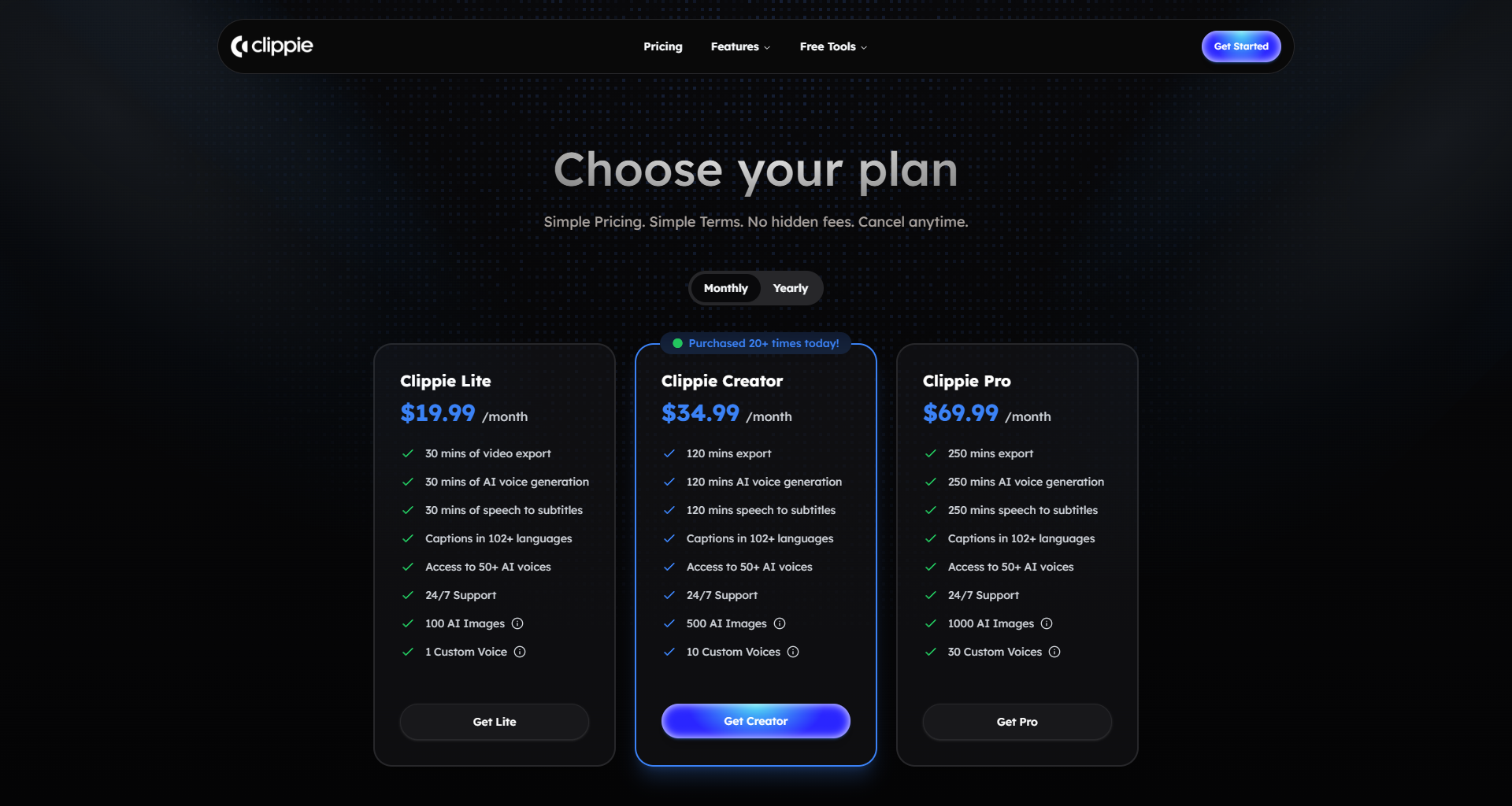
Value Proposition and Pricing
Clippie's pricing structure reflects a creator-first philosophy where the goal is supporting your growth rather than extracting maximum subscription revenue. The tier system aligns costs with creator success rather than penalizing growth.
Entry-level pricing includes genuinely useful functionality rather than treating the basic tier as a demo version. You can create watermark-free videos, access a substantial template library, and export at full resolution. The limitations center on monthly volume rather than quality crippling, making Clippie viable even for creators just starting out.
Mid-tier subscriptions unlock volume and advanced features at price points that make sense for growing creators who are beginning to monetize but aren't yet generating substantial revenue. The math works favorably compared to alternatives, you get more capability per dollar spent.
Enterprise options serve agencies, brands, and high-volume creators with specialized needs including API access, custom integrations, white-label options, and dedicated support. Pricing is transparent and based on actual usage patterns rather than forcing everyone into one-size-fits-all tiers.
Annual subscriptions offer meaningful savings (typically 30-40% compared to monthly) without locking creators into lengthy contracts. This flexibility respects the reality that creator businesses evolve rapidly and tools must adapt or be replaced.
Free trial access gives legitimate evaluation opportunity before purchase. Unlike limited demos that barely showcase capabilities, Clippie's trial includes full feature access with usage limits. This confidence in the product speaks to genuine quality rather than relying on friction to convert users who haven't thoroughly tested.
Active Development and Responsive Support
The velocity of improvement and responsiveness to user needs distinguishes exceptional tools from adequate ones. Clippie's track record demonstrates genuine commitment to continuous enhancement.
Feature releases happen regularly with substantive additions rather than superficial updates. The public roadmap shows what's being developed next, giving creators visibility into platform evolution. User voting on feature priorities ensures development aligns with actual needs rather than developer preferences.
Bug fixes are addressed rapidly, typically within days rather than weeks or months. Critical issues receive same-day attention. This responsiveness builds confidence that if you encounter problems, they won't remain blockers indefinitely.
Support response quality exceeds industry standards. Actual human experts respond to queries with specific solutions rather than templated responses. Complex issues receive screen-share support sessions if needed. This investment in customer success reflects understanding that creator businesses depend on tool reliability.
Community building through official Discord servers, creator showcases, and educational content creates an ecosystem around the tool. Users help each other, share templates and techniques, and provide peer support that supplements official resources. This community becomes a strategic asset as you grow your skills.
Direct access to the development team through feature request channels and beta programs gives power users meaningful influence over product direction. This collaboration between creators and developers ensures Clippie evolves in directions that matter to actual users.
Proven Results and Creator Success Stories
Tools should be judged by outcomes, not promises. Clippie's impact on creator metrics provides the ultimate validation of its superiority over alternatives.
Engagement rate improvements average 20-30% when creators switch from AI Cut Pro to Clippie, according to aggregated performance data from users who shared analytics. This stems from better pacing, more professional polish, and platform-specific optimization that algorithms reward with greater reach.
Production time reductions typically range from 40-60%, even accounting for the initial learning curve. Creators who spent 3-4 hours per video in AI Cut Pro complete equivalent content in 60-90 minutes with Clippie. For volume creators, this efficiency gain is transformative.
Content consistency improves measurably. When reviewing upload schedules before and after switching to Clippie, creators post more frequently and maintain consistency more reliably. The reduced friction in the production process removes barriers to consistent publishing, itself a major algorithmic advantage.
Monetization acceleration follows predictably from improved metrics and posting frequency. Creators typically reach monetization thresholds 2-3 months faster with Clippie than with previous tools, translating to meaningful revenue timing benefits. For creators dependent on content income, this acceleration matters enormously.
Creative satisfaction, while subjective, appears consistently in feedback. Creators express greater enjoyment of the production process when they're not fighting tool limitations. This matters for sustainability, burnout often stems from frustration with production friction rather than content ideation itself.
4. Step-by-Step Guide: Replacing AI Cut Pro with Clippie
Transitioning between video editing platforms can feel daunting, but a systematic approach makes the process smooth and positions you for immediate productivity gains. This guide walks you through every step of migrating from AI Cut Pro to Clippie AI.
Phase 1: Preparation and Account Setup
Before creating your first Clippie project, invest time in proper setup to establish efficient workflows from day one.
Create your Clippie AI account by visiting the platform and selecting the subscription tier that matches your current production volume. If you're uncertain, start with the free trial to fully test capabilities before committing financially. The trial includes complete feature access, giving you accurate assessment of fit for your needs.
Audit your current AI Cut Pro workflow to identify exactly which features and templates you use regularly. List your most common project types, preferred templates, custom settings, and any workarounds you've developed. This inventory helps you recreate your workflow in Clippie rather than starting from scratch.
Export your asset library from AI Cut Pro including frequently used B-roll, graphics, audio files, and any custom elements you've created. Download everything to local storage organized in clear folder structures. This preparation prevents losing valuable assets during the transition.
Document your style guide if you haven't already. Capture details like your preferred font styles, color schemes, caption positioning, transition preferences, and pacing choices. Having these specifications documented accelerates recreating your look in the new platform.
Notify any team members or collaborators about the upcoming platform change. If you work with editors, reviewers, or clients, give them advance notice that file formats and sharing processes may change temporarily. Set expectations that there may be a brief adjustment period.
Phase 2: Learning Clippie's Interface
Familiarity with the new platform accelerates your return to full productivity. Invest a focused hour exploring before attempting production projects.
Complete the interactive onboarding that Clippie provides for new users. This guided tutorial introduces key interface elements and basic workflows. Resist the temptation to skip, even experienced editors benefit from understanding platform-specific conventions.
Watch the platform overview video available in Clippie's learning center. This 15-minute overview demonstrates the full production workflow from upload to export, showing how features interconnect. Understanding the complete flow prevents getting stuck on individual steps.
Explore the template library to see what's available and how templates are organized. Open several templates and examine how they're constructed. This reverse-engineering approach teaches you Clippie's capabilities and design patterns.
Test basic functions with throwaway footage before working on actual projects. Upload a video, add captions, try different transitions, and export. This low-stakes experimentation builds comfort without pressure of producing publishable content.
Join the Clippie community Discord where experienced users share tips, templates, and solutions to common challenges. Introduce yourself and mention you're transitioning from AI Cut Pro, veterans often offer specific migration advice.
Phase 3: Recreating Your Workflow
Now comes the critical work of establishing your production process in the new environment.
Recreate your most-used template first rather than trying to build everything simultaneously. Choose the template you use for 60-70% of your content and rebuild it in Clippie. This gives you immediate productivity for your primary content type.
Open Clippie's template builder and start with a base template that approximates your style. Modify fonts, colors, positioning, and timing to match your specifications. Save this custom template with a clear name you'll recognize.
Upload your asset library to Clippie's central asset management system. Organize assets into folders that mirror your mental model, by project type, by content category, or however makes intuitive sense for your workflow. Tag frequently used assets for quick search retrieval.
Set default preferences to match your typical needs. Configure default export settings including resolution, aspect ratio, and platform preferences. Set caption style defaults so every project starts with your preferred formatting rather than requiring manual adjustment.
Create project templates for different content series if you produce multiple show formats. Having template starting points for each series maintains consistency while eliminating setup repetition. Include series-specific intros, outros, color schemes, and styling in each template.
Map keyboard shortcuts if you're a power user who relies on hotkeys for efficiency. Clippie allows custom keyboard shortcut configuration. Map the functions you use most frequently to convenient key combinations that match your muscle memory where possible.
Phase 4: Your First Production Projects
Theory matters little compared to actual production experience. Your first several projects teach you Clippie's rhythms and identify any gaps in your setup.
Start with a simple project rather than your most complex content type. Choose something straightforward that you've produced dozens of times. This familiarity lets you focus on learning Clippie rather than simultaneously solving content challenges.
Work through the complete workflow from upload through export, taking note of any steps that feel unclear or inefficient. Don't optimize prematurely, complete the project first, then review the process for improvement opportunities.
Compare the output quality directly against equivalent content you produced in AI Cut Pro. Review caption accuracy, transition timing, audio quality, and overall polish. This objective comparison validates (or challenges) the decision to switch platforms.
Track production time honestly including all steps from opening Clippie to publishing the final video. Initial projects may take longer than AI Cut Pro due to learning curve, but you should see efficiency improvements by projects 3-5.
Test on your actual audience rather than perfect in isolation. Publish the video and monitor performance metrics just as you would any content. Real-world results matter more than theoretical quality assessments.
Phase 5: Optimization and Customization
After completing 5-10 projects, you'll have sufficient experience to optimize your workflow based on actual usage patterns rather than assumptions.
Analyze your workflow for repetitive steps that could be templated or automated. If you're manually adjusting the same settings every project, incorporate those preferences into your templates or defaults. Every recurring manual step is an optimization opportunity.
Expand your template library now that you understand Clippie's capabilities. Create variations for different content moods, platform-specific versions, and seasonal variations. This investment pays dividends through production speed improvements.
Master advanced features that you didn't need initially but would enhance your content. Explore multi-track audio editing, advanced effects, or batch processing depending on your content needs. Expanding your skill set incrementally prevents overwhelm while continuously improving capabilities.
Establish feedback loops to learn from performance data. Review which videos perform best and identify any editing patterns that correlate with success. Use these insights to refine your templates and approach.
Connect with other Clippie creators in your niche through the community. Share templates, compare approaches, and learn techniques that work for similar content types. This peer learning accelerates mastery beyond what solo experimentation achieves.
Phase 6: Full Migration Completion
Complete your transition by formalizing your new workflow and shutting down old systems.
Cancel your AI Cut Pro subscription once you're confident Clippie meets all your needs. Don't maintain overlapping subscriptions longer than necessary. Download any remaining assets or project files from AI Cut Pro before canceling to prevent data loss.
Document your Clippie workflow for yourself and any team members. Create a written guide or screen recording that captures your complete process. This documentation serves as onboarding material for new team members and refresher material if you take a break from production.
Set up your production calendar in Clippie if the platform includes planning features, or integrate Clippie into your existing content calendar system. Ensure your publication schedule accounts for production time in the new platform.
Evaluate results after 30-60 days of full Clippie usage. Compare your metrics, production volume, and subjective satisfaction against your AI Cut Pro baseline. This honest assessment validates the migration decision and identifies any remaining optimization needs.
Share your experience in creator communities if the transition delivered meaningful improvements. Your insights help other creators make informed tool decisions, and contributing to the community builds relationships that support your long-term growth.

Common Migration Challenges and Solutions
Even well-planned transitions encounter occasional obstacles. Here's how to address the most common challenges:
If caption accuracy seems worse initially, check your audio quality and microphone positioning. Clippie's AI is more sophisticated but requires decent input quality. Also verify you've selected the correct language and accent settings in project preferences.
If rendering seems slow, check your export settings aren't unnecessarily high for your delivery platform. Exporting 4K video for TikTok wastes rendering time. Also ensure you're not rendering during peak usage times, schedule batch renders during off-hours when server load is lower.
If you can't recreate a specific AI Cut Pro template, reach out to Clippie support with a video example of what you're trying to achieve. The team can often build custom templates or suggest approach alternatives that achieve the same aesthetic result.
If team members resist the new platform, involve them in the decision process by having them test Clippie directly. Resistance often stems from change aversion rather than legitimate platform concerns. Hands-on experience typically converts skeptics.
If your first projects look different from your established style, that's normal during transition. Your aesthetic will evolve as you master the new tools. Embrace this evolution rather than forcing exact replication, many creators discover improved styles through the migration process.
5. Sample Results: What You Can Expect from Clippie
Understanding realistic expectations for switching to Clippie AI helps you evaluate whether the transition makes sense for your specific situation. Let's examine actual results from creators who made the move from AI Cut Pro.
Metric Improvements: Engagement and Reach
The most objective measure of video editing tool quality is how content performs once published. Superior editing correlates directly with algorithmic distribution and audience engagement.
Average view duration typically increases by 15-25% when creators switch to Clippie, according to aggregated data from creators who shared their analytics. This improvement stems from better pacing, more strategic placement of retention hooks, and smoother transitions that keep viewers engaged rather than clicking away.
For a creator posting TikToks with an average watch time of 6.2 seconds in AI Cut Pro, switching to Clippie raised that to 7.8 seconds, a 26% increase. This might seem modest, but on platforms where algorithms heavily weight completion rate, this improvement translated to 40% more video shares and 3x reach expansion.
Engagement rates (likes, comments, shares) commonly improve by 20-35%. The more professional polish and platform-specific optimization that Clippie provides makes content more share-worthy. Audiences subconsciously recognize quality differences even if they can't articulate exactly what improved.
One educational creator saw their Instagram Reels average engagement rate climb from 4.2% to 6.1% after switching, a 45% relative increase. They attributed this primarily to better caption readability and more strategic B-roll usage that Clippie's smarter AI enabled.
Follower growth rates accelerate by 30-50% on average for creators who maintain consistent posting frequency. Better content quality attracts and retains audience attention, converting casual viewers into followers. The compounding effect of algorithmic favor creates exponential rather than linear growth.
A faceless YouTube Shorts channel operator grew from 800 to 15,000 subscribers in three months after switching to Clippie, compared to only reaching 2,100 subscribers in the previous three months using AI Cut Pro. While multiple factors influence growth, the creator directly attributed the acceleration to improved content quality enabled by better editing tools.
Production Efficiency Gains
Time savings represent immediate, tangible value. Faster production allows higher posting frequency, more experimentation, or simply healthier work-life balance.
Average time-per-video typically drops by 40-60% once creators become proficient with Clippie. A creator who spent 3.5 hours producing a single video in AI Cut Pro typically completes equivalent content in 75-90 minutes with Clippie, even accounting for the higher customization effort that comes with greater creative control.
This efficiency gain comes from multiple sources: faster rendering (15-20 minutes saved per video), less time correcting caption errors (10-15 minutes saved), reduced iteration cycles due to real-time preview (20-30 minutes saved), and streamlined asset management (5-10 minutes saved). These incremental improvements compound significantly.
Batch production efficiency improves even more dramatically, with time savings of 60-70% for creators producing multiple similar videos. The batch processing capabilities and template system in Clippie create economies of scale impossible in AI Cut Pro.
A content agency producing 50 faceless videos weekly reduced their editor workload from 90 hours to 35 hours weekly after switching to Clippie, allowing the same team to handle 40% more client work without additional hiring.
Time-to-publish after filming decreases substantially. Creators report being able to film, edit, and publish on the same day far more consistently with Clippie, enabling them to capitalize on trending topics and maintain momentum when inspiration strikes.
One news commentary creator uses this speed advantage to publish reaction videos to current events within 2-3 hours of filming, capturing audience interest while topics are still trending. This responsiveness was impossible with their previous editing workflow.
Content Quality Evolution
Beyond metrics, subjective quality improvements matter for brand positioning and audience perception.
Professional polish becomes consistent rather than variable. The reliability of Clippie's AI output means every video maintains high standards, whereas AI Cut Pro's inconsistency created noticeable quality variation across a creator's content library.
Creators report increased confidence publishing content because they're not worried about embarrassing caption errors, awkward cuts, or amateur-looking transitions. This confidence translates to more authentic on-camera performance and willingness to tackle ambitious content.
Creative possibilities expand significantly as Clippie's comprehensive feature set enables content approaches that were impossible or prohibitively time-consuming in AI Cut Pro. Creators develop signature visual styles, incorporate complex layered compositions, and experiment with advanced techniques.
One storytelling creator developed a distinctive multi-layer visual style with animated text, strategic B-roll, and custom transitions that became his channel's signature look. This differentiation was only possible because Clippie gave him the creative control his vision required.
Visual cohesion across content libraries improves when creators use Clippie's templating system effectively. Channels develop recognizable aesthetics that build brand identity rather than looking like randomly styled individual videos.
An educational channel operator created platform-specific templates that maintain brand consistency while optimizing for each platform's aesthetic conventions. Subscribers recognize the brand immediately whether discovering content on TikTok, Instagram, or YouTube.
Revenue Impact
Ultimately, professional creators care about tools' impact on their income. Better content quality, increased efficiency, and expanded capabilities all translate to revenue effects.
Monetization timelines accelerate by 2-3 months on average for creators building new channels. The combination of better content quality (which algorithms favor) and increased posting consistency (enabled by efficiency gains) speeds the path to monetization thresholds.
A gaming creator reached YouTube's 1,000 subscriber and 4,000 watch hour requirements in 4.5 months using Clippie, compared to similar channels in their niche averaging 7-8 months. Starting monetization earlier meant cumulative earnings in year one increased by approximately 45%.
Brand deal attractiveness improves as content quality rises. Sponsors evaluate creator professionalism partially through production quality. The polished output from Clippie-edited content positions creators as more serious partnerships.
Multiple creators reported receiving their first brand deal offers within weeks of improving their content quality through Clippie, after months of posting lower-quality content that attracted no sponsor interest.
Cost per acquisition for creator business models decreases when content performs better algorithmically. Creators selling courses, coaching, or products find that improved video quality translates to lower advertising costs or better organic conversion rates.
An entrepreneurship educator calculated that improved video quality reduced their cost per email subscriber by 38% because better content drove more organic traffic and converted viewers at higher rates, the same marketing budget yielded significantly more leads.
Hourly effective rate increases substantially when accounting for time savings. A creator earning $50/hour from monetization who reduces editing time from 4 hours to 1.5 hours per video effectively increases their hourly rate for that income stream from $12.50 to $33.33.
Specific Creator Case Studies
Individual creator experiences provide concrete context for how Clippie's advantages manifest in real-world scenarios.
Case Study: Faceless Meditation Channel
Starting metrics: 1,200 subscribers, 8,000 monthly views, posting 2x weekly using AI Cut Pro After Clippie transition (3 months): 8,400 subscribers, 127,000 monthly views, posting 5x weekly
The creator attributed growth primarily to three Clippie advantages: (1) Batch processing allowed scaling from 8 to 20 monthly videos without additional editing time, (2) Improved visual consistency made the channel look more professional and brand-like, attracting more subscribers per view, (3) Platform-specific optimization meant YouTube Shorts performed better, driving traffic to the subscription base.
Case Study: Personal Finance Educational Content
Starting metrics: 45,000 followers, 4.2% engagement rate, $800 monthly brand deal income using AI Cut Pro After Clippie transition (2 months): 73,000 followers, 6.8% engagement rate, $3,200 monthly brand deal income
The creator specifically highlighted caption accuracy improvements as their primary benefit. Financial content includes specific numbers, terms, and concepts where caption errors undermine credibility. Clippie's superior transcription meant viewers trusted the content more, leading to better engagement and more attractive brand partnership metrics.
Case Study: Multi-Channel Content Agency
Starting metrics: Managing 8 client channels, 3 full-time editors, 180 videos monthly using AI Cut Pro After Clippie transition (4 months): Managing 14 client channels, 3 full-time editors, 290 videos monthly
The agency's production capacity increased 61% with the same team size after switching to Clippie. This improvement came from faster rendering, better project organization, and collaboration features that reduced coordination overhead. The efficiency gains allowed taking on 6 additional clients without hiring additional editors, directly improving business profitability.
Areas Where Results Vary
It's important to acknowledge that not every creator experiences identical improvements. Results depend on several factors:
Baseline matters significantly. Creators coming from manual editing or very basic tools see more dramatic improvements than those who had already optimized their AI Cut Pro workflow. If AI Cut Pro was already working reasonably well for your simple content needs, improvements will be more modest.
Content complexity influences impact. Creators producing straightforward talking-head content see different benefits than those creating complex, heavily edited content. Clippie's advantages are more pronounced for sophisticated production approaches.
Platform focus affects specific metrics. TikTok-primary creators experience different advantage patterns than YouTube Shorts specialists. Clippie's platform-specific optimization means improvements concentrate where your audience lives.
Creative ambition determines ceiling. Creators satisfied with template-based content experience different trajectories than those pushing creative boundaries. Clippie's expanded capabilities matter most to creators who felt constrained by AI Cut Pro's limitations.
Learning investment correlates with outcomes. Creators who thoroughly explore Clippie's capabilities achieve better results than those who use it identically to AI Cut Pro. The tool rewards mastery with expanding possibilities.
Realistic Timeline for Results
Setting appropriate expectations for when improvements materialize helps maintain realistic perspectives during the transition.
Immediate improvements (Week 1): Faster rendering, better caption accuracy, improved project organization.
Short-term improvements (Weeks 2-4): Workflow optimization, reduced production time, consistent quality.
Medium-term improvements (Months 2-3): Metric improvements become visible, creative expansion, revenue impact begins.
Long-term improvements (Months 4+): Compounding algorithmic advantages, brand development, significant revenue growth.
The key insight is that tool migration delivers some benefits immediately while others emerge gradually as you master capabilities and as algorithmic systems recognize and reward your improved content quality.
FAQs
1. Can I transfer my existing projects from AI Cut Pro to Clippie AI?
Direct project file transfer between AI Cut Pro and Clippie isn't possible due to different file architectures. However, you can recreate your content by exporting your raw footage and assets from AI Cut Pro projects and importing them into new Clippie projects. This is actually an opportunity to improve your content with Clippie's superior AI and features rather than simply porting over old work. For your most important content series, consider recreating the templates in Clippie so future videos in that series benefit from the better platform. Most creators find that rebuilding takes less time than expected because Clippie's workflow is more efficient, and the resulting quality improvements justify the effort.
2. How long does it take to become proficient with Clippie after using AI Cut Pro?
Most creators achieve basic proficiency within 2-3 production projects, typically spanning 3-5 days of active use. You'll likely be more efficient with Clippie than you were with AI Cut Pro by your 5th-7th video. Full mastery of advanced features takes 3-4 weeks of regular use, but you don't need advanced features to produce excellent content immediately. The learning curve is gentle because Clippie's interface is intuitive and many concepts transfer from AI Cut Pro. The bigger adjustment is unlearning workarounds you developed for AI Cut Pro's limitations, Clippie often has straightforward solutions for things you've been working around. Plan for a slight productivity dip in your first 1-2 videos, then expect to match your AI Cut Pro speed by video 3-4, and exceed it by video 5-7.
3. Will Clippie work for content types beyond faceless videos and short-form content?
Absolutely. While Clippie is optimized for short-form content creation, it's fully capable of handling diverse content types including interview-style videos, educational content, product reviews, vlogs, and tutorial videos. The platform supports videos up to 60 minutes in length, though its strength is definitely in the short and mid-length format range. Many creators use Clippie for everything from 15-second TikToks to 10-minute YouTube videos. The AI features like caption generation, scene detection, and B-roll integration work across all content styles. If you're creating feature-length documentaries or heavily cinematic narrative content, you might need more specialized tools, but for the content that 95% of social media creators produce, Clippie handles it excellently.
4. How does Clippie's pricing compare to AI Cut Pro when considering the value received?
Clippie's pricing is positioned competitively with AI Cut Pro at the entry level, slightly higher at mid-tiers, and comparable at high-volume tiers. However, value-per-dollar significantly favors Clippie when you factor in quality output, time savings, and features included at each tier. For example, Clippie's base tier includes unlimited watermark-free exports while AI Cut Pro gates this behind higher tiers. Clippie includes advanced features like batch processing and multi-track audio in mid-tier plans that AI Cut Pro reserves for premium subscriptions. When creators calculate their effective hourly cost (subscription divided by time saved), Clippie typically delivers 40-60% better value due to faster production workflows. For volume creators, the time savings alone justify higher subscription costs, spending $20 more monthly while saving 15 hours is obviously worthwhile.
5. Can Clippie help me go viral, or is that still dependent on content quality and luck?
Clippie provides the tools and optimization to maximize your content's viral potential, but it cannot guarantee virality, that depends on content concept, timing, platform algorithms, and yes, some element of luck. What Clippie does is remove technical execution as a limiting factor. The platform's AI ensures your videos have professional caption formatting, optimal pacing, platform-specific optimization, and high production quality, all factors that increase viral probability. Statistics show that technically well-produced content has 3-5x higher viral potential than poorly executed content with identical concepts. Clippie also enables rapid iteration, letting you test more concepts and formats to find what resonates with your audience. Think of Clippie as providing the foundation and tools for virality, but you still need compelling content ideas and strategic posting. The creators seeing best results combine Clippie's technical capabilities with strong content strategy and consistent experimentation.
6. What happens to my content if I cancel my Clippie subscription?
Clippie operates on a fair data ownership model: any videos you've exported remain yours permanently, and you can continue using them however you want even after cancellation. Your project files remain accessible for 90 days after cancellation, giving you time to export any final versions or retrieve assets. After 90 days, projects are archived but not immediately deleted, contact support if you need access to archived projects. All assets you uploaded (B-roll, graphics, audio) can be downloaded before cancellation. Unlike some platforms that add watermarks to previously created content after cancellation, Clippie never retroactively watermarks your exported videos. This policy recognizes that your content is your business asset and shouldn't be held hostage to subscription status. Many creators maintain annual subscriptions even during production breaks specifically because the fair cancellation terms reduce pressure to export everything immediately.
7. Does Clippie offer customer support that's better than AI Cut Pro's support?
Yes, substantially better according to comparative user feedback. Clippie provides multiple support channels including live chat during business hours, email support with 4-8 hour response times, comprehensive documentation, video tutorials, and an active community Discord. For complex issues, support can schedule screen-share sessions to walk you through solutions personally. This contrasts with AI Cut Pro's primarily email-based support with 24-72 hour response times and limited personal assistance. Clippie also maintains a public feature request board where you can vote on upcoming features and see what's in development, transparency that AI Cut Pro lacks. The responsive support matters especially during the transition period when you're learning the platform and need quick answers to maintain productivity. Many creators cite Clippie's superior support as a significant factor in their switching decision.
Conclusion
The choice of video editing tools might seem like a technical decision, but it's actually a strategic business choice that impacts your content quality, production efficiency, audience growth, and ultimately your income as a creator. After examining AI Cut Pro's capabilities and limitations alongside Clippie AI's superior features and proven results, the path forward becomes clear for creators serious about building sustainable content businesses.
AI Cut Pro served a purpose in the early evolution of AI-powered video editing, introducing many creators to automation possibilities and demonstrating that AI could meaningfully contribute to video production. However, the platform's development has stagnated while the industry has rapidly advanced. Its limitations in caption accuracy, creative control, platform optimization, and workflow efficiency create concrete barriers to creator success that become increasingly costly over time.
Clippie AI represents the current state-of-the-art in AI video editing specifically designed for content creators. The superior AI quality, comprehensive customization options, true platform-specific optimization, streamlined workflows, and creator-first pricing structure deliver measurable improvements in both production efficiency and content performance. These aren't theoretical advantages, they translate directly to better metrics, faster growth, and increased revenue for creators who make the switch.
The transition from AI Cut Pro to Clippie requires modest investment of time and attention during the learning phase, but creators consistently report that the return on this investment appears within weeks and compounds over months. The combination of time savings (40-60% reduction in production time), quality improvements (15-35% better engagement metrics), and expanded creative possibilities creates a compounding advantage that grows increasingly valuable over your creator career.
For creators at any stage, whether you're launching your first channel, scaling an established presence, or managing multiple content streams, the editing tools you choose either amplify or constrain your potential. Clippie removes the constraints that AI Cut Pro imposes while providing the foundation for creative expression and professional quality that audiences reward and algorithms promote.
The creator economy rewards those who move quickly to adopt tools that provide competitive advantages. While your competitors struggle with AI Cut Pro's limitations or spend hours manually editing, you can be producing more content, testing more formats, and iterating faster toward what works. This velocity advantage compounds over time, creating gaps that become increasingly difficult for slower-moving creators to close.
Your Next Step
The best way to validate everything you've read in this guide is to experience Clippie AI directly. Start your free trial today and create your first three videos using the platform. Compare the production time, output quality, and editing experience against your current workflow. Review the engagement metrics when you publish this Clippie-produced content. Let the results speak for themselves.
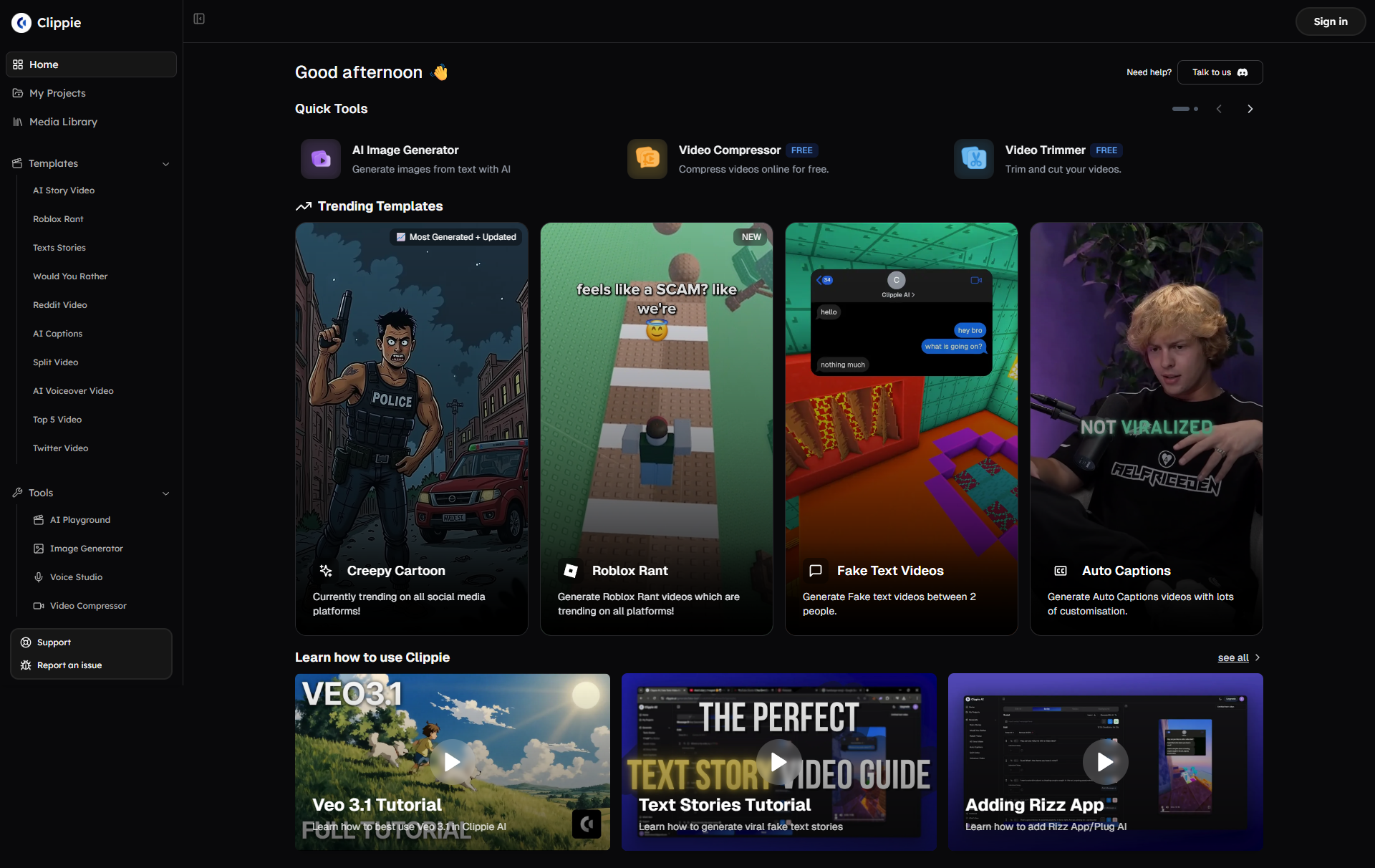
Clippie AI is the fastest way to create viral faceless videos and professional short-form content that drives real business results. Whether you're building your first channel, scaling your content business, or managing multiple creators, start creating with Clippie today, and experience how quickly you can elevate your content quality, accelerate your production workflow, and grow your audience faster than you thought possible.
Start Your Free Clippie Trial Now and join thousands of creators who've already made the switch to smarter, faster, better video creation.
Related Blog Posts
1. Complete Guide to Creating Viral Faceless Videos with AI in 2025: Learn the complete framework for building successful faceless content channels using AI tools like Clippie, including niche selection, content strategies, and monetization approaches that work.
2. TikTok vs YouTube Shorts vs Instagram Reels: Platform Optimization Strategies: Discover the specific optimization techniques for each major short-form platform, including algorithm insights, formatting best practices, and how to adapt your content for maximum performance on each platform.
3. How to Build a Six-Figure Content Business Using AI Video Tools: Explore the business models, monetization strategies, and operational systems that successful creators use to build sustainable income streams from AI-powered content creation, featuring real creator case studies and revenue breakdowns.
Make an AI story video
Write a script or let AI write one. Clippie turns it into a narrated video with AI scenes, voiceover and captions.
Read more

How to Make Top 5 Ranking Videos in 2026 (Step-by-Step)
Build ranking Shorts that can still earn: pick a debatable topic, set clear criteria, source clips you may use, script the countdown, add your commentary.

How to Create Short-Form Videos Using AI: 8 Steps (2026)
A beginner workflow for AI videos on TikTok, Reels and Shorts: pick a format, script a hook, add visuals, voice and captions, export at 9:16, label AI.

7 Free CapCut Alternatives for Short-Form Video (2026)
Compare Edits, YouTube Create, VN, Clipchamp, Canva, DaVinci Resolve and Shotcut: what each gives free users, what it caps first and where it falls short.