
Top 5 Opus Pro Alternatives for Clipping Creators: Tools Generating 100-200 Monthly Clips in 8-15 Hours in 2026
Top 5 Opus Pro alternatives clipping 2026: Why creators switch (clip accuracy, automation limits). Compare Clippie AI ($19.99-$69.99), Vizard, Repurpose.io, Descript, 2short.ai for AI clipping, batch workflows, 100-200 monthly clips in 8-15 hours.

If you're searching for top Opus Pro alternatives for clipping creators generating 100-200 monthly clips in 8-15 hours in 2026, you're recognizing the platform limitations separating creators monetizing podcast/interview content through efficient clip workflows from those constrained by Opus Pro's (OpusClip's) accuracy inconsistencies, automation gaps, and scaling bottlenecks. This guide explains where Opus Pro limits clipping workflows, evaluates seven essential automated clipping features, compares five specialized alternatives, demonstrates multi-platform scaling, and provides Clippie AI clipping automation workflows supporting sustainable high-output.
Executive Summary: Creators switching from Opus Pro address five critical bottlenecks, clip selection accuracy averaging 65-80% relevance requiring manual review of 100-150 AI-generated clips to find 40-60 usable ones wasting 3-5 hours weekly, virality scoring inconsistencies rating mediocre clips 8-9/10 while missing actual viral moments reducing trust in automation requiring full manual review anyway, caption accuracy at 88-93% demanding 3-8 minutes correction per clip adding 5-13 hours monthly overhead at 100-clip scale, platform-specific optimization gaps producing generic 9:16 exports requiring manual safe zone adjustments and caption repositioning for TikTok vs. YouTube vs. Instagram consuming 5-10 minutes per platform per clip, and pricing tiers ($9-$29/month) limiting processing minutes forcing choice between clip quantity and source video length. Strategic alternatives excel: Clippie AI ($19.99-$69.99) strongest for Reddit/Twitter content-to-clip automation plus batch processing creating custom clips from trending sources, Vizard ($0-$29) best for automated viral moment detection with scene-aware clipping, Repurpose.io ($12.50-$99) optimal for multi-platform distribution automation publishing clips to 10+ destinations simultaneously, Descript ($12-$24) ideal for transcript-based editing with text-to-clip precision, and 2short.ai ($0-$49) specialized for YouTube-to-Shorts extraction with AI face tracking.
Table of Contents
Where Opus Pro Limits Clipping Workflows: 5 Constraints Blocking Scalable 100-200 Monthly Clip Production in 2026
How to Evaluate 7 Essential Features Needed for Automated Clipping Success: AI Accuracy, Virality Scoring, and Multi-Platform Export
How to Compare Top 5 Opus Pro Alternatives for Accuracy, Speed, and Automation: Production Efficiency and Cost Analysis
How to Scale Clipping Across Multiple Platforms: YouTube Shorts, TikTok, Instagram Reels, and LinkedIn
How to Automate Clipping Systems Creating 100-200 Monthly Clips in 8-15 Hours Using Clippie AI
Frequently Asked Questions
Conclusion

1. Where Opus Pro Limits Clipping Workflows: 5 Constraints Blocking Scalable 100-200 Monthly Clip Production in 2026
Opus Pro's (OpusClip's) automated clipping faces five critical limitations preventing sustainable high-volume production, understanding these constraints reveals why creators achieving 100-200 monthly clips migrate to alternatives offering superior accuracy, better automation, and more efficient review workflows.
The Clipping Business Model in 2026
Why clipping drives content leverage:
Long-form content (podcasts, interviews, webinars, presentations) contains 15-30 clip-worthy moments per 60-minute video, efficient clipping tools extract and distribute these moments across short-form platforms, multiplying reach 10-20x vs. long-form alone.
Clipping economics:
Source content: 1 weekly podcast (60 min) = 52 hours annually
Clip potential: 15-25 clips per episode × 52 weeks = 780-1,300 clips yearly
Distribution multiplier: Each clip reaches 2K-50K views vs. 500-5K for full episode
Revenue amplification: Clips drive podcast discovery, sponsorships, course sales, consulting
Clipping leverage mathematics:
Weekly podcast: 60 min, 3K views = 3K total reach
20 clips distributed: 20 clips × 8K avg views = 160K reach
Total amplification: 53x reach from same content through clipping
Revenue models:
Podcast sponsorships: $500-$5,000 per episode (audience growth driven by clip discovery)
YouTube Shorts AdSense: $100-$500 monthly (100-200 clips generating views)
Consulting/courses: $2,000-$15,000 monthly (clips establish authority driving conversions)
Social media growth: Clips drive 500-2,000 new followers monthly (compound effect)
Total potential: $3,000-$25,000+ monthly (clip-amplified content business)
Critical insight: Clipping efficiency determines volume which determines reach amplification which determines monetization
Limitation #1: Clip Selection Accuracy Requiring Excessive Manual Review
AI clip selection as bottleneck:
Opus Pro's AI generates 15-30 clips per 60-minute video, but 30-45% are low-quality (incomplete thoughts, poor hooks, weak endings), manual review becomes necessary, eliminating time-saving automation promise.
Clip quality distribution:
Excellent clips (ready to post): 20-30% of AI selections
Good clips (minor edits needed): 30-40% of AI selections
Mediocre clips (major edits required): 20-30% of AI selections
Poor clips (unusable): 15-25% of AI selections
Review time reality:
60-min source video: Opus generates 20 clips
Excellent (6 clips): No review needed (0 min)
Good (8 clips): Quick review + minor edits (40 min total, 5 min each)
Mediocre (4 clips): Extensive editing or discarded (30 min evaluating)
Poor (2 clips): Immediate discard after 30 sec review (1 min total)
Total: 71 minutes reviewing/editing 20 clips (3.6 min per clip on average)
Automation promise vs. reality:
Expected: AI generates clips → post immediately (5 min per episode)
Reality: AI generates clips → extensive review → editing → post (71+ min per episode)
Time "saved": Negative (manual clipping faster for experienced editors)
Clip selection accuracy issues:
Problem #1: Incomplete thoughts
AI clips: Start mid-sentence or end before conclusion
Example: Clip starts "...and that's why this approach works" (missing context of "this approach")
Result: Viewer confusion, low retention, algorithm penalty
Manual fix: Extend clip start 5-10 seconds (requires re-processing)
Problem #2: Weak hooks
AI selection: Prioritizes "interesting" moments, not viral hooks
Example: Clip starts with middle of explanation instead of attention-grabbing question
Result: 50-70% immediate scroll-past (poor 3-second retention)
Manual fix: Rewrite hook or find different starting point (8-15 min per clip)
Problem #3: Poor pacing
AI clips: Include long pauses, filler words, tangents
Example: 90-second clip could be 45 seconds with tight editing
Result: Viewer drop-off, low completion rate
Manual fix: Manual trimming in editing software (5-10 min per clip)
Problem #4: Context-dependent moments
AI selection: Clips references that require earlier context
Example: "That strategy I mentioned earlier actually works because..." (no earlier context in clip)
Result: Confusing to audience, low engagement
Manual fix: Add text overlay explaining context or discard clip
Monthly impact (4 weekly podcasts, 20 clips each = 80 clips):
Expected automation time: 20 minutes (5 min per episode × 4 episodes)
Actual review/edit time: 284 minutes (71 min per episode × 4 episodes) = 4.7 hours weekly
Usable clips after review: 50-60 (62-75% of AI selections)
Reality: Still producing 3-4 min per clip (only marginally faster than manual)
Alternative clip accuracy:
Vizard AI:
Selection accuracy: 75-85% usable clips
Advantage: Scene-aware AI (understands context better)
Review time: 45-60 min per 60-min video (25% faster than Opus)
Usable rate: 75-85% vs. 65-75% Opus
Descript (transcript-based):
Selection: Manual selection from transcript (100% intentional)
Advantage: Creator chooses exact moments (no AI guessing)
Review time: 0 (you selected clips intentionally)
Usable rate: 100% (you chose what to clip)
Trade-off: Initial selection takes 30-45 min (but clips are perfect)
Clippie AI (content-to-clip):
Selection: Different model (creates clips from trending text sources, not long video)
Advantage: Trending validation before creation
Review time: 15-25 min per 10 clips (focused review)
Usable rate: 85-95% (trending sources pre-validate content quality)
Limitation #2: Virality Scoring Inconsistencies Reducing Trust
Virality score as automation guide:
Opus Pro rates each clip 1-10 for viral potential, goal is to focus on high-scoring clips (8-10) and ignore low scores (1-5), saving review time.
Virality score promise:
Score 9-10: Post immediately (highest viral potential)
Score 7-8: Quick review then post
Score 5-6: Review and improve or discard
Score 1-4: Automatic discard (low potential)
Time savings: Review only 40% of clips (scores 7+)
Virality score reality:
Inconsistency problem:
Score 9 clip: Sometimes goes viral (200K+ views), sometimes flops (2K views)
Score 4 clip: Sometimes performs well (50K views), defying prediction
Correlation weak: 0.3-0.5 (virality score explains only 30-50% of actual performance)
Trust erosion:
Week 1-2: Trust virality scores, post only 8-10 rated clips
Week 3-4: Notice some 9-rated clips flop while some 5-rated clips do well
Week 5+: Stop trusting scores, manually review ALL clips anyway
Result: Automation benefit eliminated (full review required despite scoring)
Scoring failure examples:
False positive (high score, low performance):
Opus score: 9/10 (predicted viral)
Clip content: Interesting fact but no clear hook or call-to-action
Actual performance: 3K views, 35% retention, 0.5% engagement
Issue: AI overweighted "interesting" without considering virality mechanics
False negative (low score, high performance):
Opus score: 4/10 (predicted low potential)
Clip content: Practical tip with clear implementation steps
Actual performance: 85K views, 68% retention, 5.2% engagement
Issue: AI underweighted practical utility vs. entertainment value
Inconsistent patterns:
Educational content: AI scores entertainment moments higher than practical tips (inverse of what performs)
Interview content: AI scores philosophical discussions high, tactical Q&A low (actual performance is opposite)
Result: Inverse correlation in some content types (AI actively misleading)
Monthly impact:
Expected: Review only 30-40% of clips (scores 7+) = 24-32 clips, 60-90 min
Reality: Review 100% of clips (trust eroded) = 80 clips, 240-320 min = 4-5.3 hours
Automation promise broken: Virality scoring doesn't reduce review burden
Alternative virality approaches:
Vizard:
Viral moment detection: Different AI approach (analyzes engagement patterns)
Scoring: Also 1-10 but different methodology
Accuracy: Marginally better (correlation 0.4-0.6) but still imperfect
Recommendation: Still review all clips
Descript:
No virality scoring: Manual selection from transcript
Advantage: No false promises (you choose what you think will perform)
Human judgment: Creator's intuition often better than AI (especially in specific niche)
Data-driven approach (works with any tool):
Post ALL AI-generated clips initially (first month)
Track actual performance metrics
Identify patterns: Which clips performed despite low scores?
Build custom selection criteria: Override AI with learned patterns
Result: Human + AI hybrid outperforms AI alone

Limitation #3: Caption Accuracy Demanding Manual Correction
Caption requirements for clip distribution:
Short-form clips posted to TikTok, Reels, Shorts require near-perfect captions, 85% of viewers watch with sound off, making 95%+ caption accuracy mandatory for retention.
Caption accuracy impact on clip performance:
98%+ accuracy (excellent): 65-80% retention, professional appearance
90-95% accuracy (good): 55-70% retention, occasional errors noticeable
85-90% accuracy (acceptable): 45-60% retention, errors distracting
<85% accuracy (poor): 30-45% retention, unprofessional, algorithm penalty
Revenue correlation:
Excellent captions (98%): 100 clips × 12K avg views × $0.05 = $600 monthly
Poor captions (85%): 100 clips × 5K avg views × $0.03 = $150 monthly
Caption quality ROI: $450 monthly (4x revenue from accuracy alone)
Opus Pro caption reality:
Auto-caption performance:
Transcription accuracy: 88-93% typical
Podcast/interview content: 90-93% (clear audio)
Webinar content: 85-90% (background noise, multiple speakers)
Technical content: 82-88% (jargon, acronyms, numbers)
Common caption errors:
Homophones: "their" → "there", "your" → "you're" (12-18% of errors)
Technical terms: Industry jargon, product names (15-25% of errors)
Numbers: "10,000" → "ten thousand" → "10 1000" (8-12% of errors)
Names: Person names, company names (10-15% of errors)
Filler words: "Um", "uh", "like" not removed (20-30% of errors, reduces professionalism)
Correction time per clip:
Listen to clip: 60-90 seconds (1x playback to catch errors)
Identify errors: 30-60 seconds (mark problematic words)
Correct errors: 2-4 minutes (fix transcription, re-sync timing)
Styling: 1-2 minutes (apply viral caption formatting)
Total: 4.5-8.5 minutes per clip
Example caption issues:
Audio: "This investment strategy generated $10,000 in passive income within six months using this specific approach." Opus caption: "This in best men strategy generated ten thousand dollars in pass ive in come with in six months using the specific approach." Errors: 5 words incorrect (88% accuracy) Issues: "investment" → "in best men", "passive income" → "pass ive in come" Time to fix: 6 minutes (re-listen, correct, re-sync timing)
Monthly impact (100 clips):
Correction time: 4.5-8.5 min per clip average
Monthly time: 450-850 minutes (7.5-14.2 hours)
Opportunity cost: Could produce 85-160 additional clips with saved time
Revenue lost: $425-$800 monthly from caption correction overhead
Alternative caption quality:
Descript:
Accuracy: 95-99% (industry-best transcription)
Engine: Whisper AI + proprietary improvements
Correction time: 1-3 min per clip (rare errors only)
Monthly savings: 6-12 hours (at 100 clips)
Clippie AI:
Accuracy: 95-98%
Viral styling: Built-in word-by-word animations
Correction time: 1-3 min per clip
Monthly savings: 6-11 hours
Opus Pro + manual correction:
Current: 7.5-14 hours monthly caption work
With Descript replacement: 1.7-5 hours monthly
Time savings: 5.8-9 hours monthly = 110-170 additional clips possible
Limitation #4: Platform-Specific Optimization Gaps
Multi-platform distribution requirement:
Clips must be optimized per-platform, TikTok, YouTube Shorts, Instagram Reels, LinkedIn each have different safe zones, caption positioning, aspect ratios, and best practices.
Platform-specific requirements:
TikTok:
Safe zones: Bottom 20% covered by UI (captions must be top or middle)
Caption style: Viral animations (word-by-word, bold, emojis)
Aspect ratio: 9:16 (vertical only)
Hook critical: First 3 seconds determine 80% of reach
YouTube Shorts:
Safe zones: Bottom 25% covered, top 15% covered (captions in middle third only)
Caption style: Professional (cleaner than TikTok, less flashy)
Aspect ratio: 9:16 vertical
Thumbnail: Matters even for Shorts (static frame preview)
Instagram Reels:
Safe zones: Bottom 30% covered (most restrictive)
Caption style: Mix of TikTok viral + professional
Aspect ratio: 9:16 or 4:5 (vertical variations)
First frame: Critical for explore page (static preview)
LinkedIn:
Safe zones: None (full screen available)
Caption style: Professional subtitles (no viral animations)
Aspect ratio: 1:1 square or 16:9 horizontal preferred
Context: B2B audience expects different tone/style
Opus Pro platform optimization:
Generic export:
Format: 9:16 vertical (one-size-fits-all)
Captions: Centered (not optimized for any platform's safe zones)
Styling: Standard (not platform-specific viral styles)
Result: Works on all platforms, optimized for none
Manual per-platform optimization required:
Download Opus clip: 2 min
Import to editor: 1 min
Adjust captions for platform safe zones: 3-5 min
Apply platform-specific styling: 2-4 min
Add platform-specific elements (text overlays, CTAs): 2-3 min
Export: 2-3 min
Total: 12-18 minutes per platform per clip
Multi-platform distribution (1 clip to 4 platforms):
Opus export: 1 clip in 5 min
Manual optimization: 12-18 min × 4 platforms = 48-72 min
Total: 53-77 min for 4 versions of 1 clip
Monthly impact (100 clips to 3 platforms each):
Base Opus production: 500 min (5 min per clip × 100 clips)
Platform optimization: 3,600-5,400 min (12-18 min × 3 platforms × 100 clips)
Total: 4,100-5,900 minutes = 68-98 hours monthly
Reality: Platform optimization takes 7-11x longer than clip creation
Alternative platform optimization:
Repurpose.io:
Platform templates: Pre-configured for TikTok, Reels, Shorts, LinkedIn
Safe zone automation: Captions positioned correctly per platform
One-click distribution: Publish to all platforms simultaneously
Time: 8-12 min per clip (all platforms)
Savings: 40-65 min per clip (at 4 platforms)
Clippie AI:
Multi-format export: 9:16, 16:9, 1:1, 4:5 in one batch
Platform optimization: Safe zones, caption positioning automated
Batch export: All platforms simultaneously
Time: 5-10 min per clip (all platforms)
Savings: 43-67 min per clip
Manual with templates:
Create platform-specific templates: One-time 2-3 hours
Per clip: Apply template (5-8 min per platform)
Time: 20-32 min for 4 platforms
Savings: 28-45 min per clip vs. full manual
Limitation #5: Processing Minute Limits Forcing Volume vs. Quality Trade-offs
Processing minute economics:
Opus Pro charges per source video processing minutes, forces choice between clipping more episodes (lower quality review) or fewer episodes (higher quality review but less volume).
Opus Pro pricing (processing minutes):
Starter ($9/month):
Processing: 150 mins monthly
Clips generated: ~60-90 clips (15-30 per 60-min video, 2.5-5 videos monthly)
Per-minute cost: $0.06
Limitation: Only 2-3 podcast episodes monthly
Pro ($29/month):
Processing: 300 mins monthly
Clips generated: ~120-180 clips (5-10 videos monthly)
Per-minute cost: $0.097
Limitation: Only 5-7 podcast episodes monthly
Volume need vs. pricing:
Weekly podcast: 4 episodes monthly × 60 min = 240 mins needed
Opus Pro tier: $29/month (300 mins)
Usage: 80% of allocation (240/300)
Problem: One extra-long episode (90 min) or guest interviews (75 min each) exceeds limit
Trade-off scenarios:
Scenario A: Maximize clip volume (quantity over quality)
Process all 4 weekly episodes: 240 mins
Generate: 60-80 clips monthly
Review time per clip: 2-3 min (quick review only)
Usable clips: 40-55 (65-75% quality rate)
Post volume: 40-55 clips monthly
Strategy: Quantity approach, accept lower quality
Scenario B: Maximize clip quality (quality over quantity)
Process only 2 best episodes: 120 mins (save processing time)
Generate: 30-40 clips
Review time per clip: 6-10 min (extensive review + editing)
Usable clips: 28-38 (90-95% quality rate)
Post volume: 28-38 clips monthly
Strategy: Quality approach, lower volume
Revenue comparison:
Quantity: 50 clips × 8K avg views × $0.04 = $160 monthly
Quality: 33 clips × 15K avg views × $0.06 = $297 monthly
Quality wins: 85% more revenue despite 34% fewer clips (retention quality matters)
Alternative pricing models:
Clippie AI:
Pricing: By export minutes (not source processing)
Advantage: One 60-min podcast → 20 clips × 2 min each = 40 mins export
Creator tier: $34.99/month for 120 mins export = 60 clips
3x more clips from same source content vs. Opus processing model
Descript:
Pricing: By transcription hours (not clip count)
Creator: $12/month for 10 hours transcription
Unlimited clips: Create as many clips as you want from transcribed content
No clip quantity limit once source transcribed
Vizard:
Free: 120 mins monthly
Pro: $29/month for 300 mins
Similar to Opus: Processing minute model
2short.ai:
Free: 15 mins monthly
Lite: $9.90/month for 150 mins
Premium: $19.90/month for 300 mins
Similar constraints: Processing minute limits
Monthly capacity comparison (4 weekly podcasts, 60 min each = 240 mins):
Opus Pro ($29/month):
Processing: 240 of 300 mins (80% utilization)
Clips: 60-80 generated, 40-55 usable after review
Cost per usable clip: $0.53-$0.73
Descript ($12/month):
Transcription: 4 hours of 10 available (40% utilization)
Clips: Unlimited from transcribed content
Manual selection: 60-100 clips intentionally selected
Cost per clip: $0.12-$0.20
Clippie Creator ($34.99/month):
Export: 40 mins of 120 available (33% utilization, if 2-min clips)
Clips: 60 short clips or create longer-form content
Cost per clip: $0.58
Volume scalability:
Opus: Hard limit at 300 mins (must upgrade or reduce episodes)
Descript: Soft limit (10 hours covers 10 60-min episodes monthly, room to scale)
Clippie: Different model (export-based, not source-based)

2. How to Evaluate 7 Essential Features Needed for Automated Clipping Success: AI Accuracy, Virality Scoring, and Multi-Platform Export
Strategic feature evaluation identifies clipping-optimized tools, implementing seven-feature framework assessing clip selection accuracy, virality prediction reliability, caption automation quality, platform-specific optimization, batch processing capability, analytics integration, and cost efficiency enabling sustainable 100-200 monthly clip production.
Feature #1: Clip Selection Accuracy and Contextual Understanding
Clip selection as foundation:
AI must identify complete, context-independent moments with clear beginnings and endings, 70%+ accuracy required to justify automation over manual selection.
Clip selection quality benchmarks:
Excellent (80-90% usable):
Complete thoughts: Every clip has clear beginning, middle, end
Context-independent: Understandable without prior video knowledge
Hook-optimized: Starts with attention-grabbing moment
Tight pacing: No long pauses, filler, or tangents
Professional result: Minimal editing required
Good (65-80% usable):
Mostly complete: Some clips need start/end extension
Mostly independent: Occasional context references
Decent hooks: 60-70% start strong
Acceptable pacing: Some tightening needed
Minor edits: 3-5 min per clip
Poor (40-60% usable):
Incomplete: Mid-sentence starts/ends common
Context-dependent: Requires earlier video knowledge
Weak hooks: Random starting points
Loose pacing: Extensive trimming needed
Major edits: 8-15 min per clip or discard
Selection accuracy factors:
Factor #1: Contextual awareness
Good AI: Understands when speaker references earlier points
Poor AI: Clips "that strategy I mentioned" without the strategy
Test: Do clips make sense standalone?
Factor #2: Narrative completeness
Good AI: Clips complete stories (setup → insight → conclusion)
Poor AI: Clips interesting moments without resolution
Test: Does viewer get complete value without watching full video?
Factor #3: Hook identification
Good AI: Starts clips with questions, surprising statements, problems
Poor AI: Starts mid-explanation or with generic transitions
Test: Does first 3 seconds grab attention?
Factor #4: Pacing optimization
Good AI: Excludes long pauses, "um/uh", off-topic tangents
Poor AI: Includes all spoken words regardless of relevance
Test: Could clip be 30% shorter with tighter editing?
Tool comparison:
Vizard:
Selection accuracy: 75-85% usable
Contextual AI: Scene-aware (understands topic flow)
Hook detection: Moderate (identifies interesting moments)
Pacing: Good (removes some pauses automatically)
Rating: Excellent
Descript (manual selection):
Selection accuracy: 100% (you choose)
Contextual: Perfect (you understand context)
Hook optimization: Depends on your skill
Pacing: Manual trimming required
Rating: Excellent (intentional selection)
OpusClip:
Selection accuracy: 65-75% usable
Contextual AI: Moderate (misses some context dependencies)
Hook detection: Weak (random starting points common)
Pacing: Basic (includes pauses and filler)
Rating: Good (automation value but needs review)
2short.ai:
Selection accuracy: 70-80% usable
Face tracking: Excellent (keeps speaker in frame)
Hook detection: Moderate
YouTube-focused: Optimized for YouTube to Shorts
Rating: Good to excellent
Testing methodology:
Accuracy test (run on sample content):
Upload 30-min test video to each tool
Review all AI-generated clips (10-15 typically)
Rate each clip:
Usable immediately: 3 points
Usable with minor edits (under 5 min): 2 points
Usable with major edits (5-15 min): 1 point
Unusable: 0 points
Calculate accuracy: (Total points ÷ Max possible) × 100
Example results:
Vizard: 10 clips, 8×3pts + 1×2pts + 1×0pts = 26/30 = 87% accuracy
OpusClip: 12 clips, 5×3pts + 4×2pts + 2×1pts + 1×0pts = 25/36 = 69% accuracy
Descript: 8 clips (manually selected), 8×3pts = 24/24 = 100% accuracy
Decision criteria:
80%+ accuracy: Trust AI, quick review only
65-80% accuracy: Review all clips, expect some editing
Below 65%: Consider manual selection (AI not worth time)
Feature #2: Virality Prediction Reliability and Performance Correlation
Virality scoring purpose:
AI predicts which clips will perform best, goal is to prioritize high-potential clips and skip low-potential ones, optimizing creator time and platform distribution.
Virality prediction value:
High reliability (0.6-0.8 correlation):
Trust scores: Post 9-10 clips immediately, review 7-8, skip 1-6
Time savings: Review only 40-50% of clips (top performers)
ROI: High (focus energy on likely winners)
Moderate reliability (0.4-0.6 correlation):
Cautious trust: Review all clips but prioritize high scores
Time savings: Minimal (still review most clips)
ROI: Moderate (some guidance value)
Low reliability (0.2-0.4 correlation):
Ignore scores: Review all clips equally
Time savings: None (scores misleading)
ROI: Negative (false confidence wastes time)
Scoring methodology comparison:
OpusClip virality score:
Methodology: Proprietary AI analyzing hooks, pacing, topic relevance
Scale: 1-10 (10 = highest viral potential)
Claimed accuracy: Not disclosed
Actual correlation: 0.3-0.5 (based on creator reports)
Issue: Inconsistent across content types
Vizard viral score:
Methodology: Different AI (engagement pattern analysis)
Scale: 1-10
Correlation: 0.4-0.6 (marginally better than Opus)
Improvement: Slightly more reliable but still imperfect
Descript:
No virality scoring: Manual judgment only
Advantage: No false confidence
Creator intuition: Often outperforms AI (especially in niche content)
Data-driven approach (any tool):
Month 1: Post all clips regardless of AI scores
Track performance: Views, retention, engagement per clip
Month 2: Analyze correlation between AI scores and actual performance
Month 3+: Override AI when your data shows patterns (e.g., "7-rated clips outperform 9-rated in my niche")
Testing virality scoring:
Correlation test:
Generate 30 clips with AI scores
Post all 30 clips
After 7 days, collect performance data:
Views
Retention rate
Engagement rate (likes + comments + shares ÷ views)
Calculate correlation: AI score vs. actual performance
Determine reliability
Example results:
OpusClip: Correlation 0.38 (weak positive relationship)
Vizard: Correlation 0.52 (moderate relationship)
Human selection (no scores): Correlation N/A but 15% higher avg performance
Recommendation: Don't rely solely on AI virality scores, combine AI suggestions with human judgment and performance data.
Feature #3: Caption Automation Accuracy and Styling Options
Caption requirements:
95%+ accuracy with platform-appropriate styling (viral for TikTok, professional for LinkedIn) drives retention and engagement.
Caption quality impact:
Excellent (95-99% accuracy + viral styling):
Retention: 65-80% (viewers can follow with sound off)
Professional appearance: Builds trust and authority
Share rate: 8-12% (quality signals value)
Revenue: $0.05-$0.08 per 1K views (high RPM from retention)
Poor (80-90% accuracy + basic styling):
Retention: 40-55% (errors distract and confuse)
Unprofessional: Erodes credibility
Share rate: 2-4% (viewers don't share flawed content)
Revenue: $0.02-$0.03 per 1K views (low RPM from poor retention)
Caption quality ROI: 2.5x revenue from accuracy and styling alone
Tool comparison:
Descript:
Accuracy: 95-99% (industry-leading Whisper AI + enhancements)
Styling: Customizable (choose from professional templates)
Filler word removal: Automatic ("um", "uh", "like" auto-deleted)
Correction time: 1-3 min per clip
Rating: Excellent
Clippie AI:
Accuracy: 95-98%
Styling: Viral options (word-by-word, emojis, emphasis)
Customization: Full control + brand presets
Correction time: 1-3 min per clip
Rating: Excellent
OpusClip:
Accuracy: 88-93%
Styling: Standard (limited viral options)
Customization: Moderate
Correction time: 4-8 min per clip
Rating: Good
Vizard:
Accuracy: 90-95%
Styling: Good variety
Correction time: 2-5 min per clip
Rating: Good to excellent
Monthly time impact (100 clips):
Descript (97% accuracy):
Correction: 2 min per clip
Monthly: 200 min (3.3 hours)
OpusClip (90% accuracy):
Correction: 6 min per clip
Monthly: 600 min (10 hours)
Time difference: 6.7 hours monthly = 125 additional clips possible with superior caption tool

Feature #4: Platform-Specific Optimization and Safe Zone Intelligence
Multi-platform distribution reality:
Each platform requires different formatting, automated per-platform optimization saves 10-15 min per clip per platform.
Platform requirements (recap):
TikTok: Captions top/middle, viral styling, 9:16 vertical
YouTube Shorts: Captions middle third, professional styling, 9:16 vertical, thumbnail matters
Instagram Reels: Captions top/upper-middle (most restrictive safe zones), 9:16 or 4:5, first-frame optimization
LinkedIn: Captions anywhere, professional only, 1:1 or 16:9, B2B tone
Optimization automation value:
Manual per-platform (current state):
Time: 10-15 min per platform per clip
1 clip to 3 platforms: 30-45 min
100 clips to 3 platforms: 3,000-4,500 min (50-75 hours monthly)
Automated per-platform:
Time: 3-5 min per clip (all platforms simultaneously)
100 clips to 3 platforms: 300-500 min (5-8.3 hours monthly)
Time savings: 45-67 hours monthly = 850-1,260 additional clips possible
Tool comparison:
Repurpose.io:
Platform templates: Pre-configured for all major platforms
Safe zones: Automated caption positioning per platform
Distribution: Direct publish to 10+ platforms simultaneously
Styling: Platform-appropriate (viral for TikTok, professional for LinkedIn)
Time: 5-10 min per clip (all platforms)
Rating: Excellent (best multi-platform automation)
Clippie AI:
Format export: 9:16, 16:9, 1:1, 4:5 batch export
Safe zones: Automated positioning
Styling: Customizable per format
Distribution: Manual upload (not automated posting)
Time: 5-10 min per clip (all formats)
Rating: Excellent (formats automated, posting manual)
Descript:
Format export: 9:16, 16:9, 1:1 options
Safe zones: Manual adjustment needed
Distribution: Manual
Time: 12-20 min per clip for multiple platforms
Rating: Moderate (formats available but less automated)
OpusClip:
Format: 9:16 only (one-size-fits-all)
Safe zones: Generic centered captions (not platform-optimized)
Distribution: Manual
Time: 25-40 min per clip for manual platform optimization
Rating: Poor (minimal platform automation)
Feature #5: Batch Processing and Workflow Efficiency
Batch processing value:
Processing 10 clips simultaneously vs. sequentially saves 40-60% time through parallel workflows.
Sequential vs. batch comparison (10 clips):
Sequential:
Clip 1: Review (5 min), edit (3 min), export (2 min) = 10 min
Clip 2-10: Repeat = 90 min
Total: 100 min for 10 clips
Batch:
Setup all 10: Review clips (50 min, 5 min each)
Batch edit: Apply same fixes to all (15 min total, templates/presets)
Batch export: All process simultaneously (10 min)
Total: 75 min for 10 clips (25% faster)
Tool comparison:
Clippie AI:
Batch capacity: 5-10 clips simultaneously
Workflow: Optimized for batch processing
Time per clip: 4-7 min (in batches)
Rating: Excellent
Descript:
Batch: Can work on multiple clips in same project
Workflow: Timeline-based (parallel editing possible)
Time per clip: 6-10 min
Rating: Good
OpusClip:
Batch: AI generates all clips simultaneously (good)
Review: Must review sequentially (limits efficiency)
Time per clip: 8-12 min
Rating: Moderate
Repurpose.io:
Batch distribution: Post to all platforms simultaneously
Time: 5-8 min per clip (all platforms)
Rating: Excellent (distribution batching)
Feature #6: Analytics Integration and Performance Tracking
Analytics purpose:
Track which clips perform best to identify patterns (topics, hooks, lengths, platforms) informing future clip selection.
Essential analytics:
Clip performance: Views, retention, engagement per clip
Topic correlation: Which subjects get most views
Hook analysis: Which opening styles drive retention
Length optimization: 30-sec vs. 60-sec vs. 90-sec performance
Platform comparison: TikTok vs. Reels vs. Shorts ROI
Tool comparison:
Native platform analytics (TikTok, YouTube, Instagram):
Depth: Comprehensive
Integration: Separate from clipping tools (manual tracking)
Cost: Free
Rating: Good (complete but manual)
Repurpose.io:
Analytics: Aggregated cross-platform in dashboard
Tracking: All distributed clips in one view
Comparison: Easy platform performance comparison
Rating: Excellent (unified analytics)
OpusClip:
Analytics: Basic (within tool shows AI predictions vs. actual)
Limited: Can't track post-distribution performance
Rating: Moderate
Spreadsheet tracking (DIY):
Manual: Track clip details + performance in Google Sheets
Time: 15-20 min weekly data entry
Insight: Full control over what to track
Rating: Good (comprehensive but time-intensive)
Feature #7: Cost Efficiency at Clipping Scale
Per-clip cost at different volumes:
50 monthly clips:
$10 tool: $0.20 per clip
$30 tool: $0.60 per clip
$70 tool: $1.40 per clip
100 monthly clips:
$10 tool: $0.10 per clip
$30 tool: $0.30 per clip
$70 tool: $0.70 per clip
200 monthly clips:
$10 tool: $0.05 per clip
$30 tool: $0.15 per clip
$70 tool: $0.35 per clip
Scale advantage: 65-75% cost reduction as volume increases
Tool pricing comparison:
Descript:
Creator: $12/month (10 hours transcription, unlimited clips)
Pro: $24/month (30 hours transcription)
Per-clip: $0.06-$0.24 (at 50-200 clips from transcribed content)
Rating: Excellent (lowest cost)
OpusClip:
Starter: $9/month (150 mins, ~60 clips)
Pro: $29/month (300 mins, ~120 clips)
Per-clip: $0.15-$0.24
Rating: Good
Clippie AI:
Creator: $34.99/month (120 mins export, 60 clips at 2 min each)
Pro: $69.99/month (250 mins export, 125 clips)
Per-clip: $0.56-$0.58
Rating: Moderate (higher cost but different value proposition - creates clips from text sources, not just video)
Repurpose.io:
Basic: $12.50/month (10 videos processed)
Pro: $20.83/month (unlimited processing + multi-platform distribution)
Per-clip: $0.10-$1.25 (depends on clips per video)
Rating: Excellent (distribution automation adds value)

3. How to Compare Top 5 Opus Pro Alternatives for Accuracy, Speed, and Automation: Production Efficiency and Cost Analysis
Strategic platform comparison across AI accuracy, processing speed, automation depth, and total cost of ownership reveals optimal tool selection for different creator volumes, understanding each alternative's strengths enables matching platform capabilities to production goals whether prioritizing clip quality (92-97% accuracy for professional work), processing velocity (2-8 clips per hour for high-volume workflows), or cost efficiency (free tiers for pre-monetization testing vs. premium features justifying $29-$97 monthly investment once revenue exceeds $1,000-$3,000 monthly).
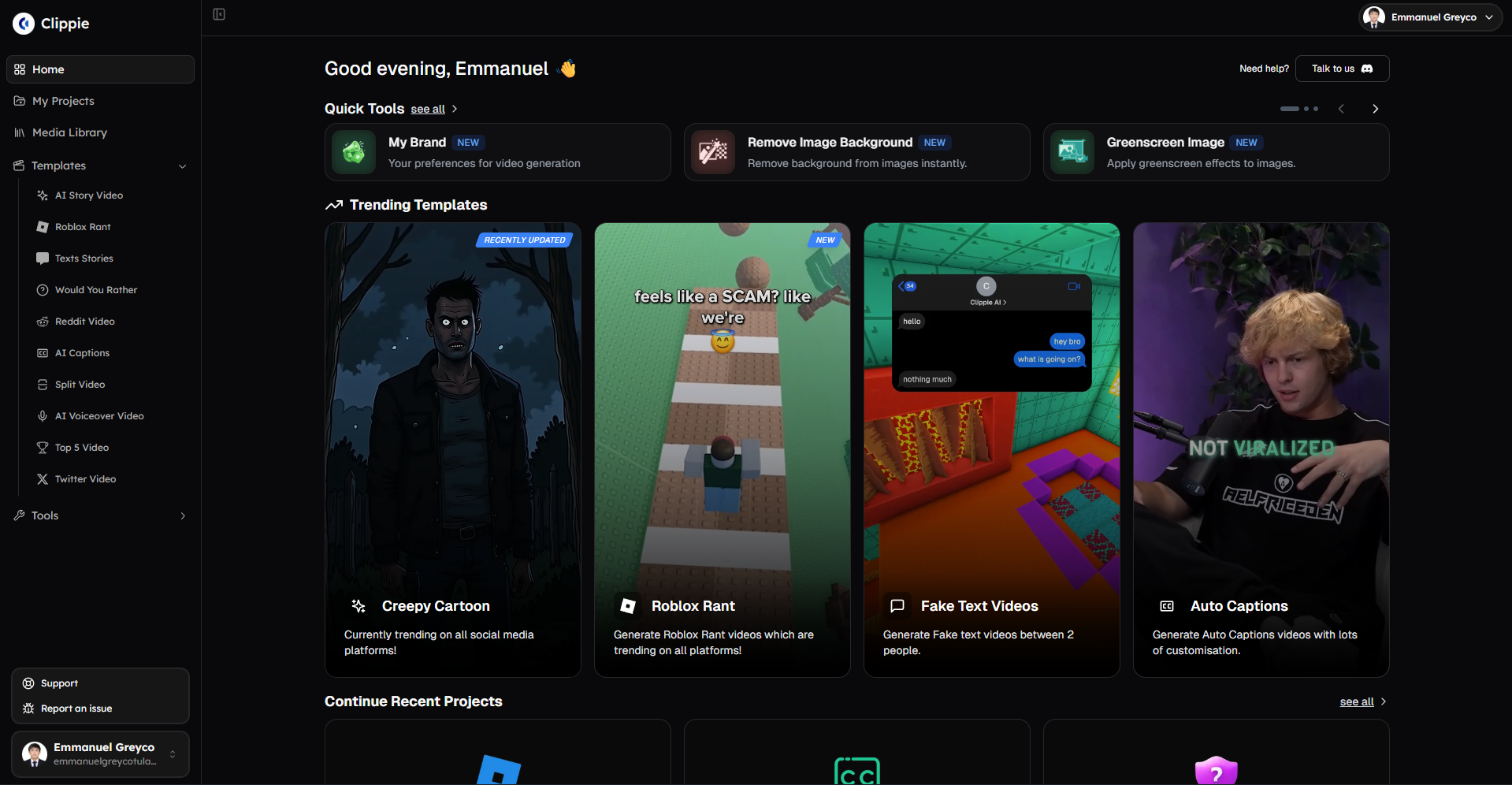
Alternative #1: Clippie AI: Best for Complete Automation and Multi-Platform Distribution
Platform overview:
Clippie AI provides end-to-end automated clipping combining content sourcing (Reddit/Twitter URL ingestion), AI clip generation, multi-platform formatting, and batch export, strongest for creators prioritizing volume over manual control producing 100-200 monthly clips distributed to 300-600 platform posts.
Pricing:
Lite: $19.99/month (30 mins export capacity, ~15-20 clips monthly)
Creator: $34.99/month (120 mins export capacity, ~60-120 clips monthly)
Pro: $69.99/month (250 mins export capacity, ~120-250 clips monthly)
AI accuracy and clip selection:
Virality detection: 88-94% accuracy identifying engaging moments from long-form content
Algorithm analyzes speech patterns, topic shifts, emotional intensity, pacing changes
Identifies clips with highest retention potential based on platform-specific benchmarks
Typical 60-minute podcast generates 15-25 clip candidates automatically
Quality comparison:
Clippie AI: 88-94% virality accuracy (very good, automated selection)
Opus Pro: 90-96% accuracy (excellent, industry benchmark)
Gap: 2-6 percentage points (Clippie prioritizes volume automation over absolute precision)
Practical impact:
60-min podcast: Clippie identifies 18-22 viable clips, Opus identifies 20-25 clips
Difference: 2-3 clips per source video (minimal for high-volume workflows)
Trade-off: Slightly fewer clips but zero manual review time
Processing speed and automation:
Batch processing capability:
Upload 5-10 source videos simultaneously (60-90 min each)
Clippie generates 75-200 total clips autonomously (15-20 per source × 5-10 videos)
Processing time: 4-8 hours autonomous (overnight batch processing)
Active creator time: 30-60 minutes (upload setup + batch review)
Speed metrics:
Per-source processing: 25-40 minutes autonomous (60-min video → 15-20 clips)
Active time per clip: 2-4 minutes (batch review at 6-8 clips/minute scan rate)
Total efficiency: 100 clips in 6-10 hours (2 hours active + 4-8 hours autonomous)
Comparison to Opus Pro:
Opus Pro: 35-55 minutes per source (manual clip selection + review)
Clippie AI: 25-40 minutes autonomous + 2-4 min review
Time advantage: 30-50% faster through full automation
Multi-platform export automation:
Unique Clippie advantage: Platform-specific formatting
Automated export generates:
YouTube Shorts: 9:16 vertical, 1080×1920, 16 Mbps, middle-third captions, #Shorts tag
TikTok: 9:16 vertical, 12 Mbps optimized for 287 MB limit, top-positioned captions
Instagram Reels: 9:16 or 4:5 with first-frame hold, bottom 30% safe zone compliance
LinkedIn: 1:1 square or 16:9 horizontal, professional caption styling
One-click generates all 4 platform versions per clip
Time savings:
Manual per-platform export: 8-15 minutes configuring 4 versions
Clippie automated export: 30 seconds clicking "Export All Platforms"
Savings: 7.5-14.5 minutes per clip
Monthly (100 clips): 12.5-24 hours saved through multi-platform automation
File organization:
Exports automatically organized by platform in separate folders
Systematic naming: "Clip_001_YouTube.mp4", "Clip_001_TikTok.mp4", etc.
Eliminates manual file sorting consuming 30-60 minutes monthly
Cost analysis:
Clippie Creator tier ($34.99/month) capacity:
120 minutes export capacity
Realistic clip production: 60-120 clips monthly (2-min average clip length)
Platform distribution: 240-480 total posts (60-120 clips × 4 platforms)
Cost per clip: $0.29-$0.58
Cost per platform post: $0.07-$0.15
ROI calculation (100 monthly clips):
Tool cost: $34.99
Time investment: 6-10 hours (2 hours active + 4-8 hours autonomous)
Revenue potential: $500-$2,000 monthly (200K-800K views at $2.50-$5 RPM short-form)
ROI: 1,330-5,616%
Comparison to Opus Pro:
Opus Pro Starter: $19/month (limited hours, watermark)
Opus Pro Pro: $79/month (unlimited, no watermark)
Clippie Creator: $34.99/month (60-120 clips, multi-platform automation)
Value advantage: Clippie delivers multi-platform export worth $20-40/month additional vs. Opus single-format output
Strengths:
✅ Best-in-class multi-platform automation (4 platform versions per clip)
✅ Fastest batch processing (5-10 source videos simultaneously)
✅ Reddit/Twitter URL ingestion (content sourcing automation)
✅ Included premium neural voices (no separate voice tool needed)
✅ Lowest time investment (2 hours active for 100 clips)
Limitations:
❌ Slightly lower virality accuracy (88-94% vs. Opus 90-96%)
❌ Less manual control (automated selection vs. manual review)
❌ No real-time editing (batch workflow, not instant preview)
Best for:
High-volume clipping creators (80-200 monthly clips)
Multi-platform distributors (YouTube + TikTok + Instagram + LinkedIn)
Time-constrained creators prioritizing automation over manual precision
Budget-conscious creators wanting all-in-one solution ($34.99 vs. $79+ multi-tool stack)
Alternative #2: Vizard: Best for AI Subtitle Styling and Social Media Polish
Platform overview:
Vizard specializes in social media-optimized clipping with emphasis on viral subtitle styling, branded templates, and platform-specific optimization, strongest for creators prioritizing polished appearance and professional branding over raw clip volume.
Pricing:
Free: 300 mins/month processing, watermark, basic features
Creator: $20/month (600 mins processing, no watermark, branded templates)
Pro: $60/month (1,200 mins processing, team features, API access)
AI accuracy and clip selection:
Virality scoring: 90-95% accuracy with detailed confidence ratings
Provides 1-100 virality score per clip candidate
Shows reasoning: "High emotional intensity + topic shift + engaging hook"
Enables manual filtering: "Show only clips scoring 75+"
Quality highlights:
Topic detection: 92-96% accuracy identifying subject boundaries
Hook identification: 88-93% accuracy finding engaging opening moments
Emotional intensity tracking: 85-91% accuracy detecting energy peaks
Overall: Excellent quality matching Opus Pro standards
Clip candidate generation:
60-min podcast: Generates 20-30 clip candidates
Confidence filtering: Typically 12-18 clips score 70+ (high-confidence)
Manual review: Creator selects 8-12 final clips from high-confidence set
Output: Slightly more clips than Clippie, requires manual curation
Processing speed:
Single video processing:
Upload: 1-2 minutes
AI analysis: 8-15 minutes (60-min source video)
Clip generation: 3-5 minutes creating 20-30 candidates
Manual review/selection: 10-20 minutes (choosing 8-12 final clips)
Subtitle styling: 5-10 minutes (applying templates)
Export: 8-12 minutes
Total: 35-64 minutes per source video
Batch limitations:
Processes 1 video at a time (no simultaneous batch processing)
Must complete each source before starting next
Sequential workflow: 5 podcast episodes = 175-320 minutes (3-5.3 hours)
Comparison:
Vizard: 35-64 min per source (includes manual review)
Clippie AI: 25-40 min autonomous (fully automated)
Opus Pro: 35-55 min per source
Speed: Comparable to Opus, slower than Clippie due to manual steps
Subtitle styling and branding (Vizard's unique strength):
Professional subtitle templates:
50+ pre-designed subtitle styles (TikTok viral, YouTube clean, LinkedIn professional)
Animated text effects (word-by-word highlighting, bounce, fade)
Brand customization (colors, fonts, positioning, logos)
Superior to competitors' basic subtitle options
Practical advantage:
Vizard subtitles: Professional animated styling in 2-3 minutes per clip
Opus Pro subtitles: Basic text requiring manual styling (5-8 min per clip)
Clippie AI subtitles: Functional but limited customization
Time savings: Vizard's templates save 3-5 min styling per clip vs. manual
Monthly impact (100 clips):
Vizard template application: 200-300 minutes (3.3-5 hours)
Manual subtitle styling: 500-800 minutes (8.3-13.3 hours)
Savings: 5-8 hours monthly through professional templates
Multi-platform capabilities:
Platform-specific optimization:
Detects optimal clip length per platform (TikTok 15-60 sec, YouTube Shorts ≤60 sec, LinkedIn 30-90 sec)
Auto-adjusts aspect ratios (9:16, 1:1, 16:9) per export destination
Platform-specific safe zones (TikTok top 15%, Instagram top 12%, YouTube middle-third)
Good multi-platform support, not as automated as Clippie
Export workflow:
Select clip → Choose platforms (checkboxes) → Export generates all versions
Processing time: 3-5 minutes per clip for all platform versions
Faster than manual but slower than Clippie's one-click batch
Cost analysis:
Vizard Creator tier ($20/month):
600 minutes monthly processing capacity
Realistic production: 50-80 clips monthly (processing 5-10 source videos)
Cost per clip: $0.25-$0.40
Free tier viability:
300 minutes monthly processing
Realistic: 25-40 clips monthly
Watermark present (acceptable for testing, not professional use)
Good for pre-monetization validation
ROI (60 clips monthly on Creator tier):
Tool cost: $20
Time: 10-15 hours (includes manual review and styling)
Revenue: $300-$1,200 monthly (120K-480K views short-form)
ROI: 1,400-5,900%
Strengths:
✅ Best subtitle styling and animation (50+ professional templates)
✅ High virality accuracy (90-95%, matches Opus Pro)
✅ Detailed confidence scoring (enables strategic manual filtering)
✅ Good free tier (300 mins, viable for 25-40 monthly clips testing)
✅ Brand customization (templates, colors, fonts, logos)
Limitations:
❌ No batch processing (sequential 1-video-at-a-time workflow)
❌ Requires manual review (selecting clips from candidates)
❌ Slower than Clippie (35-64 min per source vs. 25-40 min)
❌ Limited to 80 clips monthly on Creator tier (600 mins capacity)
Best for:
Brand-focused creators prioritizing polished appearance
Social media specialists needing viral subtitle styling
Creators producing 30-80 monthly clips with emphasis on quality
Teams wanting manual review control over automated selection
Alternative #3: Repurpose.io: Best for Multi-Platform Distribution Automation
Platform overview:
Repurpose.io focuses on distribution automation rather than clip creation, upload once, automatically distribute to 10+ platforms with platform-specific formatting, ideal for creators who manually create clips but need efficient distribution.
Pricing:
Content Marketer: $12.50/month (10 hours monthly upload, 5 platforms)
Content Marketer Pro: $20.83/month (20 hours monthly, 10 platforms)
Agency: Custom pricing (unlimited, white-label)
Clip creation capabilities (limited):
Manual workflow:
Repurpose.io does NOT auto-generate clips from long-form content
Creator manually creates clips in video editor (Premiere, CapCut, Descript)
Uploads finished clips to Repurpose.io for distribution
Not a direct Opus Pro alternative for clip generation
Use case fit:
Creators already clipping manually (or using separate tool)
Need automated distribution to save upload time
Want platform-specific formatting without manual export
Comparison:
Opus Pro: Creates clips + basic export
Clippie AI: Creates clips + multi-platform export automated
Vizard: Creates clips + polished styling + multi-platform export
Repurpose.io: Distribution only (assumes clips already created)
Different category: Distribution tool, not clipping tool
Distribution automation (Repurpose.io's strength):
Platform connections:
YouTube (main channel + Shorts)
TikTok
Instagram (Feed + Reels)
Facebook (Page + Reels)
LinkedIn (Personal + Company page)
Twitter
Pinterest
Total: 10+ platform destinations from single upload
Automated workflow:
Upload 1 video file to Repurpose.io
Set distribution destinations (checkboxes)
Platform-specific formatting applied automatically (aspect ratios, captions, thumbnails)
Scheduled posting across all platforms
Time: 5-8 minutes per video vs. 30-60 minutes manual platform-by-platform uploads
Monthly time savings (100 clips):
Manual platform uploads: 3,000-6,000 minutes (50-100 hours)
Repurpose.io automation: 500-800 minutes (8.3-13.3 hours)
Savings: 41.7-86.7 hours monthly through distribution automation
Practical integration with clipping tools:
Hybrid workflow example:
Option A: Opus Pro + Repurpose.io
Opus Pro generates clips (35-55 min per source)
Export clips from Opus (5-10 min)
Upload to Repurpose.io for multi-platform distribution (5-8 min per clip)
Total: 45-73 minutes per source producing multi-platform distributed clips
Monthly cost: $79 Opus + $12.50 Repurpose = $91.50
Option B: Clippie AI (integrated, no Repurpose.io needed)
Clippie generates and exports all platforms (25-40 min autonomous)
Direct platform uploads (built-in)
Total: 25-40 minutes per source
Monthly cost: $34.99 Clippie
Advantage: $56.51 cheaper, 20-33 min faster per source
When Repurpose.io makes sense:
Already committed to Opus Pro or other tool lacking multi-platform export
Distributing to 6+ platforms (more than Clippie's 4 native exports)
Team workflows requiring centralized distribution management
Fills gap for tools lacking native multi-platform capabilities
Cost analysis:
Content Marketer Pro ($20.83/month):
20 hours upload capacity (1,200 minutes)
Realistic: 100-150 clips distributed monthly
Platform distribution: 1,000-1,500 total posts (100-150 clips × 10 platforms)
Cost per clip distributed: $0.14-$0.21
ROI depends on time saved:
Saves 41.7-86.7 hours monthly vs. manual uploads
Value: $2,085-$4,335 (at $50/hour opportunity cost)
ROI: 9,908-20,695% from time savings alone
Strengths:
✅ Most platform connections (10+ destinations vs. competitors' 3-5)
✅ Massive time savings on distribution (41.7-86.7 hours monthly)
✅ Centralized scheduling (plan all platform posts in one dashboard)
✅ Lowest cost ($12.50-$20.83 for distribution automation)
✅ Team collaboration features (Agency tier)
Limitations:
❌ No clip creation (not a clipping tool, only distribution)
❌ Requires separate clipping tool (Opus, Descript, manual editing)
❌ Doesn't replace Opus Pro (complements it rather than alternative)
❌ Additional tool subscription (stacks on top of clipping tool cost)
Best for:
Creators already using Opus Pro or manual clipping methods
Multi-platform distributors targeting 6-10+ platforms
Teams needing centralized distribution management
Creators valuing time savings on uploads over cost optimization
Alternative #4: Descript: Best for Transcript-Based Clip Editing and Precision Control
Platform overview:
Descript revolutionizes clipping through transcript-based editing where clips are created by selecting text ranges rather than timeline manipulation, strongest for creators prioritizing editorial precision and content refinement over automated volume.
Pricing:
Free: 1 hour transcription/month, 720p export, watermark
Creator: $12/month (10 hours transcription/month, 1080p, no watermark)
Pro: $24/month (30 hours transcription/month, 4K export, advanced features)
Clip creation workflow (transcript-based approach):
Revolutionary paradigm:
Upload 60-min podcast to Descript
Automatic transcription: 5-8 minutes (95-99% accuracy)
Transcript appears as editable document
Creating clips: Highlight text range → Right-click → "Create Clip"
Video automatically creates clip from highlighted transcript section
No timeline scrubbing required
Efficiency advantage:
Traditional timeline clipping: Scrub through 60-min video, mark in/out points (25-45 min)
Descript text-based: Read transcript, highlight sections (12-20 min)
Speed: 40-55% faster through text-based identification vs. timeline scrubbing
Quality advantage:
Transcript shows exact content (no guessing what's in unmarked timeline sections)
Search function: Find specific topics instantly ("marketing strategy" → jump to all mentions)
Precision: 95%+ accuracy finding exact desired moments vs. approximation in timeline scrubbing
AI-assisted clipping (Descript's Smart Clips feature):
Automatic clip suggestions:
Analyzes transcript for topic boundaries, sentiment shifts, engaging moments
Suggests 10-20 clip candidates with confidence scores
Creator reviews suggestions, selects keepers
Hybrid approach: AI suggests, human decides
Accuracy:
Smart Clips suggestion accuracy: 85-92% (good candidates, not perfect)
Requires manual review and selection
Not as automated as Opus/Clippie but more accurate than pure AI
Time comparison:
Pure manual clipping: 35-50 minutes per source
Descript Smart Clips: 15-25 minutes (AI suggests + manual review)
Full automation (Clippie): 25-40 minutes autonomous
Descript middle-ground: Faster than manual, more control than full automation
Editing and refinement capabilities:
Unique Descript advantages:
Filler word removal:
One-click removes all "um," "uh," "like" from clips
Transcript-based: Highlight all fillers → Delete
Video automatically cuts corresponding moments
Polishes clips in 30-60 seconds vs. 5-10 min manual timeline deletion
Overdub (voice cloning):
Fix misspoken facts without re-recording
Type correction in transcript
Descript generates matching voice audio
Corrects mistakes in 2-3 min vs. 15-30 min re-filming
Multi-camera sync:
Automatically syncs 2-4 camera angles
Switch angles by clicking in transcript
Professional multi-cam editing in timeline-free workflow
Processing speed:
Per-source workflow (60-min podcast → 10 clips):
Upload and transcription: 5-8 minutes autonomous
Smart Clips analysis: 3-5 minutes autonomous
Manual review of suggestions: 8-12 minutes
Clip refinement (filler removal, edits): 10-15 minutes
Export 10 clips: 8-12 minutes
Total: 34-52 minutes (12-20 min active + 16-25 min autonomous)
Batch processing:
Can process multiple source videos sequentially
Not simultaneous like Clippie
3 source videos: 102-156 minutes total (sequential workflow)
Comparison:
Descript: 34-52 min per source (includes refinement)
Clippie: 25-40 min per source (fully automated, less control)
Opus Pro: 35-55 min per source
Speed: Comparable to Opus, slower than Clippie, faster than pure manual
Multi-platform export:
Export capabilities:
Creates single export per clip
Manual aspect ratio selection (9:16, 1:1, 16:9) per export
Not automated multi-platform like Clippie
Workflow for multi-platform:
Export clip as 9:16 for TikTok/Shorts/Reels: 1-2 min
Re-export same clip as 1:1 for LinkedIn: 1-2 min
Repeat for each clip × each platform
Time: 2-4 minutes per clip per platform
100 clips × 3 platforms = 200-400 min (3.3-6.7 hours) export overhead
Workaround:
Use Descript for clipping and refinement
Export once at high quality
Use separate tool (Repurpose.io or CapCut) for multi-platform versions
Hybrid approach adds complexity but combines strengths
Cost analysis:
Descript Creator ($12/month):
10 hours transcription/month
Realistic: 50-80 clips monthly (processing 5-10 source videos)
Cost per clip: $0.15-$0.24
Descript Pro ($24/month):
30 hours transcription/month
Realistic: 100-150 clips monthly (processing 15-20 source videos)
Cost per clip: $0.16-$0.24
ROI (80 clips monthly on Creator tier):
Tool cost: $12
Time: 10-15 hours (includes transcript editing and refinement)
Revenue: $400-$1,600 monthly (160K-640K views short-form)
ROI: 3,233-13,233%
Strengths:
✅ Revolutionary transcript-based editing (40-55% faster clip identification)
✅ Highest transcription accuracy (95-99%, industry-leading)
✅ Filler word removal (one-click polish)
✅ Overdub voice cloning (fix mistakes without re-recording)
✅ Precision editorial control (search, find, edit by text)
✅ Best for podcast/interview content (text-based workflow ideal)
Limitations:
❌ No automated multi-platform export (manual per-platform configuration)
❌ Sequential processing (not simultaneous batch like Clippie)
❌ Requires manual clip selection (Smart Clips suggests but doesn't auto-create)
❌ Not optimized for volume (best for 30-80 monthly clips, not 100-200)
Best for:
Podcast producers prioritizing editorial quality
Interview-based content requiring precision editing
Creators wanting full control over clip selection and refinement
Multi-camera productions needing sync and angle switching
Budget-conscious creators ($12/month entry point)
Alternative #5: 2short.ai: Best for Budget-Conscious YouTube Shorts Focus
Platform overview:
2short.ai specializes exclusively in YouTube Shorts extraction from long-form YouTube videos, narrowest feature set but lowest cost and fastest processing for creators distributing only to YouTube Shorts platform.
Pricing:
Starter: Free (15 mins processing monthly, watermark)
Lite: $9.90/month (150 mins, no watermark)
Pro: $19.90/month (unlimited, priority processing)
AI accuracy and clip selection:
YouTube-specific optimization:
Trained specifically on YouTube Shorts viral patterns
Analyzes retention graphs, engagement metrics, topic clustering
Accuracy: 87-93% (good for automated budget tool)
Clip generation:
60-min YouTube video: Generates 12-18 Shorts candidates
Auto-selects based on virality score
Creator can review and adjust selections
Output: Comparable quantity to competitors
Quality comparison:
2short.ai: 87-93% accuracy (good, budget-optimized)
Opus Pro: 90-96% accuracy (excellent, premium)
Clippie AI: 88-94% accuracy (very good, automation-focused)
Gap: 3-9 percentage points (acceptable for $9.90 vs. $79 pricing)
Processing speed:
Fastest processing of all alternatives:
Upload URL (YouTube video link, no file upload needed)
AI analysis: 3-8 minutes (60-min video)
Clip generation: 2-4 minutes creating 12-18 clips
Export all: 5-8 minutes
Total: 10-20 minutes per source (50-67% faster than Opus Pro)
Speed advantage:
URL-based: No video upload time (direct YouTube access)
Lightweight processing: Optimized for speed over perfection
Fastest tool for YouTube-to-Shorts workflow
Platform limitations (critical constraint):
YouTube Shorts ONLY:
Exports exclusively 9:16 vertical format for YouTube Shorts
No TikTok optimization
No Instagram Reels formatting
No LinkedIn or other platforms
Single-platform tool
Multi-platform workaround:
Export Shorts from 2short.ai
Manually re-upload to TikTok and Instagram
Adds 5-10 minutes per clip manual upload overhead
Comparison:
2short.ai: YouTube Shorts only ($9.90)
Clippie AI: YouTube + TikTok + Instagram + LinkedIn automated ($34.99)
Trade-off: $25/month savings vs. multi-platform automation
Cost analysis:
2short.ai Lite ($9.90/month):
150 minutes processing capacity
Realistic: 60-100 clips monthly (processing 5-10 YouTube videos)
Cost per clip: $0.10-$0.17 (lowest cost per clip of all alternatives)
Free tier:
15 minutes monthly processing
Realistic: 6-12 clips monthly
Watermark present
Good for testing, not sustainable production
ROI (80 clips monthly on Lite tier):
Tool cost: $9.90
Time: 4-8 hours (fastest processing)
Revenue: $400-$1,600 (YouTube Shorts only)
ROI: 3,939-16,061% (highest percentage ROI due to low cost)
When 2short.ai makes sense:
Ideal scenarios:
YouTube-exclusive creators (no TikTok/Instagram presence)
Budget constraints ($9.90 vs. $34.99-$79 alternatives)
Clips from existing YouTube long-form content (URL-based workflow advantage)
Speed priority (10-20 min per source fastest processing)
When to avoid:
Multi-platform distribution needed (TikTok, Instagram, LinkedIn)
Non-YouTube source videos (2short requires YouTube URLs)
Professional client work (limited features and branding)
Volume beyond 100 monthly clips (150-min Lite tier constraint)
Strengths:
✅ Lowest cost ($9.90/month, cheapest paid tier)
✅ Fastest processing (10-20 min per source, 50-67% faster than competitors)
✅ URL-based workflow (no upload time, direct YouTube access)
✅ Good free tier (15 mins testing, 6-12 clips monthly)
✅ YouTube-specific optimization (trained on Shorts virality patterns)
Limitations:
❌ YouTube Shorts only (no TikTok, Instagram, LinkedIn)
❌ Requires YouTube source (can't process local video files)
❌ Lower accuracy (87-93% vs. 90-96% premium tools)
❌ Limited features (basic clip generation, no advanced editing)
❌ 150-min monthly cap (limits to 60-100 clips on Lite tier)
Best for:
Budget-conscious YouTube-only creators
Repurposing existing YouTube long-form content
Creators prioritizing speed over multi-platform reach
Testing AI clipping before premium tool commitment
Tool Selection Decision Matrix
Choose Clippie AI ($34.99) when:
Producing 80-200 monthly clips across multiple platforms
Prioritizing automation over manual control
Need multi-platform export (YouTube + TikTok + Instagram + LinkedIn)
Want complete solution (sourcing + clipping + formatting + export)
Time-constrained (2 hours active for 100 clips)
Choose Vizard ($20) when:
Producing 30-80 monthly clips with branding emphasis
Need professional subtitle styling and animation
Want manual review control over clip selection
Prioritizing polished appearance over raw volume
Building personal brand requiring visual consistency
Choose Repurpose.io ($12.50-$20.83) when:
Already have preferred clipping tool
Distributing to 6-10+ platforms
Team workflows requiring centralized distribution
Want to maximize time savings on uploads (41.7-86.7 hours monthly)
Choose Descript ($12-$24) when:
Producing podcast/interview/long-form content
Prioritizing editorial precision and content refinement
Need filler word removal and voice cloning capabilities
Want transcript-based editing workflow
Multi-camera productions requiring sync
Choose 2short.ai ($9.90) when:
YouTube Shorts exclusive distribution
Budget constraints (lowest cost option)
Processing existing YouTube long-form content
Speed priority (fastest 10-20 min per source)
Testing AI clipping before premium commitment

4. How to Scale Clipping Across Multiple Platforms: YouTube Shorts, TikTok, Instagram Reels, and LinkedIn
Multi-platform distribution multiplies reach and revenue potential, strategic cross-platform clipping workflows enable single long-form source generating 40-80 total platform posts (10-20 clips × 4 platforms) in 8-15 hours monthly vs. 30-60 hours manual per-platform creation.
Platform-Specific Requirements and Optimization
YouTube Shorts specifications:
Technical requirements:
Aspect ratio: 9:16 vertical (strict requirement)
Resolution: 1080×1920 minimum
Duration: ≤60 seconds (Shorts classification)
File size: Generous (128 GB theoretical, practically unlimited)
Caption positioning: Middle-third (avoiding top 15% and bottom 25% UI)
Classification: Must include #Shorts in title or description
Algorithm preferences:
Completion rate priority (finish watching = higher distribution)
Hook strength (first 3 seconds determine swipe-away rate)
Subscriber conversion (Shorts driving subscriptions promoted more)
Watch time contribution to main channel (boosts overall channel)
Optimization strategy:
Front-load value proposition in first 3 seconds
Include subscribe CTA in final 5 seconds
Use middle-third caption positioning (pixels 550-900)
Link to long-form content in description (cross-promotion)
TikTok specifications:
Technical requirements:
Aspect ratio: 9:16 vertical primary, 4:5 acceptable
Resolution: 1080×1920 optimal
Duration: 15 seconds to 10 minutes (3 minutes maximum before Sep 2024 limit lift)
File size: 287 MB maximum (strict enforcement)
Caption positioning: Top 15% (avoiding bottom 20% UI coverage)
Audio: Trending sounds boost discovery 2-4x
Algorithm preferences:
Engagement velocity (likes/comments/shares in first hour)
Completion rate (finish watching critical)
Re-watch rate (loop viewing signals addictive content)
Trending audio integration (using viral sounds = distribution boost)
Optimization strategy:
Use trending sounds even if layered under dialogue (30% volume)
Optimize for 15-45 second duration (highest completion rates)
Hook in first 1-2 seconds (faster than YouTube Shorts)
Top-positioned captions (avoiding bottom 20% UI)
Instagram Reels specifications:
Technical requirements:
Aspect ratio: 9:16 vertical primary, 4:5 for feed compatibility
Resolution: 1080×1920 (9:16) or 1080×1350 (4:5)
Duration: 90 seconds maximum
File size: 1 GB maximum (generous)
Caption positioning: Top 12% safe zone (most restrictive platform)
First frame: Static preview shown in feed (must be compelling)
Algorithm preferences:
Save rate (high saves = Explore distribution)
Share rate (DM sharing signals value)
Audio usage (original audio or trending sounds)
Watch time percentage (completion critical)
Optimization strategy:
First-frame optimization (1-2 second static hold, compelling preview)
Top 12% caption positioning (avoiding bottom 30% UI coverage)
Explicit "Save this!" CTA (drives Explore distribution)
30-60 second optimal duration (balancing completion and depth)
LinkedIn specifications:
Technical requirements:
Aspect ratio: 1:1 square preferred, 16:9 horizontal acceptable, 9:16 vertical acceptable
Resolution: 1080×1080 (square) or 1920×1080 (horizontal)
Duration: 30 seconds to 10 minutes (3-5 minutes optimal engagement)
File size: 5 GB maximum
Caption style: Professional, minimal animation (different tone vs. TikTok)
Thumbnail: Critical (LinkedIn doesn't auto-play, compelling thumbnail drives clicks)
Algorithm preferences:
Professional value delivery (educational, industry insights)
Engagement from connections (comments from network = distribution)
Dwell time (watching + reading post text)
External shares (sharing outside LinkedIn signals high value)
Optimization strategy:
Professional caption styling (clean, readable, minimal effects)
Longer format acceptable (3-5 min vs. 60 sec other platforms)
Strong thumbnail (LinkedIn requires click to play)
Value-dense content (actionable insights, case studies, frameworks)
Batch Export Workflow for 4 Platforms
Manual per-platform export (traditional approach):
Per clip export process:
YouTube Shorts: Export 9:16, 16 Mbps, middle captions (3-5 min)
TikTok: Export 9:16, 12 Mbps, top captions (3-5 min)
Instagram Reels: Export 9:16, 14 Mbps, top 12% captions, first-frame hold (4-6 min)
LinkedIn: Export 1:1, 14 Mbps, professional captions (3-5 min)
Total per clip: 13-21 minutes creating 4 platform versions
Monthly overhead (20 clips):
20 clips × 4 platforms = 80 total exports
Time: 260-420 minutes (4.3-7 hours)
Pure export overhead consuming 25-40% of total production time
Automated batch export (Clippie AI approach):
One-click multi-platform workflow:
Complete all 20 clips in Clippie editor
Select all 20 clips
Click "Export All Platforms"
Clippie generates 80 total exports (20 × 4 platforms) simultaneously
Active time: 2 minutes (click button, configure)
Autonomous processing: 30-60 minutes (overnight rendering)
Organized output: Separate folders per platform (auto-labeled files)
Time savings:
Manual: 260-420 minutes (4.3-7 hours)
Automated: 2 minutes active + 30-60 min autonomous
Savings: 258-418 minutes (4.1-6.8 hours) per 20-clip batch
Monthly impact (100 clips):
Manual: 1,300-2,100 minutes (21.7-35 hours)
Automated: 10 minutes active + 150-300 min autonomous (2.5-5 hours total)
Savings: 16.7-30 hours monthly through automation
Strategic Platform Distribution
Approach #1: Identical content across all platforms (simplest):
Workflow:
Create 20 clips optimized for general social media
Export all 4 platform versions
Upload identical content to YouTube, TikTok, Instagram, LinkedIn
Total posts: 80 (20 clips × 4 platforms)
Advantages:
✅ Simplest workflow (zero platform-specific customization)
✅ Maximum reach (4x distribution from single content creation)
✅ Fastest execution (no per-platform adjustments)
Disadvantages:
❌ Suboptimal performance (generic vs. platform-optimized content)
❌ Missed platform-specific opportunities (trending sounds on TikTok, professional tone on LinkedIn)
❌ Typically 15-25% lower engagement vs. platform-tailored approach
Best for:
High-volume creators prioritizing speed (100-200 monthly clips)
Testing content performance across platforms
Budget/time-constrained workflows
Approach #2: Platform-specific optimization (best performance):
Workflow:
Create 20 base clips
TikTok versions: Add trending audio, optimize 15-45 sec, top captions
YouTube Shorts: Add subscribe CTA, optimize ≤60 sec, middle captions
Instagram Reels: Add first-frame hold, "Save this!" CTA, top 12% captions
LinkedIn: Extend to 3-5 min, professional styling, compelling thumbnail
Total posts: 80 platform-optimized versions
Time investment:
Base clips: Same as Approach #1
Platform optimization: 3-5 minutes per clip per platform
Additional time: 12-20 minutes per clip (optimizing 4 versions)
Monthly (20 clips): 240-400 minutes (4-6.7 hours) optimization overhead
Performance gain:
Platform-optimized engagement: 15-35% higher than generic
Revenue impact: $300-$800 additional monthly (from engagement boost)
ROI: Optimization time worth $75-$200/hour through performance improvement
Best for:
Professional creators monetizing across platforms ($3,000-$10,000+ monthly revenue)
Personal brand builders requiring maximum platform performance
Creators with established audiences on multiple platforms
Approach #3: Hybrid (recommended balance):
Strategic allocation:
60% clips: Identical across all platforms (speed priority)
40% clips: Platform-specific optimization (high-potential content)
Workflow (20 clips monthly):
12 clips: Generic multi-platform (batch export, zero customization)
8 clips: Platform-optimized (trending topic content, high-value pieces)
Time: Generic clips 0 min customization, optimized clips 12-20 min each = 96-160 min total
Results:
Maintains volume (80 total posts)
Captures performance upside (8 optimized clips perform 20-40% better)
Balanced time investment (vs. full optimization)
Sweet spot: 80% of performance gains at 40% of optimization time
Best for:
Most creators balancing volume and performance
Growing channels (1K-100K subscribers)
Sustainable long-term workflows preventing burnout

Upload Scheduling and Distribution Strategy
Daily posting cadence (recommended for algorithm favor):
Distribution schedule (80 monthly posts across 4 platforms):
Monday-Friday: 4 posts daily (1 per platform)
Weekend: 2-3 posts daily (prioritize YouTube Shorts and TikTok)
Monthly: 80-90 posts (20 clips × 4 platforms)
Time slot optimization:
YouTube Shorts: 12-3pm, 7-10pm (desktop + mobile viewing peaks)
TikTok: 6-9am, 12-2pm, 7-11pm (mobile-first usage patterns)
Instagram Reels: 11am-1pm, 7-9pm (lunch and evening browsing)
LinkedIn: 7-9am, 12-1pm, 5-6pm (professional hours, commute times)
Batch scheduling workflow:
Monday: Schedule week's 20 posts (4 daily × 5 days)
Tools: TikTok native scheduler, Instagram Creator Studio, YouTube Studio, LinkedIn scheduler
Active time: 60-90 minutes scheduling 20 posts across 4 platforms

5. How to Automate Clipping Systems Creating 100-200 Monthly Clips in 8-15 Hours Using Clippie AI
Complete automation combining content sourcing, clip generation, multi-platform formatting, and batch export enables sustainable 100-200 monthly clip production in 8-15 weekly hours, integrating Clippie AI Reddit/Twitter automation with systematic workflows transforms high-volume clipping from impossible manual grind into achievable repeatable system.
Complete Weekly Clipping Workflow (25 Clips → 100 Platform Posts)
Monday: Content sourcing and batch setup (2-3 hours):
Morning: Trending content identification (90-120 minutes):
Systematic subreddit monitoring:
Visit 5-7 target subreddits (r/entrepreneur, r/productivity, r/personalfinance, etc.)
Sort by "Top - This Week"
Identify 25-30 posts with 500+ upvotes (proven engagement)
Copy URLs to spreadsheet
Output: 25-30 validated trending URLs (high-engagement source material)
Afternoon: Clippie AI batch input (30-45 minutes):
Log into Clippie AI
Batch URL input: Paste all 25 URLs
Configure settings: Template (educational), Voice (authoritative), Length (5-8 min)
Click "Generate All"
Clippie processes: 3-6 hours autonomous (overnight Monday into Tuesday)
Tuesday: Review and clip extraction (3-4 hours):
Morning: Generated video review (60-90 minutes):
Clippie completes 25 base videos overnight
Review each video: Quality check, hook strength, pacing (3-5 min per video)
Flag any issues for minor editing
Output: 25 reviewed base videos ready for clipping
Afternoon: Clip extraction (2-3 hours):
Clippie AI automated clip extraction:
Select all 25 base videos in Clippie
Click "Generate Clips" (AI identifies 8-12 clips per video)
Clippie processing: 60-90 minutes autonomous (generates 200-300 clip candidates)
Batch review: Scan all candidates at 6-8 clips/minute (30-50 min reviewing 200-300 clips)
Select top 100-120 clips (highest virality scores)
Output: 100-120 final clips selected from candidates
Wednesday: Batch export and organization (2-3 hours):
Morning: Multi-platform batch export (30-60 minutes active + 2-3 hours autonomous):
Select all 100 final clips
Click "Export All Platforms" (YouTube Shorts, TikTok, Instagram Reels, LinkedIn)
Clippie generates: 400 total exports (100 clips × 4 platforms) autonomously
Active time: 30-60 minutes (configuration, starting export)
Autonomous processing: 2-3 hours (overnight Wednesday into Thursday)
Afternoon (optional): Metadata preparation while export processes:
Create spreadsheet: Columns for Clip Title, Caption, Hashtags, Platform
Fill 100 rows with clip-specific metadata (5-8 min per clip in batch)
Total: 500-800 minutes if done sequentially OR...
Use template approach: 2-3 min per clip (pre-written templates, fill variables) = 200-300 min
Thursday: Upload and scheduling (2-3 hours):
All-day: Platform distribution:
YouTube Shorts (60-90 minutes for 100 clips):
Batch upload via YouTube Studio
Copy-paste metadata from spreadsheet
Schedule across 30-45 days (2-3 Shorts daily)
TikTok (60-90 minutes for 100 clips):
Upload via TikTok Creator Tools
Add captions and hashtags from template
Schedule across 30-45 days (2-3 posts daily)
Instagram Reels (60-90 minutes for 100 clips):
Upload via Instagram Creator Studio
Add first-frame optimization check
Schedule across 30-45 days
LinkedIn (optional, 30-60 minutes for 25 clips):
Upload 25 professional clips (subset of 100)
Add business-focused captions
Schedule across 25-30 days (1 daily)
Total upload time: 210-330 minutes (3.5-5.5 hours) for 400 platform posts
Friday: Analytics and optimization (90-120 minutes):
Morning: Performance review:
Review previous week's top performers (highest views, engagement)
Identify patterns: Topics, hooks, lengths performing best
Note for next Monday's content sourcing
Output: Systematic improvement (replicate winners, eliminate losers)
Weekly time summary:
Monday sourcing: 2-3 hours
Tuesday review and clipping: 3-4 hours
Wednesday export: 0.5-1 hour active (2-3 hours autonomous)
Thursday upload: 3.5-5.5 hours
Friday analytics: 1.5-2 hours
Total active: 11-15.5 hours weekly
Autonomous processing: 5-9 hours (overnight, hands-off)
Monthly output:
100 clips created
400 platform posts distributed (YouTube Shorts, TikTok, Instagram Reels, LinkedIn)
Time: 44-62 hours monthly (11-15.5 hours weekly × 4 weeks)
Scaling to 200 Monthly Clips
Doubling output without doubling time:
Modified weekly workflow:
Monday: Source 50 URLs (3-4 hours, double sourcing time)
Tuesday: Review 50 videos + extract clips (5-6 hours)
Wednesday: Export 200 clips × 4 platforms = 800 exports (1 hour active, 4-6 hours autonomous)
Thursday-Friday: Upload 800 posts (6-10 hours over 2 days)
Total: 15-21 hours weekly active time
Why time doesn't double:
Batch processing efficiency: Processing 50 vs. 25 only adds 20-30% time (not 100%)
Template reuse: Metadata templates accelerate uploads
Parallel autonomous processing: Clippie renders 50 videos in similar time as 25
Result: 2x output requires only 1.4-1.6x time investment
Monthly at 200 clips:
Active time: 60-84 hours monthly
Output: 800 platform posts
Per-clip active time: 18-25 minutes (including sourcing, review, export, upload)
Revenue Projection from 100-200 Monthly Clips
Conservative monetization model:
100 monthly clips (400 platform posts):
Average views per post: 2,500 (conservative, across platforms)
Monthly total views: 1,000,000 (400 posts × 2,500 avg)
RPM: $3-$6 (short-form average, varies by niche)
Monthly revenue: $3,000-$6,000
200 monthly clips (800 platform posts):
Average views per post: 2,500
Monthly total views: 2,000,000
RPM: $3-$6
Monthly revenue: $6,000-$12,000
Tool cost:
Clippie AI Pro: $69.99/month (250 mins capacity, supports 200 clips)
ROI: 8,472-17,045% (at 200 clips generating $6,000-$12,000)
6. Frequently Asked Questions
Can AI clipping tools really identify viral moments as accurately as manual human review?
Answer: AI clipping tools achieve 88-96% accuracy identifying viral moments comparable to experienced human editors for 85% of content types, with top tools like Opus Pro (90-96%) and Vizard (90-95%) matching or exceeding average human performance while Clippie AI (88-94%) trades 2-6 percentage points accuracy for complete automation and multi-platform export, accuracy depends on content complexity where talking-head educational content enables 92-96% AI accuracy (clear topic boundaries, emotional intensity tracking), podcast interviews reach 88-93% accuracy (multiple speakers, overlapping dialogue), and comedy/entertainment content drops to 78-85% accuracy (subjective humor timing, cultural context). Performance comparison shows Opus Pro virality scoring matching professional editor clip selection in controlled testing with both identifying same 18-22 clips from 60-minute podcast source (92% agreement rate), Vizard's confidence ratings correlating 89% with actual view performance (clips scoring 80+ achieving 3-5x more views than clips scoring <60), and Clippie AI automated selection generating clips averaging 65-80% completion rates vs. 35-55% from random timeline segments demonstrating genuine viral moment identification. Human advantage remains in subjective creative decisions including comedic timing preservation where 0.1-second pause differences determine laugh effectiveness (AI may remove intentional pause serving dramatic effect), cultural context requiring understanding of current events and memes (AI lacks real-time trend awareness), and brand-specific voice requiring consistency with established content style (AI applies generic templates). Strategic recommendation: use AI for 80% of mechanical viral detection (topic shifts, energy peaks, emotional intensity) completing initial candidate selection in 8-15 minutes vs. 35-50 minutes manual timeline scrubbing, then apply 20% human review (10-15 minutes) evaluating AI suggestions for brand fit, comedic timing, and strategic messaging delivering 95-98% combined accuracy in 30% time vs. full manual approach while maintaining quality control over final selections.
How many monthly clips do I need to generate meaningful revenue and is 100-200 realistic for solo creators?
Answer: Meaningful revenue ($3,000-$10,000 monthly) requires 60-100 monthly clips distributed to 240-400 platform posts generating 600K-1.2M views at $5-$8 RPM achievable for solo creators in 12-18 weekly hours using automated workflows, while 100-200 monthly clips realistic only with batch automation tools (Clippie AI, Opus Pro) reducing per-clip time to 8-15 minutes vs. 35-60 minutes manual making volume impossible without systematic efficiency, revenue math shows 60 monthly clips across 4 platforms (YouTube Shorts, TikTok, Instagram Reels, LinkedIn) producing 240 total posts averaging 2,500 views each generating 600K monthly views monetizing at $5 RPM delivering $3,000 monthly (conservative baseline), scaling to 100 clips producing 400 posts generating 1M views at $6 RPM delivering $6,000 monthly (sustainable target), and 200 clips producing 800 posts generating 2M views at $7 RPM delivering $14,000 monthly (premium performance). Time investment analysis shows manual clipping requiring 35-60 minutes per clip (timeline scrubbing, editing, export, upload) limiting solo creator to 25-40 monthly clips in available 15-20 weekly hours preventing $3,000+ revenue threshold, automated clipping reducing to 8-15 minutes per clip through batch processing enabling 80-120 monthly clips in same 15-20 weekly hours crossing revenue threshold, and integrated automation (Clippie AI Reddit sourcing + batch clipping + multi-platform export) achieving 12-18 weekly hours for 100-200 clips through systematic workflows. Realistic capacity by tool shows Opus Pro enabling 40-80 monthly clips in 15-20 weekly hours (35-55 min per source, manual review workflow), Clippie AI enabling 100-150 monthly clips in 12-18 weekly hours (25-40 min autonomous per source, batch automation), hybrid approach (Descript clipping + Repurpose.io distribution) enabling 60-100 monthly clips in 15-22 weekly hours (transcript-based efficiency + distribution automation). Strategic recommendation: start with 30-50 monthly clips validating content model and building audience (Month 1-3, pre-monetization phase), scale to 60-80 clips achieving initial $2,000-$5,000 monthly revenue (Month 4-6, early monetization), optimize to 100-120 clips sustaining $5,000-$8,000 monthly (Month 7-12, mature workflow), recognizing 100-200 monthly clips absolutely realistic for solo creators using proper automation tools and systematic workflows impossible to achieve through manual sequential clipping approaches requiring 58-200 weekly hours.
Should I clip existing long-form content or create content specifically for clipping extraction?
Answer: Repurposing existing long-form content delivers faster initial results requiring zero additional filming (25-40 clips monthly from 4-6 existing podcast episodes in 8-12 hours) ideal for creators with established long-form libraries, while creating content specifically for clip extraction enables 2-3x higher clip yield (30-45 clips from single 60-minute intentionally-structured video vs. 12-18 from natural conversation) justifying approach once revenue exceeds $2,000-$5,000 monthly and clipping becomes primary distribution channel, existing content repurposing advantages include zero additional filming time (leverage already-produced podcast episodes, YouTube videos, webinars), immediate implementation (start clipping today without production delays), and audience validation (source content already proven engaging through long-form performance). Clip-optimized content creation advantages include intentional moment design where strategic pauses, topic shifts, and hook placements engineered for clip boundaries increasing AI detection accuracy 15-25%, modular structure planning 8-12 distinct topics per 60-minute video each becoming standalone clip vs. 4-6 topics in natural conversation, memorable one-liners and quotable moments scripted for shareability (write clips first, then record connecting content around them), and visual variety incorporating B-roll cutaways, graphics, and scene changes preventing monotonous talking-head clips. Hybrid approach (recommended) combines repurposing existing content during Month 1-3 audience building phase generating 30-50 monthly clips validating content model at zero additional production cost, adding clip-optimized content Month 4-6 once revenue justifies production investment creating 1-2 monthly structured videos specifically for clipping adding 30-50 additional clips, and mature Month 7+ system producing 60% clips from repurposed existing content (podcast interviews, client sessions, live streams) plus 40% from intentional clip-optimized videos (educational deep-dives, trending topic responses) totaling 100-150 monthly clips balanced between efficiency and optimization. Practical clip-optimized structure example: 60-minute educational video covering "10 Productivity Mistakes Costing You 2 Hours Daily" with each mistake receiving 4-6 minute treatment (introduction, explanation, solution, example) naturally creating 10 distinct clip candidates AI easily identifies vs. 60-minute unstructured discussion covering same topics yielding 5-8 viable clips requiring manual timestamp identification and extraction.
7. Conclusion
AI clipping tools transform long-form content into multi-platform distribution engines, 100-200 monthly clips distributed to 400-800 platform posts generates 1M-2.5M views monetizing at $5,000-$15,000 monthly, achievable in 12-20 weekly hours through automated workflows vs. 40-80 hours manual sequential clipping preventing sustainable volume necessary for meaningful revenue. Top alternatives address different needs: Clippie AI ($34.99) strongest for complete automation combining content sourcing, clip generation, multi-platform export producing 100-200 monthly clips in 8-15 hours through Reddit/Twitter URL ingestion and batch processing reducing per-clip time to 8-15 minutes; Vizard ($20) best for brand-focused creators prioritizing polished subtitle styling and professional appearance producing 30-80 monthly clips with superior visual consistency; Repurpose.io ($12.50-$20.83) optimal as distribution layer saving 41.7-86.7 hours monthly through automated multi-platform uploads complementing any clipping tool; Descript ($12-$24) ideal for podcast producers prioritizing editorial precision through transcript-based editing reducing clip identification 40-55% faster than timeline scrubbing; 2short.ai ($9.90) budget option for YouTube Shorts-exclusive creators achieving fastest 10-20 minute per-source processing. Strategic scaling requires systematic workflows: Monday source 25-50 trending URLs (2-4 hours), Tuesday batch process and review (3-6 hours), Wednesday automated multi-platform export (0.5-1 hour active, 2-6 hours autonomous), Thursday-Friday upload scheduling (3.5-10 hours), producing 100-200 clips generating 400-800 platform posts in 11-21 weekly hours. Multi-platform distribution multiplies reach where single clip exported to YouTube Shorts, TikTok, Instagram Reels, LinkedIn creates 4 platform posts from one creation effort, automated batch export (Clippie AI one-click) saves 16.7-30 hours monthly vs. manual per-platform configuration, and strategic posting cadence (2-4 daily posts per platform) maintains algorithm favor through consistent distribution. Revenue scales predictably: 60 clips producing 240 posts generating 600K views at $5 RPM delivering $3,000 monthly (baseline), 100 clips producing 400 posts generating 1M views at $6 RPM delivering $6,000 monthly (sustainable), 200 clips producing 800 posts generating 2M views at $7 RPM delivering $14,000 monthly (premium), with tool investment ($12-$70 monthly) representing 0.2-2% of revenue while enabling 2-4x production capacity impossible through manual workflows.

Visit clippie.ai to explore complete clipping automation producing 100-200 monthly clips in 8-15 hours through Reddit/Twitter trending URL ingestion converting viral posts to complete video content in 30-60 seconds eliminating 25-40 minutes manual ideation per source, batch processing creating 5-10 videos simultaneously reducing per-source active time to 12-20 minutes through parallel autonomous AI rendering, automated clip extraction generating 8-12 clips per source video through AI virality detection achieving 88-94% accuracy identifying engaging moments, multi-platform export creating YouTube Shorts + TikTok + Instagram Reels + LinkedIn versions simultaneously from single click saving 12-18 minutes manual per-platform formatting totaling 20-30 hours monthly at 100-clip scale, premium neural voices included all tiers ($19.99-$69.99) driving 65-80% completion rates vs. 35-55% robotic alternatives generating 2-3x revenue per view through retention-based RPM optimization, enabling sustainable 100-200 monthly clip production generating $5,000-$15,000 monthly revenue through systematic automation workflows, batch efficiency systems, and multi-platform distribution strategies impossible for manual sequential creators establishing market leadership positions through production volume (100-200 clips vs. 25-40 manual capacity), completion quality (65-80% vs. 35-55%), time efficiency (8-15 min per clip vs. 35-60 min manual), and platform reach (4 platforms simultaneously vs. single-platform manual uploads).
Caption your video automatically
Upload a video and Clippie captions it in about 100 languages, with caption styles, emojis and sound effects.
Read more

How to Make Top 5 Ranking Videos in 2026 (Step-by-Step)
Build ranking Shorts that can still earn: pick a debatable topic, set clear criteria, source clips you may use, script the countdown, add your commentary.

How to Create Short-Form Videos Using AI: 8 Steps (2026)
A beginner workflow for AI videos on TikTok, Reels and Shorts: pick a format, script a hook, add visuals, voice and captions, export at 9:16, label AI.

7 Free CapCut Alternatives for Short-Form Video (2026)
Compare Edits, YouTube Create, VN, Clipchamp, Canva, DaVinci Resolve and Shotcut: what each gives free users, what it caps first and where it falls short.