
Best Text-to-Video AI Tools in 2026, Which Platform Actually Produces Publish-Ready Faceless Videos?
Compare the best text-to-video AI tools in 2026 for faceless creators, what publish-ready actually means, top platforms ranked, Clippie AI full review, niche fit guide, and pricing comparison per dollar.

Searching for the best text-to-video AI tools in 2026?
The text-to-video AI category has expanded rapidly, there are now dozens of tools that claim to turn your script into a video. But most of them produce a generation output, not a publish-ready video. There is a significant difference between a tool that generates a clip from a prompt and a platform that takes a script and produces a complete video, voiceover narrated, visually produced, captioned, and exported at the right settings for the platform you are publishing to.
This guide evaluates the text-to-video landscape honestly, what each major tool actually does, which ones are genuinely publish-ready for faceless channel production, and how to choose the right platform for your niche and production volume.
Executive Summary
This guide is for faceless content creators who are evaluating text-to-video AI platforms in 2026 and want to know which tools actually produce publish-ready videos rather than raw generation outputs. It covers what text-to-video AI actually means in 2026 and why most tools fall short of the publish-ready standard, the five features that separate complete production platforms from basic generation tools, the top text-to-video platforms ranked for faceless channel production, why Clippie AI is the most complete solution for faceless creators, how to match a tool to your specific niche and volume requirements, and a pricing comparison across all major platforms. By the end, you will know exactly which tool fits your production needs.
Table of Contents
What Text-to-Video AI Actually Means in 2026, And Why Most Tools Fall Short
The 5 Features That Separate Publish-Ready Platforms From Basic Generation Tools
Top Text-to-Video AI Tools in 2026, Ranked for Faceless Channel Production
Clippie AI, Why It Is the Most Complete Text-to-Video Solution for Faceless Creators
How to Choose the Right Text-to-Video Tool for Your Niche and Production Volume
Text-to-Video Pricing Compared, Which Platform Gives You the Most Per Dollar
Frequently Asked Questions

1. What Text-to-Video AI Actually Means in 2026, And Why Most Tools Fall Short
"Text-to-video" is one of the most overused and loosely defined terms in AI content creation. In 2026, it describes a spectrum of tools with dramatically different capabilities, from basic clip generators to complete production platforms, and the differences between them determine whether the output is a usable video or a raw asset that still requires 2–3 additional tools before it is publishable.
The Spectrum of What "Text-to-Video" Actually Covers
Level 1: Clip generation from text prompt: Tools like Runway ML, Pika Labs, and Higgsfield AI take a text description and generate a short video clip, typically 5–15 seconds. This is technically text-to-video, but the output is a raw clip with no audio, no captions, and no complete video structure. It requires extensive additional production work before it is publishable.
Level 2: Script-to-video with stock footage: Tools like InVideo AI, Pictory AI, and Lumen5 take a script and assemble a video using stock footage, text overlays, and AI voiceover within a template framework. The output is closer to publish-ready but is visually constrained by stock libraries and template frameworks.
Level 3: Complete production platform: Platforms that handle the full production pipeline, custom AI-generated footage, AI voiceover with custom cloning, auto-captioning in multiple languages, and multi-format export, within a single integrated workflow. The output is genuinely publish-ready without requiring external tools.
Understanding which level a tool operates at is the most important evaluation question for any faceless creator researching the text-to-video category.

Why Most Tools Fall Short of the Publish-Ready Standard
For a video to be genuinely publish-ready for a faceless YouTube or TikTok channel, it needs:
A natural-sounding AI narration that matches the script and channel's voice identity
Visually distinctive footage or imagery that supports the narration without looking generic
Accurate captions synced to the narration, ideally in multiple languages
Correct aspect ratio and technical specs for the target platform
No watermarks on the exported file
Most text-to-video tools in the market satisfy some but not all of these requirements. Level 1 tools provide none. Level 2 tools provide most but rely on stock footage that limits visual distinctiveness. Level 3 platforms provide all of them within a single workflow.
The creator who uses a Level 1 or Level 2 tool and accepts its limitations is making a production efficiency trade-off. The creator who uses a Level 3 platform has the full production pipeline in one subscription.

2. The 5 Features That Separate Publish-Ready Platforms From Basic Generation Tools
These five features are the evaluation criteria for any text-to-video tool. A platform that cannot check all five boxes requires external tools to bridge the gap, adding cost, time, and workflow complexity.
Feature 1: Integrated AI Voiceover With Custom Voice Cloning
A publish-ready faceless video requires narration. A narration-quality AI voiceover, not a robotic text-to-speech output, delivered in a voice that matches the channel's audio identity.
What to look for:
Natural-sounding delivery across different tonal styles (authoritative, conversational, energetic, warm)
Custom voice cloning from a short audio sample, the ability to create a proprietary narrator identity
Multiple cloned voices available for creators running multiple channels
Voiceover generation integrated within the platform, no separate subscription
Why it matters: The narrator's voice is the primary content delivery mechanism in faceless video. A generic AI voice that sounds like every other creator's channel limits the audience loyalty that custom voice identity builds. A cloned voice that is consistent across every video is the most powerful audio branding tool available to a faceless creator.
Feature 2: Custom AI Video and Image Generation (Not Stock Footage)
Stock footage creates visual homogeneity, the same clips appearing across videos from different creators, brands, and industries. In 2026, AI-generated custom footage is the visual standard for channels that need to differentiate.
What to look for:
Integration of state-of-the-art AI video generation models (VEO3.1, Seedance, or equivalent)
AI image generation for static visual content, title cards, section illustrations, concept imagery
No dependency on stock libraries for core visual production
Both photorealistic (documentary-style) and filmic (narrative-style) generation options
Why it matters: Custom AI-generated footage produces visuals that no other channel on the internet has, because the footage is generated specifically for each video. This visual distinctiveness drives scroll-stop performance, completion rate, and the brand recognition that builds returning audiences.

Feature 3: Auto-Captioning in 100+ Languages
Captions are both an accessibility tool and a retention mechanism, a significant proportion of short-form video is consumed without audio, and captions are what engage these viewers before they activate sound.
What to look for:
Auto-captioning synced to AI voiceover without manual timing
100+ language support for international distribution strategy
Caption accuracy on specialist terminology, proper nouns, and statistics
Captioning integrated within the production platform, no external captioning tool required
Why it matters: Multi-language captioning is the infrastructure for international audience expansion, reaching Spanish, Portuguese, Hindi, and French-speaking audiences from the same video without additional production sessions. 100+ language support is the threshold that makes genuine international strategy viable.
Feature 4: Multi-Format Export for Multiple Platforms
A faceless channel creator in 2026 typically distributes across at least two platforms, YouTube (16:9) and TikTok or Shorts (9:16). A platform that only exports in one format requires manual conversion or re-editing for cross-platform distribution.
What to look for:
9:16 vertical export for TikTok, YouTube Shorts, and Instagram Reels
16:9 horizontal export for YouTube long-form
Both formats producible from the same production session
MP4 format, 1080p minimum, no platform watermarks
Why it matters: Multi-format export from the same session eliminates the re-editing step that adds 15–30 minutes per video for cross-platform creators. At 10+ videos per month, this efficiency compounds into hours of recovered production time.
Feature 5: Flat-Rate Pricing With Clear Capacity Limits
Usage-based pricing, charging per generation, per minute of video, or per credit at variable rates, creates budget unpredictability that is impractical for creators managing consistent monthly production volume.
What to look for:
Fixed monthly plan pricing with clearly defined capacity
Defined minutes of video export, minutes of voiceover, and image count at each tier
No surprise charges from volume spikes within normal production patterns
Plan capacity that scales predictably with subscription tier
Why it matters: A creator needs to answer one question clearly before choosing a platform: how many videos can I produce per month at this price? Variable pricing makes this question impossible to answer accurately without active usage monitoring. Flat-rate plans with defined capacity make monthly production planning straightforward.

3. Top Text-to-Video AI Tools in 2026, Ranked for Faceless Channel Production
Each tool is evaluated against the five features above. The ranking reflects fitness for faceless YouTube and TikTok channel production specifically, not for corporate video, marketing, or creative filmmaking use cases.
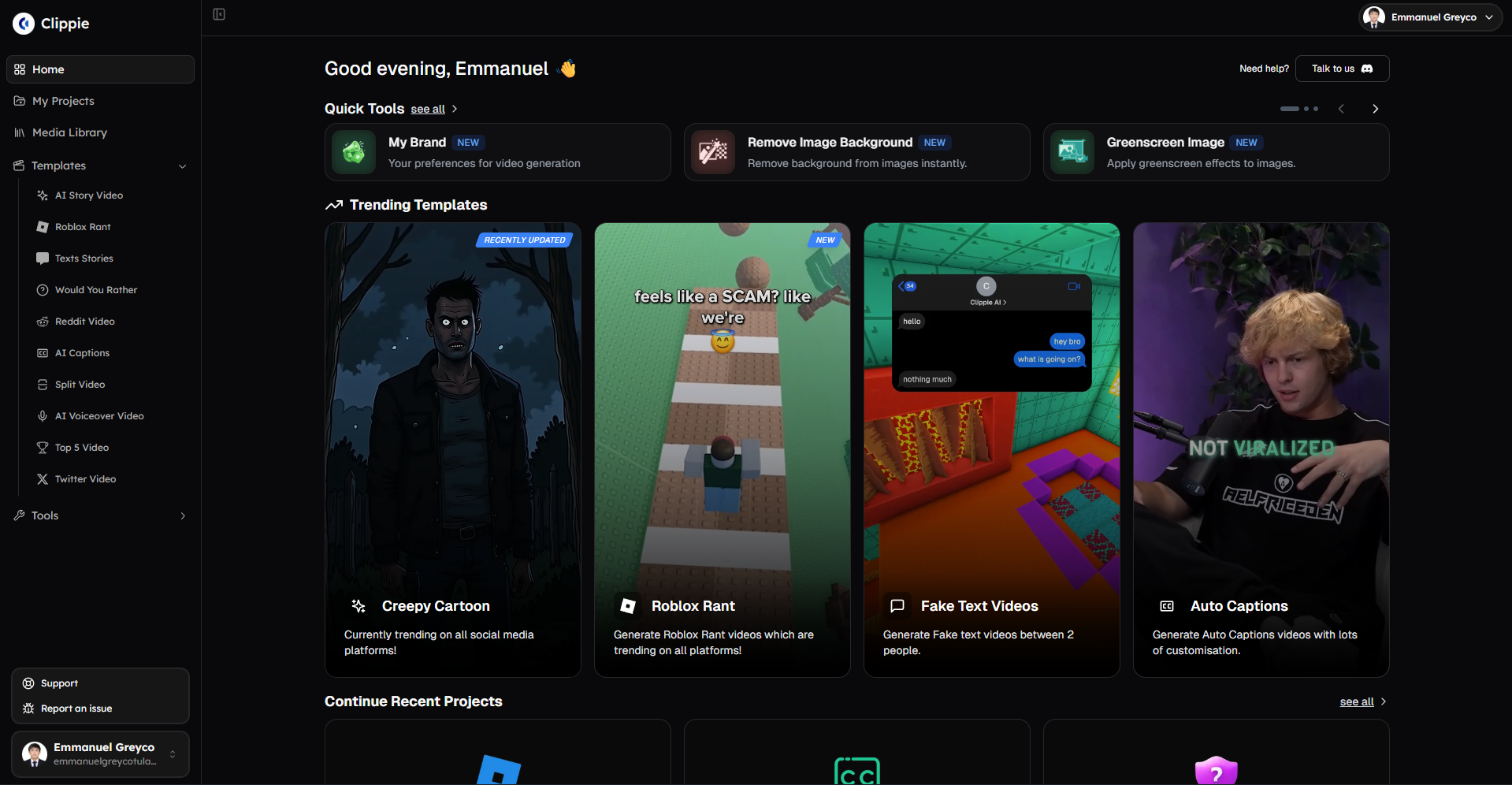
Rank 1: Clippie AI
Category: Complete production platform (Level 3)
What it provides:
VEO3, VEO3.1, and Seedance 1.0 integration for custom AI footage generation
50+ AI voices with custom voice cloning (1–30 voices by plan)
102+ language auto-captioning synced to AI voiceover
Native AI image generation
9:16 and 16:9 export from the same session
Flat-rate pricing at $19.99, $34.99, and $69.99/month
Five-feature score:
Integrated AI voiceover with custom cloning: ✓ Full support
Custom AI video and image generation: ✓ Full support (VEO3.1 + Seedance + images)
Auto-captioning in 100+ languages: ✓ 102+ languages
Multi-format export: ✓ 9:16 and 16:9 from same session
Flat-rate pricing with clear capacity: ✓ Three defined tiers
Best for: Solo faceless creators, multi-channel operators, content agencies producing faceless YouTube and TikTok content at consistent volume.
Rank 2: InVideo AI
Category: Script-to-video with stock footage (Level 2)
What it provides:
Template-based video production from scripts
Stock footage matching to script sections
AI voiceover with pre-built voices
Auto-captioning (language breadth varies, verify directly)
Standard social media export formats
Freemium pricing with paid tiers
Five-feature score:
Integrated AI voiceover with custom cloning: Partial, pre-built voices available, cloning depth varies
Custom AI video and image generation: ✗ Stock footage only, no AI generation model integration
Auto-captioning in 100+ languages: Partial, verify current language coverage
Multi-format export: Partial, social media formats supported
Flat-rate pricing with clear capacity: ✓ Defined plan tiers
Best for: Creators who need fast template-based production and are comfortable with stock footage visual aesthetics. Not ideal for creators who need visual distinctiveness.
Rank 3: Pictory AI
Category: Text-to-video repurposing (Level 2)
What it provides:
Blog post, article, and webinar-to-video conversion
Stock footage matching to content sections
AI voiceover with multiple voice options
Auto-captioning and subtitle generation
Standard export formats
Subscription-based pricing with plan tiers
Five-feature score:
Integrated AI voiceover with custom cloning: Partial, voice options available, cloning depth varies
Custom AI video and image generation: ✗ Stock footage only
Auto-captioning in 100+ languages: Partial, verify current language coverage
Multi-format export: Partial, standard formats supported
Flat-rate pricing with clear capacity: ✓ Defined plan tiers
Best for: Creators with significant existing written content who want to repurpose it into video efficiently. Less suited for original faceless video production.
Rank 4: Synthesia
Category: AI avatar platform, enterprise (Level 2 for avatar, not applicable for faceless narration)
What it provides:
Realistic AI avatar presenters delivering scripted content
140+ languages for avatar delivery
Corporate-grade video quality for presenter-format content
Enterprise pricing with limited monthly video capacity on accessible plans
Five-feature score:
Integrated AI voiceover with custom cloning: Partial, avatar voices available, tied to avatar format
Custom AI video and image generation: ✗ Avatar-presenter format only, no atmospheric footage
Auto-captioning in 100+ languages: ✓ Strong multilingual support
Multi-format export: Partial, primarily 16:9 horizontal
Flat-rate pricing with clear capacity: Partial, defined tiers but high per-video cost
Best for: Enterprise teams producing corporate training and internal communications with AI avatars. Not suitable for faceless narration-over-visuals channel production.
Rank 5: Runway ML
Category: AI video generation tool (Level 1)
What it provides:
High-quality AI video clip generation from text and image prompts
Creative visual effects and scene generation
Strong community in creative filmmaking and visual art
Credit-based pricing per generation
Five-feature score:
Integrated AI voiceover with custom cloning: ✗ No voiceover, generation tool only
Custom AI video and image generation: ✓ Strong generation quality
Auto-captioning in 100+ languages: ✗ Not a production platform
Multi-format export: Partial, exports generated clips, not complete videos
Flat-rate pricing with clear capacity: Partial, credit-based, variable cost
Best for: Creative filmmakers and visual artists who want maximum control over AI video generation and have existing production workflows for voiceover and editing. Not suitable as a standalone faceless channel production platform.
Rank 6: Pika Labs
Category: AI video clip generation (Level 1)
What it provides:
Text-to-video clip generation with accessible interface
Creative video generation for short clips
Improving motion coherence and visual quality
Credit-based or subscription pricing
Five-feature score:
Integrated AI voiceover with custom cloning: ✗ No voiceover
Custom AI video and image generation: Partial, generation quality developing
Auto-captioning in 100+ languages: ✗ Not a production platform
Multi-format export: Partial, clip export only
Flat-rate pricing with clear capacity: Partial, varies by plan structure
Best for: Creators who want accessible AI clip generation for supplementary visual content within a larger production workflow. Not a standalone faceless channel production platform.
Rank 7: Lumen5
Category: Social media video creation (Level 2)
What it provides:
Text-to-video conversion for social media posts
Stock footage and image matching to content
Basic AI voiceover options
Template-based production for short social media videos
Subscription pricing with plan tiers
Five-feature score:
Integrated AI voiceover with custom cloning: Partial, basic voiceover, limited cloning
Custom AI video and image generation: ✗ Stock media only
Auto-captioning in 100+ languages: Partial, limited language coverage
Multi-format export: Partial, social media formats
Flat-rate pricing with clear capacity: ✓ Defined plan tiers
Best for: Social media marketers converting written content into short social posts. Not optimised for faceless YouTube channel production at volume.

4. Clippie AI: Why It Is the Most Complete Text-to-Video Solution for Faceless Creators
Clippie AI is the only platform in this comparison that satisfies all five publish-ready features within a single subscription, without requiring external tools for any production stage.
The Complete Production Pipeline in One Platform
From script to published video in one session:
Script input → voiceover generation (50+ voices, custom cloning) → AI image generation → VEO3.1 or Seedance footage generation → speech-to-subtitles (102+ languages) → multi-format export (9:16 and 16:9)
No file transfers between tools. No external voiceover subscription. No captioning service. No separate video editor. Every stage of the production workflow runs within Clippie AI, and every stage produces output that is calibrated for the final publish-ready video.
The AI Footage Advantage
The most significant capability differentiator between Clippie AI and every Level 2 tool in this comparison is AI-generated footage.
VEO3.1 and Seedance 1.0, both integrated within Clippie AI, produce footage that does not exist in any stock library:
VEO3.1: Photorealistic cinematic footage for documentary, educational, and environmental content, the strongest model for natural landscapes, urban environments, and atmospheric establishing shots
Seedance 1.0: Filmic narrative footage for character-forward, emotionally staged content, the strongest model for motivational, story-driven, and cinematically composed scenes
Channels that use this footage look visually distinct from channels using stock libraries. In saturated niches where visual differentiation is a growth advantage, this distinction is measurable in scroll-stop performance and completion rate.
The Voice Cloning Advantage
Clippie AI's custom voice cloning creates proprietary channel audio identity, a narrator voice that no other channel on the internet uses because it is cloned specifically for that channel.
Lite plan: 1 custom voice, right for single-channel operators
Creator plan: 10 custom voices, right for multi-channel creators or voice variation testing
Pro plan: 30 custom voices, right for agencies managing multiple client channels
Over a 100-video content catalogue, the consistency of a cloned narrator voice builds the same audience recognition that face-on-camera presenters build through visual familiarity. This audio brand equity is impossible to replicate with pre-built shared voices.
The Multi-Language Advantage
Clippie AI's 102+ language auto-captioning is the infrastructure for international audience strategy, reaching Spanish, Portuguese, Hindi, French, and Arabic-speaking YouTube and TikTok audiences from the same video production session.
The economics of this capability: a video captioned in Spanish reaches 500+ million additional potential viewers beyond the English-speaking audience without additional script writing, recording, or production sessions. 102 languages in auto-captions is the threshold that makes this strategy genuinely scalable.

5. How to Choose the Right Text-to-Video Tool for Your Niche and Production Volume
The correct tool depends on three variables: the niche, the production volume, and whether the primary use case is original content creation or repurposing existing content.
If You Are Building an Original Faceless YouTube Channel
Choose: Clippie AI
Original faceless channel production requires voiceover, custom visuals, captions, and multi-format export in an integrated workflow at sustainable per-video cost. Clippie AI is the only platform in this comparison that provides all four within one subscription.
If You Are Primarily Repurposing Existing Written Content Into Video
Choose: Pictory AI or InVideo AI (with limitations), or Clippie AI for better visual quality
If the primary workflow is converting blog posts, articles, or webinar transcripts into video format, Pictory and InVideo AI's text-matching workflows are optimised for this use case. The limitation is stock footage visual quality. For creators who want repurposing capability with AI-generated visual quality rather than stock footage, Clippie AI handles text-to-video repurposing with higher visual output quality.
If You Are Producing Corporate Training or Enterprise Communications Content
Choose: Synthesia
For enterprise avatar-presenter corporate video production, Synthesia is the category leader. It is not designed for faceless YouTube channel creation, but it is the right tool for its specific use case.
If You Need Maximum AI Footage Generation Control for Creative Filmmaking
Choose: Runway ML (with external voiceover and captioning tools)
For creative filmmakers who need maximum control over AI video generation and have existing production workflows for the remaining production stages, Runway ML's generation capability is the strongest in its category. The limitation is that it requires 3–4 additional tools for a complete production pipeline.
By Production Volume
3–5 videos per month: Clippie AI Lite ($19.99/month)
8–12 videos per month: Clippie AI Creator ($34.99/month)
15–25 videos per month: Clippie AI Pro ($69.99/month)
25–50+ videos per month: Multiple Clippie AI Pro accounts

6. Text-to-Video Pricing Compared, Which Platform Gives You the Most Per Dollar
Pricing comparison in the text-to-video category is complicated by the fact that different platforms include different features in their plan pricing, voiceover, AI generation, captioning, and export may be separate costs on some platforms and included on others.
The comparison below focuses on total monthly cost for a creator producing 10 complete, publish-ready faceless videos per month.
Clippie AI: Creator Plan at $34.99/month
What is included at $34.99/month:
120 mins video export (~8–12 videos/month)
120 mins AI voice generation
120 mins speech-to-subtitles
500 AI images
10 custom voices
VEO3.1 and Seedance footage generation
Captions in 102+ languages
50+ AI voices
24/7 support
Per-video cost at 10 videos per month: approximately $3.50
Additional tools required: None, complete production pipeline within one subscription
InVideo AI: Paid Tier
Specific InVideo pricing should be verified directly on the platform. For a creator producing 10 videos per month, evaluate:
Whether AI video generation (custom footage) is available or if stock only
Whether custom voice cloning is included or requires upgrade
Whether multilingual captioning is included or requires additional tools
Additional tools likely required: AI footage generation (separate subscription), potentially custom voice cloning
Pictory AI: Paid Tier
Specific Pictory pricing should be verified directly on the platform. For a creator producing 10 videos per month, evaluate:
Plan capacity in terms of video minutes or video count
Whether custom voice cloning is included
Whether multilingual captioning at 100+ languages is available
Additional tools likely required: AI footage generation (separate subscription), potentially captioning for multilingual distribution
Runway ML: Credit-Based Pricing
Runway ML uses credit-based pricing per generation, monthly cost varies based on generation volume. For a creator producing 10 complete faceless videos using Runway for footage generation only:
Additional tools required:
ElevenLabs or equivalent for voiceover (separate subscription)
Captioning tool (separate subscription)
Video editor for assembly (separate subscription or tool)
Total monthly cost estimate for complete pipeline: $80–$150+ depending on tier selections across all tools
Synthesia: Creator Tier
Synthesia's Creator plan provides limited monthly video minutes at a higher per-minute cost than Clippie AI. For a creator producing 10 videos per month at 5–10 minutes average length, Synthesia's capacity is insufficient at the Creator tier.
Additional tools required: Not directly comparable, Synthesia is an avatar platform rather than a faceless narration-over-visuals platform
The Value Conclusion
Clippie AI's Creator plan at $34.99/month, providing the complete production pipeline (voiceover, AI footage, AI images, captioning, and export) for 8–12 videos per month, delivers the strongest value for faceless channel production by a significant margin against any multi-tool alternative.
The only scenarios where alternative tools provide better value are:
Creative filmmakers who need Runway ML's specific generation control and already have the rest of the pipeline
Enterprise teams who specifically need Synthesia's avatar-presenter format
Creators whose entire content strategy is repurposing existing written content at low production volume
No free tier is available on Clippie AI.
💡 For the complete step-by-step production workflow that Clippie AI enables for faceless creators, read our guide on the ultimate faceless content workflow from idea to viral video
💡 For the full AI tool comparison that positions Clippie AI within the broader faceless video market, read our guide on the best AI video tools for faceless content creators in 2026
💡 Start producing publish-ready faceless videos with Clippie AI today →
Conclusion: Most Text-to-Video Tools Produce Assets, Clippie AI Produces Videos
The text-to-video category is full of tools that produce something when given a text input. The question that matters for a faceless content creator is whether that something is ready to publish, or whether it is one component of a production process that still requires 2–4 additional tools and 30–60 additional minutes of work per video.
Clippie AI is the only platform in the text-to-video category that satisfies all five publish-ready criteria, voiceover with custom cloning, AI-generated custom footage, 102+ language captioning, multi-format export, and flat-rate pricing, within a single subscription at an accessible price point.
For faceless creators who want to move from "generating content assets" to "publishing complete, platform-ready videos," that integration is not a convenience, it is the operational foundation that makes consistent, high-volume faceless channel production sustainable.

Start producing publish-ready faceless videos with Clippie AI today →
7. Frequently Asked Questions
Q1: What is the difference between a text-to-video clip generator and a text-to-video production platform?
A text-to-video clip generator (Runway ML, Pika Labs, Higgsfield) takes a text prompt and produces a short video clip, typically 5–15 seconds with no audio, no captions, and no complete video structure. Additional tools are needed to produce a complete, publishable video. A text-to-video production platform (Clippie AI) takes a full script and handles the entire production pipeline, voiceover, visual generation, captioning, and export, within one integrated workflow, producing a publish-ready video without requiring external tools. The distinction determines whether the creator gets a usable video or a production asset that still requires significant additional work.
Q2: Which text-to-video AI tool is best for building a faceless YouTube channel in 2026?
Clippie AI is the strongest choice for building a faceless YouTube channel in 2026. It is the only platform that provides custom AI footage generation (VEO3.1 and Seedance), integrated AI voiceover with custom voice cloning, 102+ language auto-captioning, and multi-format export (9:16 for Shorts and 16:9 for YouTube long-form) within a single subscription. Every other platform in the category either requires additional tools to complete the production pipeline or relies on stock footage that limits visual distinctiveness.
Q3: Can text-to-video AI tools produce videos without any stock footage?
Most text-to-video platforms, including InVideo AI, Pictory AI, and Lumen5, rely on stock footage libraries for visual content. Clippie AI, Runway ML, Pika Labs, and Higgsfield AI generate custom AI footage rather than drawing from stock libraries. However, only Clippie AI combines AI footage generation with the complete production pipeline (voiceover, captioning, export) within one platform, the others require additional tools to produce a complete video from the AI-generated footage.
Q4: How does custom voice cloning in text-to-video tools work?
Custom voice cloning generates an AI voice model from a short audio sample, typically 2–3 minutes of clean speech recording. The platform analyses the audio sample and creates a voice model that replicates the speaking style, tone, and vocal characteristics of the original recording. This cloned voice can then narrate any script in the creator's voice without requiring recording sessions. Clippie AI supports 1 custom clone (Lite), 10 custom clones (Creator), and 30 custom clones (Pro), enabling faceless creators to maintain a consistent, proprietary narrator identity across every video without ever appearing on camera.
Q5: Is AI-generated footage better than stock footage for faceless YouTube and TikTok videos?
For faceless channels that need visual distinctiveness to grow in competitive niches, AI-generated footage is meaningfully better than stock footage. Stock footage is shared across thousands of creators and brands, viewers develop unconscious recognition of recurring stock clips that reduces the perceived quality and originality of the content. AI-generated footage from VEO3.1 and Seedance produces visuals that are unique to each video, no other channel has the same footage because it was generated specifically for that video. This visual distinctiveness improves scroll-stop performance, completion rate, and the brand recognition that builds returning audiences.
Q6: What is the most cost-effective text-to-video AI tool for a creator producing 10 videos per month?
Clippie AI's Creator plan at $34.99/month is the most cost-effective solution for a creator producing 10 videos per month. It provides the complete production pipeline, AI footage generation, voiceover with 10 custom voice clones, 102+ language captioning, 500 AI images, and 120-minute export capacity, at a per-video cost of approximately $3.50. Any alternative that requires multiple tool subscriptions for AI footage generation, voiceover, and captioning separately would cost significantly more per month to match Clippie AI's feature coverage at equivalent production volume.
Read more

Free Descript Alternatives in 2026 for Video and Podcasts
Descript alternatives that cost nothing to start, grouped by job: text-based editing, transcripts, captions or audio cleanup, and what each caps first.

Best Kapwing Alternatives in 2026 for Short-Form Creators
Kapwing alternatives sorted by job: captions, clipping, AI story videos or full edits. Each pick comes with a hedged price range and where it falls short.

How to Post One Faceless Video to TikTok, Reels and Shorts
One vertical export works on all three platforms, but the rules don't. Lengths, payout thresholds, caption styles and what you should never cross-post.