
Best Kapwing Alternatives in 2026 for Short-Form Creators
Kapwing alternatives sorted by job: captions, clipping, AI story videos or full edits. Each pick comes with a hedged price range and where it falls short.

If you searched for Kapwing alternatives, you most likely hit one of the free plan's limits or found the paid plan more than you need. This guide answers that search directly. It compares six alternatives by the job each does best: captions, clipping, recorded-audio editing, design-led posts and template-based faceless videos. That matters right now because these tools have re-priced around AI credits and media hours over the past year. The cheapest editor on paper is often the wrong one for the videos you actually publish.
Executive summary: This post is for short-form and faceless creators who use Kapwing today, or who are comparing it with other browser and mobile editors. It explains why creators look elsewhere, how the six picks were chosen, and what each one does better or worse than Kapwing, using prices published in October 2026. By the end, you will know which tool fits your workflow and when staying on Kapwing is the better call.
Table of Contents
Why Creators Look for a Kapwing Alternative
How We Chose These Kapwing Alternatives
Alternative #1: CapCut
Alternative #2: VEED
Alternative #3: Descript
Alternative #4: Canva
Alternative #5: Clipchamp
Alternative #6: Clippie AI
Which Kapwing Alternative Fits Your Workflow
FAQs
What to Do Next

Why Creators Look for a Kapwing Alternative
Most creators look for a Kapwing alternative because of the free plan's limits: exports carry a watermark, top out at 720p and four minutes, and projects are deleted after three days. Others find the paid plan's per-member, credit-based pricing more than they need for simple short-form edits.
What Kapwing is: a browser-based video platform. Its main tools include a video editor, auto subtitles, translation, text to speech and dubbing, Smart Cut and Repurpose Studio.
Why the limits matter: a watermark and a 720p ceiling are hard to post on Shorts, TikTok or Reels. The free plan also caps uploads at 250MB.
What paid costs: Kapwing Pro is listed at $24 a month, or $16 a month billed annually. It adds 4K exports, exports up to 120 minutes, 200 GB of storage and up to 1,000 auto-subtitling minutes a month.
When to stay on Kapwing: if your team edits together in the browser and uses subtitles and dubbing every week, Pro may still be the right fit. The alternatives below win when you need a different job done.

How We Chose These Kapwing Alternatives
We chose these Kapwing alternatives by comparing each tool's published plans and features as of October 2026. Each pick had to beat Kapwing at one specific short-form job, such as free exports, captions, recorded-audio editing or faceless templates. We compared listed plans and features; we did not run lab tests.
The criteria we used:
Cheapest usable export: the resolution and watermark on the free or entry plan.
Captions: whether auto captions are included and on which plan.
Pricing clarity: whether the price is published or varies by region.
Short-form fit: vertical output and speed from idea to finished clip.
Honest weak spot: every pick below says where it falls short.
Prices change often, so treat every figure here as a range to confirm at checkout.

Alternative #1: CapCut
CapCut is the strongest Kapwing alternative for mobile-first creators who edit trend-driven short-form clips. It runs on phones, desktop and the web, and is still available in US app stores in 2026. Its weak spot is pricing: Pro costs vary by region and platform.
What it is: a full editor built around mobile, with templates, effects and auto captions.
Why it matters: if you film or assemble clips on your phone, CapCut keeps the whole edit there. Kapwing is built around the browser.
Availability in 2026: CapCut was removed from US app stores in January 2025 and restored on February 13, 2025. Since January 22, 2026, the US version has been operated by TikTok USDS Joint Venture LLC.
Pricing:
Free: basic editing, with premium effects and AI features gated behind upgrade prompts.
Pro: roughly $8–20 a month, depending on region, platform and billing period. Confirm the price at checkout.
Where it falls short: the regional pricing makes it hard to compare costs, and many of the AI features that matter most sit behind Pro.

Alternative #2: VEED
VEED is the closest like-for-like Kapwing alternative: another browser-based editor with auto subtitles, subtitle translation and AI tools. Its entry paid plan starts lower than Kapwing Pro, but its free plan has the same core problem as Kapwing's: a watermark on every export.
What it is: a browser editor aimed at marketers and creators, with auto subtitles, subtitle translation and AI avatars.
Why it matters: if you like working in the browser but want a cheaper entry tier, VEED is the most direct swap.
Pricing (hedged):
Free: watermarked exports at 720p.
Entry plan: around $9–12 a month. VEED's tier names differ between recent listings, so check the live pricing page.
Pro: about $24 per user a month.
Where it falls short: the free plan is no better than Kapwing's for posting, and the plan line-up has changed often enough that comparing tiers takes care. For a deeper look at the options in this category, see our guide to VEED alternatives for faceless creators.

Alternative #3: Descript
Descript is the best Kapwing alternative for editing recorded speech, such as voiceovers, podcasts and talking clips. You edit the video by editing its transcript. It is less suited to faceless short-form built from templates, and its free plan is watermarked at 720p.
What it is: a text-based editor. You cut words from the transcript and the video cuts with them.
Why it matters: for narrated videos, deleting a sentence in text is faster than scrubbing a timeline. All plans include transcription in 25 languages.
Pricing:
Free: one media hour a month, 720p exports with a watermark.
Hobbyist: $24 a month, or $16 a month billed annually. Includes 1080p and 10 media hours.
Creator: $35 a month, or $24 a month billed annually. Includes 4K and 30 media hours.
Where it falls short: media hours are counted per editor each month, and the editor is built around recorded audio. If your videos start from a script rather than a recording, it adds steps.

Alternative #4: Canva
Canva is the best Kapwing alternative for creators whose videos are design-led: branded text posts, slideshows and simple vertical edits. Its video editor sits inside the same tool you use for thumbnails and graphics. Pro is listed at US$144 a year for one person.
What it is: a design platform with a built-in video editor, background removal and AI tools.
Why it matters: keeping thumbnails, carousels and short videos in one tool saves time when branding matters more than complex edits.
Pricing:
Free: 5GB of storage and up to 20 AI uses.
Pro: US$144 a year for one person, with 100GB of storage. Beat Sync becomes automatic instead of manual.
Where it falls short (our assessment): Canva is a design tool first. For long caption-heavy edits or multi-track timelines, a dedicated editor is quicker.

Alternative #5: Clipchamp
Clipchamp is the best free Kapwing alternative for clean exports. Microsoft's editor exports at up to 1080p on its free plan with no watermark, and includes AI subtitles. Premium, with 4K exports, is included in Microsoft 365 Personal and Family subscriptions.
What it is: Microsoft's video editor, with royalty-free stock assets and AI editing tools.
Why it matters: this solves the two problems that send most creators away from Kapwing's free plan: the watermark and the 720p limit.
Pricing:
Free: 1080p exports, no watermark, free stock assets and AI subtitles. Sign in with a personal Microsoft account.
Premium: 4K exports, premium stock and a brand kit for a single brand. Included with Microsoft 365 Personal and Family.
Where it falls short (our assessment): it is a general-purpose editor. Producing faceless videos at volume still means assembling each one by hand.
Alternative #6: Clippie AI
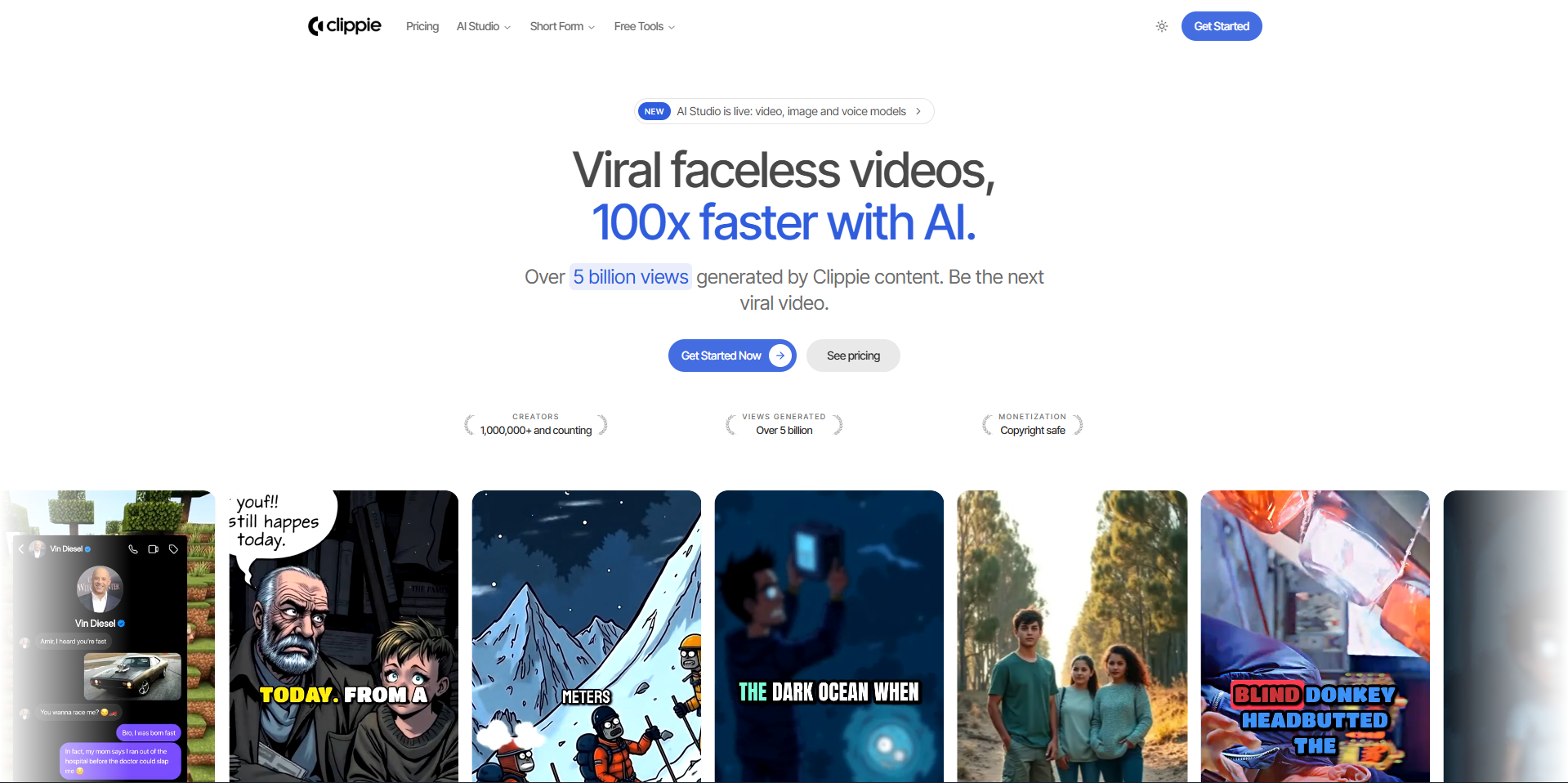
Clippie AI is the Kapwing alternative for faceless creators who want a finished short from a script or a Reddit post rather than a timeline to edit. It generates template-based videos with AI voices and captions. It is not a general editor for raw footage.
What it is: a faceless short-form generator. Its templates cover Reddit stories, fake text stories, AI story videos, split-screen, Top 5 rankings, Would You Rather videos, captions and voiceovers.
Why it matters: for faceless channels, the slow part is assembling the voice, background and captions for every video. A template turns that into one step. This short walkthrough shows the AI story video workflow from script to export.
Pricing:
Lite: $19.99 a month, with 30 minutes of video export, AI voice and speech-to-subtitles.
Creator: $34.99 a month, with 120 minutes of each.
Pro: $69.99 a month, with 250 minutes of each.
All plans include captions in 102+ languages and 50+ AI voices. If captioning existing clips is your main job, start with the auto captions video generator.
Where it falls short: it does not replace a timeline editor for raw footage, and export minutes are capped by plan.

Which Kapwing Alternative Fits Your Workflow
The right Kapwing alternative depends on the job you repeat most. Clipchamp suits free, watermark-free exports. CapCut suits mobile trend edits. Descript suits recorded speech. Canva suits branded posts. Clippie AI suits template-based faceless shorts. Kapwing still suits browser teams.
Pick by job:
Captioning clips you already have: Clipchamp, if you want 1080p with no watermark at no cost. Kapwing or VEED, if you need high subtitle volume on a paid plan.
Editing on your phone: CapCut.
Editing voiceovers, podcasts or talking clips: Descript.
Branded slideshows and text posts: Canva.
Faceless shorts from a script or Reddit post: Clippie AI. Formats such as rankings work the same way; see how a Top 5 ranking video is built.
Team editing in the browser: staying on Kapwing is reasonable.
Example: a faceless channel posting daily Reddit story shorts will spend most of its time assembling voice, background and captions. A generator saves that time. A podcaster cutting clips from long episodes saves more with Descript's transcript editing.
To compare tools across scripting, voice and video, see our guide to the best AI video tools for faceless content.
FAQs
Is Kapwing free?
Yes, Kapwing has a free plan, but it is limited. Exports are capped at four minutes and 720p, and they carry a Kapwing watermark. Uploads are limited to 250MB, and projects are deleted after three days. Pro removes the watermark and is listed at $24 a month, or $16 a month billed annually.
Is there a free Kapwing alternative without a watermark?
Yes. Clipchamp's free plan exports at up to 1080p with no watermark and includes AI subtitles. You only need a personal Microsoft account. Its Premium tier adds 4K exports and is included with Microsoft 365 Personal and Family subscriptions. VEED and Descript also have free plans, but both add a watermark.
Is CapCut better than Kapwing?
CapCut is better for mobile-first editing and trend-driven short-form clips. Kapwing is better for collaborative editing in a browser. Neither is better for everyone. If you edit alone on your phone, CapCut usually fits. If several people work on the same project, Kapwing's shared browser workspace is the stronger choice.
Is CapCut still available in the US in 2026?
Yes. CapCut is available in the US App Store and Google Play as of September 2026. It was removed from US stores in January 2025 and restored on February 13, 2025. Since January 22, 2026, the US version has been operated by TikTok USDS Joint Venture LLC.
Which Kapwing alternative is best for auto captions?
For captions at no cost, Clipchamp is the strongest pick: its free plan includes AI subtitles and exports at 1080p without a watermark. For heavy subtitle volume, Kapwing Pro and VEED's paid plans are built for it. For spoken content, Descript transcribes in 25 languages on every plan, including its free one.
Is Kapwing Pro worth paying for?
Kapwing Pro is worth it if you use its subtitles, dubbing and shared workspace every week. It costs $24 a month, or $16 a month billed annually, and adds 4K, 120-minute exports and up to 1,000 subtitling minutes. If you only need watermark-free short exports, Clipchamp's free plan may be enough.
What to Do Next
List the job you repeat most: captions, phone edits, recorded speech, branded posts or faceless shorts.
Test one free plan against a real video: export the same 30-second clip from Clipchamp, CapCut and Kapwing, and compare quality and watermarks.
Check prices at checkout: CapCut and VEED pricing varies by region and changes often.
Move one format first: if you run a faceless channel, rebuild one recurring format in a template tool before you switch your whole workflow.
Keep Kapwing if your team depends on it: shared browser editing is the one area where it still leads this list.
Read more

Free Descript Alternatives in 2026 for Video and Podcasts
Descript alternatives that cost nothing to start, grouped by job: text-based editing, transcripts, captions or audio cleanup, and what each caps first.

How to Post One Faceless Video to TikTok, Reels and Shorts
One vertical export works on all three platforms, but the rules don't. Lengths, payout thresholds, caption styles and what you should never cross-post.

Best AI Tools for Faceless YouTube Channels in 2026
A faceless YouTube channel needs one good tool per stage, not thirty. Research, scripting, voice, video and thumbnail picks, plus three stacks by budget