
How to Start Video Editing in 2026
Start video editing in 2026: In-demand skills, high-paying editing styles, AI-powered beginner workflows, landing first clients, scaling output with Clippie AI for sustainable income.
If you're searching for how to start video editing in 2026, you're entering a transformed landscape where traditional editing mastery (spending 200-500 hours learning Adobe Premiere complex features, manually keyframing every animation, color grading frame-by-frame across 20-minute timelines) has been superseded by AI-assisted efficiency (Clippie AI auto-removing silence and filler words, intelligent B-roll matching syncing stock footage to narration, one-click caption generation eliminating 40-minute manual transcription), market demand shifted from long-form cinematic projects to high-volume short-form content (TikTok creators needing 20-30 monthly edits vs. occasional YouTube vlogger needing 4 monthly), and income opportunities evolved from project-based freelancing ($50-$500 per video requiring 3-8 hours each) to systematic content production (editing services charging $1,500-$5,000 monthly retainers processing 15-25 videos through template-based workflows). This comprehensive guide identifies actually-demanded editing skills in 2026 (short-form pacing expertise commanding premium rates, faceless content assembly requiring 60% less time than personality vlogs, retention optimization through psychological hook placement valued above technical color science), ranks editing styles by income potential and market demand (educational tutorials paying $75-$200 per video with consistent client demand, YouTube Shorts edits averaging $25-$75 but enabling 6-8 daily output, podcast clips commanding $40-$100 with recurring monthly contracts), provides beginner-friendly AI-powered workflows (Clippie AI reducing 4-hour manual edits to 45-minute assisted sessions enabling immediate client work without year-long skill development), delivers proven client acquisition strategies (portfolio building through spec work, Upwork optimization, direct creator outreach converting 15-30% vs. 2-5% generic applications), and offers systematic scaling frameworks (template libraries, batch processing, team delegation converting solo $3,000 monthly ceiling to managed $15,000-$50,000 agencies).
Executive Summary: Video editing in 2026 offers accessible entry through AI assistance, where beginners leveraging Clippie AI produce client-ready work within 2-4 weeks vs. traditional 6-12 month learning curves, focusing on high-demand short-form styles (30-90 second edits requiring retention optimization, pacing mastery, engagement hooks) generating $2,000-$8,000 monthly income within 3-6 months through volume-based pricing ($30-$75 per video × 15-25 monthly projects) or retainer models ($1,500-$3,000 monthly managing creator's content calendar). The competitive advantages of AI-native editors, producing professional results 60-85% faster than traditional methods enabling competitive pricing while maintaining healthy margins, specializing in scalable formats (templates, batch workflows, systematic approaches) vs. bespoke artisanal editing, building businesses rather than freelance careers through early team delegation and process documentation, create opportunities for $50,000-$150,000 annual income within 18-30 months despite entering with zero prior experience. Success requires rejecting outdated learning paths (mastering every Premiere Pro feature before taking clients, perfecting color grading for short-form content watched on phones, learning complex motion graphics for simple caption overlays) in favor of focused skill acquisition (retention-driving pacing, engagement hook placement, template-based efficiency, client communication, systematic delivery), with realistic expectations that first paid project comes within 3-8 weeks of focused practice, $1,000 monthly income achievable by month 3-4, and $3,000-$5,000 monthly sustainable by month 6-9 through consistent client acquisition and efficient delivery systems.
Table of Contents
What Video Editing Skills Are Actually In Demand in 2026
Choosing Editing Styles That Pay (Short Form, Faceless, Story Videos)
Beginner Workflow Using AI and Automation
How New Editors Get Their First Paid Projects
Scaling Editing Output Faster With Clippie
Frequently Asked Questions
1. What Video Editing Skills Are Actually In Demand in 2026
The Market Reality: Short-Form Dominance
The demand shift (2020-2026):
Traditional editing demand (declining):
Long-form cinematic projects (weddings, corporate videos, documentaries)
Highly produced YouTube videos (10-30 minute elaborate productions)
Complex motion graphics (After Effects intensive animations)
Why declining:
Oversupply: Film school graduates saturating market (20,000+ annually competing)
Budget compression: Businesses shifting budgets to short-form social content (higher ROI)
AI automation: Stock footage libraries, template markets reducing custom work demand
Current high-demand editing (growing):
Short-form content (TikTok, YouTube Shorts, Instagram Reels, 15-90 seconds)
High-volume content production (creators needing 15-30 edited videos monthly)
Faceless content (screen recordings, voiceover tutorials, B-roll compilations)
Retention-optimized editing (pacing, hooks, engagement maximization)
Why growing:
Creator economy explosion: 50M+ content creators globally (2026 estimate)
Platform monetization: YouTube Shorts, TikTok Creator Rewards paying creators (incentivizing volume)
Accessibility: Individual creators can't edit 20-30 videos monthly themselves (outsourcing necessity)
Market size comparison:
Traditional long-form editing (estimated 2026 market):
Total editors needed: ~50,000 globally (weddings, corporate, film)
Average project value: $500-$5,000
Projects per editor annually: 20-50
Average editor income: $25,000-$75,000 annually (highly competitive, geographic dependent)
Short-form content editing (estimated 2026 market):
Content creators needing editors: 5M+ (YouTube, TikTok, Instagram creators)
Average retainer: $1,500-$3,000 monthly (15-25 videos)
Editors per creator: 1 editor serves 2-5 creators (volume capacity with templates/AI)
Market capacity: 1M-2.5M editors (massive undersupply vs. demand)
Average editor income: $36,000-$96,000 annually (volume-based, scalable)
Strategic insight: Short-form editing = larger market, less competition, higher scalability
Essential Skills Ranked by Market Value
Tier 1: Critical skills (command premium rates, client demand):
Skill 1: Retention-driven pacing (highest value)
What it is:
Editing for maximum viewer retention (keeping viewers watching)
Techniques: Cutting dead air, scene changes every 2-3 seconds, strategic visual variety, music sync
Why it's valuable:
Direct revenue impact: Creators earn from views, higher retention = more watch time = more revenue
Algorithmic favor: Platforms promote high-retention videos (TikTok, YouTube prioritize completion rate)
Measurable results: Clients track retention metrics (can prove your editing improves their performance)
Market rates:
Beginner (learning): $30-$50 per short-form video
Intermediate (proven retention improvement): $75-$150 per video
Advanced (consistent 65%+ retention): $150-$300 per video or $3,000-$8,000 monthly retainers
How to learn:
Study viral videos in target niche (analyze pacing, scene change frequency, music sync)
Practice: Take 3-minute raw footage, edit to 60 seconds hitting key moments (no filler)
Timeline: 2-4 weeks deliberate practice (faster with AI assistance removing silence automatically)
Skill 2: Hook placement and optimization
What it is:
First 3 seconds determine if viewer continues watching (stopping scroll)
Editing techniques: Starting with most compelling moment, visual pattern interrupt, text overlay hooks
Why it's valuable:
Click-through rates: Better hooks = more views from impressions (directly impacts creator income)
A/B testing value: Editors who test multiple hook variations worth 2-3x standard rates
Competitive differentiator: Most editors don't understand hook psychology (niche expertise)
Market rates:
Standard editing: $40-$75 per video
With hook optimization + A/B testing: $100-$200 per video
How to learn:
Study successful hooks in niche (screen record first 3 seconds of 50+ viral videos)
Identify patterns (question hooks, bold claims, visual surprises, result previews)
Practice: Create 5-8 hook variations from same footage (test with client or own content)
Timeline: 3-6 weeks practice (understanding psychology + technical execution)
Skill 3: Template-based editing (efficiency multiplier)
What it is:
Creating reusable project templates (consistent intro animations, caption styles, color grades, music beds)
Enables: Editing 5-10 videos in time previously needed for 1 (systematic vs. bespoke approach)
Why it's valuable:
Scalability: Only way to serve multiple clients or high-volume single clients (can't manually edit 20-30 monthly without templates)
Consistency: Clients value brand consistency (every video looks professional, on-brand)
Profitability: Charge per-video rates while reducing time-per-video (margin expansion)
Market value:
Editors without templates: Limited to 15-20 videos monthly (income ceiling ~$1,500)
Editors with templates: Can handle 40-60 videos monthly (income ceiling ~$4,500)
Income multiplier: 3x (same hourly rate, triple output)
How to learn:
Build template library: Create 5-10 reusable project files (different styles, niches)
Each template includes: Intro/outro animations, caption presets, color grade, music track, transition library
Practice: Edit 10 videos using template (refine for efficiency each iteration)
Timeline: 2-3 weeks building library (ongoing refinement)
Tier 2: Valuable skills (enhance offerings, increase rates):
Skill 4: Captions and subtitle styling
What it is:
Adding captions (text overlay of spoken words)
Styling for engagement (word-by-word animation, keyword emphasis, readable on mobile)
Why it's valuable:
Accessibility requirement: 85% watch short-form without sound (captions not optional)
Retention boost: Styled captions keep eyes on screen (20-40% retention improvement)
Time-intensive manually: Most creators hate captioning (willingly outsource)
Market rates:
AI auto-captions only: Included in base rate (Clippie AI, Descript handle automatically)
Custom styled captions: +$10-$30 per video (color coding, animations, emphasis)
How to learn:
Study caption styles (TikTok trending: word-by-word pop-in, keyword color change)
Master tools: Clippie AI auto-generates, you style and refine
Timeline: 1-2 weeks (technical skill, not creative, straightforward)
Skill 5: B-roll selection and syncing
What it is:
Adding supplementary footage (stock footage, screen recordings, product shots)
Syncing to narration/music (visual illustration of spoken content)
Why it's valuable:
Engagement: B-roll prevents visual monotony (talking head entire video = viewer boredom)
Professionalism: Separates amateur from professional edits (production value signal)
Time-consuming: Finding relevant stock footage, timing cuts, tedious without AI
Market rates:
Basic editing (no B-roll): $30-$60 per video
With B-roll integration: $60-$120 per video
How to learn:
Build stock footage library bookmarks (Pexels, Pixabay, Storyblocks, know where to find fast)
Practice matching: Edit voiceover, add B-roll illustrating every key point
Timeline: 2-4 weeks (combination of technical + creative judgment)
Tier 3: Optional skills (nice-to-have, not essential initially):
Skill 6: Color grading
Value: Minor for short-form (viewed on phones, often in bright sunlight, subtle grading invisible)
When it matters: High-end brand work, cinematic content (5% of short-form market)
Learning priority: Month 6+ (after mastering Tier 1-2 skills)
Skill 7: Advanced motion graphics
Value: Niche demand (animated logos, complex transitions)
When it matters: Brand videos, explainer animations (specialized market)
Learning priority: Optional specialization (not beginner focus)
Skill 8: Sound design and mixing
Value: Moderate (important for quality, but most use royalty-free music tracks as-is)
When it matters: Podcast editing, ASMR content, high-production narrative
Learning priority: Month 3-4 (basics sufficient initially)
Strategic skill acquisition roadmap:
Weeks 1-4: Foundation (Tier 1 skills)
Retention pacing (cut dead air, scene variety, music sync)
Hook placement (first 3 seconds optimization)
Basic template creation (reusable project structure)
Deliverable: Can edit short-form video maintaining 60%+ retention
Weeks 5-8: Enhancement (Tier 2 skills)
Caption styling (readable, engaging, brand-consistent)
B-roll integration (stock footage, visual variety)
Template library expansion (5-10 style variations)
Deliverable: Professional-quality edits ready for client work
Weeks 9-12: Specialization (client-specific)
Niche expertise (finance editing vs. fitness editing, different pacing, styles)
Advanced retention techniques (A/B testing, data-driven optimization)
Workflow automation (batch processing, keyboard shortcuts, scripts)
Deliverable: Efficient enough to handle 15-20 monthly client videos
Month 4+: Scaling (business skills)
Client communication (feedback loops, revision processes)
Project management (delivery schedules, file organization)
Team delegation (training junior editors, quality control)

2. Choosing Editing Styles That Pay (Short Form, Faceless, Story Videos)
Style 1: Educational Short-Form Tutorials ($75-$200 per video)
Format characteristics:
Length: 30-90 seconds
Content: How-to, tips, step-by-step instructions
Platforms: YouTube Shorts, TikTok, Instagram Reels
Visuals: Screen recordings, demonstrations, before/after, step-by-step
Why it pays well:
High client value: Educational creators monetize well (high CPMs, affiliate income, product sales)
Volume demand: Educational channels post 15-25 monthly (consistent editing need)
Retention critical: Viewer must watch entire tutorial to learn (editors who optimize retention valued highly)
Editing requirements:
Technical:
Screen recording editing (cutting to relevant portions, zooming on important actions)
Caption accuracy (educational content must be precise, no transcription errors)
Step numbering (clear visual indicators: "Step 1," "Step 2," etc.)
B-roll integration (stock footage illustrating concepts)
Creative:
Retention pacing (information density, new point every 5-8 seconds)
Visual hierarchy (text overlays highlighting key information)
Engagement hooks (starting with end result, creating curiosity gap)
Client profiles:
Productivity educators (Notion tutorials, time management, workflow optimization)
Finance educators (budgeting tips, investing basics, money-saving hacks)
Tech tutorials (software features, troubleshooting, app walkthroughs)
Skill development (language learning, coding, design fundamentals)
Pricing structure:
Per-video rates:
Beginner editor: $40-$75 per 60-second tutorial
Intermediate (proven retention): $75-$150 per video
Advanced (client growth attributed to edits): $150-$250 per video
Retainer pricing (15-25 videos monthly):
Beginner package: $1,200-$1,500/month (15 videos)
Standard package: $2,000-$3,000/month (20 videos)
Premium package: $3,500-$5,000/month (25 videos + priority delivery)
Time investment:
Per video (with templates, AI assistance): 20-40 minutes
Monthly retainer (20 videos): 7-13 hours total (batch workflow efficiency)
Effective hourly rate: $154-$429/hour (premium package scenario)
Market demand:
Very high (educational content growing across platforms)
Competition: Moderate (requires specific skills, but learnable)
Style 2: Faceless Content Editing ($50-$150 per video)
Format characteristics:
Length: 30 seconds - 10 minutes
Content: Voiceover narratives, screen recordings, stock footage compilations, animated explainers
Platforms: YouTube (both long-form and Shorts), TikTok, Instagram
Visuals: No person on camera (B-roll, animations, text, stock footage)
Why it pays well:
High volume: Faceless channels often post 20-40 monthly (systematic production)
Scalable client base: Faceless creators often build multiple channels (more editing work)
Lower revision rates: No appearance concerns (fewer client revision requests)
Editing requirements:
Technical:
Voiceover sync (narration perfectly timed to visuals)
B-roll library management (organizing stock footage for quick access)
Motion graphics basics (animated text, simple graphics, lower thirds)
Audio cleanup (removing background noise, normalizing levels)
Creative:
Visual storytelling (conveying narrative without person on screen)
Pacing without face (maintaining engagement through visual variety alone)
Stock footage selection (finding relevant, high-quality, copyright-free footage)
Client profiles:
Documentary-style channels (historical stories, true crime, business case studies)
Meditation/ambience channels (nature sounds, sleep videos, focus music)
Educational explainers (animated concepts, science, philosophy)
Finance/investing channels (market analysis, wealth building, investing strategies)
Pricing structure:
Short-form faceless (60-90 seconds):
Beginner: $30-$60 per video
Intermediate: $60-$120 per video
Advanced: $120-$200 per video
Long-form faceless (8-15 minutes):
Beginner: $100-$200 per video
Intermediate: $200-$400 per video
Advanced: $400-$800 per video
Retainer pricing:
15 short-form monthly: $1,500-$2,500
10 long-form monthly: $3,000-$5,000
Hybrid (5 long + 10 short): $2,500-$4,000
Time investment:
Short-form (60 sec): 25-45 minutes with AI B-roll matching
Long-form (10 min): 2-4 hours with template workflow
Effective hourly rate: $60-$200/hour (depends on efficiency)
Market demand:
Very high (faceless content exploding on YouTube, TikTok)
Competition: Low-moderate (requires B-roll expertise, many editors avoid)
Style 3: Podcast Clips ($40-$100 per clip)
Format characteristics:
Length: 30-90 seconds (short clips) or 5-15 minutes (extended highlights)
Content: Extracting best moments from long-form podcasts
Platforms: TikTok, YouTube Shorts, Instagram Reels, LinkedIn
Visuals: Subtitled talking head, waveforms, b-roll overlays
Why it pays well:
Recurring revenue: Podcasters publish weekly (52 episodes annually = 52+ editing jobs)
Clip volume: Each episode generates 5-15 clips (multiplier effect)
Low complexity: Simpler than full video production (extract + caption + export)
Editing requirements:
Technical:
Clip identification (finding viral-worthy moments in 60-minute episodes)
Caption accuracy (spoken word transcription, formatting)
Aspect ratio conversion (16:9 to 9:16 for vertical platforms)
Audio enhancement (reducing background noise, boosting voice clarity)
Creative:
Hook selection (which 3 seconds pull viewers in)
Pacing (where to trim fat, maintain energy)
Visual interest (adding B-roll, graphics to talking head)
Client profiles:
Business podcasters (entrepreneurship, marketing, sales)
Health and wellness podcasts (fitness, nutrition, mental health)
True crime podcasts (storytelling, mystery, investigation)
Educational podcasts (interviews with experts, thought leaders)
Pricing structure:
Per-clip rates:
Short clips (60 seconds): $15-$40 per clip
Extended clips (5 minutes): $40-$100 per clip
Monthly retainer (podcast producing 4 episodes monthly, 40 total clips):
Basic package: $1,200-$1,600/month (40 short clips at $30-$40 each)
Premium package: $2,000-$3,000/month (clips + thumbnail design + upload scheduling)
Time investment:
Per clip (60 seconds): 12-20 minutes (AI identifies clips, you refine)
Monthly retainer (40 clips): 8-13 hours
Effective hourly rate: $92-$375/hour
Market demand:
High (podcast-to-social becoming standard practice)
Competition: Low (tedious work many editors avoid, but easy with AI clip detection)
Style 4: YouTube Shorts Editing ($25-$75 per video)
Format characteristics:
Length: 15-60 seconds
Content: Vertical videos optimized for YouTube Shorts algorithm
Platforms: YouTube Shorts (can cross-post to TikTok, Instagram)
Visuals: Varies widely (vlogs, tutorials, entertainment, challenges)
Why it's accessible:
High volume: YouTubers posting 5-7 Shorts weekly (20-30 monthly)
Simpler production: Shorter videos = less complexity (good for beginners)
Large market: Millions of YouTubers expanding into Shorts (growing demand)
Editing requirements:
Technical:
Retention optimization (YouTube prioritizes watch time, must keep viewers engaged)
Thumbnail creation (YouTube Shorts shows thumbnail, important for CTR)
SEO metadata (titles, descriptions optimized for YouTube search)
Creative:
Format variety (vlogs different from tutorials different from entertainment)
Hook strength (first 3 seconds critical for YouTube algorithm)
CTA placement (subscribe prompts, end screens)
Client profiles:
YouTubers expanding into Shorts (established channels diversifying)
New Shorts-first creators (focusing exclusively on short-form)
Brands using Shorts for marketing (product showcases, behind-scenes)
Pricing structure:
Per-video rates:
Beginner: $20-$40 per Short
Intermediate: $40-$75 per Short
Advanced: $75-$150 per Short (includes thumbnail, SEO optimization)
Retainer pricing (20-30 Shorts monthly):
Basic: $800-$1,200/month (20 Shorts)
Standard: $1,500-$2,250/month (30 Shorts)
Time investment:
Per Short (with AI): 15-30 minutes
Monthly (25 Shorts): 6.25-12.5 hours
Effective hourly rate: $64-$360/hour
Market demand:
Very high (YouTube Shorts massive platform push)
Competition: High (lower barrier to entry, many editors)
Strategic insight: Start with Shorts for volume (build skills, client base), transition to higher-paying styles (tutorials, faceless) as expertise grows
Income Comparison (editor working 30 hours weekly)
Scenario A: Educational tutorials specialist
Style: Tutorial short-form exclusively
Clients: 3 creators at $2,500/month retainer each
Videos monthly: 60 total (20 per client)
Time: 20 hours editing + 10 hours client communication/admin
Monthly income: $7,500 ($90,000 annually)
Scenario B: Faceless content generalist
Style: Mix of short and long faceless content
Clients: 4 creators averaging $2,000/month each
Videos monthly: 40 short-form + 10 long-form
Time: 22 hours editing + 8 hours admin
Monthly income: $8,000 ($96,000 annually)
Scenario C: Podcast clip factory
Style: Podcast clips exclusively
Clients: 10 podcasters at $1,400/month each
Clips monthly: 400 total (40 per client)
Time: 25 hours editing (high automation) + 5 hours admin
Monthly income: $14,000 ($168,000 annually)
Scenario D: YouTube Shorts volume editor
Style: YouTube Shorts only
Clients: 8 creators at $1,000/month each
Shorts monthly: 200 total (25 per client)
Time: 28 hours editing (template efficiency) + 2 hours admin
Monthly income: $8,000 ($96,000 annually)
Key insight: Higher-paying styles (tutorials, faceless) = fewer clients needed; volume styles (Shorts, clips) = more clients, more admin overhead

3. Beginner Workflow Using AI and Automation
The Traditional Learning Path vs. AI-Assisted Path
Traditional path (2015-2023 approach):
Phase 1: Software mastery (3-6 months)
Learn Adobe Premiere Pro comprehensively (hundreds of hours tutorials)
Master keyboard shortcuts (efficiency through muscle memory)
Understand advanced features (multicam editing, nested sequences, dynamic linking)
Phase 2: Creative skill development (6-12 months)
Study color theory (grades, looks, cinematic aesthetics)
Learn motion graphics (After Effects basics, text animation)
Develop editing rhythm (pacing, timing, musicality)
Phase 3: Portfolio building (2-4 months)
Edit practice projects (free work for friends, spec pieces)
Refine style (developing signature look, approach)
Phase 4: Client acquisition (3-6 months)
Market services (portfolio site, social presence, networking)
Land first clients (often underpriced to gain experience)
Total timeline to $2,000 monthly: 14-28 months
AI-assisted path (2026 approach):
Week 1-2: Clippie AI fundamentals (focused learning)
Day 1-3: Platform tour (upload, templates, basic features, 3 hours total)
Day 4-7: Practice edits (edit 5 practice videos using Clippie AI templates, 8 hours)
Week 2: Niche-specific practice (choose style, tutorials, faceless, etc., edit 10 videos, 12 hours)
Deliverable: Can produce client-ready short-form edits
Week 3-4: Portfolio + client acquisition (parallel track)
Portfolio: Create 3-5 spec edits in chosen niche (use own content or Creative Commons footage)
Outreach: Begin contacting potential clients (Upwork, direct outreach, covered in Section 4)
First client: Ideally land within weeks 3-4 (even if $150-$300 first project)
Month 2-3: Skill refinement + client delivery
Client work: Deliver for first 1-3 clients (feedback loop, improvement)
Skill development: Focus on weak areas identified through client work
Income ramp: $500-$1,500 monthly (first paying clients)
Month 4-6: Scaling + systematization
Client acquisition: Add 2-4 new clients (reaching 5-8 total)
Template library: Build reusable assets (efficiency multiplier)
Income target: $2,000-$4,000 monthly
Total timeline to $2,000 monthly: 4-6 months (70-85% faster than traditional)
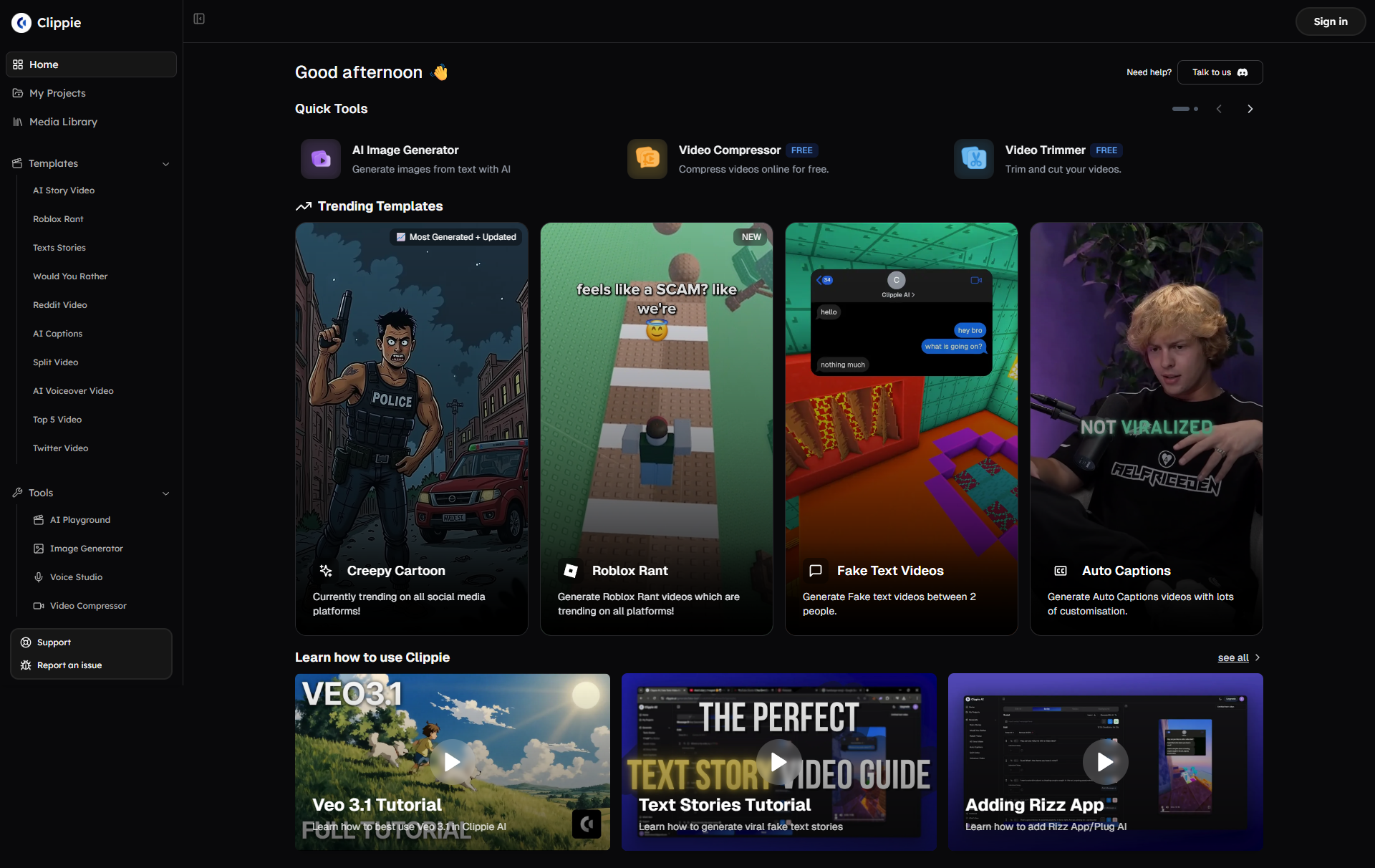
Clippie AI Workflow for Beginners (Step-by-Step)
Project type: 60-second educational tutorial (most common beginner client work)
Step 1: Import and organize (3 minutes)
Upload raw footage to Clippie AI
Drag-and-drop video file (talking head, screen recording, or both)
AI analyzes footage (identifies spoken words, silence, scene changes, automated)
Select template
Choose from niche-specific templates (educational, storytelling, promotional)
Template includes: Intro animation, caption style, color grade, music bed, outro
Benefit: Consistent professional look without manual setup
Step 2: AI-assisted editing (8 minutes)
Silence removal (automatic, 30 seconds AI processing)
Clippie AI detects pauses over 0.5 seconds
Auto-removes dead air (maintains natural speech rhythm, not robotic)
Manual alternative: 20-40 minutes scrubbing timeline, manual cuts
AI identifies "um," "uh," "like," "you know" (highlights for review)
You approve removals (some filler okay for natural speech, delete obvious ones)
Manual alternative: 30-60 minutes listening carefully, marking, cutting
Filler word removal (semi-automatic, 2 minutes review)
Scene selection (AI-suggested, 3 minutes)
AI identifies key moments (important statements, energy peaks, visual interest)
Suggests 60-second cut from longer footage (you review and approve)
Manual alternative: 15-30 minutes watching entire footage, noting timestamps
AI analyzes script/captions (identifies keywords needing visual support)
Suggests stock footage from integrated libraries (Pexels, Pixabay)
You review and swap if needed (typically 80-90% suggestions are good)
Manual alternative: 20-40 minutes searching stock sites, downloading, importing
B-roll integration (semi-automatic, 2 minutes)
Step 3: Refinement and customization (6 minutes)
Caption review (2 minutes)
AI auto-generates captions (speech-to-text, 98% accuracy)
You review for errors (fix any misheard words, technical terms)
Customize styling (keyword emphasis, color coding if needed)
Hook optimization (2 minutes)
Review first 3 seconds (is it compelling? Would you stop scrolling?)
If weak, rearrange to start with stronger moment (AI suggests alternatives)
Add text overlay hook if needed ("Here's why 90% of people fail at [topic]")
Music and pacing check (2 minutes)
Ensure music volume balanced (not overpowering voice, AI auto-ducks)
Check pacing (scene change every 2-4 seconds? Add more cuts if slow)
Verify outro CTA clear (subscribe prompt, follow instruction)
Step 4: Export and deliver (3 minutes)
Platform-specific export
Select platform (YouTube Shorts, TikTok, Instagram)
Clippie AI optimizes settings (aspect ratio, codec, bitrate automatically)
Benefit: No manual export settings knowledge needed
Watch exported video on phone (how it'll actually be viewed)
Check: Text readable? Audio clear? Pacing engaging?
Quality check (2 minutes)
Deliver to client (1 minute)
Upload to shared folder (Google Drive, Dropbox) or direct to client platform
Include: Video file + thumbnail option + basic caption suggestions
Total active time: 20 minutes per 60-second tutorial
Comparison to manual editing:
Traditional Adobe Premiere workflow: 2-4 hours per video
Clippie AI-assisted: 20 minutes per video
Time savings: 85-92% (enabling 6-12x higher volume)
Scaling efficiency: Batch workflow (10 videos for same client)
Traditional approach:
Edit videos sequentially (Video 1, then Video 2, then Video 3...)
Each takes 20 minutes = 200 minutes total (3.3 hours)
Batch approach with Clippie AI:
Upload phase (15 minutes):
Upload all 10 videos simultaneously (Clippie AI processes in parallel)
AI processing phase (10 minutes, autonomous):
Clippie AI works on all 10 simultaneously (silence removal, filler words, captions)
You take break or work on other tasks
Review phase (80 minutes):
Review each video's AI edit (8 minutes each)
Approve or make minor adjustments
Batch export all 10
Total time: 105 minutes for 10 videos (10.5 minutes per video) vs. traditional: 200 minutes (20 minutes per video)
Additional efficiency: 47% (batch processing advantage)
Quality maintenance tips:
Common beginner mistakes:
Over-editing: Too many cuts, dizzying pacing (trust AI pacing, don't over-complicate)
Caption errors: Not reviewing AI captions (always proofread, client notices mistakes)
Weak hooks: Starting with intro instead of strongest moment (rearrange for impact)
Inconsistent branding: Each video different style (use templates for consistency)
Quality checklist (before delivering):
[ ] First 3 seconds grab attention (hook test: would you stop scrolling?)
[ ] No awkward silence over 1.5 seconds (pacing maintained throughout)
[ ] Captions accurate and readable on mobile (no errors, clear font)
[ ] B-roll relevant and high-quality (no pixelated or mismatched footage)
[ ] Music volume appropriate (supporting, not overpowering voice)
[ ] Outro includes clear CTA (subscribe, follow, link in bio)

4. How New Editors Get Their First Paid Projects
Portfolio Building (Week 1-3)
The portfolio requirement:
Clients need proof you can deliver (can't hire based on potential alone)
Need 3-5 sample edits demonstrating skills (quality, style, niche expertise)
Portfolio approach 1: Spec work (editing for non-existent clients)
How it works:
Find Creative Commons or royalty-free footage (Pexels, Pixabay, YouTube Creative Commons)
Edit as if real client project (apply full workflow, professional quality)
Present as portfolio samples (clearly labeled "Sample/Spec Work")
Example projects:
Educational tutorial: "How to Use Notion for Productivity" (screen recording + voiceover, create yourself or use CC content)
Faceless documentary: "The Rise and Fall of [Company]" (stock footage + voiceover narration)
Podcast clip: Extract compelling moment from popular podcast (Creative Commons licensed)
Time investment: 3-5 hours per spec project (higher quality than client work, this is sales material)
Pros:
Complete creative control (showcase best abilities)
No client revision hassles (perfect on your timeline)
Can target specific niches (make exactly what ideal client wants to see)
Cons:
No real client feedback (don't learn from revisions)
Potential clients may prefer real work examples (some skeptical of spec)
Portfolio approach 2: Free work for small creators (real project experience)
How it works:
Identify small creators (1,000-10,000 followers who likely can't afford editor)
Offer free editing for 3-5 videos (in exchange for testimonial, portfolio use)
Deliver professional quality (treat like paying client, build reputation)
Finding clients:
Search niche on TikTok/Instagram (find creators with engagement but rough editing)
DM offer: "I'm building my editing portfolio. I'll edit your next 3 videos free in exchange for testimonial and permission to use in my portfolio. Interested?"
Conversion rate: 20-40% respond positively (many creators want better editing, can't afford)
Time investment: Same as client work (20 minutes per video with Clippie AI × 3-5 videos = 1-2 hours total)
Pros:
Real client experience (feedback, revisions, communication)
Authentic testimonials (powerful for future client acquisition)
Potential paid conversion (30-50% of free clients hire you once they see results)
Cons:
Working for free (opportunity cost of paid work, but you're not ready yet)
Choosy client selection needed (avoid nightmare clients even for free)
Portfolio presentation:
Platform options:
Dedicated portfolio site: Wix, Squarespace, Carrd ($0-$20 monthly, professional but requires setup)
Social media portfolio: Instagram/TikTok account showcasing edits (free, discoverable, but less formal)
Google Drive folder: Simple folder with videos + descriptions (free, easy to share link)
Recommended for beginners: Google Drive + Social media combo
Google Drive: Professional presentation for direct outreach (easy to share link in applications)
Social media: Public showcase attracting inbound inquiries (post samples with "Edited by [your name]")
What to include:
3-5 edited videos (variety demonstrating range: tutorial, faceless, clip, etc.)
Brief description for each (client niche, objective, your role)
Before/after if possible (show transformation, raw footage vs. polished edit)
Contact information (email, social handles, booking link)
Client Acquisition Strategy 1: Upwork Optimization
Why Upwork:
Massive demand (thousands of editing jobs posted daily)
Beginner-friendly (can start with low rates, build reputation)
Safe payment (escrow system protects both parties)
The Upwork challenge:
High competition (100+ applicants per job listing)
Race-to-bottom pricing (editors bidding $5-$10 per video)
Solution: Strategic positioning (niche focus, quality over price, optimized proposals)
Profile optimization:
Headline (one sentence visible in search):
Bad: "Video Editor" (generic, 10,000+ others identical)
Good: "Short-Form Video Editor | YouTube Shorts & TikTok | Retention-Optimized Editing"
Why better: Specific (short-form, not generic), includes platforms, mentions value (retention)
Overview (300 words describing services):
Lead with results: "I help content creators boost video retention 25-40% through strategic editing"
Specify niche: "Specializing in educational tutorials, faceless content, and podcast clips"
Mention tools: "Leveraging AI-powered editing (Clippie AI) to deliver 3-5x faster without sacrificing quality"
Include process: "My workflow ensures 24-48 hour turnaround on most projects"
Call-to-action: "Let's discuss how I can help grow your channel. Message me with your project details."
Portfolio samples (3-5 videos directly in Upwork profile):
Upload your best work (spec or real projects from portfolio building phase)
Include descriptions (niche, objective, techniques used)
Proposal strategy (the 90% of success):
Standard proposal (2% response rate):
"Hi, I'm a video editor with experience in short-form content. I can edit your videos professionally. My rate is $X per video. Let me know if interested. Thanks!"
Problems: Generic (could apply to any job), no specifics (doesn't address client's needs), no value demonstration
Optimized proposal template (15-30% response rate):
Structure:
Personal hook (show you read their listing, 1 sentence):
"I watched your recent TikTok on [topic] and noticed your retention drops around 15 seconds, I can fix that."
Specific value proposition (what you'll improve, 2 sentences):
"I specialize in retention-optimized editing for [their niche]. My edits typically increase average view duration by 25-40% through strategic pacing and hook placement."
Relevant experience (proof you can deliver, 1-2 sentences):
"I've edited 50+ educational short-form videos achieving 65-75% retention rates. Here's a sample in your niche: [portfolio link]"
Process clarity (reduces client anxiety, 2-3 sentences):
"My workflow: You send raw footage → I deliver edited video within 48 hours → One round of revisions included. I use Clippie AI for efficiency, passing savings to you."
Pricing and CTA (clear next step, 1-2 sentences):
"Rate: $X per video for [deliverable specifics]. Happy to start with a paid test video ($X) so you can evaluate quality risk-free. Interested?"
Proposal length: 100-150 words (concise but comprehensive)
Pricing strategy for beginners:
The pricing mistake:
Bidding lowest to win jobs ($5-$15 per video)
Problems: Attracts nightmare clients (expect $50 quality at $5 price), unsustainable income (need 100 jobs monthly for $1,000), no room for revision time
Strategic pricing:
Test project rate:
$30-$50 for first video (lower than ongoing rate)
Purpose: Risk reduction for client (low-cost trial), foot in door for you
Ongoing rate (after successful test):
Short-form (60 sec): $50-$100 per video
Long-form (10 min): $150-$300 per video
Positioning: "Mid-tier" pricing (not cheapest, not most expensive, quality signal)
Volume discount (encourage retainer):
Single video: $75 each
10-video package: $65 each ($650 total)
20-video monthly retainer: $55 each ($1,100 total)
Benefit: Predictable income (retainer), client saves (volume pricing)
Expected win rate:
$5-$15 bids: 30-40% win rate (but unprofitable)
$50-$100 bids with optimized proposal: 15-25% win rate (profitable)
Math: Apply to 40 jobs monthly → 6-10 wins → 6-10 clients × $50-$100 = $300-$1,000 first month

Client Acquisition Strategy 2: Direct Creator Outreach
Why direct outreach:
No marketplace competition (not bidding against 100 others)
Higher rates possible (creators value proactive outreach, premium positioning)
Relationship-based (build long-term clients, not one-off gigs)
Target identification:
Ideal client characteristics:
5,000-50,000 followers (growing, likely needs help, can't afford agency pricing yet)
Posting inconsistently (opportunity to offer consistency through editing support)
Visible editing limitations (poor pacing, no captions, weak hooks, you can improve)
Monetizing or close to it (can afford editor, check for sponsor mentions, affiliate links)
Where to find:
TikTok: Search niche hashtags (#productivitytips, #financetok), filter recent (find active creators)
YouTube: Search "[niche] shorts," sort by upload date, check channels with 5K-50K subs
Instagram: Explore niche hashtags, look for creators posting 3-5x weekly
Outreach process:
Step 1: Genuine engagement (build familiarity, 2-3 days before pitching)
Comment on 2-3 recent posts (thoughtful, specific comments, not "Great video!")
Example: "The hook in your budgeting video was excellent, 'Most people waste $200 monthly' stopped my scroll. Have you tested leading with specific dollar amounts vs. percentages? Curious which performs better for your audience."
Purpose: Become recognizable (creator sees your name multiple times), demonstrate expertise (comment shows you understand content strategy)
Step 2: DM pitch (value-first offer)
Template:
"Hey [Name], I've been following your [niche] content for a few days, really enjoy your [specific thing: teaching style/topic selection/authenticity].
I'm a video editor specializing in [their content type: short-form tutorials/faceless content/etc.]. I noticed [specific observation: your retention seems to drop around 20 seconds/you're posting less frequently lately/your captions are manual, time-consuming].
I'd love to edit your next video for free (no strings attached) to show how I could help [specific improvement: boost retention/save you 3-4 hours weekly/increase engagement].
If it's great, we can discuss ongoing work. If not, you got a free professional edit. Interested?"
Why this works:
Personalized (shows you actually watched their content)
Identifies problem (demonstrates you understand their challenges)
Low-risk offer (free trial removes decision barrier)
Clear next step (simple yes/no response)
Response rate: 15-30% (much higher than cold generic outreach)
Step 3: Deliver exceptional free edit
Treat like paying client (full process, high quality)
Overdeliver slightly (add small bonus: thumbnail option, caption suggestions)
Follow up: "Here's your edit! [Link]. I improved [specific metrics if you can track: pacing to X scene changes per minute, added hook variation, etc.]. If you'd like me to handle your editing ongoing, I offer [package: 10 videos monthly for $X]. Let me know!"
Conversion rate: 40-60% convert to paying clients (they see value, already trust you from free work)
Volume approach:
Outreach to 20 creators weekly
4-6 respond (20-30% response rate)
Deliver 4-6 free edits
2-3 become paying clients (50% conversion)
Timeline: 2-4 weeks to land 2-3 clients paying $300-$800 each monthly = $600-$2,400/month
Efficiency tip: Template and systematize outreach (save message templates, track in spreadsheet who you contacted when, set reminders for follow-up)
Client Acquisition Strategy 3: Social Proof and Testimonials
The power of social proof:
Clients more likely to hire if others vouch for you (trust signal)
Testimonials reduce perceived risk (proof of quality delivery)
Gathering testimonials:
From free work clients:
After delivering free edits: "I'm building my portfolio. Would you mind writing a quick testimonial about the editing quality and turnaround time? A few sentences is perfect."
Offer to draft: "If it's easier, I can draft something and you can edit it to be accurate."
Conversion rate: 70-90% provide testimonials (they got free work, happy to reciprocate)
From paying clients:
After 2-3 successful deliveries: "I'm updating my portfolio. Would you be open to providing a testimonial? Specifically, mentioning [what improved: retention increase, time saved, consistency, etc.]?"
Incentive: "In exchange, I'll knock $25 off next invoice."
Conversion rate: 80-95% provide (already paying, relationship established)
Testimonial optimization:
Weak testimonial (not useful):
"Great editor! Fast and professional. Recommended."
Strong testimonial (highly persuasive):
"Working with [Editor Name] increased my average video retention from 48% to 67% in just 2 weeks. His retention-focused editing approach made my content more engaging without losing my voice. Plus, he delivers in 24-48 hours consistently, critical for my posting schedule. Highly recommend for any educational content creator."
What makes it strong:
Specific results (48% to 67% retention)
Timeframe (2 weeks, fast impact)
Clear benefit (engagement without losing voice)
Reliability mentioned (24-48 hour delivery)
Target audience identified (educational creators)
How to get strong testimonials:
Ask specific questions: "Could you mention the retention improvement and turnaround time?"
Provide template: "Feel free to edit this: 'I hired [Name] to improve my video retention. After 2 weeks, my average watch time increased from X% to Y%. The editing quality is excellent and delivery is consistently within 48 hours.'"
Displaying testimonials:
Portfolio website:
Dedicated testimonials section
Include client name, niche, link to their channel (credibility)
Rotate 3-5 best testimonials on homepage
Upwork/Fiverr profile:
Add text testimonials to profile description
Request clients leave official platform reviews (builds rating)
Social media:
Post testimonials as graphics (Instagram/LinkedIn)
Tag clients (with permission, expands reach)
Proposal integration:
Include 1-2 relevant testimonials in Upwork proposals
Match testimonial to client's niche (educational creator sees educational testimonial)

5. Scaling Editing Output Faster With Clippie
Template Library System (3x Efficiency Multiplier)
The scaling bottleneck:
Editing from scratch every time: 30-60 minutes per video
Multiply by 20 monthly videos: 10-20 hours
Problem: Can't scale beyond 30-40 videos monthly (time ceiling)
The template solution:
Pre-built project templates: 8-15 minutes per video
Same 20 monthly videos: 2.6-5 hours
Result: 3-4x time savings (can handle 90-120 videos monthly same time investment)
What templates include:
Visual templates:
Intro animation (3-5 second branded opener, client logo, channel name)
Outro animation (subscribe CTA, end screen elements)
Lower thirds (name tags, titles, text overlays, consistent fonts/colors)
Caption styling (word-by-word animation, keyword emphasis, brand colors)
Transition library (5-10 favorite transitions, quick access)
Audio templates:
Music beds (3-5 pre-selected royalty-free tracks per mood, upbeat, calm, dramatic)
Audio effects presets (voice EQ, noise reduction, compression, one-click application)
Volume ducking (automatic music volume reduction when speaking)
Project structure templates:
Timeline organization (video track structure, audio tracks, graphics layer)
Sequence presets (frame rate, resolution, export settings)
Keyboard shortcut sets (custom shortcuts for repeated actions)
Building template library:
Week 1: Core template creation (5-8 hours one-time investment)
Create 3 master templates (educational, storytelling, promotional)
Each template includes all visual/audio elements above
Test each template (edit 3 practice videos using each, refine for efficiency)
Week 2-4: Client-specific variations (ongoing as needed)
For each new client, duplicate master template
Customize branding (client logo, colors, specific fonts)
Save as "[Client Name] Template"
Time per client template: 30-60 minutes (one-time per client)
Template usage workflow:
Traditional editing (30 minutes per video):
Import footage (2 min)
Create sequence (1 min)
Design intro animation (5 min)
Edit main content (15 min)
Add captions (5 min, even with AI)
Export (2 min)
Template-based editing (10 minutes per video):
Open client template (30 seconds, pre-configured)
Import footage (1 min)
Replace template placeholder with footage (1 min, drag and drop)
Trim main content (5 min, structure already built)
Review and export (2.5 min, settings pre-saved)
Time savings: 67% (10 min vs 30 min)
Template library organization:
Folder structure (Clippie AI or cloud storage):
📁 Editing Templates 📁 Master Templates 📄 Educational_Master.template 📄 Storytelling_Master.template 📄 Promotional_Master.template 📁 Client Templates 📁 Client_A_FinanceEducator 📄 Client_A_Tutorial_Template.template 📄 Client_A_Short_Template.template 📁 Client_B_PodcastClips 📄 Client_B_Clip_Template.template 📁 Template Assets 📁 Intro_Animations 📁 Outro_Animations 📁 Music_Beds 📁 Graphics
Maintenance: Update templates quarterly (refresh branding, incorporate new techniques, remove unused elements)
Batch Processing Workflow (2x Additional Efficiency)
Sequential processing (standard approach):
Edit Video 1 start to finish (10 min)
Edit Video 2 start to finish (10 min)
Edit Video 3 start to finish (10 min)
Total for 3 videos: 30 minutes
Batch processing (phase-based approach):
Phase 1: Upload all (2 minutes for 10 videos)
Upload all 10 raw videos to Clippie AI simultaneously
AI begins processing all (silence removal, caption generation, autonomous)
Phase 2: AI processing (5 minutes autonomous, you do other work)
Clippie AI processes all 10 videos in parallel
You're free to handle emails, client communication, other tasks
Phase 3: Human review and refinement (60 minutes for 10 videos)
Review each video's AI edit (6 min each)
Make adjustments (hook placement, B-roll swaps, caption fixes)
Approve each video
Phase 4: Batch export (3 minutes)
Select all 10 videos
Batch export with saved settings (Clippie AI exports simultaneously)
Total active time: 70 minutes for 10 videos (7 min per video) vs. sequential: 100 minutes (10 min per video)
Additional savings: 30% (combined with templates: 79% total savings vs. manual)
Batch processing best practices:
Group by similarity:
Batch same client's videos together (same template, consistent style)
Batch same format together (all tutorials in one session, all clips in another)
Reason: Minimizes context switching (more efficient than alternating between different styles)
Dedicated batch days:
Monday: Upload all week's videos (clients send footage Fridays)
Tuesday: Review and refine all videos (full day focus)
Wednesday: Client communication, revisions, business development
Benefit: Deep work blocks (more efficient than scattered editing throughout week)
Quality control in batch:
Spot-check first video thoroughly (ensure template working correctly)
If first video good, others likely similar quality (template consistency)
Final check: Watch all 10 at 1.5x speed (catch any outlier issues)
Outsourcing and Team Building (10x Income Multiplier)
The solo editor ceiling:
Even with templates and batch processing: ~100 videos monthly maximum
At $50 per video: $5,000 monthly revenue ceiling
Problem: Trading time for money (stop working = income stops)
The agency model:
You manage clients and quality control (8-12 hours weekly)
Junior editors handle execution (you train, supervise)
Result: 200-400 videos monthly, $10,000-$20,000 revenue, $5,000-$12,000 profit
When to start outsourcing:
Milestone 1: Consistent $3,000 monthly (months 6-9)
Revenue stable for 3 months (not one-time spike, sustainable client base)
Client retention high (80%+ renewing, predictable income)
Systems documented (templates, processes written down, can teach others)
First hire: Junior editor (part-time contractor)
Compensation: $15-$25 per video (you charge $50-$75, keep $25-$50 spread)
Responsibility: Execution only (you provide template, they edit, you review)
Volume: 20-40 videos monthly (their capacity)
Your time: 4-6 hours weekly (training, quality review, client communication)
Hiring platforms:
Upwork (post job listing, hire from applicants)
Reddit r/VideoEditing (find aspiring editors building portfolios)
Film school job boards (students seeking experience and income)
Milestone 2: Consistent $6,000 monthly (months 12-15)
Two junior editors handling 80 videos monthly
You focus exclusively on: Client acquisition, quality control, business growth
Your time: 15-20 hours weekly (management, not execution)
Agency revenue model:
Scenario: Editing agency, 3 junior editors
Revenue:
120 videos monthly (40 each × 3 editors)
Average rate: $60 per video
Gross revenue: $7,200
Costs:
Junior editor pay: $20 per video × 120 = $2,400
Software: $100 monthly (Clippie AI, project management tools)
Total costs: $2,500
Profit: $4,700 monthly
Your time: 20 hours weekly (quality control, client management, acquisition)
Effective hourly: $270/hour (vs. $50-$100/hour solo editing)
Quality control system:
Training junior editors:
Record Loom videos (show template usage, common mistakes, brand guidelines)
Provide checklist (quality standards they must meet before submitting)
First 5 videos: Review every detail (teach through feedback)
Next 10 videos: Spot-check (catch patterns, provide batch feedback)
Ongoing: Random quality audits (maintain standards)
Review efficiency:
Watch at 1.5-2x speed (catch major issues in 3-5 min per video)
Only flag critical issues (minor perfection not worth time, 80/20 rule)
Revision limit: One round per video (prevents endless back-and-forth)
Scaling beyond 3 editors:
Milestone 3: $15,000+ monthly revenue (months 18-24)
5-8 junior editors (200-320 videos monthly)
Hire operations manager (handles editor management, you focus on growth)
Your role: CEO (strategy, sales, partnerships, minimal execution)
At this scale:
Revenue: $12,000-$19,200 monthly
Costs: $5,000-$8,000 (editors + manager + software)
Profit: $7,000-$11,200 monthly
Your time: 10-15 hours weekly (strategic only)
6. Frequently Asked Questions
How long does it take to start earning money as a video editor in 2026?
Answer: 3-8 weeks to first paid project earning $150-$500, 3-4 months to consistent $1,000+ monthly income, and 6-9 months to sustainable $3,000-$5,000 monthly through client acquisition and template systematization, dramatically faster than traditional 12-24 month learning curves through AI-assisted workflows enabling immediate client-ready output
Realistic timeline breakdown:
Weeks 1-2: Foundation and practice
Learn Clippie AI basics (3-5 hours total)
Edit 10-15 practice videos (12-18 hours)
Build initial portfolio (3-5 spec edits, 5-8 hours)
Income: $0 (skill building phase)
Weeks 3-4: Client acquisition begins
Apply to 20-30 Upwork jobs (optimized proposals, 6-10 hours)
Direct outreach to 15-20 creators (personalized messages, 4-6 hours)
Deliver 2-4 free test edits (converting inquiries to clients, 2-3 hours)
Expected outcome: 1-3 paying clients
Income week 4: $150-$500 (first paid projects)
Months 2-3: Ramping up client base
Continue Upwork applications (10-15 weekly, 3-4 hours weekly)
Deliver exceptional work to initial clients (generate testimonials, 8-12 hours weekly editing)
Referrals begin (initial clients refer others, 20-30% of new clients)
Client count by month 3: 5-8 clients (mix of one-off and retainer)
Income month 3: $1,000-$2,500
Months 4-6: Systematization and scaling
Build template library (reduce per-video time 40-60%, 6-10 hours one-time)
Transition clients to retainers (predictable monthly income, higher lifetime value)
Increase rates (proven track record justifies $60-$100 per video vs. initial $40-$60)
Client count: 8-12 clients (primarily retainers)
Income month 6: $2,500-$5,000
Months 7-9: Optimization and potential outsourcing
Refine processes (batch workflows, keyboard shortcuts, AI automation, peak efficiency)
Consider first junior editor hire (if revenue consistent $3,500+, 20-30% margin improvement)
Niche specialization (become known expert in educational/faceless/podcast editing)
Income month 9: $3,500-$7,000 (solo or with first hire)
Factors accelerating timeline:
Factor 1: Prior skills (even minimal)
Basic editing experience (iMovie, Canva): Shorten learning phase 50% (1 week vs. 2 weeks)
Creative background (photography, design): Better aesthetic judgment (higher client satisfaction, faster referrals)
Impact: 2-4 weeks faster to first $1,000 month
Factor 2: Niche focus from day 1
Choosing specific niche immediately (educational tutorials, podcast clips): Faster portfolio building, more compelling positioning
vs. generalist approach (will edit anything): Slower client acquisition, less differentiation
Impact: 4-8 weeks faster to consistent income
Factor 3: Aggressive outreach
Applying to 30-50 jobs weekly (vs. 10-20): 2-3x more responses, faster client acquisition
Impact: 3-6 weeks faster to first clients
Factor 4: AI tool mastery
Deeply learning Clippie AI (vs. surface-level use): 40-60% faster editing, can handle more clients
Impact: 2x income potential same time investment
Factors slowing timeline:
Factor 1: Perfectionism
Spending 2-4 hours per practice edit (vs. 30-60 min): Delays portfolio completion 2-4 weeks
Revising spec work endlessly (vs. good enough and move on): Opportunity cost of client acquisition
Impact: 4-8 weeks slower to first income
Factor 2: Underpricing
Bidding $10-$20 per video (vs. $50-$75): Attracts difficult clients, unsustainable volume needed
Impact: Slower income ramp (need 3x more clients for same revenue)
Factor 3: Lack of specialization
"I'll edit anything" positioning (vs. niche expert): Harder to stand out, less compelling to clients
Impact: 30-50% lower conversion rate on proposals
Factor 4: Inconsistent effort
Applying to jobs sporadically (vs. dedicated daily effort): Extends acquisition phase indefinitely
Impact: Can remain at $0-$500 monthly for 6+ months
Realistic income milestones:
Conservative path (part-time effort, 10-15 hours weekly):
Month 1: $0-$300
Month 3: $600-$1,500
Month 6: $1,500-$3,000
Month 12: $2,500-$5,000
Annual: $30,000-$60,000 (part-time supplemental income)
Aggressive path (full-time effort, 30-40 hours weekly):
Month 1: $300-$800
Month 3: $2,000-$4,000
Month 6: $4,000-$8,000
Month 12: $7,000-$15,000
Annual: $84,000-$180,000 (full-time career income)
Key insight: First dollar arrives quickly (weeks not months) with AI assistance, but sustainable $3,000+ monthly requires 6-9 months building client base, systems, reputation
Do I need expensive software like Adobe Premiere Pro to start editing professionally?
Answer: No, Clippie AI at $34.99/month provides professional-quality editing capabilities sufficient for 90% of short-form client work, while free tools like DaVinci Resolve cover remaining edge cases, making traditional $54.99/month Adobe Creative Cloud subscription unnecessary for beginners focusing on high-demand short-form editing
Software comparison (professional short-form editing):
Adobe Premiere Pro ($54.99/month Creative Cloud All Apps):
Pros:
Industry standard (many clients familiar, request it)
Unlimited creative control (can do anything imaginable)
Extensive tutorial ecosystem (thousands of YouTube guides)
Cons:
Steep learning curve (200-500 hours to proficiency)
Manual workflows (no AI assistance built-in, requires separate plugins)
Overkill for short-form (95% of features unused for 60-second edits)
Expensive ($660 annually vs. $420 Clippie AI)
Best for: Editors pursuing high-end cinematic projects, long-form narrative, complex motion graphics (not beginner short-form focus)
Clippie AI ($34.99/month Creator plan):
Pros:
AI-powered efficiency (silence removal, caption generation, B-roll matching, automated)
Shallow learning curve (2-4 weeks to professional output vs. 6-12 months Premiere)
Purpose-built for short-form (every feature optimized for TikTok, YouTube Shorts, Reels)
Template system (replicable quality without deep technical knowledge)
Multi-platform export (optimized settings for each platform automatically)
Cons:
Limited advanced features (no complex motion graphics, limited color grading depth)
Newer tool (smaller community, fewer tutorials vs. Premiere)
Best for specific formats (short-form, faceless content, not feature films)
Best for: Beginners targeting short-form editing market, editors prioritizing efficiency over unlimited creative control, those wanting AI assistance
DaVinci Resolve (FREE):
Pros:
Completely free (full professional features, no watermark)
Powerful color grading (industry-leading color tools)
No subscription (one-time download, yours forever)
Cons:
Steep learning curve (similar to Premiere, hundreds of hours)
No AI assistance (manual workflows for everything)
Resource intensive (requires powerful computer)
Best for: Budget-conscious editors willing to invest learning time, those needing advanced color grading
Cost comparison (annual):
Adobe Creative Cloud approach:
Premiere Pro: $659.88 annually
After Effects (motion graphics): Included
Stock footage subscription: $348 annually (Adobe Stock)
Total: $1,007.88 annually
Clippie AI approach:
Clippie AI: $419.88 annually
Stock footage: $0 (integrated Pexels, Pixabay access)
DaVinci Resolve backup: $0 (free for edge cases)
Total: $419.88 annually
Savings: $588 annually (58% cost reduction)
What clients actually care about:
Client priority 1: Results (80% of decision)
Does editing improve retention? (data-driven)
Does it look professional? (aesthetic quality)
Do viewers engage? (comments, shares, completion rate)
Software used: Irrelevant (clients don't ask, don't care, only output matters)
Client priority 2: Turnaround time (15% of decision)
Do you deliver on schedule? (reliability)
Can you handle rush requests? (flexibility)
Clippie AI advantage: 60-85% faster than Premiere (AI automation enables faster delivery)
Client priority 3: Cost (5% of decision)
Is pricing reasonable? (value for money)
Software irrelevant: Your costs don't determine client pricing (charge based on market value, not your expenses)
Real client testimonials (Clippie AI editors):
"I've worked with editors using Premiere, Final Cut, and now [Editor] using Clippie AI. Honestly, the Clippie AI edits are the best I've received, faster turnaround, better retention, and half the price of the Premiere editor. Don't care what software, just results.", Educational YouTuber, 200K subscribers
When you might need Premiere/professional software:
Scenario 1: Client explicitly requires it (rare)
Some agencies mandate specific software (workflow compatibility)
Frequency: <5% of short-form clients
Solution: Decline those jobs (not worth learning Premiere for 5% of market)
Scenario 2: Complex motion graphics (occasional)
Intricate animations, 3D elements, advanced compositing
Frequency: <10% of short-form projects
Solution: Use Clippie AI for 90% of work, outsource complex motion graphics ($20-$50 per project to specialist)
Scenario 3: High-end color grading (very rare)
Cinematic color correction, film emulation, advanced grading
Frequency: <2% of short-form work (viewed on phones, subtle grading invisible)
Solution: Use DaVinci Resolve free (best color grading available, $0)
Recommended beginner setup:
Month 1-6 (learning and first clients):
Primary: Clippie AI ($34.99/month)
Backup: DaVinci Resolve (free, for rare edge cases)
Total cost: $34.99/month
Month 7-12 (scaling and specialization):
Continue Clippie AI (efficiency critical at higher volume)
Consider CapCut Pro ($9.99/month, alternate editing for variety)
Total cost: $44.98/month (still 18% cheaper than Adobe)
Month 13+ (established, high income):
Clippie AI remains primary (90% of work)
Add Adobe if client demand justifies ($54.99/month)
Total: $89.98/month (only if earning $5,000+ monthly, easily affordable)
Bottom line: Clippie AI sufficient for professional short-form editing, dramatically faster learning curve and lower cost than traditional software, clients care about results not tools used
Can I make a full-time income just editing short-form videos?
Answer: Yes, full-time income ($40,000-$100,000+ annually) achievable through short-form editing specialization by serving 10-20 retainer clients at $1,500-$3,000 monthly each or processing 200-400 videos monthly at $40-$100 per video through systematized template workflows and AI assistance, with top editors building $150,000-$300,000 agencies through team delegation
Income model comparison:
Model 1: Retainer-based (predictable, relationship-focused)
Structure:
Monthly retainer: $1,500-$3,000 per client
Videos included: 15-25 per month (depending on pricing tier)
Client count: 8-12 (manageable with systems)
Gross monthly: $12,000-$36,000
Example breakdown (10 clients averaging $2,000/month):
Client management: 10 hours weekly (communication, revisions, strategy)
Editing (templates + AI): 20 hours weekly (batch processing 200 videos monthly)
Business development: 5 hours weekly (maintaining pipeline, prospecting)
Total time: 35 hours weekly (sustainable full-time)
Monthly income: $20,000 ($240,000 annually)
Effective hourly: $143/hour
Pros:
Predictable income (know next month's revenue)
Deeper client relationships (loyalty, less churn)
Higher lifetime value (clients stay 12-24 months average)
Cons:
Client dependency (losing 1 client = -$2,000 monthly)
Scope creep risk (clients requesting extras outside agreement)
Relationship maintenance (more communication time than per-project)
Model 2: Per-project volume (scalable, transactional)
Structure:
Per-video rate: $50-$100 (short-form average)
Monthly volume: 200-400 videos (aggressive but achievable with team)
Client count: 30-50 (smaller per-client volume, more clients)
Gross monthly: $10,000-$40,000
Example breakdown (300 videos monthly at $60 each):
Your editing: 80 videos (16 hours, templates/AI enable 12 min per video)
Junior editors: 220 videos (you pay $25 each = $5,500 cost)
Quality control: 10 hours weekly (reviewing junior editor work)
Admin: 6 hours weekly (client communication, invoicing)
Total time: 32 hours weekly
Gross revenue: $18,000
Costs: $5,500 (junior editor pay)
Net income: $12,500 ($150,000 annually)
Effective hourly: $90/hour
Pros:
Less client dependency (losing one client = minor impact)
Scalable infinitely (hire more editors, increase volume)
Lower emotional labor (transactional relationships, less drama)
Cons:
Income volatility (projects fluctuate month-to-month)
Constant client acquisition (always need new projects)
Management overhead (coordinating multiple editors)
Model 3: Hybrid (balanced approach)
Structure:
5 retainer clients: $2,000/month each = $10,000
Per-project work: 100 additional videos at $60 = $6,000
Total monthly: $16,000 ($192,000 annually)
Pros:
Predictable base income ($10K from retainers)
Scalability through projects (can increase volume without retainer commitment)
Risk mitigation (diversified revenue streams)
Income tiers by experience:
Beginner (Months 1-6):
Client count: 3-8 (mix retainer and project)
Monthly income: $1,000-$3,000
Annual: $12,000-$36,000 (part-time supplemental income)
Intermediate (Months 7-18):
Client count: 8-15 (primarily retainers)
Monthly income: $3,000-$8,000
Annual: $36,000-$96,000 (full-time viable income)
Advanced (Months 19-36):
Client count: 12-20 (retainers) OR 40-60 (high-volume projects with team)
Monthly income: $8,000-$20,000
Annual: $96,000-$240,000 (high-income professional)
Agency owner (36+ months):
Team size: 3-8 junior editors
Client count: 30-100 (mix of retainers and projects)
Monthly revenue: $20,000-$60,000
Costs: $8,000-$25,000 (editor salaries, software, overhead)
Net income: $12,000-$35,000 monthly ($144,000-$420,000 annually)
Real editor income examples (2026 data):
Editor A: Educational tutorial specialist
Niche: Productivity and finance education
Clients: 8 retainer clients ($2,200 average)
Monthly videos: 160 (20 per client)
Time investment: 30 hours weekly (high template usage)
Annual income: $211,200
Editor B: Podcast clip factory
Niche: Podcast clip editing exclusively
Clients: 15 podcasters ($1,200 average retainer)
Monthly clips: 600 (40 per client, highly systematized)
Team: 2 junior editors ($5/clip payment)
Time investment: 25 hours weekly (management and quality control)
Gross: $18,000 monthly
Costs: $3,000 monthly (junior editors)
Net: $15,000 monthly ($180,000 annually)
Editor C: YouTube Shorts generalist
Niche: YouTube Shorts across various niches
Clients: 25-30 (per-project basis)
Monthly videos: 250 (various clients)
Rate: $50 average per Short
Time investment: 35 hours weekly (solo, high efficiency)
Annual income: $150,000
Key factors enabling full-time income:
Factor 1: Specialization (30% of success)
Becoming known expert in specific editing style (educational, faceless, podcast)
vs. generalist approach (harder to command premium rates)
Impact: 30-50% higher rates than generalists
Factor 2: Systematization (40% of success)
Templates reducing per-video time 60-80%
Batch workflows increasing daily output 2-3x
Impact: 3-5x income potential same time investment
Factor 3: AI leverage (20% of success)
Clippie AI automating tedious tasks (captions, silence removal, B-roll)
Enabling higher volume or faster turnaround (competitive advantage)
Impact: 2-3x output vs. manual editing
Factor 4: Business skills (10% of success)
Client acquisition consistency (always filling pipeline)
Pricing confidence (charging what you're worth)
Client retention (delivering exceptional value)
Bottom line: Full-time income ($40,000-$100,000+) very achievable within 12-24 months of focused short-form editing, with top specialists earning $150,000-$300,000 through systems, teams, and specialization
Conclusion: Building a Sustainable Video Editing Career in 2026
Video editing in 2026 offers unprecedented accessibility through AI assistance, where beginners leveraging Clippie AI produce professional short-form content within 2-4 weeks vs. traditional 6-12 month learning curves, focusing on high-demand formats (educational tutorials, faceless content, podcast clips, YouTube Shorts) generating $2,000-$8,000 monthly income within 3-6 months through strategic client acquisition and template-based efficiency. The competitive advantages of AI-native editors, producing results 60-85% faster than traditional workflows enabling competitive pricing while maintaining healthy margins, specializing in scalable systematic approaches vs. bespoke artisanal projects, building editing businesses rather than freelance careers through early process documentation and team delegation, create opportunities for $50,000-$150,000 annual income within 18-30 months despite entering with zero prior experience.
The three-pillar video editing success framework:
Pillar 1: Focused skill acquisition (weeks 1-8 mastering retention-driven pacing, hook optimization, template creation rather than comprehensive software mastery, months 3-6 developing niche expertise in chosen editing style commanding 30-50% premium rates)
Pillar 2: Strategic client acquisition (weeks 3-4 landing first paid projects through Upwork optimization and direct creator outreach, months 2-6 building retainer client base providing $3,000-$8,000 predictable monthly income, ongoing portfolio and testimonial development reducing acquisition costs)
Pillar 3: Systematic scaling (months 4-9 implementing template libraries and batch workflows enabling 3-5x output increase, months 9-18 delegating execution to junior editors transitioning from solo practitioner to agency owner, achieving $10,000-$30,000 monthly through leveraged team production)
Choose Clippie AI if you want:
Accelerated learning curve (2-4 weeks to client-ready output vs. 6-12 months traditional software mastery through AI automating silence removal, caption generation, B-roll matching eliminating tedious manual workflows)
Template-based efficiency (reusable project structures reducing per-video editing time 60-80% enabling competitive pricing while maintaining profitable margins and sustainable work-life balance)
Competitive positioning (delivering professional quality 2-3x faster than traditional editors enabling premium turnaround times or volume capacity unavailable to manual workflow competitors)
Scalable infrastructure (batch processing capabilities and systematic workflows facilitating team delegation and agency growth unavailable through traditional editing software)
For aspiring video editors seeking sustainable income, whether complete beginners exploring new career paths, creative professionals seeking remote flexible work, or entrepreneurs building service businesses, AI-assisted editing eliminates traditional barriers preventing most people from succeeding: no expensive software required ($420 annually vs. $660+ Adobe subscriptions), no year-long learning curves (client-ready within weeks through focused practice), no high-end computer necessary (cloud-based AI processing reducing local hardware demands), and no artistic genius needed (proven templates and psychological frameworks creating consistent professional results).
The difference between aspiring editors who quit within 3 months (overwhelmed by traditional software complexity, frustrated by 6-12 month learning curves before client readiness, discouraged by initial low-paying client experiences) and those building $50,000-$150,000 annual editing businesses is not natural talent, prior experience, or initial client connections, it's strategic tool selection (AI-assisted workflows enabling immediate productivity), focused specialization (mastering high-demand short-form editing vs. pursuing broad generalist positioning), systematic approaches (templates and batch workflows preventing quality degradation at volume), and consistent client acquisition (weekly outreach efforts building sustainable pipeline rather than reactive scrambling between projects).

Ready to start your video editing career? Experience Clippie AI's beginner-friendly platform, produce your first client-ready short-form edit within days through AI-powered automation, template libraries, and intuitive workflows, building toward $2,000-$8,000 monthly income within 3-6 months through focused execution and strategic client development.
Make an AI story video
Write a script or let AI write one. Clippie turns it into a narrated video with AI scenes, voiceover and captions.
Read more

How to Make Top 5 Ranking Videos in 2026 (Step-by-Step)
Build ranking Shorts that can still earn: pick a debatable topic, set clear criteria, source clips you may use, script the countdown, add your commentary.

How to Create Short-Form Videos Using AI: 8 Steps (2026)
A beginner workflow for AI videos on TikTok, Reels and Shorts: pick a format, script a hook, add visuals, voice and captions, export at 9:16, label AI.

7 Free CapCut Alternatives for Short-Form Video (2026)
Compare Edits, YouTube Create, VN, Clipchamp, Canva, DaVinci Resolve and Shotcut: what each gives free users, what it caps first and where it falls short.