
How to Make Roblox Rant Videos with Clippie AI (2026 Guide)
Learn how to create Roblox rant videos with Clippie AI using AI scripts, voiceovers, captions, and visuals. This guide shows how to make engaging short form content for TikTok, Shorts, and Reels.
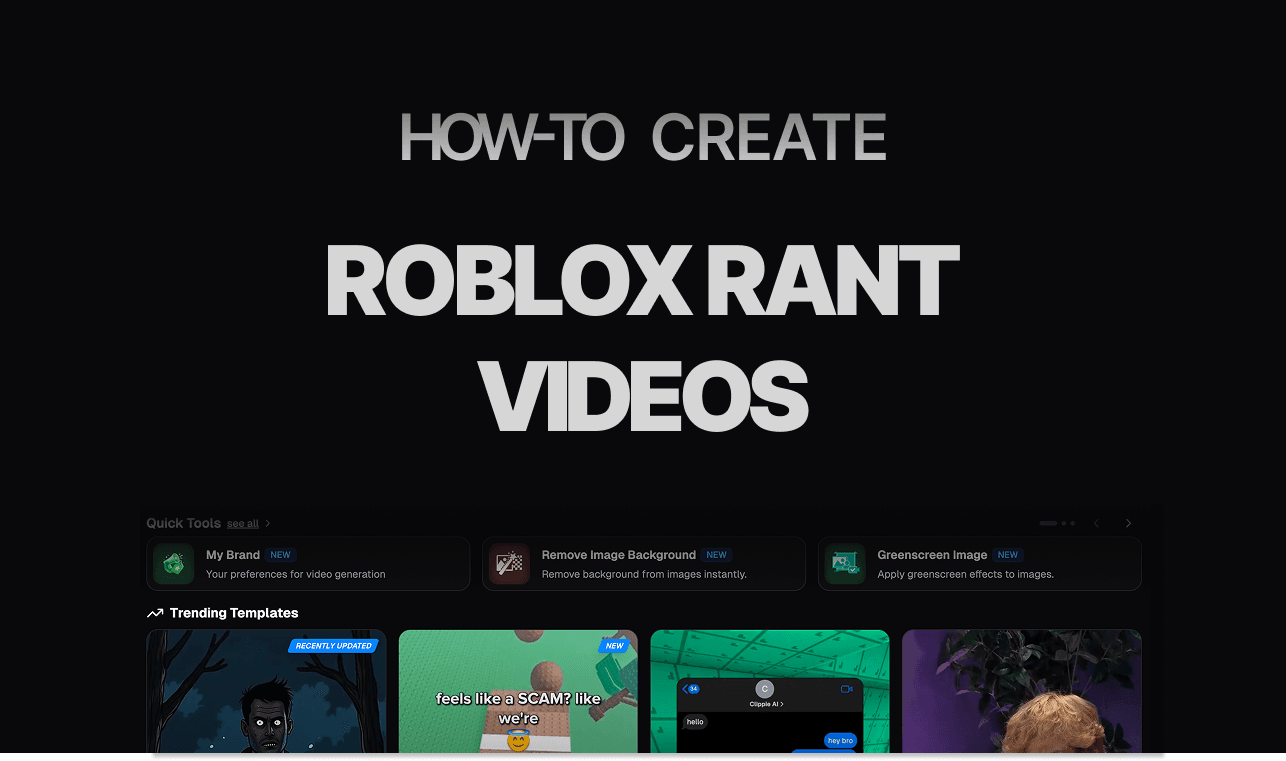
Introduction
Roblox rant videos have become a highly engaging content format on TikTok, YouTube Shorts, and Instagram Reels. These videos focus on opinions, frustrations, and controversial takes about Roblox games, updates, or player behavior. Because they are relatable and opinion driven, they naturally encourage viewers to comment, agree, disagree, and share their own experiences.
What makes Roblox rant videos perform so well is their simplicity. You do not need advanced gameplay clips or complicated editing. A strong rant script, expressive narration, and relevant visuals are enough to keep viewers watching and interacting until the end. This makes them ideal for creators who want consistent engagement without showing their face.
With Clippie AI, you do not need to be a writer, video editor, or voice actor to create Roblox rant videos. The platform gives you everything in one workflow: AI rant script generation, realistic AI voiceovers, gameplay style visuals, automated captions, and one-click exports optimized for TikTok, Shorts, and Reels.
In this detailed step by step tutorial, we will show you exactly how to create Roblox rant videos with Clippie AI, from generating your rant script to customizing captions and exporting your final video. By the end, you will be ready to post engaging Roblox content that sparks discussion and grows your audience.
Step 1: Generate Your Script with the AI Script Writer
The foundation of every great dark cartoon video is the script.
Open the AI Script Writer in Clippie AI.
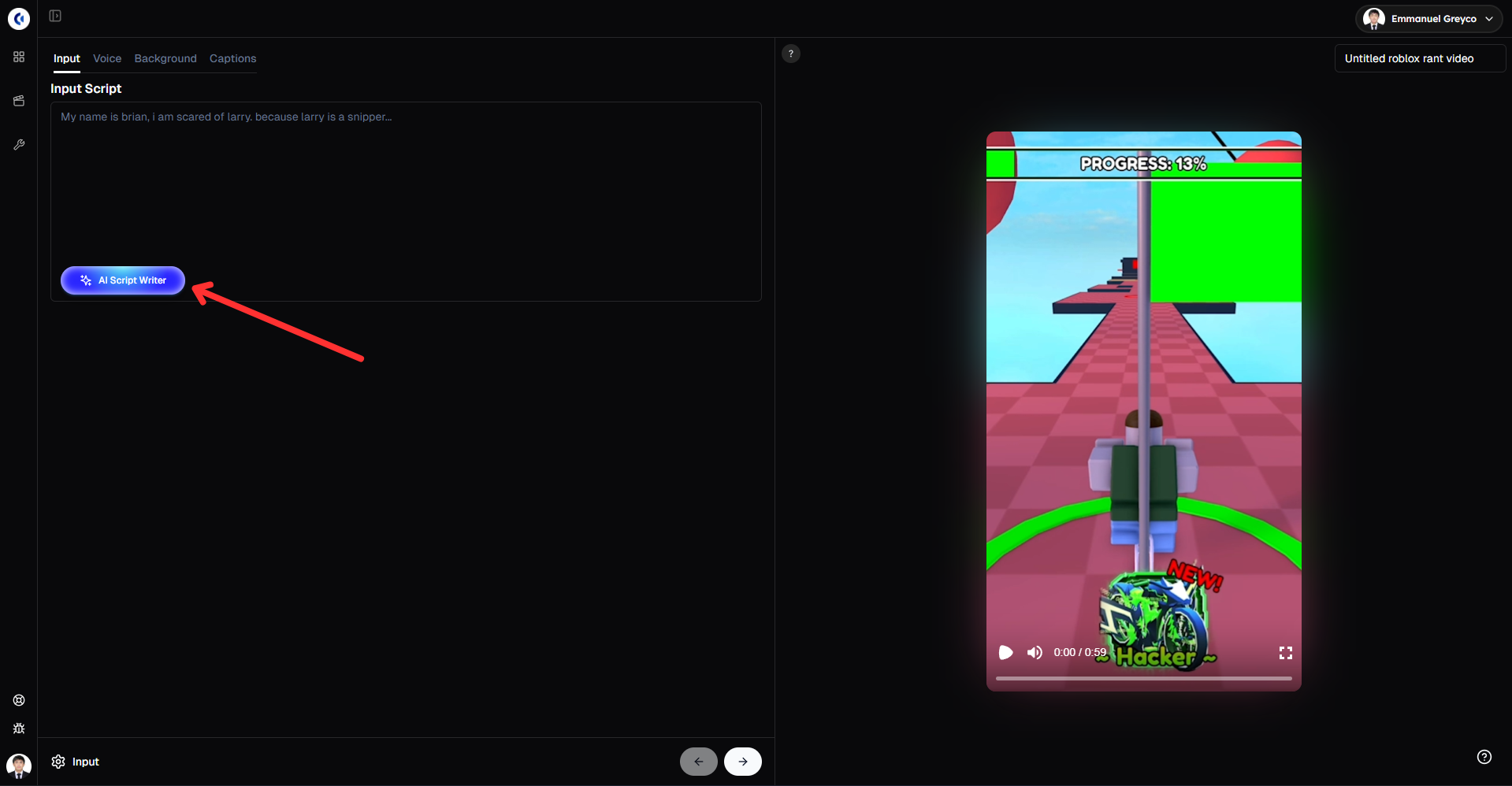
Enter a detailed prompt describing the type of Roblox rant you want. (e.g., “Write a funny Roblox rant about a dramatic or relatable moment that has occurred in real life.”)
Choose your preferred script duration, such as 30 seconds, 45 seconds, 60 seconds or 90 seconds
Once everything is set, click Generate to let the AI automatically create your Roblox rant script.
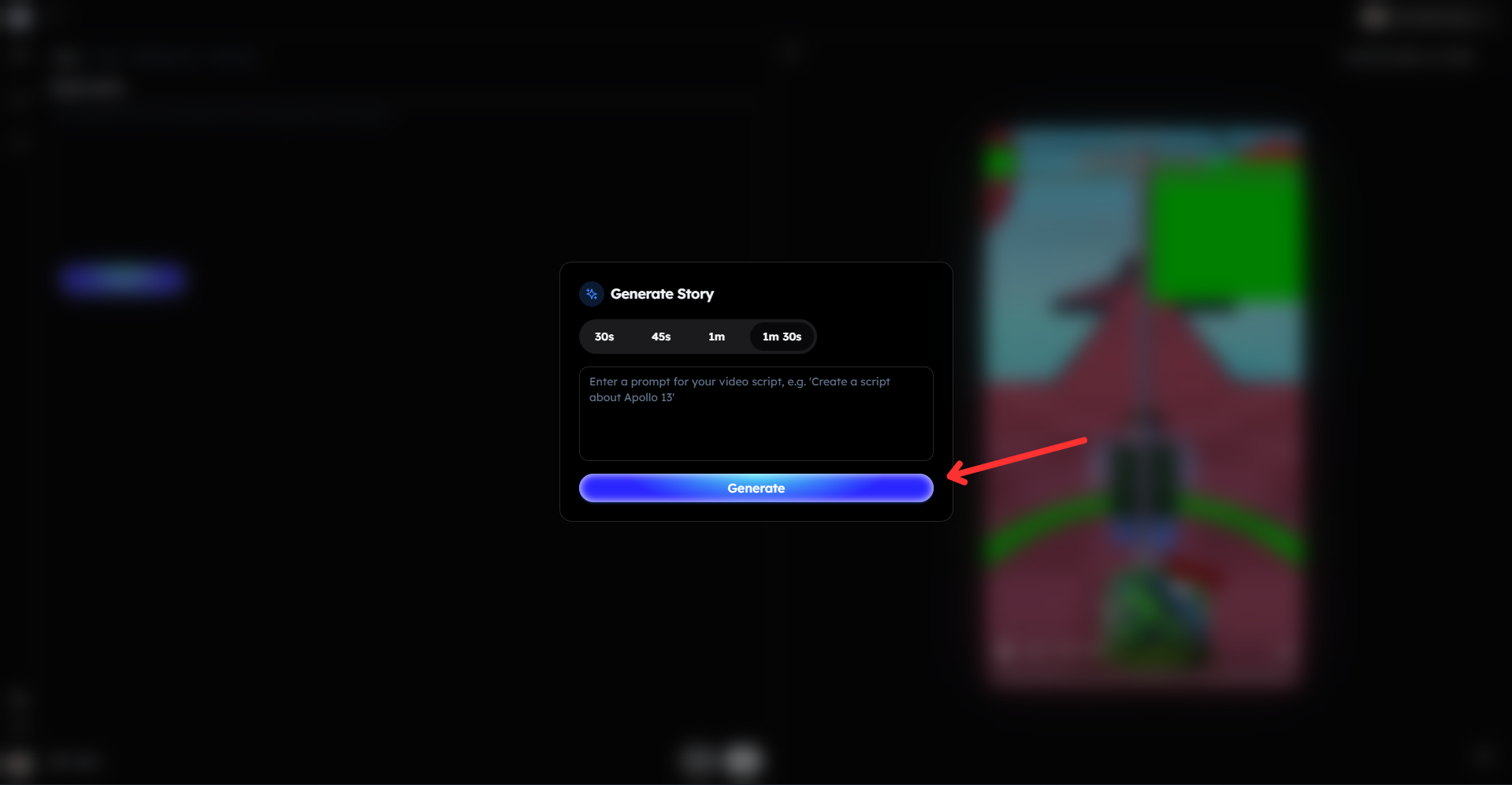
Pro tip: Be specific about the issue, emotion, and tone in your prompt. More detailed prompts lead to stronger opinions, clearer delivery, and higher engagement.
Step 2: Choose Your AI Voice Character
Once your rant script is ready, it’s time to bring it to life with narration.
Select a voice character from Clippie AI’s voice library.
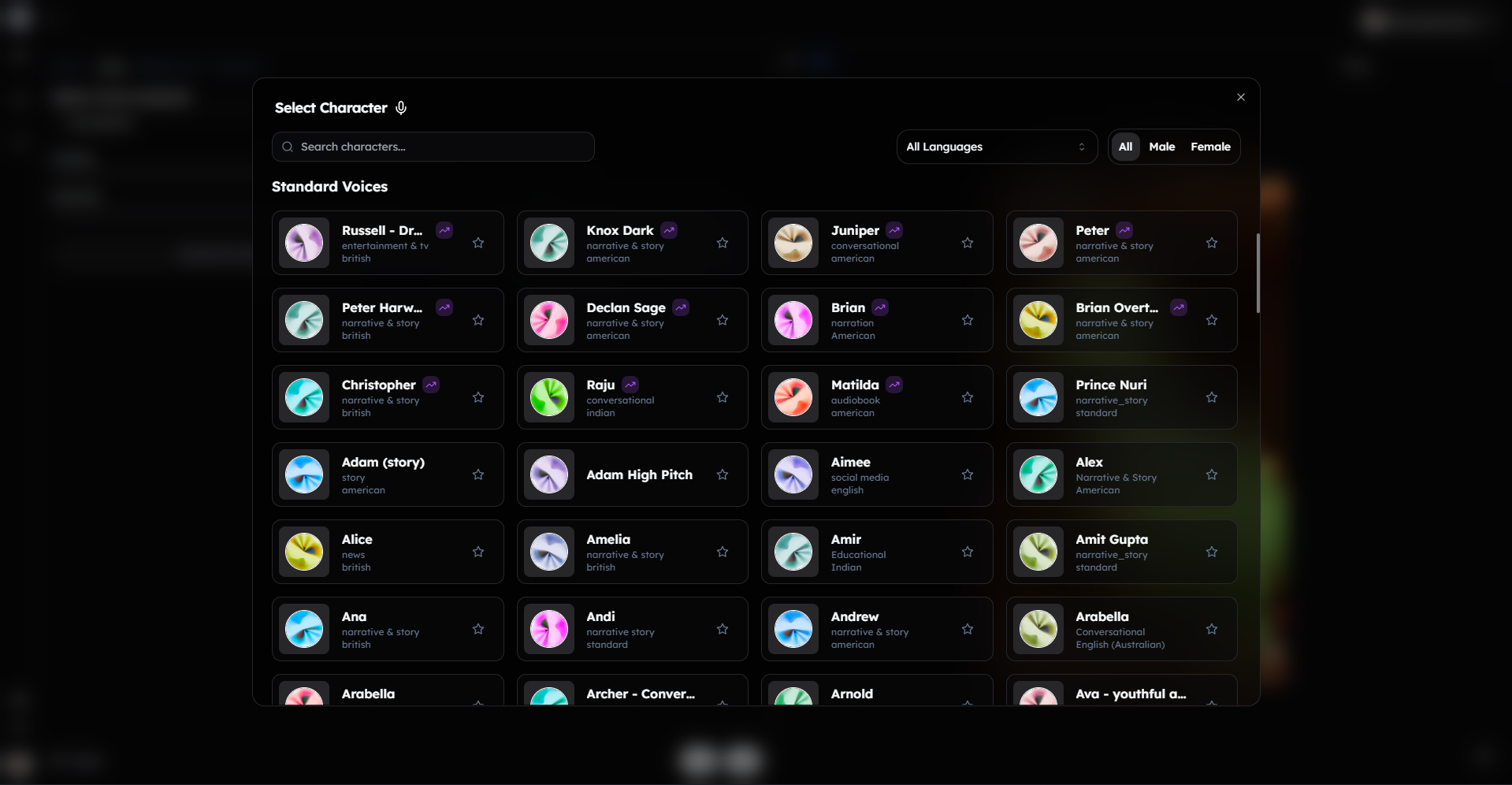
Choose a voice that matches your rant style. Confident, annoyed, or casual voices work best for Roblox rants.
Adjust the playback speed to control how fast or slow the voice speaks, and tweak the pitch to better match the emotion of your rant.
Click Generate Voiceover to automatically create your voiceover and caption.
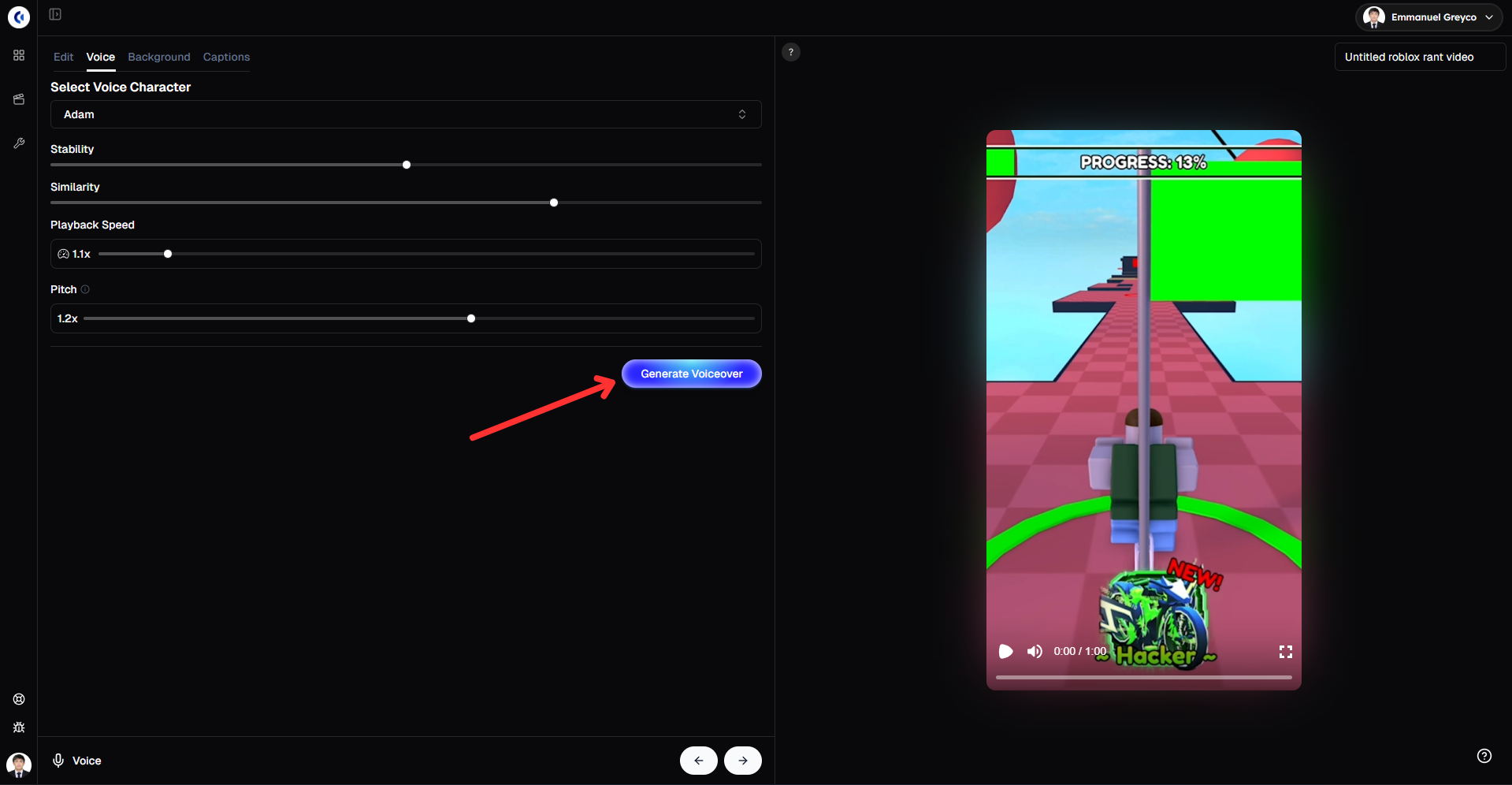
This step adds personality and emotion to your Roblox rant, making it sound more natural and engaging.
Step 3: Customize and Edit Your Captions for Maximum Engagement
Captions play a huge role in Roblox rant videos, especially since many viewers watch without sound. Well styled captions help emphasize emotions, highlight key phrases, and keep viewers engaged.
Open the Edit section in Clippie AI.
You can add images or emojis to each phrase to make your captions more expressive and visually engaging.
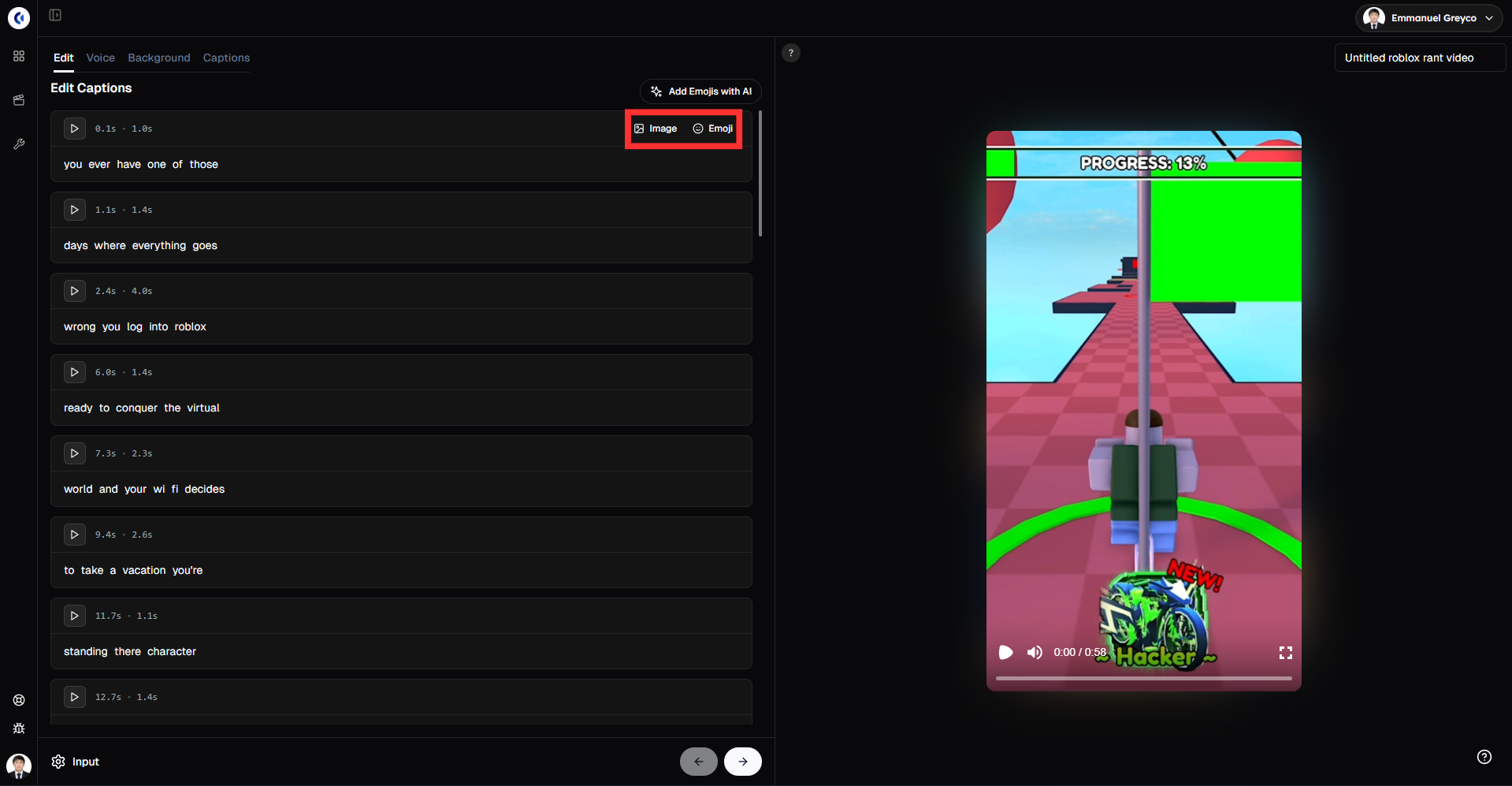
Click on any individual word to edit the text, change its text case, or edit the word entirely to better match your rant style.
You can also add sound effects to each word, allowing you to emphasize punchlines, pauses, or emotional moments in your rant.
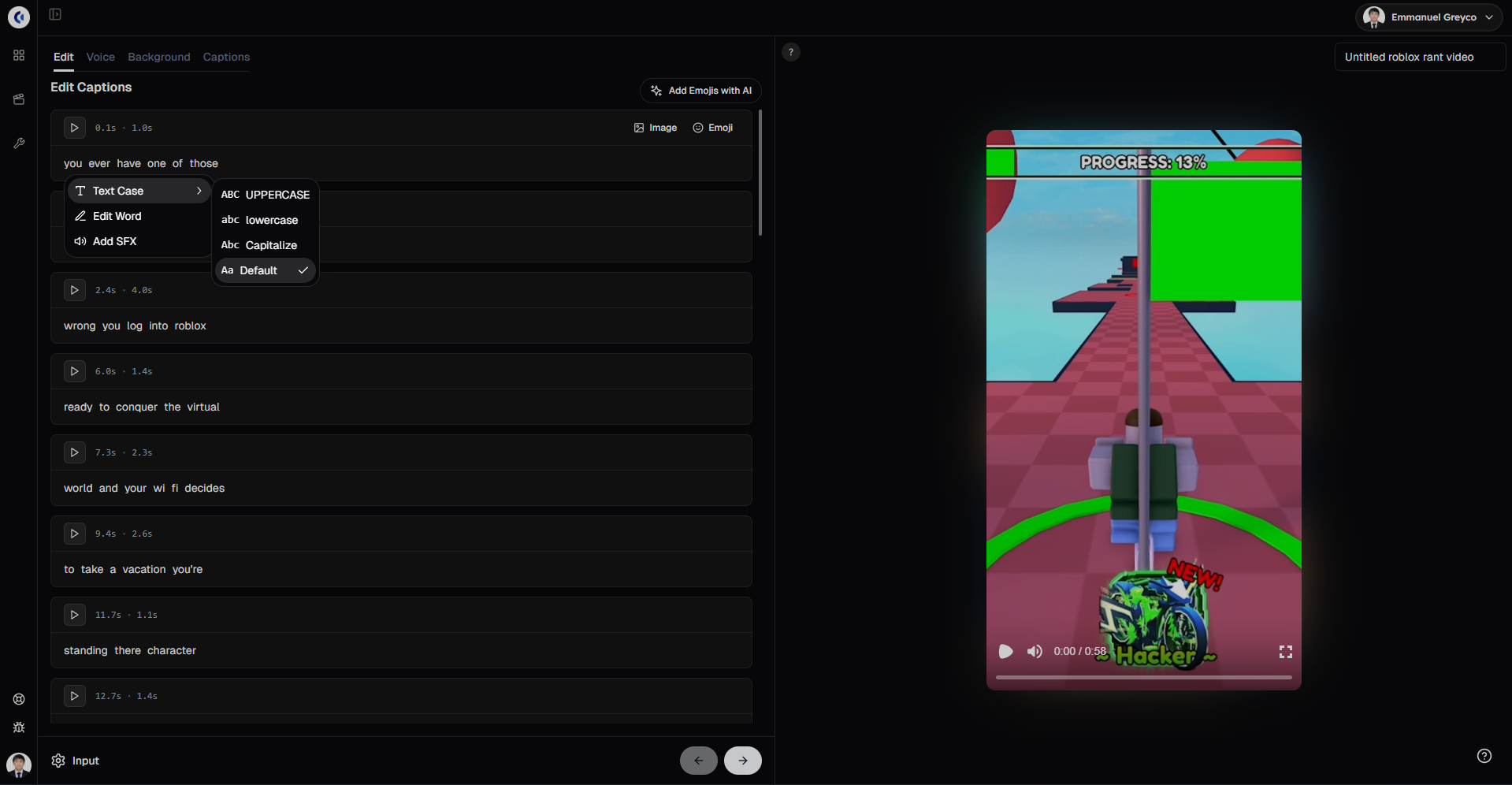
Using the Edit section gives you full control over how your captions look and feel, helping your Roblox rant videos stand out and perform better.
Step 4: Add Background Gameplay Video and Music
Background gameplay helps keep Roblox rant videos visually engaging while the narration delivers your message.
Click the Background section in Clippie AI.
Choose a Roblox gameplay video from our library or upload your own Roblox gameplay footage to use as your background video.
You can also upload your own background music or audio, or select from available options.
Adjust the volume level of the background music to ensure your voiceover remains clear and easy to understand.
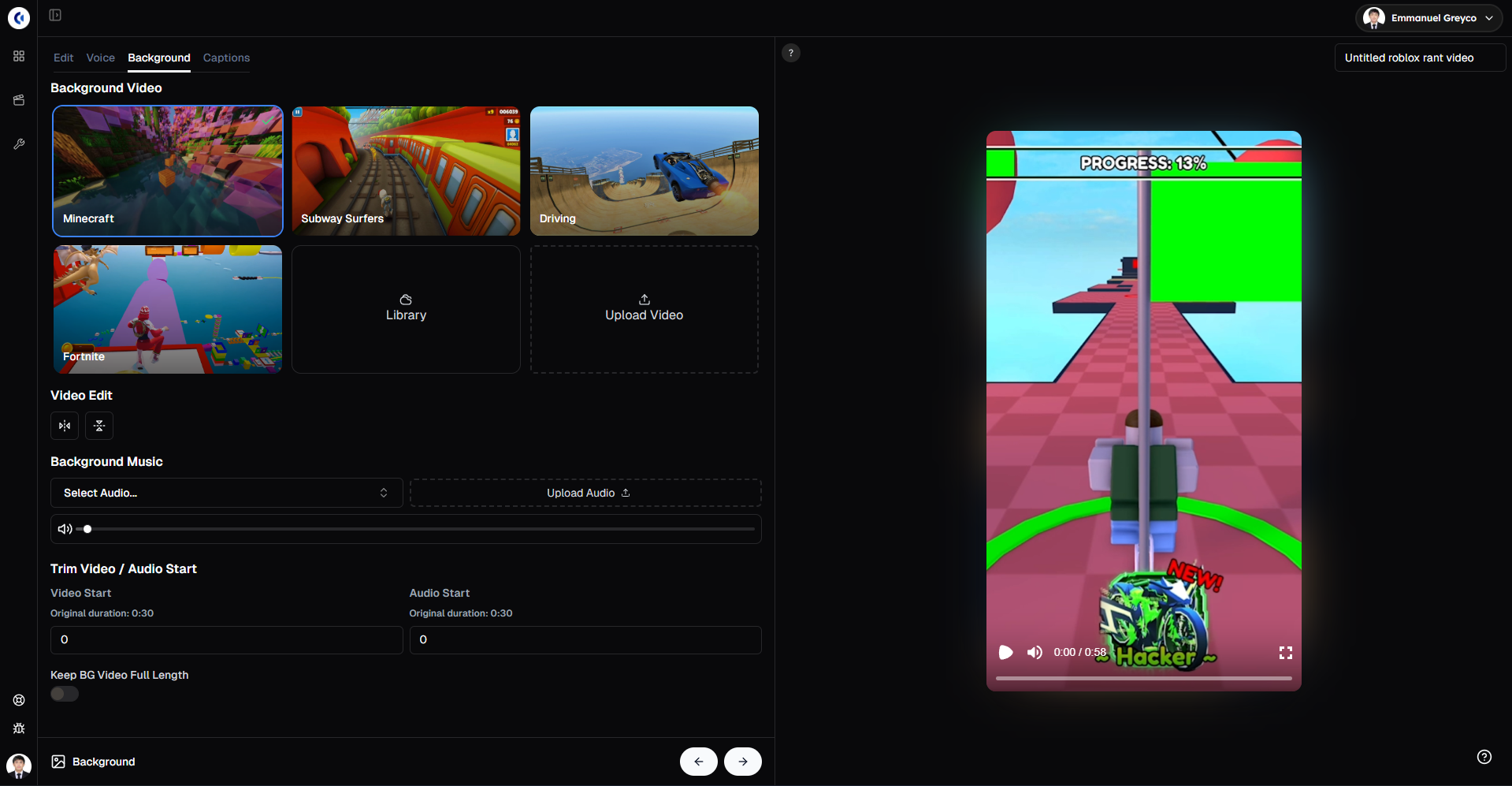
This step helps balance visuals and sound, making your Roblox rant video more engaging and professional.
Please note that the gameplay videos available in our library are public and available for anyone to use. Because of this, there is a chance your video may get flagged or receive reduced reach on the For You Page due to reused or copyrighted content. For best performance and originality, we strongly recommend uploading and using your own gameplay videos.
Step 5: Style Your Captions for Maximum Engagement
Captions are essential for rant videos because many viewers watch without sound.
Open the Captions section in Clippie AI and browse through multiple caption templates with live previews.
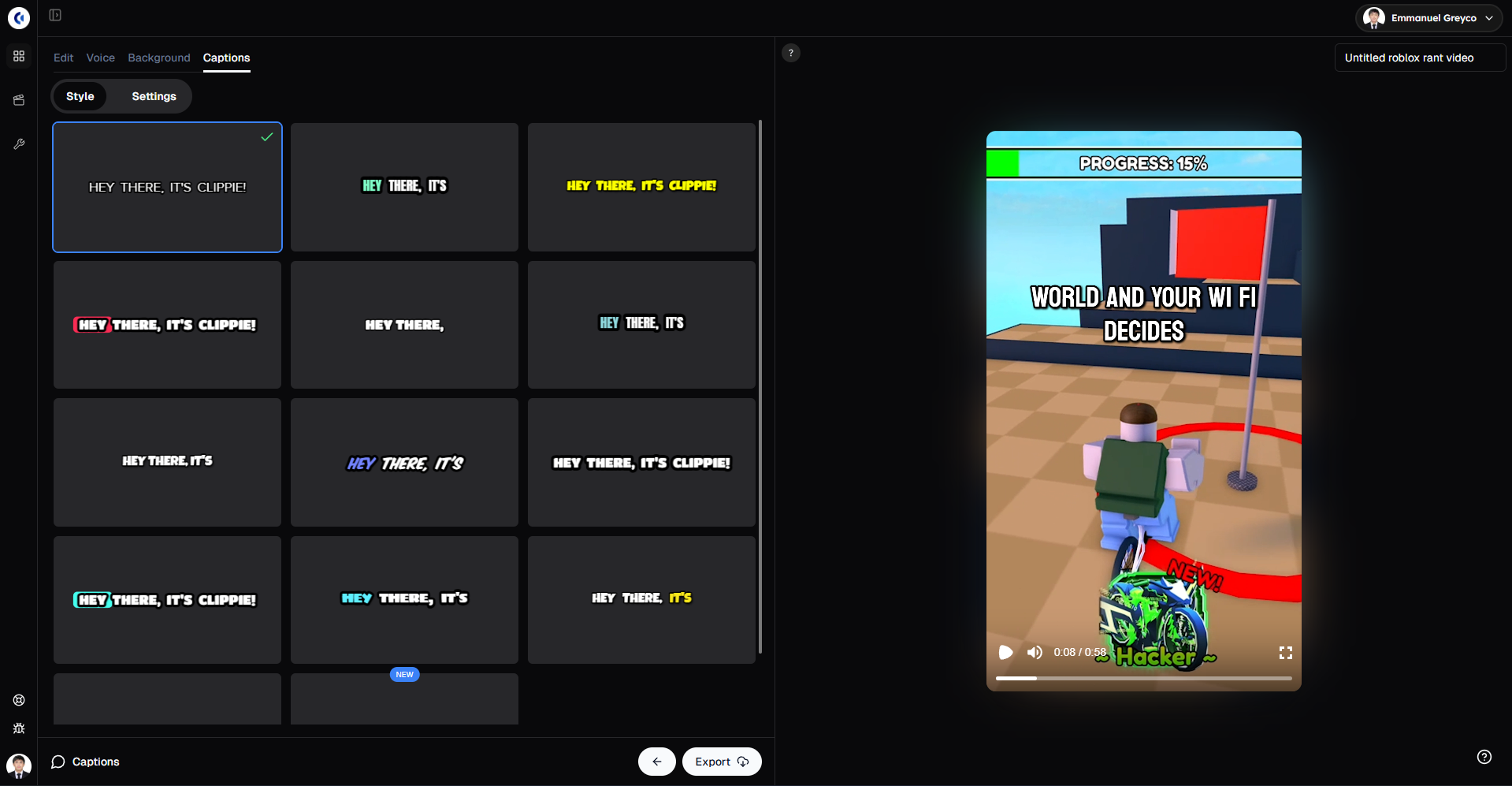
Choose a style that fits your rant’s tone and message.
You can change the position of the captions on screen to avoid covering important visuals.
Adjust the font style and size to make your captions bold and easy to read.
Customize colors in the Settings tab to highlight emotional phrases or punchlines.
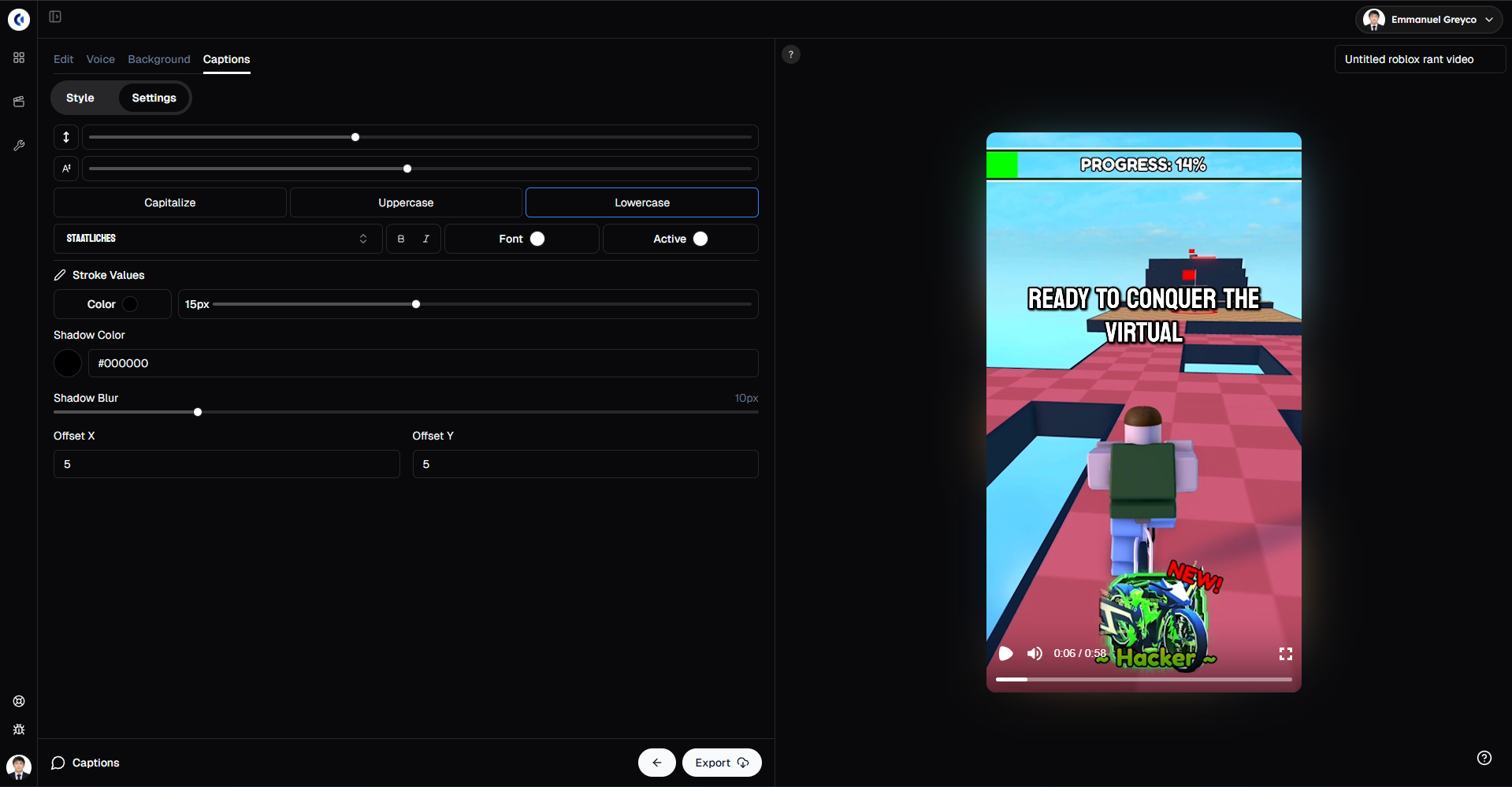
Properly styled captions boost engagement and help your rant videos perform better on TikTok, Shorts, and Reels.
Step 6: Export and Share Your Roblox Rant Video
Once your video looks and sounds the way you want:
Click Export.
Your Roblox rant video is now ready to post and start generating engagement.
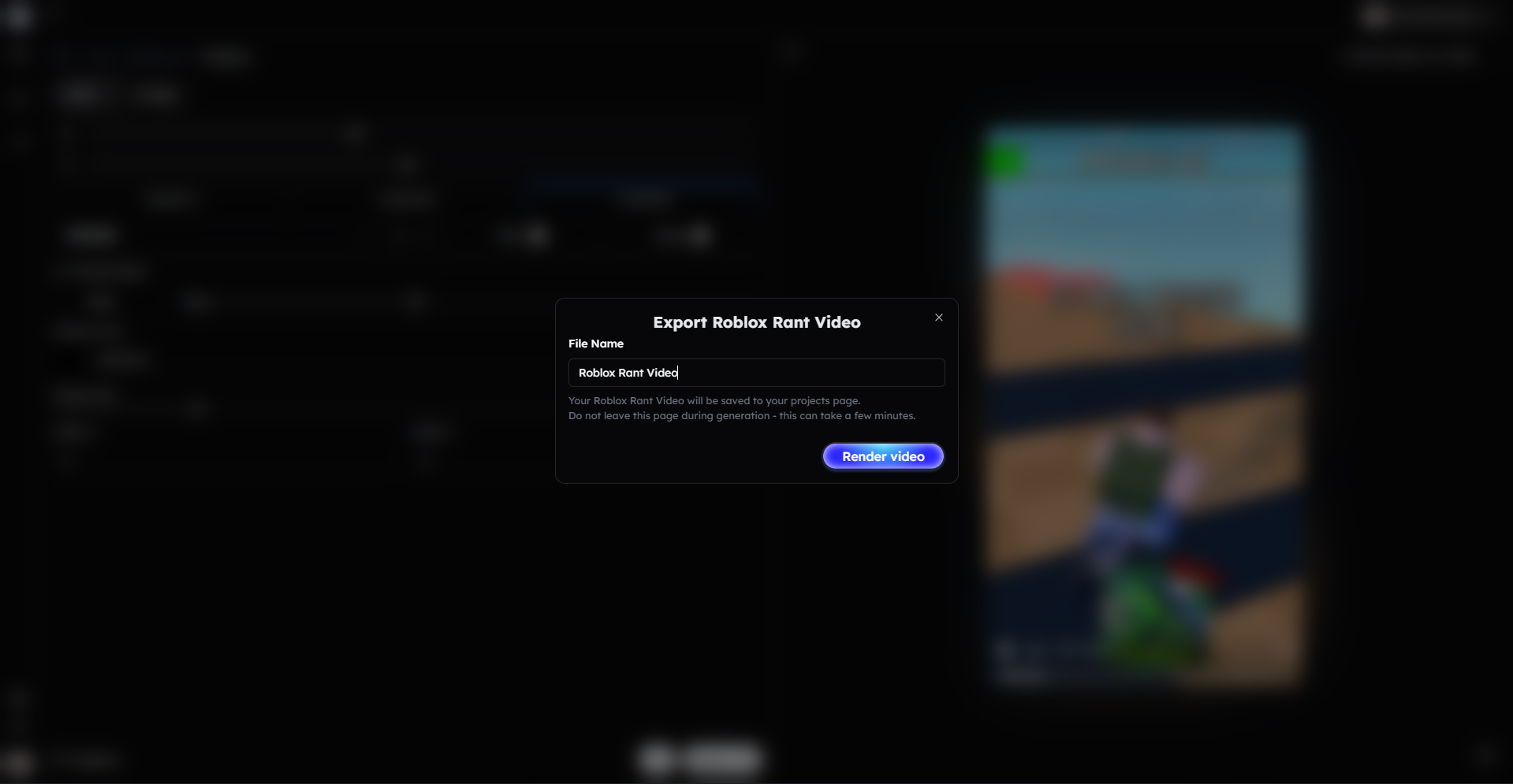
By following these steps, you can consistently create Roblox rant videos that attract attention, spark discussion, and grow your audience using Clippie AI.
Bonus: Get 1-on-1 Support in Our Discord Community
If you get stuck or want personalized help, join our Discord community. Our team offers 24/7 one-to-one support to help you go viral with your content. Click me to join our discord community!
FAQs: Making Roblox Rant Videos
Q: What makes Roblox rant videos popular? A: Strong opinions, relatable frustrations, and clear narration encourage viewers to comment and share, driving engagement and visibility.
Q: Do I need gameplay footage to make Roblox rant videos? A: You can use gameplay videos from Clippie AI’s library or upload your own. Using your own footage helps avoid copyright issues and improves reach.
Q: Can I customize the voice and captions in my rant videos? A: Yes! Clippie AI lets you choose different AI voices, adjust pitch and speed, and fully customize captions with fonts, colors, and emojis.
Q: What is the ideal length for Roblox rant videos? A: Aim for 30 to 60 seconds to maximize watch time and fit TikTok, YouTube Shorts, and Instagram Reels formats.
Related Blog Posts
How to Make Top 5 Videos with Clippie AI (2026 Guide)
How to Create Text Story Videos with Clippie AI (2026 Guide)
How to Make Would You Rather Videos with Clippie AI (2026 Guide)
Click Me To Start Creating With Clippie AI Now!
Read more

Faceless YouTube Automation Ideas That Stay Monetizable
Channel concepts built for a repeatable script, voice and visuals pipeline, each checked against YouTube's July 2026 rules and where human input matters.

Anonymous Content Ideas: 30 Faceless Videos to Post in 2026
Video ideas that never need your face or your own voice, grouped by format: stories, rankings, quizzes, explainers and commentary, with the policy line.
CapCut vs Clippie AI: Video Editor or Faceless Video Maker?
Choosing between CapCut and Clippie AI comes down to workflow: one is a hands-on editor, the other builds a finished short from a script. Pricing and fit.