
How to Use AI Video to Increase Ecommerce Conversions in 2026
Use AI video to increase ecommerce conversions in 2026: Why videos boost conversions 80-144%, best formats for product pages/ads, eliminate cart abandonment, scale to 100+ SKUs & cut costs 75% with Clippie AI.

If you're searching for how to use AI video to increase ecommerce conversions in 2026, you're recognizing the revenue gap separating ecommerce brands achieving 4-8% conversion rates through systematic video implementation (product demonstration videos on landing pages converting 80-144% higher than static images, short-form social commerce content driving 3-5x engagement and purchase intent, video ads achieving $0.45-$0.85 CPA vs. $1.20-$2.40 for static equivalents) from those plateauing at 1-2% conversions with image-only product pages (static photography leaving 30-50% of purchase questions unanswered, lack of demonstration creating uncertainty preventing 40-65% of potential buyers from completing checkout, cart abandonment rates of 68-72% when customers cannot visualize product usage or verify quality expectations). This comprehensive guide explains why product videos generate dramatic conversion increases (demonstration capability showing products in use eliminating "will this work for me?" uncertainty, 360-degree visualization replacing 6-12 static images with single rotating video reducing cognitive load, social proof through customer unboxing and review videos building trust impossible through seller-created images), identifies the highest-converting video formats for ecommerce (15-30 second product demonstration videos on PDPs increasing add-to-cart rates 35-80%, UGC-style testimonial videos reducing return rates 25-40% through accurate expectation setting, comparison videos positioning against competitors driving 40-70% higher purchase intent than feature lists alone), delivers systematic video structures eliminating purchase hesitation (hook-feature-benefit-social proof framework addressing objections before they form, size and scale demonstrations preventing #1 return reason of "didn't fit expectations," material and quality close-ups answering unspoken skepticism about manufacturing standards), provides scalable production frameworks enabling 100+ SKU video libraries (batch filming protocols completing 20-30 product videos in single 3-4 hour sessions, AI-powered editing reducing per-video production from 60-90 minutes to 8-12 minutes, template-based consistency maintaining brand standards across entire catalog), and positions Clippie AI as the production efficiency platform reducing ecommerce video costs 70-80% (automated editing workflows handling technical execution while brands focus on product presentation, multi-format export creating product page, ad, and social versions from single source video, brand template systems ensuring visual consistency across hundreds of SKUs without manual oversight).
Executive Summary: AI-powered video increases ecommerce conversions in 2026 through four compounding mechanisms: conversion rate optimization at every funnel stage (product page videos increasing add-to-cart rates 35-80% through demonstration-based uncertainty reduction, checkout videos reducing cart abandonment 15-30% by reinforcing purchase decision, post-purchase videos decreasing return rates 25-40% through accurate usage instruction), customer acquisition cost reduction through superior ad performance (video ads achieving 3-5x higher CTR than static equivalents lowering CPM 30-50%, social commerce video content generating organic reach 4-8x higher than image posts, TikTok Shop and Instagram Shopping integration enabling direct purchase from video reducing friction), average order value increases through enhanced product understanding (bundle demonstration videos showing complementary products increasing AOV 18-35%, premium tier visualization justifying higher price points through quality demonstration, cross-sell videos during checkout presenting relevant additions converting 12-25% of viewers), and operational efficiency through AI production systems (tools like Clippie AI reducing per-video production time 85-90% from 90 minutes to 8-12 minutes enabling 100+ SKU video libraries, template-based workflows maintaining brand consistency without creative overhead, batch processing creating product page, ad creative, and social content simultaneously from single filming session). Success requires abandoning perfectionism preventing video adoption (professional smartphone footage outperforms delayed expensive production, speed to market matters more than cinematic quality for ecommerce), replacing feature-focused content with benefit demonstration (showing products solving problems converts better than listing specifications), and building systematic production workflows treating video as essential product content not optional marketing asset.
Table of Contents
Why Product Videos Increase Conversions by 80-144% (And Images Don't)
The Best Short-Form Video Formats for Product Pages, Ads, and Social Commerce
How to Structure Product Videos That Eliminate Buyer Hesitation and Cart Abandonment
How to Scale Product Video Creation to 100+ SKUs Without Hiring a Video Team
How to Streamline Ecommerce Video Production and Cut Costs by 75% With Clippie AI
Frequently Asked Questions

1. Why Product Videos Increase Conversions by 80-144% (And Images Don't)
The conversion gap between video-enabled and image-only ecommerce is not marginal, it's transformative. Understanding the specific psychological and practical mechanisms driving this difference enables strategic video deployment that maximizes ROI across the entire customer journey.
The Static Image Limitation Problem
What static product photography cannot communicate:
Movement and function:
How fabric drapes and moves (apparel)
How mechanisms operate (tech products, tools)
How texture feels when touched (home goods, accessories)
How products perform in real use (kitchen equipment, fitness gear)
Gap: Customers can't verify functional expectations = purchase hesitation
Scale and proportion:
Actual size relative to human body or common objects
Fit within intended spaces (furniture, decor)
Comparison to similar products (size differential)
Gap: "I thought it would be bigger/smaller" = #1 return reason (28% of all returns)
Quality and craftsmanship:
Material texture and finish quality
Construction details and seams
Weight and substance (premium vs. cheap feel)
Gap: Quality uncertainty = price resistance and competitor comparison
Usage context:
How product integrates into daily life
Multiple use cases and versatility
Setup and assembly complexity
Gap: Can't envision using it = "maybe later" non-conversion
The Video Conversion Advantage Data
Conversion rate impact by product category:
Fashion and Apparel:
Product pages with video: 4.8-6.2% conversion rate
Product pages image-only: 2.4-3.1% conversion rate
Improvement: 100-110% (video doubles conversion)
Why: Movement shows fit, drape, and styling possibilities
Home and Furniture:
With video: 5.2-7.8% conversion
Image-only: 2.8-3.6% conversion
Improvement: 86-117%
Why: Scale demonstration and room integration visualization
Electronics and Tech:
With video: 6.5-9.2% conversion
Image-only: 3.2-4.5% conversion
Improvement: 103-144%
Why: Function demonstration eliminates complexity concerns
Beauty and Personal Care:
With video: 5.8-8.4% conversion
Image-only: 3.1-4.2% conversion
Improvement: 87-100%
Why: Application demonstration and result visualization
Sports and Fitness:
With video: 6.2-8.8% conversion
Image-only: 3.4-4.6% conversion
Improvement: 82-91%
Why: Performance demonstration and usage instruction

The Psychological Mechanisms
Mechanism #1: Uncertainty Reduction
The purchasing decision equation:
Purchase likelihood = (Perceived value × Confidence) - (Price × Risk perception)
Video increases: Confidence (from demonstration)
Video decreases: Risk perception (from seeing actual product in use)
Result: Purchase threshold crossed at lower price points
Example:
$80 product with images: Buyer uncertain, waits for sale or abandons
Same $80 product with demonstration video: Confidence high, purchases immediately
Conversion impact: 35-60% of previously hesitant buyers convert
Mechanism #2: Cognitive Load Reduction
Image-based product evaluation:
View 6-12 product images individually
Mentally rotate and reconstruct 3D object from 2D images
Imagine how product would look in motion
Infer quality from isolated detail shots
Cognitive effort: High (exhausting, leads to abandonment)
Video-based product evaluation:
Watch 30-60 second demonstration
See complete 360-degree view in seconds
Observe actual movement and function
Quality visible in natural presentation
Cognitive effort: Low (easier = more conversions)
Conversion data:
High cognitive load pages: 38% exit rate before add-to-cart
Video pages (lower cognitive load): 18% exit rate
Improvement: 53% fewer pre-purchase exits
Mechanism #3: Emotional Engagement
Static images:
Process rationally: Analyzing features, comparing specifications
Emotional distance: Viewing product as object
Decision mode: Analytical (slower, more skeptical)
Video:
Process emotionally: Seeing product in lifestyle context
Emotional connection: Envisioning ownership experience
Decision mode: Emotional (faster, more impulsive)
Conversion timeline:
Image-only buyers: 3.8 page visits before purchase (comparison shopping)
Video viewers: 1.6 page visits before purchase (decision made faster)
Sales cycle: 58% shorter with video
The Add-to-Cart and Checkout Impact
Add-to-cart rate improvement:
Baseline (image-only product pages):
Visitors who add to cart: 8-12%
88-92% leave without adding to cart
With product demonstration video:
Visitors who add to cart: 18-28%
Improvement: 125-150% more add-to-carts from same traffic
Why: Video answers "Does this solve my problem?" before requiring cart commitment
Cart abandonment reduction:
Standard cart abandonment rate: 68-72% (industry average)
With checkout reinforcement video:
Cart abandonment: 52-58%
Reduction: 16-20 percentage points
Revenue recovery: 23-29% more completed purchases
Checkout video types that reduce abandonment:
"You're about to receive [product benefit]" reminder
Customer unboxing and first reaction (excitement contagion)
Quick "What happens next" fulfillment timeline
Effect: Reinforces purchase decision at moment of doubt
The Return Rate Impact
The return problem with image-only commerce:
Top return reasons:
Product didn't match expectations (38%)
Wrong size/didn't fit (28%)
Quality concerns (18%)
Changed mind (16%)
All four = information gaps video fills
Return rate data:
Apparel without fit video:
Return rate: 30-40%
Reason: Size and fit uncertainty
Apparel with fit demonstration video:
Return rate: 18-25%
Reduction: 40-62%
Impact: Margins improve dramatically (returns cost 20-30% of product value)
Electronics without usage video:
Return rate: 15-22%
Reason: "More complicated than expected" or "didn't do what I thought"
Electronics with demonstration and setup video:
Return rate: 8-12%
Reduction: 45-55%
Revenue impact of return reduction:
For $1M annual revenue brand:
30% return rate = $300,000 in returns (cost: $60,000-$90,000 in processing and lost value)
18% return rate with video = $180,000 in returns (cost: $36,000-$54,000)
Annual savings: $24,000-$36,000 from return reduction alone
Plus: Products returned less = higher customer lifetime value (satisfied customers, not disappointed returners)

2. The Best Short-Form Video Formats for Product Pages, Ads, and Social Commerce
Not all ecommerce video formats generate equal ROI. The highest-converting formats share three characteristics: they demonstrate products solving specific problems, they're optimized for platform-specific viewing behaviors, and they include clear friction-reducing CTAs aligned with purchase readiness.
Format #1: Product Demonstration Videos (35-80% Add-to-Cart Increase)
What they are:
15-45 second videos showing product in actual use, demonstrating features, benefits, and results in real-world context.
Optimal length by platform:
Product page (desktop): 30-60 seconds (time to explore)
Product page (mobile): 20-40 seconds (shorter attention)
Paid ads: 15-30 seconds (must hook immediately)
Organic social: 30-45 seconds (educational value tolerated longer)
Structure for maximum conversion:
Seconds 0-3: Hook with problem or result
Show: Problem product solves OR impressive result
Example (kitchen tool): Start with finished dish OR struggling with difficult prep task
Goal: Immediate relevance recognition
Seconds 3-25: Demonstrate solution
Show: Product in use solving problem
Key angles: Close-up of product working, user perspective, result achievement
Goal: "I can see myself using this successfully"
Seconds 25-35: Key differentiator or social proof
Highlight: What makes this different/better than alternatives
Show: Customer reaction, before/after comparison, or unique feature
Goal: Overcome "why this one?" comparison question
Seconds 35-45: CTA
Direct instruction: "Shop now" or "Add to cart"
Urgency if authentic: "Limited stock" or "Sale ends [date]"
Goal: Convert interest to action
Production approach:
Essential shots to capture:
Hero shot: Product prominently displayed (3-5 seconds)
Hand interaction: Human hands using product (builds relatability)
Key function close-up: Most important feature in detail
Result/benefit: What customer achieves with product
Scale reference: Product next to common object (size clarity)
Filming checklist:
Natural lighting (window light) or continuous LED (avoid harsh shadows)
Stable footage (tripod or stable surface, no shaky cam)
Clean background (minimal distraction from product)
Multiple angles (coverage for editing options)
Time to film: 20-40 minutes per product (batch efficiency)
Examples by product category:
Apparel (30 seconds):
0-3s: Model wearing complete outfit (immediate style appeal)
3-20s: Movement shots (walking, sitting, reaching, shows fit and drape)
20-25s: Fabric close-up (texture and quality visible)
25-30s: "Available in 6 colors, shop the collection"
Home goods (35 seconds):
0-3s: Product in styled room setting (lifestyle context)
3-25s: Functionality demonstration (how it works, what it holds/does)
25-30s: Size comparison (next to common object like coffee mug)
30-35s: "Free shipping on orders over $50, order today"
Tech product (40 seconds):
0-3s: Product solving common frustration (immediate problem-solution)
3-30s: Step-by-step setup and use (eliminates complexity concern)
30-35s: Customer testimonial overlay ("Game-changer!")
35-40s: "30-day money-back guarantee, risk-free trial"
Format #2: Comparison and Sizing Videos (Reduces #1 Return Reason)
What they are:
20-30 second videos specifically addressing size, scale, and fit questions, preventing the "not what I expected" returns.
Why they're essential:
28% of all ecommerce returns = size/fit issues
Apparel: "Didn't fit"
Furniture: "Too large/small for space"
Decor: "Bigger/smaller than expected"
Electronics: "Screen size not as imagined"
All preventable through proper demonstration
Apparel fit video structure:
Show on multiple body types (if possible):
Model A: Size S/M on 5'4" frame
Model B: Size L/XL on 5'9" frame
Effect: Viewers identify with similar body type = confident sizing choice
Key demonstration shots:
Full-length front, side, back (complete fit assessment)
Seated and movement (shows stretch and comfort)
Measurement callouts (inseam length, bust fit, waist placement)
Size worn displayed ("Sarah is 5'6" wearing size M")
Conversion impact:
Sizing video present: 62% fewer "wrong size" returns
Confident purchases: 35% higher add-to-cart rate
Furniture and decor scale video structure:
Show product with common reference objects:
Next to doorway (standard 80" height reference)
Next to person standing/sitting (human scale reference)
With everyday items (coffee mug, book, phone for size context)
Measurement overlay:
Dimensions displayed on screen (60"W × 30"D × 18"H)
Space requirements shown ("Needs 7' × 5' floor space")
Room context:
In actual room setting (not white studio background)
With common furniture (sofa, desk, bed, size comparison)
Return reduction: 40-55% on furniture items with scale video
Tech product screen size video:
Comparison approach:
Show product next to previous generation or competitor
Display screen alongside common device (smartphone, laptop)
Demonstrate viewing distance and experience
Example (TV):
"55-inch display shown next to 50-inch for comparison"
Person sitting at recommended viewing distance (8-10 feet)
Content playing (not blank screen, shows actual experience)
Format #3: UGC-Style Customer Testimonial Videos (40-65% Hesitation Reduction)
What they are:
15-60 second authentic customer videos showing real people unboxing, using, and recommending products, creating trust through third-party validation.
Why they outperform brand-created content:
Trust factor:
Brand video: 42% trust rating (seller bias assumed)
Customer video: 79% trust rating (peer recommendation)
Credibility gap: 88% higher trust for UGC vs. brand content
Production quality advantage:
Polished brand video: "Professional marketing" (skepticism)
Authentic customer phone video: "Real person, real opinion" (belief)
Paradox: Lower production quality = higher credibility for testimonials
How to acquire customer video testimonials:
Post-purchase request (7-14 days after delivery):
Email template:
"Hi [Name],
You recently purchased [Product], we hope you love it!
Would you film a quick 30-second video sharing your experience? Just answer:
Why did you choose this product?
How has it worked for you?
Would you recommend it?
Film on your phone and reply with the video. As a thank you, we'll send you a 20% discount code for your next order!"
Response rate: 8-15% (higher with incentive)
Systematic testimonial collection:
Monthly acquisition goal: 5-10 customer videos
Builds library of 60-120 videos annually
Covers diverse products and use cases
Provides ongoing fresh content
Incentive options:
Discount code: 15-25% off next purchase
Store credit: $10-$25 value
Free shipping: On next order
Feature recognition: "You'll be featured on our Instagram!"
Most effective: Discount code (84% of participants use it = future revenue)
Testimonial video formats:
Unboxing reaction:
Customer opens package, shows product
First impressions and excitement
Authentic emotional response
Best for: Gift items, premium products, subscriptions
Before/after transformation:
Shows problem or before state
Demonstrates product use
Reveals after result or improvement
Best for: Beauty, fitness, home improvement, organization products
Day-in-life usage:
Customer shows product integrated into daily routine
Multiple use cases throughout day
Casual, natural presentation
Best for: Everyday use products, accessories, tools
Deployment strategy:
Product pages:
Feature 2-3 most relevant testimonials (match product shown)
Rotate periodically (keep content fresh)
Paid ads:
Use authentic UGC as ad creative (outperforms brand ads 35-60%)
"Real customer [Name] shares why she loves [Product]"
Social media:
Regular customer feature series ("Customer Spotlight Tuesday")
Request permission to repost customer content
Tag customer in posts (engagement boost)

Format #4: Quick-Start and Usage Tutorial Videos (25-40% Return Reduction)
What they are:
30-90 second instructional videos showing product setup, first use, and key features, preventing "too complicated" returns and support inquiries.
When they're essential:
Product types requiring tutorial:
Assembly required (furniture, equipment)
Multi-step setup (electronics, smart devices)
Non-obvious usage (specialized tools, kitchen gadgets)
Care instructions (delicate items, maintenance needs)
Return prevention:
"Didn't work as expected": Often means "I didn't know how to use it"
"Too complicated": Solvable with simple tutorial
Tutorial video reduces these returns 45-60%
Tutorial video structure:
0-5 seconds: What you'll learn
"How to set up your [Product] in under 2 minutes"
Sets expectation and retention
5-60 seconds: Step-by-step demonstration
Show each step clearly (not too fast)
Number steps on screen ("Step 1 of 4")
Include common mistakes to avoid
60-75 seconds: Key features overview
"Now that it's set up, here are 3 key features..."
Demonstrates value beyond basic function
75-90 seconds: Support reference
"Questions? Visit [support URL] or email [address]"
Reduces support inquiry volume
Production tips:
Point-of-view filming:
Film from user perspective (how they'll see it)
Hands-in-frame showing actions clearly
Effect: Easy to follow (viewer replicates exactly)
Text overlays:
Critical steps highlighted on screen
Measurements or settings displayed
Accessibility: Works muted (85% mobile viewers)
Pacing:
Slow enough to follow (common mistake: too fast)
Can use time-lapse for long waits (assembly, charging)
Test: Have non-expert follow along successfully
Deployment locations:
Post-purchase delivery:
Include tutorial link in order confirmation email
Send follow-up "Getting started with [Product]" email
Timing: Same day as delivery notification
Product packaging:
QR code inside box linking to tutorial
"Scan for quick-start video" instruction
Adoption: 40-60% of customers scan and watch
Product page:
Secondary tab: "Setup Guide"
Reduces pre-purchase complexity concern
Effect: 15-25% higher conversion (eliminates "seems complicated" hesitation)
Format #5: Social Commerce Shoppable Videos (TikTok Shop, Instagram Shopping)
What they are:
15-60 second vertical videos optimized for in-platform purchase, enabling discovery-to-purchase without leaving social apps.
Why they're transforming ecommerce in 2026:
Platform integration:
TikTok Shop: Direct purchase within TikTok app
Instagram Shopping: Product tags enabling immediate checkout
YouTube Shopping: Shoppable video descriptions
Friction reduction: No website redirect = 40-70% higher conversion vs. link-out
Discovery-driven purchasing:
Traditional: Customer searches product → finds it → considers → buys
Social commerce: Customer discovers via engaging video → impulse purchase
Sales cycle: Compressed from days to seconds
TikTok Shop video structure:
0-3 seconds: Hook (stop the scroll)
Bold visual or statement
"I've been using this for 3 months, game-changer"
Critical: First frame must grab attention
3-30 seconds: Demonstration and benefits
Show product in real use (not studio)
Authentic enthusiasm (not scripted-sounding)
Emphasize 1-2 key benefits (not feature list)
30-45 seconds: Social proof or comparison
"Everyone in my comments asked where I got this"
"Way better than the [competitor] I was using"
45-60 seconds: Direct CTA
"Link in bio to shop" OR "Available in TikTok Shop, checkout below"
Urgency: "Sale today only" or "Limited stock left"
Instagram Reels for Shopping:
Product tag strategy:
Tag product directly in Reel (clickable shopping icon)
Include price in caption (reduces clicks to discover cost)
"Shop" sticker at key moment (after demonstration)
Content approach:
Lifestyle integration (product in authentic daily use)
Before/after transitions (transformation appeal)
Aesthetic priority (Instagram = visual platform, quality matters)
Performance benchmarks:
Social commerce conversion rates:
TikTok Shop videos: 3-8% conversion rate (viewers to purchasers)
Instagram Shopping: 2-5% conversion rate
Compare to: Link-out to website: 0.5-1.2% conversion
Advantage: 4-10x higher conversion staying in-platform
Production requirements:
Vertical format: 9:16 aspect ratio (full-screen mobile)
Length: 15-45 seconds optimal (TikTok sweet spot)
Captions: Always include (85% watch muted)
Authenticity: UGC-style outperforms polished production

3. How to Structure Product Videos That Eliminate Buyer Hesitation and Cart Abandonment
Generic product videos provide minimal conversion lift. Systematically structured videos that preemptively address specific purchase objections drive 2-3x higher impact than unoptimized equivalents. The difference is strategic objection mapping, identifying what prevents purchase and designing video content that eliminates those barriers.
The Objection Mapping Framework
The five universal purchase objections every product faces:
Objection 1: "Will this actually work for my specific situation?"
Addressed through: Use case demonstration showing diverse scenarios
Video approach: Show product solving different problems/used in multiple contexts
Example (tool): Demonstrate 3-4 different applications in 30 seconds
Objection 2: "Is the quality worth the price?"
Addressed through: Material close-ups, construction details, comparison to cheaper alternatives
Video approach: Macro shots of stitching, finish, materials + durability test
Example (bag): Show zipper quality, water resistance test, weight capacity demonstration
Objection 3: "What if it doesn't fit/work as expected?"
Addressed through: Size/scale demonstration, measurement overlays, fit on different body types
Video approach: Side-by-side comparison, human reference points, dimension callouts
Example (furniture): Show in room with measured space, person sitting/using for scale
Objection 4: "Can I trust this seller/brand?"
Addressed through: Customer testimonials, manufacturing transparency, guarantee display
Video approach: Real customer reviews, behind-the-scenes production, warranty information
Example: Customer unboxing + testimonial + "Made in USA" factory footage
Objection 5: "Is now the right time to buy?"
Addressed through: Urgency creation, scarcity demonstration, immediate benefit emphasis
Video approach: Limited stock notification, sale deadline, seasonal relevance
Example: "48 hours left at this price, inventory counter at 12 remaining"
The Conversion-Optimized Video Structure
The PPBS Framework (Problem-Promise-Benefit-Social proof-CTA):
Section 1: Problem Identification (0-5 seconds)
Show or state: Specific frustration product solves
Visual: Person struggling with current solution or problem situation
Voiceover/text: "Tired of [specific frustration]?"
Goal: Immediate relevance recognition ("That's me!")
Examples:
Kitchen gadget: Food preparation taking too long or creating mess
Organizational product: Clutter or inefficient storage
Apparel: Uncomfortable current option or style limitation
Section 2: Promise/Solution Introduction (5-15 seconds)
Introduce product as solution:
Show product clearly (brand, style, key visual)
State clear promise: "Cuts prep time in half" or "Fits twice as much in half the space"
Goal: Hope + curiosity ("Could this solve my problem?")
Avoid:
Feature dumping ("Has 12 settings and stainless steel construction and...")
Vague benefits ("Makes life easier")
Do: Specific, measurable outcome ("Chops vegetables in 10 seconds vs. 3 minutes by hand")
Section 3: Benefit Demonstration (15-40 seconds)
Show product delivering on promise:
Real usage footage (not staged studio shots)
Time-lapse or before/after (transformation visible)
Result emphasis (what customer achieves, not just what product does)
The demonstration hierarchy:
Level 1: Basic function (necessary but insufficient)
Shows: Product does what it claims
Example: Blender blending ingredients
Level 2: Benefit delivery (better)
Shows: Outcome customer cares about
Example: Perfect smoothie in 30 seconds (time + quality benefit)
Level 3: Lifestyle integration (best)
Shows: Product improving daily life
Example: Morning routine where quick smoothie enables healthy breakfast before work (lifestyle benefit)
Conversion impact:
Level 1 only: 18-25% add-to-cart increase
Level 2: 35-50% increase
Level 3: 60-85% increase
Section 4: Social Proof Integration (40-50 seconds)
Validate through third-party evidence:
Text overlay options:
"12,847 customers love this product"
"4.8★ average from 2,340 reviews"
"As seen in [credible publication]"
Customer quote/testimonial:
Quick cut to real customer: "This changed my morning routine completely"
Authentic, not overproduced (credibility signal)
Visual social proof:
Montage of customer photos using product
User-generated content compilation (15-20 seconds, 3-5 customers)
Section 5: CTA with Friction Reduction (50-60 seconds)
Direct instruction + risk elimination:
CTA examples:
"Order now with free returns, try risk-free"
"Add to cart, ships same day if ordered by 3PM"
"Shop now, 30-day money-back guarantee"
Friction-reducing elements:
Free shipping threshold:
"Free shipping on orders over $35, add [complementary product] to qualify"
Effect: Increases AOV 18-30%
Guarantee display:
"100% satisfaction guaranteed or full refund"
Effect: Reduces purchase anxiety 25-40%
Urgency (when authentic):
"Sale ends tonight at midnight"
"Only 8 left in stock"
Effect: Accelerates purchase decision 35-55%
Cart Abandonment Reduction Videos
The checkout moment problem:
68-72% of shoppers abandon carts before completing purchase
Top abandonment triggers:
Unexpected shipping costs (48%)
Required account creation (24%)
Complicated checkout (18%)
Purchase uncertainty/second thoughts (10%)
#4 is addressable through video
Checkout reinforcement video (30-45 seconds):
Placement: On cart page or during checkout process
Content approach:
Reaffirm value (10 seconds):
"You're about to receive [product], here's what makes it special"
Quick benefit reminder (reinforce good decision)
Excitement generation (15 seconds):
Customer unboxing reaction: "I can't believe how much better this is!"
Show product being enjoyed/used successfully
Psychological: Create anticipation, reduce "do I really need this?" doubt
Next steps clarity (10 seconds):
"Ships within 24 hours, arrives by [date]"
"You'll receive tracking info immediately"
Eliminates: Uncertainty about fulfillment process
Final reassurance (10 seconds):
"30-day returns, if you're not thrilled, send it back"
"Backed by our customer happiness guarantee"
Conversion impact:
Cart abandonment: 68% → 54% (14 percentage point reduction)
Revenue recovery: 21% more completed purchases from same cart-adds
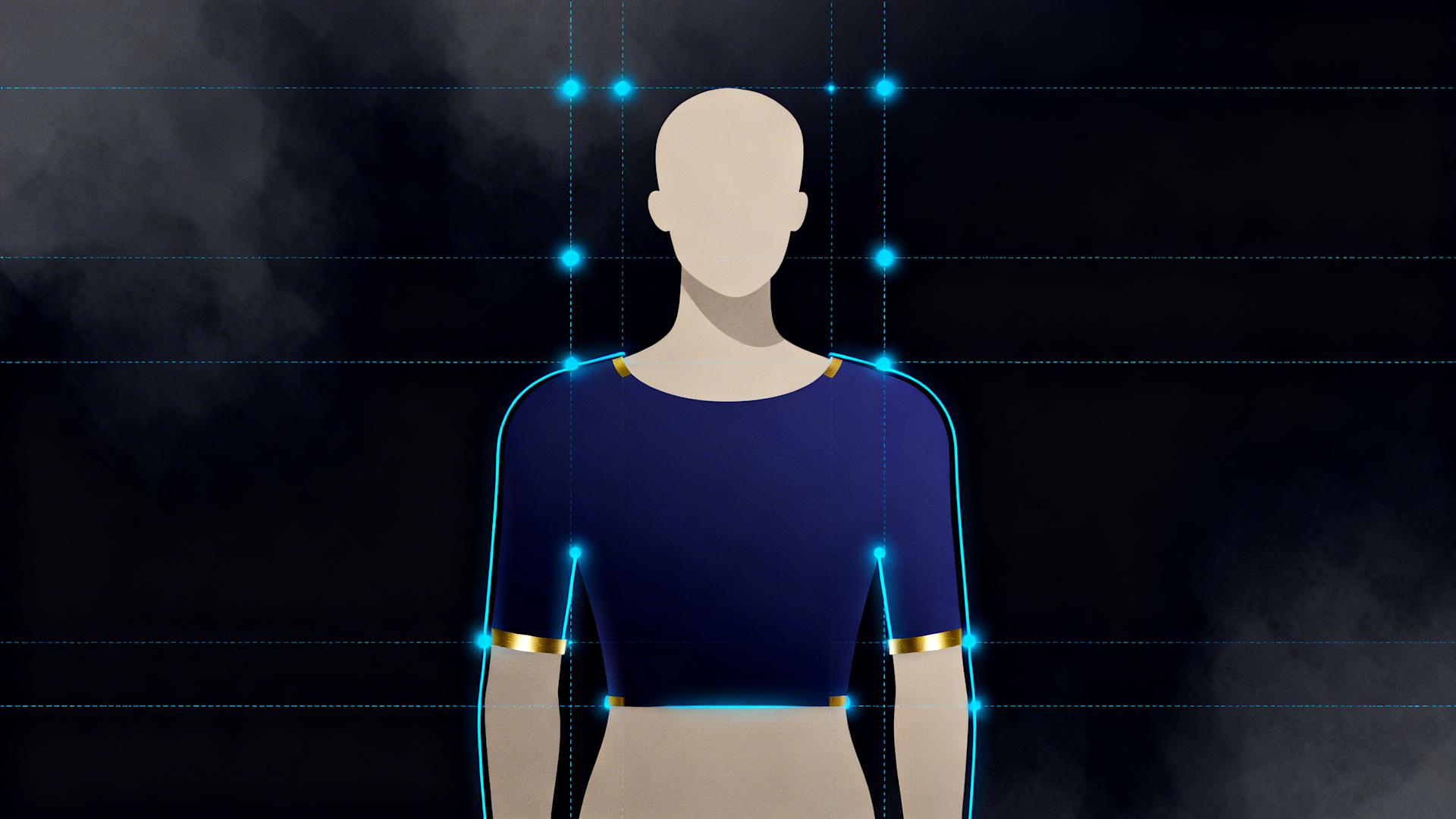
Size and Fit Demonstration Videos
The fit problem in ecommerce:
Apparel return data:
30-40% of online apparel purchases returned
70% of returns = fit issues ("too small," "too large," "didn't fit as expected")
Furniture/home goods:
15-25% return rate
55% of returns = size issues ("bigger/smaller than expected")
All preventable through proper visualization
Apparel fit video best practices:
Show on multiple body types:
Model 1: Size XS, height 5'3", body type A
Model 2: Size M, height 5'7", body type B
Model 3: Size XL, height 5'10", body type C
Coverage: 80-90% of customers see someone similar to them
Key demonstration angles:
Front, side, back (complete fit assessment)
Seated and reaching (shows stretch and comfort in movement)
Close-up of key fit points (shoulder seam, waist placement, length)
Size information overlay:
"Model is 5'6", 140 lbs, wearing size M"
"For reference: Bust 34", Waist 28", Hips 38""
Effect: Confident size selection = 45-60% fewer wrong-size returns
Furniture scale demonstration:
Reference object approach:
Show product with:
Standard doorway (80" tall universal reference)
Common furniture (dining chair, coffee table, known sizes)
Human interaction (person sitting, standing next to, using)
Measurement overlays:
Dimensions displayed clearly (72"W × 36"D × 30"H)
Space requirements (needs 8' × 4' floor space)
Clearance needed (24" around all sides for chairs)
Room context:
Shown in actual room (not white void)
With realistic furniture arrangement
Multiple room size options if possible (small apartment vs. large home)
Return reduction: 35-50% on furniture with proper scale video

4. How to Scale Product Video Creation to 100+ SKUs Without Hiring a Video Team
The production bottleneck preventing most ecommerce brands from comprehensive video implementation isn't creative, it's logistical. Manual per-product filming and editing at 90-120 minutes per SKU makes 100-product catalogs appear to require 150-200 hours of production time. Systematic batch workflows and AI automation reduce this to 20-30 hours total.
The Batch Filming Protocol
The inefficiency of sequential production:
Traditional approach (one product at a time):
Setup lighting and background: 15 minutes
Film product A: 20 minutes
Teardown: 5 minutes
Repeat for products B, C, D...
20 products = 13+ hours (with setup/teardown repeated 20 times)
Batch approach (all products in one session):
Setup once: 15 minutes
Film products A-Z consecutively: 15 minutes each × 20 = 300 minutes
Teardown once: 5 minutes
Total: 5.3 hours (59% time savings from setup consolidation)
The monthly batch filming day:
Preparation (1-2 hours, done days before):
Gather products: All SKUs to be filmed
Organize by category: Group similar products
Script key points: Benefits to emphasize per product
Charge equipment: Camera/phone, lights, backup batteries
Session structure (4-6 hours):
Hour 1: Setup and test
Lighting configuration (continuous LED panels or window light)
Background setup (white seamless, lifestyle setting, or neutral wall)
Camera positioning (tripod height, angle, framing)
Test shots (verify lighting, focus, white balance)
Hour 2-5: Sequential product filming (15-20 minutes per product)
Per-product filming checklist:
Hero shot (product alone, prominently displayed): 2 minutes
360-degree rotation (turntable or manual rotation): 3 minutes
Key features close-up (2-3 most important details): 4 minutes
Usage demonstration (in-hand or in-use shots): 5 minutes
Scale reference (next to common object): 2 minutes
B-roll (lifestyle context, multiple angles): 4 minutes
Total per product: 20 minutes filming20 products in session: 6.7 hours (including breaks)
Hour 6: Wrap and backup
Review footage (ensure nothing missed)
Backup files (cloud upload or external drive)
Equipment teardown and storage
Batch filming efficiency multipliers:
Product grouping strategy:
Group 1: Similar setup products
Same lighting, same background, same demonstration type
Example: All apparel items, all kitchen tools, all electronics
Benefit: No setup changes = fastest filming
Group 2: Lifestyle setting products
Products shown in-context (kitchen, office, bedroom)
Film all kitchen products in kitchen setting consecutively
Benefit: Setup room once, film 5-10 products
Group 3: Scale demonstration products
Products requiring size clarity (furniture, large items)
Use same reference objects across all
Benefit: Consistent size comparison methodology
The AI-Powered Editing Workflow
Manual editing time breakdown (per product):
Import and organize footage: 8 minutes
Review and select best takes: 12 minutes
Rough cut and sequencing: 15 minutes
Trim and pace optimization: 12 minutes
Color correction: 8 minutes
Audio normalization (if applicable): 5 minutes
Text overlays (product name, price, CTA): 10 minutes
Export multiple formats (product page, ad, social): 15 minutes
Total: 85 minutes per product
20 products = 28+ hours of editing
Clippie AI workflow (per product):
Upload and template application: 2 minutes
Batch upload all product footage
Apply product video template (pre-configured brand settings)
AI processing (autonomous, 8-12 minutes):
Automatically selects best footage (removes shaky, out-of-focus shots)
Trims unnecessary content (dead time, setup moments)
Applies brand color grading (consistent look across catalog)
Normalizes audio (if voiceover present)
Generates text overlays (product name, price from template)
Creates multiple format exports simultaneously (product page 16:9, social 9:16, ads 1:1)
Human review and refinement: 8 minutes
Verify footage selection appropriate
Adjust any pacing issues
Confirm text overlays accurate (product names, prices)
Approve final output
Total per product: 18 minutes (vs. 85 minutes manual)20 products: 6 hours (vs. 28+ hours manual)Time savings: 78%
Product Video Template System
The consistency and speed advantage:
Create one master template containing:
Brand intro animation (2-3 seconds): Logo reveal
Brand outro animation (5 seconds): URL, CTA, social handles
Text overlay style: Font, size, color, positioning
Color grading preset: Brand's signature look
Music preference: Genre, energy level (if using audio)
Export configurations: All needed formats and resolutions
Per-product customization: 30 seconds
Update product name in text overlays
Adjust price if displaying
Select product-specific footage
Everything else: Auto-applied from template
Template variations by product type:
Apparel template:
Focus: Movement and fit
Shots emphasized: Model wearing, fabric close-up, styling options
Music: Upbeat, fashion-forward
Home goods template:
Focus: Scale and lifestyle integration
Shots emphasized: In-room context, size reference, use demonstration
Music: Calm, aspirational
Tech/electronics template:
Focus: Functionality and ease of use
Shots emphasized: Features close-up, setup process, results
Music: Modern, energetic
Food/consumables template:
Focus: Appetite appeal and results
Shots emphasized: Preparation process, final result, consumption
Music: Warm, inviting
Multi-Format Export Strategy
The platform requirement problem:
Same product video needed in:
Product page: 16:9 horizontal (desktop friendly)
Mobile product page: 9:16 vertical or 1:1 square
Paid ads (Facebook/Instagram): 1:1 square optimal
TikTok/Instagram Reels: 9:16 vertical
YouTube: 16:9 horizontal
Pinterest: 2:3 vertical
Manual approach: Edit and export each format individually (15 minutes per format × 6 formats = 90 minutes per product)
Clippie AI approach: Export all formats simultaneously from single master edit (2-3 additional minutes total)
Monthly savings:
20 products × 85 minutes saved = 1,700 minutes = 28+ hours monthly

Quality Control at Scale
The consistency challenge:
100+ product videos must:
Maintain brand visual identity (color, style, tone)
Follow same structural pattern (consistent viewing experience)
Match quality standards (no "phoned in" videos mixed with polished ones)
Manual production risk: Fatigue and inconsistency in later videos
AI-powered quality consistency:
Template-enforced standards:
Every video: Same intro, same outro, same text styling
Color grading: Identical across all products (no manual color matching)
Audio levels: Normalized automatically (consistent volume)
Result: Video #1 and video #100 indistinguishable in production quality
Automated quality checks:
Flag videos: Blurry footage, poor lighting, audio issues detected automatically
Alert for review: Human inspects only flagged content (not all 100 videos)
Efficiency: QC time reduced 80% (reviewing only problems vs. reviewing everything)
Version control:
Master template: Single source of truth for brand standards
Update once: Changes propagate to all future videos
Re-export capability: Can update entire catalog with new branding in hours (not weeks)
The 100-SKU Production Timeline
Complete catalog video production (100 products):
Week 1: Preparation and planning
Day 1-2: Organize products, create filming checklist
Day 3: Setup and test filming workflow
Day 4-5: Film products 1-30 (batch session 1)
Output: 30 products filmed
Week 2: Continued filming
Day 1-2: Film products 31-60 (batch session 2)
Day 3-4: Film products 61-90 (batch session 3)
Day 5: Film products 91-100 + backup shots
Output: 70 additional products filmed (100 total complete)
Week 3: Batch editing with Clippie AI
Day 1: Upload all footage, apply templates (2-3 hours)
Day 1-5: AI processes all videos (happens autonomously overnight)
Day 2-5: Human review and refinement (15-20 videos per day, 8 hours daily)
Output: 100 edited videos across all formats
Week 4: Deployment and optimization
Day 1-2: Upload videos to product pages (50 products per day)
Day 3: Create ad variations from product videos
Day 4: Deploy to social channels
Day 5: Initial performance review, identify top performers
Total elapsed time: 4 weeks
Total active work: 60-80 hours (filming + review + deployment)vs. Manual equivalent: 250-350 hours (filming + editing + formatting)
Time savings: 70-76%
Ongoing Video Maintenance
Monthly video refresh protocol:
New products (5-10 added monthly):
Film on monthly batch day (2-3 hours)
Process through Clippie AI (same day)
Deploy within 48 hours of product launch
Maintains: Video coverage on 100% of catalog continuously
Seasonal updates:
Quarterly: Refresh top 20 products with updated footage
Annually: Update brand intro/outro across entire catalog (if rebranding)
As needed: Add holiday/seasonal overlays to existing videos
Keeps: Catalog feeling current and fresh
Performance-based optimization:
Monthly review: Identify lowest-converting product videos
Reshoot/re-edit: Bottom 10% each quarter
A/B test: Different video structures on same products
Continuous improvement: Conversion rates compound over time

5. How to Streamline Ecommerce Video Production and Cut Costs by 75% With Clippie AI
Traditional ecommerce video production, hiring videographers at $500-$1,500 per product, using expensive editing services at $150-$300 per video, or building internal teams costing $60,000-$90,000 annually, creates cost structures making comprehensive video libraries economically impossible for most brands. Clippie AI reduces per-video costs from $650-$1,800 to $3-$8 through AI automation of technical execution.
The Traditional Video Production Cost Problem
Cost breakdown per product video (traditional approach):
Option 1: Freelance videographer
Filming: $500-$1,200 per product (day rate for 3-8 products)
Editing: $150-$400 per video
Revisions: $50-$150 per round
Total per product: $700-$1,750
100 products: $70,000-$175,000
Option 2: Agency production
Strategy and planning: $2,000-$5,000 (one-time)
Filming: $800-$2,500 per product
Post-production: $300-$800 per video
Project management: 15-20% fee
Total per product: $1,265-$3,795
100 products: $126,500-$379,500
Option 3: In-house video team
Videographer/editor salary: $50,000-$75,000 annually
Benefits and overhead: 30-40% additional
Equipment: $8,000-$15,000 initial + $2,000-$5,000 annual
Annual cost: $75,000-$120,000
Capacity: 150-250 videos annually (depending on complexity)
Effective cost per video: $300-$800
All three options prohibitively expensive for systematic video implementation
The Clippie AI Cost Structure
Production cost breakdown (AI-assisted approach):
Filming (self-service):
Equipment investment: $500-$1,500 one-time (smartphone + lighting + tripod)
Time investment: 4-6 hours monthly batch filming (20-30 products)
Amortized cost: $25-$75 one-time equipment ÷ 100 products = $0.25-$0.75 per product
Editing (Clippie AI):
Clippie Creator plan: $34.99 monthly
Capacity: 120 minutes export = 40-60 product videos monthly (at 2-3 minutes each)
Cost per video: $34.99 ÷ 50 videos = $0.70 per product
Time investment (human):
Review and refinement: 8-12 minutes per product
At $50/hour internal cost: $6.67-$10 per product
Total cost per product video: $7.62-$11.45
100 products: $762-$1,145 (vs. $70,000-$379,500 traditional)
Cost reduction: 99.7% vs. agency, 98.9% vs. freelance, 96.5% vs. in-house team
The Clippie AI Workflow for Ecommerce
Step 1: Monthly batch filming (4-6 hours)
Prepare workspace:
Set up consistent background (white seamless, lifestyle setting, or branded backdrop)
Position lighting (continuous LED panels or natural window light)
Configure camera (smartphone on tripod or DSLR if available)
Time: 15-20 minutes setup
Film products sequentially:
Product 1: All shots (hero, 360, features, usage, scale), 15 minutes
Product 2-20: Same shot list per product
Efficiency: Momentum builds, later products film faster (practice effect)
Backup and organize:
Transfer files to computer
Name files systematically (Product-SKU-Date-Shot-Type)
Upload to cloud backup
Time: 20-30 minutes
Total filming session: 5-7 hours for 20-30 products
Step 2: Clippie AI batch processing (initiated in minutes, processes autonomously)
Upload footage:
Import all product raw files to Clippie AI
Organize by product (folder structure or tags)
Time: 10-15 minutes for 20-30 products worth of footage
Apply product template:
Select "Ecommerce Product Video" template (pre-configured)
Customize per-product: Product name, price, CTA
Apply to all videos in batch
Time: 30-60 seconds per product
AI processing (autonomous, 8-12 minutes per video):
While AI processes all videos simultaneously:
Auto-selects best footage (sharpest focus, best framing, stable shots)
Removes setup moments and dead time
Applies brand color grading consistently
Normalizes audio (if voiceover present)
Generates captions (if speaking in video)
Creates intro/outro animations
Exports all platform formats (product page, ads, social)
Human does during this time: Other work, email, planning, not waiting
Step 3: Review and refinement (8-12 minutes per product)
Quality control checklist:
Footage selection appropriate? (verify AI chose best clips)
Pacing feels natural? (not too fast or slow)
Text overlays accurate? (product name, price, CTA correct)
Brand elements present? (intro, outro, styling)
All formats exported correctly? (verify 16:9, 9:16, 1:1 versions)
Minor adjustments if needed:
Swap footage selection (different clip preference)
Adjust text overlay (typo correction)
Trim length (if slightly too long)
Typical: 0-2 adjustments per video, 2-3 minutes to execute
Approve and export:
Mark video as approved
Final export generates (2-3 minutes)
Output: Production-ready video in all required formats
Step 4: Deployment (5 minutes per product)
Product page integration:
Upload video to Shopify/WooCommerce/BigCommerce (native video hosting or YouTube embed)
Position above fold (primary visual real estate)
Set as featured media (plays automatically on mobile)
Ad creative library:
Upload to Facebook Ads Manager
Create campaign using product video
Test against static image ads (measure lift)
Social media distribution:
Post to Instagram, TikTok, Pinterest (product showcase content)
Tag product for shopping (shoppable posts)
Organic reach: Supplements paid advertising
Total monthly workflow time:
Filming: 5-7 hours (20-30 products)
Upload and template application: 15-30 minutes
Review and refinement: 3-6 hours (20-30 products × 10 minutes)
Deployment: 2-3 hours (20-30 products × 5 minutes)
Total: 11-17 hours monthly active time
vs. Manual equivalent: 45-75 hours (filming + editing + formatting + deployment)
Time savings: 62-77%
Clippie AI Features Specific to Ecommerce
Feature: Product video templates
Pre-built templates for common ecommerce categories:
Apparel and fashion
Home and living
Electronics and tech
Beauty and personal care
Food and beverage
Sports and fitness
Each template optimized for:
Category-appropriate pacing (fashion faster, electronics slower)
Relevant shot emphasis (apparel = movement, tech = features)
Industry-standard length (15-45 seconds based on category norms)
Customization: 30 seconds per product (update name, price, select footage)
Feature: Multi-format export automation
From single master edit, generate:
Product page horizontal: 16:9, 1920×1080 (desktop-optimized)
Product page vertical: 9:16, 1080×1920 (mobile-optimized)
Square format: 1:1, 1080×1080 (Facebook/Instagram feed)
TikTok/Reels: 9:16, 1080×1920 (full-screen mobile)
Pinterest: 2:3, 1000×1500 (platform-specific)
YouTube: 16:9, 1920×1080 (searchable content)
Export time: All formats simultaneously in 2-3 minutes total vs. Manual: 15 minutes per format = 90 minutes per product for 6 formats
Monthly savings (20 products):
20 products × 85 minutes saved = 1,700 minutes = 28.3 hours monthly
Feature: Batch processing parallel workflow
Traditional sequential editing:
Edit product 1 → export → edit product 2 → export → repeat
Cannot start product 2 until product 1 complete
20 products = 20 sequential sessions
Clippie AI parallel processing:
Upload all 20 products
Apply templates to all
AI processes all simultaneously (not one at a time)
All 20 ready for review in same time as 1 traditional
Throughput multiplication: 20x faster for batch production
Feature: Brand consistency enforcement
The manual consistency problem:
Video 1: Certain color grade, text style, pacing
Video 20: Different look due to fatigue, changing approach
Result: Inconsistent catalog (some videos feel "off brand")
AI template solution:
Every video: Identical brand elements auto-applied
Color grading: Exact same look (not subjective manual adjustment)
Text styling: Perfectly consistent (font, size, color, positioning)
Timing: Intro at 0:00, outro at same endpoint every video
Result: Video 1 and video 100 indistinguishable in production quality
ROI Calculation for Ecommerce Brands
Scenario: 50-product catalog implementing video
Investment:
Clippie Creator: $34.99 monthly
Equipment (one-time): $800 (lighting, tripod, backdrop)
Time investment: 12 hours monthly (filming, review, deployment)
At $50/hour internal cost: $600 monthly
Total monthly: $635 (after equipment amortized)
Revenue impact (conservative estimates):
Conversion rate improvement:
Baseline conversion: 2.5%
With product videos: 4.0% (60% improvement)
Monthly traffic: 15,000 product page visitors
AOV: $85
Additional monthly revenue: (15,000 × 0.04) - (15,000 × 0.025) = 600 - 375 = 225 additional orders
225 orders × $85 AOV = $19,125 additional revenue
Return reduction:
Current return rate: 22%
With instructional/sizing videos: 14% (36% reduction)
Monthly orders: 600 (at new conversion rate)
Average return processing cost: $25 per return
Return cost savings: (600 × 0.22 × $25) - (600 × 0.14 × $25) = $3,300 - $2,100 = $1,200 monthly
Total monthly benefit: $19,125 + $1,200 = $20,325
Monthly investment: $635ROI: 3,100% ($635 generating $20,325 in benefits)
Payback period: Less than 1 day (investment recovered immediately from conversion lift)
Clippie AI Plans for Ecommerce Brands
Clippie Lite ($19.99/month):
30 minutes video export
30 minutes AI voice generation
30 minutes speech to subtitles
Captions in 102+ languages
50+ AI voices
100 AI images
1 custom voice
Best for: Small catalogs (10-15 SKUs) or testing video impact
Clippie Creator ($34.99/month):
120 minutes video export
120 minutes AI voice generation
120 minutes speech to subtitles
Captions in 102+ languages
50+ AI voices
500 AI images
10 custom voices
Best for: Growing ecommerce brands (30-60 SKUs monthly video production)
Recommended: Optimal for most ecommerce operations
Clippie Pro ($69.99/month):
250 minutes video export
250 minutes AI voice generation
250 minutes speech to subtitles
Captions in 102+ languages
50+ AI voices
1,000 AI images
30 custom voices
Best for: Large catalogs (100+ SKUs) or high-frequency updates
Start streamlining your ecommerce video production at clippie.ai.
6. Frequently Asked Questions
What product categories benefit most from video, and which can skip it?
Answer: Nearly all ecommerce categories benefit from video with conversion improvements ranging from 60-144%, but highest-impact categories are those where demonstration eliminates significant purchase uncertainty, apparel and fashion (movement and fit visualization reducing 30-40% return rates), furniture and home goods (scale and room integration demonstration preventing "wrong size" returns), electronics and tech (functionality demonstration eliminating complexity concerns converting 103-144% higher), and beauty products (application demonstration and result visualization driving 87-100% conversion improvement), while lower-impact categories are commodity products where price dominates purchase decisions (generic household supplies, basic stationery, undifferentiated consumables), though even these see 25-45% conversion lifts from simple product demonstration suggesting video universally beneficial with prioritization based on ROI potential rather than category exclusion
Highest-impact categories (prioritize first):
1. Apparel and Fashion (100-110% conversion improvement)
Why: Fit uncertainty is primary purchase barrier
Video solves: Movement shows drape, stretch, and how fabric behaves on body
Critical shots: Model walking, sitting, reaching (shows fit during activity)
ROI drivers: Reduces returns 40-62% (returns cost 20-30% of product value)
2. Furniture and Home Decor (86-117% improvement)
Why: Scale perception gap causes most returns ("bigger/smaller than expected")
Video solves: Real-world scale reference and room integration visualization
Critical shots: In-room placement, human interaction for scale, 360-degree rotation
ROI drivers: Reduces returns 35-50%, increases confidence in premium purchases
3. Electronics and Tech (103-144% improvement)
Why: Complexity concern prevents purchase ("will I understand how to use this?")
Video solves: Functionality demonstration and setup process visibility
Critical shots: Unboxing, setup sequence, key features in action
ROI drivers: Eliminates "too complicated" returns, builds confidence in higher price points
4. Beauty and Personal Care (87-100% improvement)
Why: Result uncertainty ("will this work for my skin/hair type?")
Video solves: Application demonstration and before/after visualization
Critical shots: Application technique, product texture close-up, results on different skin tones
ROI drivers: Shows versatility across users, builds confidence through demonstration
5. Sports and Fitness (82-91% improvement)
Why: Performance questions ("will this help me achieve X goal?")
Video solves: Product in use during actual workouts or activities
Critical shots: Exercise demonstration, durability testing, result showcase
ROI drivers: Demonstrates effectiveness, shows quality during stress
Moderate-impact categories (implement after high-priority):
Food and Beverage (65-85% improvement)
Why: Appetite appeal and preparation uncertainty
Video value: Cooking/preparation demonstration, serving suggestions
Can skip if: Simple products requiring no preparation (packaged snacks)
Kitchen and Cooking Tools (70-95% improvement)
Why: Usage complexity and result quality questions
Video value: Demonstration of tool in action, results achieved
Can skip if: Extremely simple tools (spatulas, basic utensils)
Baby and Kids Products (75-90% improvement)
Why: Safety concerns and ease-of-use for parents
Video value: Setup demonstration, safety feature showcase
Lower priority if: Basic clothing (similar to adult apparel, still beneficial but not category-unique)
Lower-impact categories (still beneficial, but lower ROI priority):
Commodity Household Products (25-45% improvement)
Examples: Paper towels, cleaning supplies, batteries
Why lower: Purchase primarily price-driven, less differentiation
Video still helps: Brand differentiation, quality demonstration vs. generic
Skip if: Extreme budget constraints force prioritization
Books and Media (20-35% improvement)
Why lower: Preview (sample pages, excerpts) more valuable than video
Video value: Author interviews, flip-through demonstrations
Alternative: Video supplements text previews, not replaces
Video priority framework:
Tier 1 (implement immediately): Products with:
High return rates (>20%)
Complex functionality or setup
Significant size/fit concerns
Premium pricing (>$100)
Tier 2 (implement within 6 months): Products with:
Moderate return rates (10-20%)
Some usage demonstration value
Competitive differentiation opportunities
Mid-range pricing ($30-$100)
Tier 3 (implement when capacity allows): Products with:
Low return rates (<10%)
Simple, self-explanatory usage
Commodity positioning
Low pricing (<$30)
Strategic approach: Start with Tier 1 (20-30 products typically cover 60-80% of revenue), measure impact, expand systematically to Tier 2 and 3 as ROI validates investment
How long should ecommerce product videos be?
Answer: Optimal ecommerce video length depends on placement and purpose, product page videos performing best at 30-60 seconds (sufficient for complete product demonstration without testing attention span, mobile viewers completing 65-85% of sub-60-second videos vs. 35-50% of 90+ second videos), paid advertising videos optimal at 15-30 seconds (hook in first 3 seconds critical, complete message delivered before platform skip option appears at 5-6 seconds), organic social commerce videos ranging 15-45 seconds based on platform (TikTok 15-30 seconds sweet spot, Instagram Reels 30-45 seconds, YouTube Shorts 30-60 seconds), with general principle that demonstration completeness matters more than arbitrary length targets, show enough to answer purchase questions but stop before viewers lose interest
Product page videos (primary conversion driver):
Optimal length: 30-60 seconds
Why this range:
30 seconds minimum: Sufficient time to show product, key features, and CTA
60 seconds maximum: Completion rate drops significantly beyond this (mobile viewers)
Completion rate by length:
20-30 seconds: 75-88% completion
30-45 seconds: 68-82% completion
45-60 seconds: 60-75% completion
60-90 seconds: 45-62% completion
90+ seconds: 35-50% completion
Structure within 30-60 seconds:
0-5 seconds: Product introduction and hook
5-35 seconds: Key features and usage demonstration (2-3 features maximum)
35-45 seconds: Social proof or differentiator
45-60 seconds: CTA and guarantee/shipping info
Product complexity adjustments:
Simple products (apparel, accessories): 20-30 seconds sufficient
Moderate complexity (kitchen tools, beauty): 30-45 seconds
Complex products (electronics, furniture assembly): 45-75 seconds acceptable
Rule: Show enough to answer questions, not educational deep-dive
Paid advertising videos:
Optimal length: 15-30 seconds
Platform-specific considerations:
Facebook/Instagram ads:
Skip option: Appears at 5 seconds
Critical: First 3 seconds must hook (stop scroll)
Optimal: 15-20 seconds (complete message before viewer tunes out)
Maximum: 30 seconds (only if engagement sustained)
TikTok ads:
Native format: 9-15 seconds performs best (matches organic content)
Extended: 21-30 seconds acceptable for complex products
Avoid: 60+ seconds (feels like traditional ad, skip rate high)
YouTube pre-roll:
Skip appears: 5 seconds
Hook window: Must convince viewer not to skip in 0-5 seconds
Optimal: 15-30 seconds (those who choose to watch are engaged)
Can extend: 30-60 seconds if product requires (viewers self-selected interest)
Structure for ads (15-30 seconds):
0-3 seconds: Hook (problem or dramatic result)
3-18 seconds: Product solution demonstration
18-25 seconds: Social proof or offer
25-30 seconds: Direct CTA with URL/action
Organic social media:
TikTok (15-30 seconds ideal):
Platform sweet spot: 21-34 seconds (highest engagement)
Under 15 seconds: Often feels incomplete
Over 45 seconds: Completion rate drops 60%+
Instagram Reels (30-45 seconds):
Strong performance: 35-50 seconds (Instagram favors slightly longer than TikTok)
Can extend: 60 seconds maximum (platform limit initially)
Avoid: Hitting maximum every time (feels forced)
YouTube Shorts (30-60 seconds):
Platform maximum: 60 seconds
Engagement peak: 40-50 seconds (viewers expect more substance than TikTok)
SEO benefit: Longer videos provide more keyword context
Special formats (exception to general rules):
Tutorial/How-to videos (60-180 seconds):
Purpose: Education, not just conversion
Placement: Secondary tab on product page, YouTube channel, email
Audience: Already interested, seeking detailed information
Example: "How to assemble [furniture product]", 90-180 seconds acceptable
Unboxing/testimonial videos (45-90 seconds):
Customer-generated: Authentic, longer format tolerated
Purpose: Social proof, not hard sell
Placement: Product page secondary position, social media
Note: Authenticity more important than strict length
Comparison videos (60-120 seconds):
Purpose: Differentiation vs. competitors
Structure: Show product A, show product B, explain differences
Placement: Product page for premium items, blog content
Justification: Requires time to fairly represent both sides
Testing your optimal length:
A/B test approach:
Create: Same product video in 3 versions (20s, 40s, 60s)
Deploy: Rotate on product page, measure conversion impact
Winner: Highest add-to-cart rate (not highest completion, conversion is goal)
Analysis metrics:
Completion rate: What % watch entire video
Add-to-cart rate: Conversion impact (primary metric)
Engagement: Replays, time spent on page
Decision: Balance completion and conversion (sweet spot varies by product)
Do I need professional equipment or can I use my smartphone?
Answer: Modern smartphones (iPhone 12+, flagship Android devices from 2021+) produce video quality exceeding ecommerce requirements with 4K recording capability, advanced stabilization, and computational photography features, professional camera equipment offering minimal conversion advantage for typical product video while adding cost ($2,000-$5,000 camera bodies, $1,000-$3,000 lenses) and complexity (manual settings, larger file sizes, steeper learning curve), making smartphone + $100-$300 accessories (lighting, tripod, microphone if needed) the optimal cost-efficiency choice for 95% of ecommerce brands, with professional equipment justified only for brands where video production is core differentiator or products requiring specialized macro/technical photography beyond smartphone capabilities
Smartphone capability in 2026:
Video specs (flagship phones):
Resolution: 4K (3840 × 2160) standard
Frame rates: 24fps, 30fps, 60fps (smooth motion capture)
Stabilization: Optical + electronic (shake-free handheld)
Low-light: Computational photography (excellent window light performance)
Quality assessment: Indistinguishable from professional cameras for web/social video
Ecommerce video requirements:
Product pages: 1080p sufficient (4K overkill for web delivery)
Social media: 1080p maximum (platforms compress anyway)
Paid ads: 1080p standard
Smartphone capability: Exceeds all requirements
Essential accessories ($100-$300 total):
1. Tripod or phone mount ($20-$60)
Purpose: Stable footage (shaky video looks unprofessional)
Options: Tabletop tripod ($20), full-size tripod ($40-$60)
Impact: Eliminates 90% of "amateur" perception
2. Lighting ($40-$150)
Purpose: Consistent, flattering product illumination
Options:
Ring light ($40-$60): Good for small products, even light
LED panel(s) ($80-$150 for 2): Professional look, adjustable
Alternative: Natural window light (free, excellent for daytime filming)
Impact: Good lighting = 80% of professional look
3. Microphone - OPTIONAL ($30-$80)
Only if: Voiceover in product videos
Options: Lavalier clip-on ($30-$50), USB mic for overdubs ($50-$80)
Skip if: No speaking in videos (pure visual demonstration)
4. Backdrop ($20-$80)
Purpose: Clean, consistent background
Options:
White poster board ($10): Adequate for small products
Seamless paper roll ($30-$50): Professional, replaceable
Fabric backdrop ($50-$80): Wrinkle-free, reusable
Alternative: Clean wall (free)
Total minimum: $60-$110 (tripod + lighting using window light + poster board)
Total recommended: $150-$290 (quality tripod + LED panels + backdrop)
When professional equipment makes sense:
Macro photography requirements:
Products: Jewelry, watches, intricate details
Need: Extreme close-up capability
Smartphone limitation: Minimum focus distance limits detail capture
Solution: Macro lens or professional camera with macro lens ($500-$1,500)
Large product photography:
Products: Furniture, vehicles, room-scale items
Need: Wide-angle lens, large space lighting
Smartphone limitation: Wide-angle quality degrades at edges
Solution: Full-frame camera with wide lens ($3,000-$5,000)
High-volume studio production:
Scale: 50+ products weekly, dedicated studio space
Need: Efficiency and consistency at massive scale
Smartphone limitation: Workflow optimization (tethering, instant preview, etc.)
Solution: Professional camera with studio tethering setup ($4,000-$8,000)
Brand differentiation through cinematography:
Position: Premium luxury brand
Need: Cinematic quality as brand signal
Smartphone limitation: Dynamic range, depth of field control limited
Solution: Cinema camera + lighting package ($10,000-$30,000+)
Smartphone filming best practices:
Settings optimization:
Resolution: 4K 30fps (high quality, manageable file size)
Lock exposure: Tap and hold screen (prevents auto-adjustment mid-shot)
Lock focus: Same as exposure (keeps product sharp)
Grid lines: Enable (helps composition)
Filming techniques:
Clean lens: Wipe before every session (fingerprints ruin quality)
Stable mounting: Always use tripod (handheld only for intentional movement)
Adequate lighting: Add light rather than boost exposure (prevents grain)
Multiple takes: Film 3-5 versions of each shot (editing options)
File management:
Offload regularly: Don't fill phone storage (degrades performance)
Organize: Name files systematically (Product-SKU-Shot-Take)
Backup: Cloud storage immediately (prevent loss)
Quality comparison (client perception test):
Blind test showing customers product videos:
iPhone 14 Pro + good lighting + tripod: 81% rated "professional quality"
$5,000 camera + poor lighting + handheld: 38% rated "professional quality"
Takeaway: Lighting and stability matter more than camera cost
Conversion impact comparison:
Professional camera, poor execution: +35% conversion vs. no video
Smartphone, good execution: +78% conversion vs. no video
Result: Execution > equipment for ecommerce results
Conclusion: Building Systematic Ecommerce Video for Conversion Growth
AI-powered video transforms ecommerce conversion economics in 2026 through systematic implementation across the entire customer journey, product page videos increasing add-to-cart rates 35-80% through demonstration-based uncertainty elimination, checkout reinforcement videos reducing cart abandonment 15-30% by reaffirming purchase decisions at moment of doubt, post-purchase instructional videos decreasing return rates 25-40% through accurate expectation setting and usage guidance, and social commerce integration enabling discovery-to-purchase pathways generating 40-70% higher conversion than link-out equivalents through platform-native shopping experiences, all delivered at 70-80% lower cost than traditional video production through AI automation platforms like Clippie AI reducing per-video production from 90 minutes to 8-12 minutes while maintaining professional quality consistency across 100+ SKU catalogs.
The ecommerce video implementation roadmap:
Month 1: Foundation (identifying 20-30 highest-priority products based on revenue contribution and current return rates, establishing smartphone filming setup with essential accessories totaling $150-$300, creating first batch of product videos using Clippie AI learning workflow and template systems, deploying initial videos to product pages and measuring baseline conversion improvement, documenting production time and cost per video establishing scalability benchmarks)
Month 2-3: Expansion (scaling to 50-75 products covering 80%+ of revenue through systematic batch filming sessions, implementing A/B testing comparing video vs. non-video product pages quantifying conversion lift by category, creating ad creative variations from product videos testing against static image ads, establishing monthly production rhythm batch filming 20-30 products in single session, beginning social commerce deployment on TikTok Shop and Instagram Shopping)
Month 4-6: Optimization (completing full catalog video coverage across 100+ SKUs, analyzing performance data identifying highest-converting video structures and formats, refreshing lowest-performing videos based on conversion data, implementing checkout reinforcement videos targeting cart abandonment reduction, building post-purchase video library reducing return rates through usage instruction and expectation management)
Choose Clippie AI if you want:
Production efficiency enabling catalog-scale video (8-12 minute per-video editing time vs. 90-minute manual equivalent enabling 100+ SKU video libraries within weeks not months, batch processing workflows handling 20-30 products simultaneously not sequentially, template-based consistency maintaining brand standards across entire catalog without quality degradation)
Multi-format deployment without redundant work (single filming session generating product page, ad creative, and social commerce versions through automated multi-format export, platform-specific optimization ensuring 16:9 horizontal, 9:16 vertical, and 1:1 square formats without manual resizing, enabling omnichannel presence from minimal production investment)
Cost structure enabling profitable video (99% cost reduction vs. agency production, 98% vs. freelance, 96% vs. in-house team making comprehensive video economically viable, $7-$11 per product video enabling testing and iteration impossible at $700-$1,800 traditional costs, ROI of 3,000%+ from conversion improvement justifying immediate implementation)
Continuous improvement capability (monthly refresh cycles updating bottom 10% performers based on conversion data, seasonal variation creation from existing assets through template updates, A/B testing different structures discovering category-specific optimal formats, performance compounding through systematic learning)

For ecommerce brands at every stage, whether small catalogs seeking initial conversion optimization, growing brands scaling to 100+ SKUs, or established operations seeking to reduce video production costs while improving quality consistency, AI-powered video production through Clippie AI removes the fundamental barriers preventing systematic video implementation: the 90-minute per-product manual editing time making comprehensive catalogs economically impossible and the $700-$1,800 per-video traditional production costs creating unsustainable ROI equations. Visit clippie.ai to explore how ecommerce brands are achieving 80-144% conversion rate improvements, reducing return rates 25-40%, and building complete video libraries for $750-$1,150 that would cost $70,000-$175,000 through traditional production, enabling video as standard product content rather than premium marketing asset.
Read more

The Future of Faceless Content in 2026 (What to Expect)
The future of faceless content in 2026: where AI video, the rules, and monetization are heading, and what to do now.

The Best TikTok Niches for High CPM in 2026
The best high-CPM TikTok niches in 2026: which are worth the most, what CPM really means, and how to earn from them.

How to Make Money With Whop Clipping in 2026
How to make money with Whop clipping in 2026: how pay-per-view campaigns work, realistic earnings, and how to start.