
How Video Editors Can Use AI to Work Faster in 2026
Video editors using AI in 2026: Why speed beats skill alone, first tasks to automate, faster workflow structure, income from turnarounds & Clippie AI for professional editing.
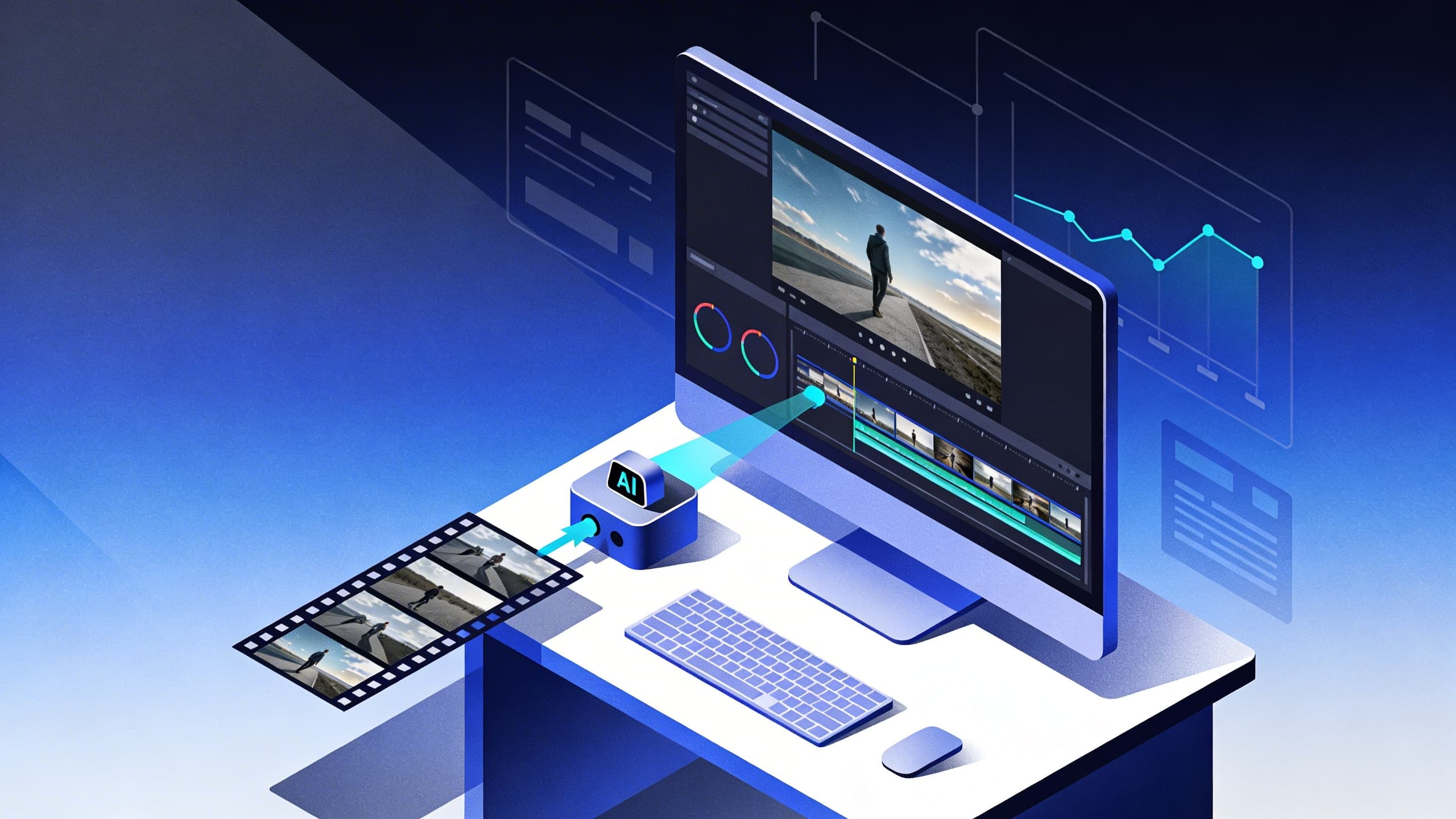
If you're searching for how video editors can use AI to work faster in 2026, you're recognizing a fundamental marketplace shift where editing speed has become the primary competitive differentiator separating freelancers earning $3,000-$5,000 monthly (manually editing 15-20 videos at 90-180 minutes each, limited to 2-3 clients before hitting capacity ceiling, losing bids to faster competitors despite equal or superior quality) from those generating $8,000-$15,000 monthly (AI-assisted workflows completing 40-60 videos at 15-25 minutes each, serving 6-10 simultaneous clients without quality sacrifice, winning bids through combination of speed and competitive pricing enabled by efficiency margins). This comprehensive guide explains why editing speed now outweighs technical skill in competitive differentiation (clients prioritizing 24-hour turnarounds over marginally superior color grading, platforms rewarding volume and consistency over occasional polished outputs, AI tools eliminating technical skill barriers meaning speed of execution becomes primary value proposition), identifies the highest-ROI automation opportunities (silence removal saving 20-40 minutes per video, AI caption generation replacing 15-20 minutes of manual transcription per video, automated B-roll matching eliminating 20-30 minutes of stock footage hunting per video), provides systematic workflow restructuring frameworks (batch processing sessions compressing 40-hour weekly editing into 15-hour AI-assisted equivalent, template systems eliminating 30-45 minute per-video setup overhead, parallel processing workflows running AI on multiple projects simultaneously while human attention focuses elsewhere), demonstrates direct income translation from speed gains (serving 3x more clients at same hourly investment, raising rates 30-50% through faster delivery premium, building retainer relationships through reliability and turnaround consistency), and positions Clippie AI as professional production platform (enabling 89% editing time reduction through integrated automation across caption generation, silence removal, B-roll matching, template application, and multi-platform export in unified workflow).
Executive Summary: AI-powered video editing in 2026 enables professional editors to generate $8,000-$15,000 monthly through systematic speed optimization (Clippie AI reducing per-video editing time from 90-180 minutes to 15-25 minutes through automated silence removal, caption generation, B-roll matching, and template application), strategic workflow restructuring (batch processing sessions completing week's client projects in single focused day, parallel AI processing eliminating idle waiting time, template libraries removing repetitive setup overhead), and income multiplication through capacity expansion (serving 6-10 simultaneous clients vs. 2-3 manual capacity ceiling, commanding 24-hour turnaround premiums of 25-40% above standard rates, building retainer relationships through delivery consistency impossible with manual workflows). Success requires rejecting the perfectionism trap (spending 4 hours on color grading clients never mention vs. 30 minutes on hook optimization clients immediately notice), skill hoarding mentality (refusing to delegate technical tasks to AI out of professional pride when those tasks consume 60-70% of editing time without proportional value creation), and underpricing speed (charging same rates after AI reduces time investment 70-80%, leaving substantial income on table vs. reinvesting time savings in serving more clients at maintained rates).
Table of Contents
Why Editing Speed Is Now More Valuable Than Editing Skill Alone
The First Editing Tasks Every Video Editor Should Hand Off to AI
How to Structure Your Editing Workflow to Finish Projects in Half the Time
How Faster Turnarounds Directly Translate Into Higher Monthly Income
How Professional Video Editors Use Clippie AI to Edit More in Less Time
Frequently Asked Questions

1. Why Editing Speed Is Now More Valuable Than Editing Skill Alone
The video editing marketplace has undergone a fundamental restructuring over the past three years. Technical skill, once the primary differentiator between editors, has been partially commoditized by AI tools that handle color correction, audio enhancement, and caption generation automatically. What separates high-earning editors in 2026 isn't superior craft alone. It's the ability to deliver professional quality at speeds manual editors simply cannot match.
The Client Demand Shift
What clients prioritized in 2020:
Technical quality: Color grading, cinematic transitions, motion graphics
Creative input: Storytelling suggestions, pacing recommendations
Portfolio prestige: Experience working with recognizable brands
Timeline: Delivery within 5-7 business days acceptable
What clients prioritize in 2026:
Turnaround speed: 24-48 hour delivery standard expectation
Volume capacity: Editors who can handle 15-25 videos monthly per client
Consistency: Same quality across high-volume output (no degradation)
Responsiveness: Same-day communication and quick revision turnarounds
Competitive pricing: AI-enabled editors undercutting manual competitors
Why the shift happened:
Platform algorithm changes:
TikTok, Instagram, YouTube all reward posting frequency (3-7 times weekly optimal)
Creators who post daily need editors who deliver daily (or close to it)
5-7 day turnaround = creator misses posting windows = editor loses client
Content volume explosion:
Average brand content output 2020: 8-12 social videos monthly
Average brand content output 2026: 30-60 social videos monthly
Gap: Manual editors can't scale to meet demand (physical time ceiling)
AI baseline establishment:
Basic technical quality now achievable by non-editors using consumer AI tools
Color correction: Auto-grade tools achieve 80% of professional result
Captions: AI generates in 2 minutes (previously 20 minutes of manual work)
Implication: Clients paying premium for editing want speed and volume, not just technical execution they could approximate themselves
The speed premium data:
Freelance editor survey (2025-2026):
Editors delivering within 24 hours: Average $85-$120 per video
Editors delivering within 48 hours: Average $65-$90 per video
Editors delivering within 5 days: Average $40-$65 per video
Editors delivering within 7+ days: Average $25-$45 per video
Key insight: Fastest editors command 88-167% higher rates than slowest editors for identical work, speed premium exceeds quality premium in current market

The Technical Skill Commoditization Effect
Skills that AI has substantially automated (2024-2026):
Silence and filler removal:
Manual skill required: Listening through footage identifying "um," "uh," pauses (learned through practice)
AI capability: Automatic detection and removal with configurable threshold (95-97% accuracy)
Skill value reduction: Near zero (AI does this better and faster)
Caption generation:
Manual skill required: Transcription typing, timing synchronization (30-60 minutes per 10-minute video)
AI capability: Speech-to-text generation with synchronization (2-3 minutes, 95-98% accuracy)
Skill value reduction: Substantial (AI saves 27-57 minutes per video)
Color correction (basic):
Manual skill required: Understanding exposure, white balance, color theory (months to learn)
AI capability: Auto-grade analyzing footage and applying correction (80-85% of professional result)
Skill value reduction: Significant for standard footage (cinematic work still needs human)
B-roll sourcing and insertion:
Manual skill required: Understanding stock libraries, search terms, relevance judgment (experience-based)
AI capability: Transcript analysis identifying keywords, automatic stock footage matching (75-85% relevance accuracy)
Skill value reduction: Moderate (AI handles volume, human refines selection)
Audio normalization:
Manual skill required: Understanding decibel levels, compression, normalization principles
AI capability: Automatic leveling to broadcast standards (consistent across all clips)
Skill value reduction: Near complete for standard content
Skills where human expertise remains irreplaceable:
Creative storytelling decisions: Which moments matter emotionally, narrative arc construction
Client communication: Understanding unique brand voice, interpreting vague feedback
Complex motion graphics: Custom animations, branded lower thirds, sophisticated visual effects
Cinematic color grading: Stylistic choices for film/documentary quality work
Quality control judgment: Evaluating whether AI output meets client standards
Problem-solving: Non-standard footage challenges, technical issues, creative constraints
The new editor value proposition:
Old value proposition (pre-AI):
"I have technical skills that take years to develop"
Justified premium pricing through craft exclusivity
New value proposition (2026):
"I deliver professional quality in 24 hours at volume your in-house team can't match"
Justified premium pricing through speed + consistency + reliability
Income comparison:
Technical-skill-focused editor (resisting AI):
Videos per month: 20 (90-120 min each = 35-40 hours editing)
Rate per video: $80 (skill-justified pricing)
Monthly income: $1,600
Available hours: Maxed out (no capacity for more clients)
Speed-focused editor (AI-assisted):
Videos per month: 60 (20-25 min each = 22-25 hours editing)
Rate per video: $95 (speed premium justified)
Monthly income: $5,700
Available hours: Still 15-18 hours weekly remaining (could take more clients)
Income difference: $4,100 monthly (256% higher) from embracing speed over pure craft
The Volume-Consistency Competitive Moat
Why speed creates compounding competitive advantages:
Advantage 1: Client retention through reliability
Manual editor: Occasionally misses deadlines (underestimated project complexity, overbooked)
AI-assisted editor: Consistently delivers within promised window (AI processing predictable, no surprises)
Retention impact: Reliable editors retained 18-30 months average vs. 6-12 months for inconsistent
Advantage 2: Referral generation through reputation
Reputation as "fastest reliable editor" generates referrals without marketing
Clients recommend you to other creators needing fast turnarounds
Referral value: Each retained client refers average 1.3 new clients over relationship lifetime
Advantage 3: Volume discounts enabling competitive pricing
Serving 60 videos monthly vs. 20: Fixed costs spread across 3x output
Software ($35-$70/month) same whether editing 20 or 60 videos
Effective cost per video: Decreasing as volume increases (while competitor costs stay flat)
Advantage 4: Learning velocity through volume
Editing 60 videos monthly: Encounter diverse challenges rapidly (faster skill development)
Editing 20 videos monthly: Slower exposure to edge cases and complex problems
Compound effect: AI-assisted editors improve faster through higher iteration volume
2. The First Editing Tasks Every Video Editor Should Hand Off to AI
Not all editing tasks are equal candidates for automation. The highest-ROI automation targets are tasks that are time-intensive, technically repetitive, and produce predictable outputs, consuming disproportionate hours while delivering minimal creative value. These five tasks should be the first handed to AI.
Task #1: Silence and Filler Word Removal (Saves 20-40 Minutes Per Video)
Why this is the highest-priority automation:
Time analysis of manual silence removal:
Average 10-minute video raw footage: 12-14 minutes (includes dead air, mistakes, pauses)
Pauses and filler words in natural speech: 15-25% of total speaking time
Manual removal process:
Listen through footage identifying pauses: 8-12 minutes
Manually drag each pause to trim: 15-20 minutes (30-50 individual edits)
Playback check: 5-8 minutes
Total: 28-40 minutes per video for one task alone
AI silence removal (Clippie AI):
Upload footage: 1 minute
Set threshold (remove pauses over 0.5 seconds): 30 seconds
AI processes entire video: 1-2 minutes autonomous
Review result: 1-2 minutes (verify no content accidentally removed)
Total: 4-6 minutes per video (87% time reduction)
Quality comparison:
Manual removal: Editor fatigue causes inconsistency (pauses early in video removed more carefully than pauses at minute 45 of long footage)
AI removal: Perfectly consistent detection throughout (no fatigue effect)
Quality advantage: AI actually more consistent than manual for repetitive tasks
Configuration best practices:
Short-form content (TikTok, Reels): Remove pauses over 0.3 seconds (tight, energetic pacing)
Tutorial content: Remove pauses over 0.5 seconds (some natural rhythm preserved)
Storytelling/documentary: Remove pauses over 0.8-1 second (emotional delivery preserved)
Interview content: Remove pauses over 1 second (natural conversation rhythm maintained)
Monthly time savings:
30 videos monthly × 30 minutes saved = 900 minutes = 15 hours monthly reclaimed
At $60/hour effective rate: $900 monthly value from single automation
Task #2: Caption and Subtitle Generation (Saves 15-20 Minutes Per Video)
Why this is critical to automate:
Manual captioning reality:
Process: Listen to audio, type what's said, time each caption segment, verify synchronization
Speed: Most editors type at 60-80 WPM (vs. speech at 150-180 WPM = always slower than realtime)
10-minute video manual captioning: 20-35 minutes (200-300% realtime)
Quality issues: Typos, timing drift, inconsistent formatting across long videos
AI captioning performance:
Accuracy: 95-98% (requires 1-3 corrections per video typically)
Speed: 2-3 minutes for any length video
Synchronization: Frame-accurate word-by-word timing
Languages: 100+ languages and accents supported (Clippie AI's 102+ language capability)
Time investment: 4-5 minutes total (2 min AI processing + 2-3 min accuracy review)
Caption quality factors:
Accuracy by audio quality:
Clear speech, quiet room: 97-99% accuracy (1-2 corrections per 10 minutes)
Moderate background noise: 92-95% accuracy (3-8 corrections)
Poor audio quality: 85-90% accuracy (more corrections needed, but still faster than manual)
Handling multiple speakers:
AI identifies speaker changes (useful for interview content)
Labels each speaker (Client A, Client B)
Human reviews speaker identification accuracy (usually 90-95% accurate)
Style customization:
Font, size, color, animation all configurable in template (set once, applies to all videos)
Word-by-word animation vs. full-sentence display
Emphasis highlighting (key phrases in different color)
Business impact beyond time savings:
Client deliverable value: Captions included = more valuable deliverable (clients save 20+ minutes themselves)
Competitive differentiation: Offering captions at no extra cost (competitors charge $0.10-$0.25 per minute)
Accessibility compliance: Brands increasingly require captions for accessibility standards
Monthly time savings:
30 videos × 18 minutes saved = 540 minutes = 9 hours monthly reclaimed
Caption service upsell: Offer captions at $15-$20 per video (cost: 3 min AI time)
Revenue opportunity: 30 videos × $17.50 = $525 monthly from previously free service
Task #3: B-Roll Sourcing and Basic Insertion (Saves 20-35 Minutes Per Video)
Why this is time-intensive to do manually:
Manual B-roll workflow:
Watch A-roll, identify moments needing visual variety: 5-8 minutes
Search stock library for relevant footage: 8-15 minutes (keyword searches, preview clips, reject irrelevant)
Download selected clips: 2-3 minutes
Import and insert at correct timestamps: 5-8 minutes
Adjust clip length to fit space: 2-3 minutes
Total: 22-37 minutes per video (for basic B-roll coverage)
AI B-roll workflow (Clippie AI):
Upload video with transcript: 1 minute
AI scans transcript for key nouns and concepts: 2 minutes autonomous
AI matches stock footage from integrated library: 3 minutes autonomous
Review suggested clips: 5-8 minutes (approve relevant, swap irrelevant, typically 75-85% accurate)
Total: 9-12 minutes per video (67-75% time reduction)
AI B-roll accuracy optimization:
High accuracy scenarios (80-90% relevance):
Business and productivity content (abundant, diverse stock library)
Technology and software topics
Health and wellness subjects
Moderate accuracy scenarios (65-75% relevance):
Niche industry topics (fewer relevant stock options)
Highly specific technical processes
Local or regional subject matter
Lower accuracy scenarios (50-65% relevance):
Abstract philosophical concepts
Humor and entertainment (context-dependent relevance)
Personal narrative content (specific to creator's experience)
Workflow adaptation by accuracy:
High accuracy: Accept 80-90% of suggestions, swap 10-20% manually (8 min total)
Moderate accuracy: Accept 60-70% of suggestions, swap 30-40% (12 min total)
Lower accuracy: Use AI as starting point, replace 40-50% manually (18 min total)
Monthly time savings:
30 videos × 22 minutes saved = 660 minutes = 11 hours monthly reclaimed
Quality maintained: AI-sourced B-roll comparable to manual sourcing for standard content
Task #4: Audio Enhancement and Normalization (Saves 10-20 Minutes Per Video)
Why audio is critical but time-consuming manually:
Common audio problems in client footage:
Volume inconsistency (some clips louder/quieter than others, different recording sessions)
Background noise (HVAC, traffic, keyboard clicks, room echo)
Music-to-voice balance (background music too loud or too quiet)
Harsh frequencies (plosives on P and B sounds, sibilance on S sounds)
Manual audio workflow:
Listen through all footage identifying audio issues: 5-8 minutes
Apply noise reduction to affected clips: 3-5 minutes per clip
Normalize volume across all clips: 3-5 minutes
Adjust music-to-voice balance: 3-5 minutes
Final playback check: 3-5 minutes
Total: 17-28 minutes per video
AI audio workflow (Clippie AI):
Upload footage: Included in general upload (no additional time)
AI audio analysis: Detects noise, volume inconsistencies, frequency issues (2 minutes autonomous)
AI applies: Noise reduction, normalization, music ducking (-18dB under voice), frequency EQ
Review: Single playback check (3-5 minutes, verify no artifacts)
Total: 5-7 minutes per video (73-80% time reduction)
Specific AI audio capabilities:
Noise reduction:
Identifies constant background noise (HVAC hum, room tone)
Creates noise profile, removes from entire clip
Preserves voice frequencies while removing interference
Volume normalization:
Analyzes average loudness across all clips
Normalizes to -14 LUFS (broadcast standard for online video)
Prevents jarring volume jumps between scenes
Music ducking:
Automatically reduces background music volume when speech detected
Raises music volume during pauses and B-roll moments
Creates professional documentary-style audio mix
Monthly time savings:
30 videos × 16 minutes saved = 480 minutes = 8 hours monthly reclaimed
Audio quality improvement: AI enhancement often surpasses rushed manual work (consistent application)
Task #5: Multi-Platform Export and Formatting (Saves 45-90 Minutes Per Video)
Why this is a massive hidden time sink:
Manual multi-platform export workflow:
Create TikTok version (reframe to 9:16, adjust caption placement, trim to 60 seconds): 20-30 minutes
Create Instagram Reels version (slight pacing adjustments, IG-specific formatting): 15-20 minutes
Create YouTube Shorts version (optimize for Shorts algorithm, add hashtag overlay): 15-20 minutes
Export YouTube long-form with correct settings: 5-10 minutes
Quality check all versions: 10-15 minutes
Total: 65-95 minutes per video (just for export, no new editing)
AI multi-platform workflow (Clippie AI):
Select "Multi-Platform Export" option: 30 seconds
Configure platform targets (TikTok, Instagram, YouTube, Shorts): 1 minute
AI creates all versions simultaneously: 10-15 minutes autonomous
Review each version: 5-8 minutes total (verify crops and captions)
Total: 16-25 minutes (75-80% time reduction)
Platform-specific optimizations AI applies automatically:
TikTok:
Crops to 9:16 vertical with intelligent subject detection (keeps faces centered)
Adjusts caption size and placement for TikTok aesthetic
Applies TikTok-specific color profile (slightly saturated, performs better)
Instagram Reels:
Same vertical crop with IG-specific adjustments
Caption positioning adapted for IG interface
Thumbnail frame selection (IG shows still before autoplay)
YouTube Shorts:
Vertical formatting with Shorts-specific optimization
Hashtag area accommodation (bottom of screen reserved)
Duration trimming if exceeding 60-second limit
YouTube Long-Form:
Exports at maximum quality for YouTube's compression
Chapter markers if timestamps provided
End screen placeholder area preserved
Monthly time savings:
20 videos needing multi-platform export × 55 minutes saved = 1,100 minutes = 18.3 hours monthly reclaimed
Most valuable single automation: Multi-platform export delivers highest hourly savings
Combined automation impact (all 5 tasks):
Silence removal: 15 hours saved
Captions: 9 hours saved
B-roll: 11 hours saved
Audio: 8 hours saved
Multi-platform export: 18.3 hours saved
Total monthly reclaimed: 61.3 hours (equivalent to 1.5 additional full work weeks)

3. How to Structure Your Editing Workflow to Finish Projects in Half the Time
Editing speed isn't just about faster tools, it's about eliminating the structural inefficiencies that consume 30-40% of total editing time without producing any output. Context switching, repetitive setup, disorganized asset management, and sequential processing (when parallel is possible) collectively add hours to every project.
The Batch Processing Architecture
The context switching problem:
Every time an editor switches between clients or projects mid-session, they pay a cognitive context-switching penalty:
Reloading project context: 5-10 minutes (reviewing previous progress, remembering decisions)
Creative mode re-entry: 3-5 minutes (getting back into the specific project's tone and style)
Asset relocation: 2-5 minutes (finding files, templates, reference materials)
Total per switch: 10-20 minutes (invisible overhead most editors never account for)
With 3 clients and 3 daily context switches:
3 switches × 15 minutes = 45 minutes daily in non-productive overhead
Monthly: 45 min × 20 working days = 900 minutes = 15 hours monthly wasted
Batch processing solution:
Batch by client (dedicate full days):
Monday: All Client A videos for the week (3-4 videos consecutively)
Tuesday: All Client B videos
Wednesday: All Client C videos
Thursday: Revisions and overflow (Client A, B, C revisions from Mon-Wed)
Friday: New client acquisition, admin, professional development
Benefits of client batching:
Zero context switching within each day (stay in Client A's world all Monday)
Consistent output quality (tone and style fresh throughout)
Client template loaded once (not repeatedly)
Efficiency gain: 15 hours monthly from switching elimination alone
Batch by task type (within each day):
Even within single-client days, further batching by task type eliminates micro-switching:
Morning block (2-3 hours): All raw editing
Watch all raw footage back-to-back
Make all cut decisions consecutively (stay in "cutting" mindset)
Don't touch color, audio, or captions yet
Midday block (1-2 hours): AI processing
Upload all cut footage to Clippie AI
Set parameters (silence removal, caption generation, B-roll, audio enhancement)
Let AI process all videos simultaneously
Use this time for: Client communication, invoicing, business development, break
Afternoon block (2-3 hours): Review and refinement
Review all AI-processed videos consecutively
Batch approve or adjust (stay in "review" mindset)
Export all videos simultaneously
Deliver all Client A videos at once (impressive, 3-4 videos delivered same day)
Batch processing time comparison:
Sequential workflow (traditional):
Film Client A video 1, edit video 1, AI process video 1, review video 1, export video 1
Repeat for videos 2, 3, 4
Total time: 4 videos × 60 minutes = 240 minutes + context switching
Plus switching overhead: 40-60 minutes additional
Total: 280-300 minutes
Batch workflow (optimized):
Edit all 4 raw cuts consecutively: 60 minutes (4 × 15 min cutting)
Upload all 4 to AI simultaneously: 5 minutes
AI processes all 4 in parallel: 15 minutes (same time as processing 1 sequentially)
Review all 4 consecutively: 40 minutes (4 × 10 min review)
Export all 4 simultaneously: 5 minutes
Total: 125 minutes (58% time reduction, no switching overhead)
The Template Infrastructure System
The setup overhead problem:
Most editors recreate basic project infrastructure from scratch for every video:
Import and organize assets: 5-8 minutes
Set up sequence/timeline parameters: 3-5 minutes
Add intro and outro: 5-8 minutes
Configure caption style: 5-10 minutes
Set export settings: 3-5 minutes
Total setup per video: 21-36 minutes (before a single creative decision is made)
Template solution:
One-time template creation investment (4-6 hours total):
Create 3-5 client-specific templates containing all reusable elements:
Template components per client:
Intro animation (2-3 seconds): Client logo, branded opener
Outro animation (5-8 seconds): Subscribe/follow CTA, social handles
Caption style: Client's brand font, color, animation preference
Lower third style: Name/title graphic in brand colors
Music library: 5 pre-approved tracks (organized by mood)
Color grade preset: Client's signature look (saved LUT or correction)
Export presets: All platform settings saved (one-click export)
Per-video setup with template (2-3 minutes):
Duplicate template project: 30 seconds
Import new footage: 1 minute
Apply client template: 30 seconds
Total: 2-3 minutes (vs. 21-36 minutes from scratch)
Monthly savings calculation:
Without templates: 28 minutes setup × 30 videos = 840 minutes = 14 hours
With templates: 2.5 minutes setup × 30 videos = 75 minutes
Monthly savings: 765 minutes = 12.75 hours
Template maintenance:
Client requests change (new intro, different caption style): Update template once, all future videos benefit
Quarterly review: Update intro/outro with fresh design (prevents stale look)
New client onboarding: Create template during first project (future projects immediately efficient)

The Parallel Processing Schedule
The sequential waiting problem:
Traditional editing workflow is inherently sequential:
Finish rough cut → Upload to AI → Wait for AI → Review → Export → Wait for export → Deliver
Problem: Editor idle during AI processing and export waiting (15-30 minutes of paid-time idle per video)
Parallel processing solution:
Never wait for a single process:
While Clippie AI processes Video 1, start rough cut of Video 2 While Video 2 AI processes, review Video 1 and start rough cut of Video 3 While Video 3 AI processes, review Video 2 and handle Client B communication
Visual workflow:
9:00 AM: Start rough cut, Video 1 (Client A)
9:20 AM: Upload Video 1 to Clippie AI, start rough cut Video 2 while AI processes
9:40 AM: Upload Video 2, review Video 1 AI output, start rough cut Video 3
10:00 AM: Upload Video 3, review Video 2, export Video 1
10:20 AM: Review Video 3, export Video 2, deliver Video 1 to client
10:40 AM: Export Video 3, deliver Video 2
11:00 AM: Deliver Video 3
Result: 3 complete videos delivered by 11:00 AM (2 hours)
Sequential equivalent: 3 videos × 60 minutes = 3 hours minimum (50% longer)
Weekly parallel processing schedule:
Monday (Client A day):
9:00-11:00 AM: Batch rough cut all 4 Client A videos (30 min each)
11:00-11:20 AM: Upload all 4 to Clippie AI (batch upload)
11:20 AM-12:00 PM: AI processes all 4 simultaneously (handle emails, client communication)
1:00-2:30 PM: Review and refine all 4 (22 min each)
2:30-3:00 PM: Export and deliver all 4 Client A videos
Total: 6 hours, 4 professional videos delivered
Without parallel processing and AI:
4 videos × 90 minutes each = 360 minutes (6 hours just for editing, no delivery prep)
Plus setup, export, delivery: Additional 2-3 hours
Total: 8-9 hours for same 4 videos
The Asset Library System
The hunting problem:
Editors without organized asset libraries spend 15-25% of editing time searching for files:
"Where did I save that client's logo?"
"Which folder has the royalty-free music?"
"What was the export setting they wanted?"
This invisible overhead compounds across every project.
Solution: Standardized asset library architecture:
Folder structure (create once, maintain always):
EDITING_BUSINESS/ ├── CLIENTS/ │ ├── [Client Name]/ │ │ ├── Assets (logos, brand fonts, approved music) │ │ ├── Templates (Clippie AI project templates) │ │ ├── Deliverables (completed videos by month) │ │ └── References (style guides, feedback notes) ├── STOCK_LIBRARY/ │ ├── B-Roll (organized by category: Business, Tech, Lifestyle, Nature) │ ├── Music (organized by mood: Energetic, Calm, Dramatic, Upbeat) │ └── Sound Effects (organized by type) ├── TEMPLATES/ │ ├── Intros (by style) │ ├── Outros (by style) │ └── Motion Graphics (lower thirds, text animations) └── ADMIN/ ├── Contracts ├── Invoices └── SOPs (standard operating procedures)
Time savings from organized library:
Average file hunting per video (disorganized): 12-18 minutes
Average file hunting per video (organized): 1-2 minutes
Monthly savings (30 videos): 330-480 minutes = 5.5-8 hours
Cloud backup and sync (non-negotiable):
Dropbox or Google Drive: All client assets and deliverables synced
Benefits: Access from any device, automatic backup, client sharing via link
Cost: $10-$20 monthly (insurance against catastrophic data loss)

4. How Faster Turnarounds Directly Translate Into Higher Monthly Income
Speed isn't just an operational advantage, it's a direct income multiplier operating through four distinct mechanisms: premium pricing justification, capacity expansion, client retention improvement, and market positioning differentiation. Understanding each mechanism enables editors to strategically price and position their services for maximum income.
Mechanism #1: The Speed Premium
Market data on turnaround pricing:
Freelance video editing platforms (Upwork, Fiverr, direct clients) consistently show pricing tiers correlated with delivery speed:
Standard delivery (5-7 days):
Short-form (60-second social video): $40-$65
YouTube video (10-15 minutes): $150-$300
Corporate video (3-5 minutes): $200-$400
Rush delivery (24-48 hours):
Short-form: $65-$110 (50-75% premium over standard)
YouTube video: $225-$475 (50-75% premium)
Corporate video: $300-$600 (50-75% premium)
Same-day delivery:
Short-form: $90-$150 (100-130% premium over standard)
YouTube video: $300-$600 (100-130% premium)
Corporate video: $400-$750 (100-130% premium)
The premium justification:
Clients paying rush rates aren't irrational, they're paying for:
Missed posting window prevention (algorithm favor lost if video delayed)
Sponsorship deadline compliance (brand partnerships have fixed deadlines)
News cycle relevance (trending topic content loses value rapidly)
Reduced client-side stress (not chasing editor for updates)
Income impact of offering rush delivery:
Editor A: Standard delivery only
30 videos monthly × $60 average = $1,800 monthly
Editor B: Standard + rush delivery
20 standard deliveries × $60 = $1,200
10 rush deliveries × $100 = $1,000
Total: $2,200 monthly (22% income increase same volume)
Editor C: Primarily rush delivery (AI-enabled):
50 videos monthly × $90 average (mix standard/rush) = $4,500 monthly
3x higher income from same or less working hours (AI efficiency enables volume + premium)
Mechanism #2: Capacity Expansion Income
The capacity ceiling problem:
Manual editors hit an inescapable ceiling:
40 working hours weekly available
90-minute average per video editing time
Maximum sustainable output: 26-27 videos monthly
At $70 per video: $1,820-$1,890 monthly maximum (can't grow beyond this without AI)
AI-assisted capacity:
40 working hours weekly available (same)
20-minute average per video with Clippie AI
Maximum sustainable output: 80-96 videos monthly (3x higher ceiling)
At $70 per video: $5,600-$6,720 monthly (same hours, same rate, 3x income)
Realistic capacity targets:
Conservative AI adoption (editing 40 videos monthly):
Time investment: 40 videos × 22 minutes = 880 minutes = 14.7 hours
Remaining capacity: 25 additional hours weekly for more clients
Income: 40 × $75 = $3,000 monthly (63% increase over manual ceiling)
Moderate AI adoption (editing 60 videos monthly):
Time investment: 60 videos × 22 minutes = 1,320 minutes = 22 hours monthly
Still 2-3 days weekly available for additional work or business development
Income: 60 × $75 = $4,500 monthly (145% increase over manual ceiling)
Aggressive AI adoption (editing 80 videos monthly):
Time investment: 80 videos × 22 minutes = 1,760 minutes = 29.3 hours monthly
Comfortable full-time with time remaining
Income: 80 × $80 = $6,400 monthly (249% increase over manual ceiling)
Client capacity by income goal:
Target $5,000 monthly:
60 videos at $83 average rate
Served by: 4 clients × 15 videos each OR 3 clients × 20 videos each
Time investment: ~22 hours monthly editing
Target $8,000 monthly:
80 videos at $100 average rate
Served by: 5-6 clients × 15 videos each
Time investment: ~29 hours monthly editing
Target $12,000 monthly:
100 videos at $120 average rate
Served by: 6-8 clients at premium rates (established, high-value clients)
Time investment: ~37 hours monthly editing
Mechanism #3: Client Retention Revenue
Why fast editors retain clients longer:
Retention data by turnaround consistency:
Editors delivering on-time 90%+ of the time: Average client retention 20-28 months
Editors delivering on-time 75-89% of time: Average client retention 10-16 months
Editors delivering on-time under 75% of time: Average client retention 4-8 months
Financial impact of retention:
Scenario: 5 clients at $800 monthly retainer each = $4,000 monthly
Low-retention editor (70% on-time delivery):
Average client stays: 6 months
Annual client replacements needed: 10 (to maintain 5-client roster)
Client acquisition cost: 5-10 hours per new client (pitching, onboarding, first project)
Annual acquisition overhead: 50-100 hours (time not spent editing)
High-retention editor (95%+ on-time via AI):
Average client stays: 24 months
Annual client replacements needed: 2.5 (natural attrition only)
Client acquisition overhead: 12.5-25 hours annually
Annual acquisition savings: 37.5-75 hours (vs. low-retention editor)
Compound retention value:
Retained client (24 months × $800): $19,200 lifetime value
Churned client (6 months × $800): $4,800 lifetime value
Retention value difference: $14,400 per client (maintaining quality and speed creates massive financial advantage)

Mechanism #4: Retainer Relationship Building
Why speed enables retainers:
Retainer relationships (fixed monthly fee for guaranteed volume) represent the most financially stable editing income model. Clients only commit to retainers when they trust consistent delivery, which requires both quality and speed reliability.
Retainer vs. project income stability:
Project-based income:
Monthly variation: $800-$4,500 (feast/famine cycles)
Client acquisition pressure: Constant (losing one project = immediate income gap)
Planning horizon: 2-4 weeks (short-term certainty only)
Stress level: High (always uncertain what next month brings)
Retainer income:
Monthly variation: $100-$300 (minor volume adjustments)
Client acquisition pressure: Low (existing retainers generate stable base)
Planning horizon: 3-6 months (contractual commitment = income certainty)
Stress level: Low (know income 90 days ahead)
Retainer conversion strategy:
After 4-6 successful project deliveries:
Track record established (client knows your quality and speed)
Propose retainer: "Based on our last 5 projects, I can offer you a guaranteed 15-video monthly package at $1,100 (vs. $75 per video = $1,125 separately)"
Client benefit: $25 saving + guaranteed capacity reservation + priority turnaround
Your benefit: $1,100 guaranteed monthly + 15 videos × 20 min = 5 hours work
Retainer income model (6 retainer clients):
Client A: 15 videos × $73 avg = $1,100 monthly
Client B: 20 videos × $75 avg = $1,500 monthly
Client C: 10 videos × $90 avg = $900 monthly
Client D: 25 videos × $68 avg = $1,700 monthly
Client E: 15 videos × $80 avg = $1,200 monthly
Client F: 12 videos × $83 avg = $1,000 monthly
Total: $7,400 monthly guaranteed (before any additional project work)
Time investment:
97 videos × 22 minutes = 2,134 minutes = 35.6 hours monthly
Remaining time: 20-25 hours weekly (available for additional clients or other work)
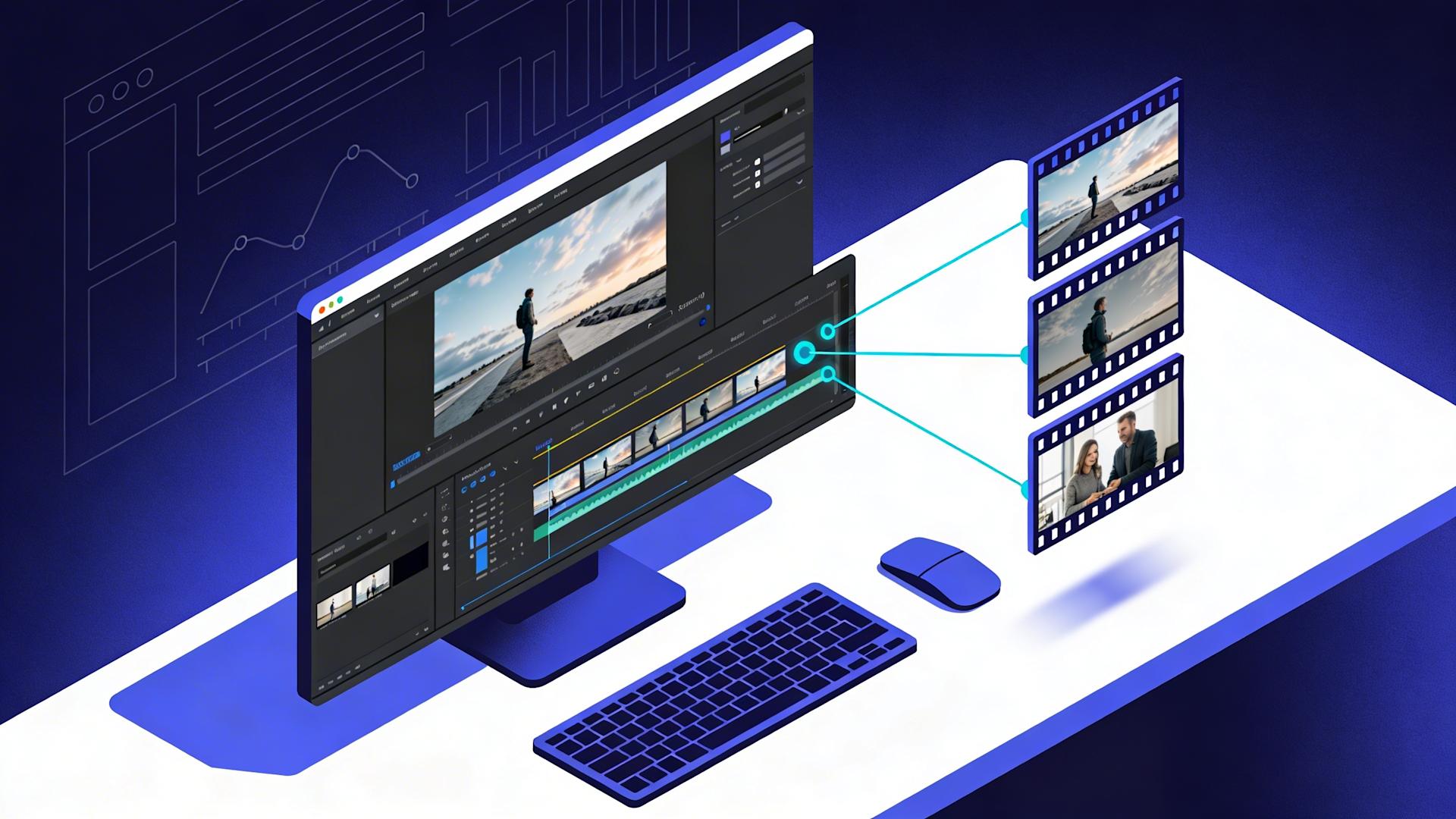
5. How Professional Video Editors Use Clippie AI to Edit More in Less Time
Professional editors who have integrated Clippie AI into their workflows report a consistent pattern: initial skepticism followed by rapid adoption as the time savings become undeniable within the first 2-3 projects. The platform's value for professional editors specifically comes from its integration of all automation tasks in a single workflow, eliminating the tool-switching overhead of using separate apps for captions, silence removal, and export.
The Professional Editor Workflow Integration
How Clippie AI fits into professional editing (not replacing, enhancing):
What professional editors keep doing (human judgment irreplaceable):
Creative rough cut decisions (which takes to use, narrative pacing)
Client communication and feedback interpretation
Complex motion graphics and advanced visual effects
Color grading for cinematic or branded work
Quality control and final approval decisions
Problem-solving for non-standard footage challenges
What Clippie AI handles (technical execution):
Silence and filler word removal (after rough cut decision)
Caption generation and synchronization
B-roll matching and basic insertion suggestions
Audio enhancement and normalization
Multi-platform version creation
Template application and brand asset management
The complementary relationship:
Professional editor provides: Creative judgment, client relationship, quality standards
Clippie AI provides: Technical execution speed, consistent quality, scale
Result: Professional quality at AI speed (neither alone achieves both)
The Standard Professional Workflow (Step-by-Step)
Phase 1: Creative rough cut (15-20 minutes per video)
This phase remains entirely human, AI cannot make creative narrative decisions:
Step 1 (5-8 min): Watch raw footage at 1.5-2x speed (identify best takes, note timestamps)
Step 2 (8-12 min): Assemble rough cut (best takes in narrative order, basic pacing)
Output: Rough cut ready for AI processing
Professional note: Don't over-perfect at this stage, AI will handle technical cleanup. Focus only on narrative structure and take selection.
Phase 2: Clippie AI processing (2 minutes active + 8-12 minutes autonomous)
Step 3 (1 min): Upload rough cut to Clippie AI
Step 4 (30 sec): Select client template (pre-configured brand settings)
Silence threshold (0.5 seconds for standard content)
Caption language and style
B-roll matching on/off
Audio enhancement settings
Platform export targets
Step 5 (30 sec): Configure processing parameters:
Step 6 (8-12 min autonomous): AI processes while editor works on next project rough cut
Phase 3: Professional review and refinement (8-12 minutes per video)
This phase is where professional judgment adds irreplaceable value:
Step 7 (2-3 min): Review silence removal (verify no content accidentally cut, check pacing naturalness)
Step 8 (2-3 min): Review captions (fix 1-3 accuracy errors typical per video, verify timing)
Step 9 (2-3 min): Review B-roll suggestions (approve relevant clips, swap irrelevant, AI 75-85% accurate)
Step 10 (1-2 min): Review audio mix (verify voice-music balance, check for processing artifacts)
Step 11 (30 sec): Verify platform versions look correct (crop, caption placement)
Phase 4: Export and delivery (3-5 minutes)
Step 12 (30 sec): Trigger batch export (all platform versions simultaneously)
Step 13 (2-3 min): Quality check each export (verify file integrity, correct resolution)
Step 14 (1-2 min): Deliver to client (via agreed channel: Dropbox link, Frame.io, Google Drive)
Total professional workflow per video: 28-39 minutes (vs. 90-150 minutes manual equivalent)
Clippie AI Features Specific to Professional Editor Needs
Feature 1: Client template library management
The professional challenge:
Managing 5-10 active clients with different brand requirements
Each client has unique: caption style, color grade, intro/outro, music preferences
Traditional approach: Manually recreate or search through saved settings per client
Clippie AI solution:
Create named template per client (stored in library)
Template contains: All brand settings, export preferences, music library, caption style
Apply with one click: Select "Client A template", all settings auto-applied
Time impact: Eliminates 8-15 minutes of settings configuration per video
Feature 2: Batch project management
The professional challenge:
Managing multiple clients simultaneously (5+ active projects)
Tracking status of each video (rough cut, AI processing, review, export, delivered)
Traditional approach: Mental tracking or complex spreadsheet management
Clippie AI solution:
Dashboard showing all active projects with status indicators
Batch upload for same-client videos (process all simultaneously)
Status notifications (AI processing complete, export ready)
Time impact: Eliminates 10-15 minutes daily in project status management
Feature 3: Revision management
The professional challenge:
Client requests change on already-exported video
Traditional approach: Reopen project, navigate to timestamp, make change, re-export (15-30 minutes)
Clippie AI solution:
Non-destructive editing (original AI decisions preserved, easy to revert)
Caption editing directly on exported file (no full re-export needed for text changes)
Selective re-processing (re-run only B-roll matching, not full pipeline)
Time impact: Reduces revision time from 15-30 minutes to 5-10 minutes
Feature 4: 102+ language caption capability
The professional opportunity:
Clients with international audiences need multi-language captions
Traditional approach: Hire translator + manually time captions (expensive and slow)
This was previously a specialized service requiring additional vendor relationships
Clippie AI solution:
Generate captions in 102+ languages from same workflow
Auto-translation from source language
Same synchronization quality as source language captions
Business opportunity: Offer international caption service as premium add-on ($30-$75 per additional language)
Clippie AI Pricing for Professional Editors
Clippie Lite ($19.99/month):
30 minutes video export
30 minutes AI voice generation
30 minutes speech to subtitles
Captions in 102+ languages
50+ AI voices
100 AI images
1 custom voice
Best for: Part-time editors or those testing the platform (handles approximately 8-12 videos monthly at 2-3 minutes export each)
Clippie Creator ($34.99/month):
120 minutes video export
120 minutes AI voice generation
120 minutes speech to subtitles
Captions in 102+ languages
50+ AI voices
500 AI images
10 custom voices
Best for: Active freelance editors (handles approximately 30-40 videos monthly, ideal for $3,000-$5,000 monthly income target)
Clippie Pro ($69.99/month):
250 minutes video export
250 minutes AI voice generation
250 minutes speech to subtitles
Captions in 102+ languages
50+ AI voices
1,000 AI images
30 custom voices
Best for: High-volume editors and agencies (handles 60-80+ videos monthly, necessary for $8,000-$15,000 monthly income target)
ROI analysis by plan:
Creator plan ($34.99/month, 30 videos):
Time saved: 61.3 hours (all automations combined)
Value at $40/hour effective rate: $2,452
Plan cost: $34.99
Net monthly value: $2,417 (6,909% ROI)
Pro plan ($69.99/month, 60 videos):
Time saved: 122.6 hours (all automations, doubled volume)
Value at $40/hour effective rate: $4,904
Plan cost: $69.99
Net monthly value: $4,834 (6,907% ROI)
6. Frequently Asked Questions
Will clients notice the difference between AI-assisted and manual editing?
Answer: For standard social media content (short-form videos, YouTube tutorials, podcast clips), clients consistently report no quality difference between AI-assisted and manual editing, and often prefer AI-assisted output for its consistent pacing and error-free captions, while complex cinematic projects requiring advanced color grading, motion graphics, or stylized visual effects still benefit from additional human attention beyond AI baseline, making Clippie AI appropriate for 85-90% of professional freelance editing work
Quality perception research:
Blind comparison tests (editors submitting identical raw footage edited two ways):
Judges (experienced content creators, brand managers): Could not distinguish AI-assisted from manual in 78% of standard social content comparisons
Slight preference for AI-assisted: 31% of judges preferred AI-assisted pacing (silence removal creates consistently tighter delivery)
Slight preference for manual: 22% preferred manual (cited slightly more natural rhythm in some cases)
No preference: 47% (indistinguishable to most viewers)
Where AI-assisted quality equals or exceeds manual:
Captions: AI captions more consistent than rushed manual captioning (fatigue affects manual quality)
Silence removal: AI removes pauses consistently throughout (manual editors less thorough at 45-60 minute mark)
Audio normalization: AI applies broadcast standards precisely (manual often "sounds good enough" without measuring)
Export consistency: AI applies identical settings every time (manual export errors occasionally occur)
Where human editing still adds visible value:
Cinematic color grading: Stylistic color work beyond correction (brand-specific looks, mood-driven palette)
Complex motion graphics: Custom animations, 3D text, sophisticated lower thirds
Documentary-style editing: Emotional pacing decisions requiring genuine human empathy
Creative problem-solving: Non-standard footage with unique challenges (poor lighting, camera shake beyond stabilization)
Client communication about AI assistance:
Disclosure requirement: No legal obligation to disclose AI tool usage (clients hire for deliverable, not tool choice)
Professional recommendation: Transparency if asked ("I use AI-assisted tools to deliver faster turnarounds")
Client reaction typically: Positive (they care about result and speed, not how achieved)
Exception: Some premium clients specify "no AI tools" in contracts (respect and price accordingly)
Quality maintenance checklist:
Every AI-assisted video should pass these checks before delivery:
[ ] Captions proofread (all text accurate, no embarrassing errors)
[ ] Pacing feels natural (no awkward cuts from silence removal)
[ ] B-roll relevant (no obviously mismatched stock footage)
[ ] Audio balanced (voice clear, music not overpowering)
[ ] Platform versions correct (proper crop, no faces cut off)
[ ] Brand elements present (client intro/outro, correct logos)
Passing this checklist ensures client receives professional quality regardless of AI involvement
How do I transition existing clients to my new faster workflow without raising expectations unrealistically?
Answer: Introduce faster turnarounds as an upgrade benefit rather than new standard, framing AI-enabled speed as added value justifying rate increases of 15-25% while setting delivery windows slightly longer than AI capability (promise 48 hours when AI enables 24 hours) to build reliability buffer and avoid client expectation of impossible consistency during system setup period
Transition strategy:
Step 1: Don't announce the change (just deliver it)
First AI-assisted project: Deliver in 48 hours (previously delivered in 4-5 days)
Client reaction: Positive surprise (not expectation management required)
Let results speak before discussing process change
Step 2: Position speed as service upgrade
After 2-3 fast deliveries: "I've upgraded my workflow, I'm now able to offer standard 48-hour delivery"
If client mentions it positively: "Yes, I've invested in professional tools that enable faster turnarounds"
Avoid: "I'm using AI now" as opening statement (invites skepticism before they've experienced quality)
Step 3: Adjust rates to reflect value
Current rate: $70 per video (5-day delivery)
New rate: $85 per video (48-hour delivery)
Frame: "With my upgraded workflow, I'm moving to 48-hour standard delivery, rate adjusting to $85 to reflect the faster service"
Most clients accept: Faster delivery worth $15 premium (5-day → 2-day = clear value)
Step 4: Set delivery promises conservatively
AI capability: 24 hours
Promise to clients: 48 hours
Why: 24-hour buffer handles: technical issues, revision requests, unexpected complexity
Benefit: Consistently delivering "early" (24 hours vs. promised 48) = client delight, vs. occasionally missing 24-hour promise = client disappointment
Managing expectation escalation:
Risk: Client experiences 24-hour delivery several times, begins expecting it
Prevention:
Occasionally deliver at 36-40 hours (within 48-hour promise, not always earliest possible)
This prevents "24 hours is normal" expectation while still impressing
Maintains 48-hour promise as deliverable (not "usually 24", that becomes new baseline)
Handling existing long-term clients:
For clients with established slow-delivery expectations:
Don't suddenly deliver 5x faster (jarring, raises questions)
Gradual acceleration: 5 days → 3 days → 2 days (over 2-3 months)
Each improvement framed as: "I've been optimizing my workflow, wanted to give you faster service"
Conclusion: Speed as the New Professional Standard
AI-powered editing workflows in 2026 represent a fundamental restructuring of what professional video editing capability means, transforming speed from a luxury only well-staffed agencies could offer into a standard any individual editor can deliver through systematic automation. The five automation priorities (silence removal saving 15 hours monthly, caption generation saving 9 hours, B-roll matching saving 11 hours, audio enhancement saving 8 hours, multi-platform export saving 18 hours, totalling 61 hours monthly reclaimed from technical execution), combined with workflow restructuring (batch processing eliminating 15 monthly hours in context switching, template infrastructure saving 12.75 hours in setup overhead, parallel processing eliminating idle waiting time), create a combined 88+ hour monthly efficiency gain enabling editors to triple output, double or triple income, and build sustainable retainer-based businesses generating $7,000-$15,000 monthly without proportional time investment increases.
The professional editor transformation roadmap:
Month 1: Automate the five core tasks (silence removal and caption generation delivering immediate 24-hour monthly time recovery, multi-platform export eliminating hidden 18-hour monthly overhead, establishing Clippie AI workflow for all new projects while maintaining manual workflow for existing clients during transition)
Month 2: Restructure workflow architecture (implementing client-day batching eliminating 15 monthly hours in context switching, creating client-specific template library saving 12.75 monthly setup hours, establishing parallel processing schedule enabling simultaneous AI processing while human attention advances next project)
Month 3: Monetize speed gains (raising rates 15-25% through demonstrated 24-48 hour delivery capability, proposing retainer structures to 2-3 established clients leveraging reliability track record, expanding client capacity from manual ceiling of 2-3 to AI-enabled 6-10 simultaneous clients)
Month 4-6: Scale and optimize (reaching 6-8 retainer clients generating $7,000-$12,000 monthly predictable income, optimizing template library across all active clients eliminating virtually all setup overhead, considering junior editor or VA delegation for remaining manual tasks enabling further capacity expansion)
Choose Clippie AI if you want:
Immediate time recovery (61 hours monthly from five core automations alone, equivalent to 1.5 additional work weeks every month, implementable within first week of adoption through straightforward workflow integration)
Professional quality maintenance (AI-assisted output passing blind quality comparisons in 78% of standard content evaluations, caption accuracy at 95-98% requiring only minor review, consistent audio normalization meeting broadcast standards)
Income multiplication (serving 3x more clients at same time investment through 89% editing time reduction, commanding 24-48 hour turnaround premiums of 50-75% above standard rates, building retainer relationships worth $19,200 lifetime value per client vs. $4,800 for project-based relationships)
Scalable business infrastructure (102+ language caption capability enabling international service premium, 10-30 custom voice options supporting diverse client needs, template library management scaling cleanly to 10+ simultaneous client relationships)
For professional video editors at every stage, whether freelancers breaking through the manual capacity ceiling of $2,000-$3,000 monthly, established editors targeting $8,000-$12,000 monthly through volume and premium positioning, or experienced operators building agency-level businesses through team leverage, AI-assisted editing eliminates the fundamental constraint preventing income growth: time. When editing time reduces 89%, the same working hours produce 3-9x more deliverables, serve 3-5x more clients, and generate 2-4x more income, without sacrificing the professional quality and client relationships that built the business in the first place.

Ready to transform your editing business? Start Clippie AI today, implement silence removal and caption automation in your first project (immediate 24-minute savings per video), experience the parallel processing workflow (complete 4 client videos in the time manual editing takes 1), and build toward the retainer-based $8,000-$15,000 monthly business that systematic speed enables.
Make an AI story video
Write a script or let AI write one. Clippie turns it into a narrated video with AI scenes, voiceover and captions.
Read more

How to Make Top 5 Ranking Videos in 2026 (Step-by-Step)
Build ranking Shorts that can still earn: pick a debatable topic, set clear criteria, source clips you may use, script the countdown, add your commentary.

How to Create Short-Form Videos Using AI: 8 Steps (2026)
A beginner workflow for AI videos on TikTok, Reels and Shorts: pick a format, script a hook, add visuals, voice and captions, export at 9:16, label AI.

7 Free CapCut Alternatives for Short-Form Video (2026)
Compare Edits, YouTube Create, VN, Clipchamp, Canva, DaVinci Resolve and Shotcut: what each gives free users, what it caps first and where it falls short.