
How to Make Top 5 Videos with Clippie AI (2026 Guide)
Learn how to make Top 5 videos using Clippie AI. This guide shows how to create list based videos with AI narration, visuals, and captions for high retention.
Introduction
Top 5 videos are a proven viral format because they give viewers a clear reason to keep watching until the end. This structure builds anticipation and works across many niches.
List based videos are easy to consume, easy to follow, and highly engaging. They perform especially well on TikTok and Shorts.
With Clippie AI, you can generate list scripts, narration, visuals, and captions in one workflow. No manual editing or scripting is required.
In this guide, we will show you how to create Top 5 videos using Clippie AI. By the end, you will be able to publish list videos that hold attention and boost watch time.
Step 1: Add Your Clips
Top 5 videos showcase multiple clips in countdown style.
Upload your clips.
Adjust how many videos you want to appear in the countdown.
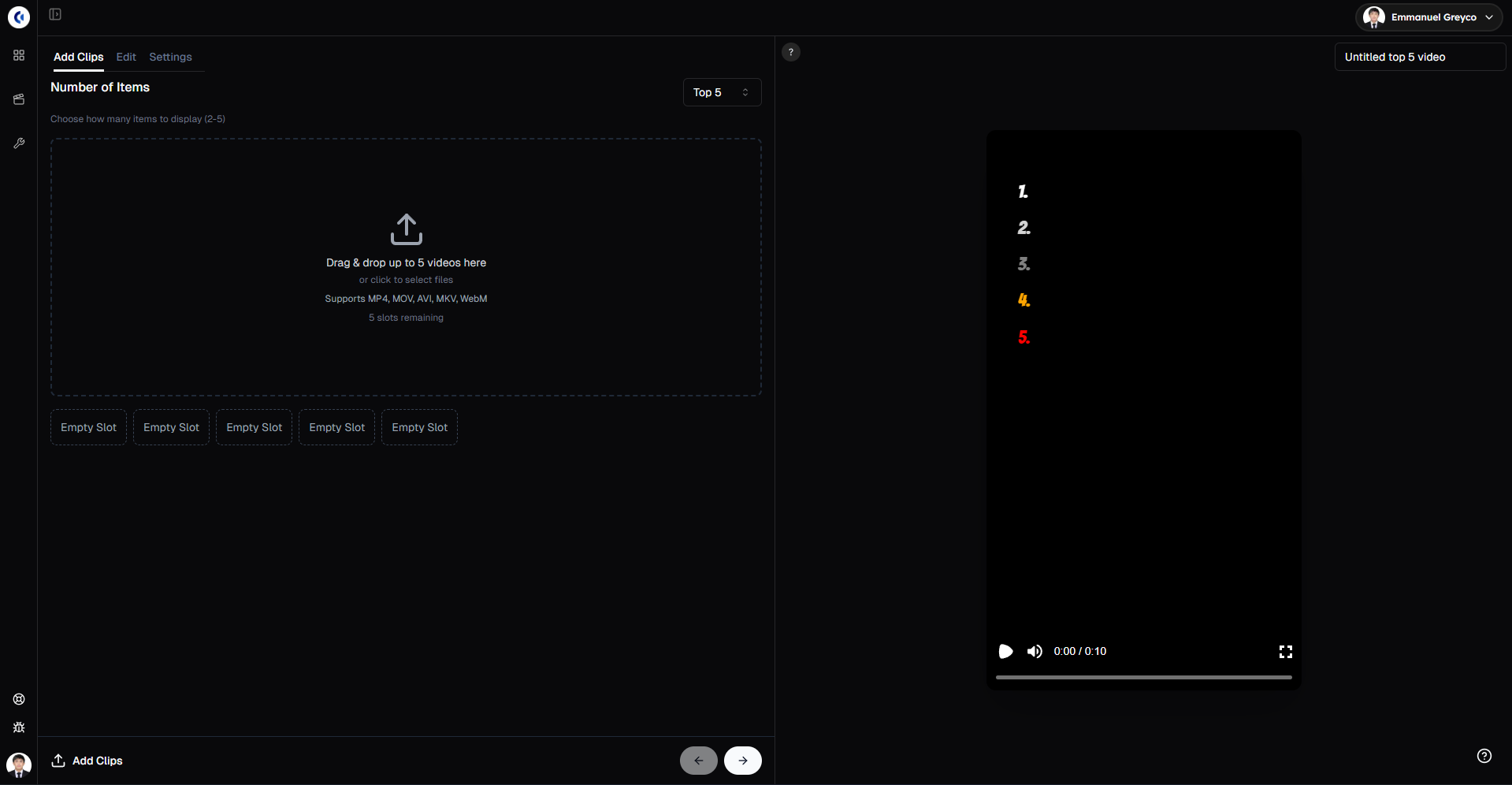
Pro tip: Choose clips with clear highlights or exciting moments to keep viewers hooked throughout the countdown.
Step 2: Edit Titles and Clips Order
Make your video clear and engaging.
Go to the Edit tab.
Edit the title for your video.
Select the voice for the title voiceover and click Generate.
Adjust the clips order as needed.
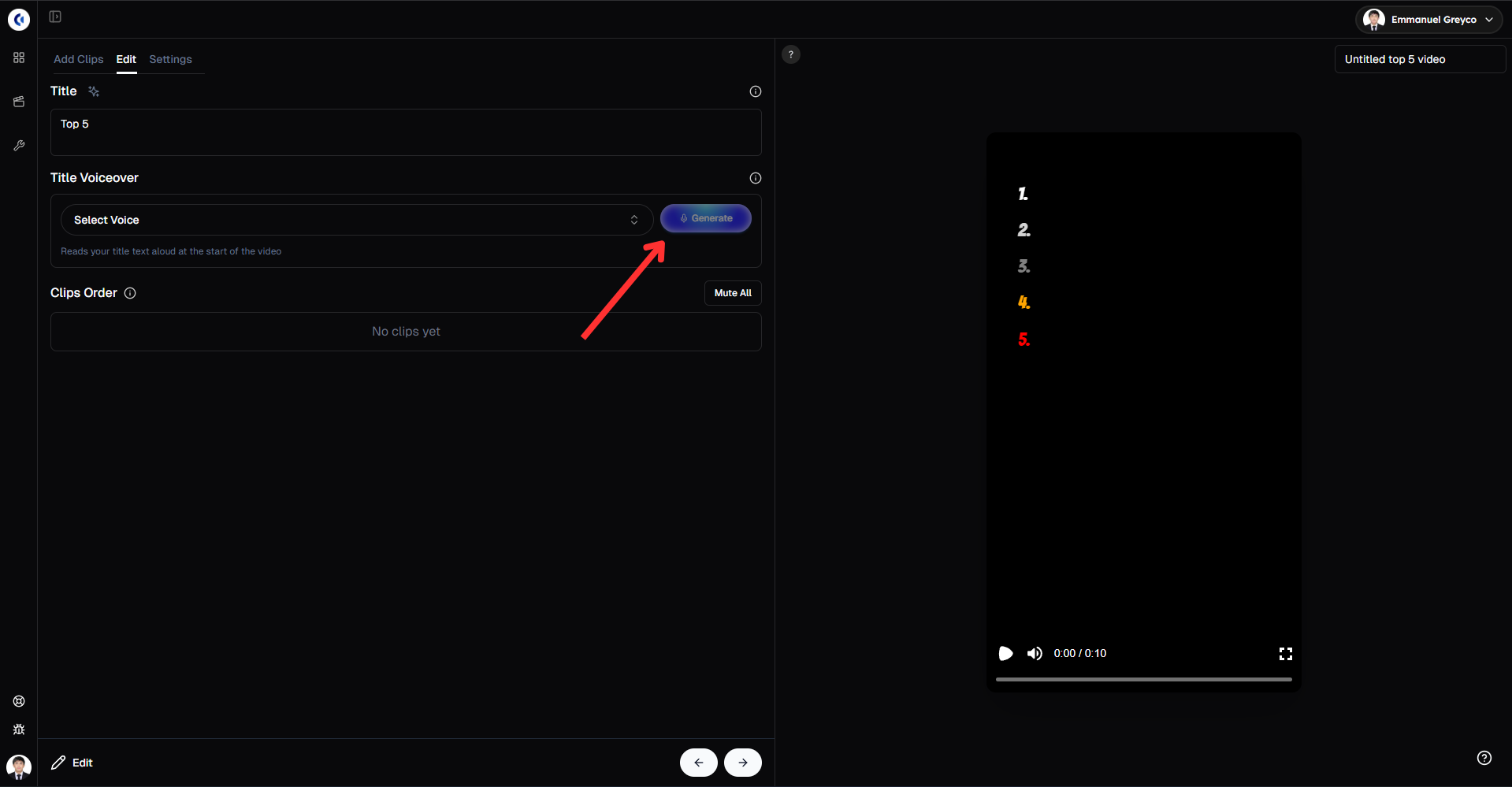
This step lets you control the story flow and ensure your countdown feels natural and exciting.
Step 3: Customize Visuals and Audio
Fine-tune your video’s look and feel.
Go to the Settings tab.
Change the font style, color, and size.
Enable background effects like blurred background, bass boost transition, and show upcoming numbers.
Add background music.
Click Generate Subtitle to add captions.
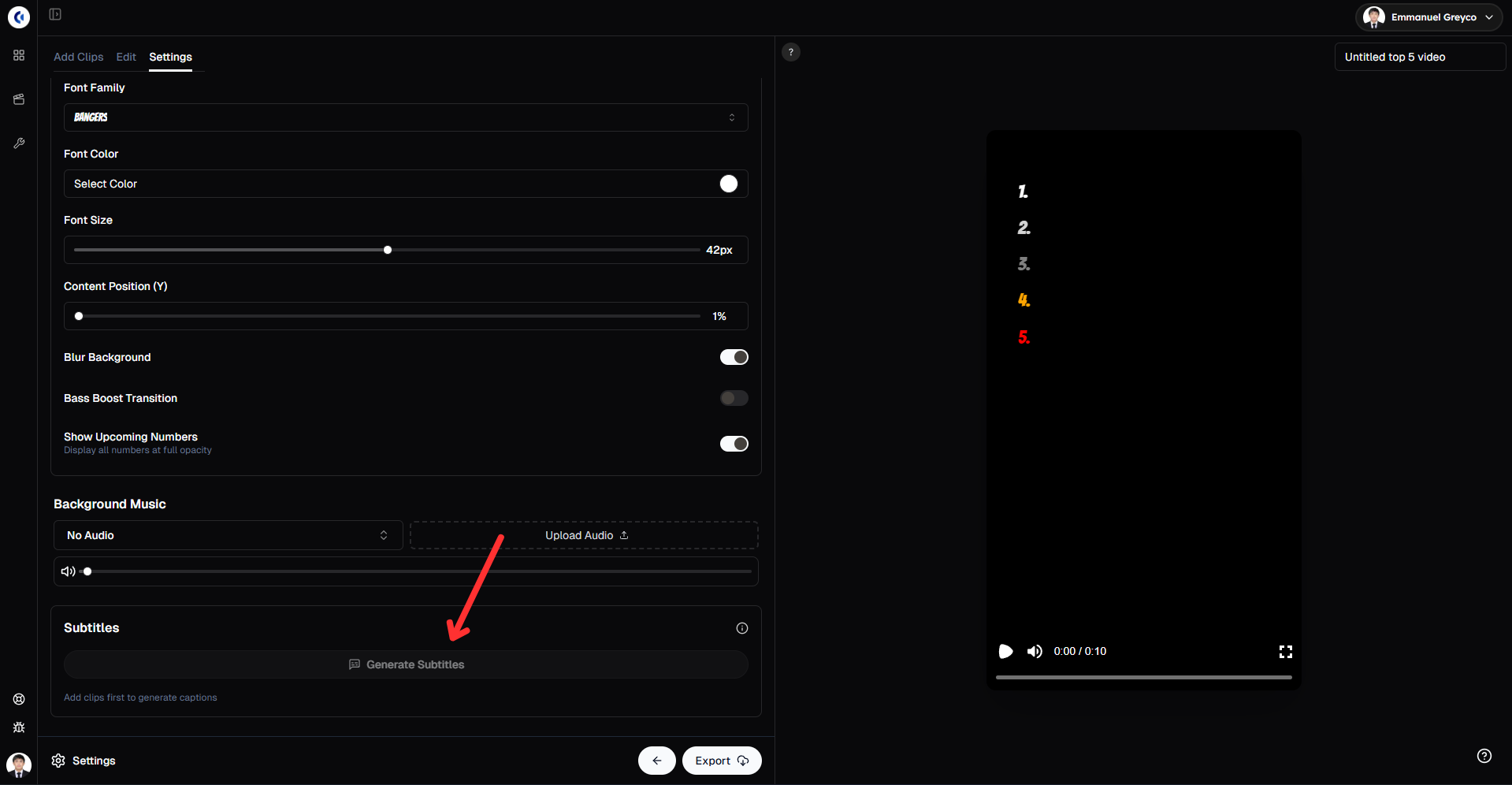
Customizing these details improves the video’s polish and viewer engagement.
Step 4: Export Your Video
Once you’re happy with the final result:
Click Export.
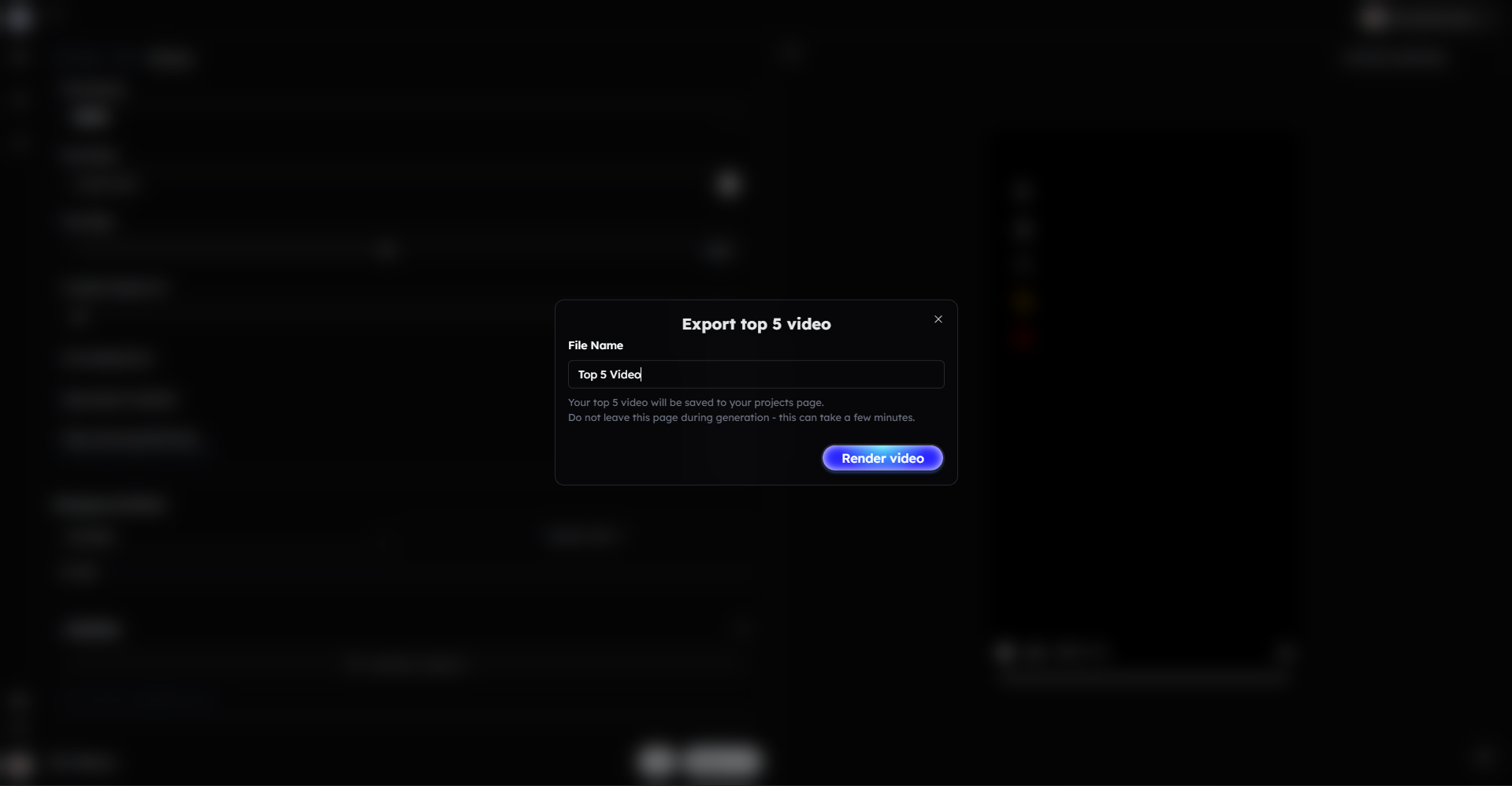
Your Top 5 video is ready to share.
Bonus: Get 1-on-1 Support in Our Discord Community
If you get stuck or want personalized help, join our Discord community. Our team offers 24/7 one-to-one support to help you go viral with your content.
Click me to join our discord community!
FAQs: Making Top 5 Videos
Q: How many clips can I include in a Top 5 video? A: You can adjust the number of clips to fit your video, typically between 3 to 5 clips.
Q: Can I reorder the clips after uploading? A: Yes, you can easily drag and reorder clips in the Edit tab to get the perfect sequence.
Q: What customization options are available for titles? A: You can edit the title text, select a voice for the title voiceover, and generate it directly within Clippie AI.
Q: Can I add background music and visual effects? A: Yes, you can add music, enable blurred backgrounds, bass boost transitions, and show upcoming numbers for a professional look.
Related Blog Posts
How to Make Would You Rather Videos with Clippie AI (2026 Guide)
How to Make Split Screen Videos with Clippie AI (2026 Guide)
How to Create AI Voiceover Videos with Clippie AI (2026 Guide)
Click Me To Start Creating With Clippie AI Now!
Make an AI story video
Write a script or let AI write one. Clippie turns it into a narrated video with AI scenes, voiceover and captions.
Read more

How to Make Top 5 Ranking Videos in 2026 (Step-by-Step)
Build ranking Shorts that can still earn: pick a debatable topic, set clear criteria, source clips you may use, script the countdown, add your commentary.

How to Create Short-Form Videos Using AI: 8 Steps (2026)
A beginner workflow for AI videos on TikTok, Reels and Shorts: pick a format, script a hook, add visuals, voice and captions, export at 9:16, label AI.

7 Free CapCut Alternatives for Short-Form Video (2026)
Compare Edits, YouTube Create, VN, Clipchamp, Canva, DaVinci Resolve and Shotcut: what each gives free users, what it caps first and where it falls short.