
How to Create Twitter Videos with Clippie AI (2026 Guide)
Learn how to turn tweets into short form videos with Clippie AI. This guide explains how to add narration, captions, and visuals to Twitter based content.
Introduction
Twitter based videos turn viral tweets and threads into engaging short form content. These videos work well because they highlight opinions, humor, and trending discussions that people already care about.
By repurposing tweets into video format, creators can reach new audiences on TikTok, Shorts, and Reels.
With Clippie AI, you can easily transform tweets into narrated, captioned videos without manual editing.
In this step by step guide, we will show you how to create Twitter videos with Clippie AI and prepare them for posting across platforms.
Step 1: Add Your Tweets
Twitter videos start by turning tweets into engaging visual content.
Edit your display name and username.
Paste or type your tweet text.
Add an image to your tweet if needed.
Adjust the number of likes, quotes, replies, and views.
Select your preferred voice and click Add Tweet.
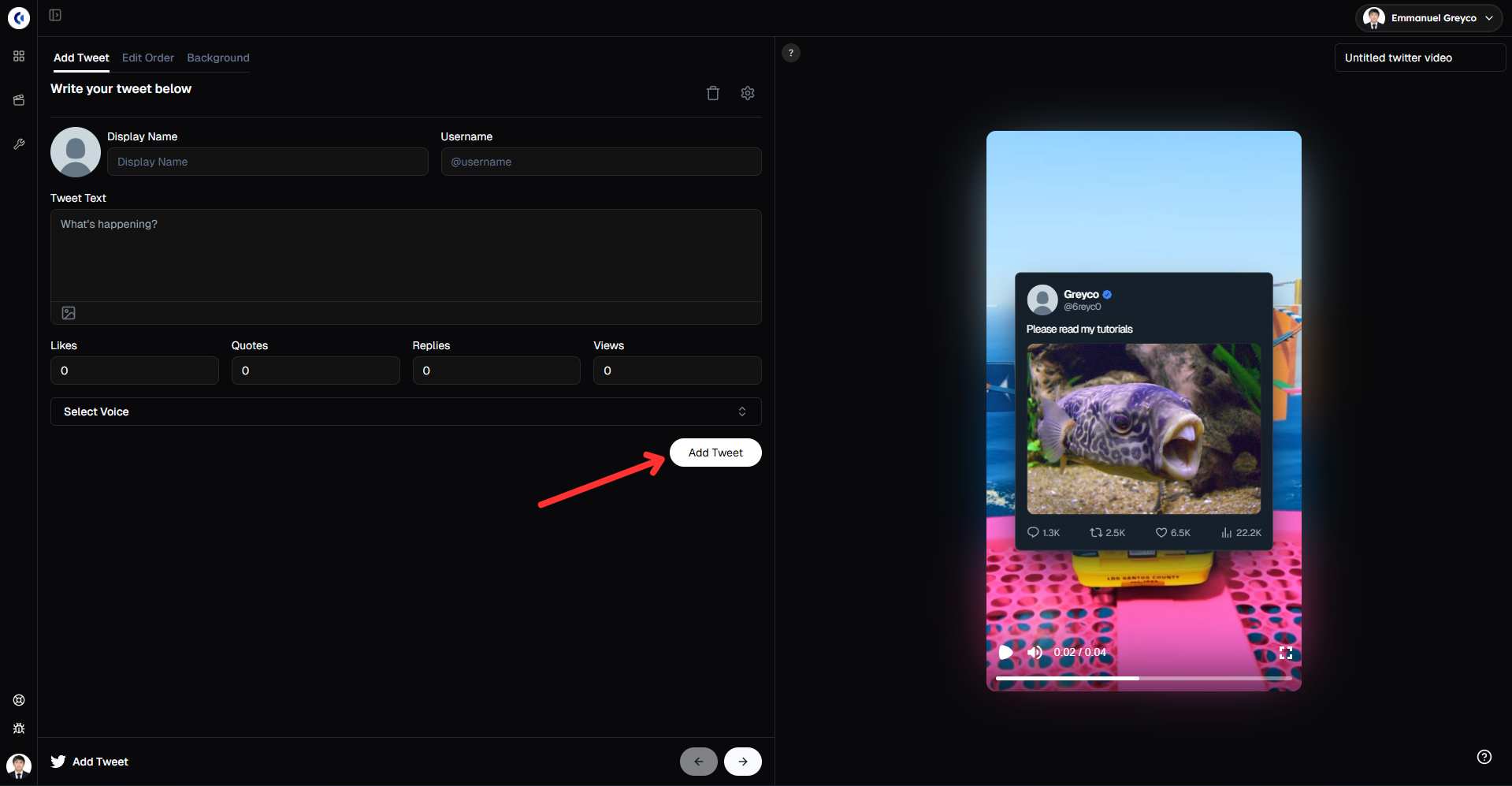
Pro tip: Use popular hashtags or trending topics in your tweets to boost engagement and reach.
Step 2: Arrange and Generate Tweets
Control the flow and style of your Twitter video.
Go to the Edit Order tab.
Drag tweets to reorder them.
Switch the tweet to dark mode if desired.
Click Generate Tweet to create the voiceover for each tweet.
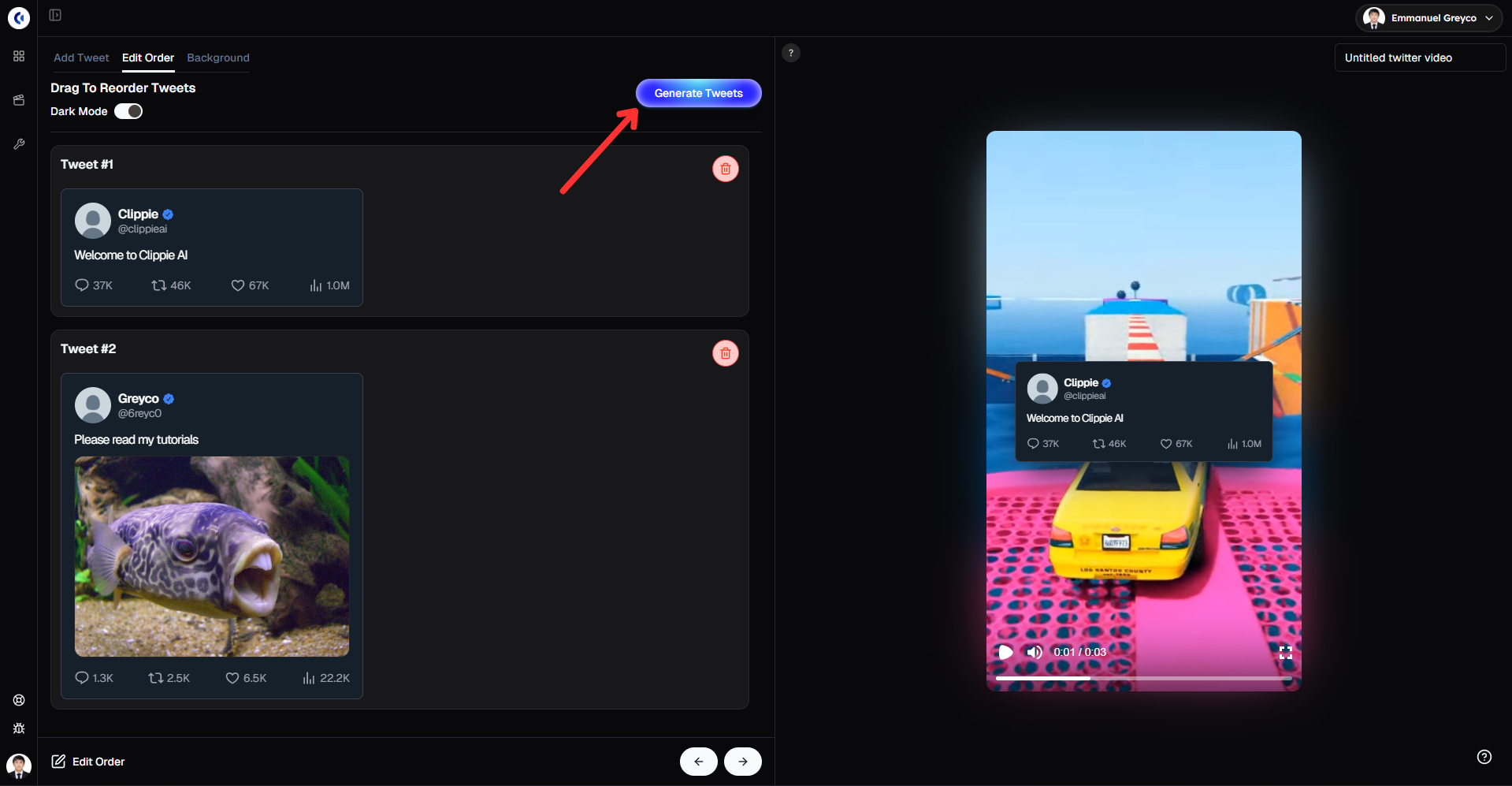
This step helps you organize your content and customize the look for better viewer engagement.
Step 3: Add Background Video and Music
Background visuals help keep viewers engaged.
Go to the Background tab.
Choose a background video from the library or upload your own.
Add background music or upload your own audio.
Adjust the volume so the voiceover stays clear.
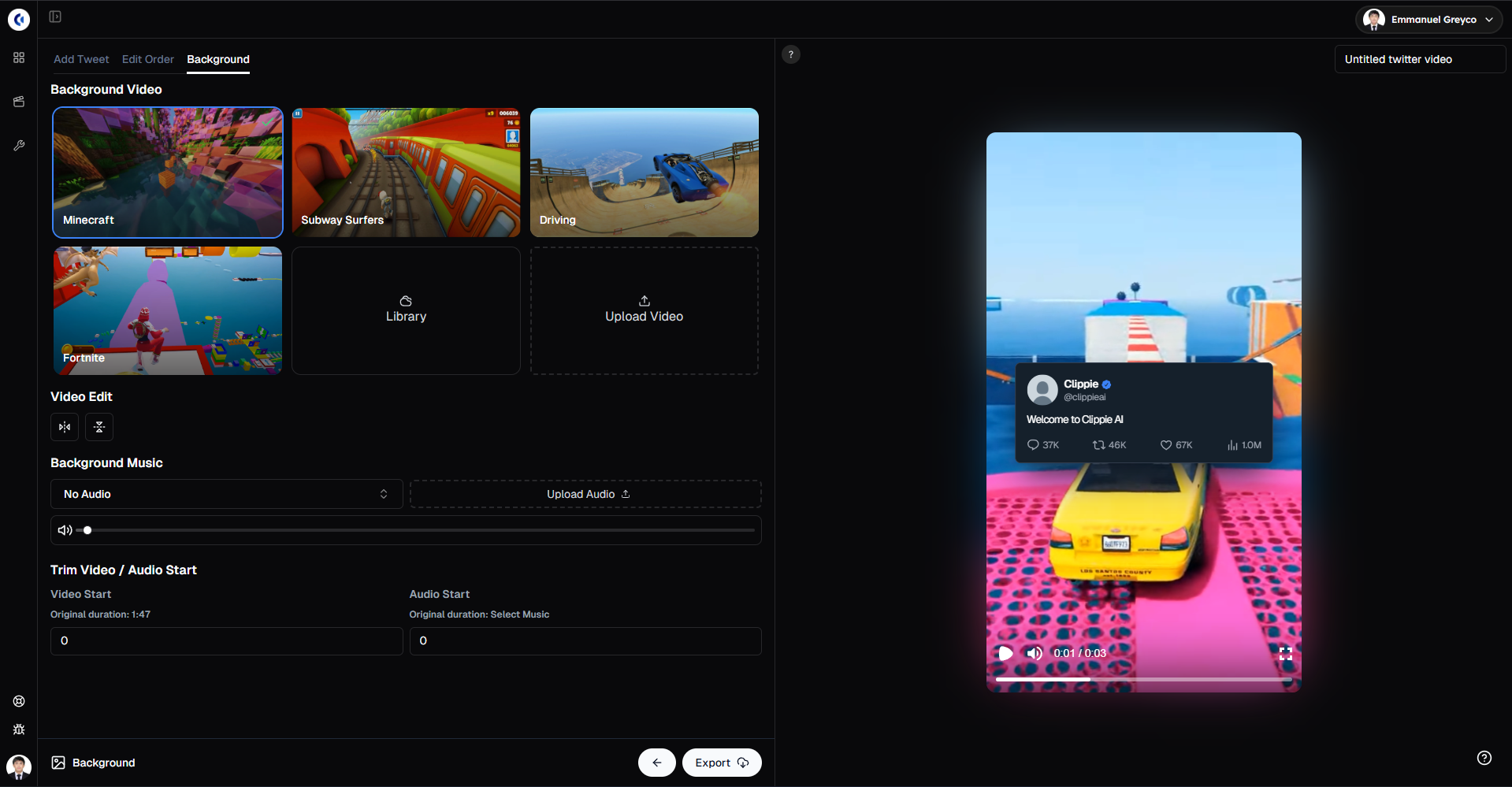
Adding the right visuals and sound enhances the overall viewing experience.
Please note that the gameplay videos available in our library are public and available for anyone to use. Because of this, there is a chance your video may get flagged or receive reduced reach on the For You Page due to reused or copyrighted content. For best performance and originality, we strongly recommend uploading and using your own gameplay videos.
Step 4: Export Your Video
When everything is ready:
Click Export.
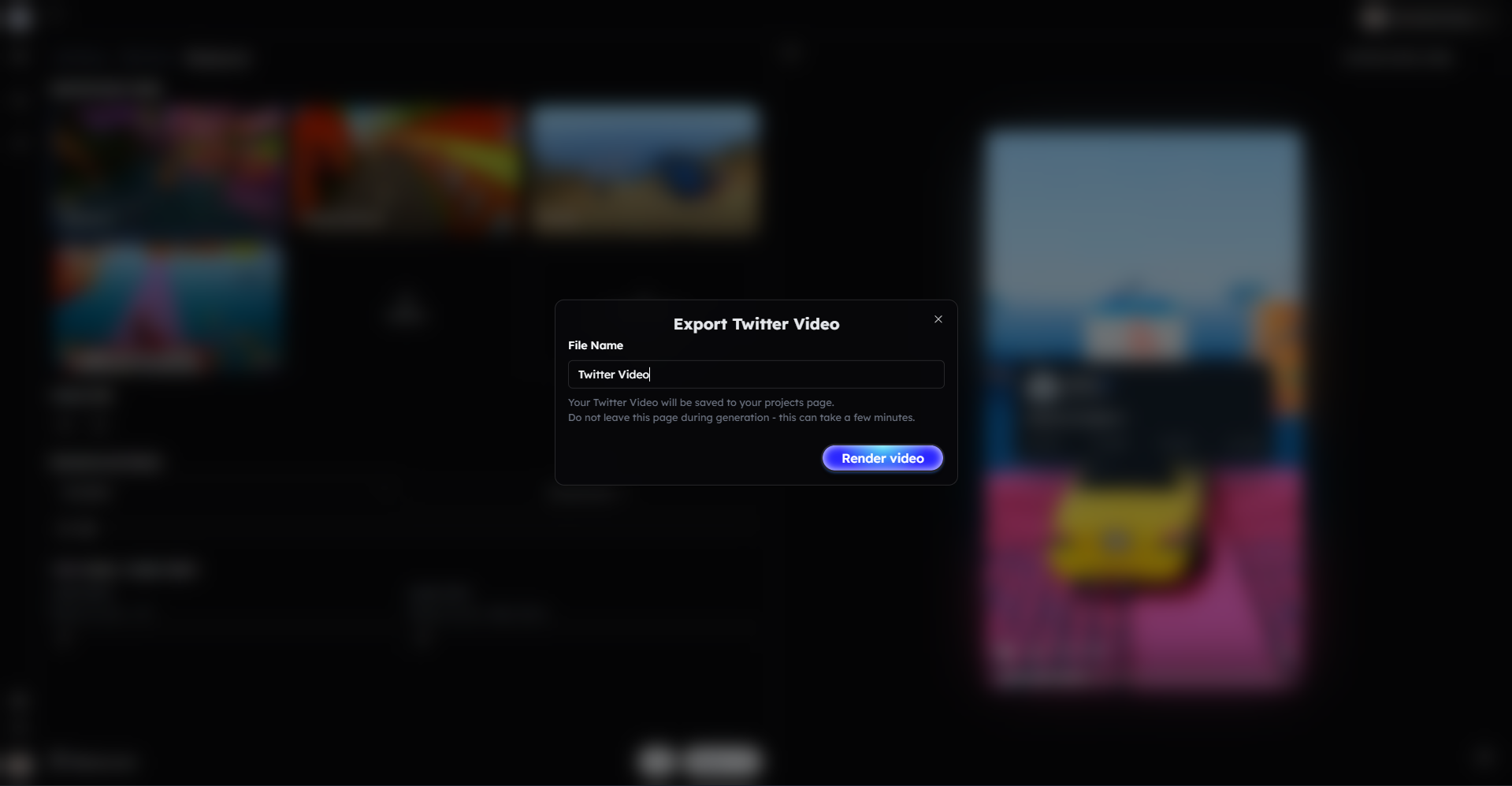
Your Twitter video is now ready to post.
Bonus: Get 1-on-1 Support in Our Discord Community
If you get stuck or want personalized help, join our Discord community. Our team offers 24/7 one-to-one support to help you go viral with your content.
Click me to join our discord community!
FAQs: Making Twitter Videos
Q: Can I add multiple tweets to one video? A: Yes, you can add and reorder multiple tweets to create a seamless Twitter video story.
Q: Can I customize the number of likes, replies, and views? A: Absolutely! You can manually adjust likes, replies, quotes, and views to match your video’s style.
Q: Can I use images in my tweets? A: Yes, you can add images to any tweet to make your video more engaging and visually appealing.
Q: Does dark mode affect how the tweet looks in the video? A: Yes, switching to dark mode changes the tweet’s background and text colors for a different visual style.
Related Blog Posts
How to Create AI Voiceover Videos with Clippie AI (2026 Guide)
How to Make Would You Rather Videos with Clippie AI (2026 Guide)
How to Make Top 5 Videos with Clippie AI (2026 Guide)
Click Me To Start Creating With Clippie AI Now!
Make an AI story video
Write a script or let AI write one. Clippie turns it into a narrated video with AI scenes, voiceover and captions.
Read more

How to Make Top 5 Ranking Videos in 2026 (Step-by-Step)
Build ranking Shorts that can still earn: pick a debatable topic, set clear criteria, source clips you may use, script the countdown, add your commentary.

How to Create Short-Form Videos Using AI: 8 Steps (2026)
A beginner workflow for AI videos on TikTok, Reels and Shorts: pick a format, script a hook, add visuals, voice and captions, export at 9:16, label AI.

7 Free CapCut Alternatives for Short-Form Video (2026)
Compare Edits, YouTube Create, VN, Clipchamp, Canva, DaVinci Resolve and Shotcut: what each gives free users, what it caps first and where it falls short.