
How to Create Text Story Videos with Clippie AI (2026 Guide)
Learn how to create text story videos with Clippie AI. This guide covers AI story generation, voiceovers, captions, and visuals to help you make engaging short form story content.
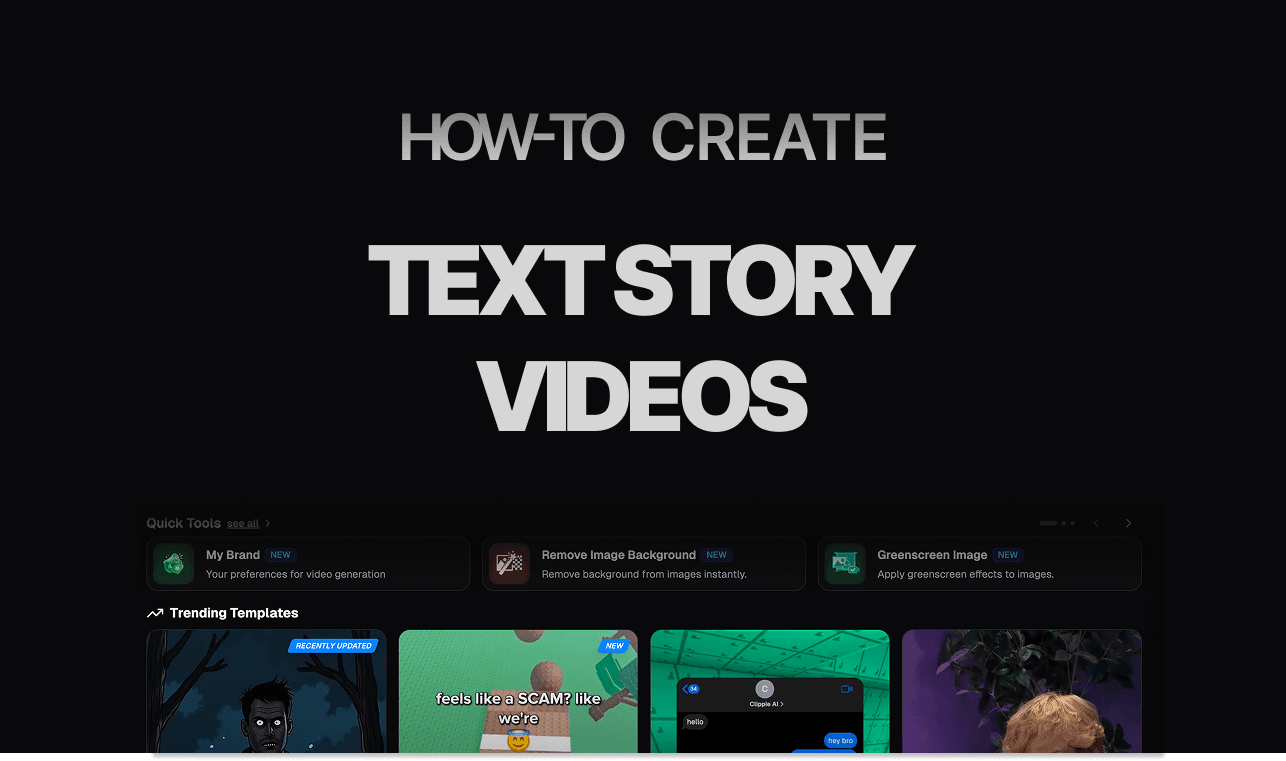
Introduction
Text story videos are one of the most popular and beginner friendly content formats on short form platforms. These videos hook viewers by slowly revealing a story through on screen text and narration, encouraging them to keep watching until the final line. This format works especially well for drama stories, life lessons, confessions, and fictional scenarios.
The reason text story videos perform so well is watch time. Viewers feel compelled to keep reading, which increases retention and signals strong engagement to platform algorithms. When combined with simple visuals and clean captions, these videos become highly addictive.
With Clippie AI, you do not need to be a writer or editor to create text story videos. The platform handles AI story writing, text-to-voice narration, background visuals, automated captions, and exports in one simple process.
In this step by step guide, we will walk you through how to create text story videos with Clippie AI, starting from generating your story to styling captions and exporting a ready to post video. By the end, you will be able to consistently create text story content that keeps viewers watching.
Step 1: Craft Your Script with AI-Powered Text Generation
Text story videos start with a clear and engaging conversation script.
Click Generate with AI in Clippie AI.
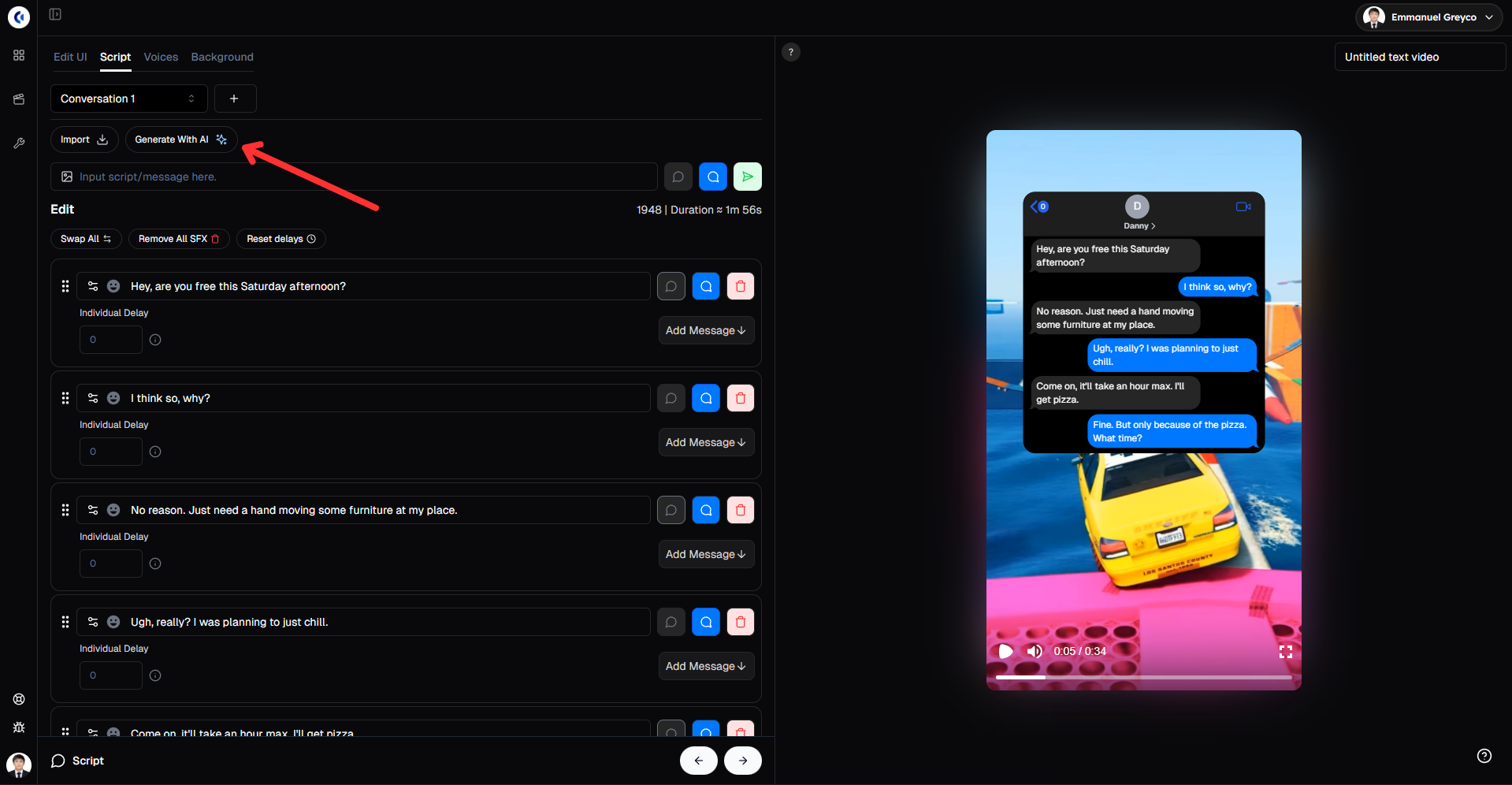
Type a detailed prompt describing the text story you want for example, “Generate a funny conversation about two friends planning for a surprise party”
Add sound effects to text messages for realism.
Adjust the order of text messages if needed.
Set an individual delay for each message to control pacing.
Pro tip: Use vivid emotions and specific details in your prompt to create more relatable and engaging conversations.
Step 2: Personalize Your Chat UI for Authenticity
Make the conversation feel real and polished.
Go to the Edit UI tab.
Change the name and profile picture of the contact person.
Adjust the number of unread messages and messages per page.
Choose a UI template that fits your story style.
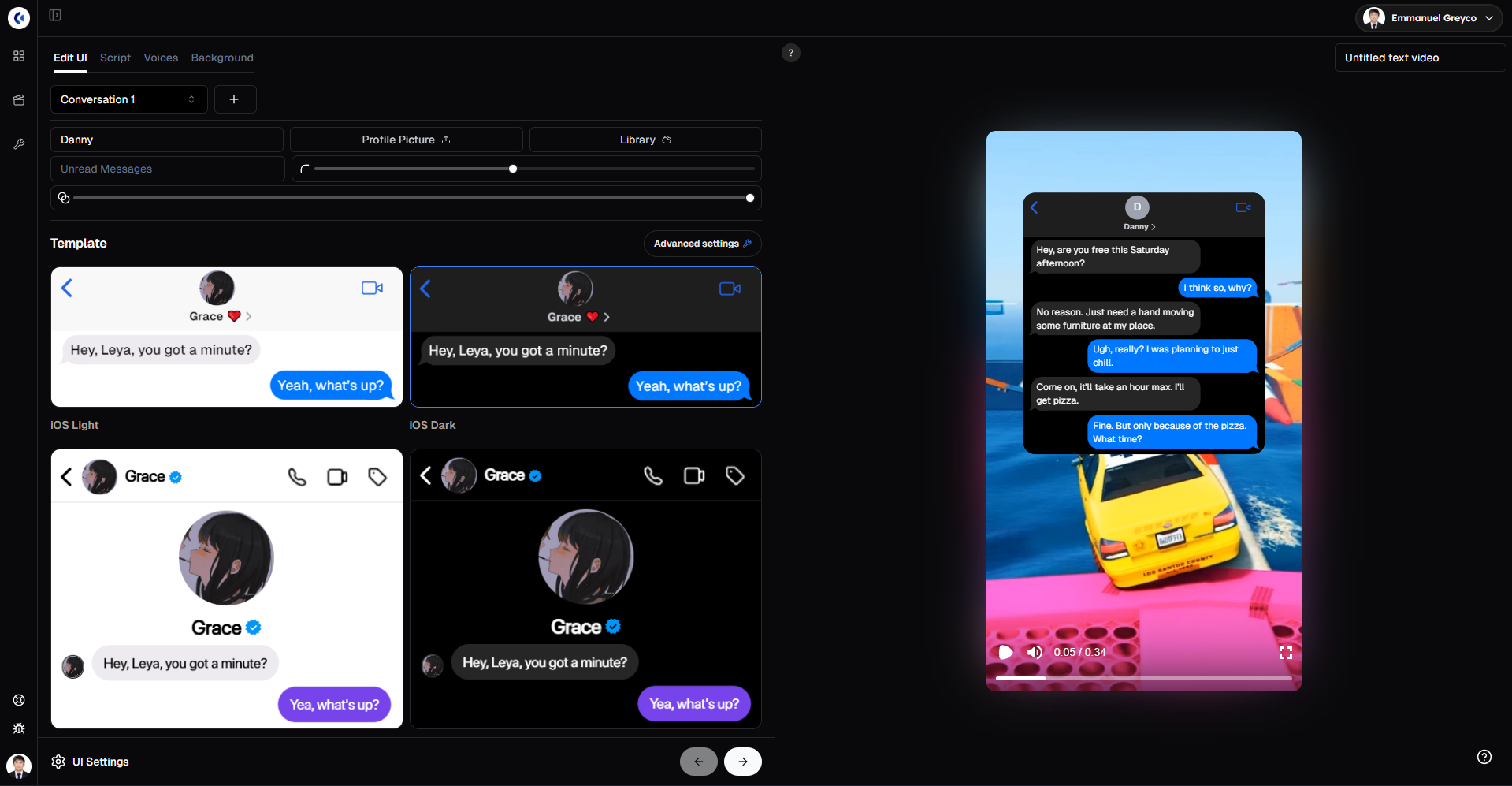
This step customizes the look of your text conversation to make it feel genuine and visually appealing.
Step 3: Bring Characters to Life with Voice Selection
Bring the text conversation to life with voices.
Go to the Voices tab.
Choose the voice for both the left and right sender.
Click Generate Texts to apply the voices.
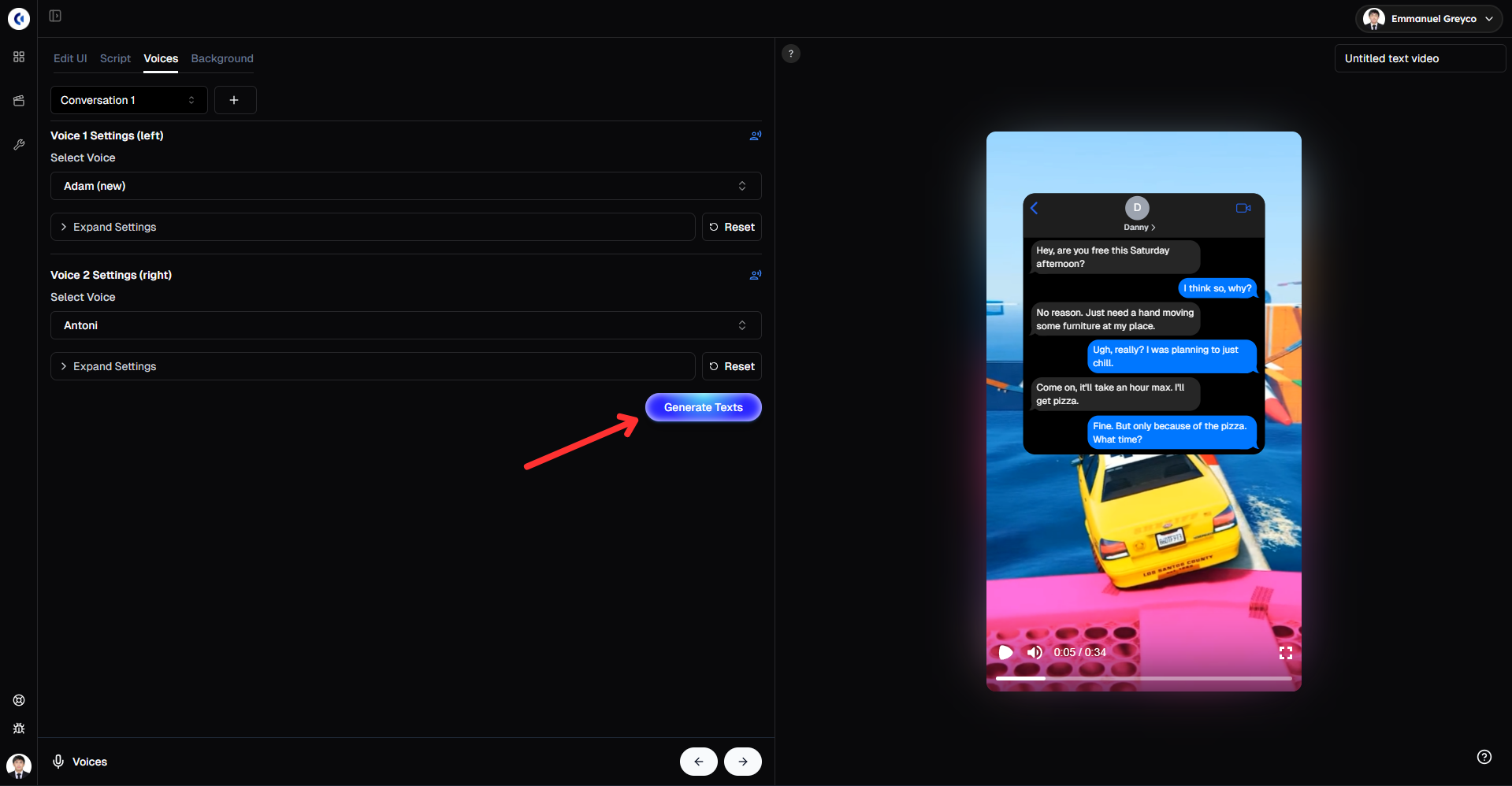
Adding voices helps make your text story more engaging and easier for viewers to follow.
Step 4: Set the Scene with Background Video and Music
Background visuals keep viewers watching longer.
Go to the Background tab.
Choose a background video from the library or upload your own.
Add background music or upload your own audio.
Adjust the volume so the voices remain clear.
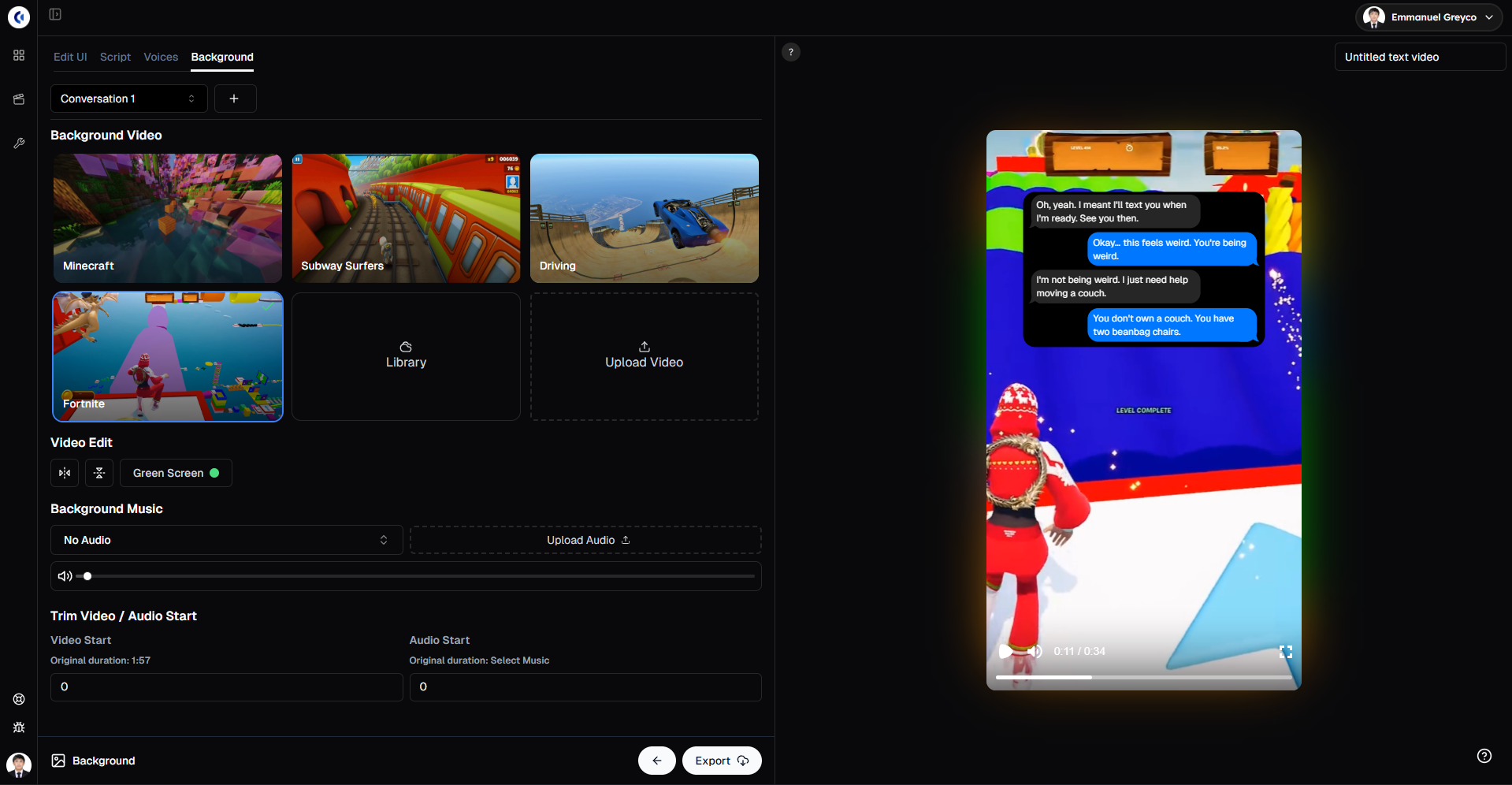
This step balances visuals and sound to create an immersive viewing experience.
Please note that the gameplay videos available in our library are public and available for anyone to use. Because of this, there is a chance your video may get flagged or receive reduced reach on the For You Page due to reused or copyrighted content. For best performance and originality, we strongly recommend uploading and using your own gameplay videos.
Step 5: Finalize and Export Your Text Story Video
When your video is ready:
Click Export.
Your text story video is now ready to post.
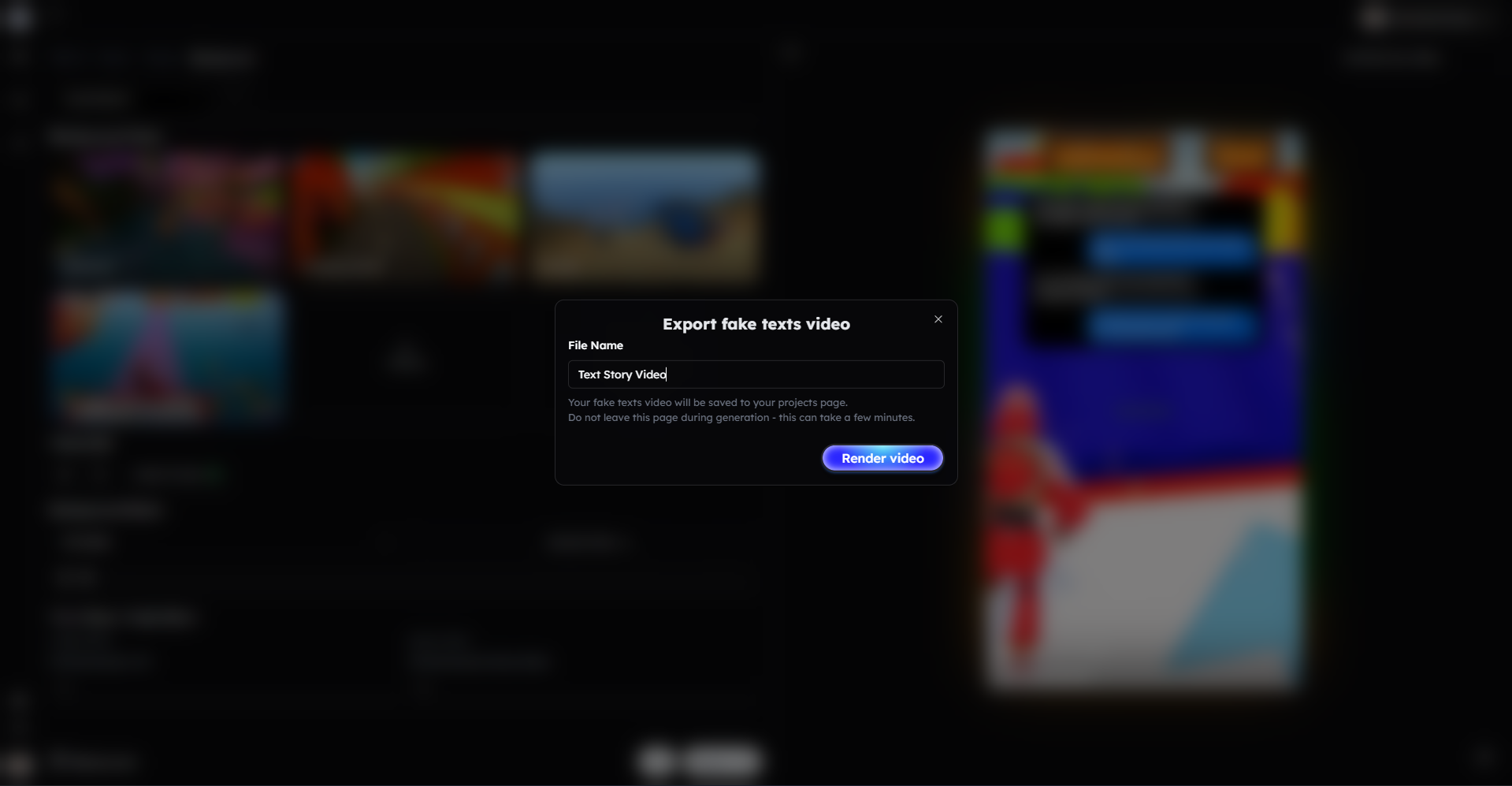
This step finalizes your video for sharing on all platforms.
Bonus: Get 1-on-1 Support in Our Discord Community
If you get stuck or want personalized help, join our Discord community. Our team offers 24/7 one-to-one support to help you go viral with your content.
Click me to join our discord community!
FAQs: Making Text Story Videos
Q: How detailed should my AI prompt be for the text story? A: The more specific and vivid your prompt, the better the AI generates engaging conversations with realistic dialogue and emotions.
Q: Can I change the order or timing of text messages? A: Yes, you can manually adjust the order and set individual delays for each message to control pacing and flow.
Q: Can I customize the appearance of the chat interface? A: Absolutely! You can edit names, profile pictures, unread message counts, messages per page, and choose from different UI templates in the Edit UI tab.
Q: What length works best for text story videos? A: Videos between 30 to 60 seconds perform best on platforms like TikTok, YouTube Shorts, and Instagram Reels.
Related Blog Posts
How to Create Twitter Videos with Clippie AI (2026 Guide)
How to Create Reddit Story Videos with Clippie AI (2026 Guide)
How to Make Roblox Rant Videos with Clippie AI (2026 Guide)
Click Me To Start Creating With Clippie AI Now!
Read more

The Psychology Behind Viral Short-Form Videos, Minus the Myths
Viewers decide fast, but not for the reasons most guides repeat. Seven patterns behind videos people finish, plus how to read your own retention curve.
Are AI Story Videos Still Worth Making in 2026?
Two AI story videos can use the same tool and get opposite results. What changed in 2026, which formats hold attention, and what YouTube won't monetize.

How to Create YouTube Shorts Faster Using AI (2026 Workflow)
AI can take a YouTube Short from script to export in one sitting. Here's the six-step workflow, the 2026 specs, and what to keep manual as volume rises.